LAB#9 Graphics and Color 
322432 Web Design Technology 
Department of Computer Science, Faculty of Science Khon Kean University 
By Yaowaluck Promdee, Sumonta Kasemvilas
Image file type use on website 
GIF 
JPEG 
PNG 
Graphics Interchange 
Format 
Joint Photographic Experts 
Group 
Portable Network Graphics
GIF 
GIF (Graphics Interchange Format) was 
developed by CompuServe and uses the LZW 
(Lempel-Ziv-Welch)
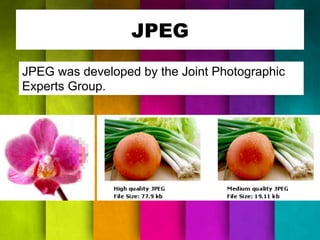
JPEG 
JPEG was developed by the Joint Photographic 
Experts Group.
PNG 
PNG (Portable Network Graphics) was created to 
essentially replace, or at least improve upon the 
GIF format.
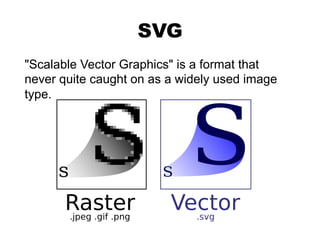
SVG 
"Scalable Vector Graphics" is a format that 
never quite caught on as a widely used image 
type.
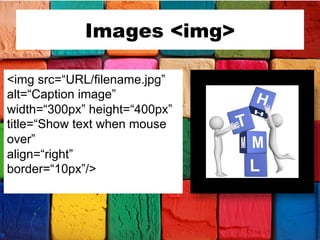
Images <img> 
<img src=“URL/filename.jpg” 
alt=“Caption image” 
width=“300px” height=“400px” 
title=“Show text when mouse 
over” 
align=“right” 
border=“10px”/>
Images with CSS 
div.Img { 
Margin:2px; 
Border:2px solid #0000FF; 
Height:auto; 
Width:auto; 
Float:left; 
Text-align:center; 
} 
<div class=“img”> 
<a target=“_blank” 
href= 
“http://www.google.com”> 
<img src=“google.jpg” 
alt=“google logo” 
</a> 
Add a description of the 
image here 
</div>
Images with CSS 
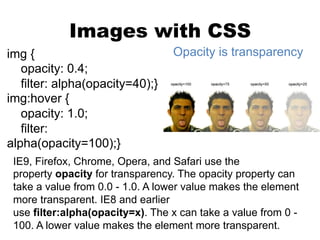
img { Opacity is transparency 
opacity: 0.4; 
filter: alpha(opacity=40);} 
img:hover { 
opacity: 1.0; 
filter: 
alpha(opacity=100);} 
IE9, Firefox, Chrome, Opera, and Safari use the 
property opacity for transparency. The opacity property can 
take a value from 0.0 - 1.0. A lower value makes the element 
more transparent. IE8 and earlier 
use filter:alpha(opacity=x). The x can take a value from 0 - 
100. A lower value makes the element more transparent.
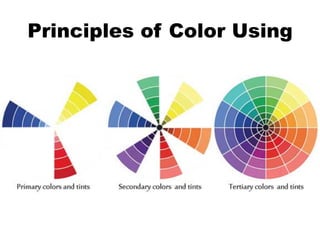
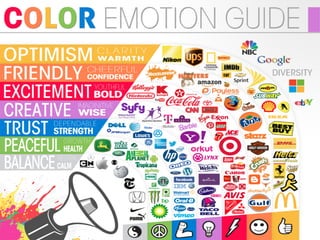
Graphic Color 
Principles of Color Using
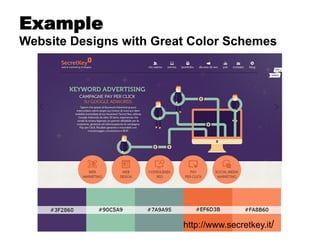
Example 
Website Designs with Great Color Schemes 
http://www.secretkey.it/
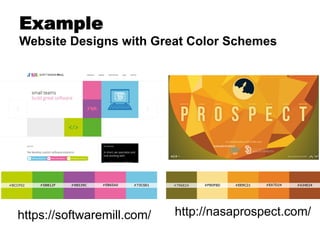
Example 
Website Designs with Great Color Schemes 
https://softwaremill.com/ 
http://nasaprospect.com/
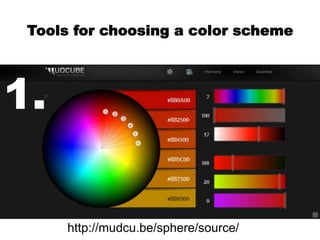
Tools for choosing a color scheme 
http://mudcu.be/sphere/source/ 
1.
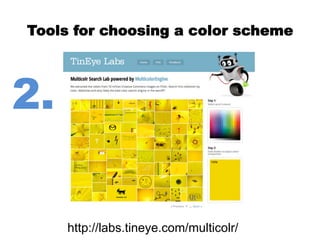
Tools for choosing a color scheme 
http://labs.tineye.com/multicolr/ 
2.
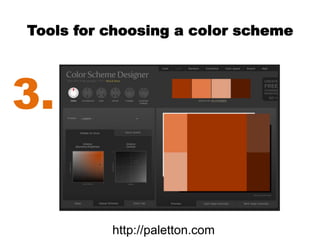
Tools for choosing a color scheme 
3. 
http://paletton.com
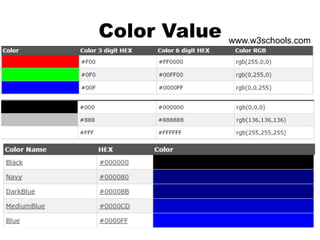
Color Value 
www.w3schools.com
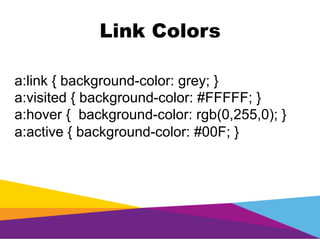
Link Colors 
a:link { background-color: grey; } 
a:visited { background-color: #FFFFF; } 
a:hover { background-color: rgb(0,255,0); } 
a:active { background-color: #00F; }
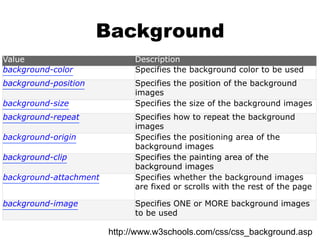
Background 
Value Description 
background-color Specifies the background color to be used 
background-position Specifies the position of the background 
images 
background-size Specifies the size of the background images 
background-repeat Specifies how to repeat the background 
images 
background-origin Specifies the positioning area of the 
background images 
background-clip Specifies the painting area of the 
background images 
background-attachment Specifies whether the background images 
are fixed or scrolls with the rest of the page 
background-image Specifies ONE or MORE background images 
to be used 
http://www.w3schools.com/css/css_background.asp
Assignment#9 
Design your Project “Faculty of Science” 
- Home Page Layout Design 
- Color Theme 
- Site Map
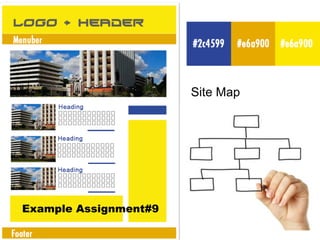
Example Assignment#9 
Site Map

Lab#9 graphic and color

  • 1.
    LAB#9 Graphics andColor 322432 Web Design Technology Department of Computer Science, Faculty of Science Khon Kean University By Yaowaluck Promdee, Sumonta Kasemvilas
  • 2.
    Image file typeuse on website GIF JPEG PNG Graphics Interchange Format Joint Photographic Experts Group Portable Network Graphics
  • 3.
    GIF GIF (GraphicsInterchange Format) was developed by CompuServe and uses the LZW (Lempel-Ziv-Welch)
  • 4.
    JPEG JPEG wasdeveloped by the Joint Photographic Experts Group.
  • 5.
    PNG PNG (PortableNetwork Graphics) was created to essentially replace, or at least improve upon the GIF format.
  • 6.
    SVG "Scalable VectorGraphics" is a format that never quite caught on as a widely used image type.
  • 7.
    Images <img> <imgsrc=“URL/filename.jpg” alt=“Caption image” width=“300px” height=“400px” title=“Show text when mouse over” align=“right” border=“10px”/>
  • 8.
    Images with CSS div.Img { Margin:2px; Border:2px solid #0000FF; Height:auto; Width:auto; Float:left; Text-align:center; } <div class=“img”> <a target=“_blank” href= “http://www.google.com”> <img src=“google.jpg” alt=“google logo” </a> Add a description of the image here </div>
  • 9.
    Images with CSS img { Opacity is transparency opacity: 0.4; filter: alpha(opacity=40);} img:hover { opacity: 1.0; filter: alpha(opacity=100);} IE9, Firefox, Chrome, Opera, and Safari use the property opacity for transparency. The opacity property can take a value from 0.0 - 1.0. A lower value makes the element more transparent. IE8 and earlier use filter:alpha(opacity=x). The x can take a value from 0 - 100. A lower value makes the element more transparent.
  • 10.
  • 11.
  • 13.
    Example Website Designswith Great Color Schemes http://www.secretkey.it/
  • 14.
    Example Website Designswith Great Color Schemes https://softwaremill.com/ http://nasaprospect.com/
  • 15.
    Tools for choosinga color scheme http://mudcu.be/sphere/source/ 1.
  • 16.
    Tools for choosinga color scheme http://labs.tineye.com/multicolr/ 2.
  • 17.
    Tools for choosinga color scheme 3. http://paletton.com
  • 18.
  • 19.
    Link Colors a:link{ background-color: grey; } a:visited { background-color: #FFFFF; } a:hover { background-color: rgb(0,255,0); } a:active { background-color: #00F; }
  • 20.
    Background Value Description background-color Specifies the background color to be used background-position Specifies the position of the background images background-size Specifies the size of the background images background-repeat Specifies how to repeat the background images background-origin Specifies the positioning area of the background images background-clip Specifies the painting area of the background images background-attachment Specifies whether the background images are fixed or scrolls with the rest of the page background-image Specifies ONE or MORE background images to be used http://www.w3schools.com/css/css_background.asp
  • 21.
    Assignment#9 Design yourProject “Faculty of Science” - Home Page Layout Design - Color Theme - Site Map
  • 22.