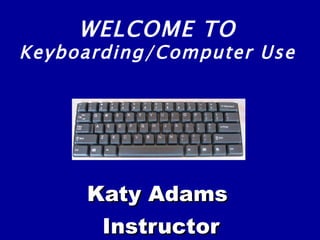
Katy Adams Instructor WELCOME TO Keyboarding/Computer Use
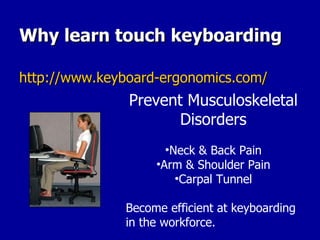
Why learn touch keyboarding http://www.keyboard-ergonomics.com/ Prevent Musculoskeletal Disorders Neck & Back Pain Arm & Shoulder Pain Carpal Tunnel Become efficient at keyboarding in the workforce.
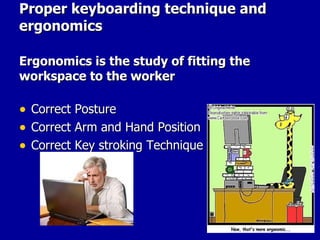
Proper keyboarding technique and ergonomics Ergonomics is the study of fitting the workspace to the worker Correct Posture Correct Arm and Hand Position Correct Key stroking Technique
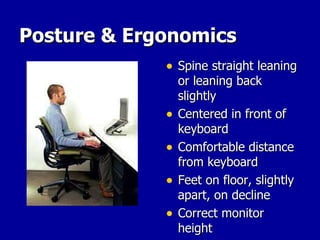
Posture & Ergonomics Spine straight leaning or leaning back slightly Centered in front of keyboard Comfortable distance from keyboard Feet on floor, slightly apart, on decline Correct monitor height
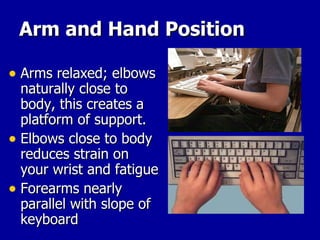
Arm and Hand Position Arms relaxed; elbows naturally close to body, this creates a platform of support. Elbows close to body reduces strain on your wrist and fatigue Forearms nearly parallel with slope of keyboard
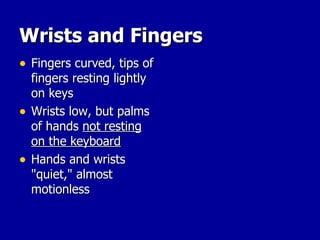
Wrists and Fingers Fingers curved, tips of fingers resting lightly on keys Wrists low, but palms of hands  not resting on the keyboard Hands and wrists "quiet," almost motionless
IF YOU DO THIS . .  . You will type faster.  (Speed) You will make fewer mistakes.  (Accuracy) PRACTICE – BUILD MUSCLE MEMORY You will be able to type longer without getting as tired. It will be less likely that you will have health problems with your hands and wrists.
IT IS WORTH THE EFFORT! YOU WILL NO LONGER BE A  HUNT AND PECK  TYPIEST ANY MORE!!! practice – practice - practice  - practice
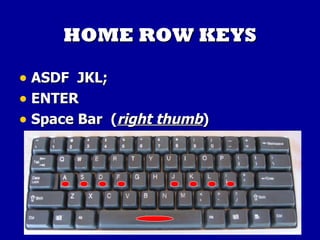
HOME ROW KEYS ASDF  JKL; ENTER Space Bar  ( right thumb )

Keyboarding computer use ppt

  • 1.
    Katy Adams InstructorWELCOME TO Keyboarding/Computer Use
  • 2.
    Why learn touchkeyboarding http://www.keyboard-ergonomics.com/ Prevent Musculoskeletal Disorders Neck & Back Pain Arm & Shoulder Pain Carpal Tunnel Become efficient at keyboarding in the workforce.
  • 3.
    Proper keyboarding techniqueand ergonomics Ergonomics is the study of fitting the workspace to the worker Correct Posture Correct Arm and Hand Position Correct Key stroking Technique
  • 4.
    Posture & ErgonomicsSpine straight leaning or leaning back slightly Centered in front of keyboard Comfortable distance from keyboard Feet on floor, slightly apart, on decline Correct monitor height
  • 5.
    Arm and HandPosition Arms relaxed; elbows naturally close to body, this creates a platform of support. Elbows close to body reduces strain on your wrist and fatigue Forearms nearly parallel with slope of keyboard
  • 6.
    Wrists and FingersFingers curved, tips of fingers resting lightly on keys Wrists low, but palms of hands not resting on the keyboard Hands and wrists "quiet," almost motionless
  • 7.
    IF YOU DOTHIS . . . You will type faster. (Speed) You will make fewer mistakes. (Accuracy) PRACTICE – BUILD MUSCLE MEMORY You will be able to type longer without getting as tired. It will be less likely that you will have health problems with your hands and wrists.
  • 8.
    IT IS WORTHTHE EFFORT! YOU WILL NO LONGER BE A HUNT AND PECK TYPIEST ANY MORE!!! practice – practice - practice - practice
  • 9.
    HOME ROW KEYSASDF JKL; ENTER Space Bar ( right thumb )