Chapter-4

THE KEYBOARD
KEYS ON A KEYBOARD

Buttons on a keyboard are called Keys.


We can type letters, numbers by simply
pressing these keys.
Types of Keys
The different keys on the keyboard are:
2.   Alphabetic Keys
3.   Number Keys
4.   Function Keys
5.   Special Keys
6.   Arrow Keys
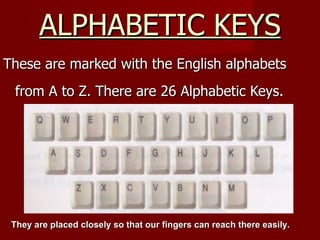
ALPHABETIC KEYS
These are marked with the English alphabets
 from A to Z. There are 26 Alphabetic Keys.


 They are placed closely so that our fingers can reach there easily.
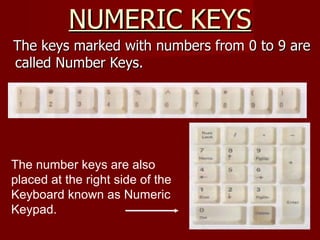
NUMERIC KEYS
The keys marked with numbers from 0 to 9 are
called Number Keys.


The number keys are also
placed at the right side of the
Keyboard known as Numeric
Keypad.
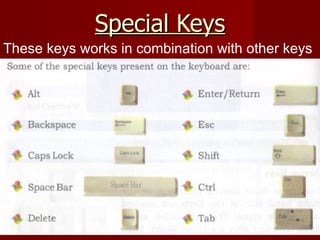
Special Keys
These keys works in combination with other keys
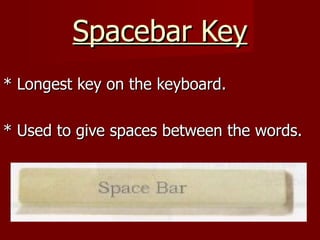
Spacebar Key
* Longest key on the keyboard.

* Used to give spaces between the words.
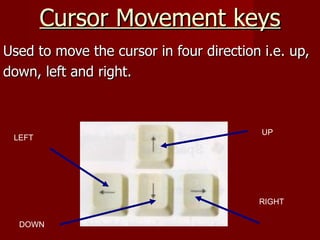
Cursor Movement keys
Used to move the cursor in four direction i.e. up,
down, left and right.


                                          UP
 LEFT


                                         RIGHT

  DOWN
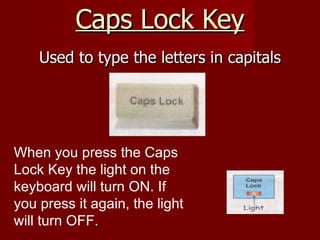
Caps Lock Key
    Used to type the letters in capitals


When you press the Caps
Lock Key the light on the
keyboard will turn ON. If
you press it again, the light
will turn OFF.
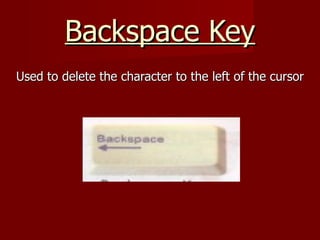
Backspace Key
Used to delete the character to the left of the cursor
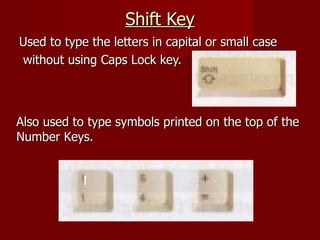
Shift Key
Used to type the letters in capital or small case
without using Caps Lock key.


Also used to type symbols printed on the top of the
Number Keys.


            !
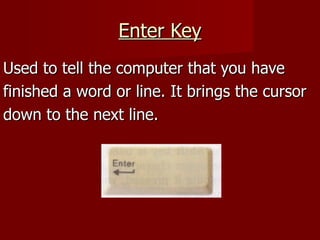
Enter Key
Used to tell the computer that you have
finished a word or line. It brings the cursor
down to the next line.
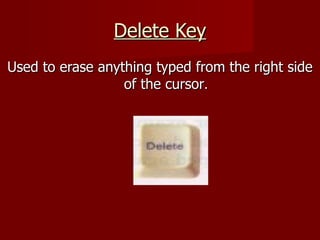
Delete Key
Used to erase anything typed from the right side
                  of the cursor.
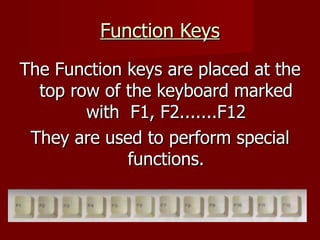
Function Keys
The Function keys are placed at the
  top row of the keyboard marked
        with F1, F2.......F12
 They are used to perform special
             functions.
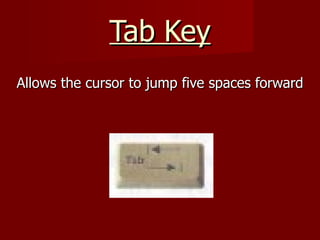
Tab Key
Allows the cursor to jump five spaces forward
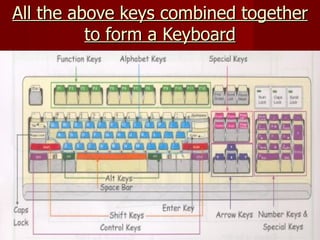
All the above keys combined together
          to form a Keyboard
It’s QUIZ
TIME now !!
Tell the no. of different types of
     keys present on keyboard
i) Alphabetical keys   iv) Arrow keys


ii) Number keys        v) Space key


iii) Function keys     vi) Enter keys
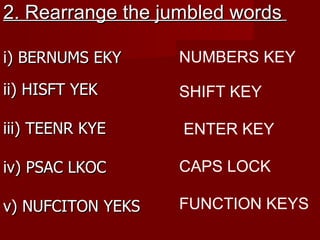
2. Rearrange the jumbled words

i) BERNUMS EKY     NUMBERS KEY

ii) HISFT YEK      SHIFT KEY

iii) TEENR KYE     ENTER KEY

iv) PSAC LKOC      CAPS LOCK

v) NUFCITON YEKS   FUNCTION KEYS

Keyboard

  • 1.
  • 2.
    KEYS ON AKEYBOARD Buttons on a keyboard are called Keys. We can type letters, numbers by simply pressing these keys.
  • 3.
    Types of Keys Thedifferent keys on the keyboard are: 2. Alphabetic Keys 3. Number Keys 4. Function Keys 5. Special Keys 6. Arrow Keys
  • 4.
    ALPHABETIC KEYS These aremarked with the English alphabets from A to Z. There are 26 Alphabetic Keys. They are placed closely so that our fingers can reach there easily.
  • 5.
    NUMERIC KEYS The keysmarked with numbers from 0 to 9 are called Number Keys. The number keys are also placed at the right side of the Keyboard known as Numeric Keypad.
  • 6.
    Special Keys These keysworks in combination with other keys
  • 7.
    Spacebar Key * Longestkey on the keyboard. * Used to give spaces between the words.
  • 8.
    Cursor Movement keys Usedto move the cursor in four direction i.e. up, down, left and right. UP LEFT RIGHT DOWN
  • 9.
    Caps Lock Key Used to type the letters in capitals When you press the Caps Lock Key the light on the keyboard will turn ON. If you press it again, the light will turn OFF.
  • 10.
    Backspace Key Used todelete the character to the left of the cursor
  • 11.
    Shift Key Used totype the letters in capital or small case without using Caps Lock key. Also used to type symbols printed on the top of the Number Keys. !
  • 12.
    Enter Key Used totell the computer that you have finished a word or line. It brings the cursor down to the next line.
  • 13.
    Delete Key Used toerase anything typed from the right side of the cursor.
  • 14.
    Function Keys The Functionkeys are placed at the top row of the keyboard marked with F1, F2.......F12 They are used to perform special functions.
  • 15.
    Tab Key Allows thecursor to jump five spaces forward
  • 16.
    All the abovekeys combined together to form a Keyboard
  • 17.
  • 18.
    Tell the no.of different types of keys present on keyboard i) Alphabetical keys iv) Arrow keys ii) Number keys v) Space key iii) Function keys vi) Enter keys
  • 19.
    2. Rearrange thejumbled words i) BERNUMS EKY NUMBERS KEY ii) HISFT YEK SHIFT KEY iii) TEENR KYE ENTER KEY iv) PSAC LKOC CAPS LOCK v) NUFCITON YEKS FUNCTION KEYS