OFFICE ERGONOMICS
Dr. Shrikant Sant
Asst. Professor
Community Physiotherapy Department
Dr. D. Y. Patil College of Physiotherapy, Pune.
OFFICE ERGONOMICS
 UNC - Charlotte
 Safety and
Environmental
Health Department
 King Building – 1st
DEFINITION
 ERGONOMICS is a way of working
smarter--not harder by designing tools,
equipment, work stations and tasks that
allow a job to fit the worker and NOT by
fitting the worker to the job:
 Layout / type of controls & displays
 Lighting & Temperature
 Process (Heights, reaches, weights)
MSD INJURY DATA
 600,000 MSDs require time off
from work.
 Women suffer more ergonomic
injuries due to:
 jobs requiring more heavy lifting,
repetitive movement while completing
tasks and awkward postures and as a
result account for:
 70% of Carpal Tunnel
 62% of Tendonitis
CAR COST IS (PARTIALLY)--A PAIN IN
THE BACK !!
 According to Dr. E.W. Simmons,
president of the American Back
Society, medical costs related
to back injuries can add up to
$1,800 to the price of every car
made in Detroit!
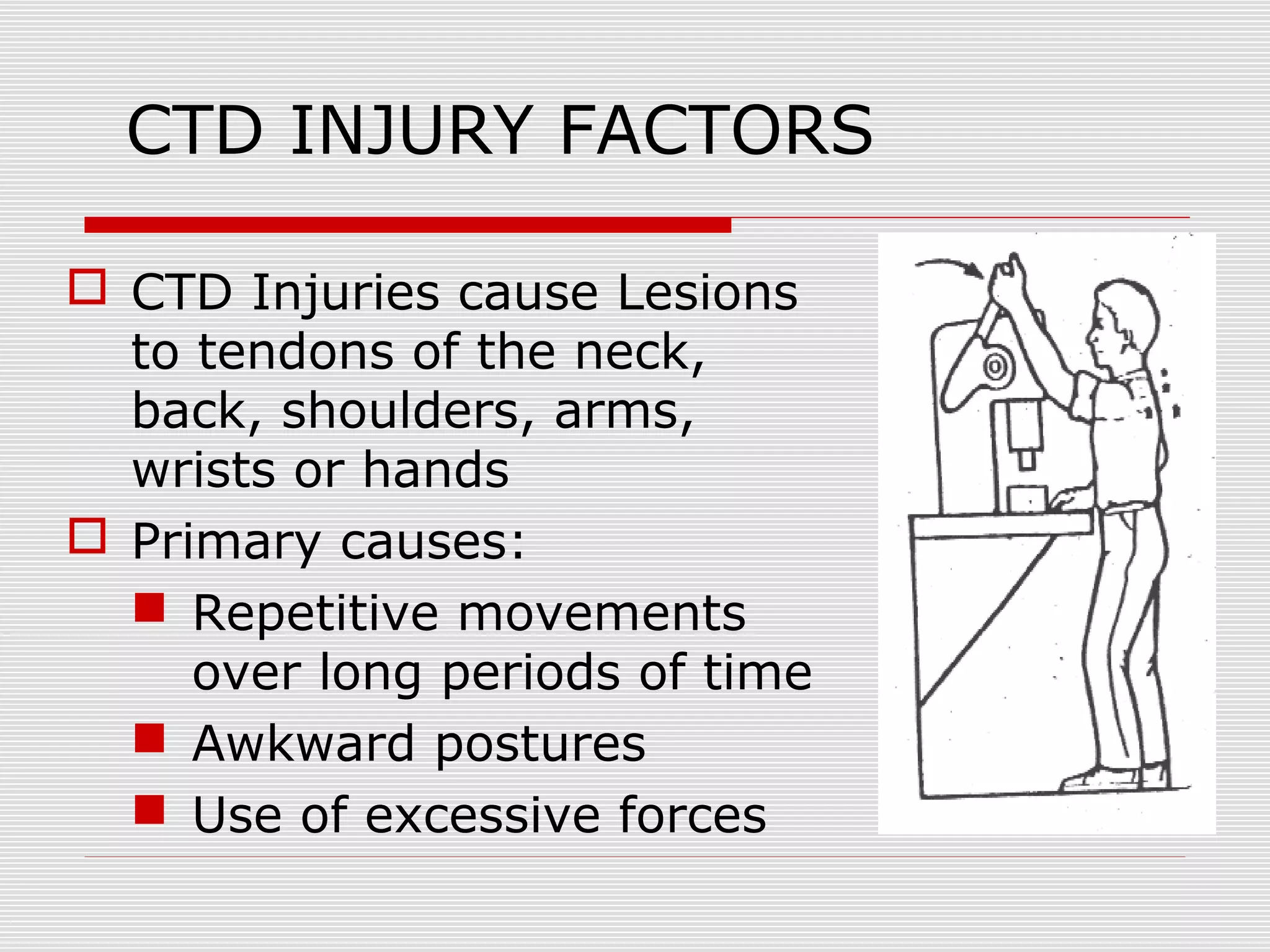
CTD INJURY FACTORS
 CTD Injuries cause Lesions
to tendons of the neck,
back, shoulders, arms,
wrists or hands
 Primary causes:
 Repetitive movements
over long periods of time
 Awkward postures
 Use of excessive forces
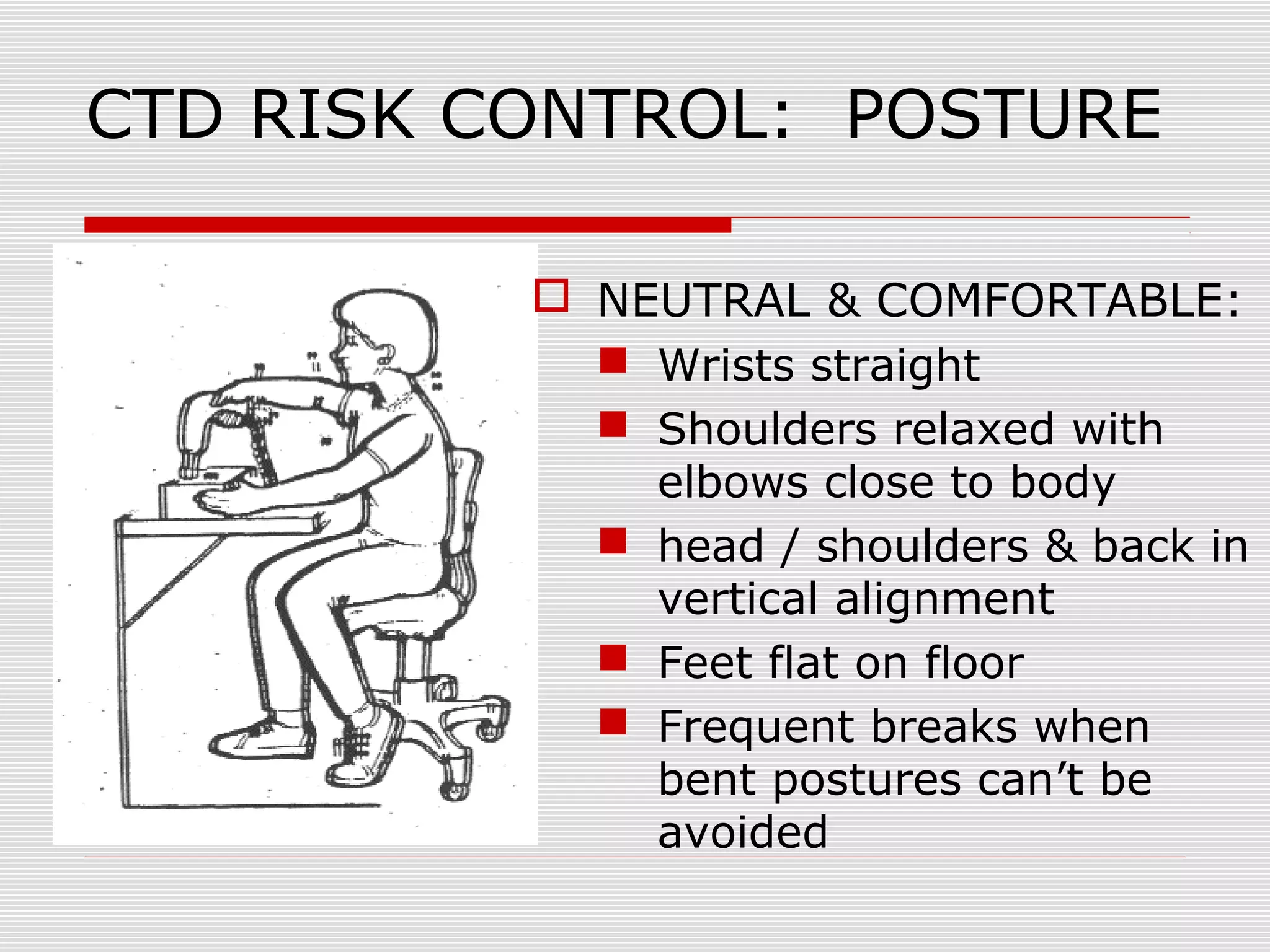
CTD RISK CONTROL: POSTURE
 NEUTRAL & COMFORTABLE:
 Wrists straight
 Shoulders relaxed with
elbows close to body
 head / shoulders & back in
vertical alignment
 Feet flat on floor
 Frequent breaks when
bent postures can’t be
avoided
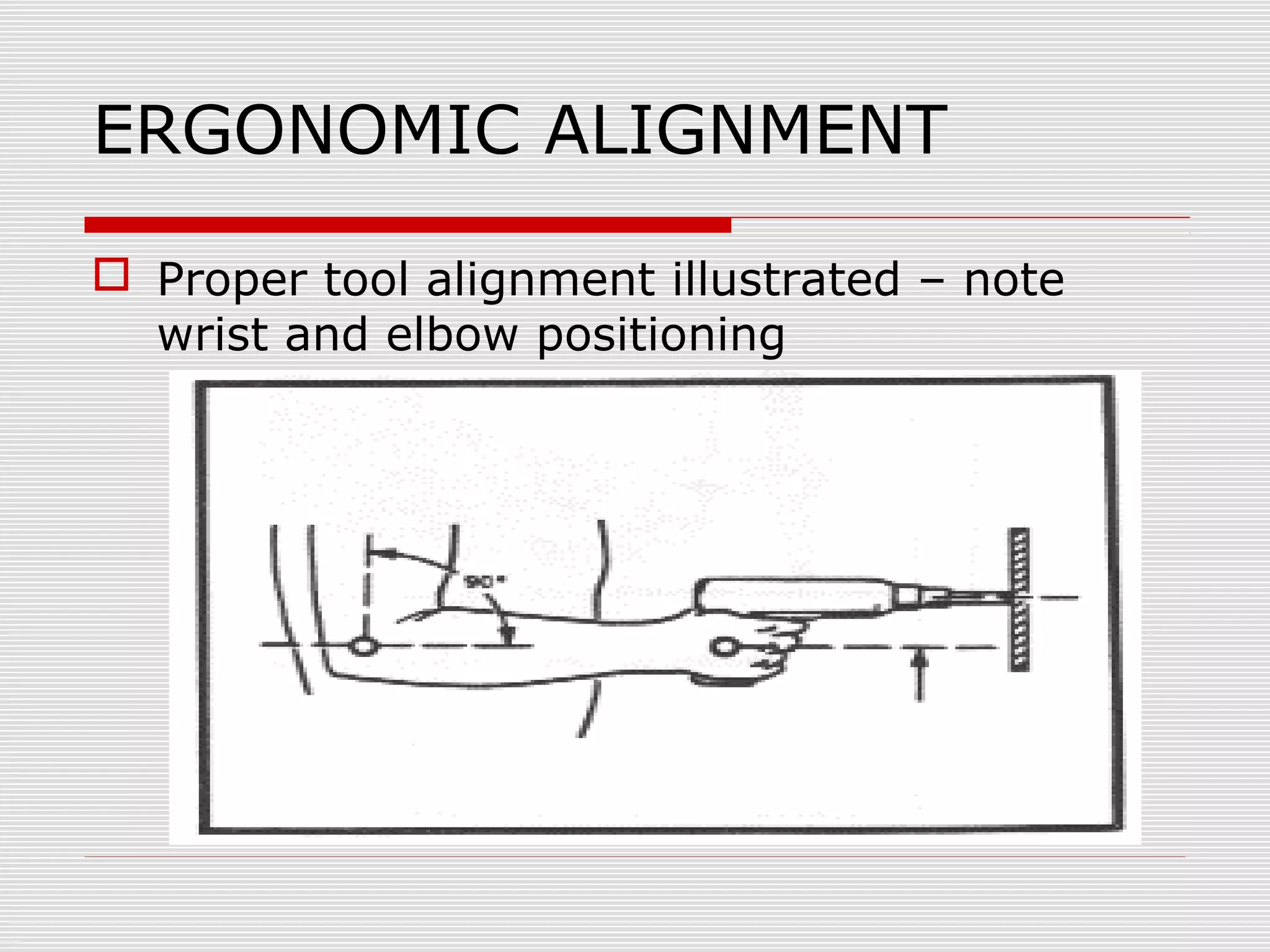
ERGONOMIC ALIGNMENT
 Proper tool alignment illustrated – note
wrist and elbow positioning
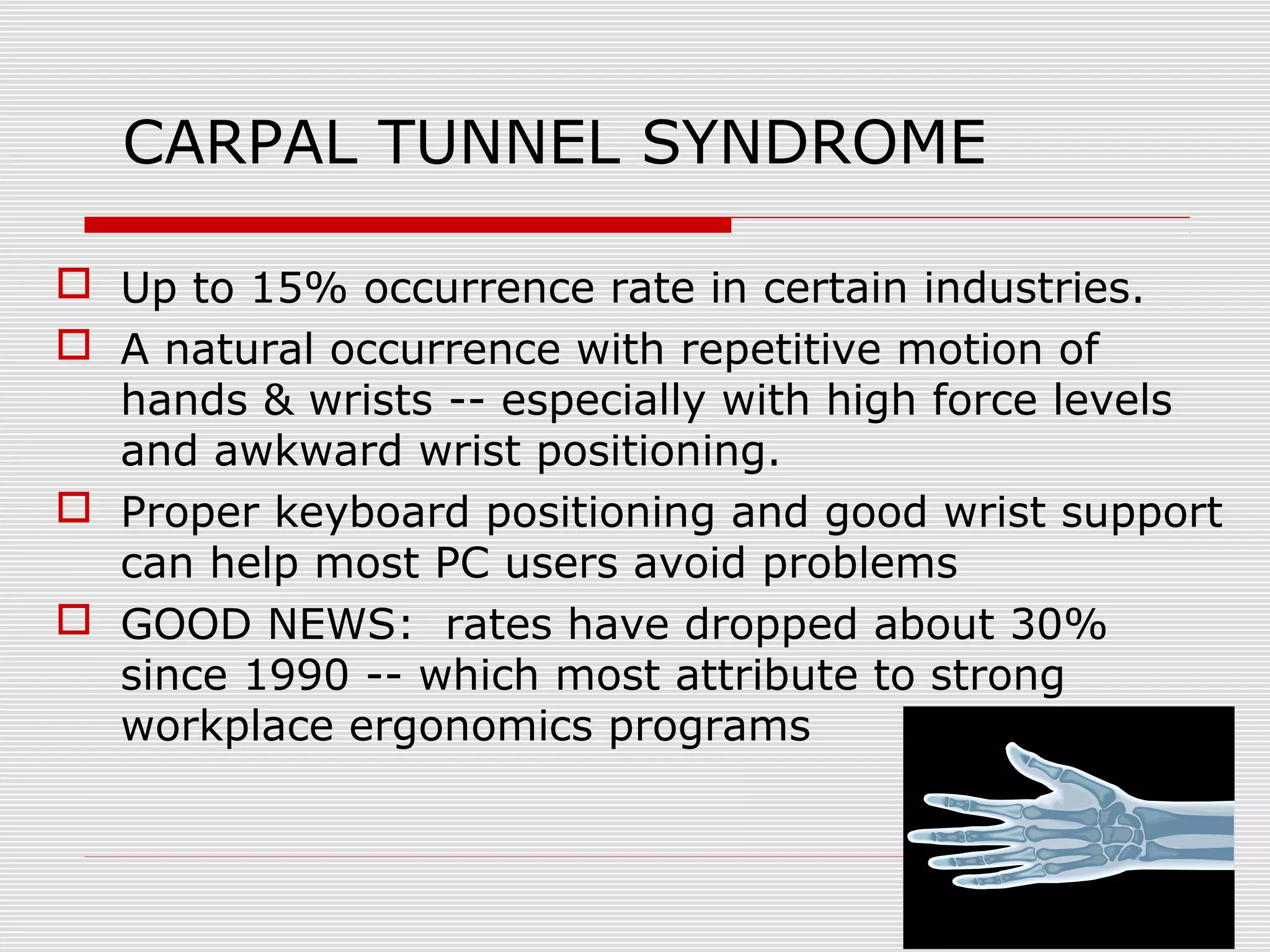
CARPAL TUNNEL SYNDROME
 Up to 15% occurrence rate in certain industries.
 A natural occurrence with repetitive motion of
hands & wrists -- especially with high force levels
and awkward wrist positioning.
 Proper keyboard positioning and good wrist support
can help most PC users avoid problems
 GOOD NEWS: rates have dropped about 30%
since 1990 -- which most attribute to strong
workplace ergonomics programs
CTD RISK CONTROL:
REPETITION
 Use automatic tools for repetitive tasks
(screw and bolt tightening)
 Eliminate unnecessary tasks /
movements by redesigning maintenance
procedures and workstations
 Take short, frequent breaks
 Alternate tasks and processes to use
different muscle groups
ERGONOMICS SUMMARY
 Good ergonomic design of tools, processes
and furniture can markedly improve
personnel comfort, health, morale, and
productivity.
 Individual effort as part of a departmental
workshop team is the greatest means of
identifying / improving workplace
ergonomic issues.
 It’s critical to seek prompt medical aid for
symptoms of ergonomic stress / CTDs.
Computer Ergonomics
 Routine PC user is defined as a person spending
20 hours or more per week working at a
computer.
 Studies of PC users have not shown a risk of eye
damage...although fatigue is quite possible
during extended usage.
 NIOSH studies have not indicated a radiation
hazard nor pregnancy risk from PC usage.
 Workers using bi/tri-focal glasses that use a PC
may need special purpose glasses for computer
work that keep eyes/head on level plane.
ERGONOMIC KEYBOARDS
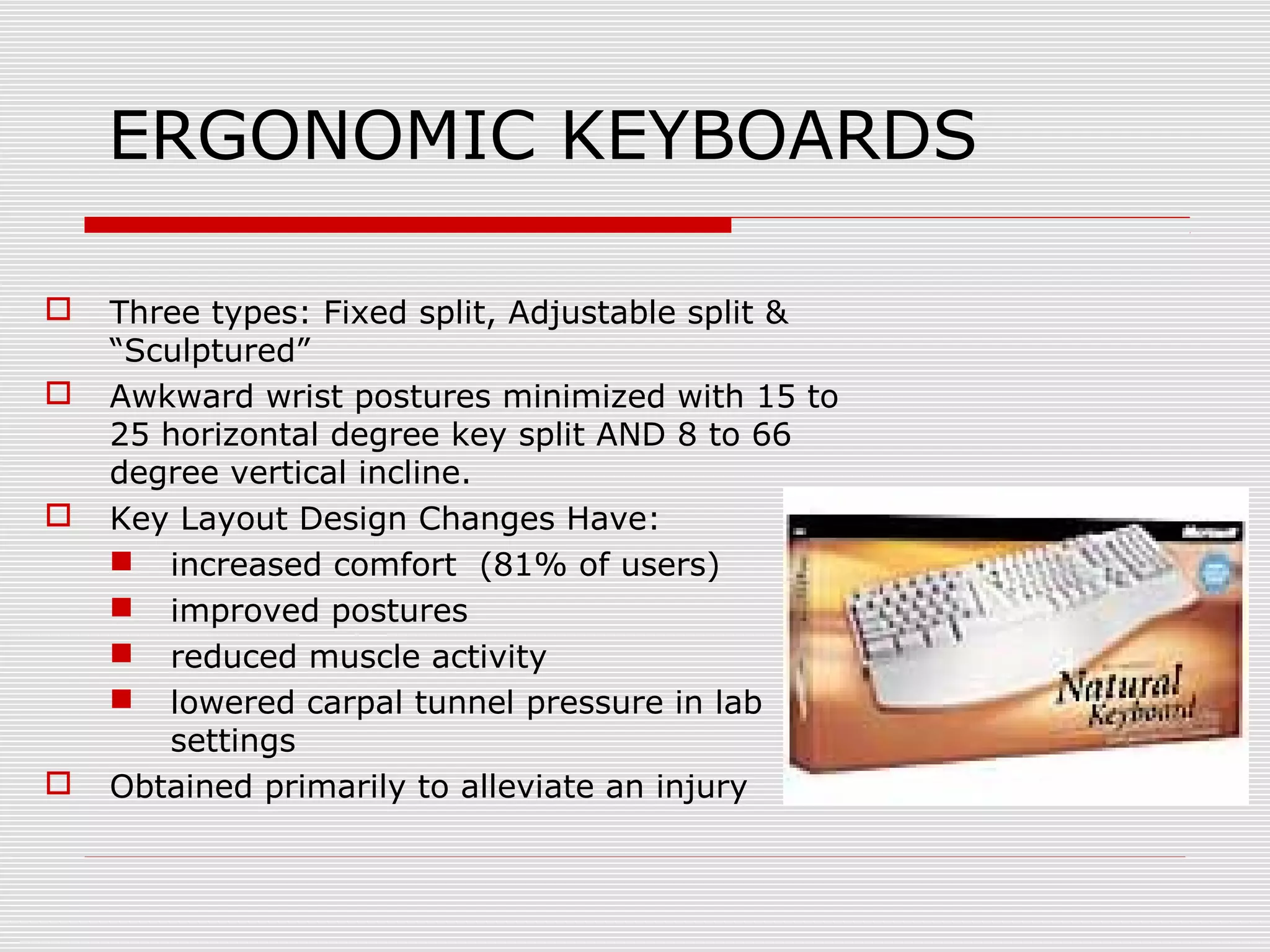
 Three types: Fixed split, Adjustable split &
“Sculptured”
 Awkward wrist postures minimized with 15 to
25 horizontal degree key split AND 8 to 66
degree vertical incline.
 Key Layout Design Changes Have:
 increased comfort (81% of users)
 improved postures
 reduced muscle activity
 lowered carpal tunnel pressure in lab
settings
 Obtained primarily to alleviate an injury
WRIST RESTS
 No medical evidence that they reduce RSI injuries. They
work for some, but not for others
 Usage Guidelines:
 Buy rest that is even with top of keyboard
 Material should be “medium-soft” (foam--gel mix) so
foam doesn’t break down. AVOID hard plastic types
 DON’T leave wrists on rest...which compresses carpal
tunnel. Palm rest instead.
 Changing typing habits more critical than wrist support
 MOST APPROPRIATELY USED TO REST HANDS DURING
PAUSE IN TYPING
 LEARN TO TYPE CORRECTLY WITH “FLOATING WRISTS”
FIRST!!!
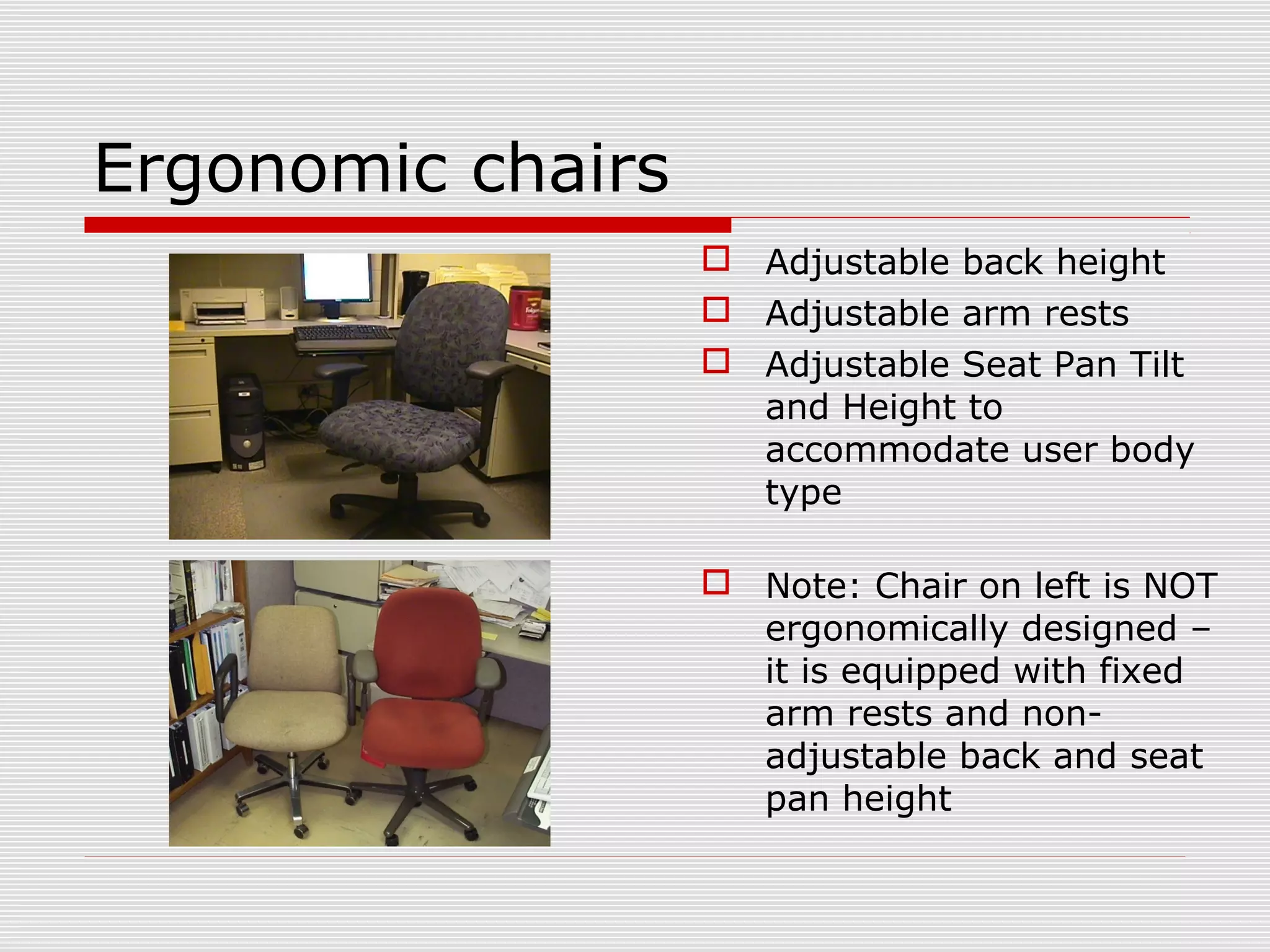
Ergonomic chairs
 Adjustable back height
 Adjustable arm rests
 Adjustable Seat Pan Tilt
and Height to
accommodate user body
type
 Note: Chair on left is NOT
ergonomically designed –
it is equipped with fixed
arm rests and non-
adjustable back and seat
pan height
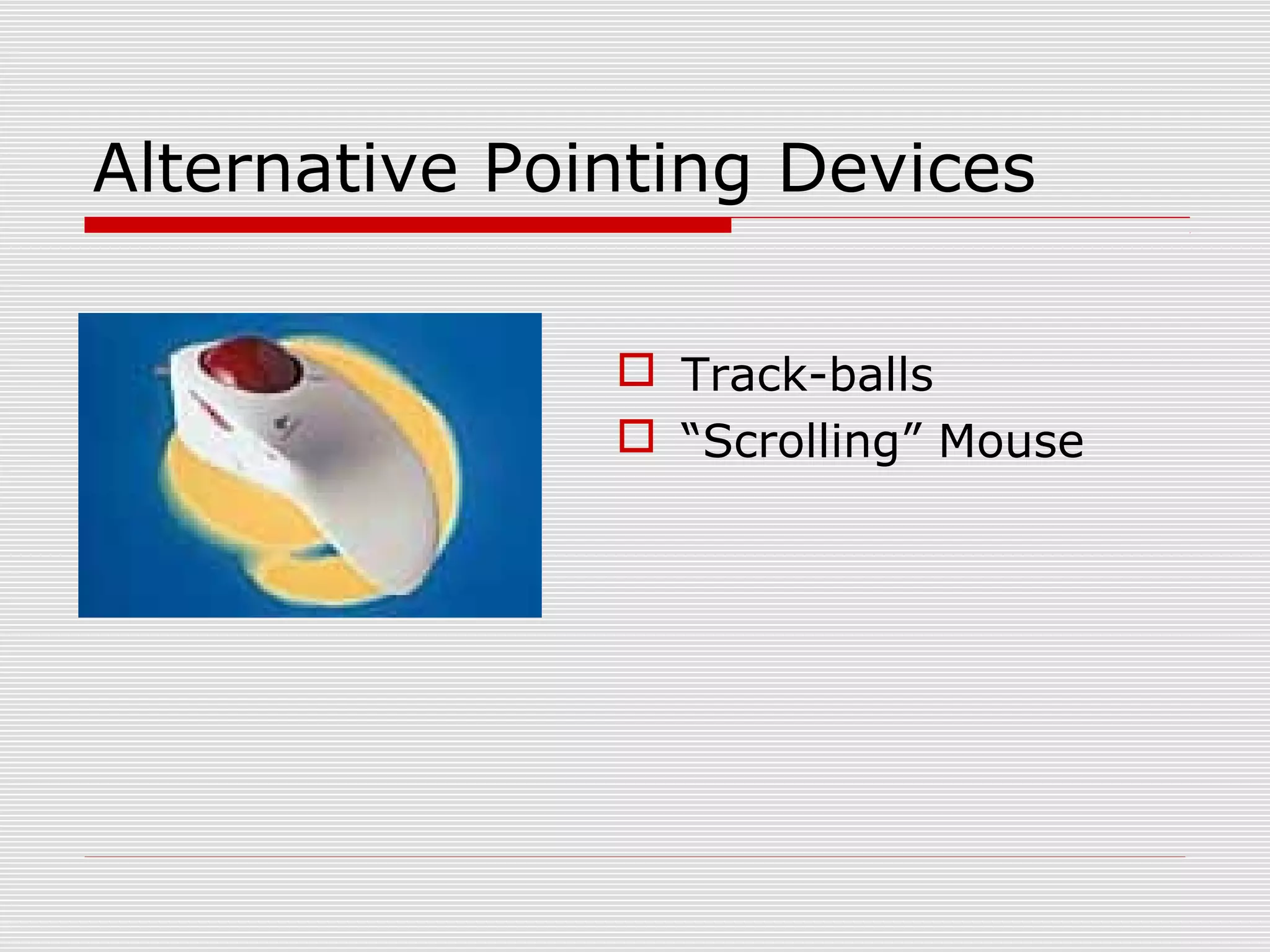
Alternative Pointing Devices
 Track-balls
 “Scrolling” Mouse
Other Ergonomic PC
Accessories
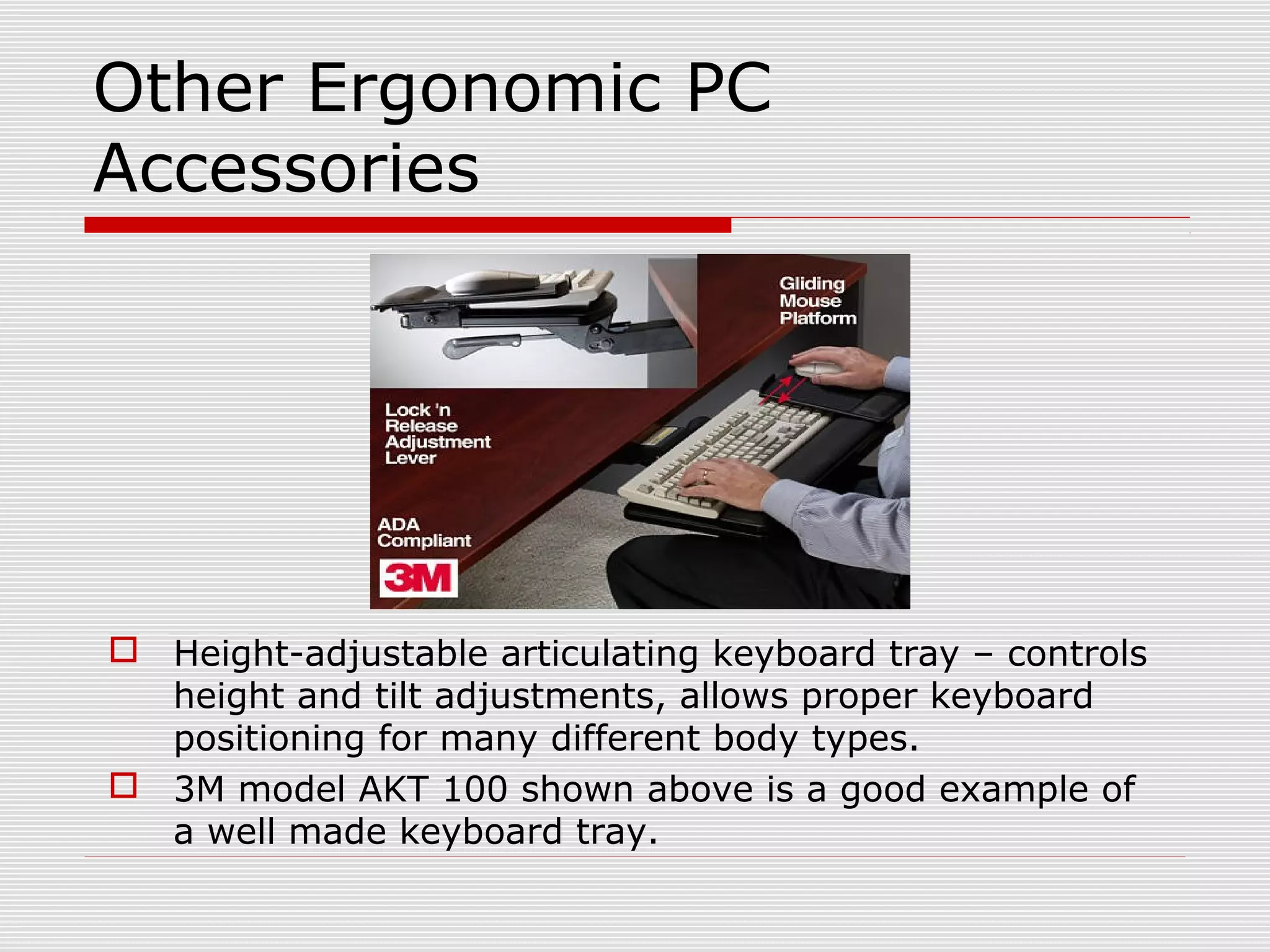
 Height-adjustable articulating keyboard tray – controls
height and tilt adjustments, allows proper keyboard
positioning for many different body types.
 3M model AKT 100 shown above is a good example of
a well made keyboard tray.
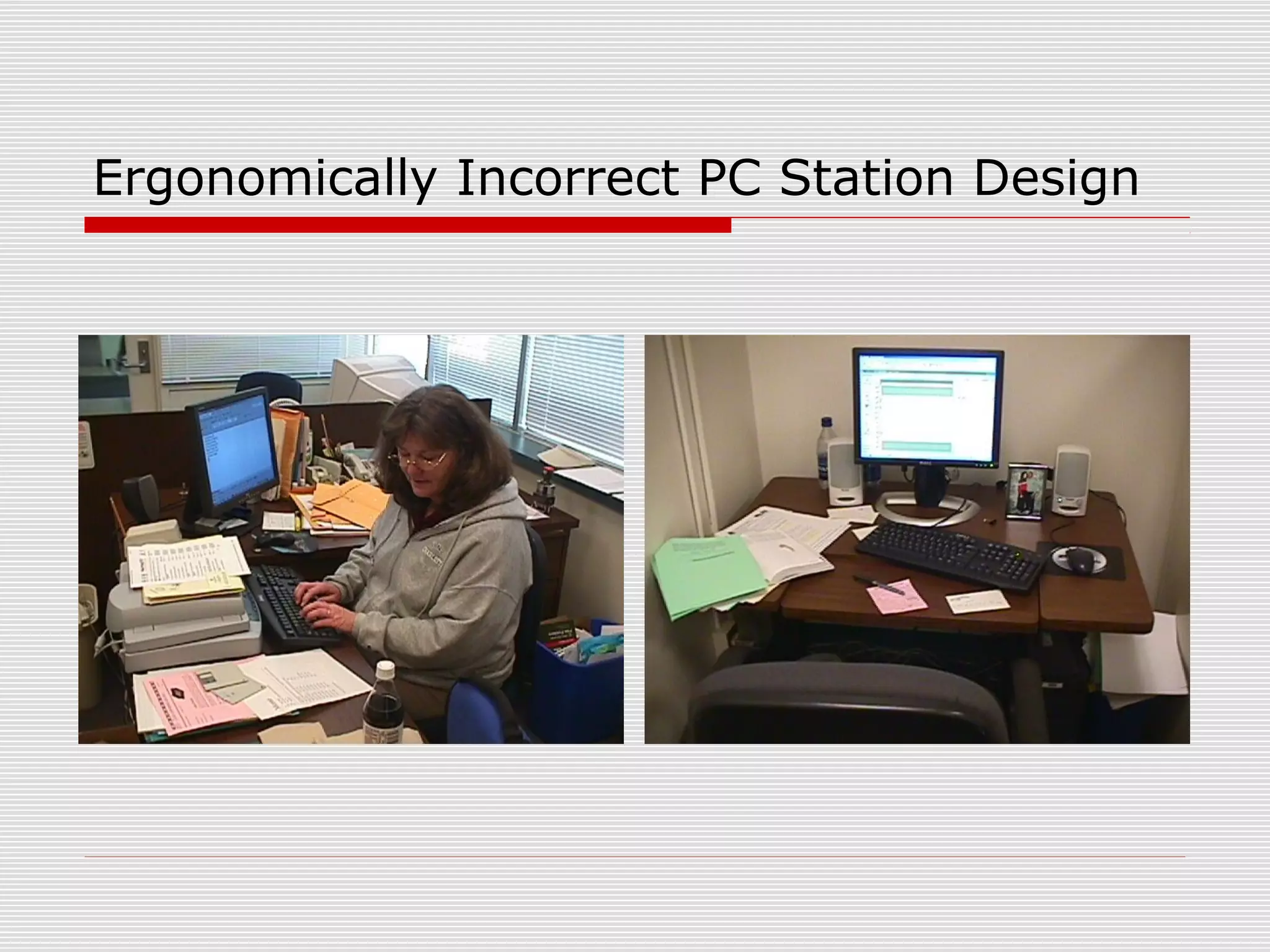
Ergonomically Incorrect PC Station Design
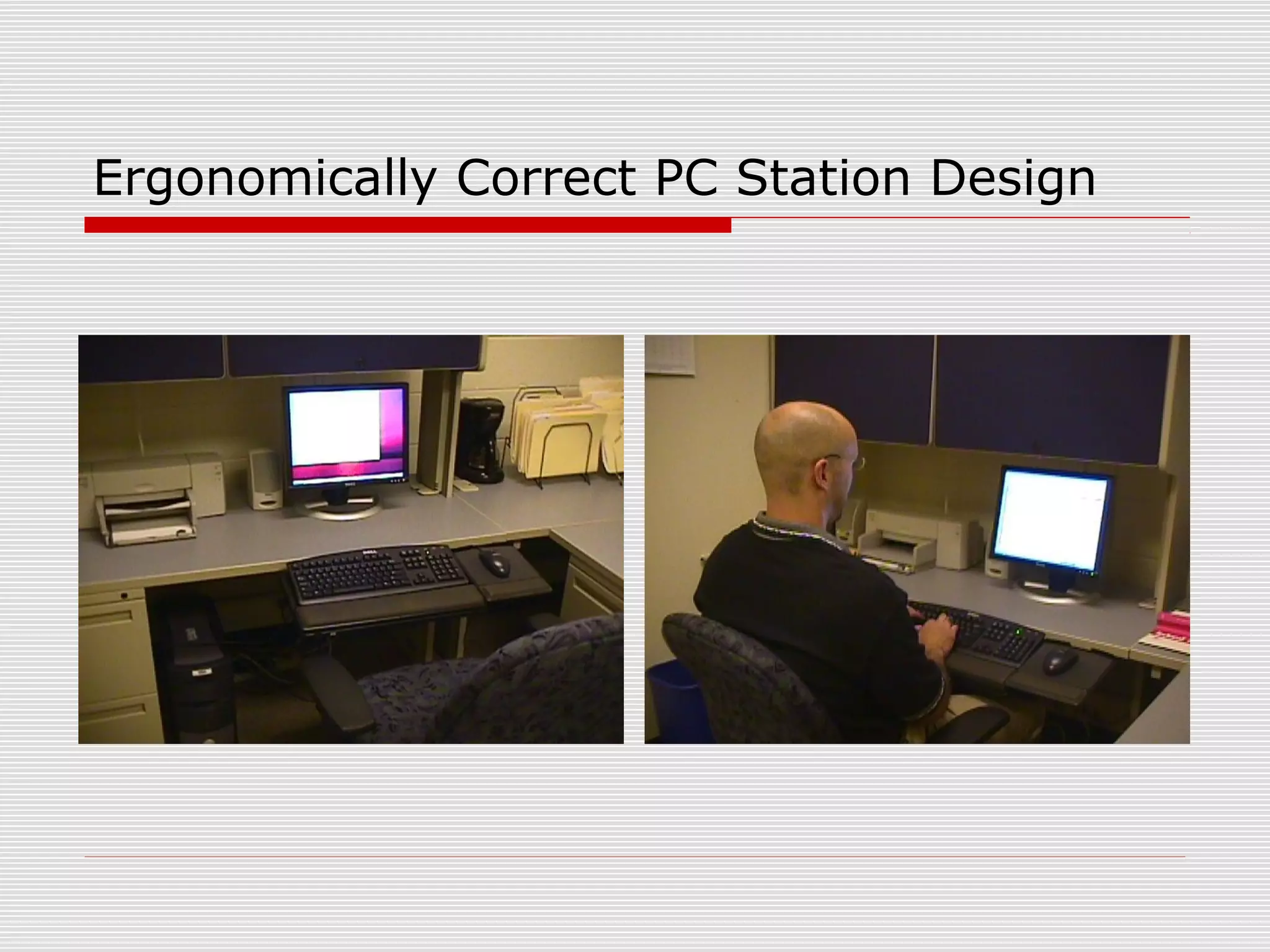
Ergonomically Correct PC Station Design
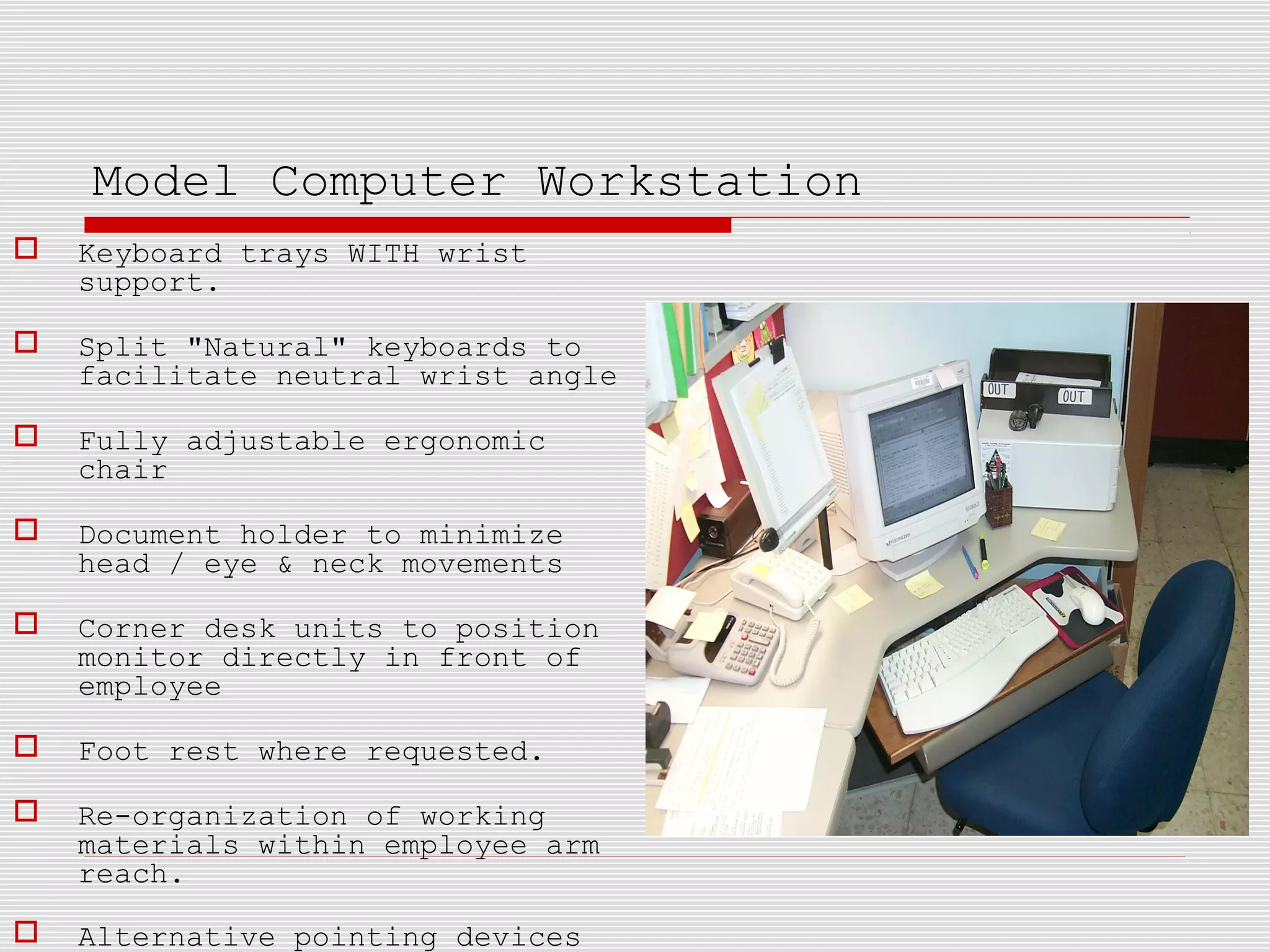
Model Computer Workstation
 Keyboard trays WITH wrist
support.
 Split "Natural" keyboards to
facilitate neutral wrist angle
 Fully adjustable ergonomic
chair
 Document holder to minimize
head / eye & neck movements
 Corner desk units to position
monitor directly in front of
employee
 Foot rest where requested.
 Re-organization of working
materials within employee arm
reach.
 Alternative pointing devices
Questions ??... Contact S & EH
 Workplace ergonomic assessments will
be provided by Safety and
Environmental Health Dept upon
request.
 S, & EH phone extension – 4279
 HAVE A SAFE AND HEALTHY DAY

Ergonomic presentation

  • 1.
    OFFICE ERGONOMICS Dr. ShrikantSant Asst. Professor Community Physiotherapy Department Dr. D. Y. Patil College of Physiotherapy, Pune.
  • 2.
    OFFICE ERGONOMICS  UNC- Charlotte  Safety and Environmental Health Department  King Building – 1st
  • 3.
    DEFINITION  ERGONOMICS isa way of working smarter--not harder by designing tools, equipment, work stations and tasks that allow a job to fit the worker and NOT by fitting the worker to the job:  Layout / type of controls & displays  Lighting & Temperature  Process (Heights, reaches, weights)
  • 4.
    MSD INJURY DATA 600,000 MSDs require time off from work.  Women suffer more ergonomic injuries due to:  jobs requiring more heavy lifting, repetitive movement while completing tasks and awkward postures and as a result account for:  70% of Carpal Tunnel  62% of Tendonitis
  • 5.
    CAR COST IS(PARTIALLY)--A PAIN IN THE BACK !!  According to Dr. E.W. Simmons, president of the American Back Society, medical costs related to back injuries can add up to $1,800 to the price of every car made in Detroit!
  • 6.
    CTD INJURY FACTORS CTD Injuries cause Lesions to tendons of the neck, back, shoulders, arms, wrists or hands  Primary causes:  Repetitive movements over long periods of time  Awkward postures  Use of excessive forces
  • 7.
    CTD RISK CONTROL:POSTURE  NEUTRAL & COMFORTABLE:  Wrists straight  Shoulders relaxed with elbows close to body  head / shoulders & back in vertical alignment  Feet flat on floor  Frequent breaks when bent postures can’t be avoided
  • 8.
    ERGONOMIC ALIGNMENT  Propertool alignment illustrated – note wrist and elbow positioning
  • 9.
    CARPAL TUNNEL SYNDROME Up to 15% occurrence rate in certain industries.  A natural occurrence with repetitive motion of hands & wrists -- especially with high force levels and awkward wrist positioning.  Proper keyboard positioning and good wrist support can help most PC users avoid problems  GOOD NEWS: rates have dropped about 30% since 1990 -- which most attribute to strong workplace ergonomics programs
  • 10.
    CTD RISK CONTROL: REPETITION Use automatic tools for repetitive tasks (screw and bolt tightening)  Eliminate unnecessary tasks / movements by redesigning maintenance procedures and workstations  Take short, frequent breaks  Alternate tasks and processes to use different muscle groups
  • 11.
    ERGONOMICS SUMMARY  Goodergonomic design of tools, processes and furniture can markedly improve personnel comfort, health, morale, and productivity.  Individual effort as part of a departmental workshop team is the greatest means of identifying / improving workplace ergonomic issues.  It’s critical to seek prompt medical aid for symptoms of ergonomic stress / CTDs.
  • 12.
    Computer Ergonomics  RoutinePC user is defined as a person spending 20 hours or more per week working at a computer.  Studies of PC users have not shown a risk of eye damage...although fatigue is quite possible during extended usage.  NIOSH studies have not indicated a radiation hazard nor pregnancy risk from PC usage.  Workers using bi/tri-focal glasses that use a PC may need special purpose glasses for computer work that keep eyes/head on level plane.
  • 13.
    ERGONOMIC KEYBOARDS  Threetypes: Fixed split, Adjustable split & “Sculptured”  Awkward wrist postures minimized with 15 to 25 horizontal degree key split AND 8 to 66 degree vertical incline.  Key Layout Design Changes Have:  increased comfort (81% of users)  improved postures  reduced muscle activity  lowered carpal tunnel pressure in lab settings  Obtained primarily to alleviate an injury
  • 14.
    WRIST RESTS  Nomedical evidence that they reduce RSI injuries. They work for some, but not for others  Usage Guidelines:  Buy rest that is even with top of keyboard  Material should be “medium-soft” (foam--gel mix) so foam doesn’t break down. AVOID hard plastic types  DON’T leave wrists on rest...which compresses carpal tunnel. Palm rest instead.  Changing typing habits more critical than wrist support  MOST APPROPRIATELY USED TO REST HANDS DURING PAUSE IN TYPING  LEARN TO TYPE CORRECTLY WITH “FLOATING WRISTS” FIRST!!!
  • 15.
    Ergonomic chairs  Adjustableback height  Adjustable arm rests  Adjustable Seat Pan Tilt and Height to accommodate user body type  Note: Chair on left is NOT ergonomically designed – it is equipped with fixed arm rests and non- adjustable back and seat pan height
  • 16.
    Alternative Pointing Devices Track-balls  “Scrolling” Mouse
  • 17.
    Other Ergonomic PC Accessories Height-adjustable articulating keyboard tray – controls height and tilt adjustments, allows proper keyboard positioning for many different body types.  3M model AKT 100 shown above is a good example of a well made keyboard tray.
  • 18.
  • 19.
  • 20.
    Model Computer Workstation Keyboard trays WITH wrist support.  Split "Natural" keyboards to facilitate neutral wrist angle  Fully adjustable ergonomic chair  Document holder to minimize head / eye & neck movements  Corner desk units to position monitor directly in front of employee  Foot rest where requested.  Re-organization of working materials within employee arm reach.  Alternative pointing devices
  • 21.
    Questions ??... ContactS & EH  Workplace ergonomic assessments will be provided by Safety and Environmental Health Dept upon request.  S, & EH phone extension – 4279  HAVE A SAFE AND HEALTHY DAY