











Implementing Kanban to
Improve your Workflow
jennifer.davis@getchef.com
1
Introductions
2
Introductions
• Name
• Current job role
• Experience with Kanban
• Expectations of this class
3
Course Objectives and Style
4
Course Objectives
• Upon completion of this course you will be able to
• Describe Kanban.
• Apply principles to solve workflow problems.
• Describe various tools.
• Choose the right tools for your team.
5
Agenda
6
Topics
• Qualifications
• Workflow
• Prepping for Success
• Intro to Kanban
• Metrics
• Online Tools
• Review
7
Breaks!
• 10:30-11:00am Morning Break
• 12:30pm End of tutorial and Lunch
8
Additional Questions?
• Kanban?
• Hadoop?
• Monitoring?
• Chef?
!
Ping me
Twitter: @sigje
Email: jennifer.davis@getchef.com
9
Qualifications?
10
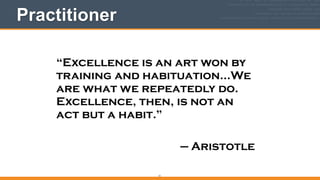
Practitioner
“Excellence is an art won by
training and habituation…We
are what we repeatedly do.
Excellence, then, is not an
act but a habit.”
!
— Aristotle
11
Case 1
12
Team 1
• small
• semi-siloed from development and qe
• ~10 dev, ~3 qe, ~2 se, 1 product manager, 100s of
customers
13
Goal
• Effective use of time
• No duplication of effort
• Improve customer experience
• Promotion to larger projects
14
Solution
• Personal Kanban
• Dashboards
• Influence through visuals
15
Factors for Success
• Trust
• Visual dashboards
16
Case 2
17
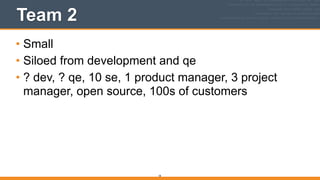
Team 2
• Small
• Siloed from development and qe
• ? dev, ? qe, 10 se, 1 product manager, 3 project
manager, open source, 100s of customers
18
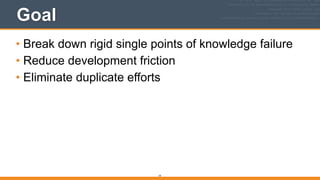
Goal
• Break down rigid single points of knowledge failure
• Reduce development friction
• Eliminate duplicate efforts
19
Solution
• Team Kanban
• Incremental improvements
20
Factors for Success
• Management buy in
• Training
• Effort to minimize “pushing”
• Weekly team syncs
• Proximity of team
21
Workflow
22
Workflow
Work that is ..
• orchestrated
• repeatable
• organized
• moving from one state to another.
23
WIP
• Work in progress
• work that has had resources applied to it
!
• Resources are ..
• people, money,..
24
Properties of Tasks
• name
• start date
• end date
• current state
• description
• priority
• owner
25
TIP: Sample Task Handling
• What is it?
• Can you do anything with it?
• What is the next step?
26
Properties of Projects
• same requirements as a task and are larger in
scope.
• may be comprised of more than one task.
27
Task vs Project
Group Exercise
• What is the difference between a task and a
project?
28
Additional property
• Size
29
Interrupts
• Non planned work that comes in
• customer request
• incident
• request for help from coworker
• single point of knowledge (you) work
• high priority task push from manager
30
Blocked work
• Work that can progress no further:
• dependent teams
• blocked by external team
• insufficiently qualified request
• blocked by requester
• dependent on SPOK
• blocked by team
• time dependent
31
Work
Team Exercise
Time: 5 minutes
What does a typical work day look like for work that
you do specifically that is non-interrupt based?
Choose a speaker for the group to share summary.
32
Interrupts
Team Exercise
Time: 5 minutes
Do you have interrupts and what are they?
!
Choose a (different) speaker for the group to share
summary.
33
Done?
Group Exercise
• When is work done?
34
Prepping for Success
35
Environment
36
Values
37
Desire
38
Motivation
39
Connectedness
40
Team Vs Individual
41
Objectives
• Defined by the team. Not management.
• Defined by the team. Not individuals.
• Everyone has voice, opportunity to speak.
42
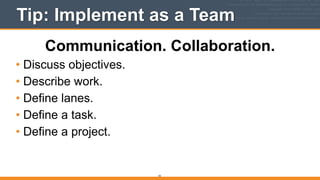
Tip: Implement as a Team
Communication. Collaboration.
• Discuss objectives.
• Describe work.
• Define lanes.
• Define a task.
• Define a project.
43
Tip: Elect a Champion
44
Intro to Kanban
45
Kanban
• “visual card”
46
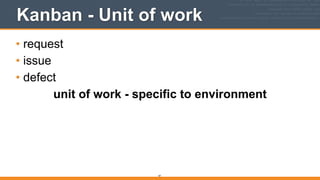
Kanban - Unit of work
• request
• issue
• defect
unit of work - specific to environment
47
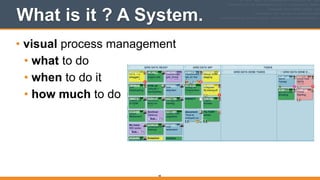
What is it ? A System.
• visual process management
• what to do
• when to do it
• how much to do
48
What is it ? A Method.
• incremental, evolutionary process improvement
49
3 Principles
• Current Process.
• Incremental, Evolutionary Change.
• Respect current process, roles, responsibilities and
titles.
50
5 Core Practices
• Visualize.
• Limit WIP.
• Manage flow.
• Make policies explicit.
• Improve collaboratively.
51
Kanban Principles
52
3 Principles
• Current Process.
• Incremental, Evolutionary Change.
• Respect current process, roles, responsibilities and
titles.
53
Current Process
• Do you know what the current process is?
• Is it documented? Is it explicit? Is it clear?
• Has it been evaluated with team?
54
3 Principles
• Current Process.
• Incremental, Evolutionary Change.
• Respect current process, roles, responsibilities and
titles.
55
Incremental Evolutionary Change
• How are you measuring current process?
• Is value clearly understood?
• Is work defined in value not cost?
56
3 Principles
• Current Process.
• Incremental, Evolutionary Change.
• Respect current process, roles, responsibilities
and titles.
57
Respect Current State
• Find the current value.
• Not forceful.
• What people want vs How to get there
58
Review Question
• What are the 3 principles?
59
Kanban Practices
60
5 Core Practices
• Visualize.
• Limit WIP.
• Manage flow.
• Make policies explicit.
• Improve collaboratively.
61
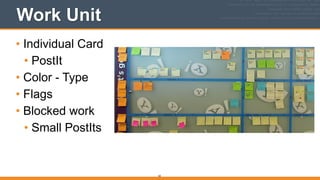
Work Unit
• Individual Card
• PostIt
• Color - Type
• Flags
• Blocked work
• Small PostIts
62
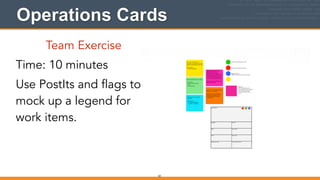
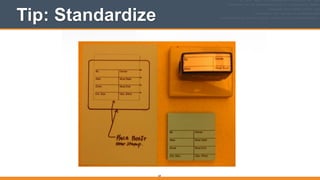
Operations Cards
Team Exercise
Time: 10 minutes
Use PostIts and flags to
mock up a legend for
work items.
63
Tip: Standardize
64
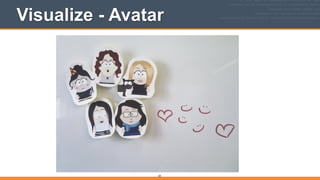
Visualize - Avatar
65
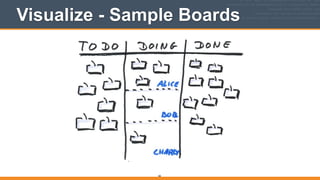
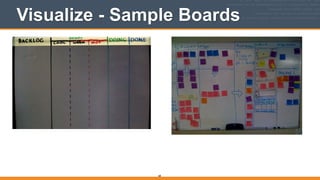
Visualize - Sample Boards
66
States of Work
• specific to environment
• up for discussion within team
• can change overtime
• reflects now not what you want it to be
67
Visualize - Sample Boards
68
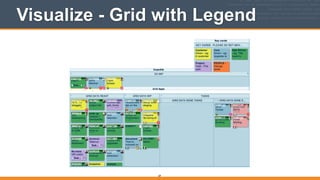
Visualize - Grid with Legend
69
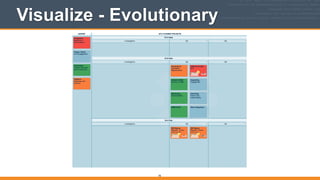
Visualize - Evolutionary
70
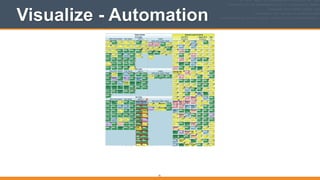
Visualize - Automation
71
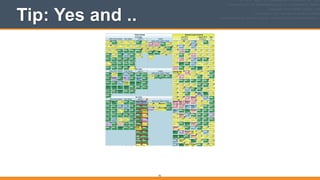
Tip: Yes and ..
72
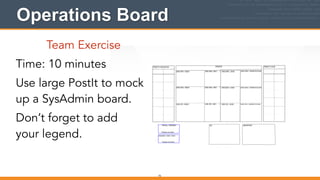
Operations Board
Team Exercise
Time: 10 minutes
Use large PostIt to mock
up a SysAdmin board.
Don’t forget to add
your legend.
73
5 Core Practices
• Visualize.
• Limit WIP.
• Manage flow.
• Make policies explicit.
• Improve collaboratively.
74
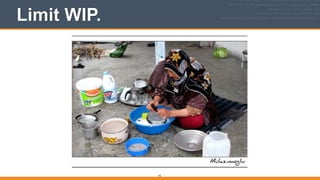
Limit WIP.
75
Limit WIP - Why?
• Identify bottlenecks
• Weakest link in chain
76
5 Core Practices
• Visualize.
• Limit WIP.
• Manage flow.
• Make policies explicit.
• Improve collaboratively.
77
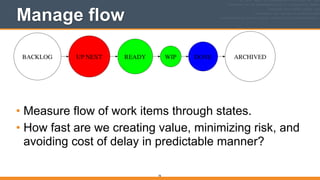
Manage flow
• Measure flow of work items through states.
• How fast are we creating value, minimizing risk, and
avoiding cost of delay in predictable manner?
78
5 Core Practices
• Visualize.
• Limit WIP.
• Manage flow.
• Make policies explicit.
• Improve collaboratively.
79
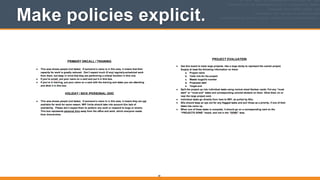
Make policies explicit.
80
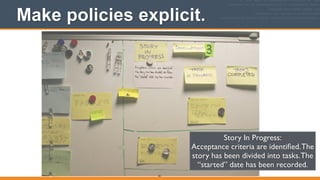
Story In Progress:	

Acceptance criteria are identified.The
story has been divided into tasks.The
“started” date has been recorded.
Make policies explicit.
81
5 Core Practices
• Visualize.
• Limit WIP.
• Manage flow.
• Make policies explicit.
• Improve collaboratively.
82
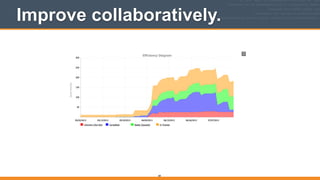
Improve collaboratively.
83
Improve collaboratively.
84
Review Questions
• Give me an example of the most basic kanban
board.
• Why do we need to make policies explicit?
• Why do we make incremental changes?
85
Meetings with Kanban
86
Lean Coffee
• Draw “To Do, Doing, Done” on white board.
• Spend 5 minutes to write topics on sticky notes.
• Vote on topics with stickers. Each person gets 2
votes.
• Prioritization of topics based on votes.
87
Metrics
88
Metrics
• Why?
89
Metrics
• What?
• cumulative flow
• type distribution
• efficiency
• average cycle times
90
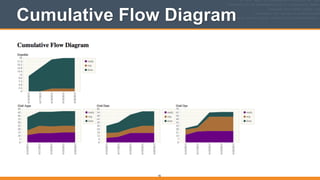
Cumulative Flow Diagram
count of cards in particular state/lane for each day in
a specific time interval.
91
Cumulative Flow Diagram
92
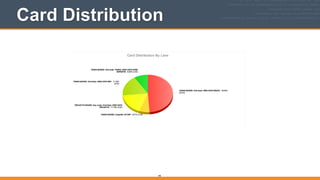
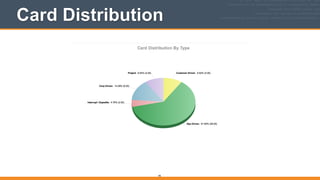
Distribution
• Count of cards organized by state, task type, or
owner.
93
Card Distribution
94
Card Distribution
95
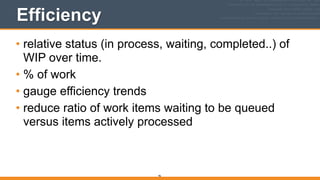
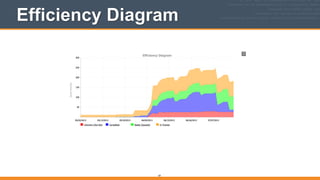
Efficiency
• relative status (in process, waiting, completed..) of
WIP over time.
• % of work
• gauge efficiency trends
• reduce ratio of work items waiting to be queued
versus items actively processed
96
Efficiency Diagram
97
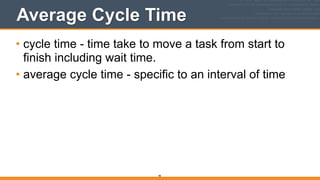
Average Cycle Time
• cycle time - time take to move a task from start to
finish including wait time.
• average cycle time - specific to an interval of time
98
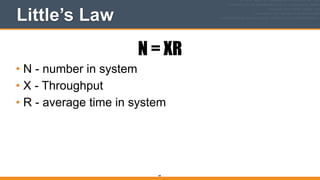
Little’s Law
N = XR
• N - number in system
• X - Throughput
• R - average time in system
99
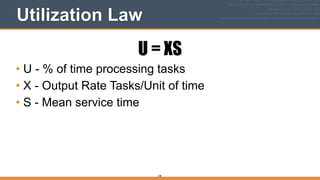
Utilization Law
U = XS
• U - % of time processing tasks
• X - Output Rate Tasks/Unit of time
• S - Mean service time
100
Applying Metrics
101
Level 1
• Increase Throughput
• Increase Resource Utilization
102
Level 2
• Decrease Variability
• sizing
• cycle time
103
Group Activity
104
Tools and Resources
105
• RescueTime
• Trello
• Leankit
• Rally
106
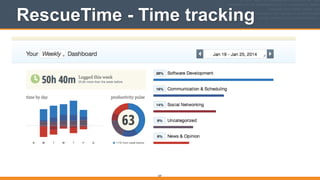
RescueTime - Time tracking
107
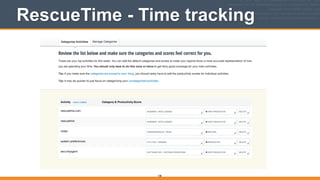
RescueTime - Time tracking
108
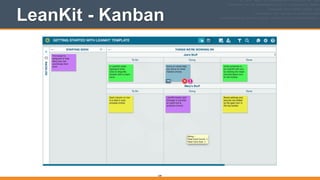
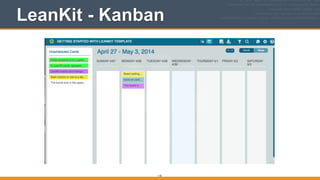
LeanKit - Kanban
109
LeanKit - Kanban
110
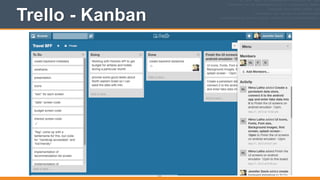
Trello - Kanban
111
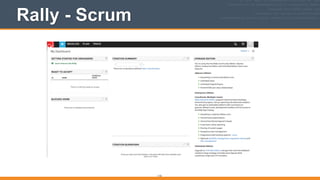
Rally - Scrum
112
Dominica DeGrandis
• http://www.ddegrandis.com
• DevOps Kanban game
• Public and private training
• Youtube videos
113
Review
114
Workflow
Work that is ..
• orchestrated
• repeatable
• organized
• moving from one state to another.
115
3 Principles
• Current Process.
• Incremental, Evolutionary Change.
• Respect current process, roles, responsibilities and
titles.
116
5 Core Practices
• Visualize.
• Limit WIP.
• Manage flow.
• Make policies explicit.
• Improve collaboratively.
117
Thank you
• Contact: jennifer.davis@getchef.com
• Twitter: @sigje
118
Credits
• Washing the dishes - https://www.flickr.com/photos/mulazimoglu/3863835843/in/photostream/
• Kanban (im Team) - https://www.flickr.com/photos/otacke/
• Kanban avatars - https://www.flickr.com/photos/ninetomorrows/6925604157
• Productivity kanban - https://www.flickr.com/photos/orcmid/3879259373
• Kanban a week later - https://www.flickr.com/photos/alq666/3388196910
• explicit policies kanban board - https://www.flickr.com/photos/dexter_mixwith/6353937575
• team vs individual - http://www.flickr.com/photos/levork
!
!
!
!
119

Implementing Kanban to Improve your Workflow