v0.1.3
Chef Fundamentals by Chef Software, Inc. is licensed under a
Creative Commons Attribution-ShareAlike 4.0 International License.
Introduction to Chef
Cookbook development workflow
Prerequisites
• Have an ssh client
• Have a good text editor (Atom, Sublime, vim, emacs)
• Git & GitHub Account (Optional)
v0.1.3
Introductions
v0.1.3
Course Objectives & Style
Course Objectives
• After completing this course you will be able to:
• Automate common infrastructure tasks with Chef
• Verify your automation code BEFORE it runs in
production
• Describe some of Chef’s tools
• Apply Chef’s primitives to solve your problems
Learning Chef
• You bring the domain expertise about your
business and problems
• Chef provides a framework for solving those
problems
• Our job is to work together to help you express
solutions to your problems with Chef
Chef is a Language
• Learning Chef is like learning the basics of a
language
• 80% fluency reached quickly
• 20% just takes practice
• The best way to LEARN Chef is to USE Chef
Training is a discussion
• Lots of hands on labs
• Lots of typing
• Ask questions when they come to you
• Ask for help when you need it
• Help each other
• We will troubleshoot and fix bugs on the spot
Just an Introduction
• Today is just an Introduction to testing your
automation code with Chef and it’s tools
• We’ll cover lots of topics but won’t go too deep
on any of them
• Any discussion that takes us too far off the path
will be captured
• We will return to these topics as time permits
v0.1.3
Agenda
Agenda
• Overview of Chef
• Resources
• Describing Policies
• A Sandbox for testing
• Verifying node state
• Even faster feedback
• Clean code
• Wrap Up
Breaks!
• We will take breaks as often as we need them
• We will break for lunch
Prerequisites
• Have an ssh client
• Have a good text editor (Atom, Sublime, vim, emacs)
• Git & GitHub Account (Optional)
v0.1.3
Overview of Chef
Policy-based Infrastructure as Code
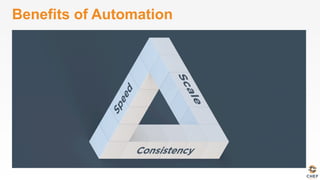
Benefits of Automation
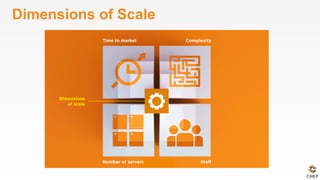
Dimensions of Scale
Automation Platform
• Creates a dependable view of your entire network’s
state.
• Can handle complex dependencies among the
nodes of your network.
• Is fault tolerant.
• Is secure.
• Can handle multiple platforms
• Can manage cloud resources
• Provides a foundation for innovation
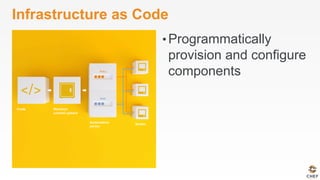
Infrastructure as Code
• Programmatically
provision and configure
components
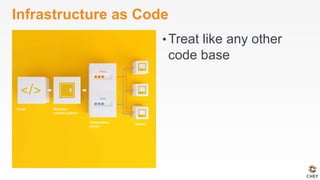
Infrastructure as Code
• Treat like any other
code base
Infrastructure as Code
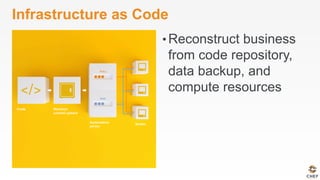
• Reconstruct business
from code repository,
data backup, and
compute resources
Infrastructure as Code
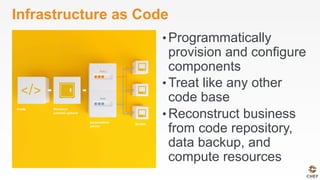
• Programmatically
provision and configure
components
• Treat like any other
code base
• Reconstruct business
from code repository,
data backup, and
compute resources
Policy-based
• You capture the policy for your infrastructure in
code
• Chef ensures each node in your infrastructure
complies with the policy
Policy-based
• Chef provides a domain-specific language (DSL)
that allows you to specify policy for your
infrastructure
• Policy describes the desired state
• Policies can be statically or dynamically defined
v0.1.3
Resources
Fundamental building blocks
Resources
• Piece of the system and its desired state
Resources - Package
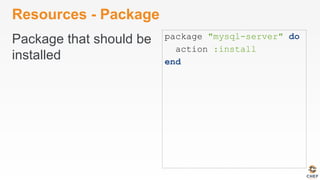
Package that should be
installed
package "mysql-server" do
action :install
end
Resources - Service
Service that should be
running and restarted
on reboot
service "iptables" do
action [ :start, :enable ]
end
Resources - Service
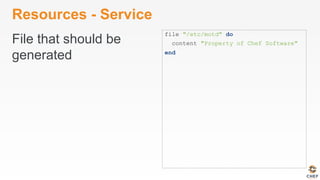
File that should be
generated
file "/etc/motd" do
content "Property of Chef Software"
end
Resources - Cron
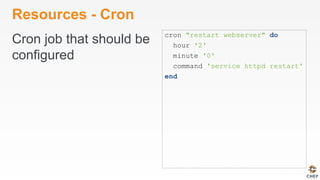
Cron job that should be
configured
cron "restart webserver" do
hour '2'
minute '0'
command 'service httpd restart'
end
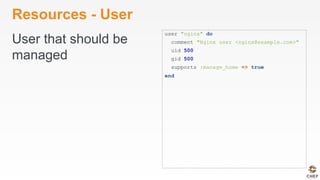
Resources - User
User that should be
managed
user "nginx" do
comment "Nginx user <nginx@example.com>"
uid 500
gid 500
supports :manage_home => true
end
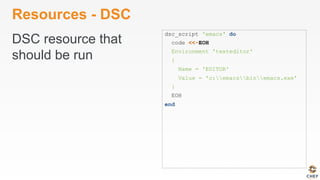
Resources - DSC
DSC resource that
should be run
dsc_script 'emacs' do
code <<-EOH
Environment 'texteditor'
{
Name = 'EDITOR'
Value = 'c:emacsbinemacs.exe'
}
EOH
end
Resources – Registry Key
Registry key that should
be created
registry_key "HKEY_LOCAL_MACHINE
SOFTWAREMicrosoftWindows
CurrentVersionPoliciesSystem"
do
values [{
:name => "EnableLUA",
:type => :dword,
:data => 0
}]
action :create
end
Resources
• Piece of the system and its desired state
• http://docs.chef.io/chef/resources.html
Lab 1 – Install a text editor
• Problem: Our workstation does not have
$EDITOR installed
• Success Criteria: You can edit files with
$EDITOR
• $EDITOR is your favorite command line text
editor: vim, emacs, or nano
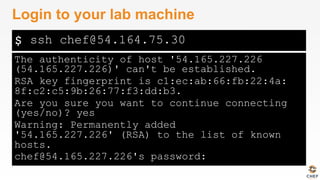
$
The authenticity of host '54.165.227.226
(54.165.227.226)' can't be established.
RSA key fingerprint is c1:ec:ab:66:fb:22:4a:
8f:c2:c5:9b:26:77:f3:dd:b3.
Are you sure you want to continue connecting
(yes/no)? yes
Warning: Permanently added
'54.165.227.226' (RSA) to the list of known
hosts.
chef@54.165.227.226's password:
Login to your lab machine
ssh chef@54.164.75.30
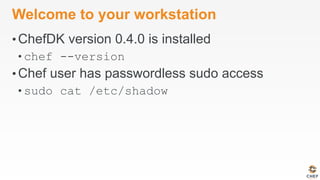
Welcome to your workstation
• ChefDK version 0.4.0 is installed
• chef --version
• Chef user has passwordless sudo access
• sudo cat /etc/shadow
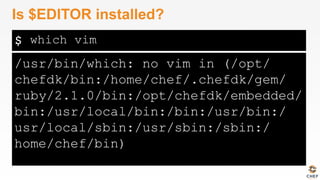
$
/usr/bin/which: no vim in (/opt/
chefdk/bin:/home/chef/.chefdk/gem/
ruby/2.1.0/bin:/opt/chefdk/embedded/
bin:/usr/local/bin:/bin:/usr/bin:/
usr/local/sbin:/usr/sbin:/sbin:/
home/chef/bin)
Is $EDITOR installed?
which vim
chef-apply
• chef-apply is an executable program that allows
you to work with resources
• Is included as part of the ChefDK
• A great way to explore resources
• NOT how you’ll eventually use Chef in
production
$
Usage: chef-apply [RECIPE_FILE] [-e RECIPE_TEXT] [-s]
--[no-]color Use colored output,
defaults to enabled
-e, --execute RECIPE_TEXT Execute resources
supplied in a string
-l, --log_level LEVEL Set the log level
(debug, info, warn, error, fatal)
-s, --stdin Execute resources
read from STDIN
-v, --version Show chef version
-W, --why-run Enable whyrun mode
-h, --help Show this message
What does chef-apply do?
chef-apply --help
$
Recipe: (chef-apply cookbook)::(chef-apply recipe)
* package[vim] action install
- install version 7.2.411-1.8.el6 of package vim-enhanced
Install vim
sudo chef-apply -e "package 'vim'"
$
Recipe: (chef-apply cookbook)::(chef-apply recipe)
* package[emacs] action install
- install version 23.1-25.el6 of package emacs
Install emacs
sudo chef-apply -e "package 'emacs'"
$
Recipe: (chef-apply cookbook)::(chef-apply
recipe)
* package[nano] action install
- install version 2.0.9-7.el6 of package nano
Install nano
sudo chef-apply -e "package 'nano'"
Resources
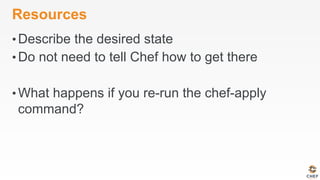
• Describe the desired state
• Do not need to tell Chef how to get there
• What happens if you re-run the chef-apply
command?
$
Recipe: (chef-apply cookbook)::(chef-apply
recipe)
* package[vim] action install (up to date)
Install $EDITOR again with chef-apply
sudo chef-apply -e "package 'vim'"
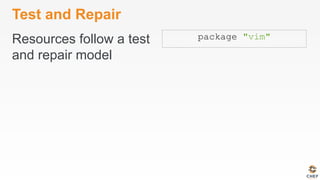
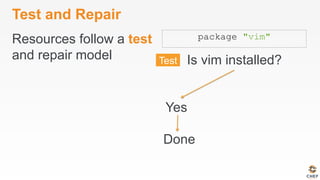
Test and Repair
Resources follow a test
and repair model
package "vim"
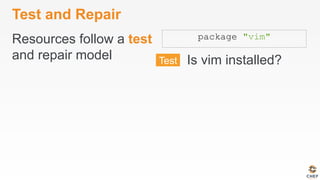
Test and Repair
Resources follow a test
and repair model
package "vim"
Is vim installed?
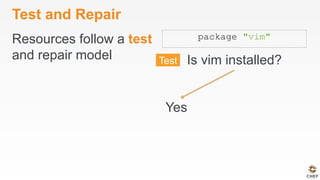
Test and Repair
Resources follow a test
and repair model
package "vim"
Is vim installed?
Yes
Test and Repair
Resources follow a test
and repair model
package "vim"
Is vim installed?
Done
Yes
Test and Repair
Resources follow a test
and repair model
package "vim"
Is vim installed?
Done
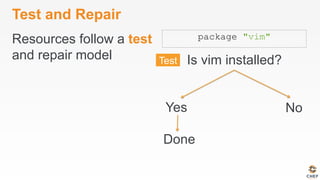
Yes No
Test and Repair
Resources follow a test
and repair model
package "vim"
Is vim installed?
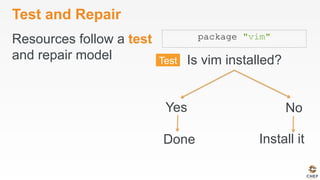
Done Install it
Yes No
Test and Repair
Resources follow a test
and repair model
package "vim"
Is vim installed?
Done Install it
Yes No
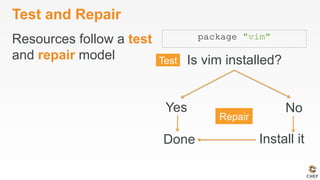
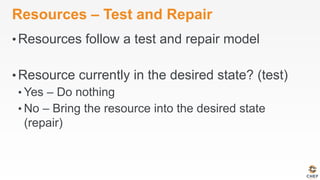
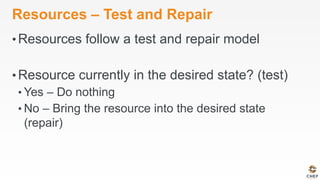
Resources – Test and Repair
• Resources follow a test and repair model
• Resource currently in the desired state? (test)
• Yes – Do nothing
• No – Bring the resource into the desired state
(repair)
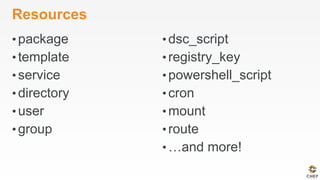
Resources
• package
• template
• service
• directory
• user
• group
• dsc_script
• registry_key
• powershell_script
• cron
• mount
• route
• …and more!
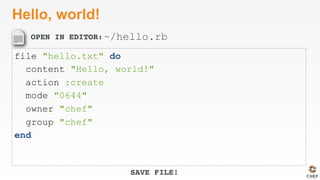
Lab 2 – Hello, world!
• Problem: Oops, we forgot to start with “hello,
world”
• Success Criteria: A file with “Hello, world!”
content is available in our home directory.
OPEN IN EDITOR:
SAVE FILE!
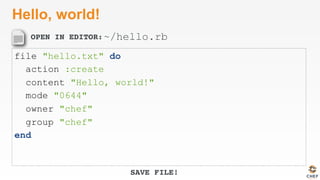
Hello, world!
file "hello.txt" do
action :create
content "Hello, world!"
mode "0644"
owner "chef"
group "chef"
end
~/hello.rb
$
Recipe: (chef-apply cookbook)::(chef-apply recipe)
* file[hello.txt] action create
- create new file hello.txt
- update content in file hello.txt from none to 315f5b
--- hello.txt 2014-12-02 14:00:22.967821184 +0000
+++ /tmp/.hello.txt20141202-1036-af0vmi 2014-12-02 14:00:22.970821184 +0000
@@ -1 +1,2 @@
+Hello, world!
- change mode from '' to '0644'
- change owner from '' to 'chef'
- change group from '' to 'chef'
- restore selinux security context
Apply hello.rb
sudo chef-apply hello.rb
$
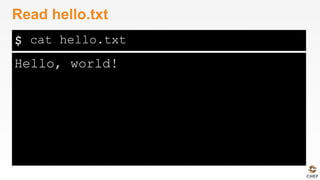
Hello, world!
Read hello.txt
cat hello.txt
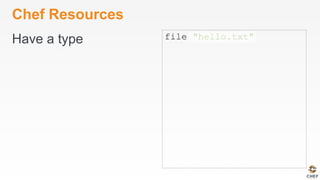
Chef Resources
Have a type file "hello.txt"
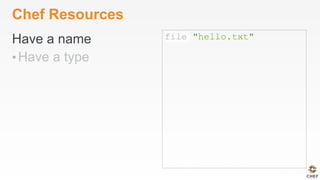
Chef Resources
Have a name
• Have a type
file "hello.txt"
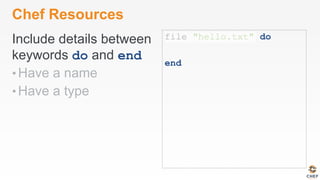
Chef Resources
Include details between
keywords do and end
• Have a name
• Have a type
file "hello.txt" do
end
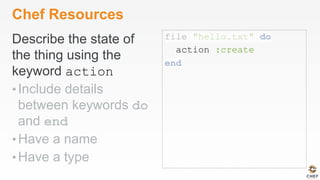
Chef Resources
Describe the state of
the thing using the
keyword action
• Include details
between keywords do
and end
• Have a name
• Have a type
file "hello.txt" do
action :create
end
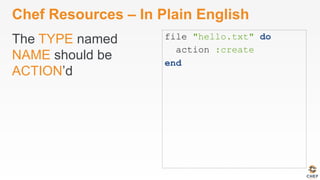
Chef Resources – In Plain English
The TYPE named
NAME should be
ACTION’d
file "hello.txt" do
action :create
end
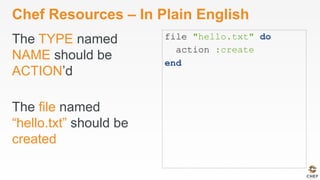
Chef Resources – In Plain English
The TYPE named
NAME should be
ACTION’d
The file named
“hello.txt” should be
created
file "hello.txt" do
action :create
end
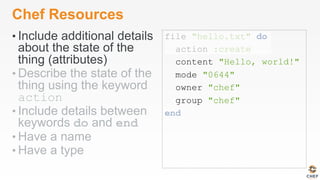
Chef Resources
• Include additional details
about the state of the
thing (attributes)
• Describe the state of the
thing using the keyword
action
• Include details between
keywords do and end
• Have a name
• Have a type
file "hello.txt" do
action :create
content "Hello, world!"
mode "0644"
owner "chef"
group "chef"
end
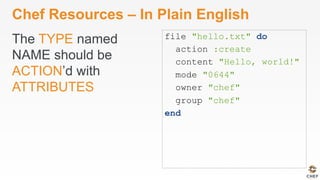
Chef Resources – In Plain English
The TYPE named
NAME should be
ACTION’d with
ATTRIBUTES
file "hello.txt" do
action :create
content "Hello, world!"
mode "0644"
owner "chef"
group "chef"
end
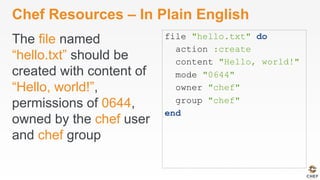
Chef Resources – In Plain English
The file named
“hello.txt” should be
created with content of
“Hello, world!”,
permissions of 0644,
owned by the chef user
and chef group
file "hello.txt" do
action :create
content "Hello, world!"
mode "0644"
owner "chef"
group "chef"
end
OPEN IN EDITOR:
SAVE FILE!
Hello, world!
file "hello.txt" do
content "Hello, world!"
action :create
mode "0644"
owner "chef"
group "chef"
end
~/hello.rb
$
Recipe: (chef-apply cookbook)::(chef-apply
recipe)
* file[hello.txt] action create (up to date)
Re-apply hello.rb
sudo chef-apply hello.rb
Resources – Test and Repair
• Resources follow a test and repair model
• Resource currently in the desired state? (test)
• Yes – Do nothing
• No – Bring the resource into the desired state
(repair)
What if…?
• Change the content of the file using your favorite
text editor?
• Change the ownership of the file?
• Delete the file?
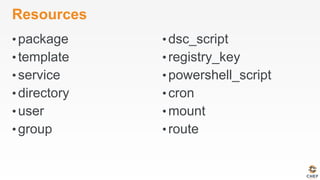
Resources
• package
• template
• service
• directory
• user
• group
• dsc_script
• registry_key
• powershell_script
• cron
• mount
• route
Resources
• What states can a file be in?
• What state will a file be in if you don’t declare
an action?
• What state will a package be in if you don’t
declare an action?
• Do you have to indent the attributes of a
resource?
• What Chef tool allows us to easily explore
resources?
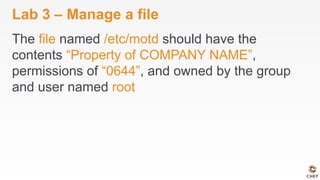
Lab 3 – Manage a file
The file named /etc/motd should have the
contents “Property of COMPANY NAME”,
permissions of “0644”, and owned by the group
and user named root
Lab 3 – Manage a file
The file named /etc/motd should have the
contents “Property of COMPANY NAME”,
permissions of “0644”, and owned by the group
and user named root
Resources
• What questions can I answer for you?
v0.1.3
Describing Policies
Recipes and Cookbooks
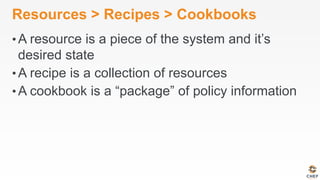
Resources > Recipes > Cookbooks
• A resource is a piece of the system and it’s
desired state
• A recipe is a collection of resources
• A cookbook is a “package” of policy information
Recipe - a collection of resources
package "haproxy" do
action :install
end
template "/etc/haproxy/haproxy.cfg" do
source "haproxy.cfg.erb"
owner "root"
group "root"
mode "0644"
notifies :restart, "service[haproxy]"
end
service "haproxy" do
supports :restart => :true
action [:enable, :start]
end
Recipes – Order Matters
• Resources are
applied in order
package "haproxy" do
action :install
end
template "/etc/haproxy/haproxy.cfg" do
source "haproxy.cfg.erb"
owner "root"
group "root"
mode "0644"
notifies :restart, "service[haproxy]"
end
service "haproxy" do
supports :restart => :true
action [:enable, :start]
end
Recipes – Order Matters
• Resources are
applied in order
package "haproxy" do
action :install
end
template "/etc/haproxy/haproxy.cfg" do
source "haproxy.cfg.erb"
owner "root"
group "root"
mode "0644"
notifies :restart, "service[haproxy]"
end
service "haproxy" do
supports :restart => :true
action [:enable, :start]
end
Recipes – Order Matters
• Resources are
applied in order
package "haproxy" do
action :install
end
template "/etc/haproxy/haproxy.cfg" do
source "haproxy.cfg.erb"
owner "root"
group "root"
mode "0644"
notifies :restart, "service[haproxy]"
end
service "haproxy" do
supports :restart => :true
action [:enable, :start]
end
Cookbook
• A “package” for Chef policies
• Typically map 1:1 to a piece of software or
functionality
Cookbooks – Packaged Policies
• Distribution unit
• Versioned
• Re-usable
Abstracting Data from Policy
• Policy – The desired state of the system
• Data – The details that might change
Abstracting Data from Policy
• Policy – Tomcat should be installed
• Data – Version 6
Abstracting Data from Policy
• Policy – A file should exist
• Data – The content of that file
Lab 4 – Manage Data & Policy Separately
• Problem: Policy for the state and content of /
etc/motd are currently intermingled.
• Success Criteria: State and content of /etc/
motd are managed separately.
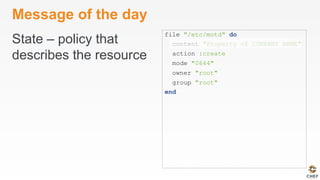
Message of the day
State – policy that
describes the resource
file "/etc/motd" do
content "Property of COMPANY NAME"
action :create
mode "0644"
owner "root"
group "root"
end
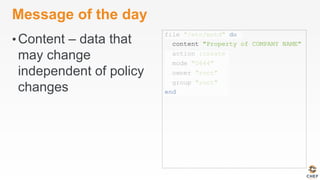
Message of the day
• Content – data that
may change
independent of policy
changes
file "/etc/motd" do
content "Property of COMPANY NAME"
action :create
mode "0644"
owner "root"
group "root"
end
Version your code
• Managing infrastructure as code means storing
that code in a version control system
• Any version control system will do but…
• Chef community prefers and recommends git
• Many tools support git by default
How many git repos?
• Once you have more than one cookbook, you
may ask yourself this question
• The answer is easy:
How many git repos?
• Once you have more than one cookbook, you
may ask yourself this questions
• The answer is easy:
• It depends!
How many git repos?
• Once you have more than one cookbook, you
may ask yourself this questions
• The answer is easy:
• It depends!
• Two options are common:
• Monolithic Repository
• Independent Software Projects
Monolithic Repository
• All of your Chef related source code tracked in
one source code repository
• External dependencies are made with built-in
vendor branches
Independent Software Projects
• All Chef cookbooks are treated as independent
software projects
• External dependencies are
• fetched as needed
• treated as artifacts
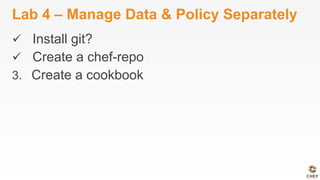
Lab 4 - Manage Data & Policy Separately
• Install git
• Create a chef-repo
• Create a cookbook
Install git
• The file named '/home/chef/.gitconfig'
should be created.
• It should be owned by the chef user and group.
• It should have the content:
[user]n name=John Doen email=jdoe@examplen
OPEN IN EDITOR:
SAVE FILE!
Install git
package 'git' do
action :install
end
file '/home/chef/.gitconfig' do
content "[user]n name=John Doen email=jdoe@examplen"
user 'chef'
group 'chef'
end
~/git.rb
$
Recipe: (chef-apply cookbook)::(chef-apply recipe)
* package[git] action install
- install version 1.7.1-3.el6_4.1 of package git
* file[/home/chef/.gitconfig] action create
- create new file /home/chef/.gitconfig
- update content in file /home/chef/.gitconfig from none to 259950
--- /home/chef/.gitconfig 2014-09-24 00:24:13.558127555 +0000
+++ /tmp/..gitconfig20140924-10180-1ij68vq 2014-09-24 00:24:13.559127555 +0000
@@ -1 +1,4 @@
+[user]
+ name=John Doe
+ email=jdoe@example.com
- change owner from '' to 'chef'
- change group from '' to 'chef'
- restore selinux security context
Install git
sudo chef-apply ~/git.rb
Lab 4 – Manage Data & Policy Separately
ü  Install git?
2.  Create a chef-repo
3.  Create a cookbook
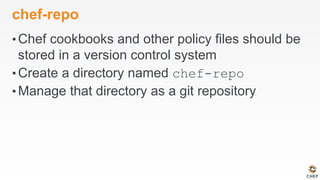
chef-repo
• Chef cookbooks and other policy files should be
stored in a version control system
• Create a directory named chef-repo
• Manage that directory as a git repository
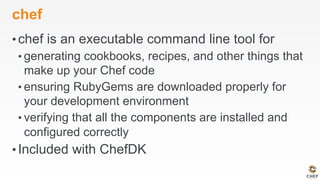
chef
• chef is an executable command line tool for
• generating cookbooks, recipes, and other things that
make up your Chef code
• ensuring RubyGems are downloaded properly for
your development environment
• verifying that all the components are installed and
configured correctly
• Included with ChefDK
$
Usage: chef generate GENERATOR [options]
Available generators:
app Generate an application repo
cookbook Generate a single cookbook
recipe Generate a new recipe
attribute Generate an attributes file
template Generate a file template
file Generate a cookbook file
lwrp Generate a lightweight resource/provider
repo Generate a Chef policy repository
What can chef generate?
chef generate --help
$
Usage: chef generate repo NAME [options]
-C, --copyright COPYRIGHT Name of the copyright holder - defaults to 'The Authors'
-m, --email EMAIL Email address of the author - defaults to 'you@example.com'
-I, --license LICENSE all_rights, apache2, mit, gplv2, gplv3 - defaults to all_rights
-p, --policy-only Create a repository for policy only, not cookbooks
-g GENERATOR_COOKBOOK_PATH, Use GENERATOR_COOKBOOK_PATH for the code_generator cookbook
--generator-cookbook
How do we generate a repo?
chef generate repo --help
$
Go home!
cd ~
$
Compiling Cookbooks...
Recipe: code_generator::repo
* directory[/home/chef/chef-repo] action create
- create new directory /home/chef/chef-repo
- restore selinux security context
* template[/home/chef/chef-repo/LICENSE] action create
- create new file /home/chef/chef-repo/LICENSE
- update content in file /home/chef/chef-repo/LICENSE from none to dbc1af
(diff output suppressed by config)
- restore selinux security context
* cookbook_file[/home/chef/chef-repo/README.md] action create
- create new file /home/chef/chef-repo/README.md
- update content in file /home/chef/chef-repo/README.md from none to 767ead
(diff output suppressed by config)
- restore selinux security context
* cookbook_file[/home/chef/chef-repo/Rakefile] action create
Create a chef-repo
chef generate repo chef-repo
$
Commit this chef-repo to git
cd chef-repo
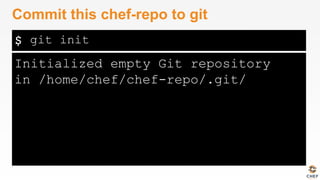
$
Initialized empty Git repository
in /home/chef/chef-repo/.git/
Commit this chef-repo to git
git init
$
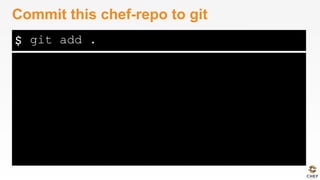
Commit this chef-repo to git
git add .
$
[master (root-commit) 6774a70] Initial chef repo
11 files changed, 388 insertions(+), 0 deletions(-)
create mode 100644 .gitignore
create mode 100644 LICENSE
create mode 100644 README.md
create mode 100644 Rakefile
create mode 100644 certificates/README.md
create mode 100644 chefignore
create mode 100644 config/rake.rb
create mode 100644 cookbooks/README.md
create mode 100644 data_bags/README.md
create mode 100644 environments/README.md
create mode 100644 roles/README.md
Commit this chef-repo to git
git commit -m "Initial chef-repo"
Lab 4 – Manage Data & Policy Separately
ü  Install git?
ü  Create a chef-repo
3.  Create a cookbook
$
Usage: chef generate cookbook NAME [options]
-C, --copyright COPYRIGHT Name of the copyright holder - defaults to 'The Authors'
-m, --email EMAIL Email address of the author - defaults to 'you@example.com'
-I, --license LICENSE all_rights, apache2, mit, gplv2, gplv3 - defaults to all_rights
-g GENERATOR_COOKBOOK_PATH, Use GENERATOR_COOKBOOK_PATH for the code_generator cookbook
--generator-cookbook
Create an motd cookbook
chef generate cookbook --help
$
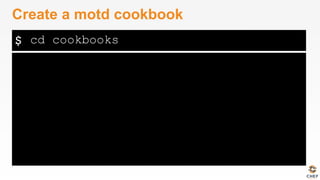
Create a motd cookbook
cd cookbooks
$
Compiling Cookbooks...
Recipe: code_generator::cookbook
* directory[/home/chef/chef-repo/cookbooks/motd] action create
- create new directory /home/chef/chef-repo/cookbooks/motd
* template[/home/chef/chef-repo/cookbooks/motd/metadata.rb] action create_if_missing
- create new file /home/chef/chef-repo/cookbooks/motd/metadata.rb
- update content in file /home/chef/chef-repo/cookbooks/motd/metadata.rb from none to 7852c2
(diff output suppressed by config)
* template[/home/chef/chef-repo/cookbooks/motd/README.md] action create_if_missing
...
Create a cookbook
chef generate cookbook motd
$
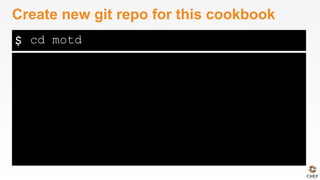
Create new git repo for this cookbook
cd motd
$
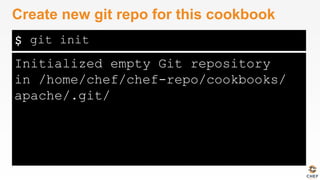
Initialized empty Git repository
in /home/chef/chef-repo/cookbooks/
apache/.git/
Create new git repo for this cookbook
git init
$
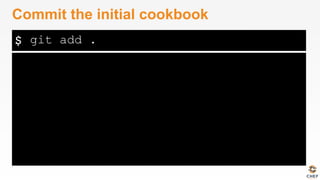
Commit the initial cookbook
git add .
$
[master (root-commit) af2b629] initial apache
recipe, does nothing
6 files changed, 144 insertions(+), 0 deletions(-)
create mode 100644 .kitchen.yml
create mode 100644 Berksfile
create mode 100644 README.md
create mode 100644 chefignore
create mode 100644 metadata.rb
create mode 100644 recipes/default.rb
Commit the initial cookbook
git commit -m "initial motd cookbook"
$
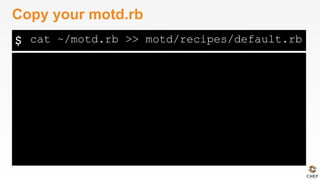
Copy your motd.rb
cat ~/motd.rb >> motd/recipes/default.rb
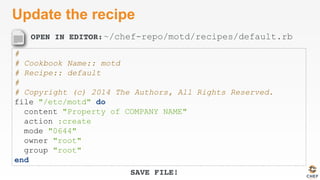
OPEN IN EDITOR:
SAVE FILE!
Update the recipe
#
# Cookbook Name:: motd
# Recipe:: default
#
# Copyright (c) 2014 The Authors, All Rights Reserved.
file "/etc/motd" do
content "Property of COMPANY NAME"
action :create
mode "0644"
owner "root"
group "root"
end
~/chef-repo/motd/recipes/default.rb
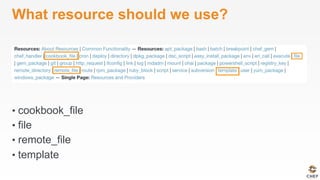
What resource should we use?
• cookbook_file
• file
• remote_file
• template
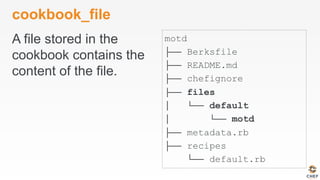
cookbook_file
A file stored in the
cookbook contains the
content of the file.
motd
├── Berksfile
├── README.md
├── chefignore
├── files
│ └── default
│ └── motd
├── metadata.rb
├── recipes
└── default.rb
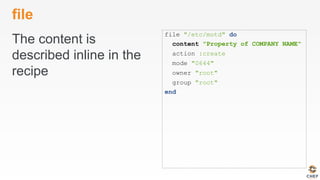
file
The content is
described inline in the
recipe
file "/etc/motd" do
content "Property of COMPANY NAME"
action :create
mode "0644"
owner "root"
group "root"
end
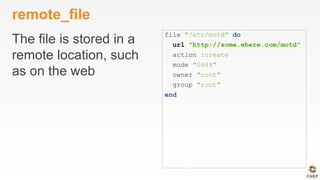
remote_file
The file is stored in a
remote location, such
as on the web
file "/etc/motd" do
url "http://some.where.com/motd"
action :create
mode "0644"
owner "root"
group "root"
end
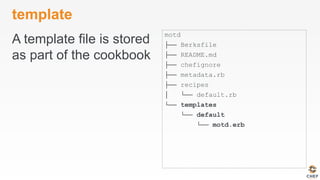
template
A template file is stored
as part of the cookbook
motd
├── Berksfile
├── README.md
├── chefignore
├── metadata.rb
├── recipes
│ └── default.rb
└── templates
└── default
└── motd.erb
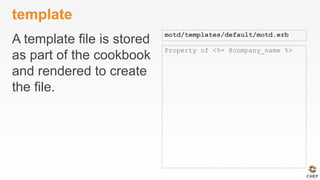
template
A template file is stored
as part of the cookbook
and rendered to create
the file.
motd/templates/default/motd.erb
Property of <%= @company_name %>
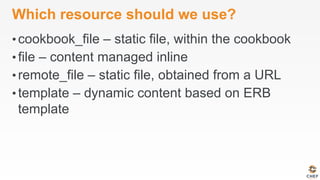
Which resource should we use?
• cookbook_file – static file, within the cookbook
• file – content managed inline
• remote_file – static file, obtained from a URL
• template – dynamic content based on ERB
template
Template Resource
• An ERB template stored as part of our cookbook
OPEN IN EDITOR:
SAVE FILE!
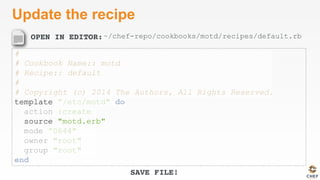
Update the recipe
#
# Cookbook Name:: motd
# Recipe:: default
#
# Copyright (c) 2014 The Authors, All Rights Reserved.
template ”/etc/motd" do
action :create
source "motd.erb"
mode ”0644"
owner "root"
group "root"
end
~/chef-repo/cookbooks/motd/recipes/default.rb
$
Usage: chef generate template [path/to/cookbook] NAME [options]
-C, --copyright COPYRIGHT Name of the copyright holder
- defaults to 'The Authors'
-m, --email EMAIL Email address of the author
- defaults to 'you@example.com'
-I, --license LICENSE all_rights, apache2, mit,
gplv2, gplv3 - defaults to all_rights
-s, --source SOURCE_FILE Copy content from
SOURCE_FILE
-g GENERATOR_COOKBOOK_PATH, Use GENERATOR_COOKBOOK_PATH
for the code_generator cookbook
--generator-cookbook
Create the ERB template
chef generate template --help
$
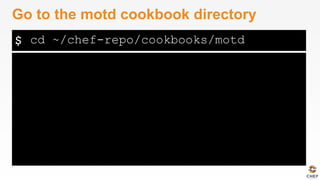
Go to the motd cookbook directory
cd ~/chef-repo/cookbooks/motd
$
Compiling Cookbooks...
Recipe: code_generator::template
* directory[././templates/default] action create
- create new directory ././templates/default
* file[././templates/default/motd.erb] action create
- create new file ././templates/default/motd.erb
- update content in file ././templates/default/
motd.erb from none to 315f5b
(diff output suppressed by config)
Create the ERB template
chef generate template . motd -s /etc/motd
OPEN IN EDITOR:
SAVE FILE!
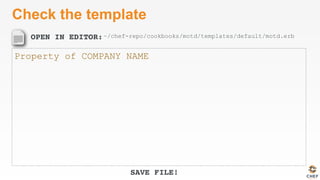
Check the template
Property of COMPANY NAME
~/chef-repo/cookbooks/motd/templates/default/motd.erb
chef-apply
• chef-apply does not understand cookbooks, only
resources and recipes
• We cannot use chef-apply to apply the policy
stored in our motd cookbook
chef-client
• chef-client is an executable
• performs all actions required to bring the node into
the desired state
• typically run on a regular basis
• daemon
• cron
• Windows service
• Included with ChefDK
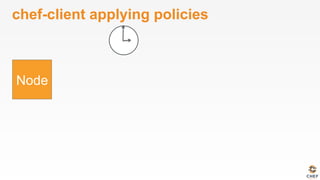
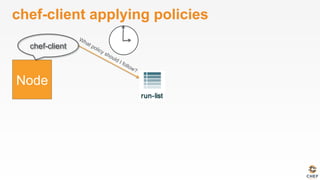
chef-client applying policies
chef-client
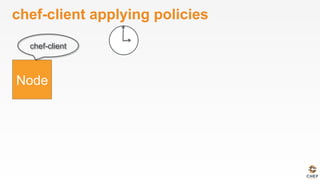
chef-client applying policies
chef-client
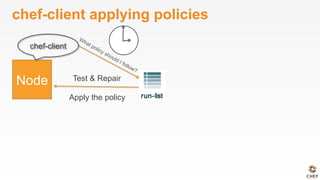
chef-client applying policies
Test & Repair
Apply the policy
chef-client
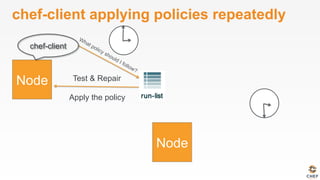
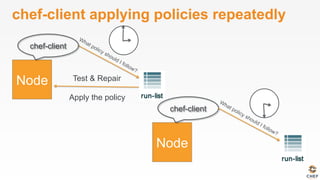
chef-client applying policies repeatedly
Test & Repair
Apply the policy
chef-client
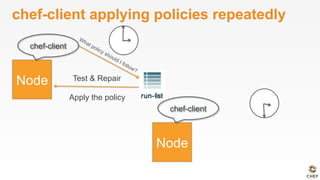
chef-client applying policies repeatedly
Test & Repair
Apply the policy
chef-client
chef-client
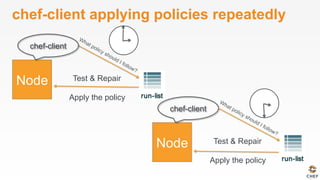
chef-client applying policies repeatedly
Test & Repair
Apply the policy
chef-client
chef-client
chef-client applying policies repeatedly
Test & Repair
Apply the policy
chef-client
Test & Repair
Apply the policy
chef-client
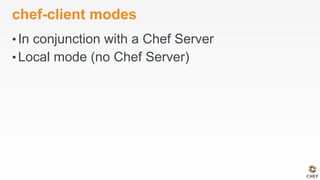
chef-client modes
• In conjunction with a Chef Server
• Local mode (no Chef Server)
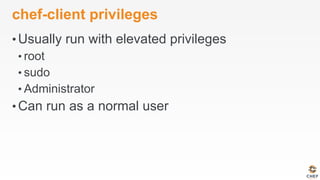
chef-client privileges
• Usually run with elevated privileges
• root
• sudo
• Administrator
• Can run as a normal user
$
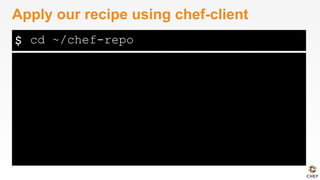
Apply our recipe using chef-client
cd ~/chef-repo
$
[2014-12-02T15:13:21+00:00] WARN: No config file found or specified on command line, using command line
options.
Starting Chef Client, version 11.18.0.rc.1
resolving cookbooks for run list: ["motd"]
Synchronizing Cookbooks:
- motd
Compiling Cookbooks...
Converging 1 resources
Recipe: motd::default
* template[/etc/motd] action create
- update content in file /etc/motd from 4fe2f6 to e989a4
(no diff)
- restore selinux security context
Running handlers:
Running handlers complete
Chef Client finished, 1/1 resources updated in 3.346092479 seconds
Apply our recipe using chef-client
sudo chef-client --local-mode -r "recipe[motd]"
chef-client applying policies
Test & Repair
Apply the policy
chef-client
recipe[motd]
recipe[motd]
Lab 4 – Manage Data & Policy Separately
ü  Install git?
ü  Create a chef-repo
ü  Create a cookbook
Separating data from policy
• Storing the file’s content directly in the recipe
feels wrong
• We can manage that content separately using a
different resource
• cookbook_file
• remote_file
• template
Template resource
• An ERB template that is used to generate files
based on the variables and logic contained
within the template.
What if…?
• The contents of motd should be pulled from a
file in an s3 bucket?
• The motd file should have variable content?
Lab 5 – Manage ntp
• Create a cookbook that will manage ntpd
• Use a template to manage /etc/ntp.conf
• Initially, the file’s content needn’t change from
the defaults
• Packages for ntp on CentOS are
• ntp
• ntpdate
Describing Policies
• Describe the relationship between resource,
recipes, and cookbooks?
• What types of files might you find in a
cookbook?
• Where is the version of a cookbook specified?
Describing Policies
• What questions can I answer for you?
v0.1.3
A Sandbox for Testing
Test Kitchen
Our process
• Write policy
• Apply policy
• Verify policy
• Not bad for the simple case, will quickly get
untenable
Faster Feedback
• Speed-up the feedback loops with automated
testing.
• Have confidence in your changes before you run
them in production
The pedantries of testing
• Unit testing
• Integration testing
• Acceptance testing
• Functional testing
• Regression testing
• Smoke testing
• Load testing
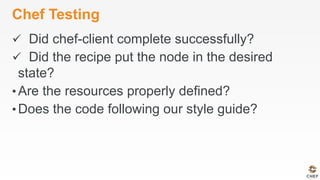
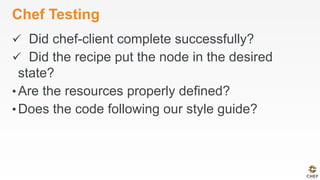
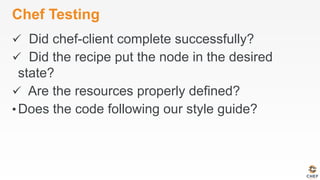
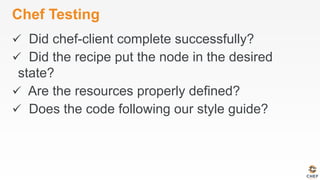
Chef Testing
• Did chef-client complete successfully?
• Did the recipe put the node in the desired state?
• Are the resources properly defined?
• Does the code follow our style guide?
Test-driving infrastructure
• We are going to use a relatively simple scenario
• We are going to explore many facets of testing
• We are going to follow a test-first, test-driven
model
Our Scenario
• We want a custom home page available on the
web.
Lab 6 – Create a Sandbox Environment
• Problem: Applying recipes directly to our
workstation is akin to making changes directly in
production. We should NOT do that!
• Success Criteria: We have an isolated
environment to verify the success status of a
chef-client run
$
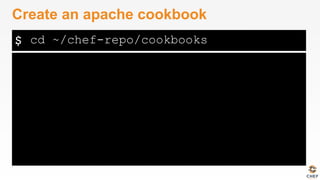
Create an apache cookbook
cd ~/chef-repo/cookbooks
$
Compiling Cookbooks...
Recipe: code_generator::cookbook
* directory[/home/chef/chef-repo/cookbooks/apache] action create
- create new directory /home/chef/chef-repo/cookbooks/apache
- restore selinux security context
* template[/home/chef/chef-repo/cookbooks/apache/metadata.rb] action create_if_missing
- create new file /home/chef/chef-repo/cookbooks/apache/metadata.rb
- update content in file /home/chef/chef-repo/cookbooks/apache/metadata.rb from none to 4c0e2d
(diff output suppressed by config)
- restore selinux security context
* template[/home/chef/chef-repo/cookbooks/apache/README.md] action create_if_missing
- create new file /home/chef/chef-repo/cookbooks/apache/README.md
- update content in file /home/chef/chef-repo/cookbooks/apache/README.md from none to 5c3d3a
(diff output suppressed by config)
- restore selinux security context
* cookbook_file[/home/chef/chef-repo/cookbooks/apache/chefignore] action create
…
Create an apache cookbook
chef generate cookbook apache
$
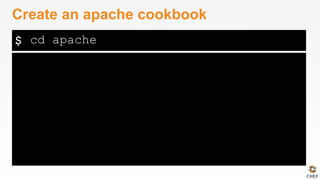
Create an apache cookbook
cd apache
$
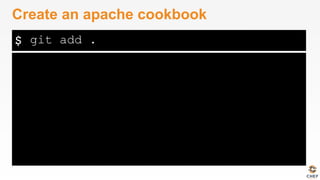
Create an apache cookbook
git add .
$
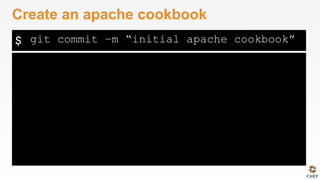
Create an apache cookbook
git commit –m “initial apache cookbook”
Chef client success status
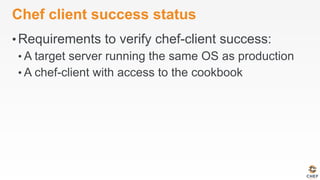
• Requirements to verify chef-client success:
• A target server running the same OS as production
Chef client success status
• Requirements to verify chef-client success:
• A target server running the same OS as production
• A chef-client with access to the cookbook
Test Kitchen
• Test harness to execute code on one
or more platforms
• Driver plugins to allow your code to
run on various cloud and virtualization
providers
• Includes support for many testing
frameworks
• Included with ChefDK
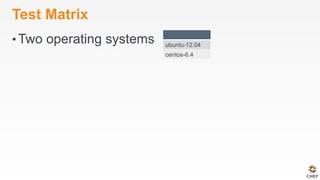
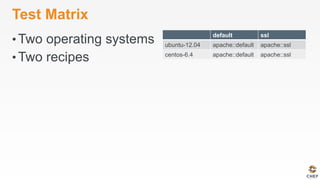
Test Matrix
• Two operating systems ubuntu-12.04
centos-6.4
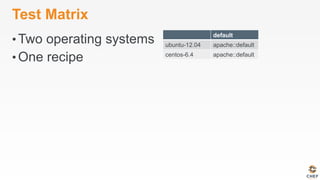
Test Matrix
• Two operating systems
• One recipe
default
ubuntu-12.04 apache::default
centos-6.4 apache::default
Test Matrix
• Two operating systems
• Two recipes
default ssl
ubuntu-12.04 apache::default apache::ssl
centos-6.4 apache::default apache::ssl
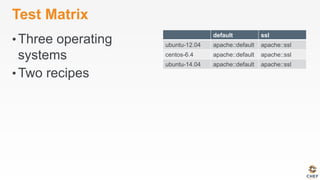
Test Matrix
• Three operating
systems
• Two recipes
default ssl
ubuntu-12.04 apache::default apache::ssl
centos-6.4 apache::default apache::ssl
ubuntu-14.04 apache::default apache::ssl
OPEN IN EDITOR:
SAVE FILE!
Configuring the Kitchen
---
driver:
name: vagrant
provisioner:
name: chef_zero
platforms:
- name: ubuntu-12.04
- name: centos-6.4
suites:
- name: default
run_list:
- recipe[apache::default]
attributes:
apache/.kitchen.yml
.kitchen.yml
• driver - virtualization or
cloud provider
---
driver:
name: vagrant
provisioner:
name: chef_zero
platforms:
- name: ubuntu-12.04
- name: centos-6.4
suites:
- name: default
run_list:
- recipe[apache::default]
attributes:
.kitchen.yml
• provisioner -
application to configure
the node
---
driver:
name: vagrant
provisioner:
name: chef_zero
platforms:
- name: ubuntu-12.04
- name: centos-6.4
suites:
- name: default
run_list:
- recipe[apache::default]
attributes:
.kitchen.yml
• platforms - target
operating systems
---
driver:
name: vagrant
provisioner:
name: chef_zero
platforms:
- name: ubuntu-12.04
- name: centos-6.4
suites:
- name: default
run_list:
- recipe[apache::default]
attributes:
.kitchen.yml
• suites - target
configurations
---
driver:
name: vagrant
provisioner:
name: chef_zero
platforms:
- name: ubuntu-12.04
- name: centos-6.4
suites:
- name: default
run_list:
- recipe[apache::default]
attributes:
.kitchen.yml
---
driver:
name: vagrant
provisioner:
name: chef_zero
platforms:
- name: ubuntu-12.04
- name: centos-6.4
suites:
- name: default
run_list:
- recipe[apache::default]
default
ubuntu-12.04 apache::default
centos-6.4 apache::default
.kitchen.yml
---
driver:
name: vagrant
provisioner:
name: chef_zero
platforms:
- name: ubuntu-12.04
- name: centos-6.4
suites:
- name: default
run_list:
- recipe[apache::default]
- name: ssl
run_list:
- recipe[apache::ssl]
default ssl
ubuntu-12.04 apache::default apache::ssl
centos-6.4 apache::default apache::ssl
.kitchen.yml
---
driver:
name: vagrant
provisioner:
name: chef_zero
platforms:
- name: ubuntu-12.04
- name: centos-6.4
- name: ubuntu-14.04
suites:
- name: default
run_list:
- recipe[apache::default]
- name: ssl
run_list:
- recipe[apache::ssl]
default ssl
ubuntu-12.04 apache::default apache::ssl
centos-6.4 apache::default apache::ssl
ubuntu-14.04 apache::default apache::ssl
.kitchen.yml
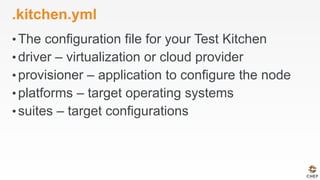
• The configuration file for your Test Kitchen
• driver – virtualization or cloud provider
• provisioner – application to configure the node
• platforms – target operating systems
• suites – target configurations
OPEN IN EDITOR:
SAVE FILE!
Update .kitchen.yml
---
driver:
name: docker
provisioner:
name: chef_zero
platforms:
- name: centos-6.5
suites:
- name: default
run_list:
- recipe[apache::default]
attributes:
cookbooks/apache/.kitchen.yml
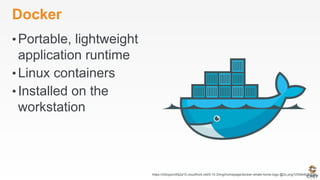
Docker
• Portable, lightweight
application runtime
• Linux containers
• Installed on the
workstation
https://d3oypxn00j2a10.cloudfront.net/0.10.3/img/homepage/docker-whale-home-logo-@2x.png?cf34b4b2b839
$
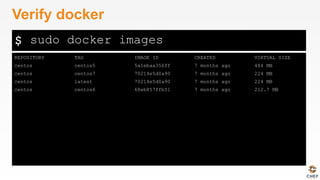
REPOSITORY TAG IMAGE ID CREATED VIRTUAL SIZE
centos centos5 5a1ebaa356ff 7 months ago 484 MB
centos centos7 70214e5d0a90 7 months ago 224 MB
centos latest 70214e5d0a90 7 months ago 224 MB
centos centos6 68eb857ffb51 7 months ago 212.7 MB
Verify docker
sudo docker images
kitchen-docker gem
• A driver that allows Test Kitchen to work with
Docker
• Installed on the workstation
• ChefDK includes kitchen-vagrant
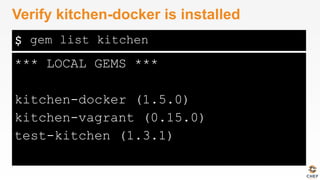
$
*** LOCAL GEMS ***
kitchen-docker (1.5.0)
kitchen-vagrant (0.15.0)
test-kitchen (1.3.1)
Verify kitchen-docker is installed
gem list kitchen
$
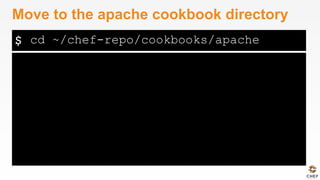
Move to the apache cookbook directory
cd ~/chef-repo/cookbooks/apache
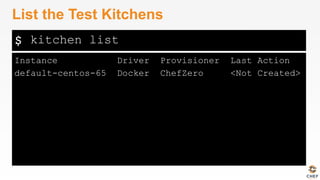
$
Instance Driver Provisioner Last Action
default-centos-65 Docker ChefZero <Not Created>
List the Test Kitchens
kitchen list
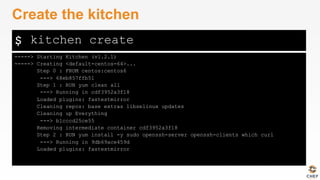
$
-----> Starting Kitchen (v1.2.1)
-----> Creating <default-centos-64>...
Step 0 : FROM centos:centos6
---> 68eb857ffb51
Step 1 : RUN yum clean all
---> Running in cdf3952a3f18
Loaded plugins: fastestmirror
Cleaning repos: base extras libselinux updates
Cleaning up Everything
---> b1cccd25ce55
Removing intermediate container cdf3952a3f18
Step 2 : RUN yum install -y sudo openssh-server openssh-clients which curl
---> Running in 9db69ace459d
Loaded plugins: fastestmirror
Create the kitchen
kitchen create
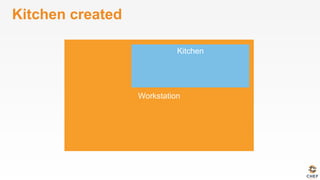
Kitchen created
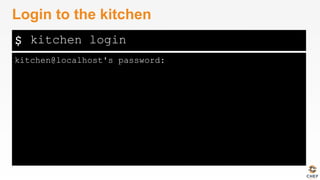
$
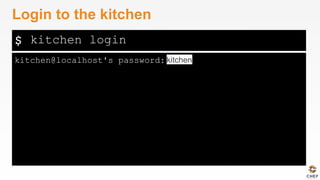
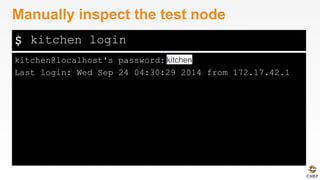
kitchen@localhost's password:
Login to the kitchen
kitchen login
$
kitchen@localhost's password:
Login to the kitchen
kitchen login
kitchen
$
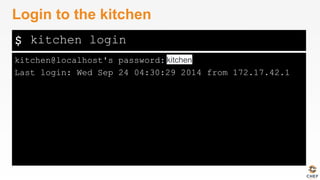
kitchen@localhost's password:
Last login: Wed Sep 24 04:30:29 2014 from 172.17.42.1
Login to the kitchen
kitchen login
kitchen
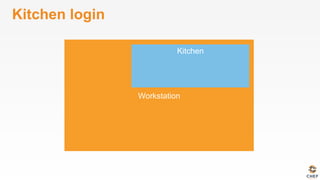
Kitchen login
Kitchen login
[chef@ip-172-31-44-173 apache]$ kitchen login
Kitchen login
[chef@ip-172-31-44-173 apache]$ kitchen login
ssh
Kitchen login
[chef@ip-172-31-44-173 apache]$ kitchen login
[kitchen@5379d310dc59 ~]$
ssh
Chef client success status
• Requirements to verify chef-client success:
• A target server running the same OS as production
• A chef-client with access to the cookbook
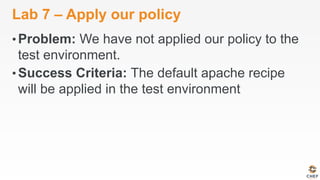
Lab 7 – Apply our policy
• Problem: We have not applied our policy to the
test environment.
• Success Criteria: The default apache recipe
will be applied in the test environment
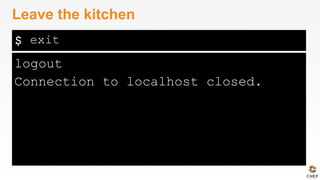
$
logout
Connection to localhost closed.
Leave the kitchen
exit
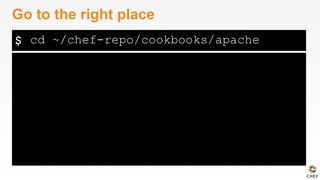
$
Go to the right place
cd ~/chef-repo/cookbooks/apache
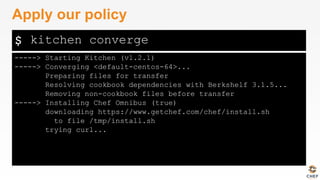
$
-----> Starting Kitchen (v1.2.1)
-----> Converging <default-centos-64>...
Preparing files for transfer
Resolving cookbook dependencies with Berkshelf 3.1.5...
Removing non-cookbook files before transfer
-----> Installing Chef Omnibus (true)
downloading https://www.getchef.com/chef/install.sh
to file /tmp/install.sh
trying curl...
Apply our policy
kitchen converge
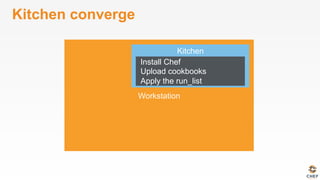
Kitchen converge
Install Chef
Upload cookbooks
Apply the run_list
Status Check
• Success Criteria: We have an isolated
environment to verify the success status of a
chef-client run
• Success Criteria: The default apache recipe will
be applied in the test environment
Chef Testing
• Did chef-client complete successfully?
• Did the recipe put the node in the desired state?
• Are the resources properly defined?
• Does the code following our style guide?
Chef Testing
ü  Did chef-client complete successfully?
• Did the recipe put the node in the desired state?
• Are the resources properly defined?
• Does the code following our style guide?
Test Kitchen
• What is a driver?
• What is a provisioner?
• What are platforms?
• What are suites?
Kitchen Commands
• kitchen list
• kitchen create
• kitchen converge
• kitchen login
What if…?
• You wanted to test our recipe on Ubuntu as well
as CentOS?
• You wanted to remove the kitchen sandbox?
• Did not have Docker installed?
Test Kitchen
• What questions can I answer for you?
v0.1.3
Verifying node state
Serverspec
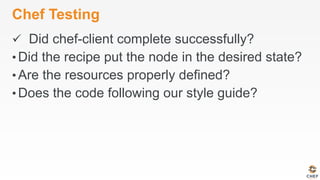
Chef Testing
ü  Did chef-client complete successfully?
• Did the recipe put the node in the desired state?
• Are the resources properly defined?
• Does the code following our style guide?
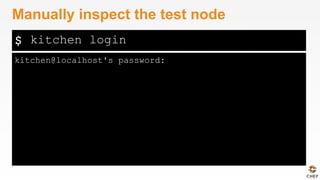
$
kitchen@localhost's password:
Manually inspect the test node
kitchen login
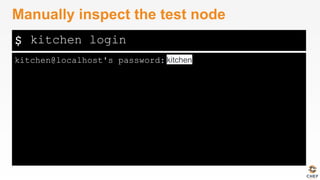
$
kitchen@localhost's password:
Manually inspect the test node
kitchen login
kitchen
$
kitchen@localhost's password:
Last login: Wed Sep 24 04:30:29 2014 from 172.17.42.1
Manually inspect the test node
kitchen login
kitchen
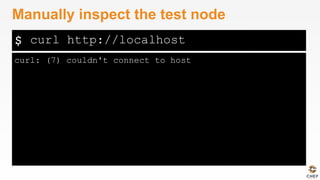
$
curl: (7) couldn't connect to host
Manually inspect the test node
curl http://localhost
Kitchen login
[chef@ip-172-31-44-173 apache]$ kitchen login
[kitchen@5379d310dc59 ~]$ curl http://localhost
curl: (7) couldn't connect to host
ssh
Lab 8 – Verify node state
• Problem: Manually verifying the state of the test
node is tedious and error-prone.
• Success Criteria: The end state of the node is
automatically tested.
Serverspec
• Write tests to verify your servers
• Not dependent on Chef
• Defines many resource types
• package, service, user, etc.
• Works well with Test Kitchen
• http://serverspec.org/
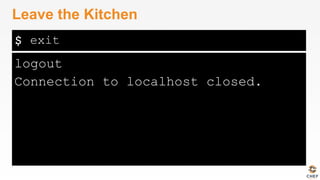
$
logout
Connection to localhost closed.
Leave the Kitchen
exit
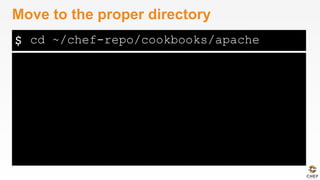
$
Move to the proper directory
cd ~/chef-repo/cookbooks/apache
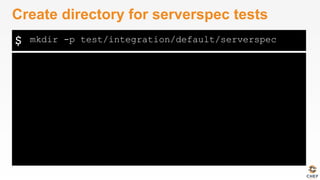
$
Create directory for serverspec tests
mkdir -p test/integration/default/serverspec
Default location for tests
• Test Kitchen will look in the test/
integration directory for test-related files
Suite subdirectory
• The next level
subdirectory will match
the suite name.
test/
└── integration
└── default
└── serverspec
└── default_spec.rb
suites:
- name: default
run_list:
- recipe[apache::default]
Suite subdirectory
• The next level
subdirectory will match
the suite name.
test/
└── integration
└── default
└── serverspec
└── default_spec.rb
suites:
- name: default
run_list:
- recipe[apache::default]
Busser subdirectory
• Test Kitchen utilizes
bussers to manage
test plugins.
• We’ll be using the
serverspec plugin
test/
└── integration
└── default
└── serverspec
└── default_spec.rb
suites:
- name: default
run_list:
- recipe[apache::default]
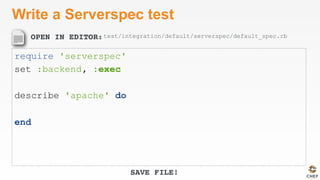
OPEN IN EDITOR:
SAVE FILE!
Write a Serverspec test
require 'serverspec'
set :backend, :exec
describe 'apache' do
end
test/integration/default/serverspec/default_spec.rb
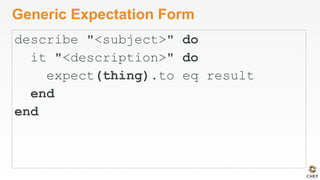
Generic Expectation Form
describe "<subject>" do
it "<description>" do
expect(thing).to eq result
end
end
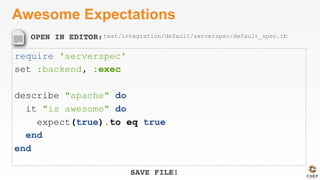
OPEN IN EDITOR:
SAVE FILE!
Awesome Expectations
require 'serverspec'
set :backend, :exec
describe "apache" do
it "is awesome" do
expect(true).to eq true
end
end
test/integration/default/serverspec/default_spec.rb
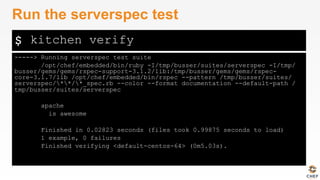
$
-----> Running serverspec test suite
/opt/chef/embedded/bin/ruby -I/tmp/busser/suites/serverspec -I/tmp/
busser/gems/gems/rspec-support-3.1.2/lib:/tmp/busser/gems/gems/rspec-
core-3.1.7/lib /opt/chef/embedded/bin/rspec --pattern /tmp/busser/suites/
serverspec/**/*_spec.rb --color --format documentation --default-path /
tmp/busser/suites/serverspec
apache
is awesome
Finished in 0.02823 seconds (files took 0.99875 seconds to load)
1 example, 0 failures
Finished verifying <default-centos-64> (0m5.03s).
Run the serverspec test
kitchen verify
How would you test our criteria?
• We want a custom home page available on the
web.
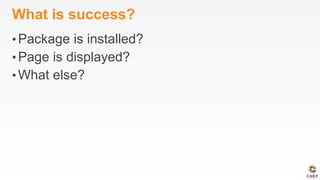
What is success?
• Package is installed?
• Page is displayed?
• What else?
OPEN IN EDITOR:
SAVE FILE!
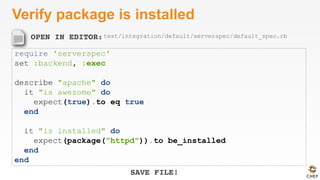
Verify package is installed
require 'serverspec'
set :backend, :exec
describe "apache" do
it "is awesome" do
expect(true).to eq true
end
it "is installed" do
expect(package("httpd")).to be_installed
end
end
test/integration/default/serverspec/default_spec.rb
$
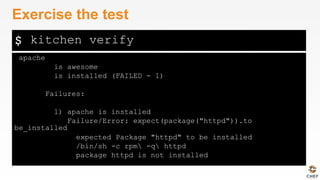
apache
is awesome
is installed (FAILED - 1)
Failures:
1) apache is installed
Failure/Error: expect(package("httpd")).to
be_installed
expected Package "httpd" to be installed
/bin/sh -c rpm -q httpd
package httpd is not installed
Exercise the test
kitchen verify
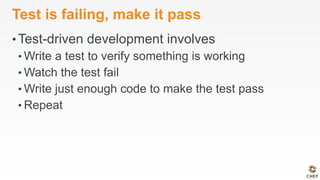
Test is failing, make it pass
• Test-driven development involves
• Write a test to verify something is working
• Watch the test fail
• Write just enough code to make the test pass
• Repeat
OPEN IN EDITOR:
SAVE FILE!
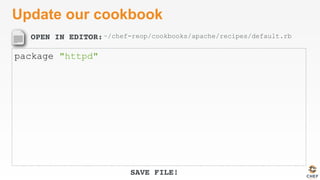
Update our cookbook
package "httpd"
~/chef-reop/cookbooks/apache/recipes/default.rb
$
-----> Converging <default-centos-64>...
Preparing files for transfer
Resolving cookbook dependencies with Berkshelf 3.1.5...
Removing non-cookbook files before transfer
Transfering files to <default-centos-64>
[2014-11-10T09:20:26+00:00] INFO: Starting chef-zero on host localhost, port 8889
with repository at repository at /tmp/kitchen
One version per cookbook
[2014-11-10T09:20:26+00:00] INFO: Forking chef instance to converge...
Starting Chef Client, version 11.16.4
[2014-11-10T09:20:27+00:00] INFO: *** Chef 11.16.4 ***
[2014-11-10T09:20:27+00:00] INFO: Chef-client pid: 571
...
Converge the node again
kitchen converge
$
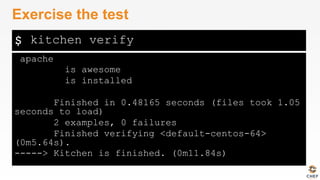
apache
is awesome
is installed
Finished in 0.48165 seconds (files took 1.05
seconds to load)
2 examples, 0 failures
Finished verifying <default-centos-64>
(0m5.64s).
-----> Kitchen is finished. (0m11.84s)
Exercise the test
kitchen verify
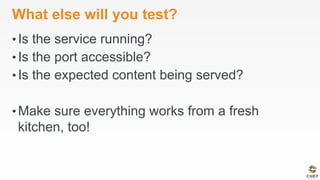
What else will you test?
• Is the service running?
• Is the port accessible?
• Is the expected content being served?
• Make sure everything works from a fresh
kitchen, too!
Time to hack!
https://www.flickr.com/photos/peterpearson/424047087
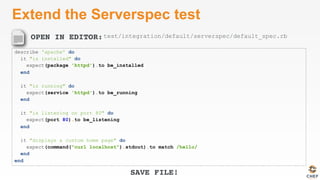
OPEN IN EDITOR:
SAVE FILE!
Extend the Serverspec test
describe 'apache' do
it "is installed" do
expect(package 'httpd').to be_installed
end
it "is running" do
expect(service 'httpd').to be_running
end
it "is listening on port 80" do
expect(port 80).to be_listening
end
it "displays a custom home page" do
expect(command("curl localhost").stdout).to match /hello/
end
end
test/integration/default/serverspec/default_spec.rb
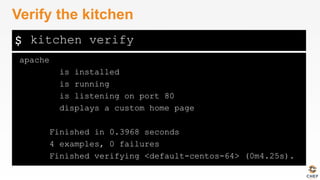
$
apache
is installed
is running
is listening on port 80
displays a custom home page
Finished in 0.3968 seconds
4 examples, 0 failures
Finished verifying <default-centos-64> (0m4.25s).
Verify the kitchen
kitchen verify
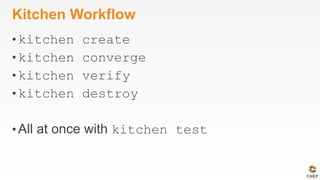
Kitchen Workflow
• kitchen create
• kitchen converge
• kitchen verify
• kitchen destroy
• All at once with kitchen test
Chef Testing
ü  Did chef-client complete successfully?
ü  Did the recipe put the node in the desired
state?
• Are the resources properly defined?
• Does the code following our style guide?
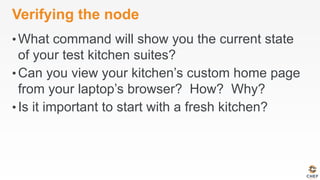
Verifying the node
• What command will show you the current state
of your test kitchen suites?
• Can you view your kitchen’s custom home page
from your laptop’s browser? How? Why?
• Is it important to start with a fresh kitchen?
Verifying Node State
• What questions can I answer for you?
v0.1.3
Even Faster Feedback
ChefSpec
Chef Testing
ü  Did chef-client complete successfully?
ü  Did the recipe put the node in the desired
state?
• Are the resources properly defined?
• Does the code following our style guide?
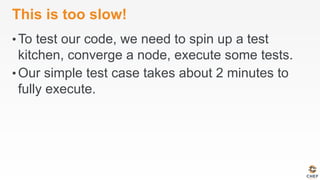
This is too slow!
• To test our code, we need to spin up a test
kitchen, converge a node, execute some tests.
• Our simple test case takes about 2 minutes to
fully execute.
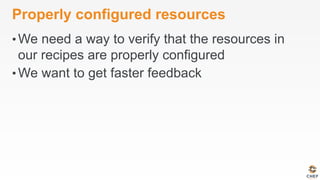
Properly configured resources
• We need a way to verify that the resources in
our recipes are properly configured
• We want to get faster feedback
Lab 9 – Verify the resources
• Problem: We should be able to catch errors
before we need to converge a node
• Success Criteria: Catch a typo prior to
converge
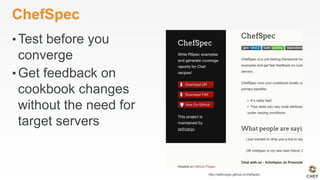
ChefSpec
• Test before you
converge
• Get feedback on
cookbook changes
without the need for
target servers
http://sethvargo.github.io/chefspec/
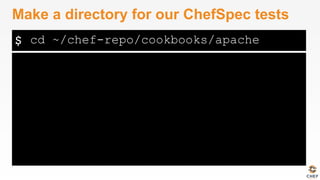
$
Make a directory for our ChefSpec tests
cd ~/chef-repo/cookbooks/apache
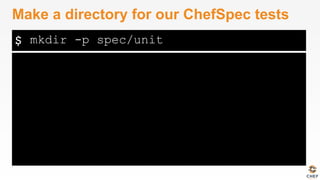
$
Make a directory for our ChefSpec tests
mkdir -p spec/unit
OPEN IN EDITOR:
SAVE FILE!
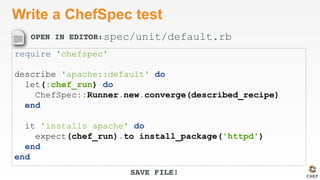
Write a ChefSpec test
require 'chefspec'
describe 'apache::default' do
let(:chef_run) do
ChefSpec::Runner.new.converge(described_recipe)
end
it 'installs apache' do
expect(chef_run).to install_package('httpd')
end
end
spec/unit/default.rb
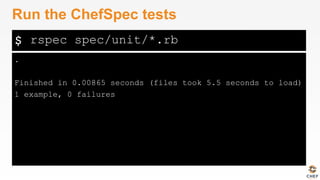
$
.
Finished in 0.00865 seconds (files took 5.5 seconds to load)
1 example, 0 failures
Run the ChefSpec tests
rspec spec/unit/*.rb
OPEN IN EDITOR:
SAVE FILE!
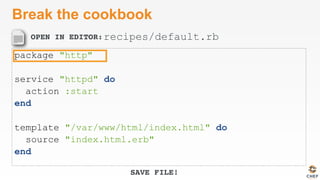
Break the cookbook
package "http"
service "httpd" do
action :start
end
template "/var/www/html/index.html" do
source "index.html.erb"
end
recipes/default.rb
$
F
Failures:
1) apache::default installs apache
Failure/Error: expect(chef_run).to install_package('httpd')
expected "package[httpd]" with action :install to be in Chef run. Other package resources:
package[http]
# ./spec/unit/default_spec.rb:9:in `block (2 levels) in <top (required)>'
Finished in 0.00847 seconds (files took 4.85 seconds to load)
1 example, 1 failure
Failed examples:
rspec ./spec/unit/default_spec.rb:8 # apache::default installs apache
Run the ChefSpec tests
rspec spec/unit/*.rb
OPEN IN EDITOR:
SAVE FILE!
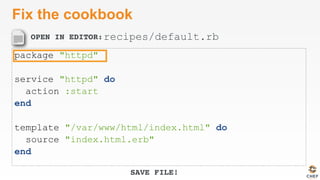
Fix the cookbook
package "httpd"
service "httpd" do
action :start
end
template "/var/www/html/index.html" do
source "index.html.erb"
end
recipes/default.rb
Time to hack!
https://www.flickr.com/photos/peterpearson/424047087
Chef Testing
ü  Did chef-client complete successfully?
ü  Did the recipe put the node in the desired
state?
ü  Are the resources properly defined?
• Does the code following our style guide?
ChefSpec
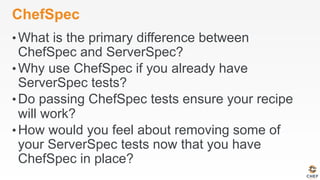
• What is the primary difference between
ChefSpec and ServerSpec?
• Why use ChefSpec if you already have
ServerSpec tests?
• Do passing ChefSpec tests ensure your recipe
will work?
• How would you feel about removing some of
your ServerSpec tests now that you have
ChefSpec in place?
ChefSpec
• What questions can I answer for you?
v0.1.3
Clean code
Follow best practices, avoid mistakes
Foodcritic
• Check cookbooks for
common problems
• Style, correctness,
deprecations, etc.
• Included with ChefDK
http://www.foodcritic.io/
OPEN IN EDITOR:
SAVE FILE!
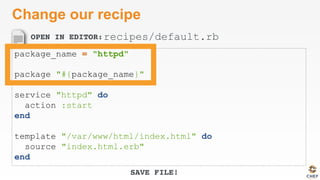
Change our recipe
package_name = "httpd"
package "#{package_name}"
service "httpd" do
action :start
end
template "/var/www/html/index.html" do
source "index.html.erb"
end
recipes/default.rb
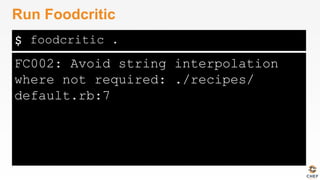
$
FC002: Avoid string interpolation
where not required: ./recipes/
default.rb:7
Run Foodcritic
foodcritic .
Chef Testing
ü  Did chef-client complete successfully?
ü  Did the recipe put the node in the desired
state?
ü  Are the resources properly defined?
ü  Does the code following our style guide?
Foodcritic
• What rules have been deprecated?
• What does Foodcritic return on success?
Foodcritic
• What questions can I answer for you?
v0.1.3
Wrap Up
Course Objectives
• After completing this course you will be able to:
• Automate common infrastructure tasks with Chef
• Verify your automation code BEFORE it runs in
production
• Describe Chef’s various tools
• Apply Chef’s primitives to solve your problems
Tool Survey
• chef-apply
• chef
• chef-client in local
mode
• Test Kitchen
• Docker
• Serverspec
• ChefSpec
• Foodcritic
Vocabulary
• Resources
• Recipes
• Cookbooks
Resources
• Package
• Service
• File
• Template
But wait…
• …there’s more, so much more!
• How much time do we have left? I could go on
for days!
Further Resources
• learnchef.com
• Guided tutorials
• Chef Fundamental Series
• Upcoming Training
• chef.io/blog/events/category/training-events/
Chef Fundamentals Q & A Forum
• Chef Fundamentals Google Group Q&A Forum
• http://bit.ly/ChefFundamentalsForum
• Join the group and post questions
A list of URLs
• http://chef.io
• http://docs.chef.io
• http://supermarket.chef.io
• http://youtube.com/getchef
• http://lists.opscode.com
• irc.freenode.net: #chef, #chef-hacking
• Twitter: @chef #getchef, @learnchef #learnchef
Food Fight Show
• foodfightshow.org
• Podcast where
DevOps Chefs Do
Battle
• Best practices for
working with Chef
What questions do you have?
• Chef Server
• Roles
• Environments
• Data Bags
• Bootstrapping new
nodes
• Thank You!
• Open source projects
• Working with IaaS
providers
• chef-provisioner
• Search
• Suspenders?!
• @nathenharvey
What else would you like to work on?
• Make the cookbook work for ubuntu?
• Explore Chef Server
• Learn about other top-level Chef Objects
• Node
• Roles
• Environments
• Data Bags
Time to hack!
https://www.flickr.com/photos/peterpearson/424047087
v0.1.3
Infrastructure State
The node object
Node Object
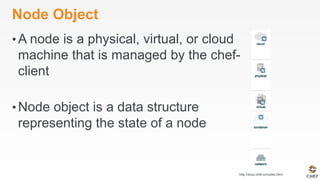
• A node is a physical, virtual, or cloud
machine that is managed by the chef-
client
• Node object is a data structure
representing the state of a node
http://docs.chef.io/nodes.html
Node state
• chef-client saves the current state of the node
• Local mode – in the nodes directory
• Normal mode – on the Chef server
$
ip-172-31-32-114.ec2.internal.json
New directory: nodes
ls ~/chef-repo/nodes
$
{
"name": "ip-172-31-32-114.ec2.internal",
"normal": {
"tags": [
]
},
"automatic": {
"languages": {
"ruby": {
"platform": "x86_64-linux",
"version": "2.1.2",
"release_date": "2014-05-08",
"target": "x86_64-unknown-linux-gnu",
"target_cpu": "x86_64",
"target_vendor": "unknown",
"target_os": "linux",
"host": "x86_64-unknown-linux-gnu",
"host_cpu": "x86_64",
"host_os": "linux-gnu",
…
Explore the node’s .json file
less nodes/*.json
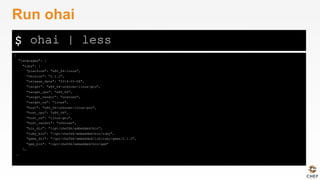
ohai
• A system profiler that is used to detect the state
of nodes
• Platform
• Network
• Memory
• And much more
• Included with ChefDK
$
{
"languages": {
"ruby": {
"platform": "x86_64-linux",
"version": "2.1.2",
"release_date": "2014-05-08",
"target": "x86_64-unknown-linux-gnu",
"target_cpu": "x86_64",
"target_vendor": "unknown",
"target_os": "linux",
"host": "x86_64-unknown-linux-gnu",
"host_cpu": "x86_64",
"host_os": "linux-gnu",
"host_vendor": "unknown",
"bin_dir": "/opt/chefdk/embedded/bin",
"ruby_bin": "/opt/chefdk/embedded/bin/ruby",
"gems_dir": "/opt/chefdk/embedded/lib/ruby/gems/2.1.0",
"gem_bin": "/opt/chefdk/embedded/bin/gem"
},
…
Run ohai
ohai | less
$
[
"centos"
]
Use ohai to find the platform
ohai platform
$
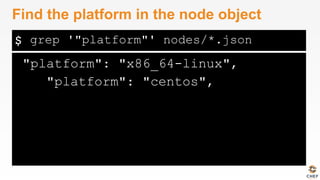
"platform": "x86_64-linux",
"platform": "centos",
Find the platform in the node object
grep '"platform"' nodes/*.json
Lab 5 – Read node attributes in our policy
• Problem: We want to see some node details on
our home page.
• Success Criteria: Our home page includes
additional information about the node
OPEN IN EDITOR:
SAVE FILE!
Display node attributes
<h1>hello world</h1>
<p>
This is a <%= node["platform"] %> <%= node["platform_version"] %> server.
with <%= node["memory"]["total"] %> RAM.
</p>
cookbooks/apache/templates/default/index.html.erb
OPEN IN EDITOR:
SAVE FILE!
Display node attributes
<h1>hello world</h1>
<p>
This is a <%= node["platform"] %> <%= node["platform_version"] %> server.
with <%= node["memory"]["total"] %> RAM.
</p>
cookbooks/apache/templates/default/index.html.erb
OPEN IN EDITOR:
SAVE FILE!
Display node attributes
<h1>hello world</h1>
<p>
This is a <%= node["platform"] %> <%= node["platform_version"] %> server.
with <%= node["memory"]["total"] %> RAM.
</p>
cookbooks/apache/templates/default/index.html.erb
OPEN IN EDITOR:
SAVE FILE!
Display node attributes
<h1>hello world</h1>
<p>
This is a <%= node["platform"] %> <%= node["platform_version"] %> server.
with <%= node["memory"]["total"] %> RAM.
</p>
cookbooks/apache/templates/default/index.html.erb
OPEN IN EDITOR:
SAVE FILE!
Display node attributes
<h1>hello world</h1>
<p>
This is a <%= node["platform"] %> <%= node["platform_version"] %> server.
with <%= node["memory"]["total"] %> RAM.
</p>
cookbooks/apache/templates/default/index.html.erb
$
Starting Chef Client, version 11.16.0
resolving cookbooks for run list: ["apache"]
Synchronizing Cookbooks:
- apache
Compiling Cookbooks...
Converging 3 resources
Recipe: apache::default
* package[httpd] action install (up to date)
* service[httpd] action start (up to date)
* template[/var/www/html/index.html] action create
- update content in file /var/www/html/index.html from cdf94d to 4ff592
--- /var/www/html/index.html 2014-09-23 13:28:23.912127556 +0000
+++ /tmp/chef-rendered-template20140924-11927-m0wkgp 2014-09-24 02:07:43.954127556 +0000
@@ -1,2 +1,8 @@
<h1>hello world</h1>
+
+<p>
+ This is a centos 6.5 server.
+ with 1695028kB RAM.
+</p>
+
- restore selinux security context
Running handlers:
Verify the change
sudo chef-client -z -r "recipe[apache]"
$
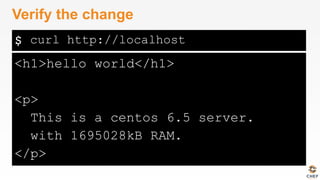
<h1>hello world</h1>
<p>
This is a centos 6.5 server.
with 1695028kB RAM.
</p>
Verify the change
curl http://localhost
Custom node attributes
• Ohai provides many attributes for the node
object
• You may want to include your own custom
attributes
Lab 6 - Create a custom node attribute
• Problem: We need a customized greeting on
our home page.
• Success Criteria: Our home page includes a
custom greeting.
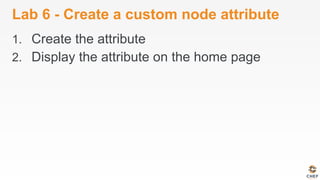
Lab 6 - Create a custom node attribute
1.  Create the attribute
2.  Display the attribute on the home page
$
Usage: chef generate attribute [path/to/cookbook] NAME [options]
-C, --copyright COPYRIGHT Name of the copyright holder - defaults to 'The Authors'
-m, --email EMAIL Email address of the author - defaults to 'you@example.com'
-I, --license LICENSE all_rights, apache2, mit, gplv2, gplv3 - defaults to all_rights
-g GENERATOR_COOKBOOK_PATH, Use GENERATOR_COOKBOOK_PATH for the code_generator cookbook
--generator-cookbook
chef can generate attributes
chef generate attribute --help
$
Compiling Cookbooks...
Recipe: code_generator::attribute
* directory[cookbooks/apache/attributes] action create
- create new directory cookbooks/apache/attributes
- restore selinux security context
* template[cookbooks/apache/attributes/default.rb] action create
- create new file cookbooks/apache/attributes/default.rb
- update content in file cookbooks/apache/attributes/default.rb from none to e3b0c4
(diff output suppressed by config)
- restore selinux security context
Generate attribute
chef generate attribute cookbooks/apache/ default
OPEN IN EDITOR:
SAVE FILE!
Create an attribute
default['apache']['greeting'] = "DC"
cookbooks/apache/attributes/default.rb
OPEN IN EDITOR:
SAVE FILE!
Update the home page
<h1>hello <%= node["apache"]["greeting"] %></h1>
<p>
This is a <%= node["platform"] %> <%= node["platform_version"] %> server.
with <%= node["memory"]["total"] %> RAM.
</p>
cookbooks/apache/templates/default/index.html.erb
$
Starting Chef Client, version 11.16.0
resolving cookbooks for run list: ["apache"]
Synchronizing Cookbooks:
- apache
Compiling Cookbooks...
Converging 3 resources
Recipe: apache::default
* package[httpd] action install (up to date)
* service[httpd] action start (up to date)
* template[/var/www/html/index.html] action create
- update content in file /var/www/html/index.html from 4ff592 to 470462
--- /var/www/html/index.html 2014-09-24 02:07:43.954127556 +0000
+++ /tmp/chef-rendered-template20140924-12185-11ypb0t 2014-09-24 02:25:25.833127556 +0000
@@ -1,4 +1,4 @@
-<h1>hello world</h1>
+<h1>hello DC</h1>
<p>
This is a centos 6.5 server.
- restore selinux security context
Running handlers:
Running handlers complete
Chef Client finished, 1/3 resources updated in 14.061031604 seconds
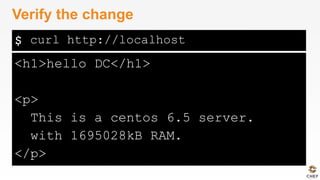
Verify the change
sudo chef-client -z -r "recipe[apache]"
$
<h1>hello DC</h1>
<p>
This is a centos 6.5 server.
with 1695028kB RAM.
</p>
Verify the change
curl http://localhost

Introduction to Chef - April 22 2015

  • 1.
    v0.1.3 Chef Fundamentals byChef Software, Inc. is licensed under a Creative Commons Attribution-ShareAlike 4.0 International License. Introduction to Chef Cookbook development workflow
  • 2.
    Prerequisites • Have an sshclient • Have a good text editor (Atom, Sublime, vim, emacs) • Git & GitHub Account (Optional)
  • 3.
  • 4.
  • 5.
    Course Objectives • After completingthis course you will be able to: • Automate common infrastructure tasks with Chef • Verify your automation code BEFORE it runs in production • Describe some of Chef’s tools • Apply Chef’s primitives to solve your problems
  • 6.
    Learning Chef • You bringthe domain expertise about your business and problems • Chef provides a framework for solving those problems • Our job is to work together to help you express solutions to your problems with Chef
  • 7.
    Chef is aLanguage • Learning Chef is like learning the basics of a language • 80% fluency reached quickly • 20% just takes practice • The best way to LEARN Chef is to USE Chef
  • 8.
    Training is adiscussion • Lots of hands on labs • Lots of typing • Ask questions when they come to you • Ask for help when you need it • Help each other • We will troubleshoot and fix bugs on the spot
  • 9.
    Just an Introduction • Todayis just an Introduction to testing your automation code with Chef and it’s tools • We’ll cover lots of topics but won’t go too deep on any of them • Any discussion that takes us too far off the path will be captured • We will return to these topics as time permits
  • 10.
  • 11.
    Agenda • Overview of Chef • Resources • DescribingPolicies • A Sandbox for testing • Verifying node state • Even faster feedback • Clean code • Wrap Up
  • 12.
    Breaks! • We will takebreaks as often as we need them • We will break for lunch
  • 13.
    Prerequisites • Have an sshclient • Have a good text editor (Atom, Sublime, vim, emacs) • Git & GitHub Account (Optional)
  • 14.
  • 15.
  • 16.
  • 17.
    Automation Platform • Creates adependable view of your entire network’s state. • Can handle complex dependencies among the nodes of your network. • Is fault tolerant. • Is secure. • Can handle multiple platforms • Can manage cloud resources • Provides a foundation for innovation
  • 18.
  • 19.
    Infrastructure as Code • Treatlike any other code base
  • 20.
    Infrastructure as Code • Reconstructbusiness from code repository, data backup, and compute resources
  • 21.
    Infrastructure as Code • Programmatically provisionand configure components • Treat like any other code base • Reconstruct business from code repository, data backup, and compute resources
  • 22.
    Policy-based • You capture thepolicy for your infrastructure in code • Chef ensures each node in your infrastructure complies with the policy
  • 23.
    Policy-based • Chef provides adomain-specific language (DSL) that allows you to specify policy for your infrastructure • Policy describes the desired state • Policies can be statically or dynamically defined
  • 24.
  • 25.
    Resources • Piece of thesystem and its desired state
  • 26.
    Resources - Package Packagethat should be installed package "mysql-server" do action :install end
  • 27.
    Resources - Service Servicethat should be running and restarted on reboot service "iptables" do action [ :start, :enable ] end
  • 28.
    Resources - Service Filethat should be generated file "/etc/motd" do content "Property of Chef Software" end
  • 29.
    Resources - Cron Cronjob that should be configured cron "restart webserver" do hour '2' minute '0' command 'service httpd restart' end
  • 30.
    Resources - User Userthat should be managed user "nginx" do comment "Nginx user <nginx@example.com>" uid 500 gid 500 supports :manage_home => true end
  • 31.
    Resources - DSC DSCresource that should be run dsc_script 'emacs' do code <<-EOH Environment 'texteditor' { Name = 'EDITOR' Value = 'c:emacsbinemacs.exe' } EOH end
  • 32.
    Resources – RegistryKey Registry key that should be created registry_key "HKEY_LOCAL_MACHINE SOFTWAREMicrosoftWindows CurrentVersionPoliciesSystem" do values [{ :name => "EnableLUA", :type => :dword, :data => 0 }] action :create end
  • 33.
    Resources • Piece of thesystem and its desired state • http://docs.chef.io/chef/resources.html
  • 34.
    Lab 1 –Install a text editor • Problem: Our workstation does not have $EDITOR installed • Success Criteria: You can edit files with $EDITOR • $EDITOR is your favorite command line text editor: vim, emacs, or nano
  • 35.
    $ The authenticity ofhost '54.165.227.226 (54.165.227.226)' can't be established. RSA key fingerprint is c1:ec:ab:66:fb:22:4a: 8f:c2:c5:9b:26:77:f3:dd:b3. Are you sure you want to continue connecting (yes/no)? yes Warning: Permanently added '54.165.227.226' (RSA) to the list of known hosts. chef@54.165.227.226's password: Login to your lab machine ssh chef@54.164.75.30
  • 36.
    Welcome to yourworkstation • ChefDK version 0.4.0 is installed • chef --version • Chef user has passwordless sudo access • sudo cat /etc/shadow
  • 37.
    $ /usr/bin/which: no vimin (/opt/ chefdk/bin:/home/chef/.chefdk/gem/ ruby/2.1.0/bin:/opt/chefdk/embedded/ bin:/usr/local/bin:/bin:/usr/bin:/ usr/local/sbin:/usr/sbin:/sbin:/ home/chef/bin) Is $EDITOR installed? which vim
  • 38.
    chef-apply • chef-apply is anexecutable program that allows you to work with resources • Is included as part of the ChefDK • A great way to explore resources • NOT how you’ll eventually use Chef in production
  • 39.
    $ Usage: chef-apply [RECIPE_FILE][-e RECIPE_TEXT] [-s] --[no-]color Use colored output, defaults to enabled -e, --execute RECIPE_TEXT Execute resources supplied in a string -l, --log_level LEVEL Set the log level (debug, info, warn, error, fatal) -s, --stdin Execute resources read from STDIN -v, --version Show chef version -W, --why-run Enable whyrun mode -h, --help Show this message What does chef-apply do? chef-apply --help
  • 40.
    $ Recipe: (chef-apply cookbook)::(chef-applyrecipe) * package[vim] action install - install version 7.2.411-1.8.el6 of package vim-enhanced Install vim sudo chef-apply -e "package 'vim'"
  • 41.
    $ Recipe: (chef-apply cookbook)::(chef-applyrecipe) * package[emacs] action install - install version 23.1-25.el6 of package emacs Install emacs sudo chef-apply -e "package 'emacs'"
  • 42.
    $ Recipe: (chef-apply cookbook)::(chef-apply recipe) *package[nano] action install - install version 2.0.9-7.el6 of package nano Install nano sudo chef-apply -e "package 'nano'"
  • 43.
    Resources • Describe the desiredstate • Do not need to tell Chef how to get there • What happens if you re-run the chef-apply command?
  • 44.
    $ Recipe: (chef-apply cookbook)::(chef-apply recipe) *package[vim] action install (up to date) Install $EDITOR again with chef-apply sudo chef-apply -e "package 'vim'"
  • 45.
    Test and Repair Resourcesfollow a test and repair model package "vim"
  • 46.
    Test and Repair Resourcesfollow a test and repair model package "vim" Is vim installed?
  • 47.
    Test and Repair Resourcesfollow a test and repair model package "vim" Is vim installed? Yes
  • 48.
    Test and Repair Resourcesfollow a test and repair model package "vim" Is vim installed? Done Yes
  • 49.
    Test and Repair Resourcesfollow a test and repair model package "vim" Is vim installed? Done Yes No
  • 50.
    Test and Repair Resourcesfollow a test and repair model package "vim" Is vim installed? Done Install it Yes No
  • 51.
    Test and Repair Resourcesfollow a test and repair model package "vim" Is vim installed? Done Install it Yes No
  • 52.
    Resources – Testand Repair • Resources follow a test and repair model • Resource currently in the desired state? (test) • Yes – Do nothing • No – Bring the resource into the desired state (repair)
  • 53.
  • 54.
    Lab 2 –Hello, world! • Problem: Oops, we forgot to start with “hello, world” • Success Criteria: A file with “Hello, world!” content is available in our home directory.
  • 55.
    OPEN IN EDITOR: SAVEFILE! Hello, world! file "hello.txt" do action :create content "Hello, world!" mode "0644" owner "chef" group "chef" end ~/hello.rb
  • 56.
    $ Recipe: (chef-apply cookbook)::(chef-applyrecipe) * file[hello.txt] action create - create new file hello.txt - update content in file hello.txt from none to 315f5b --- hello.txt 2014-12-02 14:00:22.967821184 +0000 +++ /tmp/.hello.txt20141202-1036-af0vmi 2014-12-02 14:00:22.970821184 +0000 @@ -1 +1,2 @@ +Hello, world! - change mode from '' to '0644' - change owner from '' to 'chef' - change group from '' to 'chef' - restore selinux security context Apply hello.rb sudo chef-apply hello.rb
  • 57.
  • 58.
    Chef Resources Have atype file "hello.txt"
  • 59.
    Chef Resources Have aname • Have a type file "hello.txt"
  • 60.
    Chef Resources Include detailsbetween keywords do and end • Have a name • Have a type file "hello.txt" do end
  • 61.
    Chef Resources Describe thestate of the thing using the keyword action • Include details between keywords do and end • Have a name • Have a type file "hello.txt" do action :create end
  • 62.
    Chef Resources –In Plain English The TYPE named NAME should be ACTION’d file "hello.txt" do action :create end
  • 63.
    Chef Resources –In Plain English The TYPE named NAME should be ACTION’d The file named “hello.txt” should be created file "hello.txt" do action :create end
  • 64.
    Chef Resources • Include additionaldetails about the state of the thing (attributes) • Describe the state of the thing using the keyword action • Include details between keywords do and end • Have a name • Have a type file "hello.txt" do action :create content "Hello, world!" mode "0644" owner "chef" group "chef" end
  • 65.
    Chef Resources –In Plain English The TYPE named NAME should be ACTION’d with ATTRIBUTES file "hello.txt" do action :create content "Hello, world!" mode "0644" owner "chef" group "chef" end
  • 66.
    Chef Resources –In Plain English The file named “hello.txt” should be created with content of “Hello, world!”, permissions of 0644, owned by the chef user and chef group file "hello.txt" do action :create content "Hello, world!" mode "0644" owner "chef" group "chef" end
  • 67.
    OPEN IN EDITOR: SAVEFILE! Hello, world! file "hello.txt" do content "Hello, world!" action :create mode "0644" owner "chef" group "chef" end ~/hello.rb
  • 68.
    $ Recipe: (chef-apply cookbook)::(chef-apply recipe) *file[hello.txt] action create (up to date) Re-apply hello.rb sudo chef-apply hello.rb
  • 69.
    Resources – Testand Repair • Resources follow a test and repair model • Resource currently in the desired state? (test) • Yes – Do nothing • No – Bring the resource into the desired state (repair)
  • 70.
    What if…? • Change thecontent of the file using your favorite text editor? • Change the ownership of the file? • Delete the file?
  • 71.
  • 72.
    Resources • What states cana file be in? • What state will a file be in if you don’t declare an action? • What state will a package be in if you don’t declare an action? • Do you have to indent the attributes of a resource? • What Chef tool allows us to easily explore resources?
  • 73.
    Lab 3 –Manage a file The file named /etc/motd should have the contents “Property of COMPANY NAME”, permissions of “0644”, and owned by the group and user named root
  • 74.
    Lab 3 –Manage a file The file named /etc/motd should have the contents “Property of COMPANY NAME”, permissions of “0644”, and owned by the group and user named root
  • 75.
  • 76.
  • 77.
    Resources > Recipes> Cookbooks • A resource is a piece of the system and it’s desired state • A recipe is a collection of resources • A cookbook is a “package” of policy information
  • 78.
    Recipe - acollection of resources package "haproxy" do action :install end template "/etc/haproxy/haproxy.cfg" do source "haproxy.cfg.erb" owner "root" group "root" mode "0644" notifies :restart, "service[haproxy]" end service "haproxy" do supports :restart => :true action [:enable, :start] end
  • 79.
    Recipes – OrderMatters • Resources are applied in order package "haproxy" do action :install end template "/etc/haproxy/haproxy.cfg" do source "haproxy.cfg.erb" owner "root" group "root" mode "0644" notifies :restart, "service[haproxy]" end service "haproxy" do supports :restart => :true action [:enable, :start] end
  • 80.
    Recipes – OrderMatters • Resources are applied in order package "haproxy" do action :install end template "/etc/haproxy/haproxy.cfg" do source "haproxy.cfg.erb" owner "root" group "root" mode "0644" notifies :restart, "service[haproxy]" end service "haproxy" do supports :restart => :true action [:enable, :start] end
  • 81.
    Recipes – OrderMatters • Resources are applied in order package "haproxy" do action :install end template "/etc/haproxy/haproxy.cfg" do source "haproxy.cfg.erb" owner "root" group "root" mode "0644" notifies :restart, "service[haproxy]" end service "haproxy" do supports :restart => :true action [:enable, :start] end
  • 82.
    Cookbook • A “package” forChef policies • Typically map 1:1 to a piece of software or functionality
  • 83.
    Cookbooks – PackagedPolicies • Distribution unit • Versioned • Re-usable
  • 84.
    Abstracting Data fromPolicy • Policy – The desired state of the system • Data – The details that might change
  • 85.
    Abstracting Data fromPolicy • Policy – Tomcat should be installed • Data – Version 6
  • 86.
    Abstracting Data fromPolicy • Policy – A file should exist • Data – The content of that file
  • 87.
    Lab 4 –Manage Data & Policy Separately • Problem: Policy for the state and content of / etc/motd are currently intermingled. • Success Criteria: State and content of /etc/ motd are managed separately.
  • 88.
    Message of theday State – policy that describes the resource file "/etc/motd" do content "Property of COMPANY NAME" action :create mode "0644" owner "root" group "root" end
  • 89.
    Message of theday • Content – data that may change independent of policy changes file "/etc/motd" do content "Property of COMPANY NAME" action :create mode "0644" owner "root" group "root" end
  • 90.
    Version your code • Managinginfrastructure as code means storing that code in a version control system • Any version control system will do but… • Chef community prefers and recommends git • Many tools support git by default
  • 91.
    How many gitrepos? • Once you have more than one cookbook, you may ask yourself this question • The answer is easy:
  • 92.
    How many gitrepos? • Once you have more than one cookbook, you may ask yourself this questions • The answer is easy: • It depends!
  • 93.
    How many gitrepos? • Once you have more than one cookbook, you may ask yourself this questions • The answer is easy: • It depends! • Two options are common: • Monolithic Repository • Independent Software Projects
  • 94.
    Monolithic Repository • All ofyour Chef related source code tracked in one source code repository • External dependencies are made with built-in vendor branches
  • 95.
    Independent Software Projects • AllChef cookbooks are treated as independent software projects • External dependencies are • fetched as needed • treated as artifacts
  • 96.
    Lab 4 -Manage Data & Policy Separately • Install git • Create a chef-repo • Create a cookbook
  • 97.
    Install git • The filenamed '/home/chef/.gitconfig' should be created. • It should be owned by the chef user and group. • It should have the content: [user]n name=John Doen email=jdoe@examplen
  • 98.
    OPEN IN EDITOR: SAVEFILE! Install git package 'git' do action :install end file '/home/chef/.gitconfig' do content "[user]n name=John Doen email=jdoe@examplen" user 'chef' group 'chef' end ~/git.rb
  • 99.
    $ Recipe: (chef-apply cookbook)::(chef-applyrecipe) * package[git] action install - install version 1.7.1-3.el6_4.1 of package git * file[/home/chef/.gitconfig] action create - create new file /home/chef/.gitconfig - update content in file /home/chef/.gitconfig from none to 259950 --- /home/chef/.gitconfig 2014-09-24 00:24:13.558127555 +0000 +++ /tmp/..gitconfig20140924-10180-1ij68vq 2014-09-24 00:24:13.559127555 +0000 @@ -1 +1,4 @@ +[user] + name=John Doe + email=jdoe@example.com - change owner from '' to 'chef' - change group from '' to 'chef' - restore selinux security context Install git sudo chef-apply ~/git.rb
  • 100.
    Lab 4 –Manage Data & Policy Separately ü  Install git? 2.  Create a chef-repo 3.  Create a cookbook
  • 101.
    chef-repo • Chef cookbooks andother policy files should be stored in a version control system • Create a directory named chef-repo • Manage that directory as a git repository
  • 102.
    chef • chef is anexecutable command line tool for • generating cookbooks, recipes, and other things that make up your Chef code • ensuring RubyGems are downloaded properly for your development environment • verifying that all the components are installed and configured correctly • Included with ChefDK
  • 103.
    $ Usage: chef generateGENERATOR [options] Available generators: app Generate an application repo cookbook Generate a single cookbook recipe Generate a new recipe attribute Generate an attributes file template Generate a file template file Generate a cookbook file lwrp Generate a lightweight resource/provider repo Generate a Chef policy repository What can chef generate? chef generate --help
  • 104.
    $ Usage: chef generaterepo NAME [options] -C, --copyright COPYRIGHT Name of the copyright holder - defaults to 'The Authors' -m, --email EMAIL Email address of the author - defaults to 'you@example.com' -I, --license LICENSE all_rights, apache2, mit, gplv2, gplv3 - defaults to all_rights -p, --policy-only Create a repository for policy only, not cookbooks -g GENERATOR_COOKBOOK_PATH, Use GENERATOR_COOKBOOK_PATH for the code_generator cookbook --generator-cookbook How do we generate a repo? chef generate repo --help
  • 105.
  • 106.
    $ Compiling Cookbooks... Recipe: code_generator::repo *directory[/home/chef/chef-repo] action create - create new directory /home/chef/chef-repo - restore selinux security context * template[/home/chef/chef-repo/LICENSE] action create - create new file /home/chef/chef-repo/LICENSE - update content in file /home/chef/chef-repo/LICENSE from none to dbc1af (diff output suppressed by config) - restore selinux security context * cookbook_file[/home/chef/chef-repo/README.md] action create - create new file /home/chef/chef-repo/README.md - update content in file /home/chef/chef-repo/README.md from none to 767ead (diff output suppressed by config) - restore selinux security context * cookbook_file[/home/chef/chef-repo/Rakefile] action create Create a chef-repo chef generate repo chef-repo
  • 107.
    $ Commit this chef-repoto git cd chef-repo
  • 108.
    $ Initialized empty Gitrepository in /home/chef/chef-repo/.git/ Commit this chef-repo to git git init
  • 109.
    $ Commit this chef-repoto git git add .
  • 110.
    $ [master (root-commit) 6774a70]Initial chef repo 11 files changed, 388 insertions(+), 0 deletions(-) create mode 100644 .gitignore create mode 100644 LICENSE create mode 100644 README.md create mode 100644 Rakefile create mode 100644 certificates/README.md create mode 100644 chefignore create mode 100644 config/rake.rb create mode 100644 cookbooks/README.md create mode 100644 data_bags/README.md create mode 100644 environments/README.md create mode 100644 roles/README.md Commit this chef-repo to git git commit -m "Initial chef-repo"
  • 111.
    Lab 4 –Manage Data & Policy Separately ü  Install git? ü  Create a chef-repo 3.  Create a cookbook
  • 112.
    $ Usage: chef generatecookbook NAME [options] -C, --copyright COPYRIGHT Name of the copyright holder - defaults to 'The Authors' -m, --email EMAIL Email address of the author - defaults to 'you@example.com' -I, --license LICENSE all_rights, apache2, mit, gplv2, gplv3 - defaults to all_rights -g GENERATOR_COOKBOOK_PATH, Use GENERATOR_COOKBOOK_PATH for the code_generator cookbook --generator-cookbook Create an motd cookbook chef generate cookbook --help
  • 113.
    $ Create a motdcookbook cd cookbooks
  • 114.
    $ Compiling Cookbooks... Recipe: code_generator::cookbook *directory[/home/chef/chef-repo/cookbooks/motd] action create - create new directory /home/chef/chef-repo/cookbooks/motd * template[/home/chef/chef-repo/cookbooks/motd/metadata.rb] action create_if_missing - create new file /home/chef/chef-repo/cookbooks/motd/metadata.rb - update content in file /home/chef/chef-repo/cookbooks/motd/metadata.rb from none to 7852c2 (diff output suppressed by config) * template[/home/chef/chef-repo/cookbooks/motd/README.md] action create_if_missing ... Create a cookbook chef generate cookbook motd
  • 115.
    $ Create new gitrepo for this cookbook cd motd
  • 116.
    $ Initialized empty Gitrepository in /home/chef/chef-repo/cookbooks/ apache/.git/ Create new git repo for this cookbook git init
  • 117.
    $ Commit the initialcookbook git add .
  • 118.
    $ [master (root-commit) af2b629]initial apache recipe, does nothing 6 files changed, 144 insertions(+), 0 deletions(-) create mode 100644 .kitchen.yml create mode 100644 Berksfile create mode 100644 README.md create mode 100644 chefignore create mode 100644 metadata.rb create mode 100644 recipes/default.rb Commit the initial cookbook git commit -m "initial motd cookbook"
  • 119.
    $ Copy your motd.rb cat~/motd.rb >> motd/recipes/default.rb
  • 120.
    OPEN IN EDITOR: SAVEFILE! Update the recipe # # Cookbook Name:: motd # Recipe:: default # # Copyright (c) 2014 The Authors, All Rights Reserved. file "/etc/motd" do content "Property of COMPANY NAME" action :create mode "0644" owner "root" group "root" end ~/chef-repo/motd/recipes/default.rb
  • 121.
    What resource shouldwe use? • cookbook_file • file • remote_file • template
  • 122.
    cookbook_file A file storedin the cookbook contains the content of the file. motd ├── Berksfile ├── README.md ├── chefignore ├── files │ └── default │ └── motd ├── metadata.rb ├── recipes └── default.rb
  • 123.
    file The content is describedinline in the recipe file "/etc/motd" do content "Property of COMPANY NAME" action :create mode "0644" owner "root" group "root" end
  • 124.
    remote_file The file isstored in a remote location, such as on the web file "/etc/motd" do url "http://some.where.com/motd" action :create mode "0644" owner "root" group "root" end
  • 125.
    template A template fileis stored as part of the cookbook motd ├── Berksfile ├── README.md ├── chefignore ├── metadata.rb ├── recipes │ └── default.rb └── templates └── default └── motd.erb
  • 126.
    template A template fileis stored as part of the cookbook and rendered to create the file. motd/templates/default/motd.erb Property of <%= @company_name %>
  • 127.
    Which resource shouldwe use? • cookbook_file – static file, within the cookbook • file – content managed inline • remote_file – static file, obtained from a URL • template – dynamic content based on ERB template
  • 128.
    Template Resource • An ERBtemplate stored as part of our cookbook
  • 129.
    OPEN IN EDITOR: SAVEFILE! Update the recipe # # Cookbook Name:: motd # Recipe:: default # # Copyright (c) 2014 The Authors, All Rights Reserved. template ”/etc/motd" do action :create source "motd.erb" mode ”0644" owner "root" group "root" end ~/chef-repo/cookbooks/motd/recipes/default.rb
  • 130.
    $ Usage: chef generatetemplate [path/to/cookbook] NAME [options] -C, --copyright COPYRIGHT Name of the copyright holder - defaults to 'The Authors' -m, --email EMAIL Email address of the author - defaults to 'you@example.com' -I, --license LICENSE all_rights, apache2, mit, gplv2, gplv3 - defaults to all_rights -s, --source SOURCE_FILE Copy content from SOURCE_FILE -g GENERATOR_COOKBOOK_PATH, Use GENERATOR_COOKBOOK_PATH for the code_generator cookbook --generator-cookbook Create the ERB template chef generate template --help
  • 131.
    $ Go to themotd cookbook directory cd ~/chef-repo/cookbooks/motd
  • 132.
    $ Compiling Cookbooks... Recipe: code_generator::template *directory[././templates/default] action create - create new directory ././templates/default * file[././templates/default/motd.erb] action create - create new file ././templates/default/motd.erb - update content in file ././templates/default/ motd.erb from none to 315f5b (diff output suppressed by config) Create the ERB template chef generate template . motd -s /etc/motd
  • 133.
    OPEN IN EDITOR: SAVEFILE! Check the template Property of COMPANY NAME ~/chef-repo/cookbooks/motd/templates/default/motd.erb
  • 134.
    chef-apply • chef-apply does notunderstand cookbooks, only resources and recipes • We cannot use chef-apply to apply the policy stored in our motd cookbook
  • 135.
    chef-client • chef-client is anexecutable • performs all actions required to bring the node into the desired state • typically run on a regular basis • daemon • cron • Windows service • Included with ChefDK
  • 136.
  • 137.
  • 138.
  • 139.
    chef-client applying policies Test& Repair Apply the policy chef-client
  • 140.
    chef-client applying policiesrepeatedly Test & Repair Apply the policy chef-client
  • 141.
    chef-client applying policiesrepeatedly Test & Repair Apply the policy chef-client chef-client
  • 142.
    chef-client applying policiesrepeatedly Test & Repair Apply the policy chef-client chef-client
  • 143.
    chef-client applying policiesrepeatedly Test & Repair Apply the policy chef-client Test & Repair Apply the policy chef-client
  • 144.
    chef-client modes • In conjunctionwith a Chef Server • Local mode (no Chef Server)
  • 145.
    chef-client privileges • Usually runwith elevated privileges • root • sudo • Administrator • Can run as a normal user
  • 146.
    $ Apply our recipeusing chef-client cd ~/chef-repo
  • 147.
    $ [2014-12-02T15:13:21+00:00] WARN: Noconfig file found or specified on command line, using command line options. Starting Chef Client, version 11.18.0.rc.1 resolving cookbooks for run list: ["motd"] Synchronizing Cookbooks: - motd Compiling Cookbooks... Converging 1 resources Recipe: motd::default * template[/etc/motd] action create - update content in file /etc/motd from 4fe2f6 to e989a4 (no diff) - restore selinux security context Running handlers: Running handlers complete Chef Client finished, 1/1 resources updated in 3.346092479 seconds Apply our recipe using chef-client sudo chef-client --local-mode -r "recipe[motd]"
  • 148.
    chef-client applying policies Test& Repair Apply the policy chef-client recipe[motd] recipe[motd]
  • 149.
    Lab 4 –Manage Data & Policy Separately ü  Install git? ü  Create a chef-repo ü  Create a cookbook
  • 150.
    Separating data frompolicy • Storing the file’s content directly in the recipe feels wrong • We can manage that content separately using a different resource • cookbook_file • remote_file • template
  • 151.
    Template resource • An ERBtemplate that is used to generate files based on the variables and logic contained within the template.
  • 152.
    What if…? • The contentsof motd should be pulled from a file in an s3 bucket? • The motd file should have variable content?
  • 153.
    Lab 5 –Manage ntp • Create a cookbook that will manage ntpd • Use a template to manage /etc/ntp.conf • Initially, the file’s content needn’t change from the defaults • Packages for ntp on CentOS are • ntp • ntpdate
  • 154.
    Describing Policies • Describe therelationship between resource, recipes, and cookbooks? • What types of files might you find in a cookbook? • Where is the version of a cookbook specified?
  • 155.
  • 156.
    v0.1.3 A Sandbox forTesting Test Kitchen
  • 157.
    Our process • Write policy • Applypolicy • Verify policy • Not bad for the simple case, will quickly get untenable
  • 158.
    Faster Feedback • Speed-up thefeedback loops with automated testing. • Have confidence in your changes before you run them in production
  • 159.
    The pedantries oftesting • Unit testing • Integration testing • Acceptance testing • Functional testing • Regression testing • Smoke testing • Load testing
  • 160.
    Chef Testing • Did chef-clientcomplete successfully? • Did the recipe put the node in the desired state? • Are the resources properly defined? • Does the code follow our style guide?
  • 161.
    Test-driving infrastructure • We aregoing to use a relatively simple scenario • We are going to explore many facets of testing • We are going to follow a test-first, test-driven model
  • 162.
    Our Scenario • We wanta custom home page available on the web.
  • 163.
    Lab 6 –Create a Sandbox Environment • Problem: Applying recipes directly to our workstation is akin to making changes directly in production. We should NOT do that! • Success Criteria: We have an isolated environment to verify the success status of a chef-client run
  • 164.
    $ Create an apachecookbook cd ~/chef-repo/cookbooks
  • 165.
    $ Compiling Cookbooks... Recipe: code_generator::cookbook *directory[/home/chef/chef-repo/cookbooks/apache] action create - create new directory /home/chef/chef-repo/cookbooks/apache - restore selinux security context * template[/home/chef/chef-repo/cookbooks/apache/metadata.rb] action create_if_missing - create new file /home/chef/chef-repo/cookbooks/apache/metadata.rb - update content in file /home/chef/chef-repo/cookbooks/apache/metadata.rb from none to 4c0e2d (diff output suppressed by config) - restore selinux security context * template[/home/chef/chef-repo/cookbooks/apache/README.md] action create_if_missing - create new file /home/chef/chef-repo/cookbooks/apache/README.md - update content in file /home/chef/chef-repo/cookbooks/apache/README.md from none to 5c3d3a (diff output suppressed by config) - restore selinux security context * cookbook_file[/home/chef/chef-repo/cookbooks/apache/chefignore] action create … Create an apache cookbook chef generate cookbook apache
  • 166.
    $ Create an apachecookbook cd apache
  • 167.
    $ Create an apachecookbook git add .
  • 168.
    $ Create an apachecookbook git commit –m “initial apache cookbook”
  • 169.
    Chef client successstatus • Requirements to verify chef-client success: • A target server running the same OS as production
  • 170.
    Chef client successstatus • Requirements to verify chef-client success: • A target server running the same OS as production • A chef-client with access to the cookbook
  • 171.
    Test Kitchen • Test harnessto execute code on one or more platforms • Driver plugins to allow your code to run on various cloud and virtualization providers • Includes support for many testing frameworks • Included with ChefDK
  • 172.
    Test Matrix • Two operatingsystems ubuntu-12.04 centos-6.4
  • 173.
    Test Matrix • Two operatingsystems • One recipe default ubuntu-12.04 apache::default centos-6.4 apache::default
  • 174.
    Test Matrix • Two operatingsystems • Two recipes default ssl ubuntu-12.04 apache::default apache::ssl centos-6.4 apache::default apache::ssl
  • 175.
    Test Matrix • Three operating systems • Tworecipes default ssl ubuntu-12.04 apache::default apache::ssl centos-6.4 apache::default apache::ssl ubuntu-14.04 apache::default apache::ssl
  • 176.
    OPEN IN EDITOR: SAVEFILE! Configuring the Kitchen --- driver: name: vagrant provisioner: name: chef_zero platforms: - name: ubuntu-12.04 - name: centos-6.4 suites: - name: default run_list: - recipe[apache::default] attributes: apache/.kitchen.yml
  • 177.
    .kitchen.yml • driver - virtualizationor cloud provider --- driver: name: vagrant provisioner: name: chef_zero platforms: - name: ubuntu-12.04 - name: centos-6.4 suites: - name: default run_list: - recipe[apache::default] attributes:
  • 178.
    .kitchen.yml • provisioner - application toconfigure the node --- driver: name: vagrant provisioner: name: chef_zero platforms: - name: ubuntu-12.04 - name: centos-6.4 suites: - name: default run_list: - recipe[apache::default] attributes:
  • 179.
    .kitchen.yml • platforms - target operatingsystems --- driver: name: vagrant provisioner: name: chef_zero platforms: - name: ubuntu-12.04 - name: centos-6.4 suites: - name: default run_list: - recipe[apache::default] attributes:
  • 180.
    .kitchen.yml • suites - target configurations --- driver: name:vagrant provisioner: name: chef_zero platforms: - name: ubuntu-12.04 - name: centos-6.4 suites: - name: default run_list: - recipe[apache::default] attributes:
  • 181.
    .kitchen.yml --- driver: name: vagrant provisioner: name: chef_zero platforms: -name: ubuntu-12.04 - name: centos-6.4 suites: - name: default run_list: - recipe[apache::default] default ubuntu-12.04 apache::default centos-6.4 apache::default
  • 182.
    .kitchen.yml --- driver: name: vagrant provisioner: name: chef_zero platforms: -name: ubuntu-12.04 - name: centos-6.4 suites: - name: default run_list: - recipe[apache::default] - name: ssl run_list: - recipe[apache::ssl] default ssl ubuntu-12.04 apache::default apache::ssl centos-6.4 apache::default apache::ssl
  • 183.
    .kitchen.yml --- driver: name: vagrant provisioner: name: chef_zero platforms: -name: ubuntu-12.04 - name: centos-6.4 - name: ubuntu-14.04 suites: - name: default run_list: - recipe[apache::default] - name: ssl run_list: - recipe[apache::ssl] default ssl ubuntu-12.04 apache::default apache::ssl centos-6.4 apache::default apache::ssl ubuntu-14.04 apache::default apache::ssl
  • 184.
    .kitchen.yml • The configuration filefor your Test Kitchen • driver – virtualization or cloud provider • provisioner – application to configure the node • platforms – target operating systems • suites – target configurations
  • 185.
    OPEN IN EDITOR: SAVEFILE! Update .kitchen.yml --- driver: name: docker provisioner: name: chef_zero platforms: - name: centos-6.5 suites: - name: default run_list: - recipe[apache::default] attributes: cookbooks/apache/.kitchen.yml
  • 186.
    Docker • Portable, lightweight application runtime • Linuxcontainers • Installed on the workstation https://d3oypxn00j2a10.cloudfront.net/0.10.3/img/homepage/docker-whale-home-logo-@2x.png?cf34b4b2b839
  • 187.
    $ REPOSITORY TAG IMAGEID CREATED VIRTUAL SIZE centos centos5 5a1ebaa356ff 7 months ago 484 MB centos centos7 70214e5d0a90 7 months ago 224 MB centos latest 70214e5d0a90 7 months ago 224 MB centos centos6 68eb857ffb51 7 months ago 212.7 MB Verify docker sudo docker images
  • 188.
    kitchen-docker gem • A driverthat allows Test Kitchen to work with Docker • Installed on the workstation • ChefDK includes kitchen-vagrant
  • 189.
    $ *** LOCAL GEMS*** kitchen-docker (1.5.0) kitchen-vagrant (0.15.0) test-kitchen (1.3.1) Verify kitchen-docker is installed gem list kitchen
  • 190.
    $ Move to theapache cookbook directory cd ~/chef-repo/cookbooks/apache
  • 191.
    $ Instance Driver ProvisionerLast Action default-centos-65 Docker ChefZero <Not Created> List the Test Kitchens kitchen list
  • 192.
    $ -----> Starting Kitchen(v1.2.1) -----> Creating <default-centos-64>... Step 0 : FROM centos:centos6 ---> 68eb857ffb51 Step 1 : RUN yum clean all ---> Running in cdf3952a3f18 Loaded plugins: fastestmirror Cleaning repos: base extras libselinux updates Cleaning up Everything ---> b1cccd25ce55 Removing intermediate container cdf3952a3f18 Step 2 : RUN yum install -y sudo openssh-server openssh-clients which curl ---> Running in 9db69ace459d Loaded plugins: fastestmirror Create the kitchen kitchen create
  • 193.
  • 194.
  • 195.
    $ kitchen@localhost's password: Login tothe kitchen kitchen login kitchen
  • 196.
    $ kitchen@localhost's password: Last login:Wed Sep 24 04:30:29 2014 from 172.17.42.1 Login to the kitchen kitchen login kitchen
  • 197.
  • 198.
  • 199.
  • 200.
    Kitchen login [chef@ip-172-31-44-173 apache]$kitchen login [kitchen@5379d310dc59 ~]$ ssh
  • 201.
    Chef client successstatus • Requirements to verify chef-client success: • A target server running the same OS as production • A chef-client with access to the cookbook
  • 202.
    Lab 7 –Apply our policy • Problem: We have not applied our policy to the test environment. • Success Criteria: The default apache recipe will be applied in the test environment
  • 203.
    $ logout Connection to localhostclosed. Leave the kitchen exit
  • 204.
    $ Go to theright place cd ~/chef-repo/cookbooks/apache
  • 205.
    $ -----> Starting Kitchen(v1.2.1) -----> Converging <default-centos-64>... Preparing files for transfer Resolving cookbook dependencies with Berkshelf 3.1.5... Removing non-cookbook files before transfer -----> Installing Chef Omnibus (true) downloading https://www.getchef.com/chef/install.sh to file /tmp/install.sh trying curl... Apply our policy kitchen converge
  • 206.
    Kitchen converge Install Chef Uploadcookbooks Apply the run_list
  • 207.
    Status Check • Success Criteria:We have an isolated environment to verify the success status of a chef-client run • Success Criteria: The default apache recipe will be applied in the test environment
  • 208.
    Chef Testing • Did chef-clientcomplete successfully? • Did the recipe put the node in the desired state? • Are the resources properly defined? • Does the code following our style guide?
  • 209.
    Chef Testing ü  Didchef-client complete successfully? • Did the recipe put the node in the desired state? • Are the resources properly defined? • Does the code following our style guide?
  • 210.
    Test Kitchen • What isa driver? • What is a provisioner? • What are platforms? • What are suites?
  • 211.
    Kitchen Commands • kitchen list • kitchencreate • kitchen converge • kitchen login
  • 212.
    What if…? • You wantedto test our recipe on Ubuntu as well as CentOS? • You wanted to remove the kitchen sandbox? • Did not have Docker installed?
  • 213.
    Test Kitchen • What questionscan I answer for you?
  • 214.
  • 215.
    Chef Testing ü  Didchef-client complete successfully? • Did the recipe put the node in the desired state? • Are the resources properly defined? • Does the code following our style guide?
  • 216.
  • 217.
    $ kitchen@localhost's password: Manually inspectthe test node kitchen login kitchen
  • 218.
    $ kitchen@localhost's password: Last login:Wed Sep 24 04:30:29 2014 from 172.17.42.1 Manually inspect the test node kitchen login kitchen
  • 219.
    $ curl: (7) couldn'tconnect to host Manually inspect the test node curl http://localhost
  • 220.
    Kitchen login [chef@ip-172-31-44-173 apache]$kitchen login [kitchen@5379d310dc59 ~]$ curl http://localhost curl: (7) couldn't connect to host ssh
  • 221.
    Lab 8 –Verify node state • Problem: Manually verifying the state of the test node is tedious and error-prone. • Success Criteria: The end state of the node is automatically tested.
  • 222.
    Serverspec • Write tests toverify your servers • Not dependent on Chef • Defines many resource types • package, service, user, etc. • Works well with Test Kitchen • http://serverspec.org/
  • 223.
    $ logout Connection to localhostclosed. Leave the Kitchen exit
  • 224.
    $ Move to theproper directory cd ~/chef-repo/cookbooks/apache
  • 225.
    $ Create directory forserverspec tests mkdir -p test/integration/default/serverspec
  • 226.
    Default location fortests • Test Kitchen will look in the test/ integration directory for test-related files
  • 227.
    Suite subdirectory • The nextlevel subdirectory will match the suite name. test/ └── integration └── default └── serverspec └── default_spec.rb suites: - name: default run_list: - recipe[apache::default]
  • 228.
    Suite subdirectory • The nextlevel subdirectory will match the suite name. test/ └── integration └── default └── serverspec └── default_spec.rb suites: - name: default run_list: - recipe[apache::default]
  • 229.
    Busser subdirectory • Test Kitchenutilizes bussers to manage test plugins. • We’ll be using the serverspec plugin test/ └── integration └── default └── serverspec └── default_spec.rb suites: - name: default run_list: - recipe[apache::default]
  • 230.
    OPEN IN EDITOR: SAVEFILE! Write a Serverspec test require 'serverspec' set :backend, :exec describe 'apache' do end test/integration/default/serverspec/default_spec.rb
  • 231.
    Generic Expectation Form describe"<subject>" do it "<description>" do expect(thing).to eq result end end
  • 232.
    OPEN IN EDITOR: SAVEFILE! Awesome Expectations require 'serverspec' set :backend, :exec describe "apache" do it "is awesome" do expect(true).to eq true end end test/integration/default/serverspec/default_spec.rb
  • 233.
    $ -----> Running serverspectest suite /opt/chef/embedded/bin/ruby -I/tmp/busser/suites/serverspec -I/tmp/ busser/gems/gems/rspec-support-3.1.2/lib:/tmp/busser/gems/gems/rspec- core-3.1.7/lib /opt/chef/embedded/bin/rspec --pattern /tmp/busser/suites/ serverspec/**/*_spec.rb --color --format documentation --default-path / tmp/busser/suites/serverspec apache is awesome Finished in 0.02823 seconds (files took 0.99875 seconds to load) 1 example, 0 failures Finished verifying <default-centos-64> (0m5.03s). Run the serverspec test kitchen verify
  • 234.
    How would youtest our criteria? • We want a custom home page available on the web.
  • 235.
    What is success? • Packageis installed? • Page is displayed? • What else?
  • 236.
    OPEN IN EDITOR: SAVEFILE! Verify package is installed require 'serverspec' set :backend, :exec describe "apache" do it "is awesome" do expect(true).to eq true end it "is installed" do expect(package("httpd")).to be_installed end end test/integration/default/serverspec/default_spec.rb
  • 237.
    $ apache is awesome is installed(FAILED - 1) Failures: 1) apache is installed Failure/Error: expect(package("httpd")).to be_installed expected Package "httpd" to be installed /bin/sh -c rpm -q httpd package httpd is not installed Exercise the test kitchen verify
  • 238.
    Test is failing,make it pass • Test-driven development involves • Write a test to verify something is working • Watch the test fail • Write just enough code to make the test pass • Repeat
  • 239.
    OPEN IN EDITOR: SAVEFILE! Update our cookbook package "httpd" ~/chef-reop/cookbooks/apache/recipes/default.rb
  • 240.
    $ -----> Converging <default-centos-64>... Preparingfiles for transfer Resolving cookbook dependencies with Berkshelf 3.1.5... Removing non-cookbook files before transfer Transfering files to <default-centos-64> [2014-11-10T09:20:26+00:00] INFO: Starting chef-zero on host localhost, port 8889 with repository at repository at /tmp/kitchen One version per cookbook [2014-11-10T09:20:26+00:00] INFO: Forking chef instance to converge... Starting Chef Client, version 11.16.4 [2014-11-10T09:20:27+00:00] INFO: *** Chef 11.16.4 *** [2014-11-10T09:20:27+00:00] INFO: Chef-client pid: 571 ... Converge the node again kitchen converge
  • 241.
    $ apache is awesome is installed Finishedin 0.48165 seconds (files took 1.05 seconds to load) 2 examples, 0 failures Finished verifying <default-centos-64> (0m5.64s). -----> Kitchen is finished. (0m11.84s) Exercise the test kitchen verify
  • 242.
    What else willyou test? • Is the service running? • Is the port accessible? • Is the expected content being served? • Make sure everything works from a fresh kitchen, too!
  • 243.
  • 244.
    OPEN IN EDITOR: SAVEFILE! Extend the Serverspec test describe 'apache' do it "is installed" do expect(package 'httpd').to be_installed end it "is running" do expect(service 'httpd').to be_running end it "is listening on port 80" do expect(port 80).to be_listening end it "displays a custom home page" do expect(command("curl localhost").stdout).to match /hello/ end end test/integration/default/serverspec/default_spec.rb
  • 245.
    $ apache is installed is running islistening on port 80 displays a custom home page Finished in 0.3968 seconds 4 examples, 0 failures Finished verifying <default-centos-64> (0m4.25s). Verify the kitchen kitchen verify
  • 246.
    Kitchen Workflow • kitchen create • kitchenconverge • kitchen verify • kitchen destroy • All at once with kitchen test
  • 247.
    Chef Testing ü  Didchef-client complete successfully? ü  Did the recipe put the node in the desired state? • Are the resources properly defined? • Does the code following our style guide?
  • 248.
    Verifying the node • Whatcommand will show you the current state of your test kitchen suites? • Can you view your kitchen’s custom home page from your laptop’s browser? How? Why? • Is it important to start with a fresh kitchen?
  • 249.
    Verifying Node State • Whatquestions can I answer for you?
  • 250.
  • 251.
    Chef Testing ü  Didchef-client complete successfully? ü  Did the recipe put the node in the desired state? • Are the resources properly defined? • Does the code following our style guide?
  • 252.
    This is tooslow! • To test our code, we need to spin up a test kitchen, converge a node, execute some tests. • Our simple test case takes about 2 minutes to fully execute.
  • 253.
    Properly configured resources • Weneed a way to verify that the resources in our recipes are properly configured • We want to get faster feedback
  • 254.
    Lab 9 –Verify the resources • Problem: We should be able to catch errors before we need to converge a node • Success Criteria: Catch a typo prior to converge
  • 255.
    ChefSpec • Test before you converge • Getfeedback on cookbook changes without the need for target servers http://sethvargo.github.io/chefspec/
  • 256.
    $ Make a directoryfor our ChefSpec tests cd ~/chef-repo/cookbooks/apache
  • 257.
    $ Make a directoryfor our ChefSpec tests mkdir -p spec/unit
  • 258.
    OPEN IN EDITOR: SAVEFILE! Write a ChefSpec test require 'chefspec' describe 'apache::default' do let(:chef_run) do ChefSpec::Runner.new.converge(described_recipe) end it 'installs apache' do expect(chef_run).to install_package('httpd') end end spec/unit/default.rb
  • 259.
    $ . Finished in 0.00865seconds (files took 5.5 seconds to load) 1 example, 0 failures Run the ChefSpec tests rspec spec/unit/*.rb
  • 260.
    OPEN IN EDITOR: SAVEFILE! Break the cookbook package "http" service "httpd" do action :start end template "/var/www/html/index.html" do source "index.html.erb" end recipes/default.rb
  • 261.
    $ F Failures: 1) apache::default installsapache Failure/Error: expect(chef_run).to install_package('httpd') expected "package[httpd]" with action :install to be in Chef run. Other package resources: package[http] # ./spec/unit/default_spec.rb:9:in `block (2 levels) in <top (required)>' Finished in 0.00847 seconds (files took 4.85 seconds to load) 1 example, 1 failure Failed examples: rspec ./spec/unit/default_spec.rb:8 # apache::default installs apache Run the ChefSpec tests rspec spec/unit/*.rb
  • 262.
    OPEN IN EDITOR: SAVEFILE! Fix the cookbook package "httpd" service "httpd" do action :start end template "/var/www/html/index.html" do source "index.html.erb" end recipes/default.rb
  • 263.
  • 264.
    Chef Testing ü  Didchef-client complete successfully? ü  Did the recipe put the node in the desired state? ü  Are the resources properly defined? • Does the code following our style guide?
  • 265.
    ChefSpec • What is theprimary difference between ChefSpec and ServerSpec? • Why use ChefSpec if you already have ServerSpec tests? • Do passing ChefSpec tests ensure your recipe will work? • How would you feel about removing some of your ServerSpec tests now that you have ChefSpec in place?
  • 266.
  • 267.
    v0.1.3 Clean code Follow bestpractices, avoid mistakes
  • 268.
    Foodcritic • Check cookbooks for commonproblems • Style, correctness, deprecations, etc. • Included with ChefDK http://www.foodcritic.io/
  • 269.
    OPEN IN EDITOR: SAVEFILE! Change our recipe package_name = "httpd" package "#{package_name}" service "httpd" do action :start end template "/var/www/html/index.html" do source "index.html.erb" end recipes/default.rb
  • 270.
    $ FC002: Avoid stringinterpolation where not required: ./recipes/ default.rb:7 Run Foodcritic foodcritic .
  • 271.
    Chef Testing ü  Didchef-client complete successfully? ü  Did the recipe put the node in the desired state? ü  Are the resources properly defined? ü  Does the code following our style guide?
  • 272.
    Foodcritic • What rules havebeen deprecated? • What does Foodcritic return on success?
  • 273.
  • 274.
  • 275.
    Course Objectives • After completingthis course you will be able to: • Automate common infrastructure tasks with Chef • Verify your automation code BEFORE it runs in production • Describe Chef’s various tools • Apply Chef’s primitives to solve your problems
  • 276.
    Tool Survey • chef-apply • chef • chef-client inlocal mode • Test Kitchen • Docker • Serverspec • ChefSpec • Foodcritic
  • 277.
  • 278.
  • 279.
    But wait… • …there’s more,so much more! • How much time do we have left? I could go on for days!
  • 280.
    Further Resources • learnchef.com • Guided tutorials • ChefFundamental Series • Upcoming Training • chef.io/blog/events/category/training-events/
  • 281.
    Chef Fundamentals Q& A Forum • Chef Fundamentals Google Group Q&A Forum • http://bit.ly/ChefFundamentalsForum • Join the group and post questions
  • 282.
    A list ofURLs • http://chef.io • http://docs.chef.io • http://supermarket.chef.io • http://youtube.com/getchef • http://lists.opscode.com • irc.freenode.net: #chef, #chef-hacking • Twitter: @chef #getchef, @learnchef #learnchef
  • 283.
    Food Fight Show • foodfightshow.org • Podcastwhere DevOps Chefs Do Battle • Best practices for working with Chef
  • 284.
    What questions doyou have? • Chef Server • Roles • Environments • Data Bags • Bootstrapping new nodes • Thank You! • Open source projects • Working with IaaS providers • chef-provisioner • Search • Suspenders?! • @nathenharvey
  • 285.
    What else wouldyou like to work on? • Make the cookbook work for ubuntu? • Explore Chef Server • Learn about other top-level Chef Objects • Node • Roles • Environments • Data Bags
  • 286.
  • 287.
  • 288.
    Node Object • A nodeis a physical, virtual, or cloud machine that is managed by the chef- client • Node object is a data structure representing the state of a node http://docs.chef.io/nodes.html
  • 289.
    Node state • chef-client savesthe current state of the node • Local mode – in the nodes directory • Normal mode – on the Chef server
  • 290.
  • 291.
    $ { "name": "ip-172-31-32-114.ec2.internal", "normal": { "tags":[ ] }, "automatic": { "languages": { "ruby": { "platform": "x86_64-linux", "version": "2.1.2", "release_date": "2014-05-08", "target": "x86_64-unknown-linux-gnu", "target_cpu": "x86_64", "target_vendor": "unknown", "target_os": "linux", "host": "x86_64-unknown-linux-gnu", "host_cpu": "x86_64", "host_os": "linux-gnu", … Explore the node’s .json file less nodes/*.json
  • 292.
    ohai • A system profilerthat is used to detect the state of nodes • Platform • Network • Memory • And much more • Included with ChefDK
  • 293.
    $ { "languages": { "ruby": { "platform":"x86_64-linux", "version": "2.1.2", "release_date": "2014-05-08", "target": "x86_64-unknown-linux-gnu", "target_cpu": "x86_64", "target_vendor": "unknown", "target_os": "linux", "host": "x86_64-unknown-linux-gnu", "host_cpu": "x86_64", "host_os": "linux-gnu", "host_vendor": "unknown", "bin_dir": "/opt/chefdk/embedded/bin", "ruby_bin": "/opt/chefdk/embedded/bin/ruby", "gems_dir": "/opt/chefdk/embedded/lib/ruby/gems/2.1.0", "gem_bin": "/opt/chefdk/embedded/bin/gem" }, … Run ohai ohai | less
  • 294.
    $ [ "centos" ] Use ohai tofind the platform ohai platform
  • 295.
    $ "platform": "x86_64-linux", "platform": "centos", Findthe platform in the node object grep '"platform"' nodes/*.json
  • 296.
    Lab 5 –Read node attributes in our policy • Problem: We want to see some node details on our home page. • Success Criteria: Our home page includes additional information about the node
  • 297.
    OPEN IN EDITOR: SAVEFILE! Display node attributes <h1>hello world</h1> <p> This is a <%= node["platform"] %> <%= node["platform_version"] %> server. with <%= node["memory"]["total"] %> RAM. </p> cookbooks/apache/templates/default/index.html.erb
  • 298.
    OPEN IN EDITOR: SAVEFILE! Display node attributes <h1>hello world</h1> <p> This is a <%= node["platform"] %> <%= node["platform_version"] %> server. with <%= node["memory"]["total"] %> RAM. </p> cookbooks/apache/templates/default/index.html.erb
  • 299.
    OPEN IN EDITOR: SAVEFILE! Display node attributes <h1>hello world</h1> <p> This is a <%= node["platform"] %> <%= node["platform_version"] %> server. with <%= node["memory"]["total"] %> RAM. </p> cookbooks/apache/templates/default/index.html.erb
  • 300.
    OPEN IN EDITOR: SAVEFILE! Display node attributes <h1>hello world</h1> <p> This is a <%= node["platform"] %> <%= node["platform_version"] %> server. with <%= node["memory"]["total"] %> RAM. </p> cookbooks/apache/templates/default/index.html.erb
  • 301.
    OPEN IN EDITOR: SAVEFILE! Display node attributes <h1>hello world</h1> <p> This is a <%= node["platform"] %> <%= node["platform_version"] %> server. with <%= node["memory"]["total"] %> RAM. </p> cookbooks/apache/templates/default/index.html.erb
  • 302.
    $ Starting Chef Client,version 11.16.0 resolving cookbooks for run list: ["apache"] Synchronizing Cookbooks: - apache Compiling Cookbooks... Converging 3 resources Recipe: apache::default * package[httpd] action install (up to date) * service[httpd] action start (up to date) * template[/var/www/html/index.html] action create - update content in file /var/www/html/index.html from cdf94d to 4ff592 --- /var/www/html/index.html 2014-09-23 13:28:23.912127556 +0000 +++ /tmp/chef-rendered-template20140924-11927-m0wkgp 2014-09-24 02:07:43.954127556 +0000 @@ -1,2 +1,8 @@ <h1>hello world</h1> + +<p> + This is a centos 6.5 server. + with 1695028kB RAM. +</p> + - restore selinux security context Running handlers: Verify the change sudo chef-client -z -r "recipe[apache]"
  • 303.
    $ <h1>hello world</h1> <p> This isa centos 6.5 server. with 1695028kB RAM. </p> Verify the change curl http://localhost
  • 304.
    Custom node attributes • Ohaiprovides many attributes for the node object • You may want to include your own custom attributes
  • 305.
    Lab 6 -Create a custom node attribute • Problem: We need a customized greeting on our home page. • Success Criteria: Our home page includes a custom greeting.
  • 306.
    Lab 6 -Create a custom node attribute 1.  Create the attribute 2.  Display the attribute on the home page
  • 307.
    $ Usage: chef generateattribute [path/to/cookbook] NAME [options] -C, --copyright COPYRIGHT Name of the copyright holder - defaults to 'The Authors' -m, --email EMAIL Email address of the author - defaults to 'you@example.com' -I, --license LICENSE all_rights, apache2, mit, gplv2, gplv3 - defaults to all_rights -g GENERATOR_COOKBOOK_PATH, Use GENERATOR_COOKBOOK_PATH for the code_generator cookbook --generator-cookbook chef can generate attributes chef generate attribute --help
  • 308.
    $ Compiling Cookbooks... Recipe: code_generator::attribute *directory[cookbooks/apache/attributes] action create - create new directory cookbooks/apache/attributes - restore selinux security context * template[cookbooks/apache/attributes/default.rb] action create - create new file cookbooks/apache/attributes/default.rb - update content in file cookbooks/apache/attributes/default.rb from none to e3b0c4 (diff output suppressed by config) - restore selinux security context Generate attribute chef generate attribute cookbooks/apache/ default
  • 309.
    OPEN IN EDITOR: SAVEFILE! Create an attribute default['apache']['greeting'] = "DC" cookbooks/apache/attributes/default.rb
  • 310.
    OPEN IN EDITOR: SAVEFILE! Update the home page <h1>hello <%= node["apache"]["greeting"] %></h1> <p> This is a <%= node["platform"] %> <%= node["platform_version"] %> server. with <%= node["memory"]["total"] %> RAM. </p> cookbooks/apache/templates/default/index.html.erb
  • 311.
    $ Starting Chef Client,version 11.16.0 resolving cookbooks for run list: ["apache"] Synchronizing Cookbooks: - apache Compiling Cookbooks... Converging 3 resources Recipe: apache::default * package[httpd] action install (up to date) * service[httpd] action start (up to date) * template[/var/www/html/index.html] action create - update content in file /var/www/html/index.html from 4ff592 to 470462 --- /var/www/html/index.html 2014-09-24 02:07:43.954127556 +0000 +++ /tmp/chef-rendered-template20140924-12185-11ypb0t 2014-09-24 02:25:25.833127556 +0000 @@ -1,4 +1,4 @@ -<h1>hello world</h1> +<h1>hello DC</h1> <p> This is a centos 6.5 server. - restore selinux security context Running handlers: Running handlers complete Chef Client finished, 1/3 resources updated in 14.061031604 seconds Verify the change sudo chef-client -z -r "recipe[apache]"
  • 312.
    $ <h1>hello DC</h1> <p> This isa centos 6.5 server. with 1695028kB RAM. </p> Verify the change curl http://localhost