©2016  Chef  Software  Inc. 1-­1
Automating  Infrastructure  with  Chef
Jennifer  Davis
Pittsburgh  Tech  Fest  2016
Course  v1.1.1
©2016  Chef  Software  Inc. 1-­2
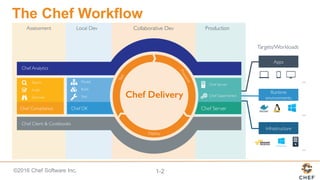
The  Chef  Workflow
©2016  Chef  Software  Inc. 1-­3
Agenda
Ø Using  Chef  resources
Ø Building  Chef  cookbooks
Ø Collecting  details  about  the  system
Ø Managing  data  with  templates
©2016  Chef  Software  Inc. 1-­4
Agenda
Ø Lab
Ø InSpec
©2016  Chef  Software  Inc. 1-­5
Course  Objectives
You  will  leave  this  workshop  with  a  basic  understanding  of  Chef's  core  components,  
architecture,  and  commonly  used  tools.  
©2016  Chef  Software  Inc. 1-­6
Objective:
Pre-­built  Workstation
We  will  provide  for  you  a  workstation  with  all  the  tools  installed.
q Login  to  the  Remote  Workstation
q Select  a  Text  Editor
©2016  Chef  Software  Inc. 1-­7
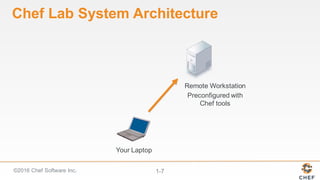
Chef  Lab  System  Architecture
Your  Laptop
Remote  Workstation
Preconfigured  with  
Chef  tools
©2016  Chef  Software  Inc. 1-­8
Logging  in  to  the  Workstation
The authenticity of host '54.209.164.144 (54.209.164.144)' can't
be established.RSA key fingerprint is
SHA256:tKoTsPbn6ER9BLThZqntXTxIYem3zV/iTQWvhLrBIBQ.Are you sure
you want to continue connecting (yes/no)? yes
chef@54.209.164.144's password: PASSWORD
chef@ip-172-31-15-97 ~]$
> ssh IPADDRESS -l USERNAME
©2016  Chef  Software  Inc. 1-­9
Objective:
Pre-­built  Workstation
We  will  provide  for  you  a  workstation  with  all  the  tools  installed.
ü Login  to  the  Remote  Workstation
q Select  a  Text  Editor
©2016  Chef  Software  Inc. 1-­10
Choose  an  Editor
You'll  need  to  choose  an  editor  to  edit  files:
emacs
nano
vi  /  vim
©2016  Chef  Software  Inc. 1-­11
Objective:
Pre-­built  Workstation
We  will  provide  for  you  a  workstation  with  all  the  tools  installed.
ü Login  to  the  Remote  Workstation
ü Select  a  Text  Editor
©2016  Chef  Software  Inc. 1-­12
Chef  Resources
Chef's  Fundamental  Building  Blocks  
©2016  Chef  Software  Inc. 1-­13
Objectives
Ø Use  Chef  to  install  packages  on  your  virtual  workstation
Ø Use  the  chef-­client  command
Ø Create  a  basic  Chef  recipe  file
Ø Define  Chef  Resources
©2016  Chef  Software  Inc. 1-­14
Objective:
Time  for  Some  Fun!
The  workstation  needs  a  little  personal  touch;;  something  that  makes  it  a  
little  more  fun.
q Write  a  recipe  that  installs  the  'cowsay'  package
q Apply  the  recipe  to  the  workstation
q Use  'cowsay'  to  say  something
©2016  Chef  Software  Inc. 1-­15
Learning  Chef
One  of  the  best  ways  to  learn  a  technology  is  to  apply  the  technology  in  every  
situation  that  it  can  be  applied.
A  number  of  chef  tools  are  installed  on  the  system  so  lets  put  them  to  use.
©2016  Chef  Software  Inc. 1-­16
Resources
A  resource  is  a  statement  of  configuration  policy.  
It  describes  the  desired  state  of  an  element  of  your  infrastructure  and  the  
steps  needed  to  bring  that  item  to  the  desired  state.
https://docs.chef.io/resources.html
©2016  Chef  Software  Inc. 1-­17
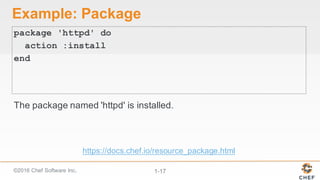
Example:  Package
package 'httpd' do
action :install
end
The  package  named  'httpd'  is  installed.
https://docs.chef.io/resource_package.html
©2016  Chef  Software  Inc. 1-­18
Example:  Service
service 'ntp' do
action [ :enable, :start ]
end
The  service  named  'ntp'  is  enabled  (start  on  reboot)  and  started.
https://docs.chef.io/resource_service.html
©2016  Chef  Software  Inc. 1-­19
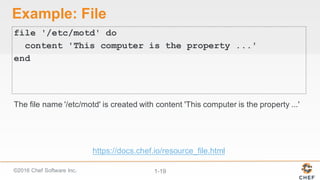
Example:  File
file '/etc/motd' do
content 'This computer is the property ...'
end
The  file  name  '/etc/motd'  is  created  with  content  'This  computer  is  the  property  ...'
https://docs.chef.io/resource_file.html
©2016  Chef  Software  Inc. 1-­20
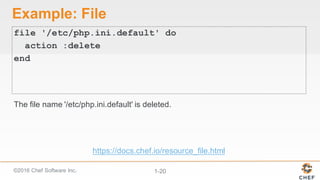
Example:  File
file '/etc/php.ini.default' do
action :delete
end
The  file  name  '/etc/php.ini.default' is  deleted.
https://docs.chef.io/resource_file.html
©2016  Chef  Software  Inc. 1-­21
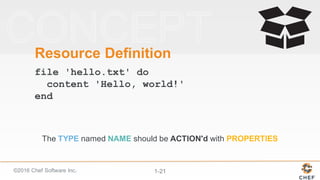
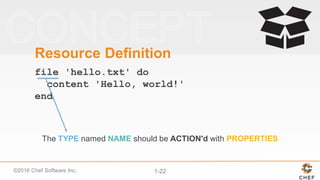
Resource  Definition
file 'hello.txt' do
content 'Hello, world!'
end
The  TYPE named  NAME should  be  ACTION'd with  PROPERTIES
©2016  Chef  Software  Inc. 1-­22
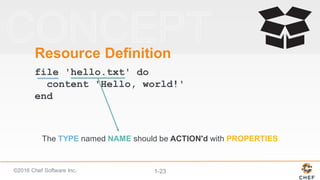
Resource  Definition
file 'hello.txt' do
content 'Hello, world!'
end
The  TYPE named  NAME should  be  ACTION'd with  PROPERTIES
©2016  Chef  Software  Inc. 1-­23
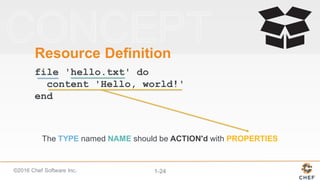
Resource  Definition
file 'hello.txt' do
content 'Hello, world!'
end
The  TYPE named  NAME should  be  ACTION'd with  PROPERTIES
©2016  Chef  Software  Inc. 1-­24
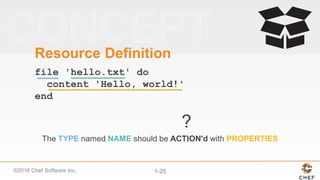
Resource  Definition
file 'hello.txt' do
content 'Hello, world!'
end
The  TYPE named  NAME should  be  ACTION'd with  PROPERTIES
©2016  Chef  Software  Inc. 1-­25
Resource  Definition
file 'hello.txt' do
content 'Hello, world!'
end
?
The  TYPE named  NAME should  be  ACTION'd with  PROPERTIES
©2016  Chef  Software  Inc. 1-­26
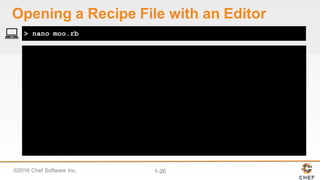
> nano moo.rb
Opening  a  Recipe  File  with  an  Editor
©2016  Chef  Software  Inc. 1-­27
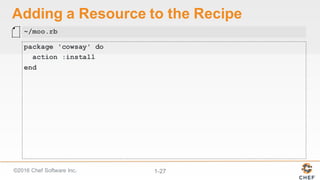
Adding  a  Resource  to  the  Recipe
package 'cowsay' do
action :install
end
~/moo.rb
©2016  Chef  Software  Inc. 1-­28
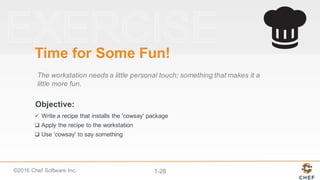
Objective:
Time  for  Some  Fun!
The  workstation  needs  a  little  personal  touch;;  something  that  makes  it  a  
little  more  fun.
ü Write  a  recipe  that  installs  the  'cowsay'  package
q Apply  the  recipe  to  the  workstation
q Use  'cowsay'  to  say  something
©2016  Chef  Software  Inc. 1-­29
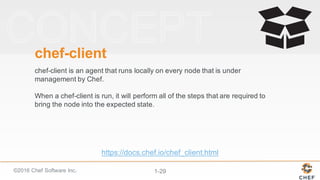
chef-­client
chef-­client  is  an  agent  that  runs  locally  on  every  node  that  is  under  
management  by  Chef.  
When  a  chef-­client  is  run,  it  will  perform  all  of  the  steps  that  are  required  to  
bring  the  node  into  the  expected  state.
https://docs.chef.io/chef_client.html
©2016  Chef  Software  Inc. 1-­30
-­-­local-­mode  (or  -­z)
chef-­client's  default  mode  attempts  to  contact  a  Chef  Server  and  ask  it  for  
the  recipes  to  run  for  the  given  node.  
We  are  overriding  that  behavior  to  have  it  work  in  a  local  mode.
©2016  Chef  Software  Inc. 1-­31
Starting Chef Client, version 12.5.1
resolving cookbooks for run list: []
Synchronizing Cookbooks:
Compiling Cookbooks...
[2016-02-19T13:08:13+00:00] WARN: Node ip-172-31-12-176.ec2.internal has an empty run list.
Converging 1 resources
Recipe: @recipe_files::/home/chef/moo.rb
* yum_package[nano] action install
- install version 3.03-8.e16 of package cowsay
Running handlers:
Running handlers complete
Chef Client finished, 1/1 resources updated in 38 seconds
> sudo chef-client –-local-mode moo.rb
Applying  the  Recipe
©2016  Chef  Software  Inc. 1-­32
Objective:
Time  for  Some  Fun!
The  workstation  needs  a  little  personal  touch;;  something  that  makes  it  a  
little  more  fun.
ü Write  a  recipe  that  installs  the  'cowsay'  package
ü Apply  the  recipe  to  the  workstation
q Use  'cowsay'  to  say  something
©2016  Chef  Software  Inc. 1-­33
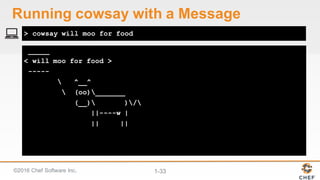
> cowsay will moo for food
Running  cowsay with  a  Message
_____
< will moo for food >
-----
 ^__^
 (oo)_______
(__) )/
||----w |
|| ||
©2016  Chef  Software  Inc. 1-­34
Objective:
Time  for  Some  Fun!
The  workstation  needs  a  little  personal  touch;;  something  that  makes  it  a  
little  more  fun.
ü Write  a  recipe  that  installs  the  'cowsay'  package
ü Apply  the  recipe  to  the  workstation
ü Use  'cowsay'  to  say  something
©2016  Chef  Software  Inc. 1-­35
Discussion
What  would  happen  if  you  applied  the  recipe  again?
What  would  happen  if  the  package  were  to  become  
uninstalled?
©2016  Chef  Software  Inc. 1-­36
Test  and  Repair
chef-client takes  action  only  when  it  needs  to.  Think  
of  it  as  test  and  repair.  
Chef  looks  at  the  current  state  of  each  resource  and  takes  
action  only  when  that  resource  is  out  of  policy.
©2016  Chef  Software  Inc. 1-­37
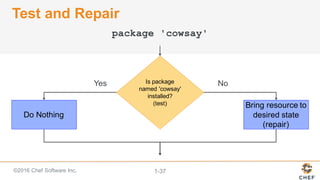
Test  and  Repair
Yes NoIs  package  
named  'cowsay'
installed?
(test)
Do  Nothing
Bring  resource  to  
desired  state
(repair)
package 'cowsay'
©2016  Chef  Software  Inc. 1-­38
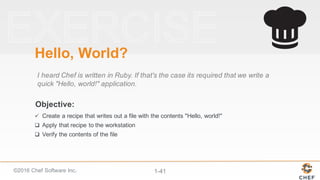
Objective:
Hello,  World?
I  heard  Chef  is  written  in  Ruby.  If  that's  the  case  its  required  that  we  write  a  
quick  "Hello,  world!"  application.
q Create  a  recipe  that  writes  out  a  file  with  the  contents  "Hello,  world!"
q Apply  that  recipe  to  the  workstation
q Verify  the  contents  of  the  file
©2016  Chef  Software  Inc. 1-­39
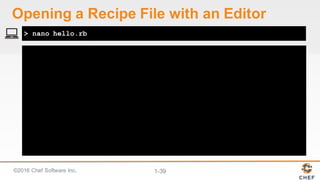
> nano hello.rb
Opening  a  Recipe  File  with  an  Editor
©2016  Chef  Software  Inc. 1-­40
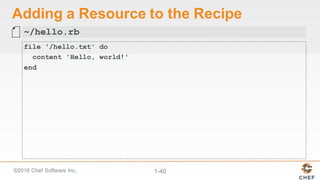
Adding  a  Resource  to  the  Recipe
file '/hello.txt' do
content 'Hello, world!'
end
~/hello.rb
©2016  Chef  Software  Inc. 1-­41
Objective:
Hello,  World?
I  heard  Chef  is  written  in  Ruby.  If  that's  the  case  its  required  that  we  write  a  
quick  "Hello,  world!"  application.
ü Create  a  recipe  that  writes  out  a  file  with  the  contents  "Hello,  world!"
q Apply  that  recipe  to  the  workstation
q Verify  the  contents  of  the  file
©2016  Chef  Software  Inc. 1-­42
Starting Chef Client, version 12.5.1
resolving cookbooks for run list: []
Synchronizing Cookbooks:
Compiling Cookbooks...
[2016-02-19T13:08:13+00:00] WARN: Node ip-172-31-12-176.ec2.internal has an empty run list.
Converging 1 resources
Recipe: @recipe_files::/home/chef/hello.rb
* file[hello.txt] action create
- create new file hello.txt
- update content in file hello.txt from non to 315f5b
+++ ./.hello.txt20160224-8559-19kqial
2016-02-24 16:51:04.400844959 +0000
@@ -1 +1,2 @@
+Hello, world!
> sudo chef-client –-local-mode hello.rb
Applying  the  Recipe
©2016  Chef  Software  Inc. 1-­43
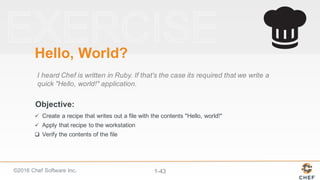
Objective:
Hello,  World?
I  heard  Chef  is  written  in  Ruby.  If  that's  the  case  its  required  that  we  write  a  
quick  "Hello,  world!"  application.
ü Create  a  recipe  that  writes  out  a  file  with  the  contents  "Hello,  world!"
ü Apply  that  recipe  to  the  workstation
q Verify  the  contents  of  the  file
©2016  Chef  Software  Inc. 1-­44
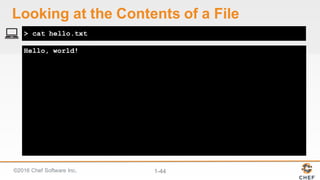
Hello, world!
> cat hello.txt
Looking  at  the  Contents  of  a  File
©2016  Chef  Software  Inc. 1-­45
Objective:
Hello,  World?
I  heard  Chef  is  written  in  Ruby.  If  that's  the  case  its  required  that  we  write  a  
quick  "Hello,  world!"  application.
ü Create  a  recipe  that  writes  out  a  file  with  the  contents  "Hello,  world!"
ü Apply  that  recipe  to  the  workstation
ü Verify  the  contents  of  the  file
©2016  Chef  Software  Inc. 1-­46
Discussion
What  is  a  resource?
What  are  some  other  possible  examples  of  resources?
How  did  the  example  resources  we  wrote  describe  the  desired  state  of  an  
element  of  our  infrastructure?
What  does  it  mean  for  a  resource  to  be  a  statement  of  configuration  policy?
©2016  Chef  Software  Inc. 1-­47
Q&A
What  questions  can  we  answer  for  you?  
• resources
• chef-­client
• Test  and  Repair
©2016  Chef  Software  Inc. 1-­48
Cookbooks
Organizing  Recipes
©2016  Chef  Software  Inc. 1-­49
Objectives
Ø Generate  a  Chef  cookbook
Ø Generate  a  Chef  recipe
Ø Applying  a  run-­list  of  recipes  to  a  system
©2016  Chef  Software  Inc. 1-­50
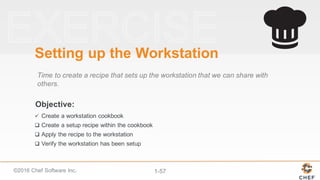
Objective:
Setting  up  the  Workstation
Time  to  create  a  recipe  that  sets  up  the  workstation  that  we  can  share  with  
others.
q Create  a  cookbook
q Create  a  setup  recipe  within  the  cookbook
q Apply  the  recipe  to  the  workstation
q Verify  the  workstation  has  been  setup
©2016  Chef  Software  Inc. 1-­51
Cookbook
Each  cookbook  defines  a  scenario,  such  as  everything  needed  to  install  and  
configure  an  application,  and  then  it  contains  all  of  the  components  that  are  
required  to  support  that  scenario.
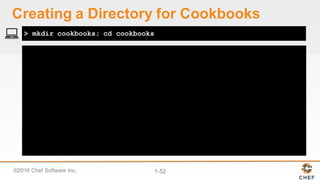
©2016  Chef  Software  Inc. 1-­52
> mkdir cookbooks; cd cookbooks
Creating  a  Directory  for  Cookbooks
©2016  Chef  Software  Inc. 1-­53
What  is  'chef'?
An  executable  program  that  allows  you  generate  cookbooks  and  cookbook  
components.
©2016  Chef  Software  Inc. 1-­54
Usage:
chef -h/--help
chef -v/--version
chef command [arguments...] [options...]
Available Commands:
exec Runs the command in context of the embedded ruby
gem Runs the `gem` command in context of the embedded ruby
generate Generate a new app, cookbook, or component
shell-init Initialize your shell to use ChefDK as your primary ruby
install Install cookbooks from a Policyfile and generate a locked cookboo...
update Updates a Policyfile.lock.json with latest run_list and cookbooks
> chef --help
Executing  chef  with  the  help  flag
©2016  Chef  Software  Inc. 1-­55
Usage: chef generate GENERATOR [options]
Available generators:
app Generate an application repo
cookbook Generate a single cookbook
recipe Generate a new recipe
attribute Generate an attributes file
template Generate a file template
file Generate a cookbook file
lwrp Generate a lightweight resource/provider
repo Generate a Chef policy repository
> chef generate --help
Executing  chef  generate  with  the  help  flag
©2016  Chef  Software  Inc. 1-­56
Compiling Cookbooks...
Recipe: code_generator::cookbook
* directory[/home/chef/cookbooks/workstation] action create
- create new directory /home/chef/cookbooks/workstation
* template[/home/chef/cookbooks/workstation/metadata.rb] action
create_if_missing
- create new file /home/chef/cookbooks/workstation/metadata.rb
- update content in file
/home/chef/cookbooks/workstation/metadata.rb from none to 0c09e4
(diff output suppressed by config)
* template[/home/chef/cookbooks/workstation/README.md] action
> chef generate cookbook workstation
Generating  a  cookbook
©2016  Chef  Software  Inc. 1-­57
Objective:
Setting  up  the  Workstation
Time  to  create  a  recipe  that  sets  up  the  workstation  that  we  can  share  with  
others.
ü Create  a  workstation  cookbook
q Create  a  setup  recipe  within  the  cookbook
q Apply  the  recipe  to  the  workstation
q Verify  the  workstation  has  been  setup
©2016  Chef  Software  Inc. 1-­58
Usage: chef generate GENERATOR [options]
Available generators:
app Generate an application repo
cookbook Generate a single cookbook
recipe Generate a new recipe
attribute Generate an attributes file
template Generate a file template
file Generate a cookbook file
lwrp Generate a lightweight resource/provider
repo Generate a Chef policy repository
> chef generate --help
Executing  chef  generate  with  the  help  flag
©2016  Chef  Software  Inc. 1-­59
Usage: chef generate recipe [path/to/cookbook] NAME [options]
-C, --copyright COPYRIGHT Name of the copyright holder
- defaults to 'The Authors'
-m, --email EMAIL Email address of the author -
defaults to 'you@example.com'
-a, --generator-arg KEY=VALUE Use to set arbitrary
attribute KEY to VALUE in the code_generator cookbook
-I, --license LICENSE all_rights, apache2, mit,
gplv2, gplv3 - defaults to all_rights
-g GENERATOR_COOKBOOK_PATH, Use GENERATOR_COOKBOOK_PATH
for the code_generator cookbook
--generator-cookbook
> chef generate recipe --help
Executing  chef  generate  with  the  help  flag
©2016  Chef  Software  Inc. 1-­60
Compiling Cookbooks...
Recipe: code_generator::recipe
* directory[cookbooks/workstation/spec/unit/recipes] action
create (up to date)
* cookbook_file[cookbooks/workstation/spec/spec_helper.rb]
action create_if_missing (up to date)
*
template[cookbooks/workstation/spec/unit/recipes/setup_spec.rb]
action create_if_missing
- create new file
cookbooks/workstation/spec/unit/recipes/setup_spec.rb
- update content in file cookbooks/workstation/spec/unit/
> chef generate recipe workstation setup
Generating  a  recipe  within  the  cookbook
©2016  Chef  Software  Inc. 1-­61
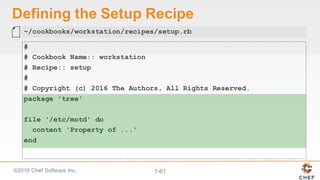
Defining  the  Setup  Recipe
#
# Cookbook Name:: workstation
# Recipe:: setup
#
# Copyright (c) 2016 The Authors, All Rights Reserved.
package 'tree'
file '/etc/motd' do
content 'Property of ...'
end
~/cookbooks/workstation/recipes/setup.rb
©2016  Chef  Software  Inc. 1-­62
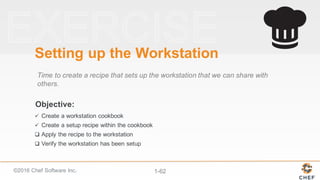
Objective:
Setting  up  the  Workstation
Time  to  create  a  recipe  that  sets  up  the  workstation  that  we  can  share  with  
others.
ü Create  a  workstation  cookbook
ü Create  a  setup  recipe  within  the  cookbook
q Apply  the  recipe  to  the  workstation
q Verify  the  workstation  has  been  setup
©2016  Chef  Software  Inc. 1-­63
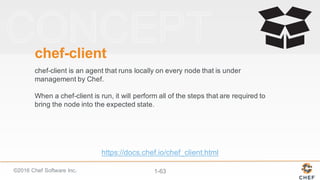
chef-­client
chef-­client  is  an  agent  that  runs  locally  on  every  node  that  is  under  
management  by  Chef.  
When  a  chef-­client  is  run,  it  will  perform  all  of  the  steps  that  are  required  to  
bring  the  node  into  the  expected  state.
https://docs.chef.io/chef_client.html
©2016  Chef  Software  Inc. 1-­64
-­-­runlist "recipe[COOKBOOK::RECIPE]"
In  local  mode,  we  need  to  provide  a  list  of  recipes  to  apply  to  the  system.  
This  is  called  a  run  list.  A  run  list  is  an  ordered  collection  of  recipes  to  
execute.
Each  recipe  in  the  run  list  must  be  addressed  with  the  format  
recipe[COOKBOOK::RECIPE].
©2016  Chef  Software  Inc. 1-­65
Starting Chef Client, version 12.7.2
resolving cookbooks for run list: ["workstation::setup"]
Synchronizing Cookbooks:
- workstation (0.1.0)
Compiling Cookbooks...
Converging 2 resources
Recipe: workstation::setup
* yum_package[tree] action install
- install version 1.5.3-3.el6 of package tree
* file[/etc/motd] action create
> sudo chef-client --local-mode --runlist "recipe[workstation::setup]"
Applying  the  workstation's  setup  recipe
©2016  Chef  Software  Inc. 1-­66
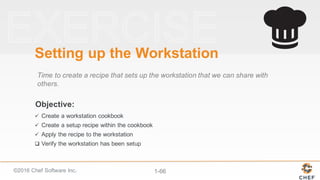
Objective:
Setting  up  the  Workstation
Time  to  create  a  recipe  that  sets  up  the  workstation  that  we  can  share  with  
others.
ü Create  a  workstation  cookbook
ü Create  a  setup  recipe  within  the  cookbook
ü Apply  the  recipe  to  the  workstation
q Verify  the  workstation  has  been  setup
©2016  Chef  Software  Inc. 1-­67
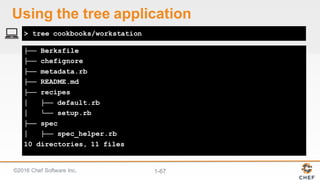
├── Berksfile
├── chefignore
├── metadata.rb
├── README.md
├── recipes
│ ├── default.rb
│ └── setup.rb
├── spec
│ ├── spec_helper.rb
10 directories, 11 files
> tree cookbooks/workstation
Using  the  tree  application
©2016  Chef  Software  Inc. 1-­68
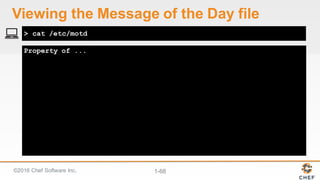
Property of ...
> cat /etc/motd
Viewing  the  Message  of  the  Day  file
©2016  Chef  Software  Inc. 1-­69
Objective:
Setting  up  the  Workstation
Time  to  create  a  recipe  that  sets  up  the  workstation  that  we  can  share  with  
others.
ü Create  a  workstation  cookbook
ü Create  a  setup  recipe  within  the  cookbook
ü Apply  the  recipe  to  the  workstation
ü Verify  the  workstation  has  been  setup
©2016  Chef  Software  Inc. 1-­70
Discussion
What  file  would  you  read  first  when  examining  a  cookbook?  second?
What  other  recipes  might  you  include  workstation  cookbook?
©2016  Chef  Software  Inc. 1-­71
Q&A
What  questions  can  we  answer  for  you?  
• Cookbooks
• Recipes
• Run-­lists
©2016  Chef  Software  Inc. 1-­72
Ohai
Finding  and  Displaying  Information  About  Our  System
©2016  Chef  Software  Inc. 1-­73
Objectives
After  completing  this  module,  you  should  be  able  to
Ø Capture  details  about  a  system
Ø Use  the  node  object  within  a  recipe
Ø Use  Ruby's  string  interpolation
Ø Update  the  version  of  a  cookbook
©2016  Chef  Software  Inc. 1-­74
Managing  a  Large  Number  of  Servers  
Have  you  ever  had  to  manage  a  large  number  of  servers  that  were  
almost  identical?
How  about  a  large  number  of  identical  servers  except  that  each  
one  had  to  have  host-­specific  information  in  a  configuration  file?
©2016  Chef  Software  Inc. 1-­75
Some  Useful  System  Data
q IP  Address
q hostname
q memory
q CPU  -­ MHz
©2016  Chef  Software  Inc. 1-­76
Objective:
Details  About  the  Node
Displaying  system  details  in  the  MOTD  definitely  sounds  useful.
q Discover  attributes  about  the  system  with  Ohai
q Update  the  MOTD  file  contents,  in  the  "workstation"  cookbook,  to  include  node  details
q Update  the  cookbook's  version  number
q Apply  the  updated  recipe  and  verify  the  results
©2016  Chef  Software  Inc. 1-­77
Ohai!
Ohai is  a  tool  that  is  used  to  detect  attributes  on  a  node,  and  then  provide  
these  attributes  to  the  chef-­client  at  the  start  of  every  chef-­client  run.  Ohai is  
required  by  the  chef-­client  and  must  be  present  on  a  node.  (Ohai is  installed  
on  a  node  as  part  of  the  chef-­client  install  process.)
http://docs.chef.io/ohai.html
©2016  Chef  Software  Inc. 1-­78
All  About  The  System  
Ohai  queries  the  operating  system  with  a  number  of  commands,  similar  to  
the  ones  demonstrated.  
The  data  is  presented  in  JSON  (JavaScript  Object  Notation).
©2016  Chef  Software  Inc. 1-­79
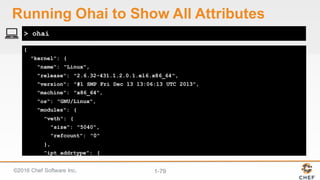
{
"kernel": {
"name": "Linux",
"release": "2.6.32-431.1.2.0.1.el6.x86_64",
"version": "#1 SMP Fri Dec 13 13:06:13 UTC 2013",
"machine": "x86_64",
"os": "GNU/Linux",
"modules": {
"veth": {
"size": "5040",
"refcount": "0"
},
"ipt_addrtype": {
> ohai
Running  Ohai to  Show  All  Attributes
©2016  Chef  Software  Inc. 1-­80
[
"172.31.57.153"
]
> ohai ipaddress
Running  Ohai to  Show  the  IP  Address
©2016  Chef  Software  Inc. 1-­81
[
"ip-172-31-57-153"
]
> ohai hostname
Running  Ohai to  Show  the  Hostname
©2016  Chef  Software  Inc. 1-­82
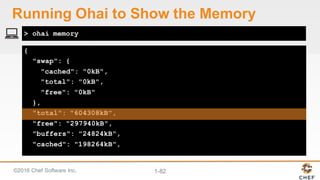
{
"swap": {
"cached": "0kB",
"total": "0kB",
"free": "0kB"
},
"total": "604308kB",
"free": "297940kB",
"buffers": "24824kB",
"cached": "198264kB",
> ohai memory
Running  Ohai to  Show  the  Memory
©2016  Chef  Software  Inc. 1-­83
[
"604308kB"
]
> ohai memory/total
Running  Ohai to  Show  the  Total  Memory
©2016  Chef  Software  Inc. 1-­84
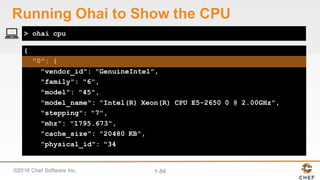
{
"0": {
"vendor_id": "GenuineIntel",
"family": "6",
"model": "45",
"model_name": "Intel(R) Xeon(R) CPU E5-2650 0 @ 2.00GHz",
"stepping": "7",
"mhz": "1795.673",
"cache_size": "20480 KB",
"physical_id": "34
> ohai cpu
Running  Ohai to  Show  the  CPU
©2016  Chef  Software  Inc. 1-­85
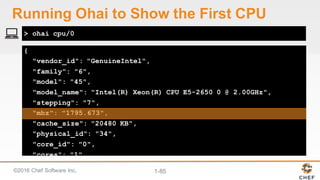
{
"vendor_id": "GenuineIntel",
"family": "6",
"model": "45",
"model_name": "Intel(R) Xeon(R) CPU E5-2650 0 @ 2.00GHz",
"stepping": "7",
"mhz": "1795.673",
"cache_size": "20480 KB",
"physical_id": "34",
"core_id": "0",
"cores": "1",
"flags": [
> ohai cpu/0
Running  Ohai to  Show  the  First  CPU
©2016  Chef  Software  Inc. 1-­86
[
"1795.673"
]
> ohai cpu/0/mhz
Running  Ohai to  Show  the  First  CPU  Mhz
©2016  Chef  Software  Inc. 1-­87
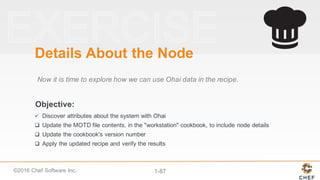
Objective:
Details  About  the  Node
Now  it  is  time  to  explore  how  we  can  use  Ohai data  in  the  recipe.
ü Discover  attributes  about  the  system  with  Ohai
q Update  the  MOTD  file  contents,  in  the  "workstation"  cookbook,  to  include  node  details
q Update  the  cookbook's  version  number
q Apply  the  updated  recipe  and  verify  the  results
©2016  Chef  Software  Inc. 1-­88
ohai +  chef-­client  =  <3
chef-­client automatically  executes  ohai and  stores  the  data  about  the  node  in  
an  object  we  can  use  within  the  recipes  named  node.
http://docs.chef.io/ohai.html
©2016  Chef  Software  Inc. 1-­89
The  Node  Object
The  node  object  is  a  representation  of  our  system.  It  stores  all  the  attributes  
found  about  the  system.  
http://docs.chef.io/nodes.html#attributes
©2016  Chef  Software  Inc. 1-­90
node
ipaddress hostname memory
total
cpu
0
mhz
...
"IPADDRESS: #{node['ipaddress']}"
IPADDRESS: 104.236.192.102
The  Node
©2016  Chef  Software  Inc. 1-­91
node
ipaddress hostname memory
total
cpu
0
mhz
...
"HOSTNAME: #{node['hostname']}"
HOSTNAME: banana-stand
The  Node
©2016  Chef  Software  Inc. 1-­92
The  Node
"MEMORY: #{node['memory']['total']}"
node
ipaddress hostname memory
total
cpu
0
mhz
...
MEMORY: 502272kB
©2016  Chef  Software  Inc. 1-­93
The  Node
"CPU: #{node['cpu']['0']['mhz']} MHz"
node
ipaddress hostname memory
total
cpu
0
mhz
...
CPU: 2399.998 MHz
©2016  Chef  Software  Inc. 1-­94
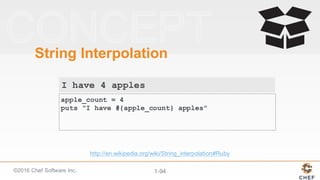
String  Interpolation
apple_count = 4
puts "I have #{apple_count} apples"
http://en.wikipedia.org/wiki/String_interpolation#Ruby
I have 4 apples
©2016  Chef  Software  Inc. 1-­95
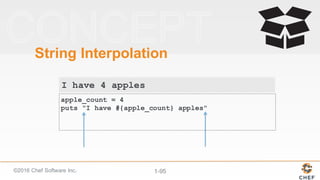
String  Interpolation
apple_count = 4
puts "I have #{apple_count} apples"
I have 4 apples
©2016  Chef  Software  Inc. 1-­96
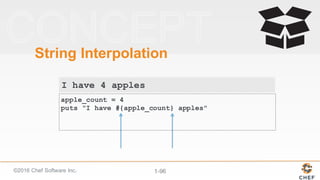
String  Interpolation
I have 4 apples
apple_count = 4
puts "I have #{apple_count} apples"
©2016  Chef  Software  Inc. 1-­97
Updating  the  content  Property
# ... PACKAGE RESOURCES ...
file '/etc/motd' do
content "Property of ...
IPADDRESS: #{node['ipaddress']}
HOSTNAME : #{node['hostname']}
MEMORY : #{node['memory']['total']}
CPU : #{node['cpu']['0']['mhz']}
"
end
~/cookbooks/workstation/recipes/setup.rb
©2016  Chef  Software  Inc. 1-­98
Objective:
Details  About  the  Node
Now  that  we  have  added  a  new  feature  it  is  time  to  update  the  cookbook's  
version  number.
ü Discover  attributes  about  the  system  with  Ohai
ü Update  the  MOTD  file  contents,  in  the  "workstation"  cookbook,  to  include  node  details
q Update  the  cookbook's  version  number
q Apply  the  updated  recipe  and  verify  the  results
©2016  Chef  Software  Inc. 1-­99
Cookbook  Versions
A  cookbook  version  represents  a  set  of  functionality  that  is  different  from  the  
cookbook  on  which  it  is  based.  
https://docs.chef.io/cookbook_versions.html
©2016  Chef  Software  Inc. 1-­100
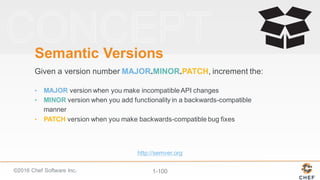
Semantic  Versions
Given  a  version  number  MAJOR.MINOR.PATCH,  increment  the:
• MAJOR version  when  you  make  incompatible  API  changes
• MINOR version  when  you  add  functionality  in  a  backwards-­compatible  
manner
• PATCH version  when  you  make  backwards-­compatible  bug  fixes
http://semver.org
©2016  Chef  Software  Inc. 1-­101
Major,  Minor,  or  Patch?
What  kind  of  changes  did  you  make  to  the  cookbook?
©2016  Chef  Software  Inc. 1-­102
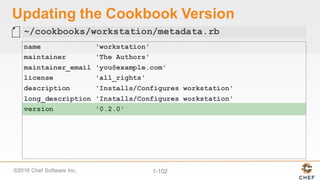
Updating  the  Cookbook  Version
name 'workstation'
maintainer 'The Authors'
maintainer_email 'you@example.com'
license 'all_rights'
description 'Installs/Configures workstation'
long_description 'Installs/Configures workstation'
version '0.2.0'
~/cookbooks/workstation/metadata.rb
©2016  Chef  Software  Inc. 1-­103
Objective:
Details  About  the  Node
Now  let's  apply  this  updated  policy  to  the  state  of  the  system.
ü Discover  attributes  about  the  system  with  Ohai
ü Update  the  MOTD  file  contents,  in  the  "workstation"  cookbook,  to  include  node  details
ü Update  the  cookbook's  version  number
q Apply  the  updated  recipe  and  verify  the  results
©2016  Chef  Software  Inc. 1-­104
Starting Chef Client, version 12.7.2
resolving cookbooks for run list: ["workstation::setup"]
Synchronizing Cookbooks:
- workstation (0.2.0)
Compiling Cookbooks...
Converging 2 resources
Recipe: workstation::setup
* yum_package[tree] action install (up to date)
* file[/etc/motd] action create
- update content in file /etc/motd from d100eb t
$ sudo chef-client --local-mode -r "recipe[workstation::setup]"
Applying  the  workstation  Cookbook
©2016  Chef  Software  Inc. 1-­105
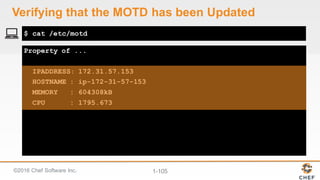
Property of ...
IPADDRESS: 172.31.57.153
HOSTNAME : ip-172-31-57-153
MEMORY : 604308kB
CPU : 1795.673
$ cat /etc/motd
Verifying  that  the  MOTD  has  been  Updated
©2016  Chef  Software  Inc. 1-­106
Objective:
Details  About  the  Node
The  workstation  will  now  report  back  with  information  about  it.
ü Discover  attributes  about  the  system  with  Ohai
ü Update  the  MOTD  file  contents,  in  the  "workstation"  cookbook,  to  include  node  details
ü Update  the  cookbook's  version  number
ü Apply  the  updated  recipe  and  verify  the  results
©2016  Chef  Software  Inc. 1-­107
Discussion
What  is  the  major  difference  between  a  single-­quoted  string  and  a  double-­
quoted  string?
How  are  the  details  about  the  system  available  within  a  recipe?
How  does  the  version  number  help  convey  information  about  the  state  of  the  
cookbook?
©2016  Chef  Software  Inc. 1-­108
Q&A
What  questions  can  we  help  you  answer?
• Ohai
• Node  Object
• Node  Attributes
• String  Interpolation
• Semantic  Versions
©2016  Chef  Software  Inc. 1-­109
Using  Templates
Extracting  the  Content  for  Clarity
©2016  Chef  Software  Inc. 1-­110
Objectives
After  completing  this  module,  you  should  be  able  to
Ø Explain  when  to  use  a  template  resource
Ø Create  a  template  file
Ø Use  ERB  tags  to  display  node  data  in  a  template
Ø Define  a  template  resource
©2016  Chef  Software  Inc. 1-­111
Cleaner  Recipes
In  the  last  section  we  updated  our  cookbook  to  display  information  
about  our  node.  
We  expanded  the  text  within  the  file  resource's  content  property.
©2016  Chef  Software  Inc. 1-­112
Viewing  the  workstation's  setup  recipe
package 'tree'
file '/etc/motd' do
content "Property of ...
IPADDRESS: #{node['ipaddress']}
HOSTNAME : #{node['hostname']}
MEMORY : #{node['memory']['total']}
CPU : #{node['cpu']['0']['mhz']}
"
end
~/cookbooks/workstation/recipes/setup.rb
©2016  Chef  Software  Inc. 1-­113
"<h1 style="color: red;">Hello, World!</h1>"
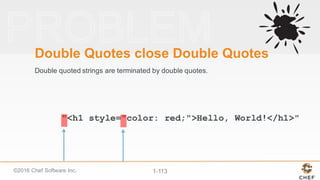
Double  Quotes  close  Double  Quotes
Double  quoted  strings  are  terminated  by  double  quotes.
©2016  Chef  Software  Inc. 1-­114
"<h1 style="color: red;">Hello, World!</h1>"
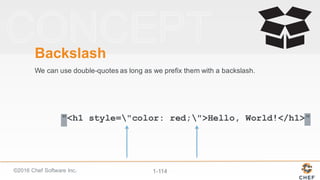
Backslash
We  can  use  double-­quotes  as  long  as  we  prefix  them  with  a  backslash.
©2016  Chef  Software  Inc. 1-­115
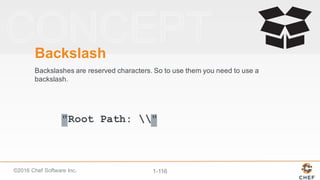
"Root Path: "
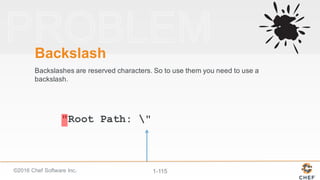
Backslash
Backslashes  are  reserved  characters.  So  to  use  them  you  need  to  use  a  
backslash.
©2016  Chef  Software  Inc. 1-­116
"Root Path: "
Backslash
Backslashes  are  reserved  characters.  So  to  use  them  you  need  to  use  a  
backslash.
©2016  Chef  Software  Inc. 1-­117
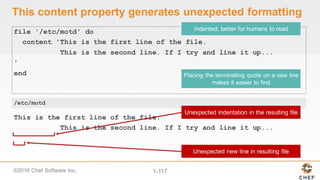
This  content  property  generates  unexpected  formatting
file '/etc/motd' do
content 'This is the first line of the file.
This is the second line. If I try and line it up...
'
end
This is the first line of the file.
This is the second line. If I try and line it up...
/etc/motd
©2016  Chef  Software  Inc. 1-­118
Copy  Paste
This  process  is  definitely  error  prone.  Especially  because  a  human  has  to  
edit  the  file  again  before  it  is  deployed.
©2016  Chef  Software  Inc. 1-­119
What  We  Need
We  need  the  ability  to  store  the  data  in  another  file,  which  is  in  the  native  
format  of  the  file  we  are  writing  out  but  that  still  allows  us  to  insert  ruby  
code...
...specifically,  the  node  attributes  we  have  defined.
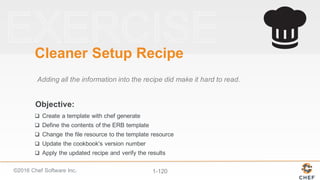
©2016  Chef  Software  Inc. 1-­120
Objective:
Cleaner  Setup  Recipe
Adding  all  the  information  into  the  recipe  did  make  it  hard  to  read.
q Create  a  template  with  chef  generate
q Define  the  contents  of  the  ERB  template
q Change  the  file  resource  to  the  template  resource
q Update  the  cookbook's  version  number
q Apply  the  updated  recipe  and  verify  the  results
©2016  Chef  Software  Inc. 1-­121
Template
A  cookbook  template  is  an  Embedded  Ruby  (ERB)  template  that  is  
used  to  generate  files  …  Templates  may  contain  Ruby  expressions  
and  statements  and  are  a  great  way  to...  
Use  the  template  resource  to  add  cookbook  templates  to  recipes;;  
place  the  corresponding  Embedded  Ruby  (ERB)  template  in  a  
cookbook’s  /templates  directory.
https://docs.chef.io/resource_template.html
©2016  Chef  Software  Inc. 1-­122
Template
To  use  a  template,  two  things  must  happen:
1. A  template  resource  must  be  added  to  a  recipe
2. An  Embedded  Ruby  (ERB)  template  must  be  added  to  a  
cookbook
https://docs.chef.io/resource_template.html#using-­templates
©2016  Chef  Software  Inc. 1-­123
Usage: chef generate GENERATOR [options]
Available generators:
app Generate an application repo
cookbook Generate a single cookbook
recipe Generate a new recipe
attribute Generate an attributes file
template Generate a file template
file Generate a cookbook file
lwrp Generate a lightweight resource/provider
repo Generate a Chef policy repository
policyfile Generate a Policyfile for use with the install/push
commands (experimental)
> chef generate --help
Showing  chef  generate's Help
©2016  Chef  Software  Inc. 1-­124
Usage: chef generate template [path/to/cookbook] NAME [options]
-C, --copyright COPYRIGHT Name of the copyright holder
- defaults to 'The Authors'
-m, --email EMAIL Email address of the author -
defaults to ...
-a, --generator-arg KEY=VALUE Use to set arbitrary
attribute KEY to VALUE in the
-I, --license LICENSE all_rights, apache2, mit,
gplv2, gplv3 - defaults to
-s, --source SOURCE_FILE Copy content from SOURCE_FILE
-g GENERATOR_COOKBOOK_PATH, Use GENERATOR_COOKBOOK_PATH
for the code_generator
--generator-cookbook
> chef generate template --help
Showing  chef  generate  template's  Help
©2016  Chef  Software  Inc. 1-­125
Compiling Cookbooks...
Recipe: code_generator::template
* directory[cookbooks/workstation/templates/default] action
create
- create new directory cookbooks/workstation/templates/default
* template[cookbooks/workstation/templates/default/motd.erb]
action create
- create new file
cookbooks/workstation/templates/default/motd.erb
- update content in file
cookbooks/workstation/templates/default/motd.erb from none to
e3b0c4
> chef generate template cookbooks/workstation motd
Generating  a  motd Template
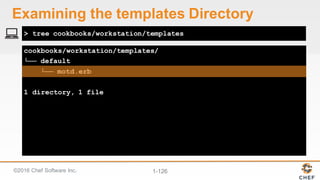
©2016  Chef  Software  Inc. 1-­126
cookbooks/workstation/templates/
└── default
└── motd.erb
1 directory, 1 file
> tree cookbooks/workstation/templates
Examining  the  templates  Directory
©2016  Chef  Software  Inc. 1-­127
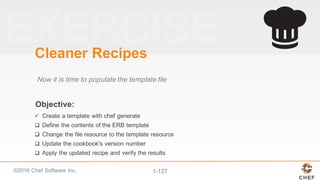
Objective:
Cleaner  Recipes
Now  it  is  time  to  populate  the  template  file
ü Create  a  template  with  chef  generate
q Define  the  contents  of  the  ERB  template
q Change  the  file  resource  to  the  template  resource
q Update  the  cookbook's  version  number
q Apply  the  updated  recipe  and  verify  the  results
©2016  Chef  Software  Inc. 1-­128
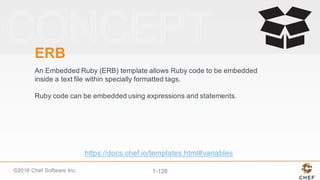
ERB
An  Embedded  Ruby  (ERB)  template  allows  Ruby  code  to  be  embedded  
inside  a  text  file  within  specially  formatted  tags.  
Ruby  code  can  be  embedded  using  expressions  and  statements.  
https://docs.chef.io/templates.html#variables
©2016  Chef  Software  Inc. 1-­129
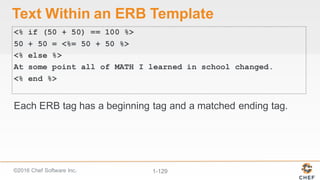
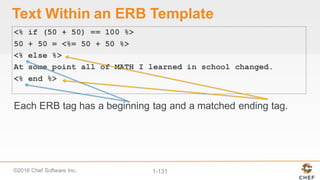
Text  Within  an  ERB  Template
<% if (50 + 50) == 100 %>
50 + 50 = <%= 50 + 50 %>
<% else %>
At some point all of MATH I learned in school changed.
<% end %>
Each  ERB  tag  has  a  beginning  tag  and  a  matched  ending  tag.
©2016  Chef  Software  Inc. 1-­130
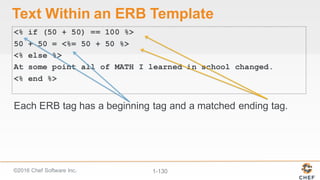
Text  Within  an  ERB  Template
<% if (50 + 50) == 100 %>
50 + 50 = <%= 50 + 50 %>
<% else %>
At some point all of MATH I learned in school changed.
<% end %>
Each  ERB  tag  has  a  beginning  tag  and  a  matched  ending  tag.
©2016  Chef  Software  Inc. 1-­131
Text  Within  an  ERB  Template
<% if (50 + 50) == 100 %>
50 + 50 = <%= 50 + 50 %>
<% else %>
At some point all of MATH I learned in school changed.
<% end %>
Each  ERB  tag  has  a  beginning  tag  and  a  matched  ending  tag.
©2016  Chef  Software  Inc. 1-­132
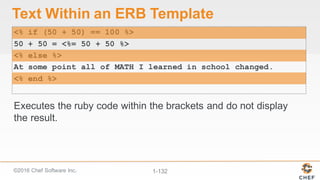
Text  Within  an  ERB  Template
<% if (50 + 50) == 100 %>
50 + 50 = <%= 50 + 50 %>
<% else %>
At some point all of MATH I learned in school changed.
<% end %>
Executes  the  ruby  code  within  the  brackets  and  do  not  display  
the  result.
©2016  Chef  Software  Inc. 1-­133
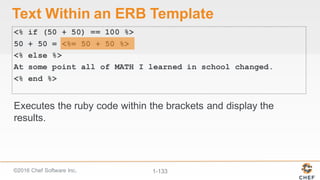
Text  Within  an  ERB  Template
<% if (50 + 50) == 100 %>
50 + 50 = <%= 50 + 50 %>
<% else %>
At some point all of MATH I learned in school changed.
<% end %>
Executes  the  ruby  code  within  the  brackets  and  display  the  
results.
©2016  Chef  Software  Inc. 1-­134
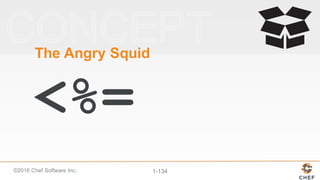
The  Angry  Squid
<%=
©2016  Chef  Software  Inc. 1-­135
Copying  the  Existing  Content  into  the  Template
Property of ...
IPADDRESS: #{node['ipaddress']}
HOSTNAME : #{node['hostname']}
MEMORY : #{node['memory']['total']}
CPU : #{node['cpu']['0']['mhz']}
~/cookbooks/workstation/templates/default/motd.erb
©2016  Chef  Software  Inc. 1-­136
Changing  String  Interpolation  to  ERB  Tags
Property of ...
IPADDRESS: <%= node['ipaddress'] %>
HOSTNAME : <%= node['hostname'] %>
MEMORY : <%= node['memory']['total'] %>
CPU : <%= node['cpu']['0']['mhz'] %>
~/cookbooks/workstation/templates/default/motd.erb
©2016  Chef  Software  Inc. 1-­137
Objective:
Cleaner  Recipes
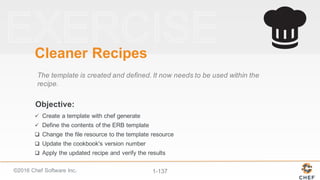
The  template  is  created  and  defined.  It  now  needs  to  be  used  within  the  
recipe.
ü Create  a  template  with  chef  generate
ü Define  the  contents  of  the  ERB  template
q Change  the  file  resource  to  the  template  resource
q Update  the  cookbook's  version  number
q Apply  the  updated  recipe  and  verify  the  results
©2016  Chef  Software  Inc. 1-­138
Removing  the  file  Resource
# ... PACKAGE RESOURCES ...
file '/etc/motd' do
content "Property of ...
IPADDRESS: #{node['ipaddress']}
HOSTNAME : #{node['hostname']}
MEMORY : #{node['memory']['total']}
CPU : #{node['cpu']['0']['mhz']}
"
end
~/cookbooks/workstation/recipes/setup.rb
©2016  Chef  Software  Inc. 1-­139
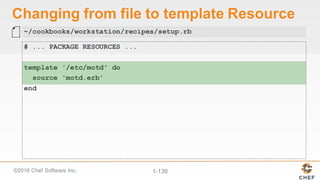
Changing  from  file  to  template  Resource
# ... PACKAGE RESOURCES ...
template '/etc/motd' do
source 'motd.erb'
end
~/cookbooks/workstation/recipes/setup.rb
©2016  Chef  Software  Inc. 1-­140
Objective:
Cleaner  Recipes
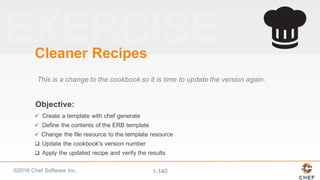
This  is  a  change  to  the  cookbook  so  it  is  time  to  update  the  version  again.
ü Create  a  template  with  chef  generate
ü Define  the  contents  of  the  ERB  template
ü Change  the  file  resource  to  the  template  resource
q Update  the  cookbook's  version  number
q Apply  the  updated  recipe  and  verify  the  results
©2016  Chef  Software  Inc. 1-­141
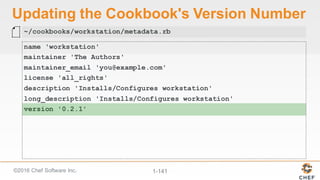
Updating  the  Cookbook's  Version  Number
name 'workstation'
maintainer 'The Authors'
maintainer_email 'you@example.com'
license 'all_rights'
description 'Installs/Configures workstation'
long_description 'Installs/Configures workstation'
version '0.2.1'
~/cookbooks/workstation/metadata.rb
©2016  Chef  Software  Inc. 1-­142
Objective:
Cleaner  Recipes
This  is  a  change  to  the  cookbook  so  it  is  time  to  update  the  version  again.
ü Create  a  template  with  chef  generate
ü Define  the  contents  of  the  ERB  template
ü Change  the  file  resource  to  the  template  resource
ü Update  the  cookbook's  version  number
q Apply  the  updated  recipe  and  verify  the  results
©2016  Chef  Software  Inc. 1-­143
- workstation (0.2.1)
Compiling Cookbooks...
Converging 2 resources
Recipe: workstation::setup
* yum_package[tree] action install (up to date)
* template[/etc/motd] action create (up to date)
Running handlers:
Running handlers complete
Chef Client finished, 0/2 resources updated in 12 seconds
> sudo chef-client --local-mode --runlist "recipe[workstation::setup]"
Applying  the  Updated  Cookbook
©2016  Chef  Software  Inc. 1-­144
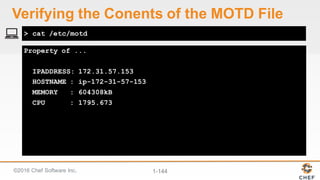
Property of ...
IPADDRESS: 172.31.57.153
HOSTNAME : ip-172-31-57-153
MEMORY : 604308kB
CPU : 1795.673
> cat /etc/motd
Verifying  the  Conents of  the  MOTD  File
©2016  Chef  Software  Inc. 1-­145
Objective:
Cleaner  Recipes
This  is  a  change  to  the  cookbook  so  it  is  time  to  update  the  version  again.
ü Create  a  template  with  chef  generate
ü Define  the  contents  of  the  ERB  template
ü Change  the  file  resource  to  the  template  resource
ü Update  the  cookbook's  version  number
ü Apply  the  updated  recipe  and  verify  the  results
©2016  Chef  Software  Inc. 1-­146
Discussion
What  is  the  benefit  of  using  a  template  over  defining  the  content  within  a  
recipe?  What  are  the  drawbacks?
What  are  the  two  types  of  ERB  tags  we  talked  about?
What  do  each  of  the  ERB  tags  accomplish?  
©2016  Chef  Software  Inc. 1-­147
Q&A
What  questions  can  we  help  you  answer?
• template  resource
• Files  in  the  template  directory
• ERB
©2016  Chef  Software  Inc. 1-­148
Lab:  Building  a  Webserver  
Cookbook
©2016  Chef  Software  Inc. 1-­149
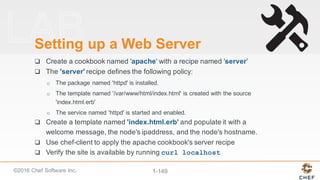
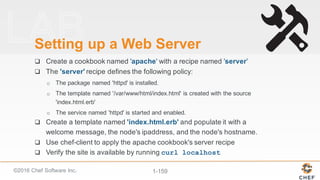
Setting  up  a  Web  Server
q Create  a  cookbook  named  'apache' with  a  recipe  named 'server'
q The  'server' recipe  defines  the  following  policy:
o The  package  named  'httpd'  is  installed.
o The  template  named  '/var/www/html/index.html'  is  created  with  the  source  
'index.html.erb'
o The  service  named  'httpd'  is  started  and  enabled.
q Create  a  template  named  'index.html.erb' and  populate  it  with  a  
welcome  message,  the  node's  ipaddress,  and  the  node's  hostname.
q Use  chef-­client  to  apply  the  apache  cookbook's  server  recipe
q Verify  the  site  is  available  by  running  curl localhost
©2016  Chef  Software  Inc. 1-­150
Compiling Cookbooks...
Recipe: code_generator::cookbook
* directory[/home/chef/cookbooks/apache] action create
- create new directory /home/chef/cookbooks/apache
* template[/home/chef/cookbooks/apache/metadata.rb] action
create_if_missing
- create new file /home/chef/cookbooks/apache/metadata.rb
- update content in file
/home/chef/cookbooks/apache/metadata.rb from none to 37ed5f
(diff output suppressed by config)
* template[/home/chef/cookbooks/apache/README.md] action
> chef generate cookbook cookbooks/apache
Creating  the  apache  Cookbook
©2016  Chef  Software  Inc. 1-­151
Compiling Cookbooks...
Recipe: code_generator::recipe
* directory[cookbooks/apache/spec/unit/recipes] action create
(up to date)
* cookbook_file[cookbooks/apache/spec/spec_helper.rb] action
create_if_missing (up to date)
* template[cookbooks/apache/spec/unit/recipes/server_spec.rb]
action create_if_missing
- create new file
cookbooks/apache/spec/unit/recipes/server_spec.rb
- update content in file
cookbooks/apache/spec/unit/recipes/server_spec.rb from none to
a43970
> chef generate recipe cookbooks/apache server
Creating  the  server  Recipe
©2016  Chef  Software  Inc. 1-­152
Defining  the  Policy  in  the  server  Recipe
#
# Cookbook Name:: apache
# Recipe:: server
#
# Copyright (c) 2016 The Authors, All Rights Reserved.
package 'httpd'
template '/var/www/html/index.html' do
source 'index.html.erb'
end
service 'httpd' do
action [:start, :enable]
end
~/cookbooks/apache/recipes/server.rb
©2016  Chef  Software  Inc. 1-­153
Compiling Cookbooks...
Recipe: code_generator::template
* directory[cookbooks/apache/templates/default] action create
- create new directory cookbooks/apache/templates/default
* template[cookbooks/apache/templates/default/index.html.erb]
action create
- create new file
cookbooks/apache/templates/default/index.html.erb
- update content in file
cookbooks/apache/templates/default/index.html.erb from none to
e3b0c4
(diff output suppressed by config)
> chef generate template cookbooks/workstation index.html
Creating  the  html  Template
©2016  Chef  Software  Inc. 1-­154
Defining  the  index.html Template
<html>
<body>
<h1>Welcome Home!</h1>
<h2>IPADDRESS: <%= node['ipaddress'] %></h2>
<h2>HOSTNAME: <%= node['hostname'] %></h2>
<body>
</html>
~/cookbooks/apache/templates/default/index.html.erb
©2016  Chef  Software  Inc. 1-­155
Starting Chef Client, version 12.7.2
resolving cookbooks for run list: ["apache::server"]
Synchronizing Cookbooks:
- apache (0.1.0)
Compiling Cookbooks...
Converging 3 resources
Recipe: apache::server
* yum_package[httpd] action install
- install version 2.2.15-47.el6.centos.4 of package httpd
* template[/var/www/html/index.html] action create
- create new file /var/www/html/index.html
> sudo chef-client --local-mode --runlist "recipe[apache::server]"
Applying  the  apache  Cookbook's  server  Recipe
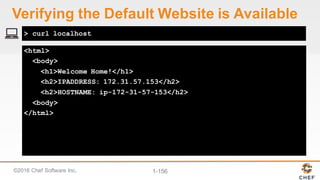
©2016  Chef  Software  Inc. 1-­156
<html>
<body>
<h1>Welcome Home!</h1>
<h2>IPADDRESS: 172.31.57.153</h2>
<h2>HOSTNAME: ip-172-31-57-153</h2>
<body>
</html>
> curl localhost
Verifying  the  Default  Website  is  Available
©2016  Chef  Software  Inc. 1-­157
Q&A
What  questions  can  we  help  you  answer?
©2016  Chef  Software  Inc. 1-­158
Inspec
©2016  Chef  Software  Inc. 1-­159
Setting  up  a  Web  Server
q Create  a  cookbook  named  'apache' with  a  recipe  named 'server'
q The  'server' recipe  defines  the  following  policy:
o The  package  named  'httpd'  is  installed.
o The  template  named  '/var/www/html/index.html'  is  created  with  the  source  
'index.html.erb'
o The  service  named  'httpd'  is  started  and  enabled.
q Create  a  template  named  'index.html.erb' and  populate  it  with  a  
welcome  message,  the  node's  ipaddress,  and  the  node's  hostname.
q Use  chef-­client  to  apply  the  apache  cookbook's  server  recipe
q Verify  the  site  is  available  by  running  curl localhost
©2016  Chef  Software  Inc. 1-­160
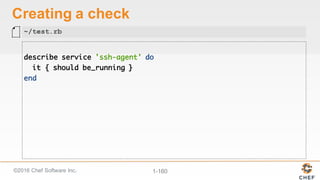
Creating  a  check
describe service 'ssh-agent' do
it { should be_running }
end
~/test.rb
©2016  Chef  Software  Inc. 1-­161
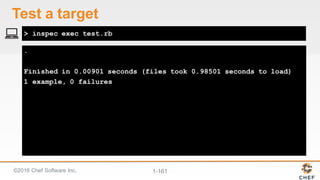
.
Finished in 0.00901 seconds (files took 0.98501 seconds to load)
1 example, 0 failures
> inspec exec test.rb
Test  a  target
©2016  Chef  Software  Inc. 1-­162
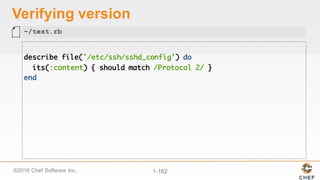
Verifying  version
describe file('/etc/ssh/sshd_config') do
its(:content) { should match /Protocol 2/ }
end
~/test.rb
©2016  Chef  Software  Inc. 1-­163
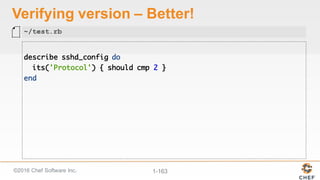
Verifying  version  – Better!
describe sshd_config do
its('Protocol') { should cmp 2 }
end
~/test.rb
©2016  Chef  Software  Inc. 1-­164
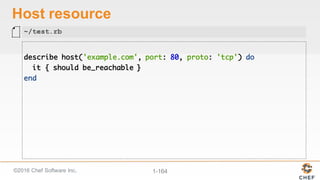
Host  resource
describe host('example.com', port: 80, proto: 'tcp') do
it { should be_reachable }
end
~/test.rb
©2016  Chef  Software  Inc. 1-­165
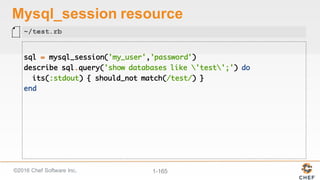
Mysql_session resource
sql = mysql_session('my_user','password')
describe sql.query('show databases like 'test';') do
its(:stdout) { should_not match(/test/) }
end
~/test.rb
©2016  Chef  Software  Inc. 1-­166
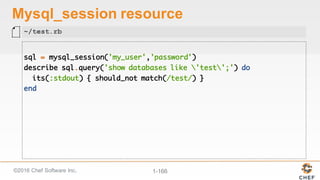
Mysql_session resource
sql = mysql_session('my_user','password')
describe sql.query('show databases like 'test';') do
its(:stdout) { should_not match(/test/) }
end
~/test.rb
©2016  Chef  Software  Inc. 1-­167
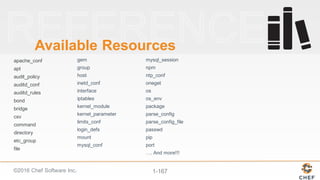
Available  Resources
apache_conf
apt
audit_policy
auditd_conf
auditd_rules
bond
bridge
csv
command
directory
etc_group
file
gem
group
host
inetd_conf
interface
iptables
kernel_module
kernel_parameter
limits_conf
login_defs
mount
mysql_conf
mysql_session
npm
ntp_conf
oneget
os
os_env
package
parse_config
parse_config_file
passwd
pip
port
….  And  more!!!  
Automating Infrastructure with Chef

Automating Infrastructure with Chef

  • 1.
    ©2016  Chef  Software Inc. 1-­1 Automating  Infrastructure  with  Chef Jennifer  Davis Pittsburgh  Tech  Fest  2016 Course  v1.1.1
  • 2.
    ©2016  Chef  Software Inc. 1-­2 The  Chef  Workflow
  • 3.
    ©2016  Chef  Software Inc. 1-­3 Agenda Ø Using  Chef  resources Ø Building  Chef  cookbooks Ø Collecting  details  about  the  system Ø Managing  data  with  templates
  • 4.
    ©2016  Chef  Software Inc. 1-­4 Agenda Ø Lab Ø InSpec
  • 5.
    ©2016  Chef  Software Inc. 1-­5 Course  Objectives You  will  leave  this  workshop  with  a  basic  understanding  of  Chef's  core  components,   architecture,  and  commonly  used  tools.  
  • 6.
    ©2016  Chef  Software Inc. 1-­6 Objective: Pre-­built  Workstation We  will  provide  for  you  a  workstation  with  all  the  tools  installed. q Login  to  the  Remote  Workstation q Select  a  Text  Editor
  • 7.
    ©2016  Chef  Software Inc. 1-­7 Chef  Lab  System  Architecture Your  Laptop Remote  Workstation Preconfigured  with   Chef  tools
  • 8.
    ©2016  Chef  Software Inc. 1-­8 Logging  in  to  the  Workstation The authenticity of host '54.209.164.144 (54.209.164.144)' can't be established.RSA key fingerprint is SHA256:tKoTsPbn6ER9BLThZqntXTxIYem3zV/iTQWvhLrBIBQ.Are you sure you want to continue connecting (yes/no)? yes chef@54.209.164.144's password: PASSWORD chef@ip-172-31-15-97 ~]$ > ssh IPADDRESS -l USERNAME
  • 9.
    ©2016  Chef  Software Inc. 1-­9 Objective: Pre-­built  Workstation We  will  provide  for  you  a  workstation  with  all  the  tools  installed. ü Login  to  the  Remote  Workstation q Select  a  Text  Editor
  • 10.
    ©2016  Chef  Software Inc. 1-­10 Choose  an  Editor You'll  need  to  choose  an  editor  to  edit  files: emacs nano vi  /  vim
  • 11.
    ©2016  Chef  Software Inc. 1-­11 Objective: Pre-­built  Workstation We  will  provide  for  you  a  workstation  with  all  the  tools  installed. ü Login  to  the  Remote  Workstation ü Select  a  Text  Editor
  • 12.
    ©2016  Chef  Software Inc. 1-­12 Chef  Resources Chef's  Fundamental  Building  Blocks  
  • 13.
    ©2016  Chef  Software Inc. 1-­13 Objectives Ø Use  Chef  to  install  packages  on  your  virtual  workstation Ø Use  the  chef-­client  command Ø Create  a  basic  Chef  recipe  file Ø Define  Chef  Resources
  • 14.
    ©2016  Chef  Software Inc. 1-­14 Objective: Time  for  Some  Fun! The  workstation  needs  a  little  personal  touch;;  something  that  makes  it  a   little  more  fun. q Write  a  recipe  that  installs  the  'cowsay'  package q Apply  the  recipe  to  the  workstation q Use  'cowsay'  to  say  something
  • 15.
    ©2016  Chef  Software Inc. 1-­15 Learning  Chef One  of  the  best  ways  to  learn  a  technology  is  to  apply  the  technology  in  every   situation  that  it  can  be  applied. A  number  of  chef  tools  are  installed  on  the  system  so  lets  put  them  to  use.
  • 16.
    ©2016  Chef  Software Inc. 1-­16 Resources A  resource  is  a  statement  of  configuration  policy.   It  describes  the  desired  state  of  an  element  of  your  infrastructure  and  the   steps  needed  to  bring  that  item  to  the  desired  state. https://docs.chef.io/resources.html
  • 17.
    ©2016  Chef  Software Inc. 1-­17 Example:  Package package 'httpd' do action :install end The  package  named  'httpd'  is  installed. https://docs.chef.io/resource_package.html
  • 18.
    ©2016  Chef  Software Inc. 1-­18 Example:  Service service 'ntp' do action [ :enable, :start ] end The  service  named  'ntp'  is  enabled  (start  on  reboot)  and  started. https://docs.chef.io/resource_service.html
  • 19.
    ©2016  Chef  Software Inc. 1-­19 Example:  File file '/etc/motd' do content 'This computer is the property ...' end The  file  name  '/etc/motd'  is  created  with  content  'This  computer  is  the  property  ...' https://docs.chef.io/resource_file.html
  • 20.
    ©2016  Chef  Software Inc. 1-­20 Example:  File file '/etc/php.ini.default' do action :delete end The  file  name  '/etc/php.ini.default' is  deleted. https://docs.chef.io/resource_file.html
  • 21.
    ©2016  Chef  Software Inc. 1-­21 Resource  Definition file 'hello.txt' do content 'Hello, world!' end The  TYPE named  NAME should  be  ACTION'd with  PROPERTIES
  • 22.
    ©2016  Chef  Software Inc. 1-­22 Resource  Definition file 'hello.txt' do content 'Hello, world!' end The  TYPE named  NAME should  be  ACTION'd with  PROPERTIES
  • 23.
    ©2016  Chef  Software Inc. 1-­23 Resource  Definition file 'hello.txt' do content 'Hello, world!' end The  TYPE named  NAME should  be  ACTION'd with  PROPERTIES
  • 24.
    ©2016  Chef  Software Inc. 1-­24 Resource  Definition file 'hello.txt' do content 'Hello, world!' end The  TYPE named  NAME should  be  ACTION'd with  PROPERTIES
  • 25.
    ©2016  Chef  Software Inc. 1-­25 Resource  Definition file 'hello.txt' do content 'Hello, world!' end ? The  TYPE named  NAME should  be  ACTION'd with  PROPERTIES
  • 26.
    ©2016  Chef  Software Inc. 1-­26 > nano moo.rb Opening  a  Recipe  File  with  an  Editor
  • 27.
    ©2016  Chef  Software Inc. 1-­27 Adding  a  Resource  to  the  Recipe package 'cowsay' do action :install end ~/moo.rb
  • 28.
    ©2016  Chef  Software Inc. 1-­28 Objective: Time  for  Some  Fun! The  workstation  needs  a  little  personal  touch;;  something  that  makes  it  a   little  more  fun. ü Write  a  recipe  that  installs  the  'cowsay'  package q Apply  the  recipe  to  the  workstation q Use  'cowsay'  to  say  something
  • 29.
    ©2016  Chef  Software Inc. 1-­29 chef-­client chef-­client  is  an  agent  that  runs  locally  on  every  node  that  is  under   management  by  Chef.   When  a  chef-­client  is  run,  it  will  perform  all  of  the  steps  that  are  required  to   bring  the  node  into  the  expected  state. https://docs.chef.io/chef_client.html
  • 30.
    ©2016  Chef  Software Inc. 1-­30 -­-­local-­mode  (or  -­z) chef-­client's  default  mode  attempts  to  contact  a  Chef  Server  and  ask  it  for   the  recipes  to  run  for  the  given  node.   We  are  overriding  that  behavior  to  have  it  work  in  a  local  mode.
  • 31.
    ©2016  Chef  Software Inc. 1-­31 Starting Chef Client, version 12.5.1 resolving cookbooks for run list: [] Synchronizing Cookbooks: Compiling Cookbooks... [2016-02-19T13:08:13+00:00] WARN: Node ip-172-31-12-176.ec2.internal has an empty run list. Converging 1 resources Recipe: @recipe_files::/home/chef/moo.rb * yum_package[nano] action install - install version 3.03-8.e16 of package cowsay Running handlers: Running handlers complete Chef Client finished, 1/1 resources updated in 38 seconds > sudo chef-client –-local-mode moo.rb Applying  the  Recipe
  • 32.
    ©2016  Chef  Software Inc. 1-­32 Objective: Time  for  Some  Fun! The  workstation  needs  a  little  personal  touch;;  something  that  makes  it  a   little  more  fun. ü Write  a  recipe  that  installs  the  'cowsay'  package ü Apply  the  recipe  to  the  workstation q Use  'cowsay'  to  say  something
  • 33.
    ©2016  Chef  Software Inc. 1-­33 > cowsay will moo for food Running  cowsay with  a  Message _____ < will moo for food > ----- ^__^ (oo)_______ (__) )/ ||----w | || ||
  • 34.
    ©2016  Chef  Software Inc. 1-­34 Objective: Time  for  Some  Fun! The  workstation  needs  a  little  personal  touch;;  something  that  makes  it  a   little  more  fun. ü Write  a  recipe  that  installs  the  'cowsay'  package ü Apply  the  recipe  to  the  workstation ü Use  'cowsay'  to  say  something
  • 35.
    ©2016  Chef  Software Inc. 1-­35 Discussion What  would  happen  if  you  applied  the  recipe  again? What  would  happen  if  the  package  were  to  become   uninstalled?
  • 36.
    ©2016  Chef  Software Inc. 1-­36 Test  and  Repair chef-client takes  action  only  when  it  needs  to.  Think   of  it  as  test  and  repair.   Chef  looks  at  the  current  state  of  each  resource  and  takes   action  only  when  that  resource  is  out  of  policy.
  • 37.
    ©2016  Chef  Software Inc. 1-­37 Test  and  Repair Yes NoIs  package   named  'cowsay' installed? (test) Do  Nothing Bring  resource  to   desired  state (repair) package 'cowsay'
  • 38.
    ©2016  Chef  Software Inc. 1-­38 Objective: Hello,  World? I  heard  Chef  is  written  in  Ruby.  If  that's  the  case  its  required  that  we  write  a   quick  "Hello,  world!"  application. q Create  a  recipe  that  writes  out  a  file  with  the  contents  "Hello,  world!" q Apply  that  recipe  to  the  workstation q Verify  the  contents  of  the  file
  • 39.
    ©2016  Chef  Software Inc. 1-­39 > nano hello.rb Opening  a  Recipe  File  with  an  Editor
  • 40.
    ©2016  Chef  Software Inc. 1-­40 Adding  a  Resource  to  the  Recipe file '/hello.txt' do content 'Hello, world!' end ~/hello.rb
  • 41.
    ©2016  Chef  Software Inc. 1-­41 Objective: Hello,  World? I  heard  Chef  is  written  in  Ruby.  If  that's  the  case  its  required  that  we  write  a   quick  "Hello,  world!"  application. ü Create  a  recipe  that  writes  out  a  file  with  the  contents  "Hello,  world!" q Apply  that  recipe  to  the  workstation q Verify  the  contents  of  the  file
  • 42.
    ©2016  Chef  Software Inc. 1-­42 Starting Chef Client, version 12.5.1 resolving cookbooks for run list: [] Synchronizing Cookbooks: Compiling Cookbooks... [2016-02-19T13:08:13+00:00] WARN: Node ip-172-31-12-176.ec2.internal has an empty run list. Converging 1 resources Recipe: @recipe_files::/home/chef/hello.rb * file[hello.txt] action create - create new file hello.txt - update content in file hello.txt from non to 315f5b +++ ./.hello.txt20160224-8559-19kqial 2016-02-24 16:51:04.400844959 +0000 @@ -1 +1,2 @@ +Hello, world! > sudo chef-client –-local-mode hello.rb Applying  the  Recipe
  • 43.
    ©2016  Chef  Software Inc. 1-­43 Objective: Hello,  World? I  heard  Chef  is  written  in  Ruby.  If  that's  the  case  its  required  that  we  write  a   quick  "Hello,  world!"  application. ü Create  a  recipe  that  writes  out  a  file  with  the  contents  "Hello,  world!" ü Apply  that  recipe  to  the  workstation q Verify  the  contents  of  the  file
  • 44.
    ©2016  Chef  Software Inc. 1-­44 Hello, world! > cat hello.txt Looking  at  the  Contents  of  a  File
  • 45.
    ©2016  Chef  Software Inc. 1-­45 Objective: Hello,  World? I  heard  Chef  is  written  in  Ruby.  If  that's  the  case  its  required  that  we  write  a   quick  "Hello,  world!"  application. ü Create  a  recipe  that  writes  out  a  file  with  the  contents  "Hello,  world!" ü Apply  that  recipe  to  the  workstation ü Verify  the  contents  of  the  file
  • 46.
    ©2016  Chef  Software Inc. 1-­46 Discussion What  is  a  resource? What  are  some  other  possible  examples  of  resources? How  did  the  example  resources  we  wrote  describe  the  desired  state  of  an   element  of  our  infrastructure? What  does  it  mean  for  a  resource  to  be  a  statement  of  configuration  policy?
  • 47.
    ©2016  Chef  Software Inc. 1-­47 Q&A What  questions  can  we  answer  for  you?   • resources • chef-­client • Test  and  Repair
  • 48.
    ©2016  Chef  Software Inc. 1-­48 Cookbooks Organizing  Recipes
  • 49.
    ©2016  Chef  Software Inc. 1-­49 Objectives Ø Generate  a  Chef  cookbook Ø Generate  a  Chef  recipe Ø Applying  a  run-­list  of  recipes  to  a  system
  • 50.
    ©2016  Chef  Software Inc. 1-­50 Objective: Setting  up  the  Workstation Time  to  create  a  recipe  that  sets  up  the  workstation  that  we  can  share  with   others. q Create  a  cookbook q Create  a  setup  recipe  within  the  cookbook q Apply  the  recipe  to  the  workstation q Verify  the  workstation  has  been  setup
  • 51.
    ©2016  Chef  Software Inc. 1-­51 Cookbook Each  cookbook  defines  a  scenario,  such  as  everything  needed  to  install  and   configure  an  application,  and  then  it  contains  all  of  the  components  that  are   required  to  support  that  scenario.
  • 52.
    ©2016  Chef  Software Inc. 1-­52 > mkdir cookbooks; cd cookbooks Creating  a  Directory  for  Cookbooks
  • 53.
    ©2016  Chef  Software Inc. 1-­53 What  is  'chef'? An  executable  program  that  allows  you  generate  cookbooks  and  cookbook   components.
  • 54.
    ©2016  Chef  Software Inc. 1-­54 Usage: chef -h/--help chef -v/--version chef command [arguments...] [options...] Available Commands: exec Runs the command in context of the embedded ruby gem Runs the `gem` command in context of the embedded ruby generate Generate a new app, cookbook, or component shell-init Initialize your shell to use ChefDK as your primary ruby install Install cookbooks from a Policyfile and generate a locked cookboo... update Updates a Policyfile.lock.json with latest run_list and cookbooks > chef --help Executing  chef  with  the  help  flag
  • 55.
    ©2016  Chef  Software Inc. 1-­55 Usage: chef generate GENERATOR [options] Available generators: app Generate an application repo cookbook Generate a single cookbook recipe Generate a new recipe attribute Generate an attributes file template Generate a file template file Generate a cookbook file lwrp Generate a lightweight resource/provider repo Generate a Chef policy repository > chef generate --help Executing  chef  generate  with  the  help  flag
  • 56.
    ©2016  Chef  Software Inc. 1-­56 Compiling Cookbooks... Recipe: code_generator::cookbook * directory[/home/chef/cookbooks/workstation] action create - create new directory /home/chef/cookbooks/workstation * template[/home/chef/cookbooks/workstation/metadata.rb] action create_if_missing - create new file /home/chef/cookbooks/workstation/metadata.rb - update content in file /home/chef/cookbooks/workstation/metadata.rb from none to 0c09e4 (diff output suppressed by config) * template[/home/chef/cookbooks/workstation/README.md] action > chef generate cookbook workstation Generating  a  cookbook
  • 57.
    ©2016  Chef  Software Inc. 1-­57 Objective: Setting  up  the  Workstation Time  to  create  a  recipe  that  sets  up  the  workstation  that  we  can  share  with   others. ü Create  a  workstation  cookbook q Create  a  setup  recipe  within  the  cookbook q Apply  the  recipe  to  the  workstation q Verify  the  workstation  has  been  setup
  • 58.
    ©2016  Chef  Software Inc. 1-­58 Usage: chef generate GENERATOR [options] Available generators: app Generate an application repo cookbook Generate a single cookbook recipe Generate a new recipe attribute Generate an attributes file template Generate a file template file Generate a cookbook file lwrp Generate a lightweight resource/provider repo Generate a Chef policy repository > chef generate --help Executing  chef  generate  with  the  help  flag
  • 59.
    ©2016  Chef  Software Inc. 1-­59 Usage: chef generate recipe [path/to/cookbook] NAME [options] -C, --copyright COPYRIGHT Name of the copyright holder - defaults to 'The Authors' -m, --email EMAIL Email address of the author - defaults to 'you@example.com' -a, --generator-arg KEY=VALUE Use to set arbitrary attribute KEY to VALUE in the code_generator cookbook -I, --license LICENSE all_rights, apache2, mit, gplv2, gplv3 - defaults to all_rights -g GENERATOR_COOKBOOK_PATH, Use GENERATOR_COOKBOOK_PATH for the code_generator cookbook --generator-cookbook > chef generate recipe --help Executing  chef  generate  with  the  help  flag
  • 60.
    ©2016  Chef  Software Inc. 1-­60 Compiling Cookbooks... Recipe: code_generator::recipe * directory[cookbooks/workstation/spec/unit/recipes] action create (up to date) * cookbook_file[cookbooks/workstation/spec/spec_helper.rb] action create_if_missing (up to date) * template[cookbooks/workstation/spec/unit/recipes/setup_spec.rb] action create_if_missing - create new file cookbooks/workstation/spec/unit/recipes/setup_spec.rb - update content in file cookbooks/workstation/spec/unit/ > chef generate recipe workstation setup Generating  a  recipe  within  the  cookbook
  • 61.
    ©2016  Chef  Software Inc. 1-­61 Defining  the  Setup  Recipe # # Cookbook Name:: workstation # Recipe:: setup # # Copyright (c) 2016 The Authors, All Rights Reserved. package 'tree' file '/etc/motd' do content 'Property of ...' end ~/cookbooks/workstation/recipes/setup.rb
  • 62.
    ©2016  Chef  Software Inc. 1-­62 Objective: Setting  up  the  Workstation Time  to  create  a  recipe  that  sets  up  the  workstation  that  we  can  share  with   others. ü Create  a  workstation  cookbook ü Create  a  setup  recipe  within  the  cookbook q Apply  the  recipe  to  the  workstation q Verify  the  workstation  has  been  setup
  • 63.
    ©2016  Chef  Software Inc. 1-­63 chef-­client chef-­client  is  an  agent  that  runs  locally  on  every  node  that  is  under   management  by  Chef.   When  a  chef-­client  is  run,  it  will  perform  all  of  the  steps  that  are  required  to   bring  the  node  into  the  expected  state. https://docs.chef.io/chef_client.html
  • 64.
    ©2016  Chef  Software Inc. 1-­64 -­-­runlist "recipe[COOKBOOK::RECIPE]" In  local  mode,  we  need  to  provide  a  list  of  recipes  to  apply  to  the  system.   This  is  called  a  run  list.  A  run  list  is  an  ordered  collection  of  recipes  to   execute. Each  recipe  in  the  run  list  must  be  addressed  with  the  format   recipe[COOKBOOK::RECIPE].
  • 65.
    ©2016  Chef  Software Inc. 1-­65 Starting Chef Client, version 12.7.2 resolving cookbooks for run list: ["workstation::setup"] Synchronizing Cookbooks: - workstation (0.1.0) Compiling Cookbooks... Converging 2 resources Recipe: workstation::setup * yum_package[tree] action install - install version 1.5.3-3.el6 of package tree * file[/etc/motd] action create > sudo chef-client --local-mode --runlist "recipe[workstation::setup]" Applying  the  workstation's  setup  recipe
  • 66.
    ©2016  Chef  Software Inc. 1-­66 Objective: Setting  up  the  Workstation Time  to  create  a  recipe  that  sets  up  the  workstation  that  we  can  share  with   others. ü Create  a  workstation  cookbook ü Create  a  setup  recipe  within  the  cookbook ü Apply  the  recipe  to  the  workstation q Verify  the  workstation  has  been  setup
  • 67.
    ©2016  Chef  Software Inc. 1-­67 ├── Berksfile ├── chefignore ├── metadata.rb ├── README.md ├── recipes │ ├── default.rb │ └── setup.rb ├── spec │ ├── spec_helper.rb 10 directories, 11 files > tree cookbooks/workstation Using  the  tree  application
  • 68.
    ©2016  Chef  Software Inc. 1-­68 Property of ... > cat /etc/motd Viewing  the  Message  of  the  Day  file
  • 69.
    ©2016  Chef  Software Inc. 1-­69 Objective: Setting  up  the  Workstation Time  to  create  a  recipe  that  sets  up  the  workstation  that  we  can  share  with   others. ü Create  a  workstation  cookbook ü Create  a  setup  recipe  within  the  cookbook ü Apply  the  recipe  to  the  workstation ü Verify  the  workstation  has  been  setup
  • 70.
    ©2016  Chef  Software Inc. 1-­70 Discussion What  file  would  you  read  first  when  examining  a  cookbook?  second? What  other  recipes  might  you  include  workstation  cookbook?
  • 71.
    ©2016  Chef  Software Inc. 1-­71 Q&A What  questions  can  we  answer  for  you?   • Cookbooks • Recipes • Run-­lists
  • 72.
    ©2016  Chef  Software Inc. 1-­72 Ohai Finding  and  Displaying  Information  About  Our  System
  • 73.
    ©2016  Chef  Software Inc. 1-­73 Objectives After  completing  this  module,  you  should  be  able  to Ø Capture  details  about  a  system Ø Use  the  node  object  within  a  recipe Ø Use  Ruby's  string  interpolation Ø Update  the  version  of  a  cookbook
  • 74.
    ©2016  Chef  Software Inc. 1-­74 Managing  a  Large  Number  of  Servers   Have  you  ever  had  to  manage  a  large  number  of  servers  that  were   almost  identical? How  about  a  large  number  of  identical  servers  except  that  each   one  had  to  have  host-­specific  information  in  a  configuration  file?
  • 75.
    ©2016  Chef  Software Inc. 1-­75 Some  Useful  System  Data q IP  Address q hostname q memory q CPU  -­ MHz
  • 76.
    ©2016  Chef  Software Inc. 1-­76 Objective: Details  About  the  Node Displaying  system  details  in  the  MOTD  definitely  sounds  useful. q Discover  attributes  about  the  system  with  Ohai q Update  the  MOTD  file  contents,  in  the  "workstation"  cookbook,  to  include  node  details q Update  the  cookbook's  version  number q Apply  the  updated  recipe  and  verify  the  results
  • 77.
    ©2016  Chef  Software Inc. 1-­77 Ohai! Ohai is  a  tool  that  is  used  to  detect  attributes  on  a  node,  and  then  provide   these  attributes  to  the  chef-­client  at  the  start  of  every  chef-­client  run.  Ohai is   required  by  the  chef-­client  and  must  be  present  on  a  node.  (Ohai is  installed   on  a  node  as  part  of  the  chef-­client  install  process.) http://docs.chef.io/ohai.html
  • 78.
    ©2016  Chef  Software Inc. 1-­78 All  About  The  System   Ohai  queries  the  operating  system  with  a  number  of  commands,  similar  to   the  ones  demonstrated.   The  data  is  presented  in  JSON  (JavaScript  Object  Notation).
  • 79.
    ©2016  Chef  Software Inc. 1-­79 { "kernel": { "name": "Linux", "release": "2.6.32-431.1.2.0.1.el6.x86_64", "version": "#1 SMP Fri Dec 13 13:06:13 UTC 2013", "machine": "x86_64", "os": "GNU/Linux", "modules": { "veth": { "size": "5040", "refcount": "0" }, "ipt_addrtype": { > ohai Running  Ohai to  Show  All  Attributes
  • 80.
    ©2016  Chef  Software Inc. 1-­80 [ "172.31.57.153" ] > ohai ipaddress Running  Ohai to  Show  the  IP  Address
  • 81.
    ©2016  Chef  Software Inc. 1-­81 [ "ip-172-31-57-153" ] > ohai hostname Running  Ohai to  Show  the  Hostname
  • 82.
    ©2016  Chef  Software Inc. 1-­82 { "swap": { "cached": "0kB", "total": "0kB", "free": "0kB" }, "total": "604308kB", "free": "297940kB", "buffers": "24824kB", "cached": "198264kB", > ohai memory Running  Ohai to  Show  the  Memory
  • 83.
    ©2016  Chef  Software Inc. 1-­83 [ "604308kB" ] > ohai memory/total Running  Ohai to  Show  the  Total  Memory
  • 84.
    ©2016  Chef  Software Inc. 1-­84 { "0": { "vendor_id": "GenuineIntel", "family": "6", "model": "45", "model_name": "Intel(R) Xeon(R) CPU E5-2650 0 @ 2.00GHz", "stepping": "7", "mhz": "1795.673", "cache_size": "20480 KB", "physical_id": "34 > ohai cpu Running  Ohai to  Show  the  CPU
  • 85.
    ©2016  Chef  Software Inc. 1-­85 { "vendor_id": "GenuineIntel", "family": "6", "model": "45", "model_name": "Intel(R) Xeon(R) CPU E5-2650 0 @ 2.00GHz", "stepping": "7", "mhz": "1795.673", "cache_size": "20480 KB", "physical_id": "34", "core_id": "0", "cores": "1", "flags": [ > ohai cpu/0 Running  Ohai to  Show  the  First  CPU
  • 86.
    ©2016  Chef  Software Inc. 1-­86 [ "1795.673" ] > ohai cpu/0/mhz Running  Ohai to  Show  the  First  CPU  Mhz
  • 87.
    ©2016  Chef  Software Inc. 1-­87 Objective: Details  About  the  Node Now  it  is  time  to  explore  how  we  can  use  Ohai data  in  the  recipe. ü Discover  attributes  about  the  system  with  Ohai q Update  the  MOTD  file  contents,  in  the  "workstation"  cookbook,  to  include  node  details q Update  the  cookbook's  version  number q Apply  the  updated  recipe  and  verify  the  results
  • 88.
    ©2016  Chef  Software Inc. 1-­88 ohai +  chef-­client  =  <3 chef-­client automatically  executes  ohai and  stores  the  data  about  the  node  in   an  object  we  can  use  within  the  recipes  named  node. http://docs.chef.io/ohai.html
  • 89.
    ©2016  Chef  Software Inc. 1-­89 The  Node  Object The  node  object  is  a  representation  of  our  system.  It  stores  all  the  attributes   found  about  the  system.   http://docs.chef.io/nodes.html#attributes
  • 90.
    ©2016  Chef  Software Inc. 1-­90 node ipaddress hostname memory total cpu 0 mhz ... "IPADDRESS: #{node['ipaddress']}" IPADDRESS: 104.236.192.102 The  Node
  • 91.
    ©2016  Chef  Software Inc. 1-­91 node ipaddress hostname memory total cpu 0 mhz ... "HOSTNAME: #{node['hostname']}" HOSTNAME: banana-stand The  Node
  • 92.
    ©2016  Chef  Software Inc. 1-­92 The  Node "MEMORY: #{node['memory']['total']}" node ipaddress hostname memory total cpu 0 mhz ... MEMORY: 502272kB
  • 93.
    ©2016  Chef  Software Inc. 1-­93 The  Node "CPU: #{node['cpu']['0']['mhz']} MHz" node ipaddress hostname memory total cpu 0 mhz ... CPU: 2399.998 MHz
  • 94.
    ©2016  Chef  Software Inc. 1-­94 String  Interpolation apple_count = 4 puts "I have #{apple_count} apples" http://en.wikipedia.org/wiki/String_interpolation#Ruby I have 4 apples
  • 95.
    ©2016  Chef  Software Inc. 1-­95 String  Interpolation apple_count = 4 puts "I have #{apple_count} apples" I have 4 apples
  • 96.
    ©2016  Chef  Software Inc. 1-­96 String  Interpolation I have 4 apples apple_count = 4 puts "I have #{apple_count} apples"
  • 97.
    ©2016  Chef  Software Inc. 1-­97 Updating  the  content  Property # ... PACKAGE RESOURCES ... file '/etc/motd' do content "Property of ... IPADDRESS: #{node['ipaddress']} HOSTNAME : #{node['hostname']} MEMORY : #{node['memory']['total']} CPU : #{node['cpu']['0']['mhz']} " end ~/cookbooks/workstation/recipes/setup.rb
  • 98.
    ©2016  Chef  Software Inc. 1-­98 Objective: Details  About  the  Node Now  that  we  have  added  a  new  feature  it  is  time  to  update  the  cookbook's   version  number. ü Discover  attributes  about  the  system  with  Ohai ü Update  the  MOTD  file  contents,  in  the  "workstation"  cookbook,  to  include  node  details q Update  the  cookbook's  version  number q Apply  the  updated  recipe  and  verify  the  results
  • 99.
    ©2016  Chef  Software Inc. 1-­99 Cookbook  Versions A  cookbook  version  represents  a  set  of  functionality  that  is  different  from  the   cookbook  on  which  it  is  based.   https://docs.chef.io/cookbook_versions.html
  • 100.
    ©2016  Chef  Software Inc. 1-­100 Semantic  Versions Given  a  version  number  MAJOR.MINOR.PATCH,  increment  the: • MAJOR version  when  you  make  incompatible  API  changes • MINOR version  when  you  add  functionality  in  a  backwards-­compatible   manner • PATCH version  when  you  make  backwards-­compatible  bug  fixes http://semver.org
  • 101.
    ©2016  Chef  Software Inc. 1-­101 Major,  Minor,  or  Patch? What  kind  of  changes  did  you  make  to  the  cookbook?
  • 102.
    ©2016  Chef  Software Inc. 1-­102 Updating  the  Cookbook  Version name 'workstation' maintainer 'The Authors' maintainer_email 'you@example.com' license 'all_rights' description 'Installs/Configures workstation' long_description 'Installs/Configures workstation' version '0.2.0' ~/cookbooks/workstation/metadata.rb
  • 103.
    ©2016  Chef  Software Inc. 1-­103 Objective: Details  About  the  Node Now  let's  apply  this  updated  policy  to  the  state  of  the  system. ü Discover  attributes  about  the  system  with  Ohai ü Update  the  MOTD  file  contents,  in  the  "workstation"  cookbook,  to  include  node  details ü Update  the  cookbook's  version  number q Apply  the  updated  recipe  and  verify  the  results
  • 104.
    ©2016  Chef  Software Inc. 1-­104 Starting Chef Client, version 12.7.2 resolving cookbooks for run list: ["workstation::setup"] Synchronizing Cookbooks: - workstation (0.2.0) Compiling Cookbooks... Converging 2 resources Recipe: workstation::setup * yum_package[tree] action install (up to date) * file[/etc/motd] action create - update content in file /etc/motd from d100eb t $ sudo chef-client --local-mode -r "recipe[workstation::setup]" Applying  the  workstation  Cookbook
  • 105.
    ©2016  Chef  Software Inc. 1-­105 Property of ... IPADDRESS: 172.31.57.153 HOSTNAME : ip-172-31-57-153 MEMORY : 604308kB CPU : 1795.673 $ cat /etc/motd Verifying  that  the  MOTD  has  been  Updated
  • 106.
    ©2016  Chef  Software Inc. 1-­106 Objective: Details  About  the  Node The  workstation  will  now  report  back  with  information  about  it. ü Discover  attributes  about  the  system  with  Ohai ü Update  the  MOTD  file  contents,  in  the  "workstation"  cookbook,  to  include  node  details ü Update  the  cookbook's  version  number ü Apply  the  updated  recipe  and  verify  the  results
  • 107.
    ©2016  Chef  Software Inc. 1-­107 Discussion What  is  the  major  difference  between  a  single-­quoted  string  and  a  double-­ quoted  string? How  are  the  details  about  the  system  available  within  a  recipe? How  does  the  version  number  help  convey  information  about  the  state  of  the   cookbook?
  • 108.
    ©2016  Chef  Software Inc. 1-­108 Q&A What  questions  can  we  help  you  answer? • Ohai • Node  Object • Node  Attributes • String  Interpolation • Semantic  Versions
  • 109.
    ©2016  Chef  Software Inc. 1-­109 Using  Templates Extracting  the  Content  for  Clarity
  • 110.
    ©2016  Chef  Software Inc. 1-­110 Objectives After  completing  this  module,  you  should  be  able  to Ø Explain  when  to  use  a  template  resource Ø Create  a  template  file Ø Use  ERB  tags  to  display  node  data  in  a  template Ø Define  a  template  resource
  • 111.
    ©2016  Chef  Software Inc. 1-­111 Cleaner  Recipes In  the  last  section  we  updated  our  cookbook  to  display  information   about  our  node.   We  expanded  the  text  within  the  file  resource's  content  property.
  • 112.
    ©2016  Chef  Software Inc. 1-­112 Viewing  the  workstation's  setup  recipe package 'tree' file '/etc/motd' do content "Property of ... IPADDRESS: #{node['ipaddress']} HOSTNAME : #{node['hostname']} MEMORY : #{node['memory']['total']} CPU : #{node['cpu']['0']['mhz']} " end ~/cookbooks/workstation/recipes/setup.rb
  • 113.
    ©2016  Chef  Software Inc. 1-­113 "<h1 style="color: red;">Hello, World!</h1>" Double  Quotes  close  Double  Quotes Double  quoted  strings  are  terminated  by  double  quotes.
  • 114.
    ©2016  Chef  Software Inc. 1-­114 "<h1 style="color: red;">Hello, World!</h1>" Backslash We  can  use  double-­quotes  as  long  as  we  prefix  them  with  a  backslash.
  • 115.
    ©2016  Chef  Software Inc. 1-­115 "Root Path: " Backslash Backslashes  are  reserved  characters.  So  to  use  them  you  need  to  use  a   backslash.
  • 116.
    ©2016  Chef  Software Inc. 1-­116 "Root Path: " Backslash Backslashes  are  reserved  characters.  So  to  use  them  you  need  to  use  a   backslash.
  • 117.
    ©2016  Chef  Software Inc. 1-­117 This  content  property  generates  unexpected  formatting file '/etc/motd' do content 'This is the first line of the file. This is the second line. If I try and line it up... ' end This is the first line of the file. This is the second line. If I try and line it up... /etc/motd
  • 118.
    ©2016  Chef  Software Inc. 1-­118 Copy  Paste This  process  is  definitely  error  prone.  Especially  because  a  human  has  to   edit  the  file  again  before  it  is  deployed.
  • 119.
    ©2016  Chef  Software Inc. 1-­119 What  We  Need We  need  the  ability  to  store  the  data  in  another  file,  which  is  in  the  native   format  of  the  file  we  are  writing  out  but  that  still  allows  us  to  insert  ruby   code... ...specifically,  the  node  attributes  we  have  defined.
  • 120.
    ©2016  Chef  Software Inc. 1-­120 Objective: Cleaner  Setup  Recipe Adding  all  the  information  into  the  recipe  did  make  it  hard  to  read. q Create  a  template  with  chef  generate q Define  the  contents  of  the  ERB  template q Change  the  file  resource  to  the  template  resource q Update  the  cookbook's  version  number q Apply  the  updated  recipe  and  verify  the  results
  • 121.
    ©2016  Chef  Software Inc. 1-­121 Template A  cookbook  template  is  an  Embedded  Ruby  (ERB)  template  that  is   used  to  generate  files  …  Templates  may  contain  Ruby  expressions   and  statements  and  are  a  great  way  to...   Use  the  template  resource  to  add  cookbook  templates  to  recipes;;   place  the  corresponding  Embedded  Ruby  (ERB)  template  in  a   cookbook’s  /templates  directory. https://docs.chef.io/resource_template.html
  • 122.
    ©2016  Chef  Software Inc. 1-­122 Template To  use  a  template,  two  things  must  happen: 1. A  template  resource  must  be  added  to  a  recipe 2. An  Embedded  Ruby  (ERB)  template  must  be  added  to  a   cookbook https://docs.chef.io/resource_template.html#using-­templates
  • 123.
    ©2016  Chef  Software Inc. 1-­123 Usage: chef generate GENERATOR [options] Available generators: app Generate an application repo cookbook Generate a single cookbook recipe Generate a new recipe attribute Generate an attributes file template Generate a file template file Generate a cookbook file lwrp Generate a lightweight resource/provider repo Generate a Chef policy repository policyfile Generate a Policyfile for use with the install/push commands (experimental) > chef generate --help Showing  chef  generate's Help
  • 124.
    ©2016  Chef  Software Inc. 1-­124 Usage: chef generate template [path/to/cookbook] NAME [options] -C, --copyright COPYRIGHT Name of the copyright holder - defaults to 'The Authors' -m, --email EMAIL Email address of the author - defaults to ... -a, --generator-arg KEY=VALUE Use to set arbitrary attribute KEY to VALUE in the -I, --license LICENSE all_rights, apache2, mit, gplv2, gplv3 - defaults to -s, --source SOURCE_FILE Copy content from SOURCE_FILE -g GENERATOR_COOKBOOK_PATH, Use GENERATOR_COOKBOOK_PATH for the code_generator --generator-cookbook > chef generate template --help Showing  chef  generate  template's  Help
  • 125.
    ©2016  Chef  Software Inc. 1-­125 Compiling Cookbooks... Recipe: code_generator::template * directory[cookbooks/workstation/templates/default] action create - create new directory cookbooks/workstation/templates/default * template[cookbooks/workstation/templates/default/motd.erb] action create - create new file cookbooks/workstation/templates/default/motd.erb - update content in file cookbooks/workstation/templates/default/motd.erb from none to e3b0c4 > chef generate template cookbooks/workstation motd Generating  a  motd Template
  • 126.
    ©2016  Chef  Software Inc. 1-­126 cookbooks/workstation/templates/ └── default └── motd.erb 1 directory, 1 file > tree cookbooks/workstation/templates Examining  the  templates  Directory
  • 127.
    ©2016  Chef  Software Inc. 1-­127 Objective: Cleaner  Recipes Now  it  is  time  to  populate  the  template  file ü Create  a  template  with  chef  generate q Define  the  contents  of  the  ERB  template q Change  the  file  resource  to  the  template  resource q Update  the  cookbook's  version  number q Apply  the  updated  recipe  and  verify  the  results
  • 128.
    ©2016  Chef  Software Inc. 1-­128 ERB An  Embedded  Ruby  (ERB)  template  allows  Ruby  code  to  be  embedded   inside  a  text  file  within  specially  formatted  tags.   Ruby  code  can  be  embedded  using  expressions  and  statements.   https://docs.chef.io/templates.html#variables
  • 129.
    ©2016  Chef  Software Inc. 1-­129 Text  Within  an  ERB  Template <% if (50 + 50) == 100 %> 50 + 50 = <%= 50 + 50 %> <% else %> At some point all of MATH I learned in school changed. <% end %> Each  ERB  tag  has  a  beginning  tag  and  a  matched  ending  tag.
  • 130.
    ©2016  Chef  Software Inc. 1-­130 Text  Within  an  ERB  Template <% if (50 + 50) == 100 %> 50 + 50 = <%= 50 + 50 %> <% else %> At some point all of MATH I learned in school changed. <% end %> Each  ERB  tag  has  a  beginning  tag  and  a  matched  ending  tag.
  • 131.
    ©2016  Chef  Software Inc. 1-­131 Text  Within  an  ERB  Template <% if (50 + 50) == 100 %> 50 + 50 = <%= 50 + 50 %> <% else %> At some point all of MATH I learned in school changed. <% end %> Each  ERB  tag  has  a  beginning  tag  and  a  matched  ending  tag.
  • 132.
    ©2016  Chef  Software Inc. 1-­132 Text  Within  an  ERB  Template <% if (50 + 50) == 100 %> 50 + 50 = <%= 50 + 50 %> <% else %> At some point all of MATH I learned in school changed. <% end %> Executes  the  ruby  code  within  the  brackets  and  do  not  display   the  result.
  • 133.
    ©2016  Chef  Software Inc. 1-­133 Text  Within  an  ERB  Template <% if (50 + 50) == 100 %> 50 + 50 = <%= 50 + 50 %> <% else %> At some point all of MATH I learned in school changed. <% end %> Executes  the  ruby  code  within  the  brackets  and  display  the   results.
  • 134.
    ©2016  Chef  Software Inc. 1-­134 The  Angry  Squid <%=
  • 135.
    ©2016  Chef  Software Inc. 1-­135 Copying  the  Existing  Content  into  the  Template Property of ... IPADDRESS: #{node['ipaddress']} HOSTNAME : #{node['hostname']} MEMORY : #{node['memory']['total']} CPU : #{node['cpu']['0']['mhz']} ~/cookbooks/workstation/templates/default/motd.erb
  • 136.
    ©2016  Chef  Software Inc. 1-­136 Changing  String  Interpolation  to  ERB  Tags Property of ... IPADDRESS: <%= node['ipaddress'] %> HOSTNAME : <%= node['hostname'] %> MEMORY : <%= node['memory']['total'] %> CPU : <%= node['cpu']['0']['mhz'] %> ~/cookbooks/workstation/templates/default/motd.erb
  • 137.
    ©2016  Chef  Software Inc. 1-­137 Objective: Cleaner  Recipes The  template  is  created  and  defined.  It  now  needs  to  be  used  within  the   recipe. ü Create  a  template  with  chef  generate ü Define  the  contents  of  the  ERB  template q Change  the  file  resource  to  the  template  resource q Update  the  cookbook's  version  number q Apply  the  updated  recipe  and  verify  the  results
  • 138.
    ©2016  Chef  Software Inc. 1-­138 Removing  the  file  Resource # ... PACKAGE RESOURCES ... file '/etc/motd' do content "Property of ... IPADDRESS: #{node['ipaddress']} HOSTNAME : #{node['hostname']} MEMORY : #{node['memory']['total']} CPU : #{node['cpu']['0']['mhz']} " end ~/cookbooks/workstation/recipes/setup.rb
  • 139.
    ©2016  Chef  Software Inc. 1-­139 Changing  from  file  to  template  Resource # ... PACKAGE RESOURCES ... template '/etc/motd' do source 'motd.erb' end ~/cookbooks/workstation/recipes/setup.rb
  • 140.
    ©2016  Chef  Software Inc. 1-­140 Objective: Cleaner  Recipes This  is  a  change  to  the  cookbook  so  it  is  time  to  update  the  version  again. ü Create  a  template  with  chef  generate ü Define  the  contents  of  the  ERB  template ü Change  the  file  resource  to  the  template  resource q Update  the  cookbook's  version  number q Apply  the  updated  recipe  and  verify  the  results
  • 141.
    ©2016  Chef  Software Inc. 1-­141 Updating  the  Cookbook's  Version  Number name 'workstation' maintainer 'The Authors' maintainer_email 'you@example.com' license 'all_rights' description 'Installs/Configures workstation' long_description 'Installs/Configures workstation' version '0.2.1' ~/cookbooks/workstation/metadata.rb
  • 142.
    ©2016  Chef  Software Inc. 1-­142 Objective: Cleaner  Recipes This  is  a  change  to  the  cookbook  so  it  is  time  to  update  the  version  again. ü Create  a  template  with  chef  generate ü Define  the  contents  of  the  ERB  template ü Change  the  file  resource  to  the  template  resource ü Update  the  cookbook's  version  number q Apply  the  updated  recipe  and  verify  the  results
  • 143.
    ©2016  Chef  Software Inc. 1-­143 - workstation (0.2.1) Compiling Cookbooks... Converging 2 resources Recipe: workstation::setup * yum_package[tree] action install (up to date) * template[/etc/motd] action create (up to date) Running handlers: Running handlers complete Chef Client finished, 0/2 resources updated in 12 seconds > sudo chef-client --local-mode --runlist "recipe[workstation::setup]" Applying  the  Updated  Cookbook
  • 144.
    ©2016  Chef  Software Inc. 1-­144 Property of ... IPADDRESS: 172.31.57.153 HOSTNAME : ip-172-31-57-153 MEMORY : 604308kB CPU : 1795.673 > cat /etc/motd Verifying  the  Conents of  the  MOTD  File
  • 145.
    ©2016  Chef  Software Inc. 1-­145 Objective: Cleaner  Recipes This  is  a  change  to  the  cookbook  so  it  is  time  to  update  the  version  again. ü Create  a  template  with  chef  generate ü Define  the  contents  of  the  ERB  template ü Change  the  file  resource  to  the  template  resource ü Update  the  cookbook's  version  number ü Apply  the  updated  recipe  and  verify  the  results
  • 146.
    ©2016  Chef  Software Inc. 1-­146 Discussion What  is  the  benefit  of  using  a  template  over  defining  the  content  within  a   recipe?  What  are  the  drawbacks? What  are  the  two  types  of  ERB  tags  we  talked  about? What  do  each  of  the  ERB  tags  accomplish?  
  • 147.
    ©2016  Chef  Software Inc. 1-­147 Q&A What  questions  can  we  help  you  answer? • template  resource • Files  in  the  template  directory • ERB
  • 148.
    ©2016  Chef  Software Inc. 1-­148 Lab:  Building  a  Webserver   Cookbook
  • 149.
    ©2016  Chef  Software Inc. 1-­149 Setting  up  a  Web  Server q Create  a  cookbook  named  'apache' with  a  recipe  named 'server' q The  'server' recipe  defines  the  following  policy: o The  package  named  'httpd'  is  installed. o The  template  named  '/var/www/html/index.html'  is  created  with  the  source   'index.html.erb' o The  service  named  'httpd'  is  started  and  enabled. q Create  a  template  named  'index.html.erb' and  populate  it  with  a   welcome  message,  the  node's  ipaddress,  and  the  node's  hostname. q Use  chef-­client  to  apply  the  apache  cookbook's  server  recipe q Verify  the  site  is  available  by  running  curl localhost
  • 150.
    ©2016  Chef  Software Inc. 1-­150 Compiling Cookbooks... Recipe: code_generator::cookbook * directory[/home/chef/cookbooks/apache] action create - create new directory /home/chef/cookbooks/apache * template[/home/chef/cookbooks/apache/metadata.rb] action create_if_missing - create new file /home/chef/cookbooks/apache/metadata.rb - update content in file /home/chef/cookbooks/apache/metadata.rb from none to 37ed5f (diff output suppressed by config) * template[/home/chef/cookbooks/apache/README.md] action > chef generate cookbook cookbooks/apache Creating  the  apache  Cookbook
  • 151.
    ©2016  Chef  Software Inc. 1-­151 Compiling Cookbooks... Recipe: code_generator::recipe * directory[cookbooks/apache/spec/unit/recipes] action create (up to date) * cookbook_file[cookbooks/apache/spec/spec_helper.rb] action create_if_missing (up to date) * template[cookbooks/apache/spec/unit/recipes/server_spec.rb] action create_if_missing - create new file cookbooks/apache/spec/unit/recipes/server_spec.rb - update content in file cookbooks/apache/spec/unit/recipes/server_spec.rb from none to a43970 > chef generate recipe cookbooks/apache server Creating  the  server  Recipe
  • 152.
    ©2016  Chef  Software Inc. 1-­152 Defining  the  Policy  in  the  server  Recipe # # Cookbook Name:: apache # Recipe:: server # # Copyright (c) 2016 The Authors, All Rights Reserved. package 'httpd' template '/var/www/html/index.html' do source 'index.html.erb' end service 'httpd' do action [:start, :enable] end ~/cookbooks/apache/recipes/server.rb
  • 153.
    ©2016  Chef  Software Inc. 1-­153 Compiling Cookbooks... Recipe: code_generator::template * directory[cookbooks/apache/templates/default] action create - create new directory cookbooks/apache/templates/default * template[cookbooks/apache/templates/default/index.html.erb] action create - create new file cookbooks/apache/templates/default/index.html.erb - update content in file cookbooks/apache/templates/default/index.html.erb from none to e3b0c4 (diff output suppressed by config) > chef generate template cookbooks/workstation index.html Creating  the  html  Template
  • 154.
    ©2016  Chef  Software Inc. 1-­154 Defining  the  index.html Template <html> <body> <h1>Welcome Home!</h1> <h2>IPADDRESS: <%= node['ipaddress'] %></h2> <h2>HOSTNAME: <%= node['hostname'] %></h2> <body> </html> ~/cookbooks/apache/templates/default/index.html.erb
  • 155.
    ©2016  Chef  Software Inc. 1-­155 Starting Chef Client, version 12.7.2 resolving cookbooks for run list: ["apache::server"] Synchronizing Cookbooks: - apache (0.1.0) Compiling Cookbooks... Converging 3 resources Recipe: apache::server * yum_package[httpd] action install - install version 2.2.15-47.el6.centos.4 of package httpd * template[/var/www/html/index.html] action create - create new file /var/www/html/index.html > sudo chef-client --local-mode --runlist "recipe[apache::server]" Applying  the  apache  Cookbook's  server  Recipe
  • 156.
    ©2016  Chef  Software Inc. 1-­156 <html> <body> <h1>Welcome Home!</h1> <h2>IPADDRESS: 172.31.57.153</h2> <h2>HOSTNAME: ip-172-31-57-153</h2> <body> </html> > curl localhost Verifying  the  Default  Website  is  Available
  • 157.
    ©2016  Chef  Software Inc. 1-­157 Q&A What  questions  can  we  help  you  answer?
  • 158.
    ©2016  Chef  Software Inc. 1-­158 Inspec
  • 159.
    ©2016  Chef  Software Inc. 1-­159 Setting  up  a  Web  Server q Create  a  cookbook  named  'apache' with  a  recipe  named 'server' q The  'server' recipe  defines  the  following  policy: o The  package  named  'httpd'  is  installed. o The  template  named  '/var/www/html/index.html'  is  created  with  the  source   'index.html.erb' o The  service  named  'httpd'  is  started  and  enabled. q Create  a  template  named  'index.html.erb' and  populate  it  with  a   welcome  message,  the  node's  ipaddress,  and  the  node's  hostname. q Use  chef-­client  to  apply  the  apache  cookbook's  server  recipe q Verify  the  site  is  available  by  running  curl localhost
  • 160.
    ©2016  Chef  Software Inc. 1-­160 Creating  a  check describe service 'ssh-agent' do it { should be_running } end ~/test.rb
  • 161.
    ©2016  Chef  Software Inc. 1-­161 . Finished in 0.00901 seconds (files took 0.98501 seconds to load) 1 example, 0 failures > inspec exec test.rb Test  a  target
  • 162.
    ©2016  Chef  Software Inc. 1-­162 Verifying  version describe file('/etc/ssh/sshd_config') do its(:content) { should match /Protocol 2/ } end ~/test.rb
  • 163.
    ©2016  Chef  Software Inc. 1-­163 Verifying  version  – Better! describe sshd_config do its('Protocol') { should cmp 2 } end ~/test.rb
  • 164.
    ©2016  Chef  Software Inc. 1-­164 Host  resource describe host('example.com', port: 80, proto: 'tcp') do it { should be_reachable } end ~/test.rb
  • 165.
    ©2016  Chef  Software Inc. 1-­165 Mysql_session resource sql = mysql_session('my_user','password') describe sql.query('show databases like 'test';') do its(:stdout) { should_not match(/test/) } end ~/test.rb
  • 166.
    ©2016  Chef  Software Inc. 1-­166 Mysql_session resource sql = mysql_session('my_user','password') describe sql.query('show databases like 'test';') do its(:stdout) { should_not match(/test/) } end ~/test.rb
  • 167.
    ©2016  Chef  Software Inc. 1-­167 Available  Resources apache_conf apt audit_policy auditd_conf auditd_rules bond bridge csv command directory etc_group file gem group host inetd_conf interface iptables kernel_module kernel_parameter limits_conf login_defs mount mysql_conf mysql_session npm ntp_conf oneget os os_env package parse_config parse_config_file passwd pip port ….  And  more!!!