Smart Board Interactive white board hardware and software Setting:   Walker Middle School in rural southeast Georgia
Setting Level:   4 th  grade Students:   75 Subject:   Reading / Language Arts Demographics: 45%  Caucasian 40%  African American 14%  Hispanic 1%  Other Class Demographics:  3 classes daily: One co-teaching (special education class) One regular education class One accelerated class
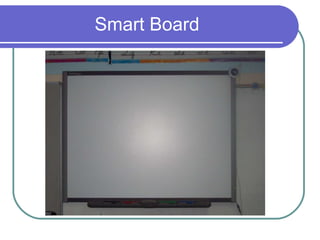
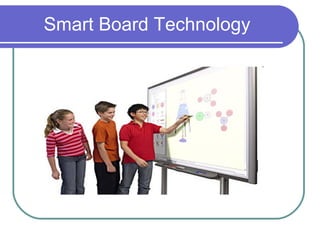
Smart Board
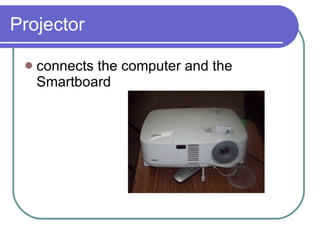
Projector connects the computer and the Smartboard
Uses of the technology Easy and interactive daily warm-up review: Students participate by visiting the board.  Student make corrections to sentences in warm-ups. Whole class lessons: whole class interactive games vocabulary drag/drop review Small group instruction: teacher remediation activities student led small group games/activities during centers
Uses and benefits of Technology Integrated internet resources Parts of speech games found at website  http://www.reall-languages.com/chris%20grammar.htm Assist in instruction and planning Teacher often finds useful smart board resources and activities to use in class Smart board interactive website http:// exchange.smarttech.com/search.html?m =01 Lessons are categorized and shared by other educators Smart board software can be installed on home computer The teacher also enjoys the ease of creating lessons in the comfort of her own home. Ability to record lessons for substitute teachers
Smart Board Technology
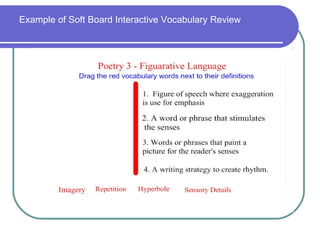
Example of Soft Board Interactive Vocabulary Review
Differences in Student Learning Simplicity of Assessment  Observations of students knowledge through activities completed on the board Teacher can see students’ individual capabilities and independence Students are engaged, attentive, and excited about learning Smart board interactive activities encourage student centered instruction vs. teacher centered instruction.
Differences in Student Learning Assist in preparing student for testing Smart Board makes test review exciting and interesting Post-Test review activities CRCT review activities
Issues with Smart Board At this school, the projectors are not mounted which causess them to often be bumped off line. Therefore, the teacher must readjust and realign smart board before most lessons. Students excitement can cause some disruption. The co-teaching class sometimes struggles with completing activities and games on the board in a timely manner.

K sapp technology-infusionproject

  • 1.
    Smart Board Interactivewhite board hardware and software Setting: Walker Middle School in rural southeast Georgia
  • 2.
    Setting Level: 4 th grade Students: 75 Subject: Reading / Language Arts Demographics: 45% Caucasian 40% African American 14% Hispanic 1% Other Class Demographics: 3 classes daily: One co-teaching (special education class) One regular education class One accelerated class
  • 3.
  • 4.
    Projector connects thecomputer and the Smartboard
  • 5.
    Uses of thetechnology Easy and interactive daily warm-up review: Students participate by visiting the board. Student make corrections to sentences in warm-ups. Whole class lessons: whole class interactive games vocabulary drag/drop review Small group instruction: teacher remediation activities student led small group games/activities during centers
  • 6.
    Uses and benefitsof Technology Integrated internet resources Parts of speech games found at website http://www.reall-languages.com/chris%20grammar.htm Assist in instruction and planning Teacher often finds useful smart board resources and activities to use in class Smart board interactive website http:// exchange.smarttech.com/search.html?m =01 Lessons are categorized and shared by other educators Smart board software can be installed on home computer The teacher also enjoys the ease of creating lessons in the comfort of her own home. Ability to record lessons for substitute teachers
  • 7.
  • 8.
    Example of SoftBoard Interactive Vocabulary Review
  • 9.
    Differences in StudentLearning Simplicity of Assessment Observations of students knowledge through activities completed on the board Teacher can see students’ individual capabilities and independence Students are engaged, attentive, and excited about learning Smart board interactive activities encourage student centered instruction vs. teacher centered instruction.
  • 10.
    Differences in StudentLearning Assist in preparing student for testing Smart Board makes test review exciting and interesting Post-Test review activities CRCT review activities
  • 11.
    Issues with SmartBoard At this school, the projectors are not mounted which causess them to often be bumped off line. Therefore, the teacher must readjust and realign smart board before most lessons. Students excitement can cause some disruption. The co-teaching class sometimes struggles with completing activities and games on the board in a timely manner.