Digital Classroom
Dr.M.Deivam
Assistant Professor in ICT in Education
Dept. of Education
The Gandhigram rural institute –
(Deemed to be University)
Gandhigram, Dindigul district
Tamilnadu – 624 302
What is digital classroom?
• The digital classroom (see also flipped
classroom, blended Learning and smart
classroom) refers to the "technology-enabled"
classroom where student learning and
interaction with the instructor and peers is
fully supported through strategic use of
information and communication technologies
(ICTs)
Contd.
• A digital classroom is a classroom that is fully
immersed in technology. Each students has
access to an Internet connected device,
whether it be a laptop, tablet, ebook, or other
device, and the majority (or all of) the
curriculum is delivered via an online,
engaging, interactive platform.
Digitized classroom mean
1. Use of projector with tablet
2. Using less paper
3. Use of digital resources and digital tools
4. Development of digital ethics and honor online,
and respect for fair use for education
5. Teacher-collected or teacher-created resources
6. Inquiry, Project & Problem-Based Learning
7. Student work is published for a wider audience
8. Digital Literacy and Multimedia
Essential Tools and Websites for Digital
classroom
• Desktop or Laptop
• Digital camera
• Interactive Whiteboard
• Simple Projector
• Tablets
• Wireless Microphone
• Speakers
• Printer
• Scanner
• Smart / Android TV
• Digital Podium
• Wikispace
• HaikuLearning
• Socrative
• Present.me
• Edmodo
• Blogger
• Blendspace
• Scribblar
• Wimba classroom
• Google classroom
Effective teaching with technology in
higher education: Foundations for success
• Tony Bates and Gary Poole (2003):
• S Students: what is known about students - or potential students - and
appropriateness of technology for this group or range of students?
• E Ease of use and reliability: how easy is it for teachers to use? How reliable
and well tested are the tools?
• C Costs: what is the cost structure of each tool?
• T Teaching and learning: what kinds of learning are encountered? What
didactic approaches will meet these needs? What are the best technologies
for supporting teaching and learning?
• I Interactivity: what kind of interaction does this technology enable?
• O Organizational issues: are there any organizational requirements? what
barriers should be removed before tools can be used? What changes in
organization need to be made?
• N Novelty: how new is this technology?
• S Speed: how quickly can courses be created with this technology? How
quickly can materials be changed?"
PRIME NECESSITIES
• Students need to be proficient computer users
• Facilitate with the knowledge of computers
and the internet
• Big screen projector for stress-free readability
• Electronic interactive whiteboard system,
along with a computer and UPS
• A digital library for every subject
Benefits to Students
• Improves Learning Skills
• Clear and Easy Understanding of Content
• Active Engagement in Student Knowledge and
Collaborative Learning
• Engaging Content and Simulating Exercises
• Setting Benchmarks and Motivation
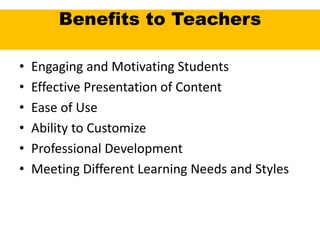
Benefits to Teachers
• Engaging and Motivating Students
• Effective Presentation of Content
• Ease of Use
• Ability to Customize
• Professional Development
• Meeting Different Learning Needs and Styles
Digital classroom

Digital classroom

  • 1.
    Digital Classroom Dr.M.Deivam Assistant Professorin ICT in Education Dept. of Education The Gandhigram rural institute – (Deemed to be University) Gandhigram, Dindigul district Tamilnadu – 624 302
  • 2.
    What is digitalclassroom? • The digital classroom (see also flipped classroom, blended Learning and smart classroom) refers to the "technology-enabled" classroom where student learning and interaction with the instructor and peers is fully supported through strategic use of information and communication technologies (ICTs)
  • 3.
    Contd. • A digitalclassroom is a classroom that is fully immersed in technology. Each students has access to an Internet connected device, whether it be a laptop, tablet, ebook, or other device, and the majority (or all of) the curriculum is delivered via an online, engaging, interactive platform.
  • 4.
    Digitized classroom mean 1.Use of projector with tablet 2. Using less paper 3. Use of digital resources and digital tools 4. Development of digital ethics and honor online, and respect for fair use for education 5. Teacher-collected or teacher-created resources 6. Inquiry, Project & Problem-Based Learning 7. Student work is published for a wider audience 8. Digital Literacy and Multimedia
  • 5.
    Essential Tools andWebsites for Digital classroom • Desktop or Laptop • Digital camera • Interactive Whiteboard • Simple Projector • Tablets • Wireless Microphone • Speakers • Printer • Scanner • Smart / Android TV • Digital Podium • Wikispace • HaikuLearning • Socrative • Present.me • Edmodo • Blogger • Blendspace • Scribblar • Wimba classroom • Google classroom
  • 6.
    Effective teaching withtechnology in higher education: Foundations for success • Tony Bates and Gary Poole (2003): • S Students: what is known about students - or potential students - and appropriateness of technology for this group or range of students? • E Ease of use and reliability: how easy is it for teachers to use? How reliable and well tested are the tools? • C Costs: what is the cost structure of each tool? • T Teaching and learning: what kinds of learning are encountered? What didactic approaches will meet these needs? What are the best technologies for supporting teaching and learning? • I Interactivity: what kind of interaction does this technology enable? • O Organizational issues: are there any organizational requirements? what barriers should be removed before tools can be used? What changes in organization need to be made? • N Novelty: how new is this technology? • S Speed: how quickly can courses be created with this technology? How quickly can materials be changed?"
  • 7.
    PRIME NECESSITIES • Studentsneed to be proficient computer users • Facilitate with the knowledge of computers and the internet • Big screen projector for stress-free readability • Electronic interactive whiteboard system, along with a computer and UPS • A digital library for every subject
  • 8.
    Benefits to Students •Improves Learning Skills • Clear and Easy Understanding of Content • Active Engagement in Student Knowledge and Collaborative Learning • Engaging Content and Simulating Exercises • Setting Benchmarks and Motivation
  • 9.
    Benefits to Teachers •Engaging and Motivating Students • Effective Presentation of Content • Ease of Use • Ability to Customize • Professional Development • Meeting Different Learning Needs and Styles