Building a Powerful Small Business Website
By: Mike Baker (Real Time Web Marketing)
Welcome to the Workshop
• This workshop is for you!
• Try not to get overwhelmed
• Not overly technical or detailed
• Have fun, ask questions & get
involved!
Housekeeping Items
• Model release form, please
• Why the video?
• 10 minute break @ half-way
• Worksheets, mailing list form
• Copy of these slides online

• Drawing at the end
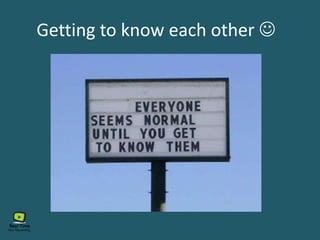
Getting to know each other 
My Introduction:
Owner of Real Time Web Marketing
MCSE, CNE & was a Microsoft Cert Trainer
Last corp. job – Dir of Net & Telecom
Mike Baker
Degrees in NEM & Web Des/Dev
Been a freelancer & biz owner last 8 yrs
Taught network engineering & web design
My Introduction:
I love working with small biz owners
I do still get my geek on
I’m very hands on in with people & tech:
Connecting people with technology
I actually build & code websites
Workshops / Networking / etc.
I hold several industry certifications
Let’s hear about you now …
How many own a website right now?
How many have built a website?
Have a small business right now?
Anyone here work in the website business?
How many of you maintain your own site?
Are just starting one up?
Why you attended this workshop?
What is your biggest website challenge?
What do you hope to get out this WS?
Your Name, business you have
Let’s hear from a few of you …
What your biz does, what you do
Building a Powerful Small Business Website
• Section 1: Planning your website
• Section 2: Building your website
• Section 3: Promoting your website
• Section 4: Hosting, security, maintenance
What we will cover today
• Section 5: Track, measure & adjust
• Section 6: Should I fire my old website?
What we want websites to do
Get found in Google results
Visitors interact with it
Collect leads for us
Generate Sales
Market our business well
Give us credibility
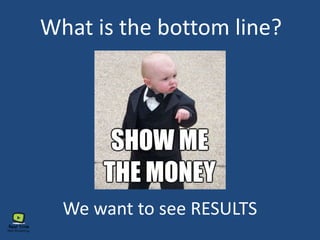
What is the bottom line?
We want to see RESULTS
Power starts with how you package
your business & brand online!
Real Life Packaging Example
This book didn’t sell …
“Find out all about your self, your love, your friends, and family!”
This book sold millions! Same book! Why?
Real Life Packaging Example
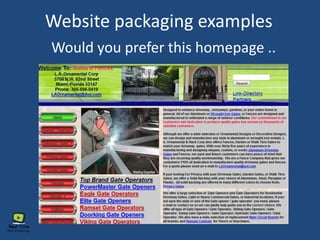
Website packaging examples
Would you prefer this homepage ..
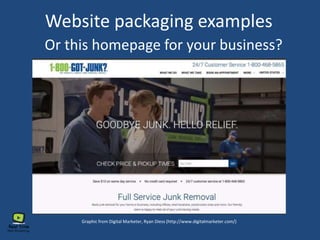
Or this homepage for your business?
Graphic from Digital Marketer, Ryan Diess (http://www.digitalmarketer.com/)
Website packaging examples
What is a powerful website?
• It ATTRACTS visitors
• Gets visitors to INTERACT with it
• Ranks well in google
• Contains valuable content
• Clicks and conversions
What makes a website powerful?
• Looks & feels professional
• Content is laid out well
• Built to Google’s standards
• Speaks to your target market
• Pages built like sales pages
• Make a pitch on every page!
What makes a website powerful?
• Has engaging content
• Will have video somewhere
• Written content optimized SEO
• Easy to use & locate resources
• Content updated regularly
What does a powerful do for us?
• Works for us while we sleep!
Salesperson 24/7!
• Marketing machine
• Keeps our customers informed
• Can save you time, collect leads,
answer questions, & more
What makes a website powerful?
Is built well enough to be a
solid foundation for all of
your online marketing
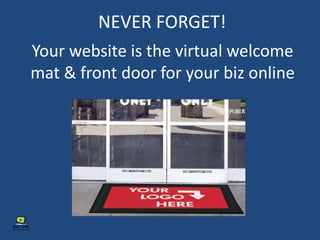
NEVER FORGET!
Your website is the virtual welcome
mat & front door for your biz online
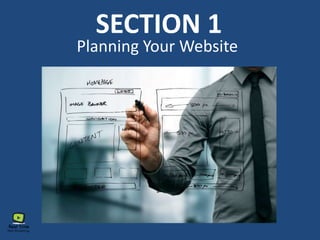
Planning Your Website
SECTION 1
Why is planning important?
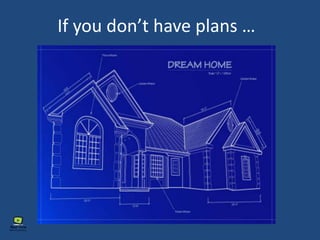
If you don’t have plans …
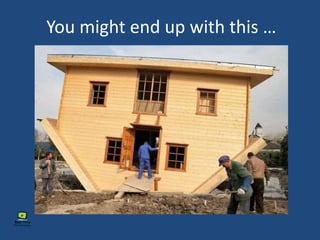
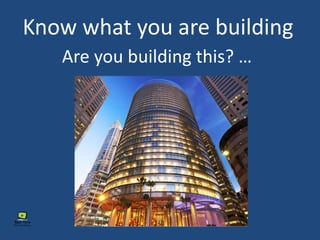
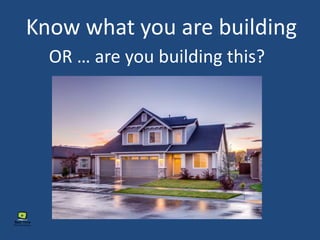
You might end up with this …
Are you building this? …
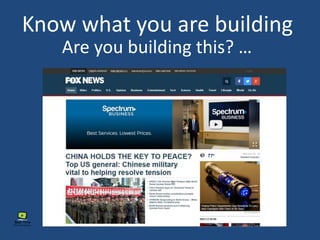
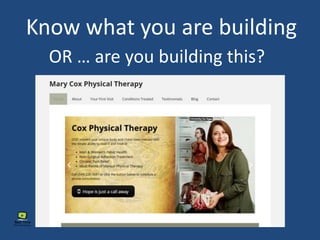
Know what you are building
OR … are you building this?
Are you building this? …
Know what you are building
OR … are you building this?
• Geographics
• Demographics (socioeconomic)
• Psychographics
• Where do they live & work?
• Age, income level, gender, etc.
• A person’s values, interests,
attitudes, and lifestyle..
WHO are you building it for!
Your turn to work!
• What do you know about your
markets Geographics?
• What do you know about your
markets Demographics?
• What do you know about your
markets Psychographics?
WHO are you building it for!
• Global, national or local?
• English only or multilingual?
• What do they watch / read?
You also have an invisible audience!
Bots, Spiders, & Crawlers
Bots & spiders? Say what?
• Plan your site with Google &
other search engines in mind.
• ‘Bots’ or ‘spiders’ crawl the web.
• They index pages & rank them.
• Search engines display results.
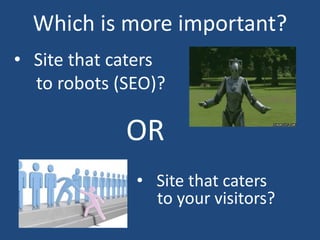
Which is more important?
• Site that caters
to robots (SEO)?
• Site that caters
to your visitors?
OR
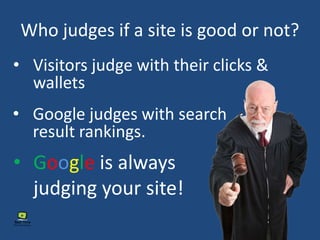
Who judges if a site is good or not?
• Visitors judge with their clicks &
wallets
• Google judges with search
result rankings.
• Google is always
judging your site!
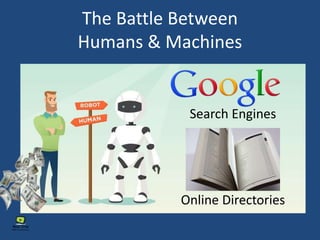
The Battle Between
Humans & Machines
Online Directories
Search Engines
One key to a powerful website
• There needs to be a balance!
• Some elements more for Google
• Some elements more for visitors
• Sometimes they are at odds!
• Each business website unique
Planning your website
Choosing a domain name
Choosing your domain name
• .com for biz / .net for non-profit
• Often contains business name
• Make it intuitive & descriptive
• Can helpful or cause confusion
• How people find you by name
Choosing Your Domain Name
• Avoid hyphens if possible
• Long vs short / domain forwarding
• What your biz does if possible
• Up to 67 characters
• Have people review it first!
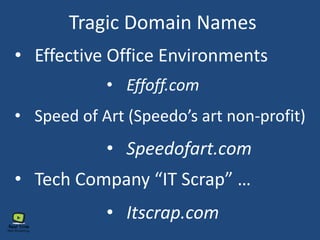
Tragic Domain Names
• Speedofart.com
• Speed of Art (Speedo’s art non-profit)
• Tech Company “IT Scrap” …
• Effective Office Environments
• Effoff.com
• Itscrap.com
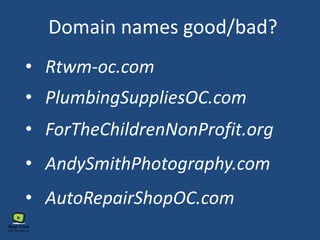
Domain names good/bad?
• PlumbingSuppliesOC.com
• AndySmithPhotography.com
• ForTheChildrenNonProfit.org
• AutoRepairShopOC.com
• Rtwm-oc.com
Your turn to work!
• Share your domain name with
someone near you, does it work?
• If you don’t have one, make one up
• Share results with the class
Planning your website
What are your goals?
• What is a conversion for you?
• Sale of a product / service?
• Get someone to call you?
• Identify your goals / objectives?
• Showcase services / products?
• What do you want them to do?
Your turn to work!
• What do you want visitors to do when
they land on your home page?
• What are the goals for your website?
• What is a conversion for you?
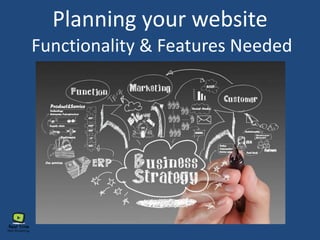
Planning your website
Functionality & Features Needed
Plan for Function / Features
• Photo Gallery (portfolio)?
• Online Stone / Ecommerce?
• Payment Processing?
• Video / Audio?
• Special/Conditional Forms?
• Event Calendar?
Your turn to work!
• Which functions and/or features does your
website have now or need later?
• Are there any functions / features not on the list
that you need? Share with us!
• If there are features / functions you need, but can’t
add to your current website, it may be time to fire
your old site!
Planning your website
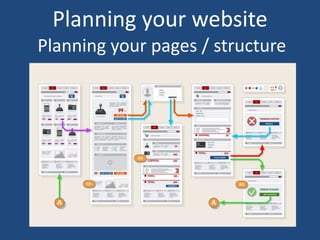
Planning your pages / structure
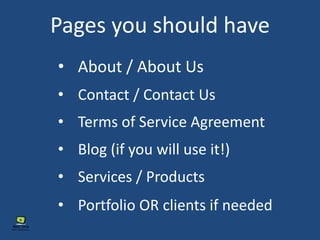
Pages you should have
• About / About Us
• Contact / Contact Us
• Terms of Service Agreement
• Blog (if you will use it!)
• Services / Products
• Portfolio OR clients if needed
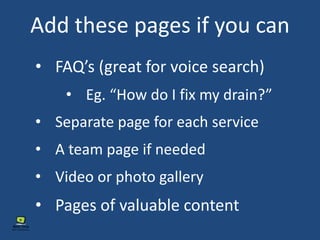
Add these pages if you can
• FAQ’s (great for voice search)
• Eg. “How do I fix my drain?”
• Separate page for each service
• A team page if needed
• Video or photo gallery
• Pages of valuable content
Pages should …
• Have links to other pages
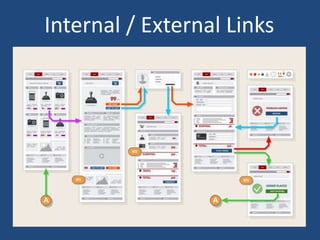
Internal / External Links
Pages should …
• Have links to other pages
• Every page needs a focus!
• Page names should reflect content
• Important content easy to locate
• Goal is to get people to interact
• Content should be easy to scan
Your turn to work!
• If I have a website already, are there any pages
that I think I may need to add to my website?
• If I have a website, are there any pages that I may
be able to get rid of to clean my website up?
• If I have a website, am I linking to other pages
inside my website AND linking to resources outside
of my website?
The invisible stuff …
Meta Data & Tags
• Pages have info you don’t see
• Meta data, html tags (alt tags, h1, etc.)
• Google uses this information
• Webpage readers use it too
• Ignoring it could affect your SEO
• This is part of what an SEO expert does
Your turn to work!
• How do I plan to deal with the ‘invisible stuff’ that
my website needs?
 Hire an SEO expert to help?
 Watch some videos / read online?
 Visit Yoast.com to learn more
 I’m not doing anything! If I can’t
see it, it doesn’t exist!
Building Your Website
SECTION 2
What visitors want most!
When asked, “What do you want most in
a website?”, 9 out of 10 respond …
“I want to find what I’m looking for …
and I want to find it quickly.”
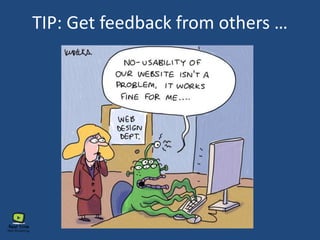
TIP: Get feedback from others …
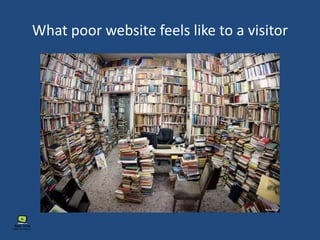
What poor website feels like to a visitor
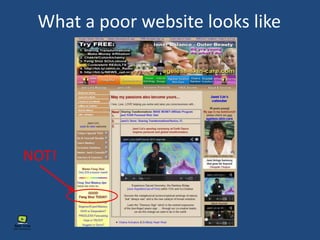
What a poor website looks like
NOT!
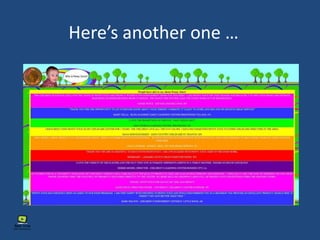
Here’s another one …
Building Your Website Homepage
Elements most homepages needs
• Clear messaging – who you are & what you do
• Clear, visible navigation – don’t make them think!
• Relevant content, optimized for your business
name & service area
• Supporting images, video, graphics (relevant)
• A primary call-to-action
Clear Messaging Examples
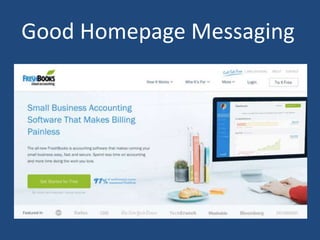
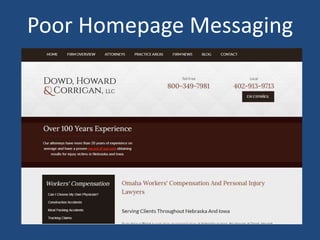
• Starts with your branding
• Logo should be in header
• Good tag lines help clarify
• Use upper area to clarify
• Include location(s) & phone
Good Homepage Messaging
Poor Homepage Messaging
Your turn to work!
• Does you website have my name,
address, and phone number (NAP) in
the footer (or header), and on the
contact page?
• What is you business tag line? Share it
with us!
Elements most homepages needs
• Clear messaging – who you are & what you do.
• Clear, visible navigation – don’t make them think!
Navigation
• Don’t get clever with location
• Should have good contrast
• Don’t make text too small
• Plan ahead for pages & navigation
• Short, but descriptive names
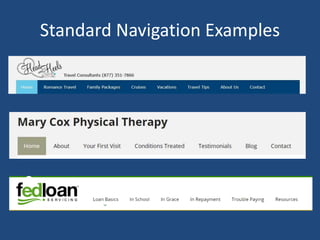
Standard Navigation Examples
Elements most homepages needs
• Clear messaging – who you are & what you do.
• Clear, visible navigation – don’t make them think!
• Relevant & useful content, optimized for your
business name & service area.
Relevant Content
• Service areas if relevant
• Contact info easy to locate (NAP)
• Use business name in text
• Products / Services clearly listed
• Needs links to interior pages
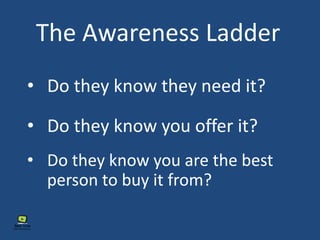
The Awareness Ladder
• Do they know they need it?
• Do they know you offer it?
• Do they know you are the best
person to buy it from?
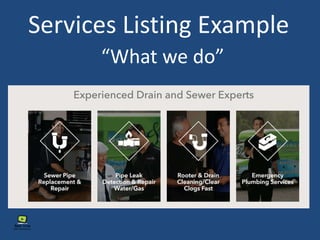
Services Listing Example
“What we do”
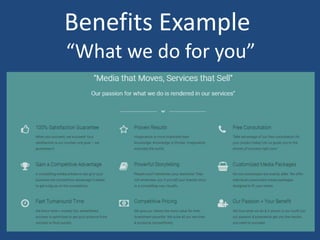
Benefits Example
“What we do for you”
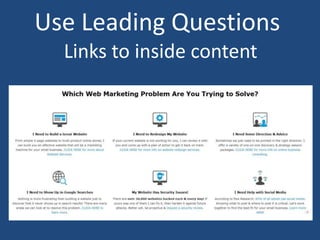
Use Leading Questions
Links to inside content
Your turn to work!
• What services do you offer?
• What benefits do you offer your
clients/customers?
Elements most homepages needs
• Clear messaging – who you are & what you do.
• Clear, visible navigation – don’t make them think!
• Relevant & useful content, optimized for your
business name & service area.
• A primary call-to-action
Call-to-Action (CTA)
• An image or line of text (or both)
• Stands out from other content
• Power of suggestion!
• How you get people to buy / act
• Includes a offer, enticement
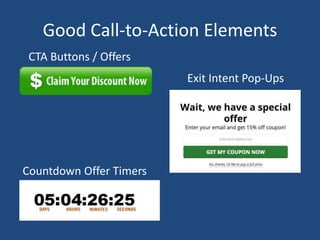
Good Call-to-Action Elements
Exit Intent Pop-Ups
CTA Buttons / Offers
Countdown Offer Timers
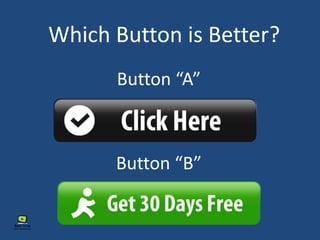
Button “A”
Button “B”
Which Button is Better?
Your turn to work!
• Which calls-to-action elements do I use, or would
like to start using?
• What is my call-to-action text going to be?
• What is/are my call-to-action element(s) going to
link to?
Elements most homepages needs
• Clear messaging – who you are & what you do.
• Clear, visible navigation – don’t make them think!
• Relevant & useful content, optimized for your
business name & service area.
• Supporting images, video, graphics (relevant)
• A primary call-to-action
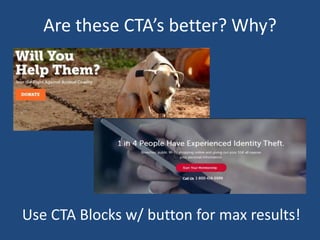
Supporting Images & Graphics
• Compelling images evoke emotion
• Images can be tagged for SEO
• Images reinforce what you do
• Good imagery reinforces brand
• Graphics make lists interesting
Are these CTA’s better? Why?
Use CTA Blocks w/ button for max results!
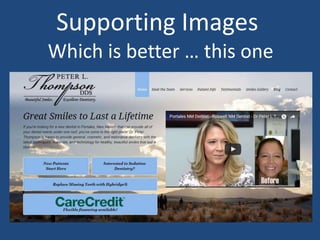
Supporting Images
Which is better … this one
Supporting Images
Or this one … why?
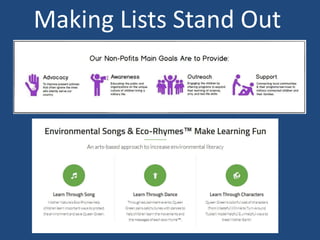
Making Lists Stand Out
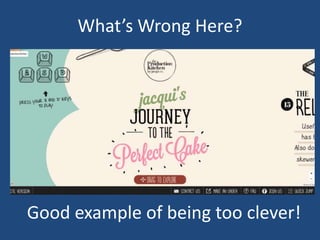
What’s Wrong Here?
Good example of being too clever!
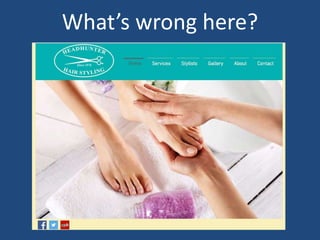
What’s wrong here?
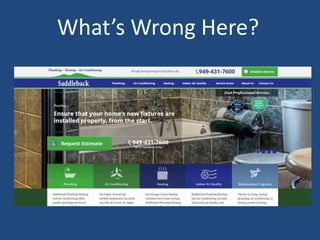
What’s Wrong Here?
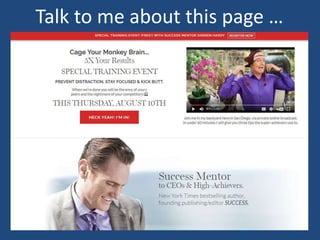
Talk to me about this page …
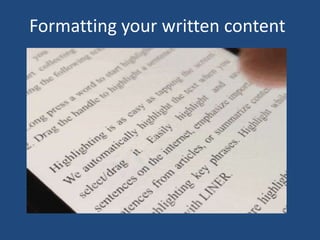
Formatting your written content
When building interior pages
• Google wants headings!
• Know that people scan webpages
• Include images if relevant
• Break text up w/ headings
• Make it easy for them to find what
they want
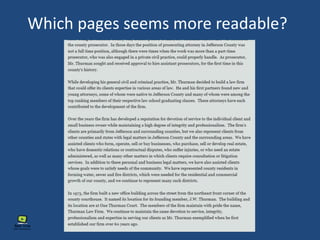
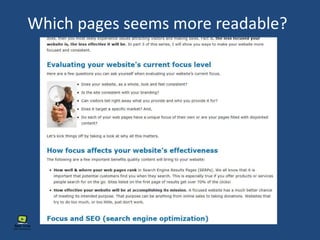
Which pages seems more readable?
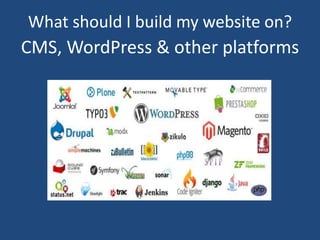
CMS, WordPress & other platforms
What should I build my website on?
What is a CMS?
• Content Management System (CMS)
• Doesn’t require a developer for
every change
• Needs more maintenance (updates)
than a traditional, non-CMS site
• Website software that makes it
easier to add content & edit
What is a CMS?
• Most popular is WordPress (25%)
• Some other CMS offerings are:
• Drupal
• DotNetNuke
• Joomla
• Magneto (ecommerce)
Why I recommend WordPress
• WordPress is open source (free)
• Tons of meetups & user groups
• Plugins (extensions) are inexpensive
• Large support community
• You can learn to use it yourself!
• Can grow with your business
Other Options
• Build on a hosted environment
• GoDaddy, BlueHost, HostGator, etc.
• Wix, WordPress.com, SquareSpace
• Offer do-it-yourself websites
• Limited expandability / not great for SEO
• Only if you have a very limited budget
Other self-hosted options
• More expensive to build
• Have your website custom built in a
non-CMS platform
• Ruby, HTML/PHP, ASP.Net, Perl
• Need developer to do updates or
add content
Promoting Your Website
SECTION 3
There’s power in promotion!
• Another way for people to find you
• Social Media & Online Directories
• Focus on core / profitable items
• Search engines results not enough
• Clicks to website = better results
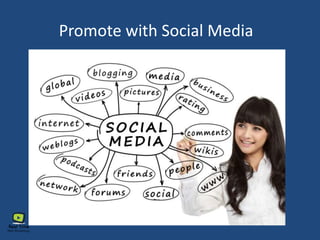
Promote with Social Media
“Includes websites & applications
that enable users to create and
share content or to participate in
social networking.” (Google Universal Search Result)
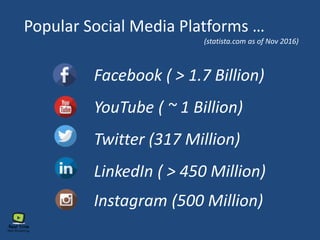
Popular Social Media Platforms …
Facebook ( > 1.7 Billion)
YouTube ( ~ 1 Billion)
Twitter (317 Million)
LinkedIn ( > 450 Million)
Instagram (500 Million)
(statista.com as of Nov 2016)
Why you should care about social media
 78% of U.S. Pop now has at least 1 social profile
 Worldwide expected to grow to 2.5 billion by 2018
(business2community.com & statista.com)
 Your competitors are most likely already there
 If they are not there, you have an advantage
 It is an agile & dynamic platform that can be tapped
into in a moments notice
Social + mobile = more power!
 Average person spends 90 min a day staring at their
smartphone (mobilestatistcs.com)
 You can use this to drive traffic to your website
through Facebook ads, posts, and more!
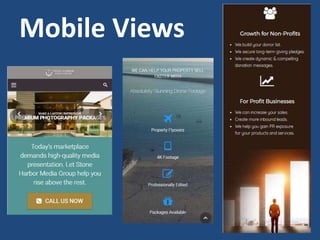
A sidebar about mobile design:
 Responsive website design a must!
 Mobile now 60% of webpage views
 A mobile webpage looks different
 Google & visitors will ignore bad
mobile experiences
Mobile Views
Using social media to promote
your website will:
 Increase traffic / Improve search rank
 Increase brand recognition
 Lead generation / list building
 Improve sales / Increase awareness
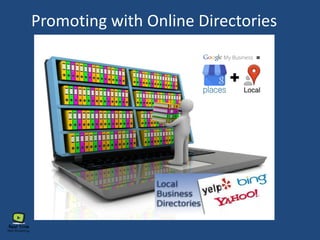
Promoting with Online Directories
 Directories built in a hierarchical way
 There are 1000’s of these
 Be listed correctly in the main ones
 Need at least NAP (name, add, phone)
 Register on several / results will be
magnified
Important online directories
 Google My Business, G+ Local
 Bing & Yahoo Local Business
 Local.com, YP.com, WhitePages.com
 YELP, LinkedIn & Facebook
 BBB.org, Foursquare, and more …
SECTION 4
Hosting, Security, & Maintenance
What you NEED to know!
Your choice of website hosts
matters … a lot!
 Cheep is NOT better; Invest here!
 Big names do not = good service
 Should spend at least $30 month
 Google will dock you for poor hosting
 Performance, uptime, security
Website Security Matters!
 Over 30,000 sites hacked each day!
 Mostly want access to your resources
 Cost to recover your site is high
 Loss of reputation & trust
 Google wants all sites to be https:
Ways to Secure Your Site
 Use a secure website host
 Make sure you use complex passwords
 Get a digital certificate (https://)
 Use a firewall (like Sucuri) in front
 Get a professional security review
Maintenance Your Site
 Most sites require maintenance now
 Plugins, scripts, code, & core updates
 Links go down & things break
 Brower standards change
 Hire a professional to maintain it
 Make regular backups!
Your turn to work!
• Who is your current website host (if you
have a website)
• Have you secured your website?
• Do you maintenance your website (perform
regular updates, check for outdated code,
perform regular backs, etc.)?
SECTION 5
Measure, Track, & Adjust
Why Track & Measure?
• Can’t improve what you don’t
measure!
• What is working / What does not?
• Are you getting a positive ROI?
• Did your change help or hurt?
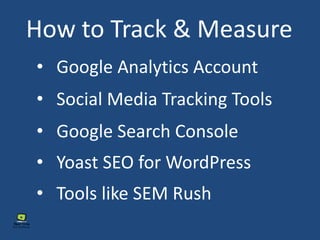
How to Track & Measure
• Google Analytics Account
• Google Search Console
• Yoast SEO for WordPress
• Tools like SEM Rush
• Social Media Tracking Tools
Your turn to work!
• Do you know if you have a Google
analytics account setup?
• Do you know if Google analytics is installed
and working on your website?
• Don’t be afraid to hire someone to help you
with these items! We are here to help!
SECTION 6
Should I fire my old website?
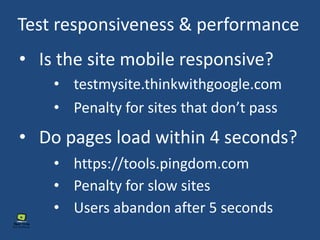
Test responsiveness & performance
• Is the site mobile responsive?
• Do pages load within 4 seconds?
• testmysite.thinkwithgoogle.com
• https://tools.pingdom.com
• Penalty for sites that don’t pass
• Penalty for slow sites
• Users abandon after 5 seconds
• Slow or non-responsive sites should
be fired!
A decisive verdict!
• Out-dated, non-professional looking
sites should be fired!
• Sites that have outdated code should
be fired! (vulnerable to attack!)
• www.w3.org/developers/tools
Other important tests
• Is the site ranking in Google?
• Are people using the site?
• Can it grow with your business?
• Does it look up to date?
• Site: YourDomainName.com
• Use the free SEMRush.com tools
Other important tests
• Can you update content yourself?
• Does everything work?
• Is most of the content good?
• Does it look & feel out of date?
• Can you it update yourself?
• If you answered “no” to most of the
questions, fire your old website.
More reasons to fire it!
• If the site isn’t ranking well, and the
issue is the way the site is built, fire it!
• If it will cost as much to update as to
rebuild, fire that old website!
• If you answered “yes” to most of the
questions, an update may work well.
When to keep it …
• If you just need to update content and
have someone help with SEO, keep it!
• If the site ranks well & works well, it
may be best to just update it!
Your turn to work!
• Based on my answers, should I keep
or fire my old website?
• If I keep my site, what do I need to
improve?
• If fire my old website, what is my
next step?
Your turn to work!
Questions?
“6 Reasons Your Website is Ineffective”
On my website’s marketing blog 6 Reasons Series
For more details, read my series of
articles on holistic web design
Mike Baker
http://twitter.com/realtimewebmktg
http://facebook.com/realtimewebmarketing
https://www.linkedin.com/in/realtimewebmarketing#
These slides
Thank you!
(714) 662-2203
https://realtimewebmarketing.com

Building a Powerful Small Business Website

  • 1.
    Building a PowerfulSmall Business Website By: Mike Baker (Real Time Web Marketing)
  • 2.
    Welcome to theWorkshop • This workshop is for you! • Try not to get overwhelmed • Not overly technical or detailed • Have fun, ask questions & get involved!
  • 3.
    Housekeeping Items • Modelrelease form, please • Why the video? • 10 minute break @ half-way • Worksheets, mailing list form • Copy of these slides online • Drawing at the end
  • 4.
    Getting to knoweach other 
  • 5.
    My Introduction: Owner ofReal Time Web Marketing MCSE, CNE & was a Microsoft Cert Trainer Last corp. job – Dir of Net & Telecom Mike Baker Degrees in NEM & Web Des/Dev Been a freelancer & biz owner last 8 yrs Taught network engineering & web design
  • 6.
    My Introduction: I loveworking with small biz owners I do still get my geek on I’m very hands on in with people & tech: Connecting people with technology I actually build & code websites Workshops / Networking / etc. I hold several industry certifications
  • 7.
    Let’s hear aboutyou now … How many own a website right now? How many have built a website? Have a small business right now? Anyone here work in the website business? How many of you maintain your own site? Are just starting one up?
  • 8.
    Why you attendedthis workshop? What is your biggest website challenge? What do you hope to get out this WS? Your Name, business you have Let’s hear from a few of you … What your biz does, what you do
  • 9.
    Building a PowerfulSmall Business Website
  • 10.
    • Section 1:Planning your website • Section 2: Building your website • Section 3: Promoting your website • Section 4: Hosting, security, maintenance What we will cover today • Section 5: Track, measure & adjust • Section 6: Should I fire my old website?
  • 11.
    What we wantwebsites to do Get found in Google results Visitors interact with it Collect leads for us Generate Sales Market our business well Give us credibility
  • 12.
    What is thebottom line? We want to see RESULTS
  • 13.
    Power starts withhow you package your business & brand online!
  • 14.
    Real Life PackagingExample This book didn’t sell … “Find out all about your self, your love, your friends, and family!”
  • 15.
    This book soldmillions! Same book! Why? Real Life Packaging Example
  • 16.
    Website packaging examples Wouldyou prefer this homepage ..
  • 17.
    Or this homepagefor your business? Graphic from Digital Marketer, Ryan Diess (http://www.digitalmarketer.com/) Website packaging examples
  • 18.
    What is apowerful website? • It ATTRACTS visitors • Gets visitors to INTERACT with it • Ranks well in google • Contains valuable content • Clicks and conversions
  • 19.
    What makes awebsite powerful? • Looks & feels professional • Content is laid out well • Built to Google’s standards • Speaks to your target market • Pages built like sales pages • Make a pitch on every page!
  • 20.
    What makes awebsite powerful? • Has engaging content • Will have video somewhere • Written content optimized SEO • Easy to use & locate resources • Content updated regularly
  • 21.
    What does apowerful do for us? • Works for us while we sleep! Salesperson 24/7! • Marketing machine • Keeps our customers informed • Can save you time, collect leads, answer questions, & more
  • 22.
    What makes awebsite powerful? Is built well enough to be a solid foundation for all of your online marketing
  • 23.
    NEVER FORGET! Your websiteis the virtual welcome mat & front door for your biz online
  • 24.
  • 25.
    Why is planningimportant?
  • 26.
    If you don’thave plans …
  • 27.
    You might endup with this …
  • 28.
    Are you buildingthis? … Know what you are building
  • 29.
    Know what youare building OR … are you building this?
  • 30.
    Are you buildingthis? … Know what you are building
  • 31.
    Know what youare building OR … are you building this?
  • 32.
    • Geographics • Demographics(socioeconomic) • Psychographics • Where do they live & work? • Age, income level, gender, etc. • A person’s values, interests, attitudes, and lifestyle.. WHO are you building it for!
  • 33.
    Your turn towork! • What do you know about your markets Geographics? • What do you know about your markets Demographics? • What do you know about your markets Psychographics?
  • 34.
    WHO are youbuilding it for! • Global, national or local? • English only or multilingual? • What do they watch / read? You also have an invisible audience!
  • 35.
  • 36.
    Bots & spiders?Say what? • Plan your site with Google & other search engines in mind. • ‘Bots’ or ‘spiders’ crawl the web. • They index pages & rank them. • Search engines display results.
  • 37.
    Which is moreimportant? • Site that caters to robots (SEO)? • Site that caters to your visitors? OR
  • 38.
    Who judges ifa site is good or not? • Visitors judge with their clicks & wallets • Google judges with search result rankings. • Google is always judging your site!
  • 39.
    The Battle Between Humans& Machines Online Directories Search Engines
  • 40.
    One key toa powerful website • There needs to be a balance! • Some elements more for Google • Some elements more for visitors • Sometimes they are at odds! • Each business website unique
  • 41.
  • 42.
    Choosing your domainname • .com for biz / .net for non-profit • Often contains business name • Make it intuitive & descriptive • Can helpful or cause confusion • How people find you by name
  • 43.
    Choosing Your DomainName • Avoid hyphens if possible • Long vs short / domain forwarding • What your biz does if possible • Up to 67 characters • Have people review it first!
  • 44.
    Tragic Domain Names •Speedofart.com • Speed of Art (Speedo’s art non-profit) • Tech Company “IT Scrap” … • Effective Office Environments • Effoff.com • Itscrap.com
  • 45.
    Domain names good/bad? •PlumbingSuppliesOC.com • AndySmithPhotography.com • ForTheChildrenNonProfit.org • AutoRepairShopOC.com • Rtwm-oc.com
  • 46.
    Your turn towork! • Share your domain name with someone near you, does it work? • If you don’t have one, make one up • Share results with the class
  • 47.
  • 48.
    What are yourgoals? • What is a conversion for you? • Sale of a product / service? • Get someone to call you? • Identify your goals / objectives? • Showcase services / products? • What do you want them to do?
  • 49.
    Your turn towork! • What do you want visitors to do when they land on your home page? • What are the goals for your website? • What is a conversion for you?
  • 50.
  • 51.
    Plan for Function/ Features • Photo Gallery (portfolio)? • Online Stone / Ecommerce? • Payment Processing? • Video / Audio? • Special/Conditional Forms? • Event Calendar?
  • 52.
    Your turn towork! • Which functions and/or features does your website have now or need later? • Are there any functions / features not on the list that you need? Share with us! • If there are features / functions you need, but can’t add to your current website, it may be time to fire your old site!
  • 53.
    Planning your website Planningyour pages / structure
  • 54.
    Pages you shouldhave • About / About Us • Contact / Contact Us • Terms of Service Agreement • Blog (if you will use it!) • Services / Products • Portfolio OR clients if needed
  • 55.
    Add these pagesif you can • FAQ’s (great for voice search) • Eg. “How do I fix my drain?” • Separate page for each service • A team page if needed • Video or photo gallery • Pages of valuable content
  • 56.
    Pages should … •Have links to other pages
  • 57.
  • 58.
    Pages should … •Have links to other pages • Every page needs a focus! • Page names should reflect content • Important content easy to locate • Goal is to get people to interact • Content should be easy to scan
  • 59.
    Your turn towork! • If I have a website already, are there any pages that I think I may need to add to my website? • If I have a website, are there any pages that I may be able to get rid of to clean my website up? • If I have a website, am I linking to other pages inside my website AND linking to resources outside of my website?
  • 60.
  • 61.
    Meta Data &Tags • Pages have info you don’t see • Meta data, html tags (alt tags, h1, etc.) • Google uses this information • Webpage readers use it too • Ignoring it could affect your SEO • This is part of what an SEO expert does
  • 62.
    Your turn towork! • How do I plan to deal with the ‘invisible stuff’ that my website needs?  Hire an SEO expert to help?  Watch some videos / read online?  Visit Yoast.com to learn more  I’m not doing anything! If I can’t see it, it doesn’t exist!
  • 63.
  • 64.
    What visitors wantmost! When asked, “What do you want most in a website?”, 9 out of 10 respond … “I want to find what I’m looking for … and I want to find it quickly.”
  • 65.
    TIP: Get feedbackfrom others …
  • 66.
    What poor websitefeels like to a visitor
  • 67.
    What a poorwebsite looks like NOT!
  • 68.
  • 69.
  • 70.
    Elements most homepagesneeds • Clear messaging – who you are & what you do • Clear, visible navigation – don’t make them think! • Relevant content, optimized for your business name & service area • Supporting images, video, graphics (relevant) • A primary call-to-action
  • 71.
    Clear Messaging Examples •Starts with your branding • Logo should be in header • Good tag lines help clarify • Use upper area to clarify • Include location(s) & phone
  • 72.
  • 73.
  • 74.
    Your turn towork! • Does you website have my name, address, and phone number (NAP) in the footer (or header), and on the contact page? • What is you business tag line? Share it with us!
  • 75.
    Elements most homepagesneeds • Clear messaging – who you are & what you do. • Clear, visible navigation – don’t make them think!
  • 76.
    Navigation • Don’t getclever with location • Should have good contrast • Don’t make text too small • Plan ahead for pages & navigation • Short, but descriptive names
  • 77.
  • 78.
    Elements most homepagesneeds • Clear messaging – who you are & what you do. • Clear, visible navigation – don’t make them think! • Relevant & useful content, optimized for your business name & service area.
  • 79.
    Relevant Content • Serviceareas if relevant • Contact info easy to locate (NAP) • Use business name in text • Products / Services clearly listed • Needs links to interior pages
  • 80.
    The Awareness Ladder •Do they know they need it? • Do they know you offer it? • Do they know you are the best person to buy it from?
  • 81.
  • 82.
  • 83.
    Use Leading Questions Linksto inside content
  • 84.
    Your turn towork! • What services do you offer? • What benefits do you offer your clients/customers?
  • 85.
    Elements most homepagesneeds • Clear messaging – who you are & what you do. • Clear, visible navigation – don’t make them think! • Relevant & useful content, optimized for your business name & service area. • A primary call-to-action
  • 86.
    Call-to-Action (CTA) • Animage or line of text (or both) • Stands out from other content • Power of suggestion! • How you get people to buy / act • Includes a offer, enticement
  • 87.
    Good Call-to-Action Elements ExitIntent Pop-Ups CTA Buttons / Offers Countdown Offer Timers
  • 88.
  • 89.
    Your turn towork! • Which calls-to-action elements do I use, or would like to start using? • What is my call-to-action text going to be? • What is/are my call-to-action element(s) going to link to?
  • 90.
    Elements most homepagesneeds • Clear messaging – who you are & what you do. • Clear, visible navigation – don’t make them think! • Relevant & useful content, optimized for your business name & service area. • Supporting images, video, graphics (relevant) • A primary call-to-action
  • 91.
    Supporting Images &Graphics • Compelling images evoke emotion • Images can be tagged for SEO • Images reinforce what you do • Good imagery reinforces brand • Graphics make lists interesting
  • 92.
    Are these CTA’sbetter? Why? Use CTA Blocks w/ button for max results!
  • 93.
    Supporting Images Which isbetter … this one
  • 94.
  • 95.
  • 96.
    What’s Wrong Here? Goodexample of being too clever!
  • 97.
  • 98.
  • 99.
    Talk to meabout this page …
  • 100.
  • 101.
    When building interiorpages • Google wants headings! • Know that people scan webpages • Include images if relevant • Break text up w/ headings • Make it easy for them to find what they want
  • 102.
    Which pages seemsmore readable?
  • 103.
    Which pages seemsmore readable?
  • 104.
    CMS, WordPress &other platforms What should I build my website on?
  • 105.
    What is aCMS? • Content Management System (CMS) • Doesn’t require a developer for every change • Needs more maintenance (updates) than a traditional, non-CMS site • Website software that makes it easier to add content & edit
  • 106.
    What is aCMS? • Most popular is WordPress (25%) • Some other CMS offerings are: • Drupal • DotNetNuke • Joomla • Magneto (ecommerce)
  • 107.
    Why I recommendWordPress • WordPress is open source (free) • Tons of meetups & user groups • Plugins (extensions) are inexpensive • Large support community • You can learn to use it yourself! • Can grow with your business
  • 108.
    Other Options • Buildon a hosted environment • GoDaddy, BlueHost, HostGator, etc. • Wix, WordPress.com, SquareSpace • Offer do-it-yourself websites • Limited expandability / not great for SEO • Only if you have a very limited budget
  • 109.
    Other self-hosted options •More expensive to build • Have your website custom built in a non-CMS platform • Ruby, HTML/PHP, ASP.Net, Perl • Need developer to do updates or add content
  • 110.
  • 111.
    There’s power inpromotion! • Another way for people to find you • Social Media & Online Directories • Focus on core / profitable items • Search engines results not enough • Clicks to website = better results
  • 112.
    Promote with SocialMedia “Includes websites & applications that enable users to create and share content or to participate in social networking.” (Google Universal Search Result)
  • 113.
    Popular Social MediaPlatforms … Facebook ( > 1.7 Billion) YouTube ( ~ 1 Billion) Twitter (317 Million) LinkedIn ( > 450 Million) Instagram (500 Million) (statista.com as of Nov 2016)
  • 114.
    Why you shouldcare about social media  78% of U.S. Pop now has at least 1 social profile  Worldwide expected to grow to 2.5 billion by 2018 (business2community.com & statista.com)  Your competitors are most likely already there  If they are not there, you have an advantage  It is an agile & dynamic platform that can be tapped into in a moments notice
  • 115.
    Social + mobile= more power!  Average person spends 90 min a day staring at their smartphone (mobilestatistcs.com)  You can use this to drive traffic to your website through Facebook ads, posts, and more!
  • 116.
    A sidebar aboutmobile design:  Responsive website design a must!  Mobile now 60% of webpage views  A mobile webpage looks different  Google & visitors will ignore bad mobile experiences
  • 117.
  • 118.
    Using social mediato promote your website will:  Increase traffic / Improve search rank  Increase brand recognition  Lead generation / list building  Improve sales / Increase awareness
  • 119.
  • 120.
    Promoting with OnlineDirectories  Directories built in a hierarchical way  There are 1000’s of these  Be listed correctly in the main ones  Need at least NAP (name, add, phone)  Register on several / results will be magnified
  • 121.
    Important online directories Google My Business, G+ Local  Bing & Yahoo Local Business  Local.com, YP.com, WhitePages.com  YELP, LinkedIn & Facebook  BBB.org, Foursquare, and more …
  • 122.
    SECTION 4 Hosting, Security,& Maintenance What you NEED to know!
  • 123.
    Your choice ofwebsite hosts matters … a lot!  Cheep is NOT better; Invest here!  Big names do not = good service  Should spend at least $30 month  Google will dock you for poor hosting  Performance, uptime, security
  • 124.
    Website Security Matters! Over 30,000 sites hacked each day!  Mostly want access to your resources  Cost to recover your site is high  Loss of reputation & trust  Google wants all sites to be https:
  • 125.
    Ways to SecureYour Site  Use a secure website host  Make sure you use complex passwords  Get a digital certificate (https://)  Use a firewall (like Sucuri) in front  Get a professional security review
  • 126.
    Maintenance Your Site Most sites require maintenance now  Plugins, scripts, code, & core updates  Links go down & things break  Brower standards change  Hire a professional to maintain it  Make regular backups!
  • 127.
    Your turn towork! • Who is your current website host (if you have a website) • Have you secured your website? • Do you maintenance your website (perform regular updates, check for outdated code, perform regular backs, etc.)?
  • 128.
  • 129.
    Why Track &Measure? • Can’t improve what you don’t measure! • What is working / What does not? • Are you getting a positive ROI? • Did your change help or hurt?
  • 130.
    How to Track& Measure • Google Analytics Account • Google Search Console • Yoast SEO for WordPress • Tools like SEM Rush • Social Media Tracking Tools
  • 131.
    Your turn towork! • Do you know if you have a Google analytics account setup? • Do you know if Google analytics is installed and working on your website? • Don’t be afraid to hire someone to help you with these items! We are here to help!
  • 132.
    SECTION 6 Should Ifire my old website?
  • 133.
    Test responsiveness &performance • Is the site mobile responsive? • Do pages load within 4 seconds? • testmysite.thinkwithgoogle.com • https://tools.pingdom.com • Penalty for sites that don’t pass • Penalty for slow sites • Users abandon after 5 seconds
  • 134.
    • Slow ornon-responsive sites should be fired! A decisive verdict! • Out-dated, non-professional looking sites should be fired! • Sites that have outdated code should be fired! (vulnerable to attack!) • www.w3.org/developers/tools
  • 135.
    Other important tests •Is the site ranking in Google? • Are people using the site? • Can it grow with your business? • Does it look up to date? • Site: YourDomainName.com • Use the free SEMRush.com tools
  • 136.
    Other important tests •Can you update content yourself? • Does everything work? • Is most of the content good? • Does it look & feel out of date? • Can you it update yourself?
  • 137.
    • If youanswered “no” to most of the questions, fire your old website. More reasons to fire it! • If the site isn’t ranking well, and the issue is the way the site is built, fire it! • If it will cost as much to update as to rebuild, fire that old website!
  • 138.
    • If youanswered “yes” to most of the questions, an update may work well. When to keep it … • If you just need to update content and have someone help with SEO, keep it! • If the site ranks well & works well, it may be best to just update it!
  • 139.
    Your turn towork! • Based on my answers, should I keep or fire my old website? • If I keep my site, what do I need to improve? • If fire my old website, what is my next step?
  • 140.
    Your turn towork! Questions?
  • 141.
    “6 Reasons YourWebsite is Ineffective” On my website’s marketing blog 6 Reasons Series For more details, read my series of articles on holistic web design
  • 142.