Video workshop
Chris Snider | Oct. 15, 2019
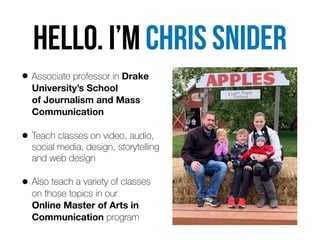
HELLo. I’m Chris snider
• Associate professor in Drake
University’s School 

of Journalism and Mass
Communication
• Teach classes on video, audio,
social media, design, storytelling
and web design
• Also teach a variety of classes 

on those topics in our 

Online Master of Arts in
Communication program
• I’m passionate about how businesses can use social
media and digital media
• Formerly editor at Juice Magazine and the Des Moines
Register
• Continue to run social media accounts and build websites 

for clients and several related to Drake University
Video is more popular and more 

in-demand than ever
The problem is… most people don’t
know how to make quality video.
But you can do it with only a smartphone.
https://youtu.be/gyOogqIqgmc
FiLMiC Pro Contest Reel - 2015
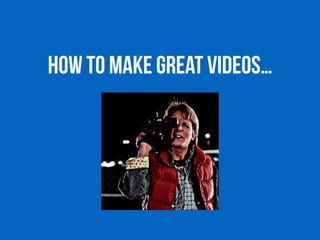
How to make great videos…
Shoot in shots
• Don’t shoot in one continuous movement or hold one
shot for too long
• Shoot a series of unique shots and put them together
to tell the story
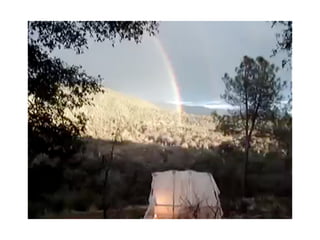
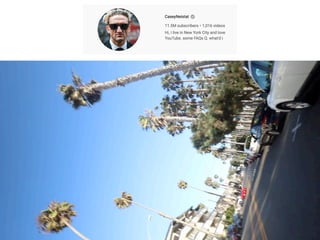
• This is a terrible video (with millions of views)…
Move, point, shoot, stop.
• Frame your shot, then press record until it gets boring.
• Then stop and move on to the next one.
• Shoot more than you think you’ll need (you don’t have
to use it all)
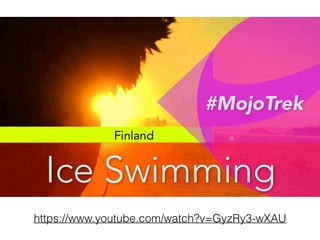
https://www.youtube.com/watch?v=GyzRy3-wXAU
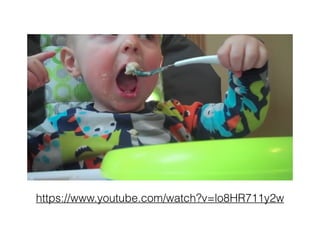
https://www.youtube.com/watch?v=lo8HR711y2w
Camera movement…
• Pan - move the camera horizontally
• Tilt - move the camera vertically
• Zoom - move toward/away from to subject
• Always begin and end stable
… avoid camera movement
• Any sort of camera movement is advanced technique
• Hold the camera still and let the movement happen
inside your composed shot
• Most great TV/movies are a series of still shots
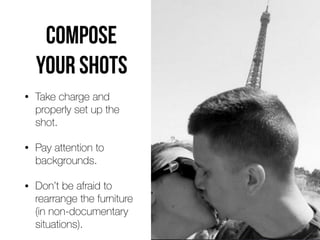
COMPOSE
YOUR SHOTS
• Take charge and
properly set up the
shot.
• Pay attention to
backgrounds.
• Don’t be afraid to
rearrange the furniture 

(in non-documentary
situations).
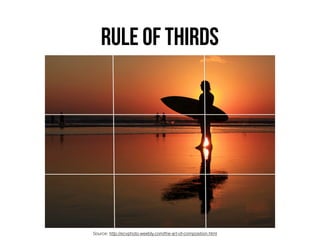
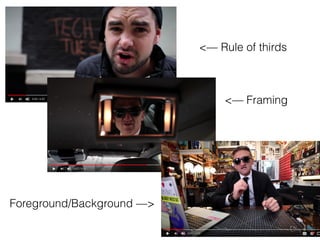
RULE OF THIRDS
Source: http://ecvphoto.weebly.com/the-art-of-composition.html
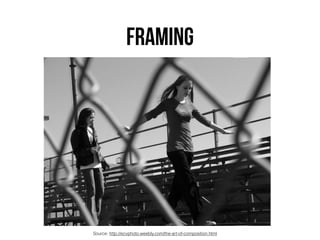
FRAMING
Source: http://ecvphoto.weebly.com/the-art-of-composition.html
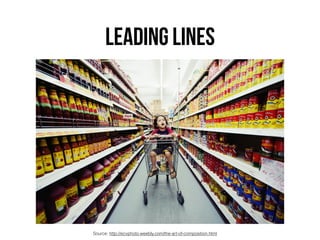
LEADING LINES
Source: http://ecvphoto.weebly.com/the-art-of-composition.html
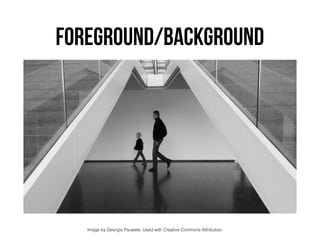
FOREGROUND/BACKGROUND
Image by Georgie Pauwels. Used with Creative Commons Attribution.
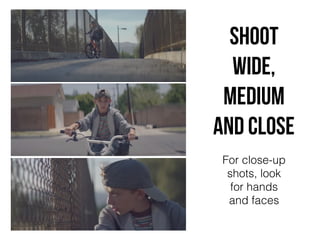
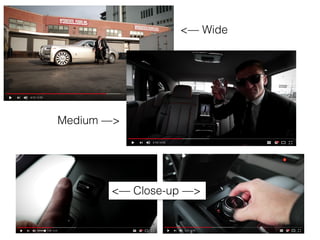
Shoot
wide,
medium
and cLose
For close-up
shots, look
for hands
and faces
<— Wide
Medium —>
<— Close-up —>
<— Framing
<— Rule of thirds
Foreground/Background —>
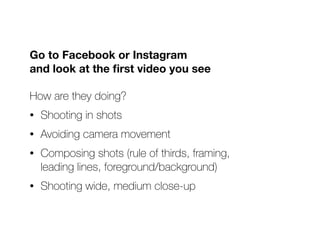
Go to Facebook or Instagram 

and look at the first video you see
How are they doing?
• Shooting in shots
• Avoiding camera movement
• Composing shots (rule of thirds, framing, 

leading lines, foreground/background)
• Shooting wide, medium close-up
Let’s shoot, Part 1
• Shoot at least five shots of someone doing an action
(using a prop, being “lost on campus” or ????)
• Include wide, medium and close-up shots
• Hold the camera steady
• Compose shots - rule of thirds, framing, leading lines,
foreground/background
Shooting in shots
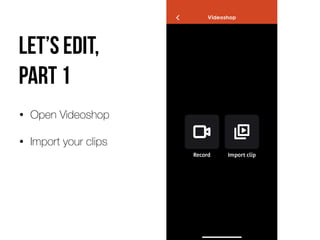
Let’s edit, 

part 1
• Open Videoshop
• Import your clips
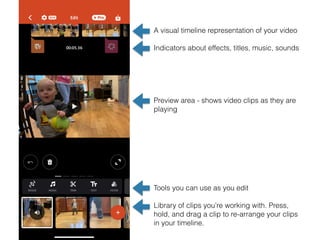
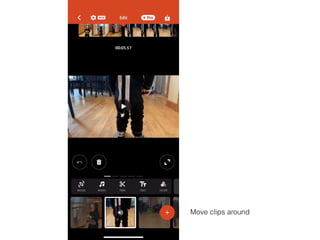
A visual timeline representation of your video
Indicators about effects, titles, music, sounds
Preview area - shows video clips as they are
playing
Tools you can use as you edit
Library of clips you’re working with. Press,
hold, and drag a clip to re-arrange your clips
in your timeline.
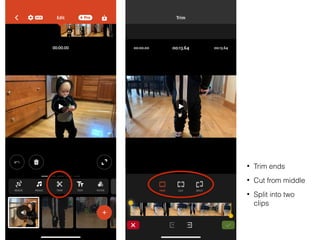
• Trim ends
• Cut from middle
• Split into two
clips
Move clips around
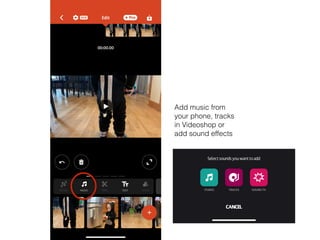
Add music from
your phone, tracks
in Videoshop or
add sound effects
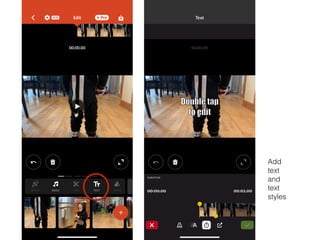
Add
text
and
text
styles
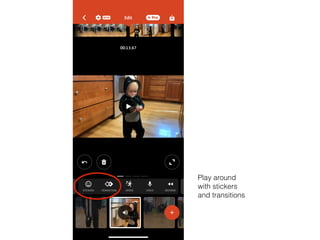
Play around
with stickers
and transitions
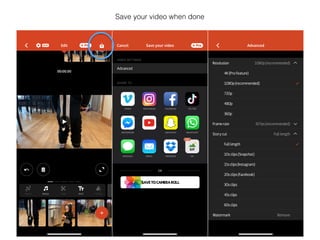
Save your video when done
Tips
FOR BETTER VIDEO
Shoot in sequences
• Think in terms of scenes
• For each scene, follow the action, shoot wide, medium
and close-up
• Reconstruct the event so it appears to happen in real
time. Look for things that repeat (so you can shoot
more than once). Or have your subject repeat them (if
possible)
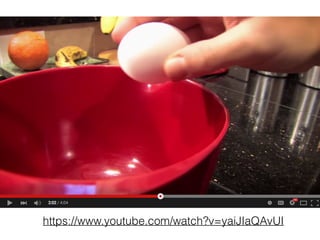
https://www.youtube.com/watch?v=yaiJIaQAvUI
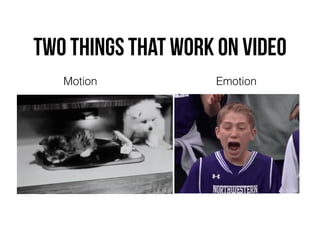
Two things that work on video
Motion Emotion
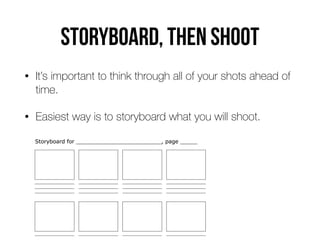
Storyboard, then shoot
• It’s important to think through all of your shots ahead of
time.
• Easiest way is to storyboard what you will shoot.
Use Pattern interrupts
Pattern Interrupts are elements in your video that are different than the rest
of your video (they literally "interrupt" the “pattern"). Pattern Interrupts can be:
• On-screen graphics
• Animations
• New background or setting
• B roll shots
• Different camera angles
• Sound effects
Tell a story
• Every video will be better if it tells a story.
• A story should have three elements
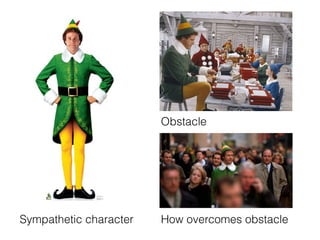
• A sympathetic character
• An obstacle (the thing in your character’s way)
• A pot of gold (the end goal or reward)
Sympathetic character
Obstacle
How overcomes obstacle
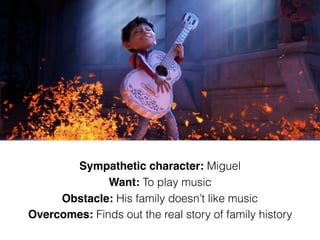
Sympathetic character: Miguel
Want: To play music
Obstacle: His family doesn’t like music
Overcomes: Finds out the real story of family history
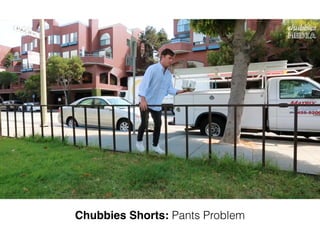
Chubbies Shorts: Pants Problem
Let’s BRAINSTORM
• Choose a topic: the not-so-great outdoors 

OR trouble at birthday party

OR first-date disaster
• Who is your sympathetic character?
• What is the obstacle? How do they overcome?
• What happens in beginning, middle, end?
you’re only as good as your audio
• A video that is difficult to hear will turn off viewers.
• Avoid locations with bad acoustics.
• Avoid distracting background noises (busy areas, heavy
machinery, lawnmowers, etc.)
• Use an external microphone for quality audio.
Hardware
FOR BETTER smartphone VIDEO
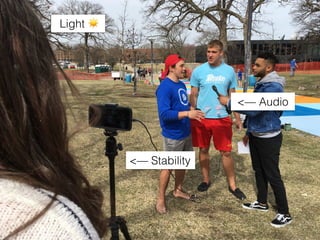
Smartphone video has 

four main weaknesses
Hard to keep phone stable 

(stabilization does get better every year)
Lack of quality audio when too far from camera
Not great in low-light situations
Limited zoom options (also getting better)
<— Stability
<— Audio
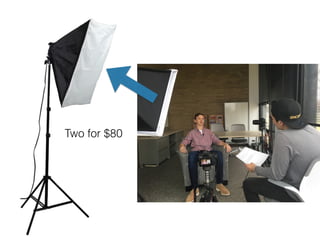
Light ☀
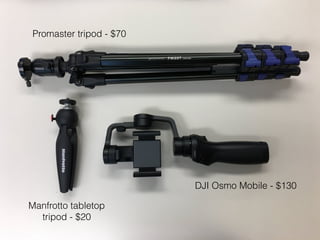
Promaster tripod - $70
Manfrotto tabletop
tripod - $20
DJI Osmo Mobile - $130
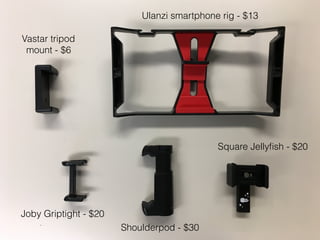
Joby Griptight - $20
Shoulderpod - $30
Square Jellyfish - $20
Ulanzi smartphone rig - $13
Vastar tripod
mount - $6
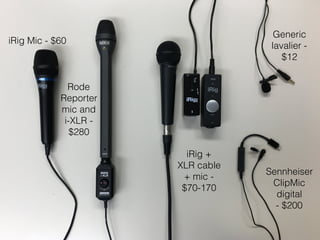
iRig Mic - $60
Rode
Reporter
mic and
i-XLR -
$280
iRig +
XLR cable
+ mic -
$70-170
Generic
lavalier -
$12
Sennheiser
ClipMic
digital 

- $200
Two for $80
Zoom with your feet, 

not with your lens
• Shoot at your camera’s widest setting for stability
• 10x zoom = 10x shakiness
• Can be uncomfortable to get in close, but it’s our best
option
Let’s shoot and edit, part 2
• What we’re focusing on
• Quality audio
• Variety of shots
• Shooting in sequences
• Tripod for steady video
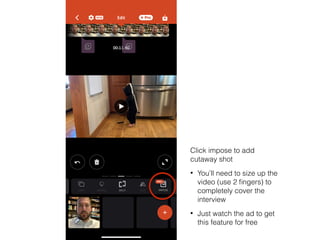
Interview with b-roll
Click impose to add
cutaway shot
• You’ll need to size up the
video (use 2 fingers) to
completely cover the
interview
• Just watch the ad to get
this feature for free
Apps
FOR BETTER VIDEO
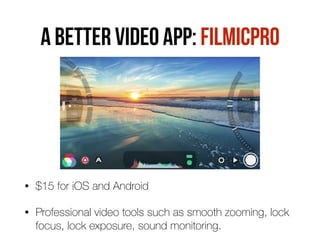
A BETTER VIDEO APP: FILMICPRO
• $15 for iOS and Android
• Professional video tools such as smooth zooming, lock
focus, lock exposure, sound monitoring.
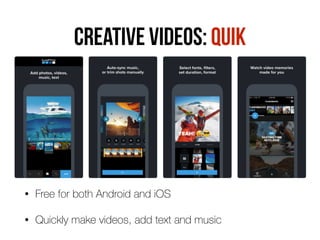
Creative videos: Quik
• Free for both Android and iOS
• Quickly make videos, add text and music
I created this in less than 60 seconds with Quik app.
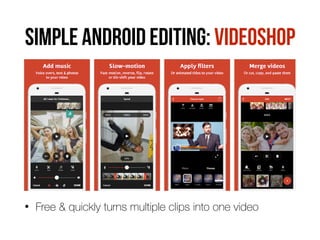
SIMPLE ANDROID EDITING: VIDEOSHOP
• Free & quickly turns multiple clips into one video
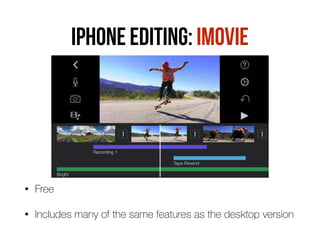
IPHONE EDITING: IMOVIE
• Free
• Includes many of the same features as the desktop version
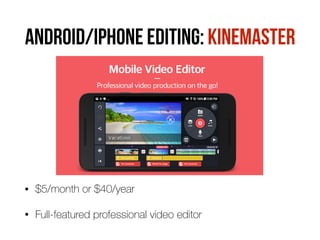
ANDROID/iphone EDITING: KINEMASTER
• $5/month or $40/year
• Full-featured professional video editor
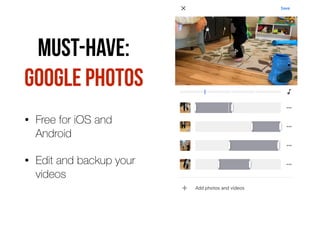
MUST-HAVE:
GooGle Photos
• Free for iOS and
Android
• Edit and backup your
videos
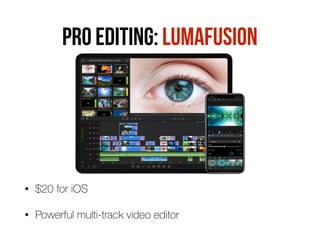
PRO editing: LUMAFUSION
• $20 for iOS
• Powerful multi-track video editor
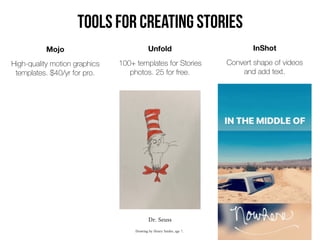
Mojo
High-quality motion graphics
templates. $40/yr for pro.
Unfold
100+ templates for Stories
photos. 25 for free.
InShot
Convert shape of videos 

and add text.
Tools for creating Stories
MORE VIDEO APPS TO TRY
• YouStar - add special effects to videos
• Jumprope - create step-by-step how-to videos
• Action Movie FX - add Hollywood special effects
• Adobe Rush - shoot, edit and share videos
• Cinamaker - shoot videos with multiple phones
Let’s shoot and edit, part 3
• What we’re focusing on
• Storyboard
• Quality audio
• Variety of shots
• Tripod for steady video
5 shots about you
QUESTIONS?
Follow Chris:
twitter: @chrissnider
Instagram: @csnider
chrissniderdesign.com

Video Workshop - Oct. 2019

  • 1.
  • 2.
    HELLo. I’m Chrissnider • Associate professor in Drake University’s School 
 of Journalism and Mass Communication • Teach classes on video, audio, social media, design, storytelling and web design • Also teach a variety of classes 
 on those topics in our 
 Online Master of Arts in Communication program
  • 3.
    • I’m passionateabout how businesses can use social media and digital media • Formerly editor at Juice Magazine and the Des Moines Register • Continue to run social media accounts and build websites 
 for clients and several related to Drake University
  • 4.
    Video is morepopular and more 
 in-demand than ever The problem is… most people don’t know how to make quality video. But you can do it with only a smartphone.
  • 5.
  • 6.
    How to makegreat videos…
  • 7.
    Shoot in shots •Don’t shoot in one continuous movement or hold one shot for too long • Shoot a series of unique shots and put them together to tell the story • This is a terrible video (with millions of views)…
  • 9.
    Move, point, shoot,stop. Move, point, shoot, stop. Move, point, shoot, stop. • Frame your shot, then press record until it gets boring. • Then stop and move on to the next one. • Shoot more than you think you’ll need (you don’t have to use it all)
  • 10.
  • 11.
  • 13.
    Camera movement… • Pan- move the camera horizontally • Tilt - move the camera vertically • Zoom - move toward/away from to subject • Always begin and end stable
  • 14.
    … avoid cameramovement • Any sort of camera movement is advanced technique • Hold the camera still and let the movement happen inside your composed shot • Most great TV/movies are a series of still shots
  • 16.
    COMPOSE YOUR SHOTS • Takecharge and properly set up the shot. • Pay attention to backgrounds. • Don’t be afraid to rearrange the furniture 
 (in non-documentary situations).
  • 17.
    RULE OF THIRDS Source:http://ecvphoto.weebly.com/the-art-of-composition.html
  • 18.
  • 19.
  • 20.
    FOREGROUND/BACKGROUND Image by GeorgiePauwels. Used with Creative Commons Attribution.
  • 21.
  • 22.
  • 23.
    <— Framing <— Ruleof thirds Foreground/Background —>
  • 25.
    Go to Facebookor Instagram 
 and look at the first video you see How are they doing? • Shooting in shots • Avoiding camera movement • Composing shots (rule of thirds, framing, 
 leading lines, foreground/background) • Shooting wide, medium close-up
  • 26.
    Let’s shoot, Part1 • Shoot at least five shots of someone doing an action (using a prop, being “lost on campus” or ????) • Include wide, medium and close-up shots • Hold the camera steady • Compose shots - rule of thirds, framing, leading lines, foreground/background Shooting in shots
  • 28.
    Let’s edit, 
 part1 • Open Videoshop • Import your clips
  • 29.
    A visual timelinerepresentation of your video Indicators about effects, titles, music, sounds Preview area - shows video clips as they are playing Tools you can use as you edit Library of clips you’re working with. Press, hold, and drag a clip to re-arrange your clips in your timeline.
  • 30.
    • Trim ends •Cut from middle • Split into two clips
  • 31.
  • 32.
    Add music from yourphone, tracks in Videoshop or add sound effects
  • 33.
  • 34.
  • 35.
    Save your videowhen done
  • 37.
  • 38.
    Shoot in sequences •Think in terms of scenes • For each scene, follow the action, shoot wide, medium and close-up • Reconstruct the event so it appears to happen in real time. Look for things that repeat (so you can shoot more than once). Or have your subject repeat them (if possible)
  • 39.
  • 40.
    Two things thatwork on video Motion Emotion
  • 41.
    Storyboard, then shoot •It’s important to think through all of your shots ahead of time. • Easiest way is to storyboard what you will shoot.
  • 42.
    Use Pattern interrupts PatternInterrupts are elements in your video that are different than the rest of your video (they literally "interrupt" the “pattern"). Pattern Interrupts can be: • On-screen graphics • Animations • New background or setting • B roll shots • Different camera angles • Sound effects
  • 44.
    Tell a story •Every video will be better if it tells a story. • A story should have three elements • A sympathetic character • An obstacle (the thing in your character’s way) • A pot of gold (the end goal or reward)
  • 45.
  • 46.
    Sympathetic character: Miguel Want:To play music Obstacle: His family doesn’t like music Overcomes: Finds out the real story of family history
  • 47.
  • 48.
    Let’s BRAINSTORM • Choosea topic: the not-so-great outdoors 
 OR trouble at birthday party
 OR first-date disaster • Who is your sympathetic character? • What is the obstacle? How do they overcome? • What happens in beginning, middle, end?
  • 49.
    you’re only asgood as your audio • A video that is difficult to hear will turn off viewers. • Avoid locations with bad acoustics. • Avoid distracting background noises (busy areas, heavy machinery, lawnmowers, etc.) • Use an external microphone for quality audio.
  • 50.
  • 51.
    Smartphone video has
 four main weaknesses Hard to keep phone stable 
 (stabilization does get better every year) Lack of quality audio when too far from camera Not great in low-light situations Limited zoom options (also getting better)
  • 52.
  • 53.
    Promaster tripod -$70 Manfrotto tabletop tripod - $20 DJI Osmo Mobile - $130
  • 54.
    Joby Griptight -$20 Shoulderpod - $30 Square Jellyfish - $20 Ulanzi smartphone rig - $13 Vastar tripod mount - $6
  • 55.
    iRig Mic -$60 Rode Reporter mic and i-XLR - $280 iRig + XLR cable + mic - $70-170 Generic lavalier - $12 Sennheiser ClipMic digital 
 - $200
  • 56.
  • 57.
    Zoom with yourfeet, 
 not with your lens • Shoot at your camera’s widest setting for stability • 10x zoom = 10x shakiness • Can be uncomfortable to get in close, but it’s our best option
  • 58.
    Let’s shoot andedit, part 2 • What we’re focusing on • Quality audio • Variety of shots • Shooting in sequences • Tripod for steady video Interview with b-roll
  • 59.
    Click impose toadd cutaway shot • You’ll need to size up the video (use 2 fingers) to completely cover the interview • Just watch the ad to get this feature for free
  • 61.
  • 62.
    A BETTER VIDEOAPP: FILMICPRO • $15 for iOS and Android • Professional video tools such as smooth zooming, lock focus, lock exposure, sound monitoring.
  • 63.
    Creative videos: Quik •Free for both Android and iOS • Quickly make videos, add text and music
  • 64.
    I created thisin less than 60 seconds with Quik app.
  • 65.
    SIMPLE ANDROID EDITING:VIDEOSHOP • Free & quickly turns multiple clips into one video
  • 66.
    IPHONE EDITING: IMOVIE •Free • Includes many of the same features as the desktop version
  • 67.
    ANDROID/iphone EDITING: KINEMASTER •$5/month or $40/year • Full-featured professional video editor
  • 68.
    MUST-HAVE: GooGle Photos • Freefor iOS and Android • Edit and backup your videos
  • 69.
    PRO editing: LUMAFUSION •$20 for iOS • Powerful multi-track video editor
  • 70.
    Mojo High-quality motion graphics templates.$40/yr for pro. Unfold 100+ templates for Stories photos. 25 for free. InShot Convert shape of videos 
 and add text. Tools for creating Stories
  • 71.
    MORE VIDEO APPSTO TRY • YouStar - add special effects to videos • Jumprope - create step-by-step how-to videos • Action Movie FX - add Hollywood special effects • Adobe Rush - shoot, edit and share videos • Cinamaker - shoot videos with multiple phones
  • 72.
    Let’s shoot andedit, part 3 • What we’re focusing on • Storyboard • Quality audio • Variety of shots • Tripod for steady video 5 shots about you
  • 73.