Information Retrieval
System
LIS 704
By: Leslie B. Vargas
MLIS. PNU
DEFINITION OF TERMS
Information: DATA, FACTS (Synonyms)
• the communication or reception of knowledge or intelligence
• knowledge obtained from investigation, study, or instruction
Retrieval
• To get and bring back, especially : to recover from storage.
• Refers to searching through stored information to find information relevant
to the task at hand.
System
• a set of principles or procedures according to which something is done
• an organized scheme or method.
Information Retrieval (IR)
• Coined by Calvin Mooers in 1950, gained popularity from 1961 onwards.
• Used to mean retrieval of bibliographic information from stored document
databases
Information Retrieval System
• Document retrieval system, Information storage and retrieval, information
organization and retrieval, information processing and retrieval, text retrieval,
information representation and retrieval, and information access.
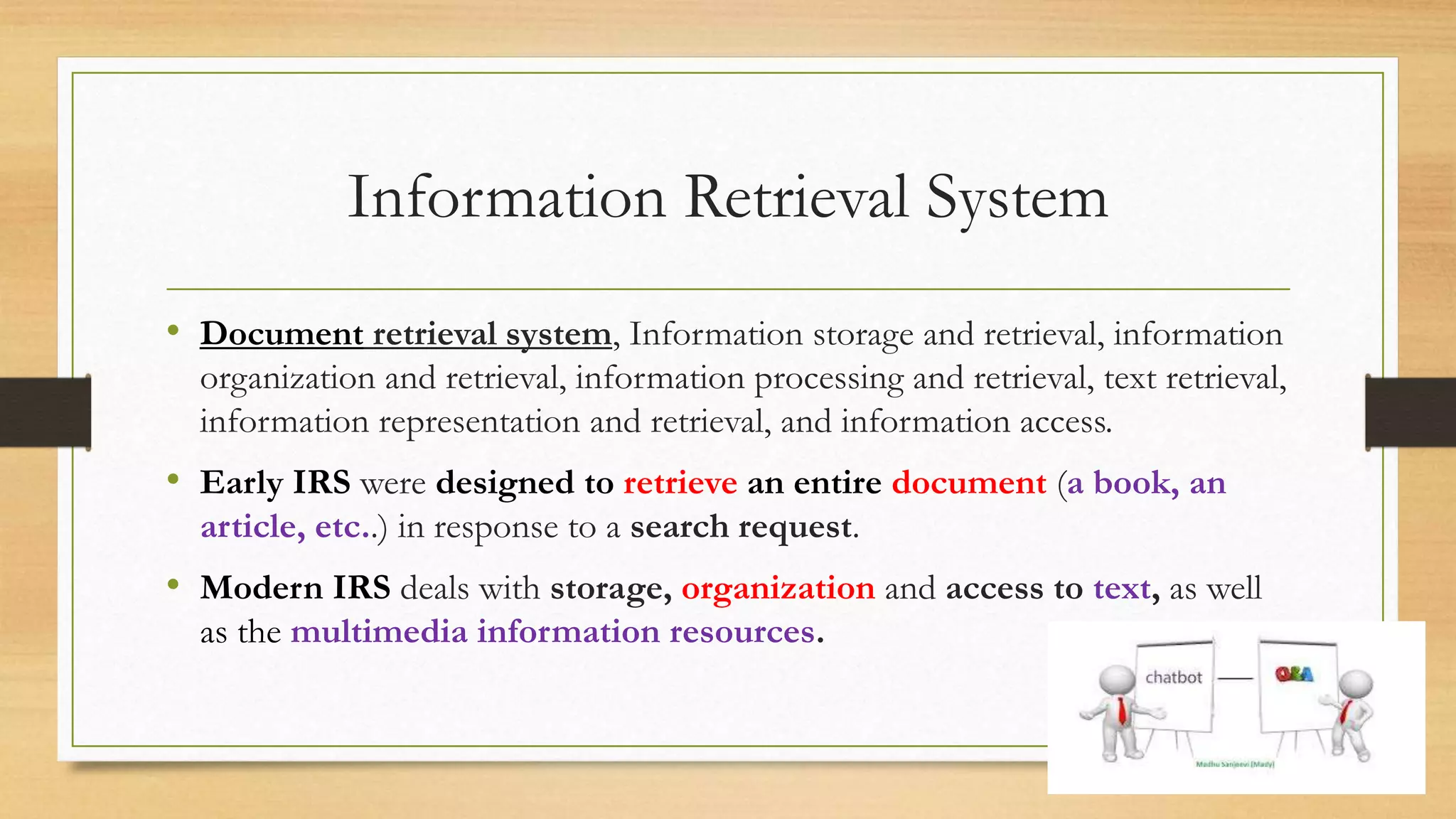
• Early IRS were designed to retrieve an entire document (a book, an
article, etc..) in response to a search request.
• Modern IRS deals with storage, organization and access to text, as well
as the multimedia information resources.
“
”
What is the role of the USER?
FORMULATE QUERY/ SEARCH REQUEST
CHIEF GOAL
• Indexing text and searching for useful
documents in a collection.
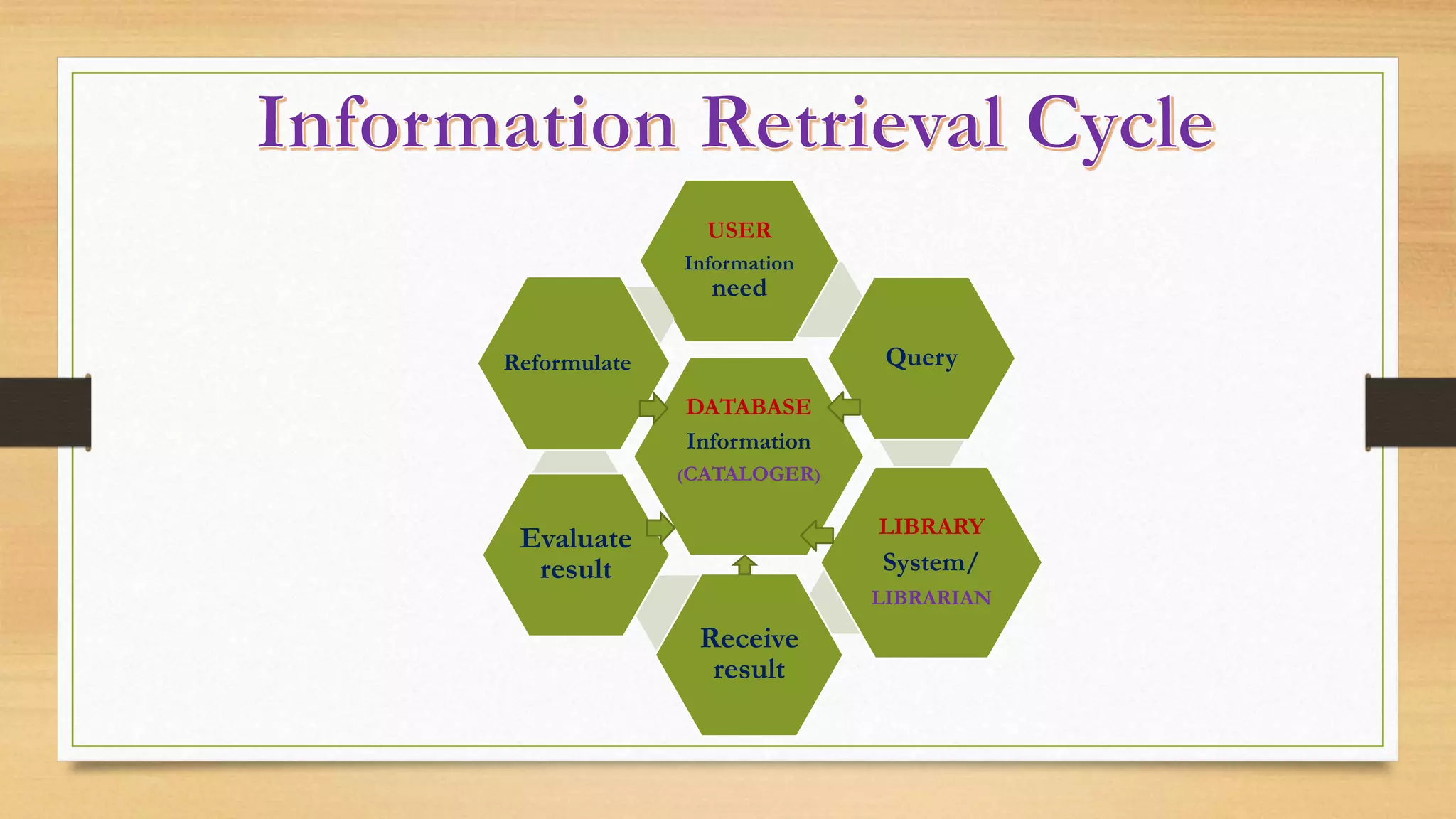
DATABASE
Information
(CATALOGER)
USER
Information
need
Query
LIBRARY
System/
LIBRARIAN
Receive
result
Evaluate
result
ReformulateReformulate
CENTRAL OBJECTIVE
Achieving a successful match
“
”
What is the Role of the LIBRARIAN?
Assist in meeting the demands of required information of a USER
• Obtaining and providing information resources relevant to an information need from a
collection of information resources;
• The principal function of any library is to make available to the users, the information they need.
To fulfill this, the information which is stored in the library must be retrieved from the library
database;
• Thus the librarians perform the long process of organized data input to come up with the
information made available for the user.
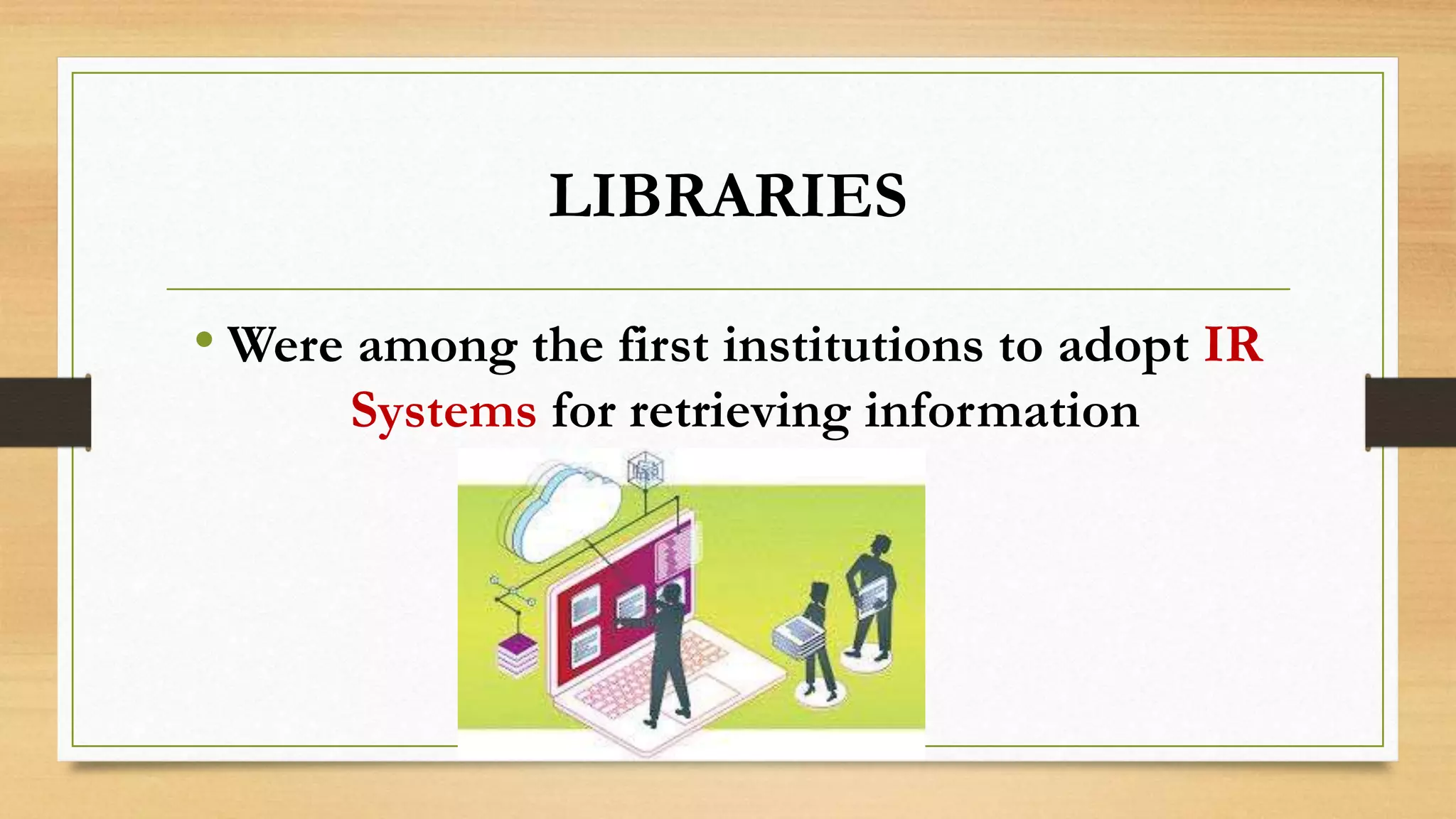
LIBRARIES
• Were among the first institutions to adopt IR
Systems for retrieving information
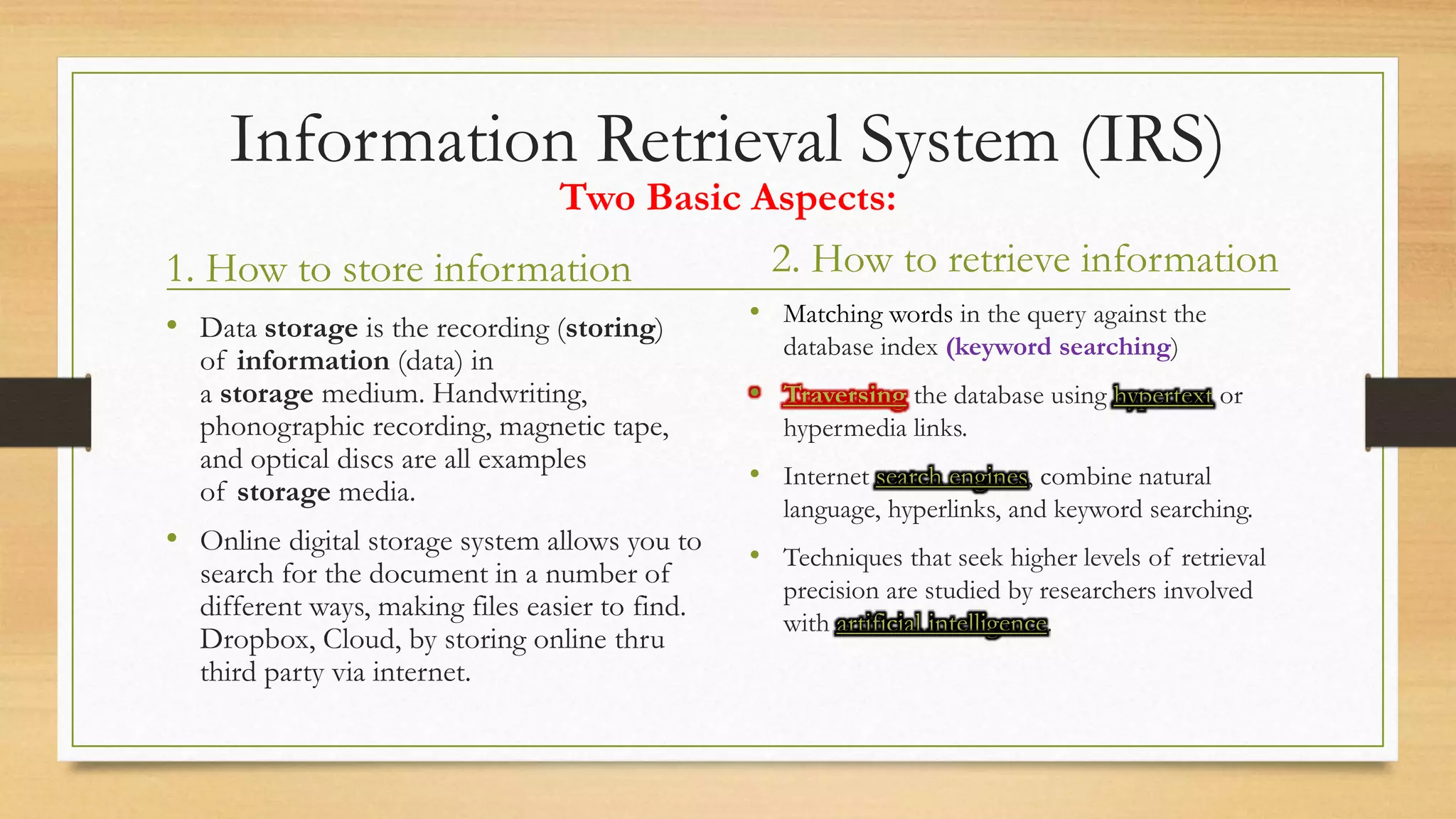
Information Retrieval System (IRS)
1. How to store information
• Data storage is the recording (storing)
of information (data) in
a storage medium. Handwriting,
phonographic recording, magnetic tape,
and optical discs are all examples
of storage media.
• Online digital storage system allows you to
search for the document in a number of
different ways, making files easier to find.
Dropbox, Cloud, by storing online thru
third party via internet.
2. How to retrieve information
• Matching words in the query against the
database index (keyword searching)
• Traversing the database using hypertext or
hypermedia links.
• Internet search engines, combine natural
language, hyperlinks, and keyword searching.
• Techniques that seek higher levels of retrieval
precision are studied by researchers involved
with artificial intelligence.
Two Basic Aspects:
Functions of IR
1. Identify the sources of information
2. Analyze the contents of sources
3. Represent the contents of the analyzed sources
4. Match the search statement
5. Retrieve the information that is relevant
6. Make necessary adjustments in the system based on feedback from the
users
IR System is a set of rules and procedures, for
performing some or all of the following operations:
1. Indexing (or constructing of representations of documents);
2. Search formulation (or constructing of representations of information
needs);
3. Searching (or matching representations of documents against representations
of needs); and
4. Index language construction (or generation of rules of representation)
IR in the Library
• A set of records (surrogates) of the content of the library
 Catalogues
 Bibliographies
 Indexes
 Abstracts
“
”
What is the importance of catalogues and bibliographic
tools in the libraries?
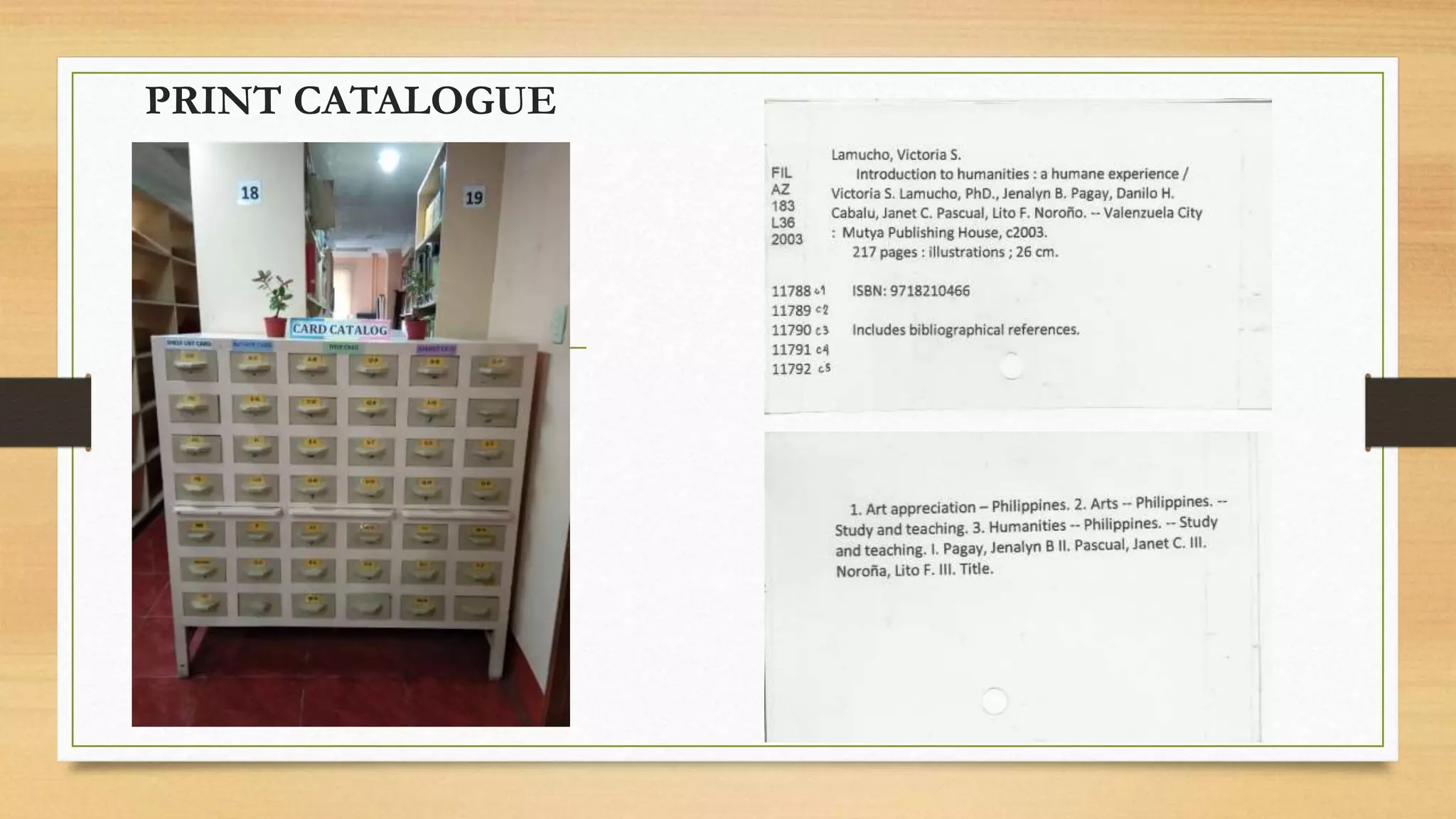
The library catalogue is a tool which indicates the availability and location of library
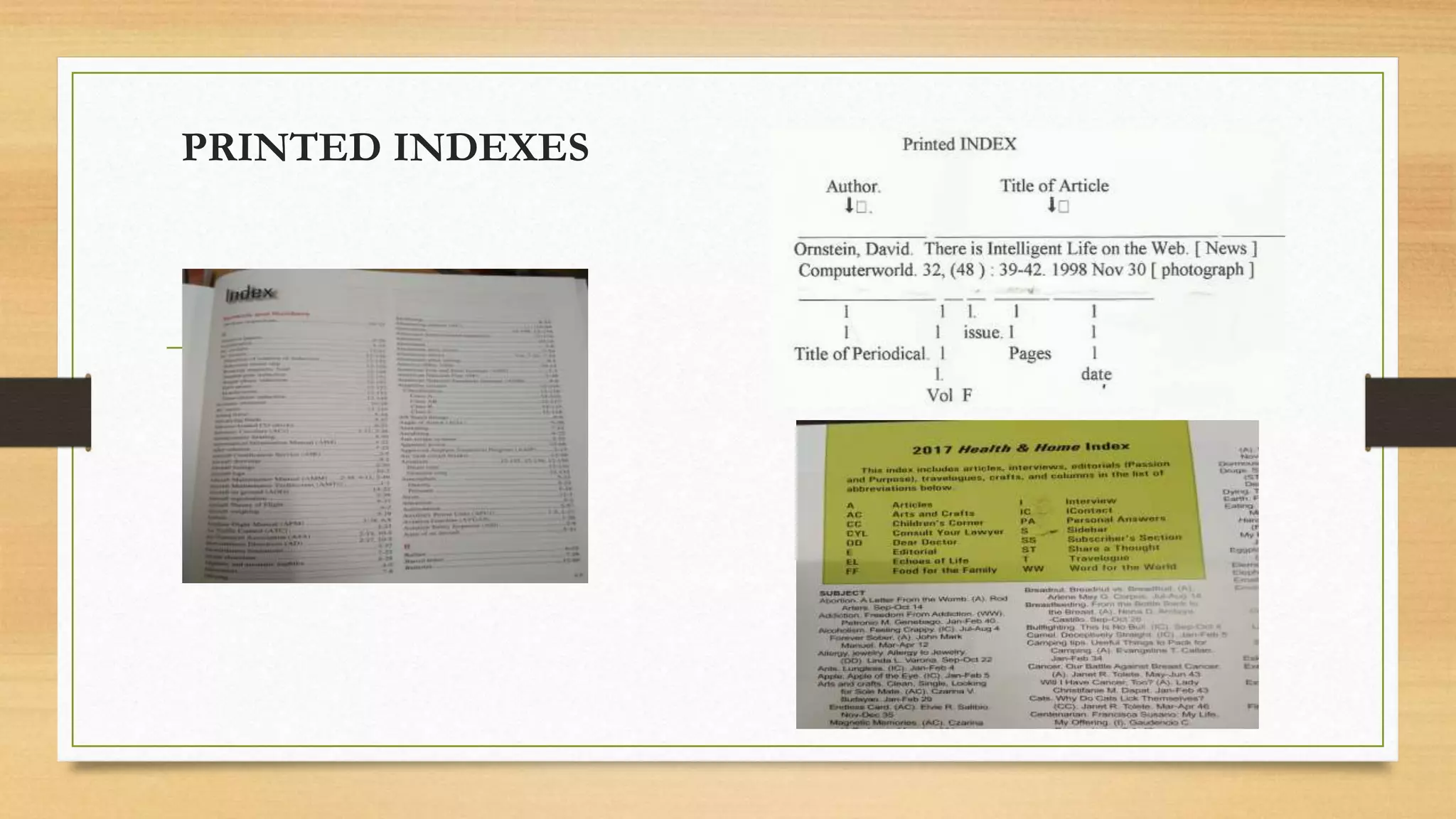
documents. Catalogue does not provide information contained in the documents like articles in
a periodical. This information is provided by indexes, bibliographic abstracts and similar
bibliographic tools in the library.
Kinds of IRS
In-House
• Are set-up by a particular library or
information centre to serve mainly
the local community
Ex.
OPACs
Online
• It is a global system for retrieving
information from many online
databases very rapidly.
Ex.
Online databases
Digital libraries
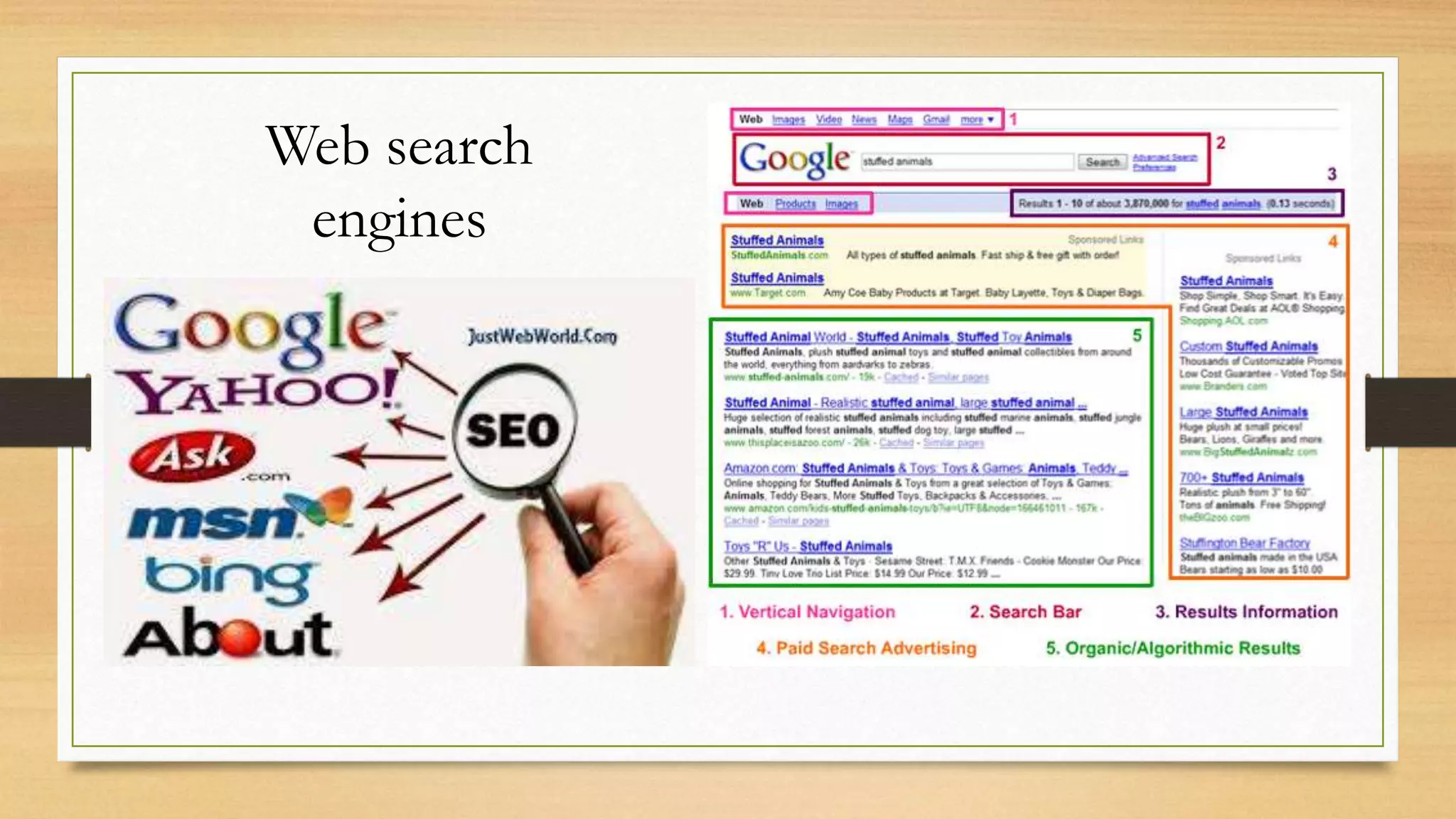
Web search engines
PRINT CATALOGUE
PRINTED INDEXES
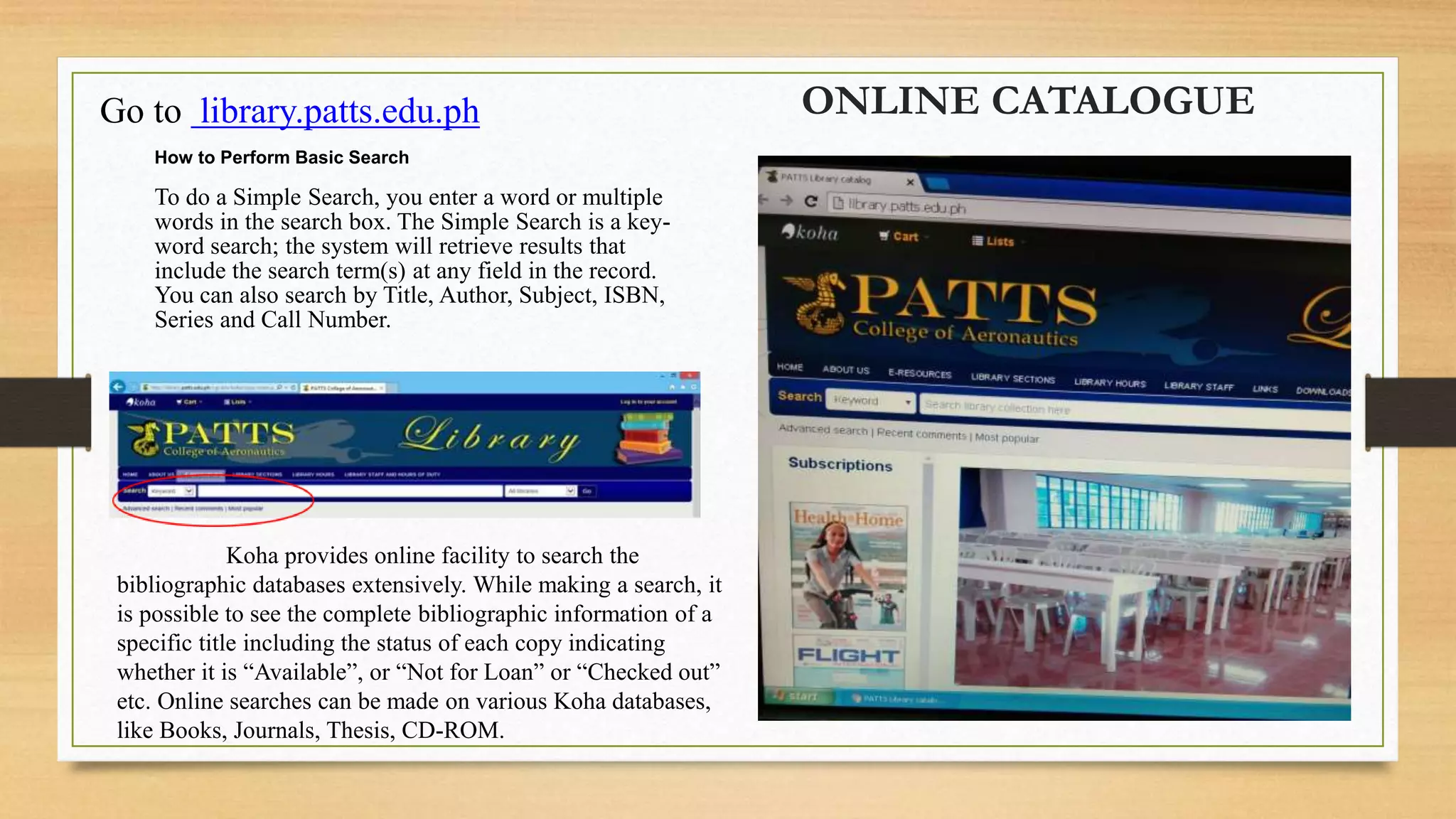
ONLINE CATALOGUEGo to library.patts.edu.ph
How to Perform Basic Search
To do a Simple Search, you enter a word or multiple
words in the search box. The Simple Search is a key-
word search; the system will retrieve results that
include the search term(s) at any field in the record.
You can also search by Title, Author, Subject, ISBN,
Series and Call Number.
Koha provides online facility to search the
bibliographic databases extensively. While making a search, it
is possible to see the complete bibliographic information of a
specific title including the status of each copy indicating
whether it is “Available”, or “Not for Loan” or “Checked out”
etc. Online searches can be made on various Koha databases,
like Books, Journals, Thesis, CD-ROM.
Modern IRS
ONLINE DATABASEDIGITAL LIBRARIES
Web search
engines
“
”
What is the Role of the CATALOGER?
ENCODER OF THE LIBRARY SYSTEM
Responsible for managing the catalog of materials at a library. Inputs data
about materials into electronic catalog to ensure users can locate books, serials,
films, or other documents. Prepares bibliographic and item records for
monographs, journals and other library material. They are using different
schemes in cataloging.
Dewey’s Classification Scheme
• Introduced by Melvin Dewey
• Detailed subject specification
• Served two purposes:
1. Arrangement of books on shelves
2. Arrangement of entries in catalogues and bibliographies
Subject approach to Information
• The method of seeking information where users often approach information
sources with a query that requires an answer or they seek information or
documents on a specific topics.
Two Chief Methods:
Alphabetical subject approach
 items are first group under the subject and
then arranged according to alphabetical
order so that specific subjects can be
retrieved easily
Display of subject relationships
 Deal with the way words and phrases of a
sentence are arranged to show how they relate to
each other.
• Syntactic relationships
(e.g.) Fashion of schools – “school
outfits/uniform”; Schools of Fashion –
“Schools that offer Fashion courses”.
• Semantic relationships
Deals with the meanings of words, though they are
identical in sound and spelling.
(e.g.) kid (young person) ; kid (young goat)
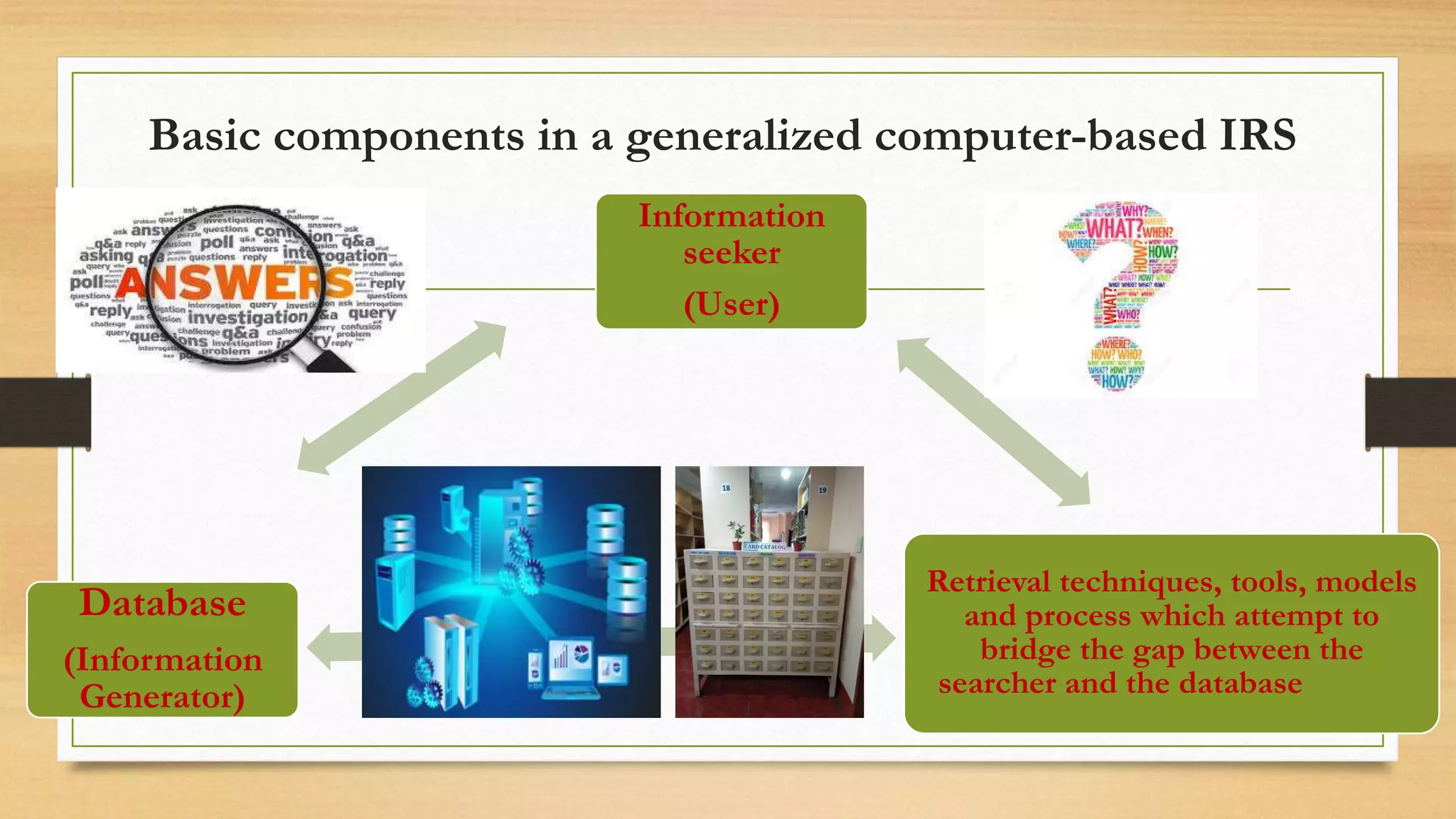
Basic components in a generalized computer-based IRS
Database
(Information
Generator)
Information
seeker
(User)
Retrieval techniques, tools, models
and process which attempt to
bridge the gap between the
searcher and the database
Summary:
• Is the process in which the user obtained the
answer to the query placed, at the right place and
at the right time.
LINK
• https://www.slideshare.net/LeslieBelmonte/information-retrieval-
system-176713511
Information Retrieval System
References
• https://www.britannica.com/technology/information-retrieval
• Google Searchwww.google.com
• www.slideshare.net
• https://nios.ac.in/media/documents/SrSecLibrary/LCh-015B.pdf
• https://www.merriam-webster.com/dictionary
• https://work.chron.com › reference-librarian-duties-11375
• https://www.americasjobexchange.com › cataloger-job-description
• https://www.slideshare.net/umarfarooq416/what-is-an-information-storage-
retrieval-system?qid=9609fd6d-6da6-4695-9c47-
db74eb26efb9&v=&b=&from_search=13
Information retrieval system

Information retrieval system

  • 1.
    Information Retrieval System LIS 704 By:Leslie B. Vargas MLIS. PNU
  • 2.
    DEFINITION OF TERMS Information:DATA, FACTS (Synonyms) • the communication or reception of knowledge or intelligence • knowledge obtained from investigation, study, or instruction Retrieval • To get and bring back, especially : to recover from storage. • Refers to searching through stored information to find information relevant to the task at hand. System • a set of principles or procedures according to which something is done • an organized scheme or method.
  • 3.
    Information Retrieval (IR) •Coined by Calvin Mooers in 1950, gained popularity from 1961 onwards. • Used to mean retrieval of bibliographic information from stored document databases
  • 4.
    Information Retrieval System •Document retrieval system, Information storage and retrieval, information organization and retrieval, information processing and retrieval, text retrieval, information representation and retrieval, and information access. • Early IRS were designed to retrieve an entire document (a book, an article, etc..) in response to a search request. • Modern IRS deals with storage, organization and access to text, as well as the multimedia information resources.
  • 5.
    “ ” What is therole of the USER? FORMULATE QUERY/ SEARCH REQUEST
  • 6.
    CHIEF GOAL • Indexingtext and searching for useful documents in a collection.
  • 7.
  • 8.
  • 9.
    “ ” What is theRole of the LIBRARIAN? Assist in meeting the demands of required information of a USER • Obtaining and providing information resources relevant to an information need from a collection of information resources; • The principal function of any library is to make available to the users, the information they need. To fulfill this, the information which is stored in the library must be retrieved from the library database; • Thus the librarians perform the long process of organized data input to come up with the information made available for the user.
  • 10.
    LIBRARIES • Were amongthe first institutions to adopt IR Systems for retrieving information
  • 11.
    Information Retrieval System(IRS) 1. How to store information • Data storage is the recording (storing) of information (data) in a storage medium. Handwriting, phonographic recording, magnetic tape, and optical discs are all examples of storage media. • Online digital storage system allows you to search for the document in a number of different ways, making files easier to find. Dropbox, Cloud, by storing online thru third party via internet. 2. How to retrieve information • Matching words in the query against the database index (keyword searching) • Traversing the database using hypertext or hypermedia links. • Internet search engines, combine natural language, hyperlinks, and keyword searching. • Techniques that seek higher levels of retrieval precision are studied by researchers involved with artificial intelligence. Two Basic Aspects:
  • 12.
    Functions of IR 1.Identify the sources of information 2. Analyze the contents of sources 3. Represent the contents of the analyzed sources 4. Match the search statement 5. Retrieve the information that is relevant 6. Make necessary adjustments in the system based on feedback from the users
  • 13.
    IR System isa set of rules and procedures, for performing some or all of the following operations: 1. Indexing (or constructing of representations of documents); 2. Search formulation (or constructing of representations of information needs); 3. Searching (or matching representations of documents against representations of needs); and 4. Index language construction (or generation of rules of representation)
  • 14.
    IR in theLibrary • A set of records (surrogates) of the content of the library  Catalogues  Bibliographies  Indexes  Abstracts
  • 15.
    “ ” What is theimportance of catalogues and bibliographic tools in the libraries? The library catalogue is a tool which indicates the availability and location of library documents. Catalogue does not provide information contained in the documents like articles in a periodical. This information is provided by indexes, bibliographic abstracts and similar bibliographic tools in the library.
  • 16.
    Kinds of IRS In-House •Are set-up by a particular library or information centre to serve mainly the local community Ex. OPACs Online • It is a global system for retrieving information from many online databases very rapidly. Ex. Online databases Digital libraries Web search engines
  • 17.
  • 18.
  • 19.
    ONLINE CATALOGUEGo tolibrary.patts.edu.ph How to Perform Basic Search To do a Simple Search, you enter a word or multiple words in the search box. The Simple Search is a key- word search; the system will retrieve results that include the search term(s) at any field in the record. You can also search by Title, Author, Subject, ISBN, Series and Call Number. Koha provides online facility to search the bibliographic databases extensively. While making a search, it is possible to see the complete bibliographic information of a specific title including the status of each copy indicating whether it is “Available”, or “Not for Loan” or “Checked out” etc. Online searches can be made on various Koha databases, like Books, Journals, Thesis, CD-ROM.
  • 20.
  • 21.
  • 22.
    “ ” What is theRole of the CATALOGER? ENCODER OF THE LIBRARY SYSTEM Responsible for managing the catalog of materials at a library. Inputs data about materials into electronic catalog to ensure users can locate books, serials, films, or other documents. Prepares bibliographic and item records for monographs, journals and other library material. They are using different schemes in cataloging.
  • 23.
    Dewey’s Classification Scheme •Introduced by Melvin Dewey • Detailed subject specification • Served two purposes: 1. Arrangement of books on shelves 2. Arrangement of entries in catalogues and bibliographies
  • 24.
    Subject approach toInformation • The method of seeking information where users often approach information sources with a query that requires an answer or they seek information or documents on a specific topics.
  • 25.
    Two Chief Methods: Alphabeticalsubject approach  items are first group under the subject and then arranged according to alphabetical order so that specific subjects can be retrieved easily Display of subject relationships  Deal with the way words and phrases of a sentence are arranged to show how they relate to each other. • Syntactic relationships (e.g.) Fashion of schools – “school outfits/uniform”; Schools of Fashion – “Schools that offer Fashion courses”. • Semantic relationships Deals with the meanings of words, though they are identical in sound and spelling. (e.g.) kid (young person) ; kid (young goat)
  • 26.
    Basic components ina generalized computer-based IRS Database (Information Generator) Information seeker (User) Retrieval techniques, tools, models and process which attempt to bridge the gap between the searcher and the database
  • 27.
    Summary: • Is theprocess in which the user obtained the answer to the query placed, at the right place and at the right time. LINK • https://www.slideshare.net/LeslieBelmonte/information-retrieval- system-176713511 Information Retrieval System
  • 28.
    References • https://www.britannica.com/technology/information-retrieval • GoogleSearchwww.google.com • www.slideshare.net • https://nios.ac.in/media/documents/SrSecLibrary/LCh-015B.pdf • https://www.merriam-webster.com/dictionary • https://work.chron.com › reference-librarian-duties-11375 • https://www.americasjobexchange.com › cataloger-job-description • https://www.slideshare.net/umarfarooq416/what-is-an-information-storage- retrieval-system?qid=9609fd6d-6da6-4695-9c47- db74eb26efb9&v=&b=&from_search=13