Introduction to Structured
Query Language
(SQL)
Assistant Lecturer Huda A. Alameen
hudaa.alameen@uokufa.edu.iq
SQL
 SQL stands for Structured Query Language. SQL is used to
communicate with a database. According to ANSI (American National
Standards Institute), it is the standard language for relational
database management systems.
 SQL is based on set and relational operations with certain
modifications and enhancements
SQL select statement
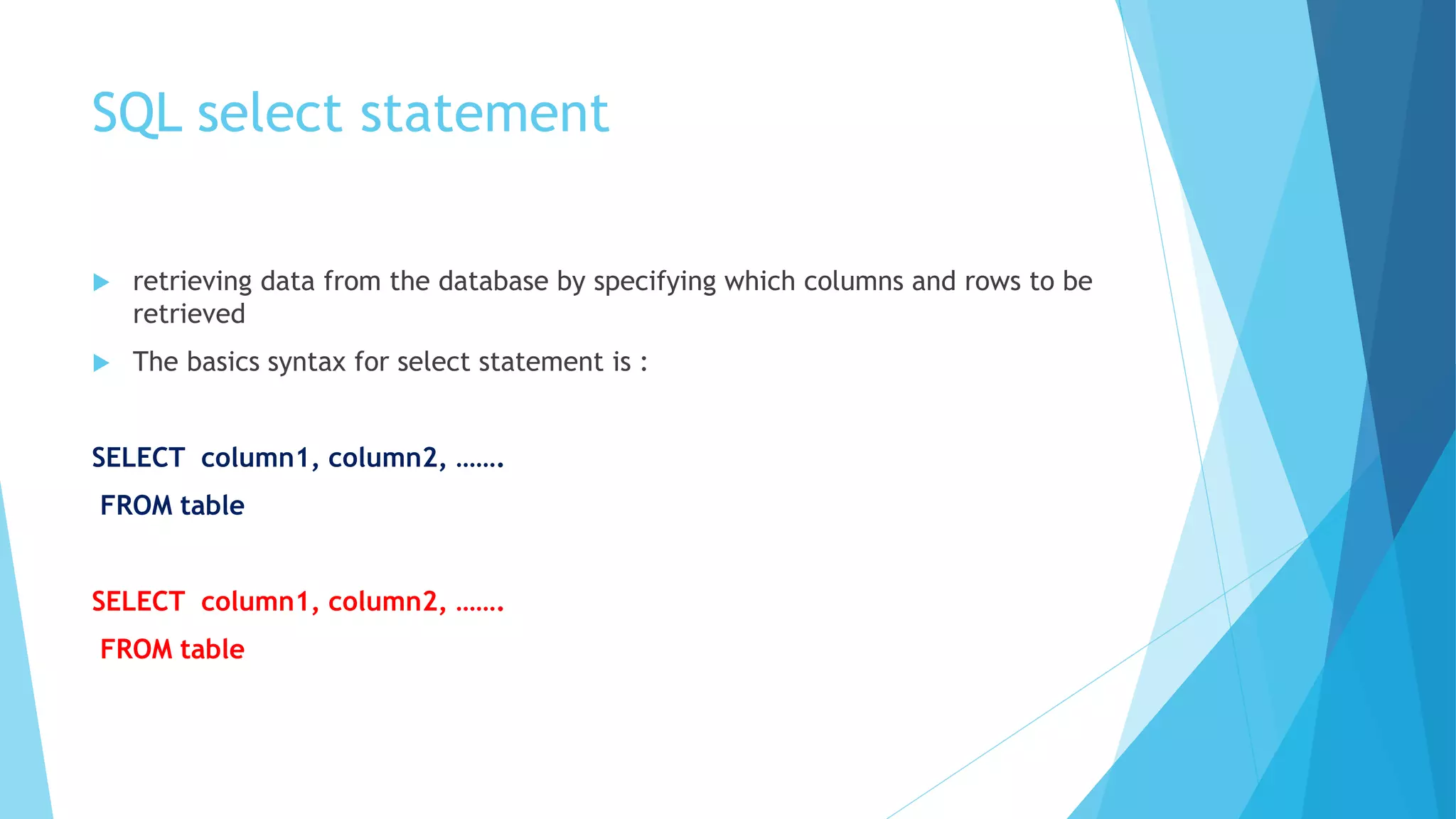
 retrieving data from the database by specifying which columns and rows to be
retrieved
 The basics syntax for select statement is :
SELECT column1, column2, …….
FROM table
SELECT column1, column2, …….
FROM table
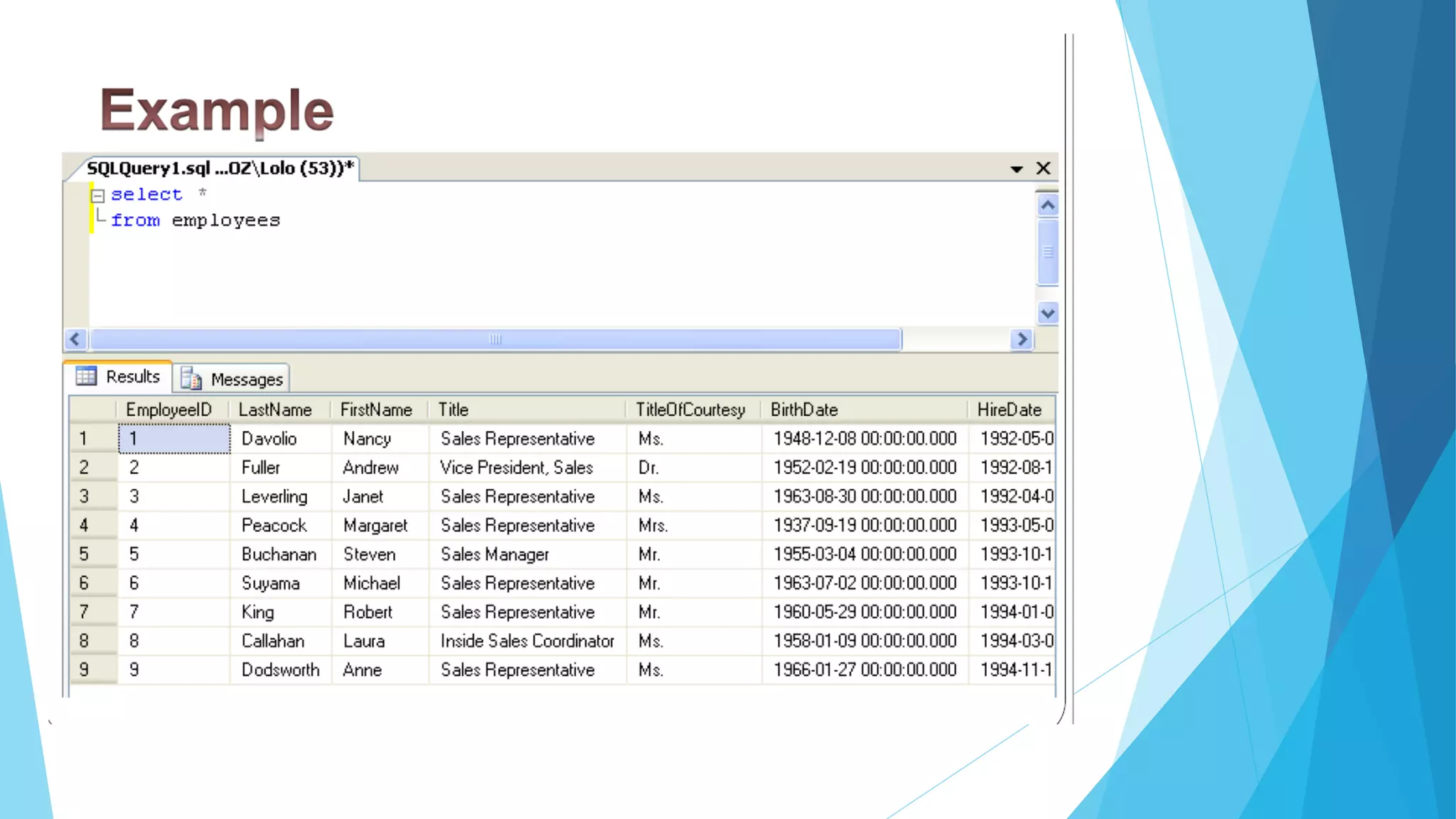
Example
SQL SELECT DISTINCT Statement
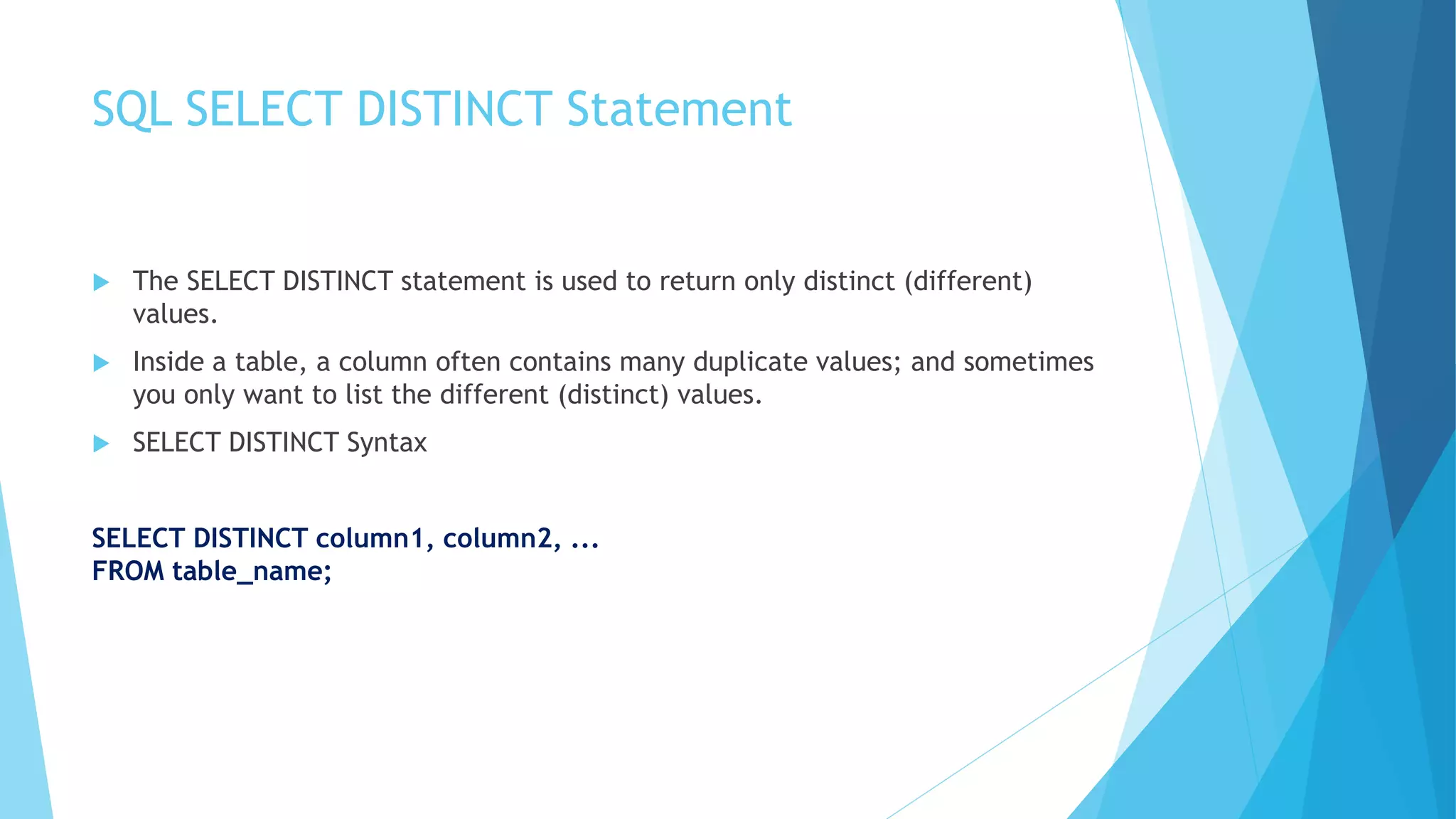
 The SELECT DISTINCT statement is used to return only distinct (different)
values.
 Inside a table, a column often contains many duplicate values; and sometimes
you only want to list the different (distinct) values.
 SELECT DISTINCT Syntax
SELECT DISTINCT column1, column2, ...
FROM table_name;
Example
SELECT DISTINCT Country FROM Customers;
Country
Germany
UK
Sweden
WHERE
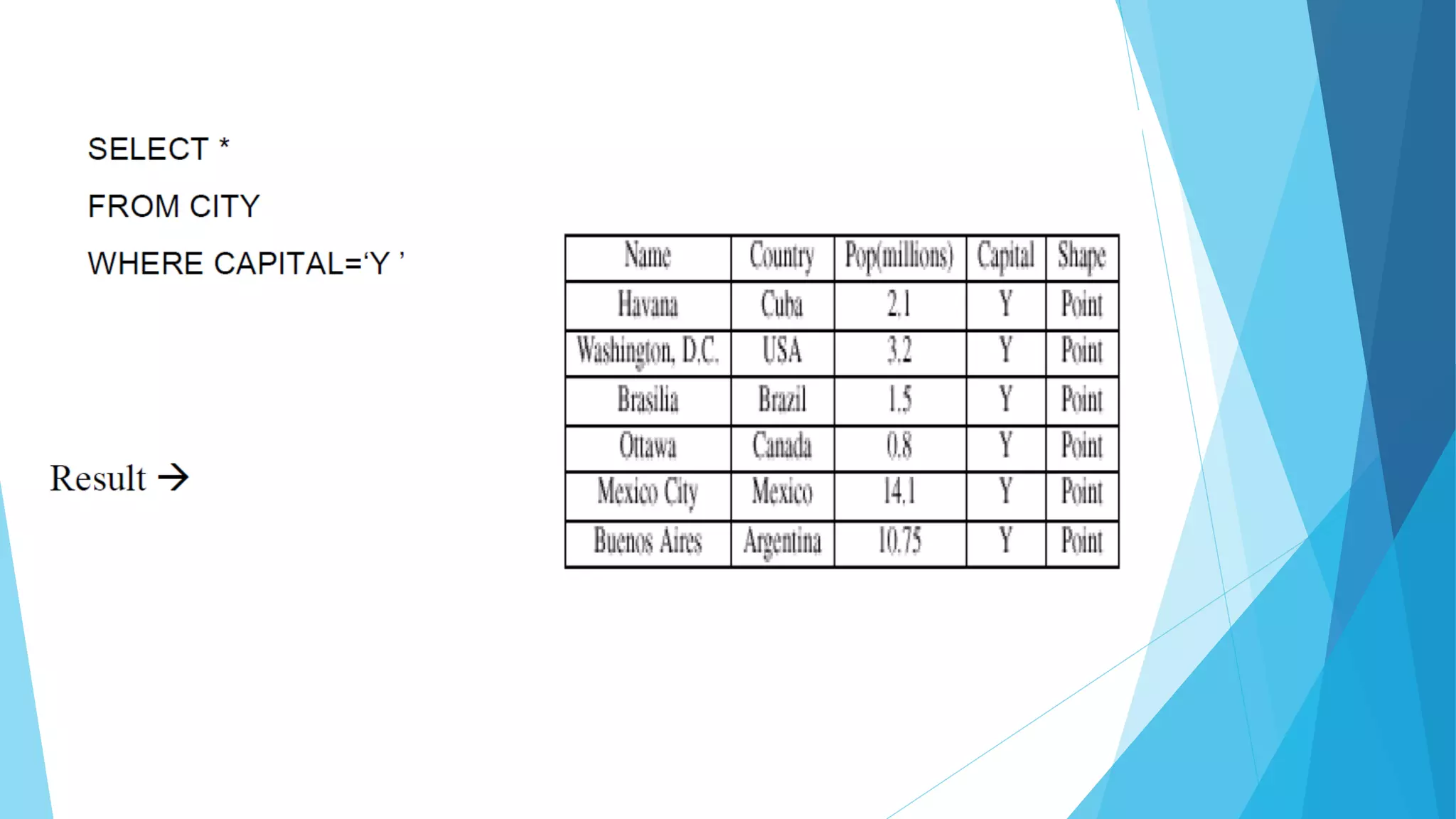
 Commonly 3 clauses (SELECT, FROM, WHERE) are used
 Query: List the names of the capital cities in the CITY
table.
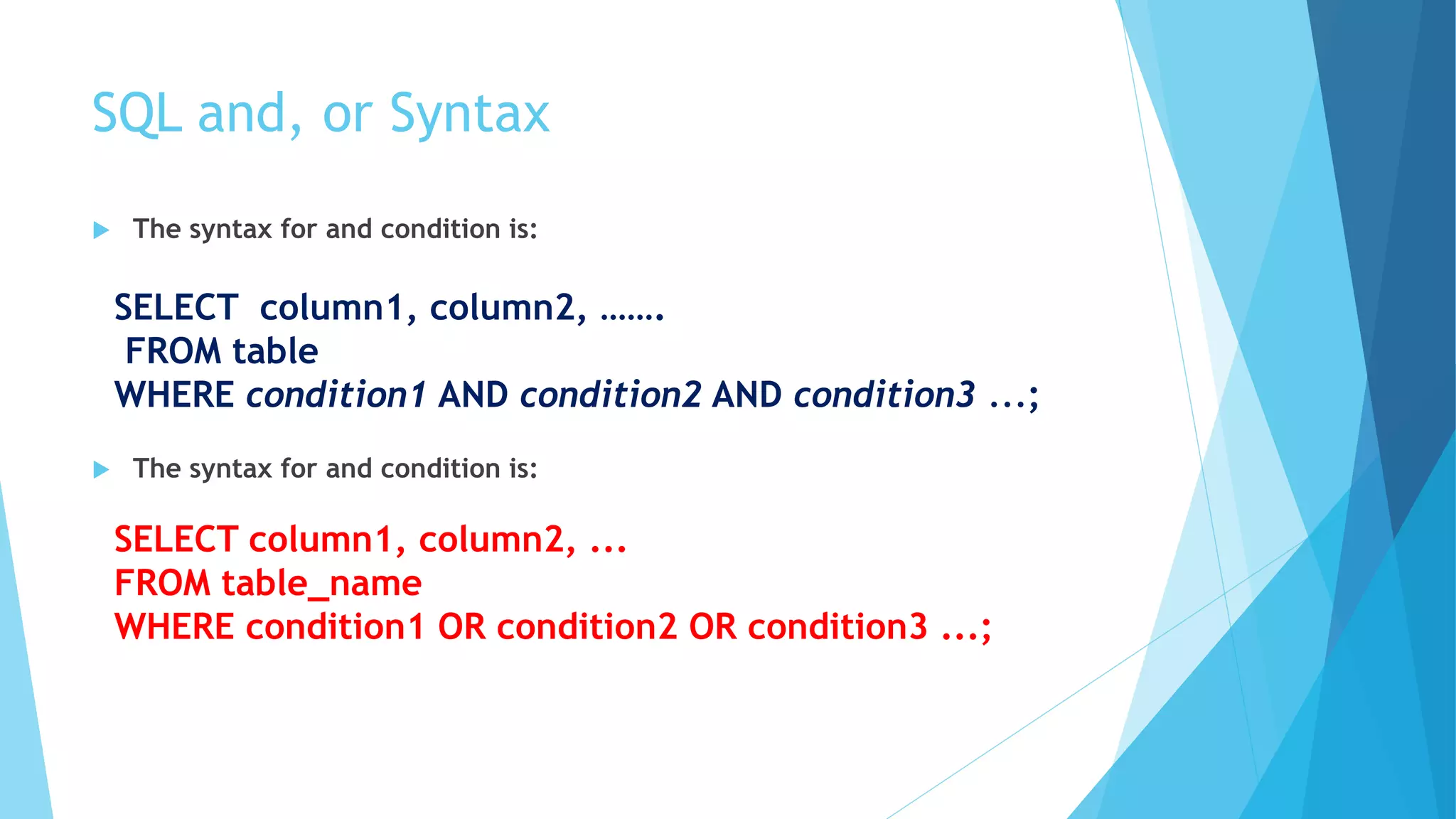
SQL and, or Syntax
 The syntax for and condition is:
SELECT column1, column2, …….
FROM table
WHERE condition1 AND condition2 AND condition3 ...;
SELECT column1, column2, ...
FROM table_name
WHERE condition1 OR condition2 OR condition3 ...;
Not Syntax
SELECT column1, column2, ...
FROM table_name
WHERE NOT condition;
Examples
SELECT * FROM Customers
WHERE Country='Germany' AND City='Berlin';
SELECT * FROM Customers
WHERE Country='Germany' AND (City='Berlin' OR City='München');
SQL ORDER BY Keyword
 The ORDER BY keyword is used to sort the result-set in ascending or
descending order.
 The ORDER BY keyword sorts the records in ascending order by default. To
sort the records in descending order, use the DESC keyword.
 ORDER BY Syntax
SELECT column1, column2, ...
FROM table_name
ORDER BY column1, column2, ... ASC|DESC;
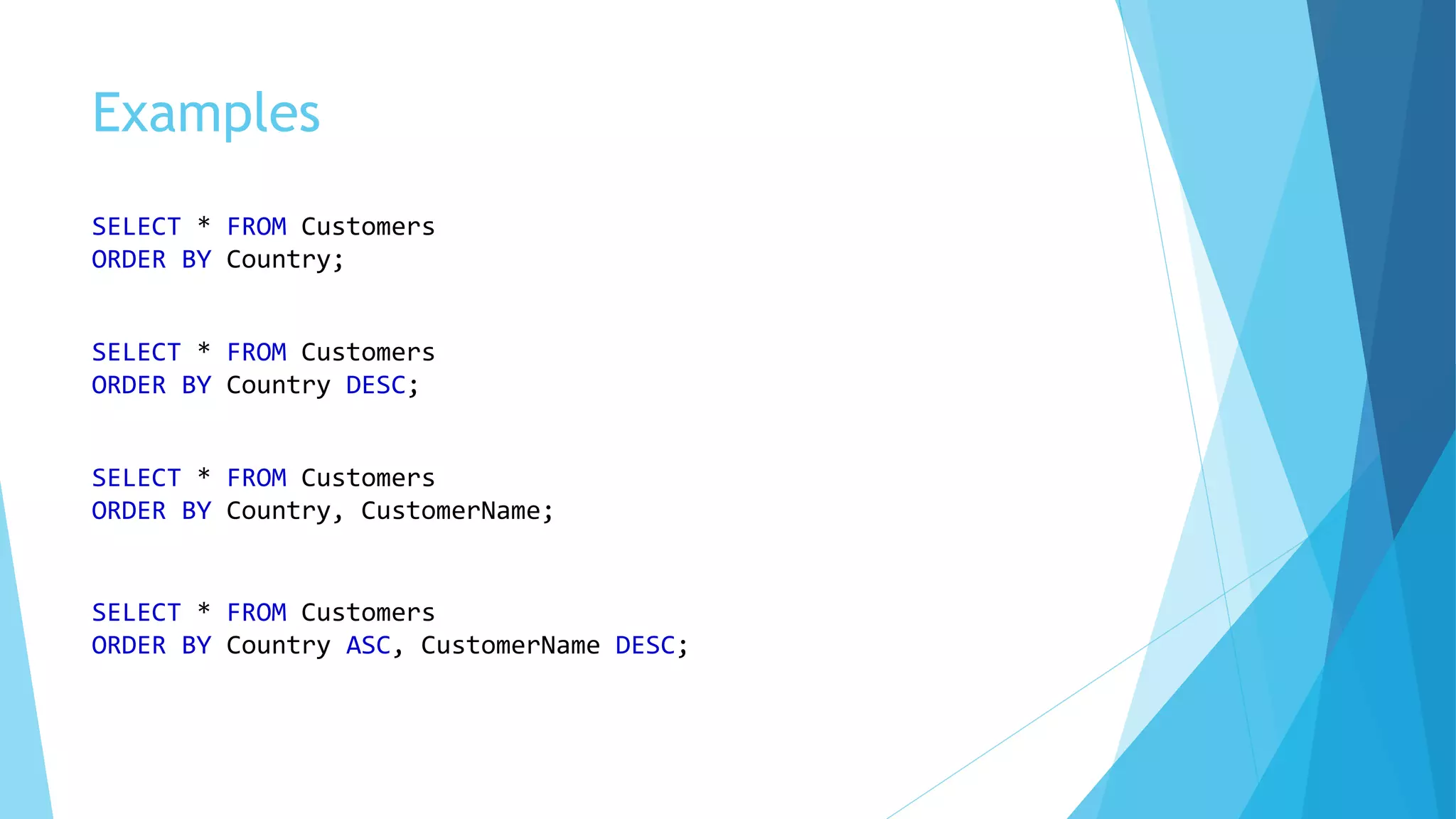
Examples
Examples
SELECT * FROM Customers
ORDER BY Country;
SELECT * FROM Customers
ORDER BY Country DESC;
SELECT * FROM Customers
ORDER BY Country, CustomerName;
SELECT * FROM Customers
ORDER BY Country ASC, CustomerName DESC;
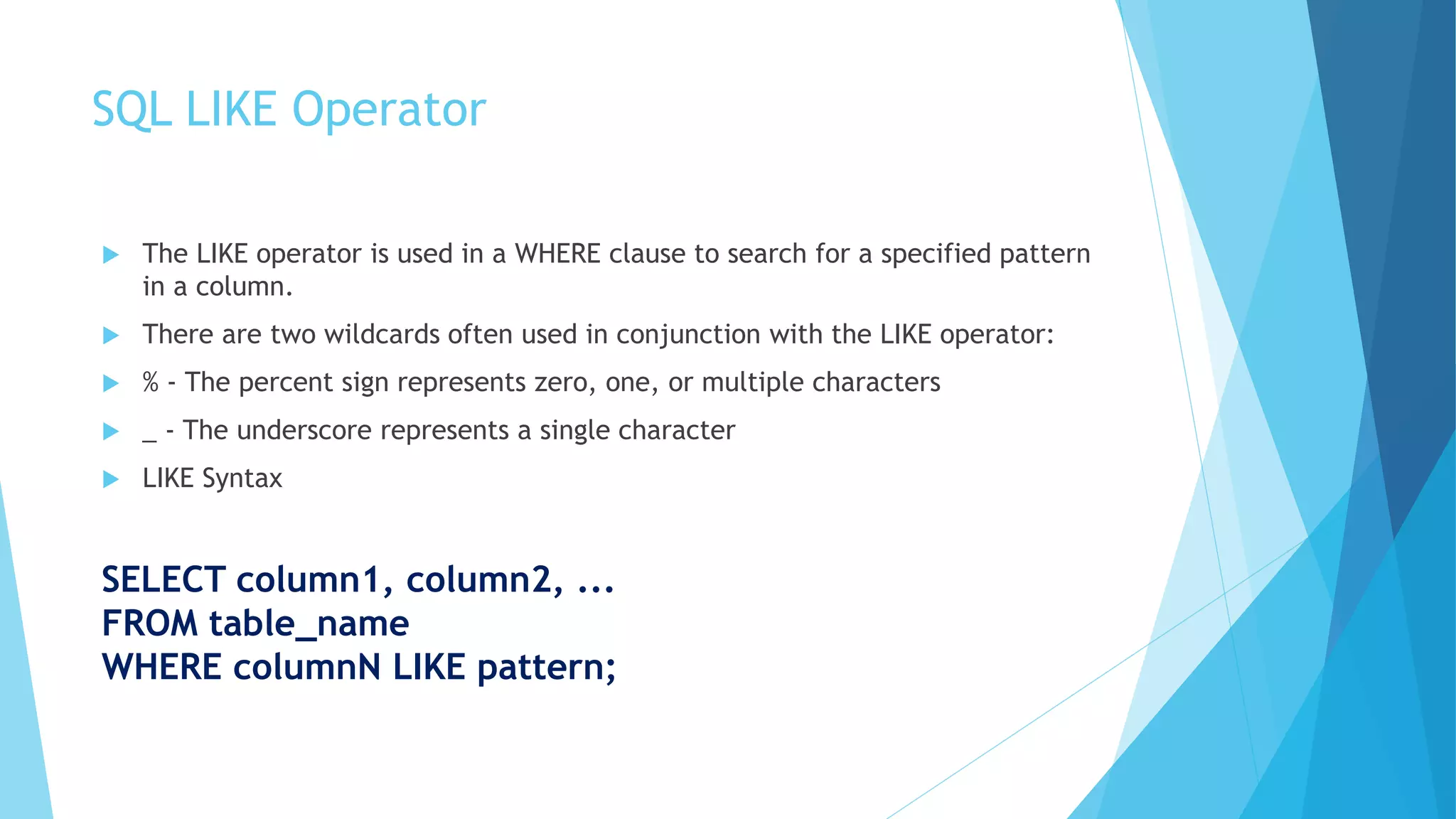
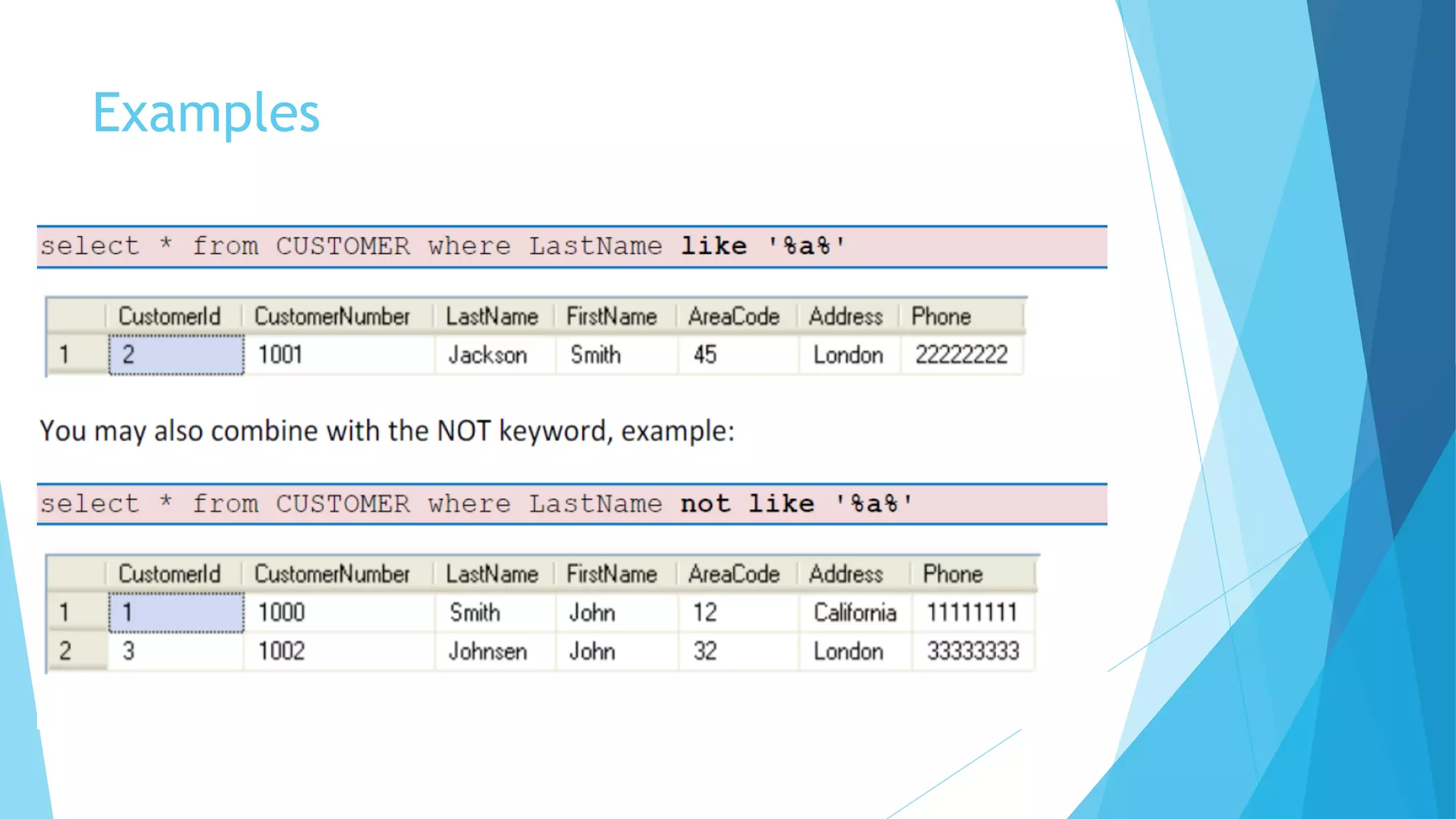
SQL LIKE Operator
 The LIKE operator is used in a WHERE clause to search for a specified pattern
in a column.
 There are two wildcards often used in conjunction with the LIKE operator:
 % - The percent sign represents zero, one, or multiple characters
 _ - The underscore represents a single character
 LIKE Syntax
SELECT column1, column2, ...
FROM table_name
WHERE columnN LIKE pattern;
SQL LIKE Operator
Examples
Examples
SQL IN Operator
 The IN operator allows you to specify multiple values in a WHERE clause.
 The IN operator is a shorthand for multiple OR conditions.
 IN Syntax
SELECT column_name(s)
FROM table_name
WHERE column_name IN (value1, value2, ...);
 or:
SELECT column_name(s)
FROM table_name
WHERE column_name IN (SELECT STATEMENT);
SELECT * FROM Customers
WHERE Country IN ('Germany', 'France', 'UK');
SELECT * FROM Customers
WHERE Country NOT IN ('Germany', 'France', 'UK');
BETWEEN Operator
 The BETWEEN operator selects values within a given range. The values can be
numbers, text, or dates.
 The BETWEEN operator is inclusive: begin and end values are included.
 BETWEEN Syntax
SELECT column_name(s)
FROM table_name
WHERE column_name BETWEEN value1 AND value2;
Example
SELECT * FROM Products
WHERE Price BETWEEN 10 AND 20;
Examples
Employee (Ename,DepartmentID,Salary)
Department(DepartmentID, DepartmentName)
1- Select all employees with EName that starts with “R”
Ans:
SELECT * FROM Employees WHERE EName LIKE ’R%’
2- Select all employees with EName that contains “R”
Ans:
SELECT * FROM Employees WHERE EName LIKE ’%R%’
3- Select all students with Sname ending with “J”
Ans:
SELECT * FROM Employees WHERE EName LIKE ’%J’
Examples
4- Select employees in departments number 31,34 and 35
Ans:
SELECT * FROM Employees WHERE DepartmentId IN (31,34,35)
5- Select employees that works in a department
Ans:
SELECT * FROM Employees WHERE DepartmentId IN (SELECT DepartmentID FROM
Department)
6-Select employees that earn salaries between 1000 and 2000 dollar
Ans:
Select * from Employees WHERE Salary BETWEEN 1000 AND 2000
Introduction to structured query language

Introduction to structured query language

  • 1.
    Introduction to Structured QueryLanguage (SQL) Assistant Lecturer Huda A. Alameen hudaa.alameen@uokufa.edu.iq
  • 2.
    SQL  SQL standsfor Structured Query Language. SQL is used to communicate with a database. According to ANSI (American National Standards Institute), it is the standard language for relational database management systems.  SQL is based on set and relational operations with certain modifications and enhancements
  • 3.
    SQL select statement retrieving data from the database by specifying which columns and rows to be retrieved  The basics syntax for select statement is : SELECT column1, column2, ……. FROM table SELECT column1, column2, ……. FROM table
  • 5.
  • 6.
    SQL SELECT DISTINCTStatement  The SELECT DISTINCT statement is used to return only distinct (different) values.  Inside a table, a column often contains many duplicate values; and sometimes you only want to list the different (distinct) values.  SELECT DISTINCT Syntax SELECT DISTINCT column1, column2, ... FROM table_name;
  • 7.
    Example SELECT DISTINCT CountryFROM Customers; Country Germany UK Sweden
  • 8.
    WHERE  Commonly 3clauses (SELECT, FROM, WHERE) are used  Query: List the names of the capital cities in the CITY table.
  • 10.
    SQL and, orSyntax  The syntax for and condition is:  The syntax for and condition is: SELECT column1, column2, ……. FROM table WHERE condition1 AND condition2 AND condition3 ...; SELECT column1, column2, ... FROM table_name WHERE condition1 OR condition2 OR condition3 ...;
  • 11.
    Not Syntax SELECT column1,column2, ... FROM table_name WHERE NOT condition;
  • 13.
    Examples SELECT * FROMCustomers WHERE Country='Germany' AND City='Berlin'; SELECT * FROM Customers WHERE Country='Germany' AND (City='Berlin' OR City='München');
  • 14.
    SQL ORDER BYKeyword  The ORDER BY keyword is used to sort the result-set in ascending or descending order.  The ORDER BY keyword sorts the records in ascending order by default. To sort the records in descending order, use the DESC keyword.  ORDER BY Syntax SELECT column1, column2, ... FROM table_name ORDER BY column1, column2, ... ASC|DESC;
  • 15.
  • 16.
    Examples SELECT * FROMCustomers ORDER BY Country; SELECT * FROM Customers ORDER BY Country DESC; SELECT * FROM Customers ORDER BY Country, CustomerName; SELECT * FROM Customers ORDER BY Country ASC, CustomerName DESC;
  • 17.
    SQL LIKE Operator The LIKE operator is used in a WHERE clause to search for a specified pattern in a column.  There are two wildcards often used in conjunction with the LIKE operator:  % - The percent sign represents zero, one, or multiple characters  _ - The underscore represents a single character  LIKE Syntax SELECT column1, column2, ... FROM table_name WHERE columnN LIKE pattern;
  • 18.
  • 19.
  • 20.
  • 21.
    SQL IN Operator The IN operator allows you to specify multiple values in a WHERE clause.  The IN operator is a shorthand for multiple OR conditions.  IN Syntax SELECT column_name(s) FROM table_name WHERE column_name IN (value1, value2, ...);  or: SELECT column_name(s) FROM table_name WHERE column_name IN (SELECT STATEMENT);
  • 22.
    SELECT * FROMCustomers WHERE Country IN ('Germany', 'France', 'UK');
  • 23.
    SELECT * FROMCustomers WHERE Country NOT IN ('Germany', 'France', 'UK');
  • 24.
    BETWEEN Operator  TheBETWEEN operator selects values within a given range. The values can be numbers, text, or dates.  The BETWEEN operator is inclusive: begin and end values are included.  BETWEEN Syntax SELECT column_name(s) FROM table_name WHERE column_name BETWEEN value1 AND value2;
  • 25.
    Example SELECT * FROMProducts WHERE Price BETWEEN 10 AND 20;
  • 26.
    Examples Employee (Ename,DepartmentID,Salary) Department(DepartmentID, DepartmentName) 1-Select all employees with EName that starts with “R” Ans: SELECT * FROM Employees WHERE EName LIKE ’R%’ 2- Select all employees with EName that contains “R” Ans: SELECT * FROM Employees WHERE EName LIKE ’%R%’ 3- Select all students with Sname ending with “J” Ans: SELECT * FROM Employees WHERE EName LIKE ’%J’
  • 27.
    Examples 4- Select employeesin departments number 31,34 and 35 Ans: SELECT * FROM Employees WHERE DepartmentId IN (31,34,35) 5- Select employees that works in a department Ans: SELECT * FROM Employees WHERE DepartmentId IN (SELECT DepartmentID FROM Department) 6-Select employees that earn salaries between 1000 and 2000 dollar Ans: Select * from Employees WHERE Salary BETWEEN 1000 AND 2000