This is a pressentaiotn about a very good presenstaoitn about a very good presentation about the computer science of things related to the Feynman path integral
PRASHANT D. JOSHI
UTComputer Science, The University of Texas at Austin
FALL 2025
SQL FILTERS
C S 327E ELEMENTS OF DATABASES
Week 3.1
2.
Objectives today
1. Tablegeneration and simple
SQL queries
2. Use of Filters
3. Questions and discussion
3.
What question mayI answer before we begin
…?
Remember, all questions are good questions!
4.
Housekeeping
• Lab partnersdecided by Canvas for those who
had not entered their team's name and team
members into Canvas
– Cannot change as it will cause cascading problems
• Project coming up
5.
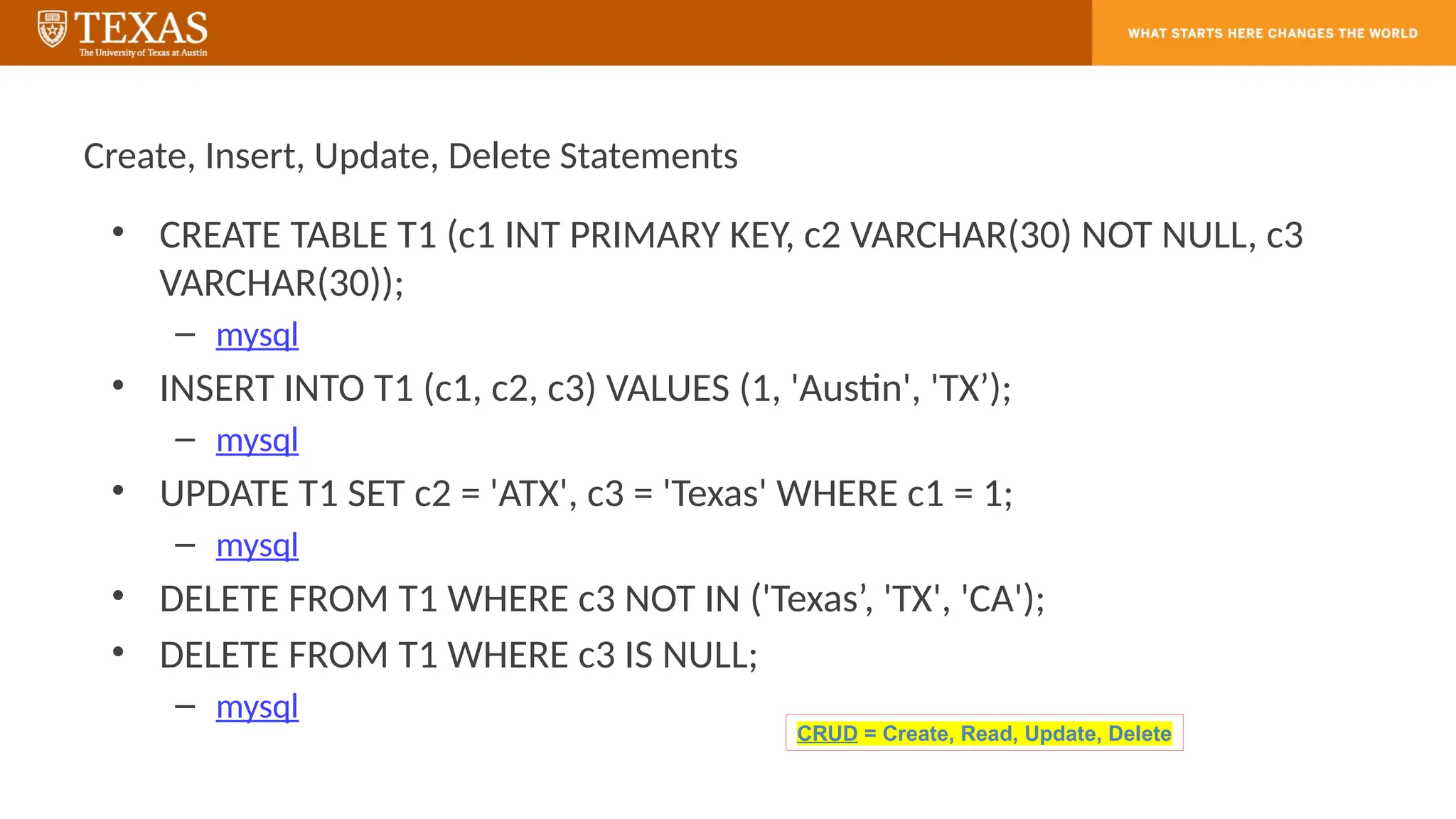
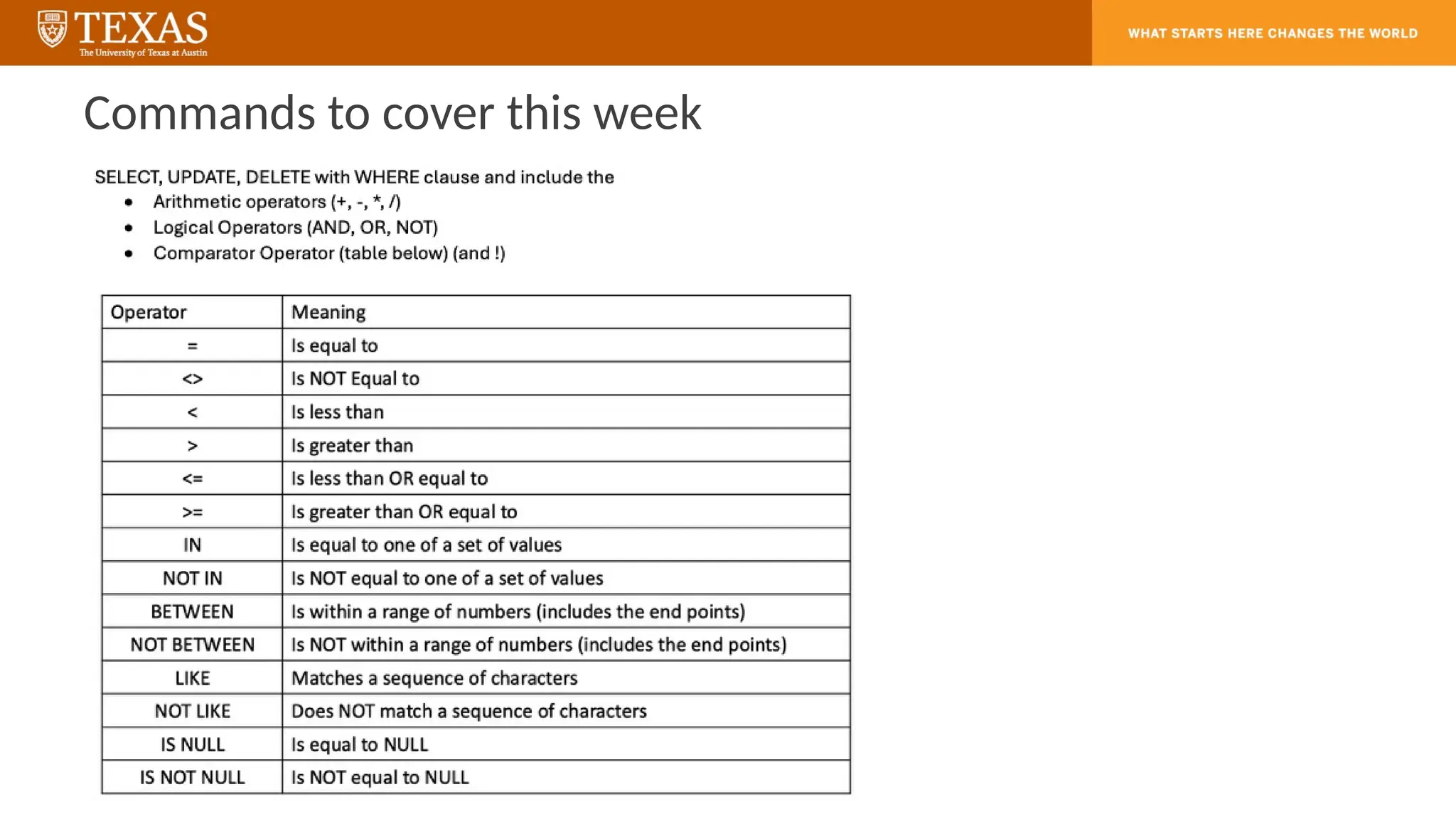
Create, Insert, Update,Delete Statements
• CREATE TABLE T1 (c1 INT PRIMARY KEY, c2 VARCHAR(30) NOT NULL, c3
VARCHAR(30));
– mysql
• INSERT INTO T1 (c1, c2, c3) VALUES (1, 'Austin', 'TX’);
– mysql
• UPDATE T1 SET c2 = 'ATX', c3 = 'Texas' WHERE c1 = 1;
– mysql
• DELETE FROM T1 WHERE c3 NOT IN ('Texas’, 'TX', 'CA');
• DELETE FROM T1 WHERE c3 IS NULL;
– mysql
CRUD = Create, Read, Update, Delete
6.
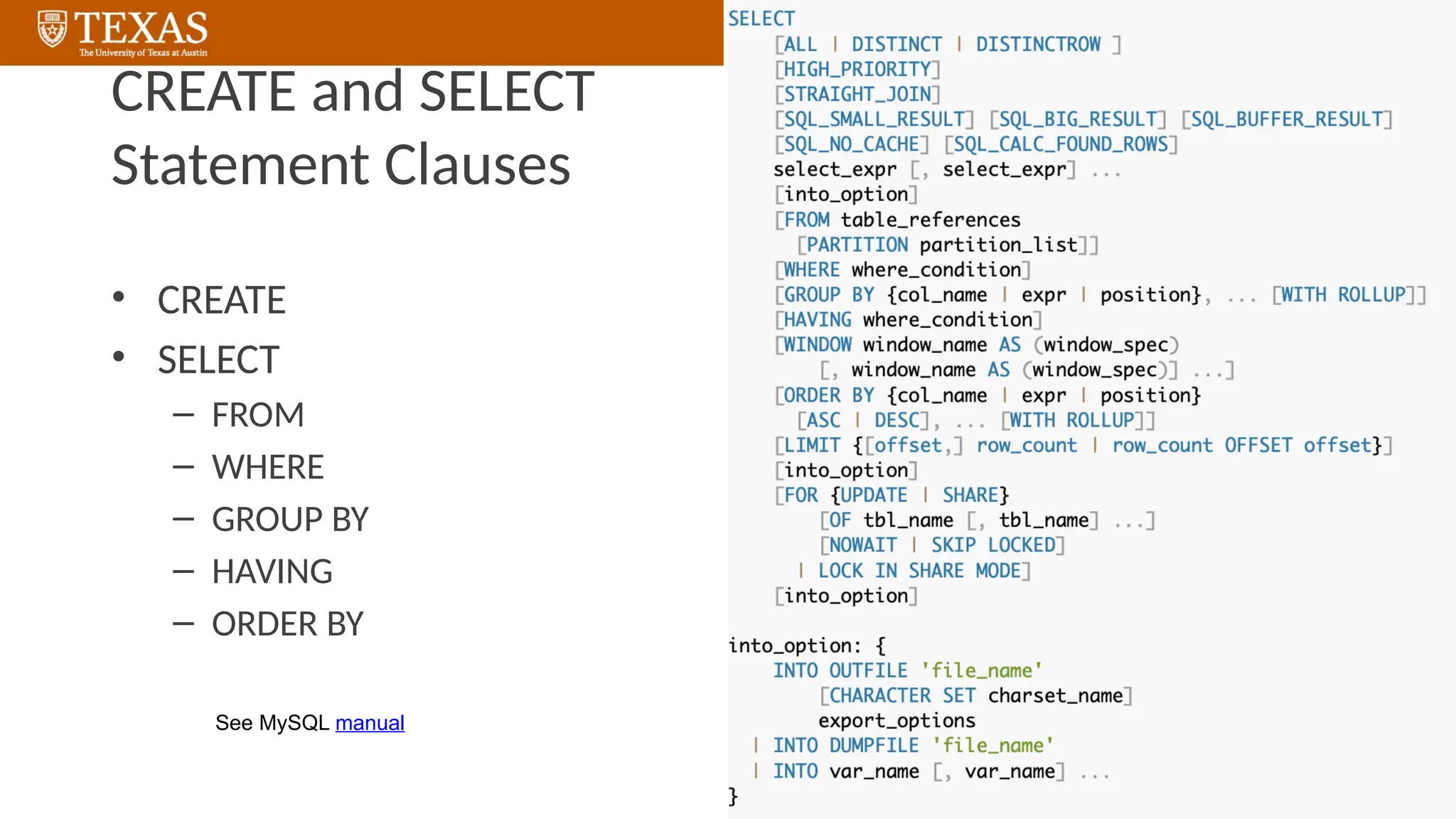
CREATE and SELECT
StatementClauses
• CREATE
• SELECT
– FROM
– WHERE
– GROUP BY
– HAVING
– ORDER BY
See MySQL manual
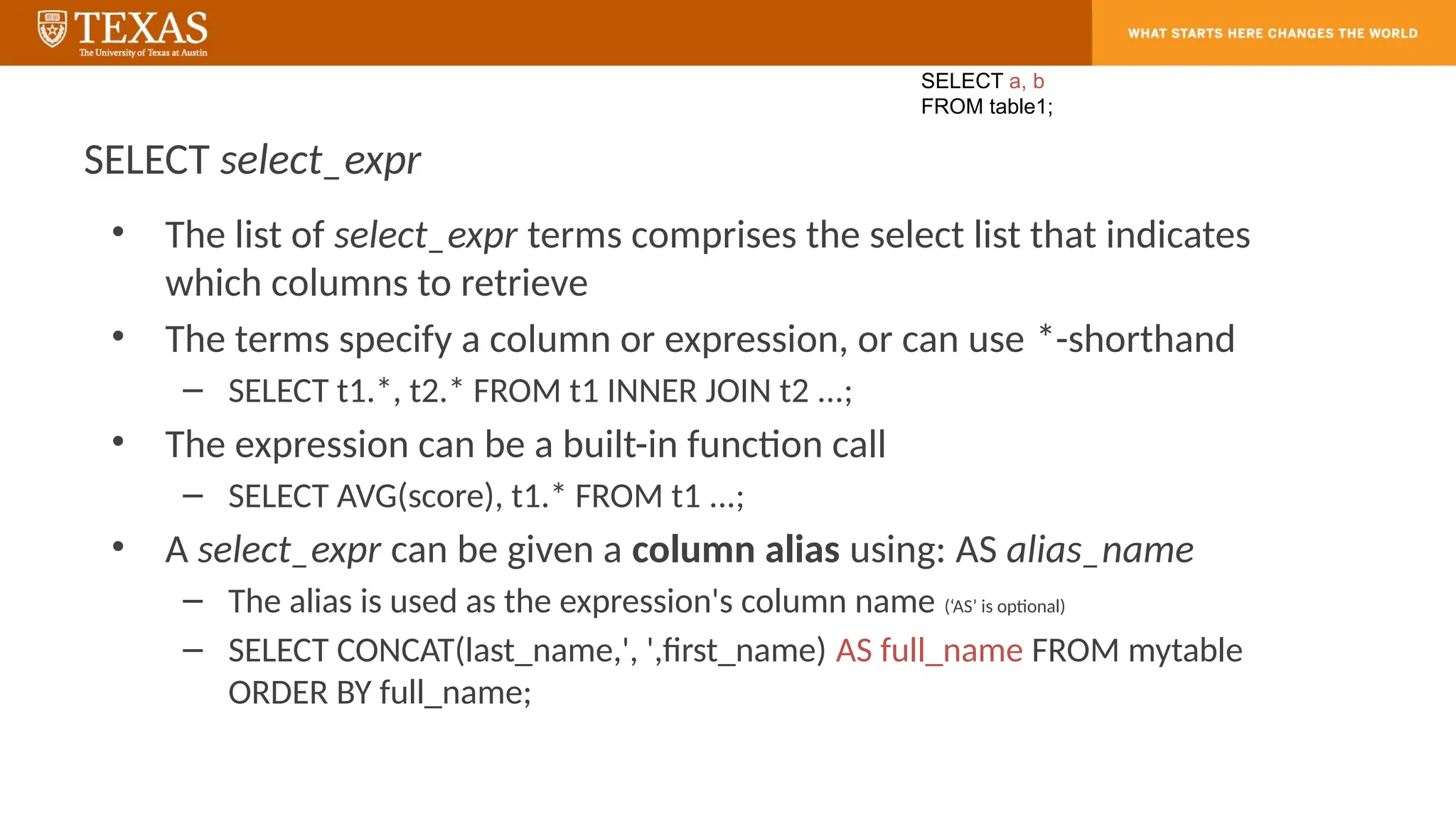
SELECT select_expr
• Thelist of select_expr terms comprises the select list that indicates
which columns to retrieve
• The terms specify a column or expression, or can use *-shorthand
– SELECT t1.*, t2.* FROM t1 INNER JOIN t2 ...;
• The expression can be a built-in function call
– SELECT AVG(score), t1.* FROM t1 ...;
• A select_expr can be given a column alias using: AS alias_name
– The alias is used as the expression's column name (‘AS’ is optional)
– SELECT CONCAT(last_name,', ',first_name) AS full_name FROM mytable
ORDER BY full_name;
SELECT a, b
FROM table1;
9.
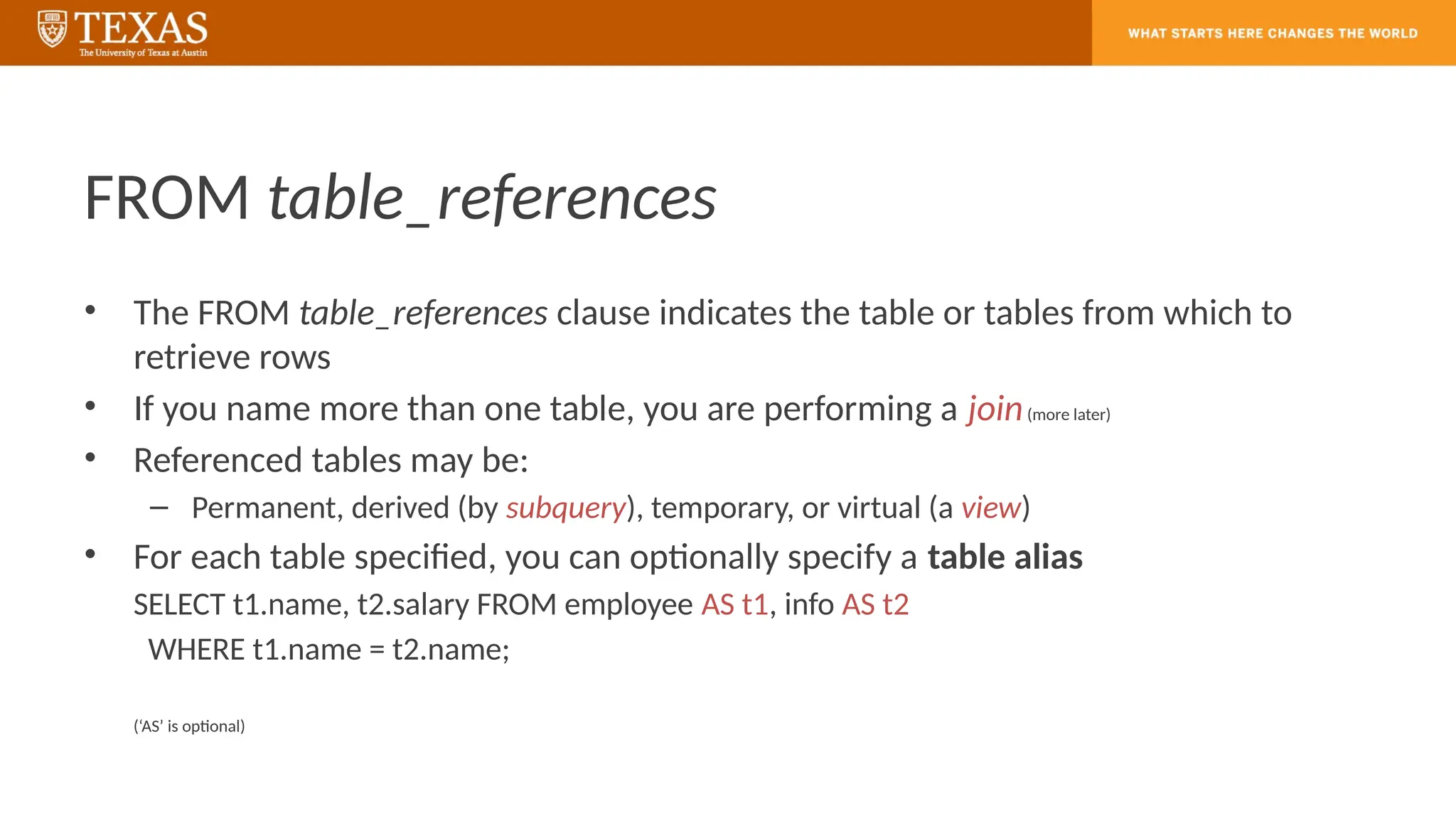
FROM table_references
• TheFROM table_references clause indicates the table or tables from which to
retrieve rows
• If you name more than one table, you are performing a join(more later)
• Referenced tables may be:
– Permanent, derived (by subquery), temporary, or virtual (a view)
• For each table specified, you can optionally specify a table alias
SELECT t1.name, t2.salary FROM employee AS t1, info AS t2
WHERE t1.name = t2.name;
(‘AS’ is optional)
10.
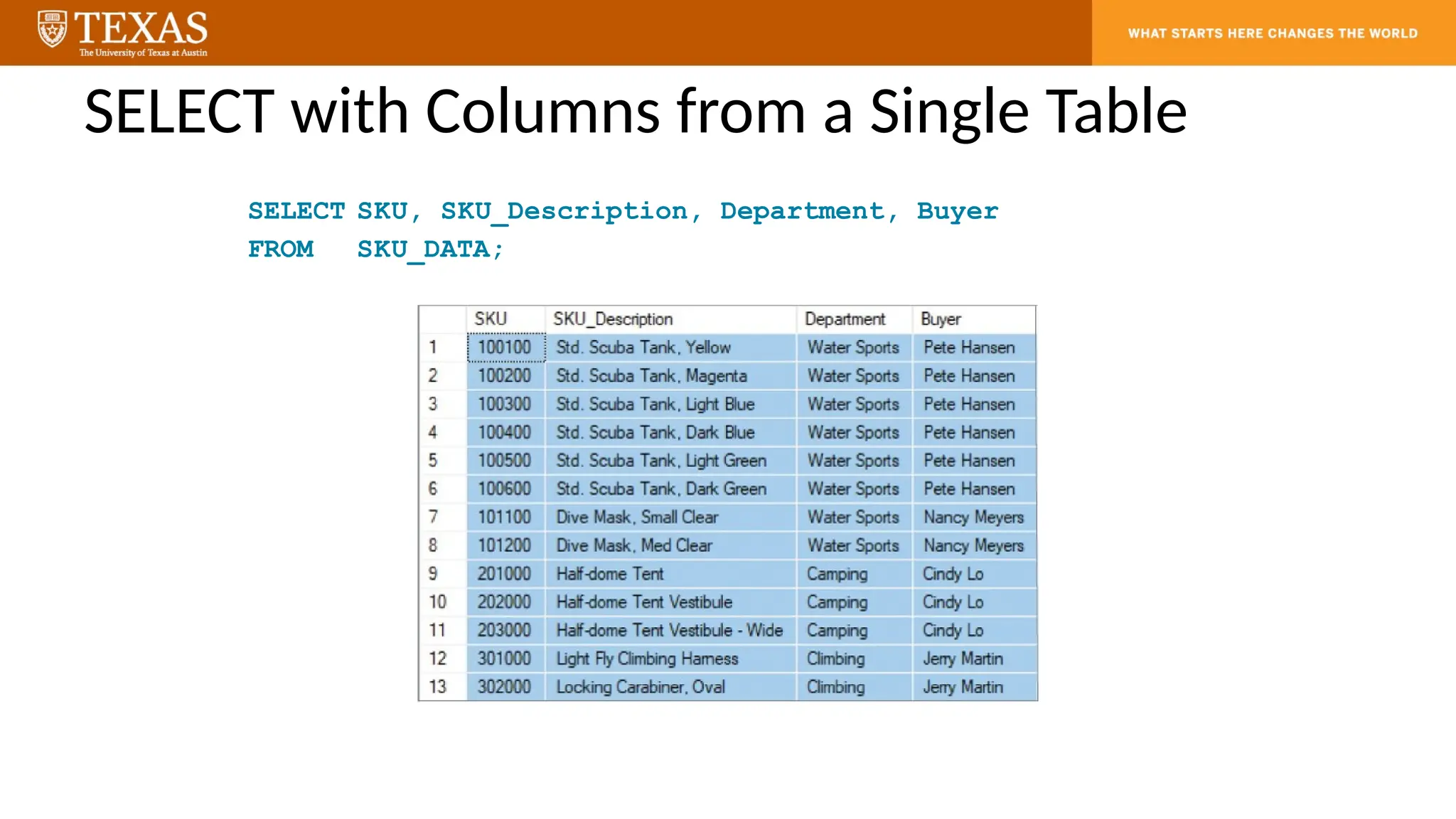
SELECT with Columnsfrom a Single Table
SELECT SKU, SKU_Description, Department, Buyer
FROM SKU_DATA;
11.
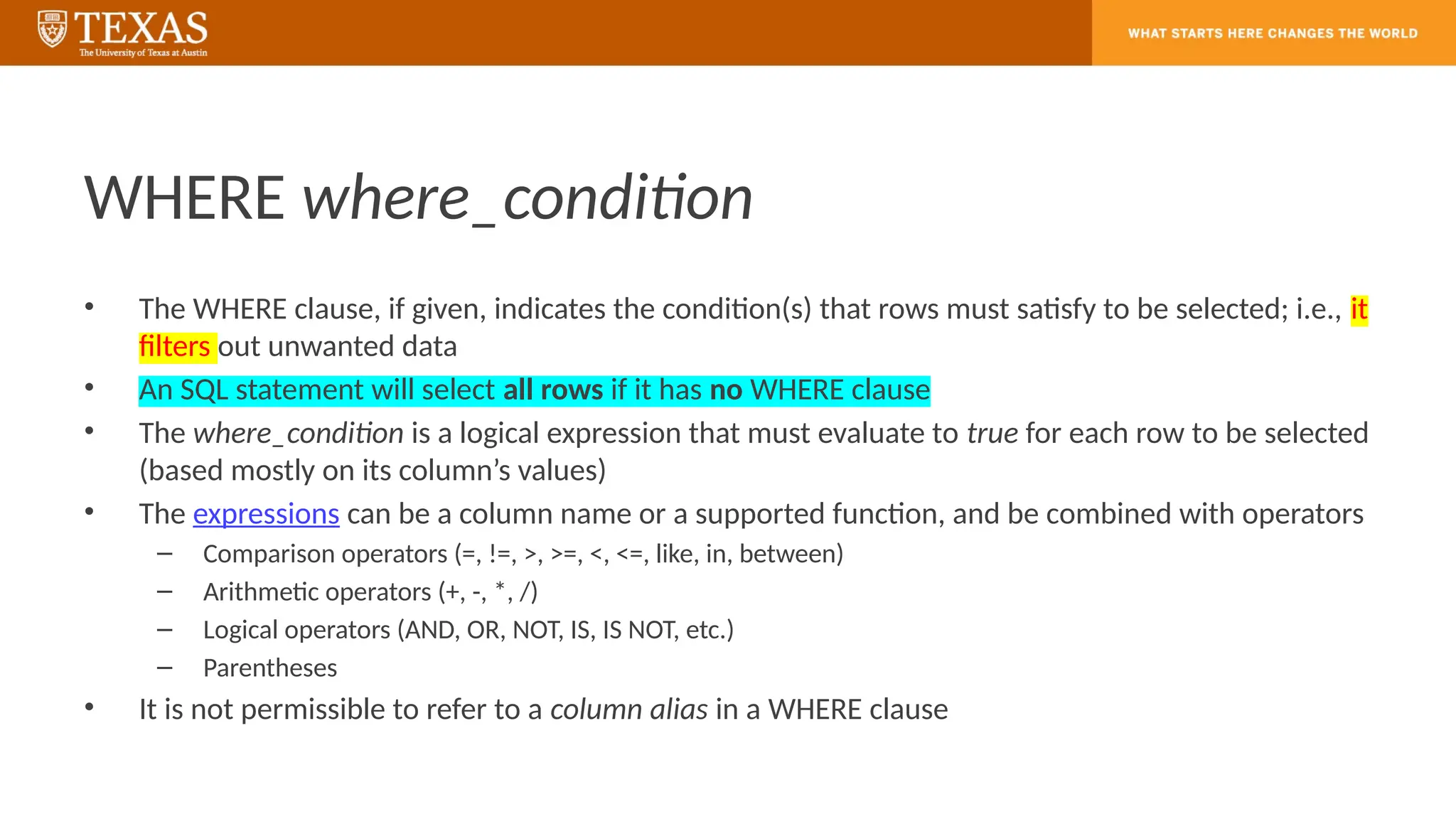
WHERE where_condition
• TheWHERE clause, if given, indicates the condition(s) that rows must satisfy to be selected; i.e., it
filters out unwanted data
• An SQL statement will select all rows if it has no WHERE clause
• The where_condition is a logical expression that must evaluate to true for each row to be selected
(based mostly on its column’s values)
• The expressions can be a column name or a supported function, and be combined with operators
– Comparison operators (=, !=, >, >=, <, <=, like, in, between)
– Arithmetic operators (+, -, *, /)
– Logical operators (AND, OR, NOT, IS, IS NOT, etc.)
– Parentheses
• It is not permissible to refer to a column alias in a WHERE clause
12.
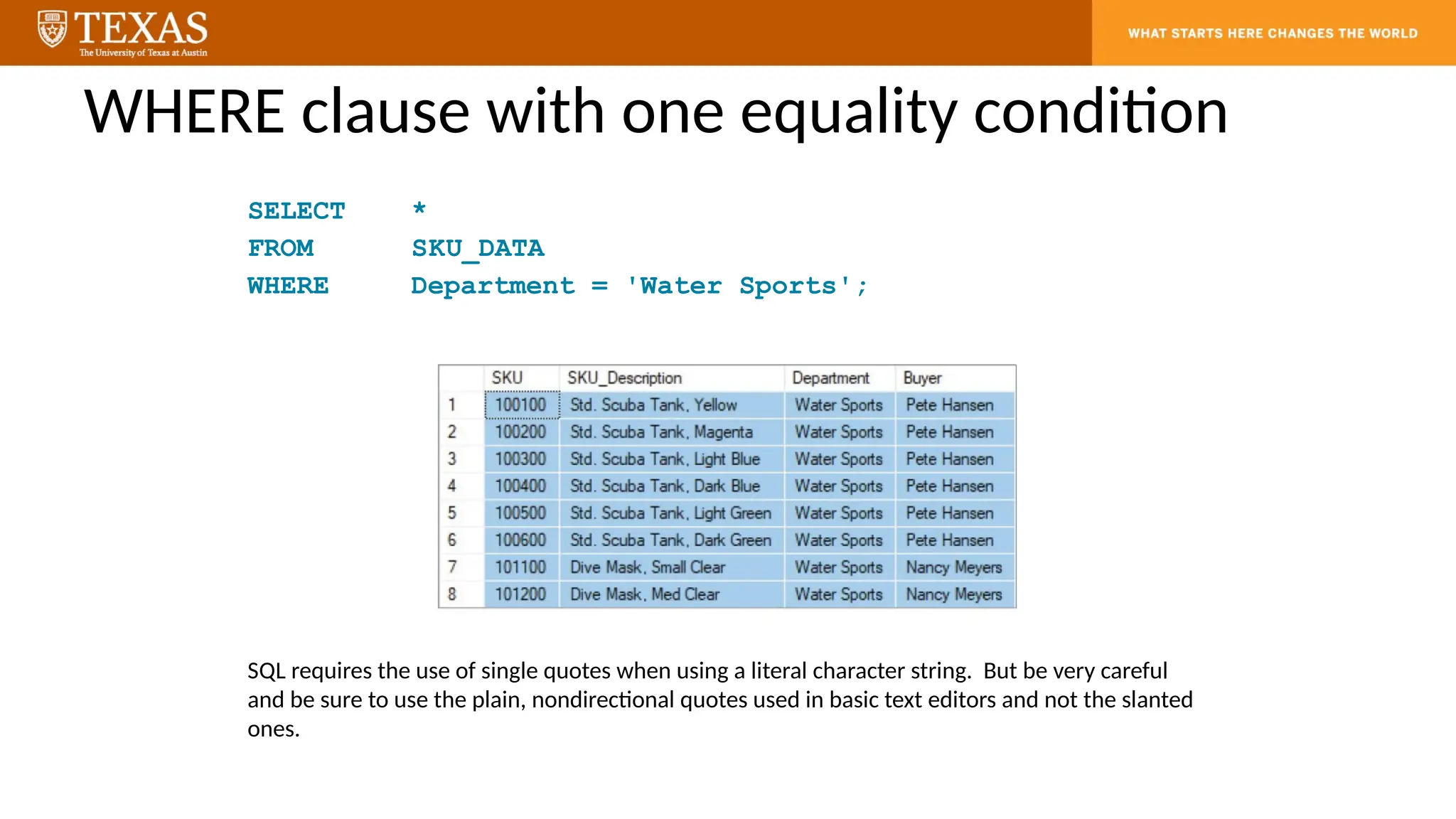
WHERE clause withone equality condition
SELECT *
FROM SKU_DATA
WHERE Department = 'Water Sports';
SQL requires the use of single quotes when using a literal character string. But be very careful
and be sure to use the plain, nondirectional quotes used in basic text editors and not the slanted
ones.
13.
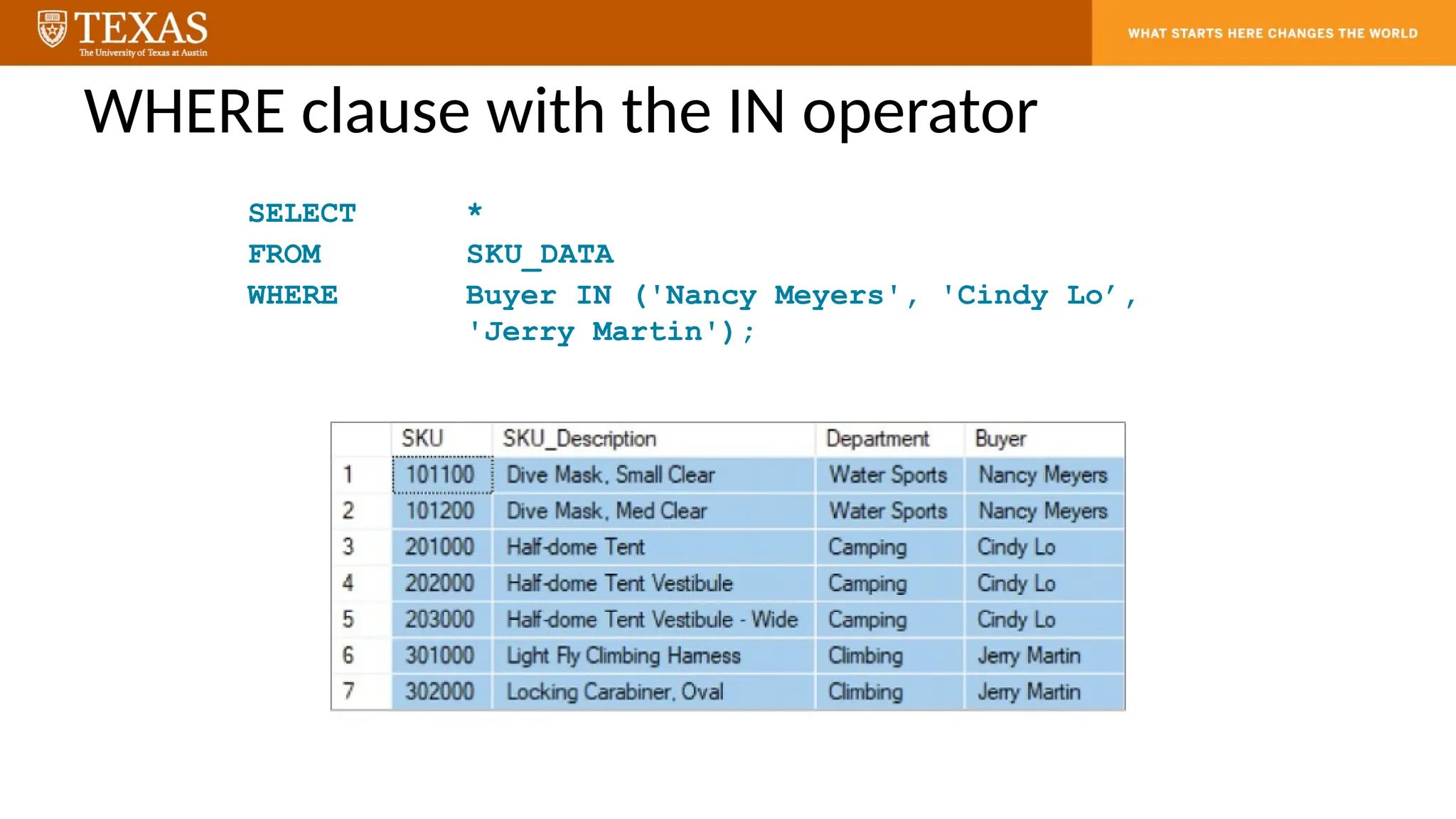
WHERE clause withthe IN operator
SELECT *
FROM SKU_DATA
WHERE Buyer IN ('Nancy Meyers', 'Cindy Lo’,
'Jerry Martin');
14.
WHERE clauses thatuse character string patterns
• The SQL LIKE operator and SQL NOT LIKE operator can be combined with wildcard
symbols:
– The SQL underscore (_) wildcard character, which represents a single,
unspecified character in a specific position in the character string.
– The SQL percent sign (%) wildcard character, which represents any sequence
of contiguous, unspecified characters (including spaces) in a specific position in
the character string.
15.
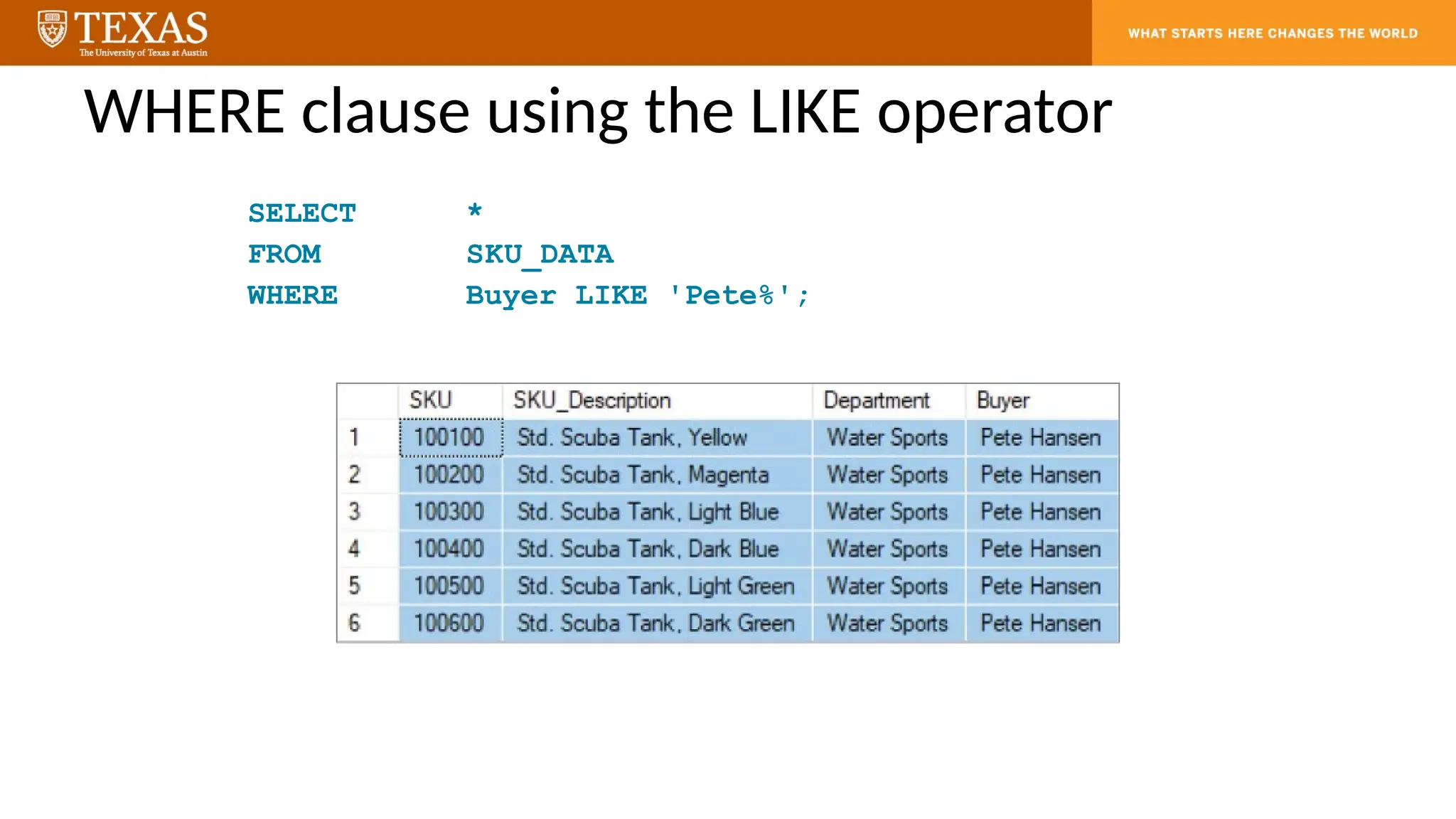
WHERE clause usingthe LIKE operator
SELECT *
FROM SKU_DATA
WHERE Buyer LIKE 'Pete%';
16.
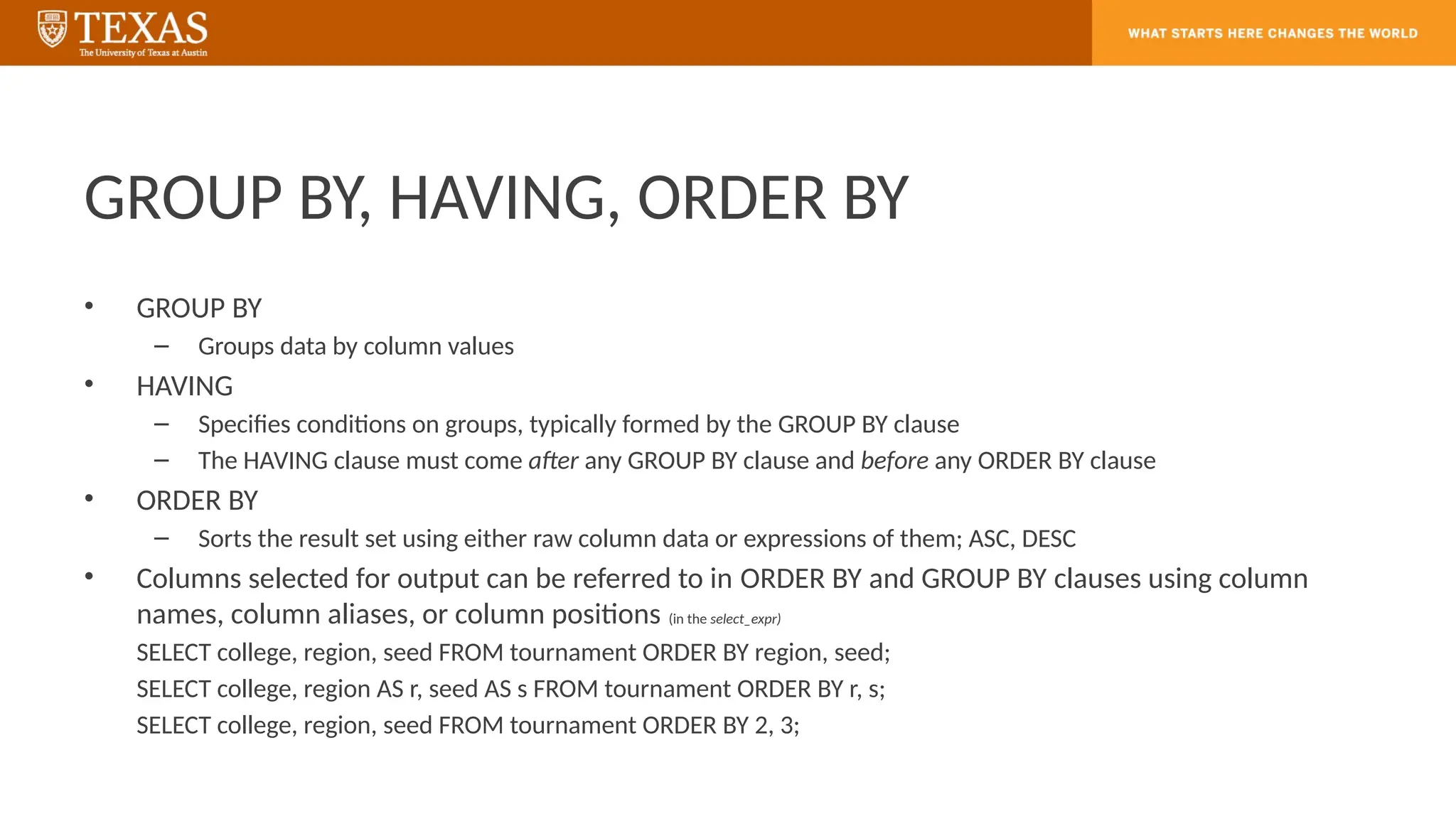
GROUP BY, HAVING,ORDER BY
• GROUP BY
– Groups data by column values
• HAVING
– Specifies conditions on groups, typically formed by the GROUP BY clause
– The HAVING clause must come after any GROUP BY clause and before any ORDER BY clause
• ORDER BY
– Sorts the result set using either raw column data or expressions of them; ASC, DESC
• Columns selected for output can be referred to in ORDER BY and GROUP BY clauses using column
names, column aliases, or column positions (in the select_expr)
SELECT college, region, seed FROM tournament ORDER BY region, seed;
SELECT college, region AS r, seed AS s FROM tournament ORDER BY r, s;
SELECT college, region, seed FROM tournament ORDER BY 2, 3;
17.
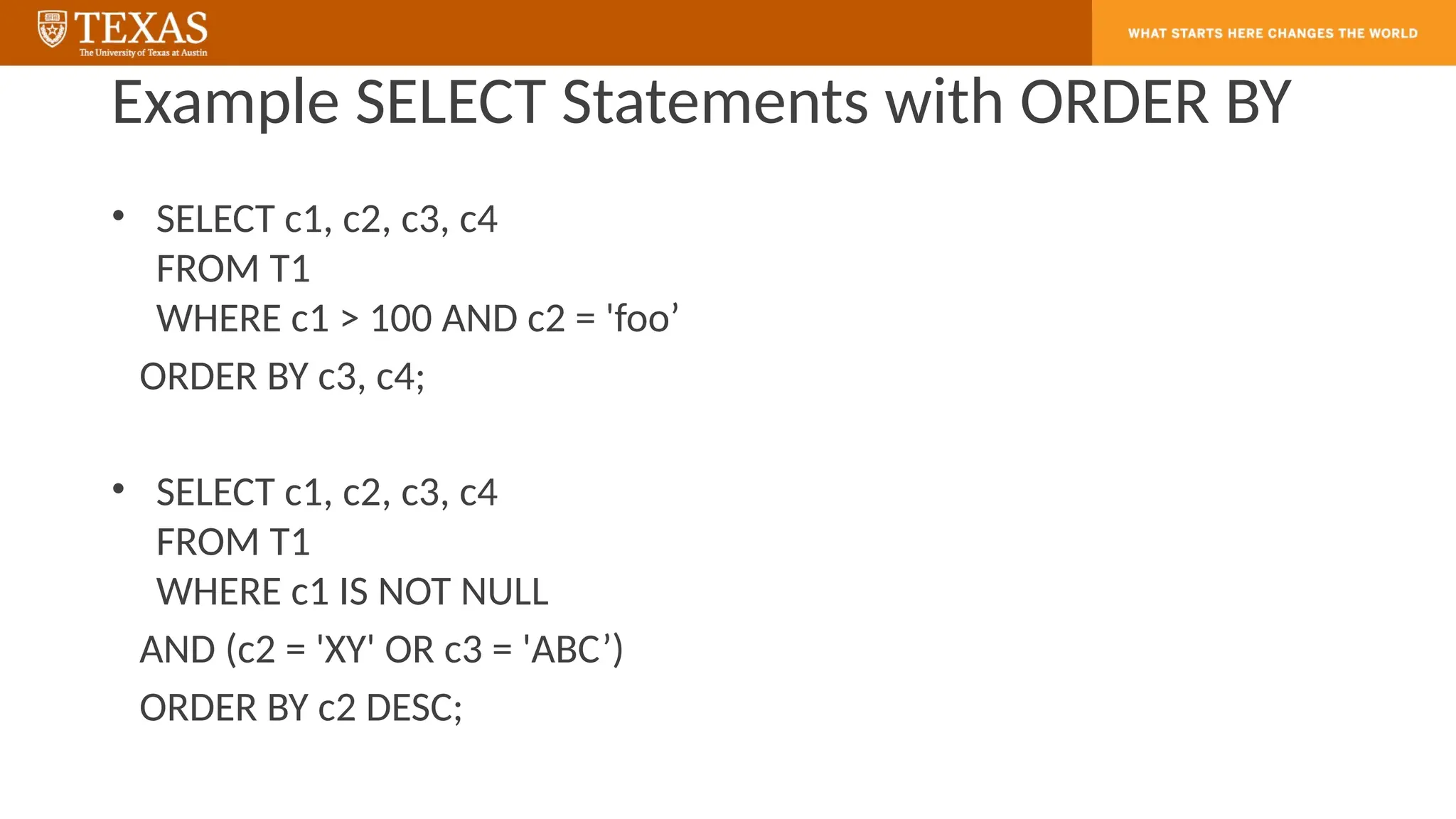
Example SELECT Statementswith ORDER BY
• SELECT c1, c2, c3, c4
FROM T1
WHERE c1 > 100 AND c2 = 'foo’
ORDER BY c3, c4;
• SELECT c1, c2, c3, c4
FROM T1
WHERE c1 IS NOT NULL
AND (c2 = 'XY' OR c3 = 'ABC’)
ORDER BY c2 DESC;
18.
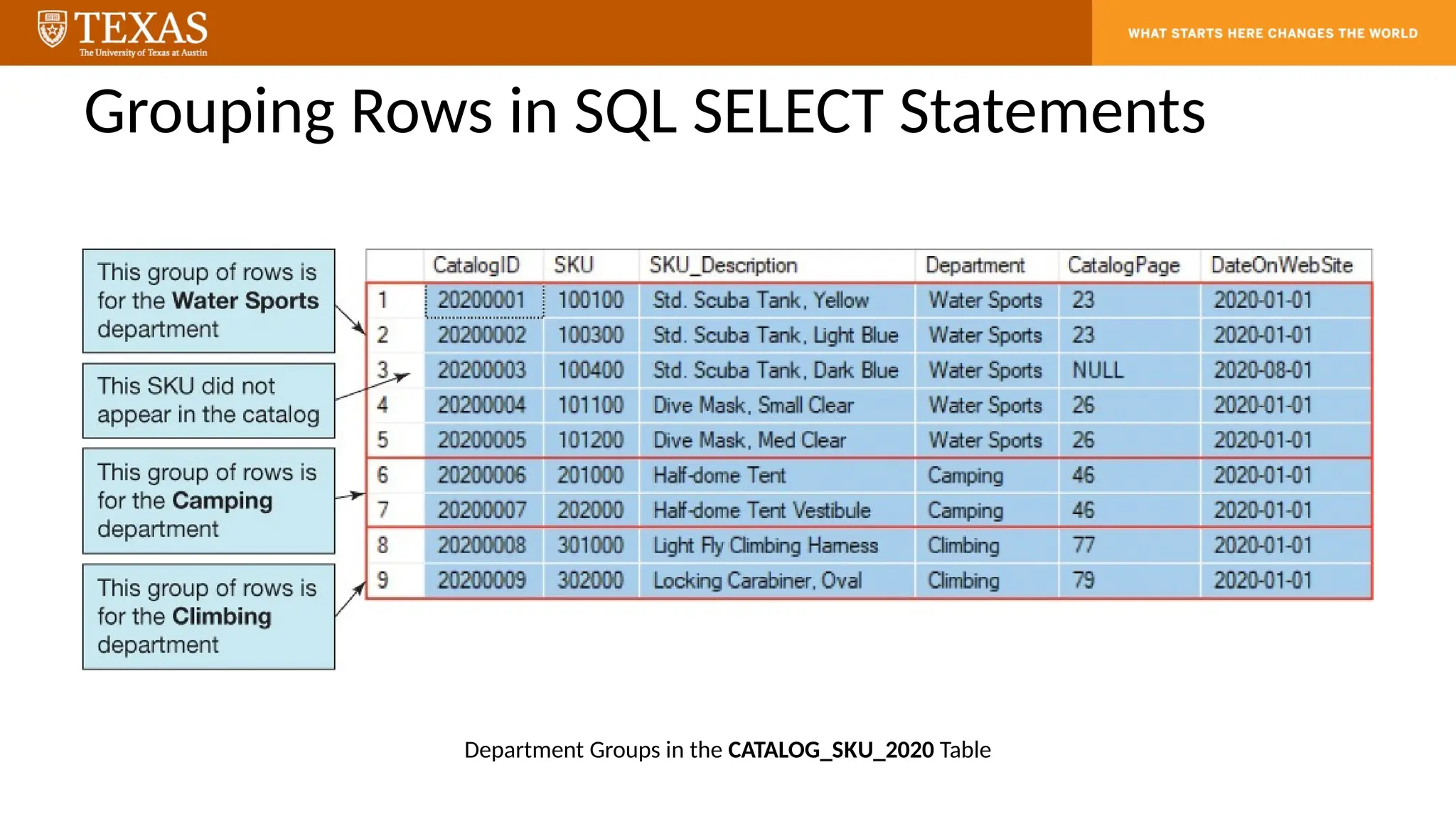
Grouping Rows inSQL SELECT Statements
Department Groups in the CATALOG_SKU_2020 Table
19.
Grouping Data intoDepartment Groups
SELECT Department, COUNT(SKU) AS
NumberOfCatalogItems
FROM CATALOG_SKU_2020
WHERE CatalogPage IS NOT NULL
GROUP BY Department;
20.
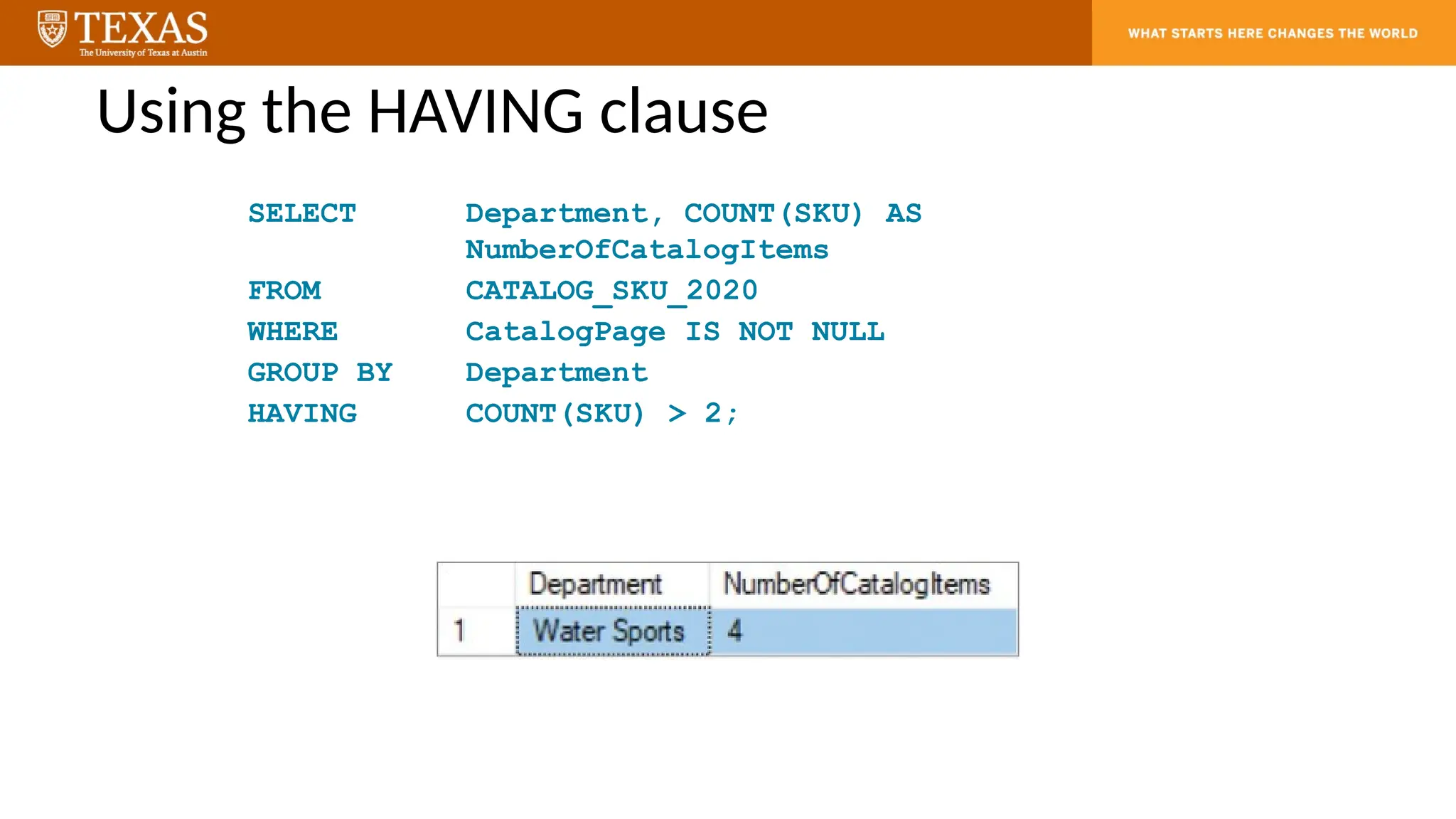
Using the HAVINGclause
SELECT Department, COUNT(SKU) AS
NumberOfCatalogItems
FROM CATALOG_SKU_2020
WHERE CatalogPage IS NOT NULL
GROUP BY Department
HAVING COUNT(SKU) > 2;
21.
Grouping Rows inSQL Queries
• The SQL WHERE clause specifies which rows will be used to determine the
groups.
• The SQL HAVING clause specifies which groups will be used in the final result.
• In general, place WHERE before GROUP BY. Some DBMS products do not require
that placement; but to be safe, always put WHERE before GROUP BY.
• There is an ambiguity in statements that include both WHERE and HAVING
clauses.
– The results can vary; so, to eliminate this ambiguity, SQL always applies the
WHERE clause before the HAVING clause.
22.
Confusion in filteringusing HAVING and WHERE
• Etiquette vs Rule
– SQL Rule: The logical evaluation order is fixed: WHERE always happens before
HAVING.
– Etiquette / Best practice: Place WHERE before HAVING in your query (this also
matches SQL’s required syntax). That way, your query reflects the logical order
and avoids confusion.
23.
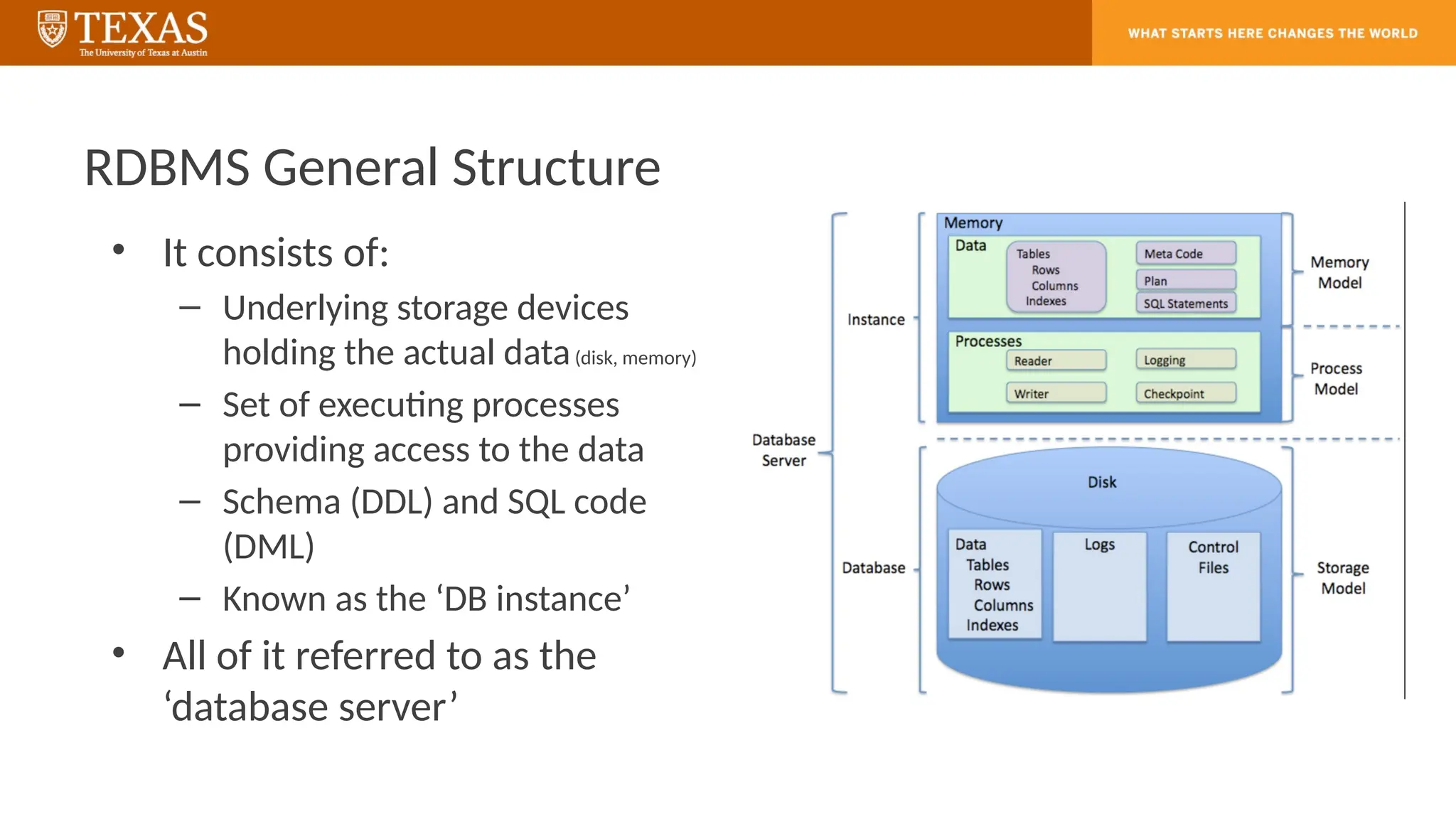
RDBMS General Structure
•It consists of:
– Underlying storage devices
holding the actual data(disk, memory)
– Set of executing processes
providing access to the data
– Schema (DDL) and SQL code
(DML)
– Known as the ‘DB instance’
• All of it referred to as the
‘database server’
24.
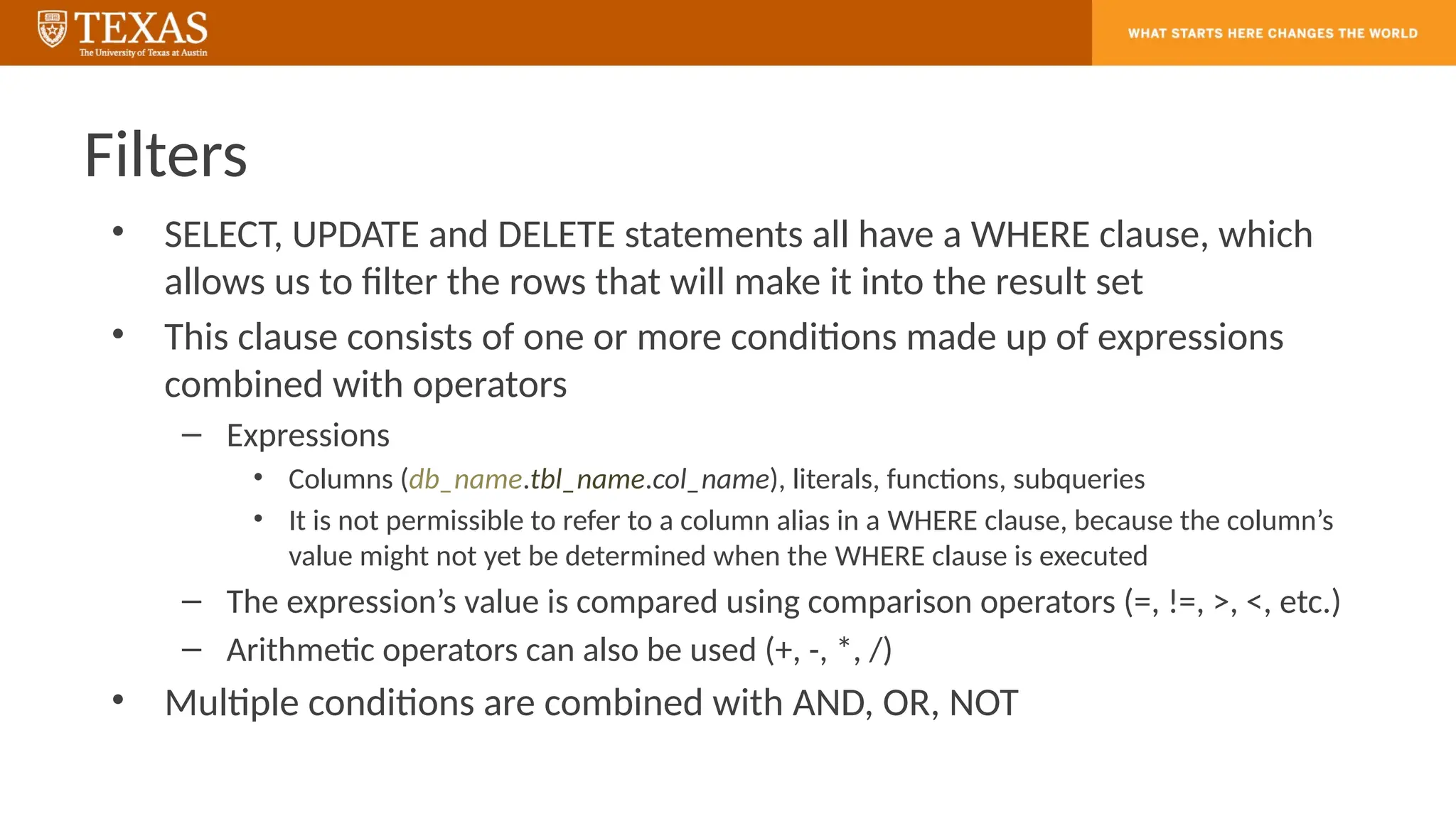
Filters
• SELECT, UPDATEand DELETE statements all have a WHERE clause, which
allows us to filter the rows that will make it into the result set
• This clause consists of one or more conditions made up of expressions
combined with operators
– Expressions
• Columns (db_name.tbl_name.col_name), literals, functions, subqueries
• It is not permissible to refer to a column alias in a WHERE clause, because the column’s
value might not yet be determined when the WHERE clause is executed
– The expression’s value is compared using comparison operators (=, !=, >, <, etc.)
– Arithmetic operators can also be used (+, -, *, /)
• Multiple conditions are combined with AND, OR, NOT
25.
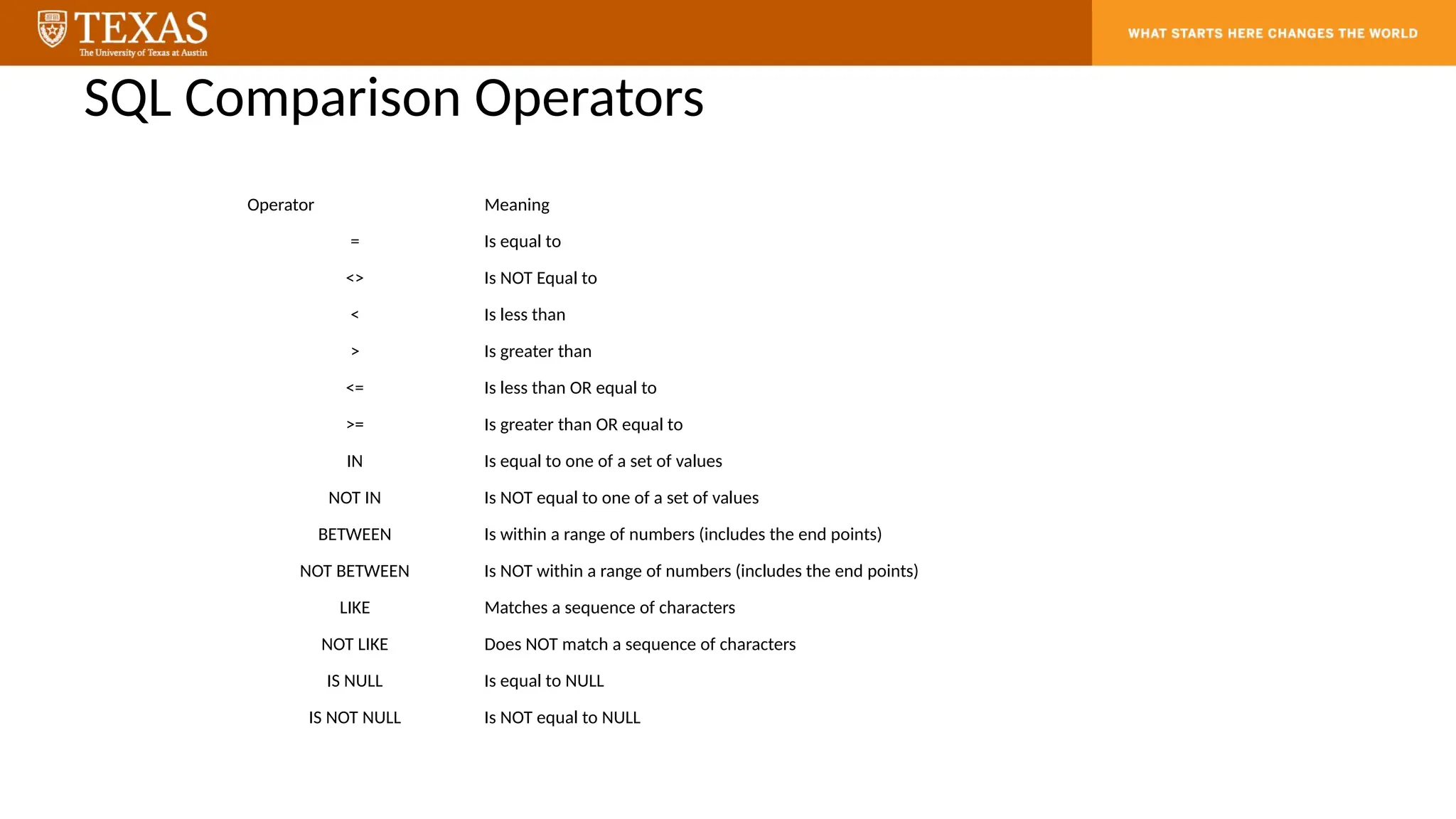
SQL Comparison Operators
OperatorMeaning
= Is equal to
<> Is NOT Equal to
< Is less than
> Is greater than
<= Is less than OR equal to
>= Is greater than OR equal to
IN Is equal to one of a set of values
NOT IN Is NOT equal to one of a set of values
BETWEEN Is within a range of numbers (includes the end points)
NOT BETWEEN Is NOT within a range of numbers (includes the end points)
LIKE Matches a sequence of characters
NOT LIKE Does NOT match a sequence of characters
IS NULL Is equal to NULL
IS NOT NULL Is NOT equal to NULL
26.
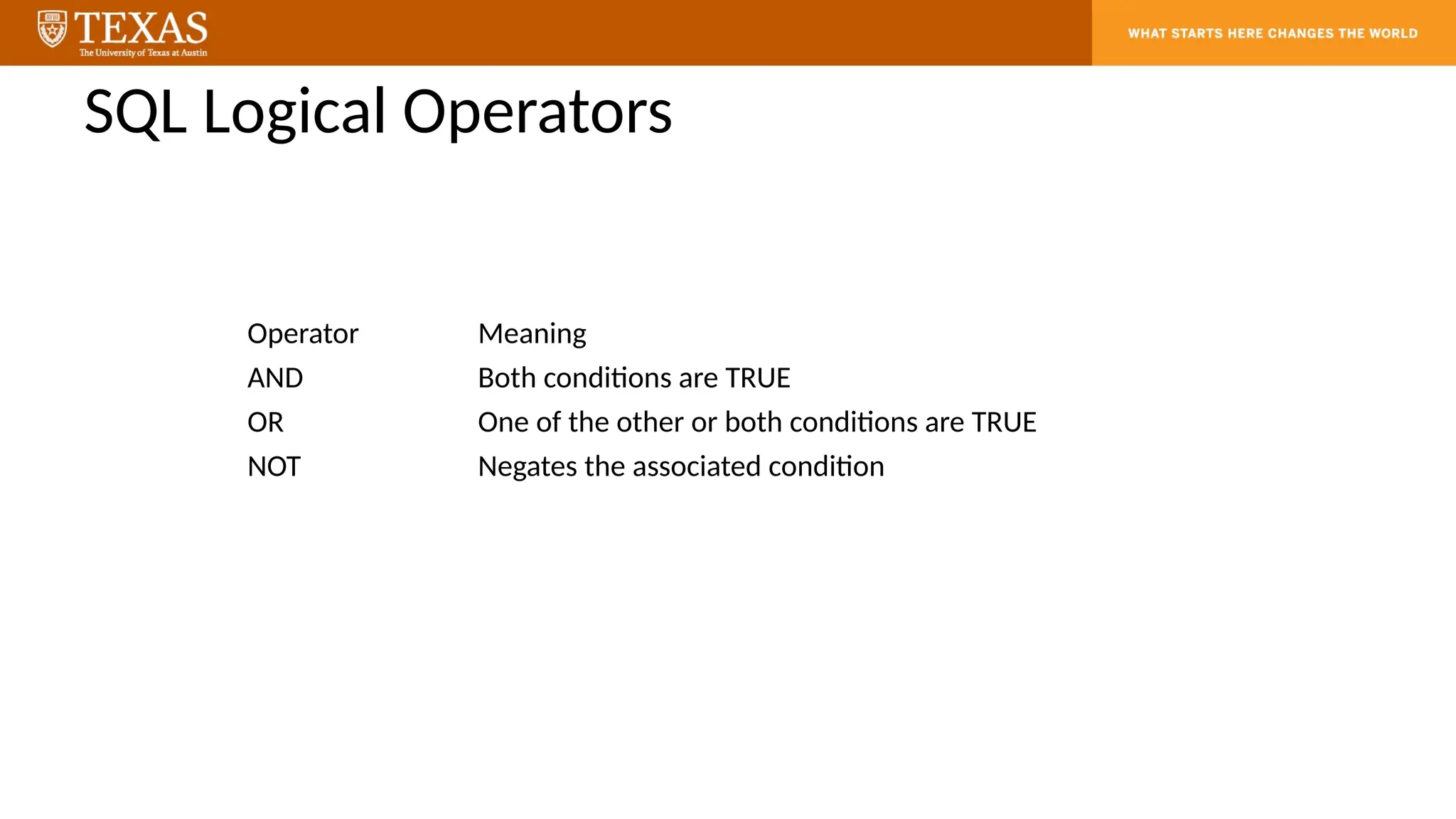
SQL Logical Operators
OperatorMeaning
AND Both conditions are TRUE
OR One of the other or both conditions are TRUE
NOT Negates the associated condition
27.
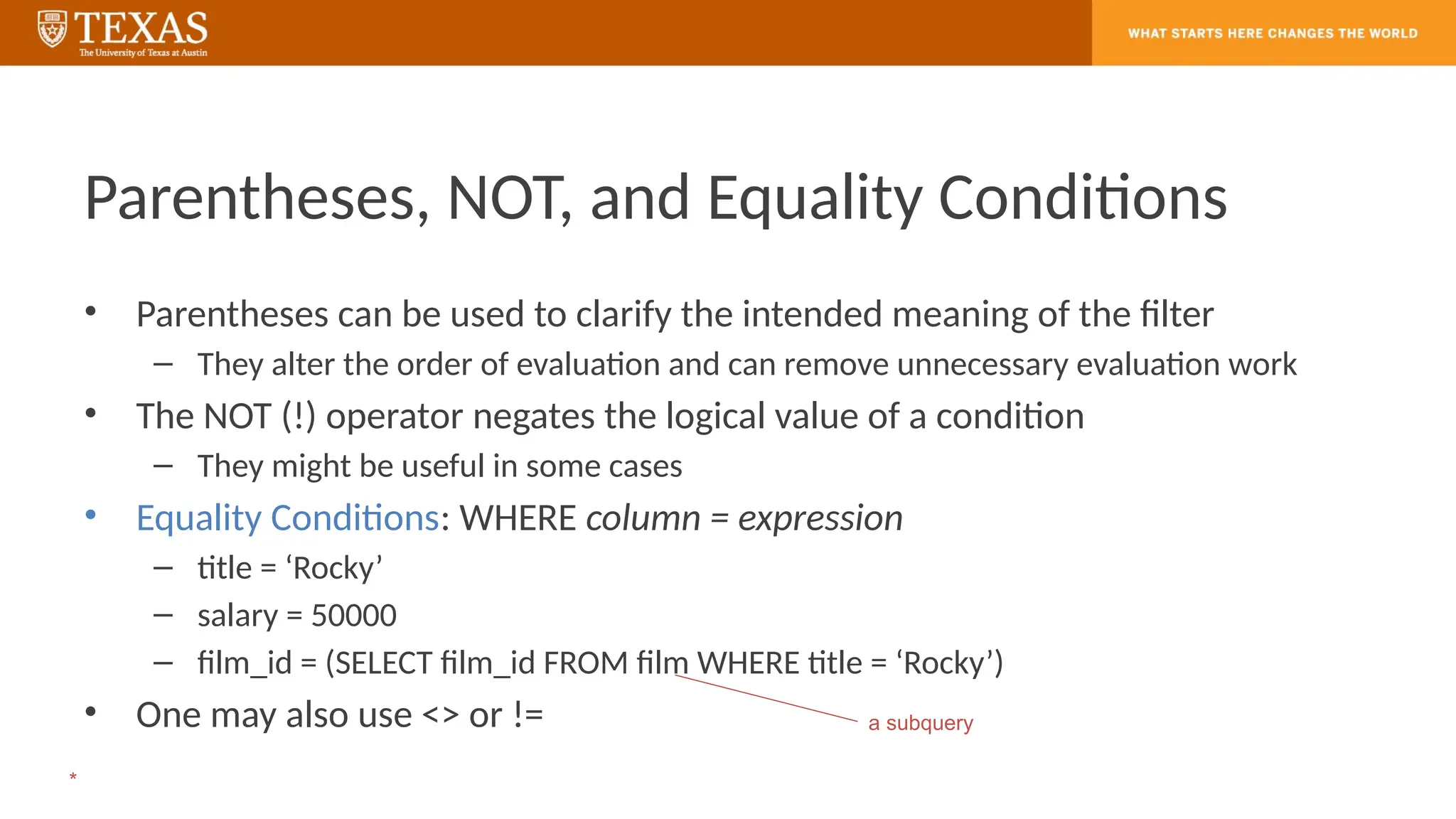
Parentheses, NOT, andEquality Conditions
• Parentheses can be used to clarify the intended meaning of the filter
– They alter the order of evaluation and can remove unnecessary evaluation work
• The NOT (!) operator negates the logical value of a condition
– They might be useful in some cases
• Equality Conditions: WHERE column = expression
– title = ‘Rocky’
– salary = 50000
– film_id = (SELECT film_id FROM film WHERE title = ‘Rocky’)
• One may also use <> or != a subquery
*
28.
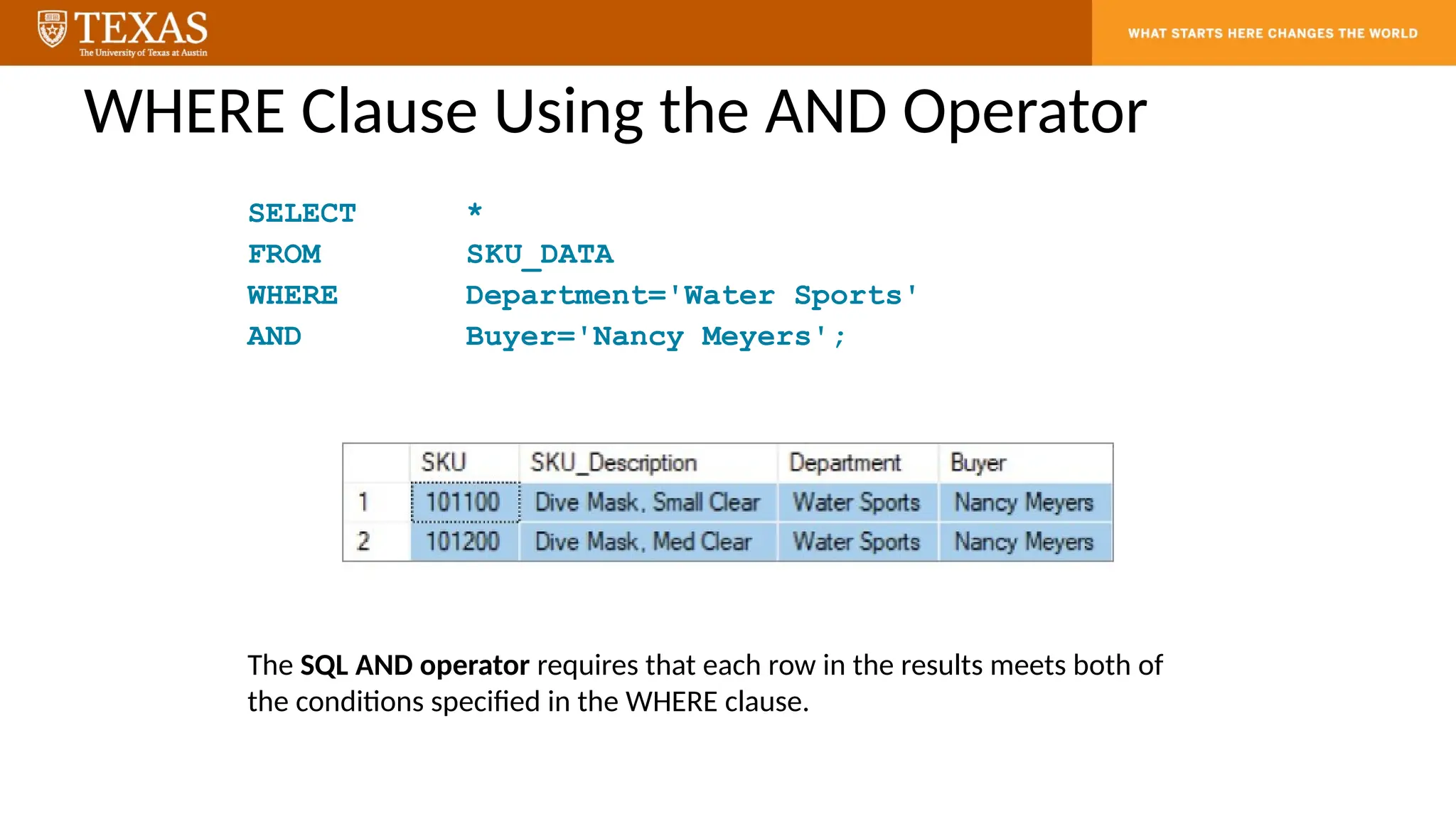
WHERE Clause Usingthe AND Operator
SELECT *
FROM SKU_DATA
WHERE Department='Water Sports'
AND Buyer='Nancy Meyers';
The SQL AND operator requires that each row in the results meets both of
the conditions specified in the WHERE clause.
29.
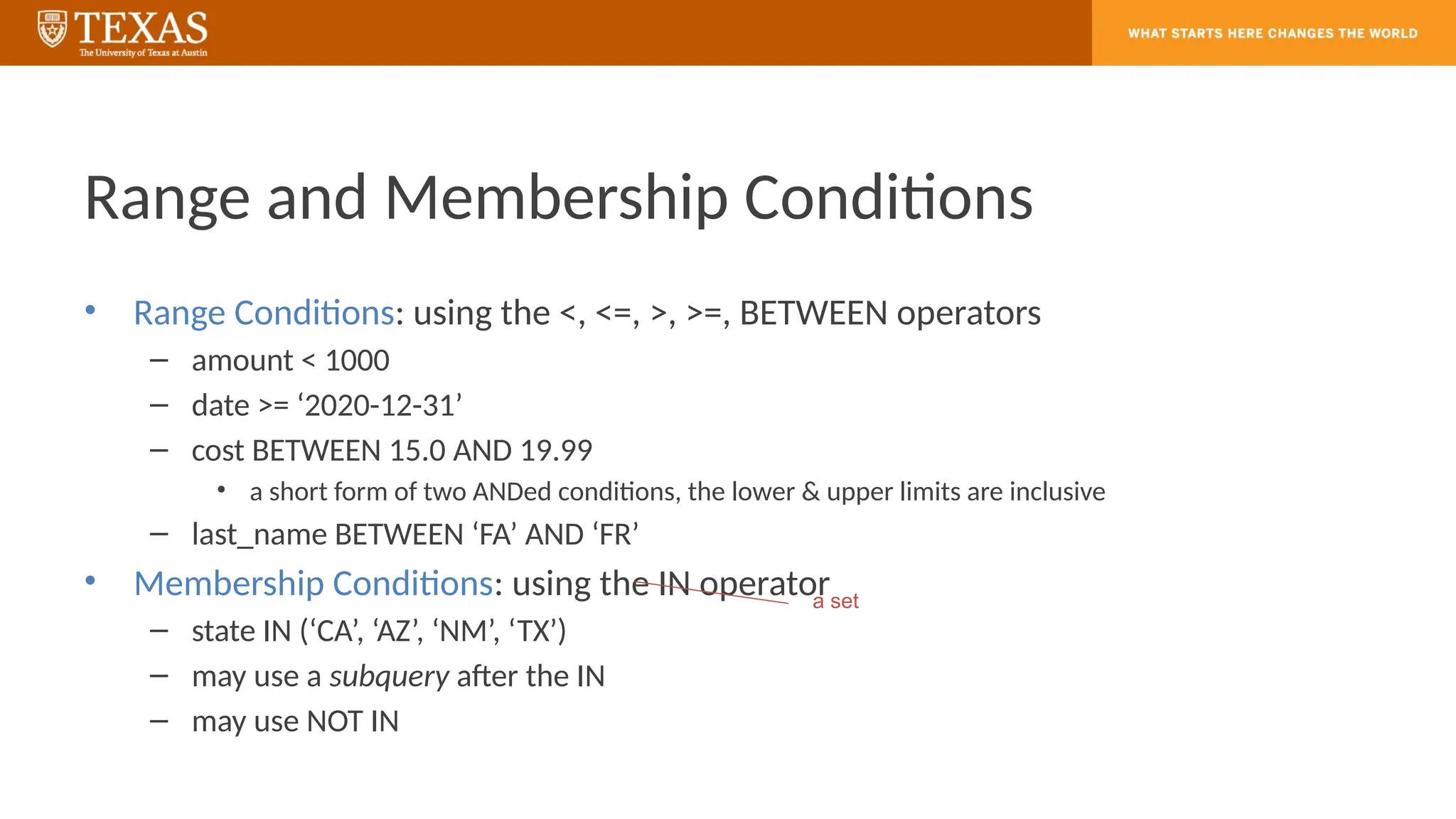
Range and MembershipConditions
• Range Conditions: using the <, <=, >, >=, BETWEEN operators
– amount < 1000
– date >= ‘2020-12-31’
– cost BETWEEN 15.0 AND 19.99
• a short form of two ANDed conditions, the lower & upper limits are inclusive
– last_name BETWEEN ‘FA’ AND ‘FR’
• Membership Conditions: using the IN operator
– state IN (‘CA’, ‘AZ’, ‘NM’, ‘TX’)
– may use a subquery after the IN
– may use NOT IN
a set
30.
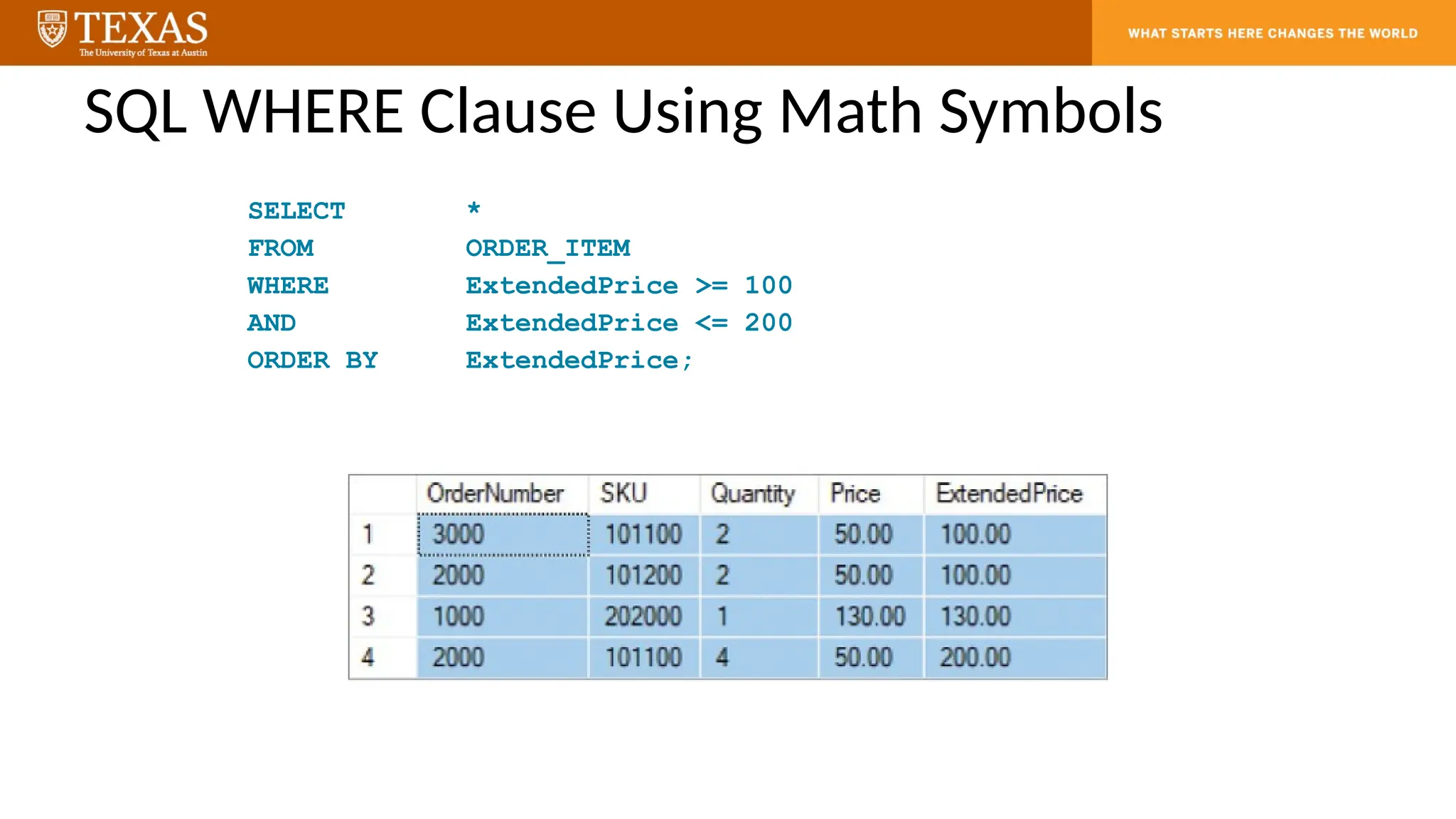
SQL WHERE ClauseUsing Math Symbols
SELECT *
FROM ORDER_ITEM
WHERE ExtendedPrice >= 100
AND ExtendedPrice <= 200
ORDER BY ExtendedPrice;
31.
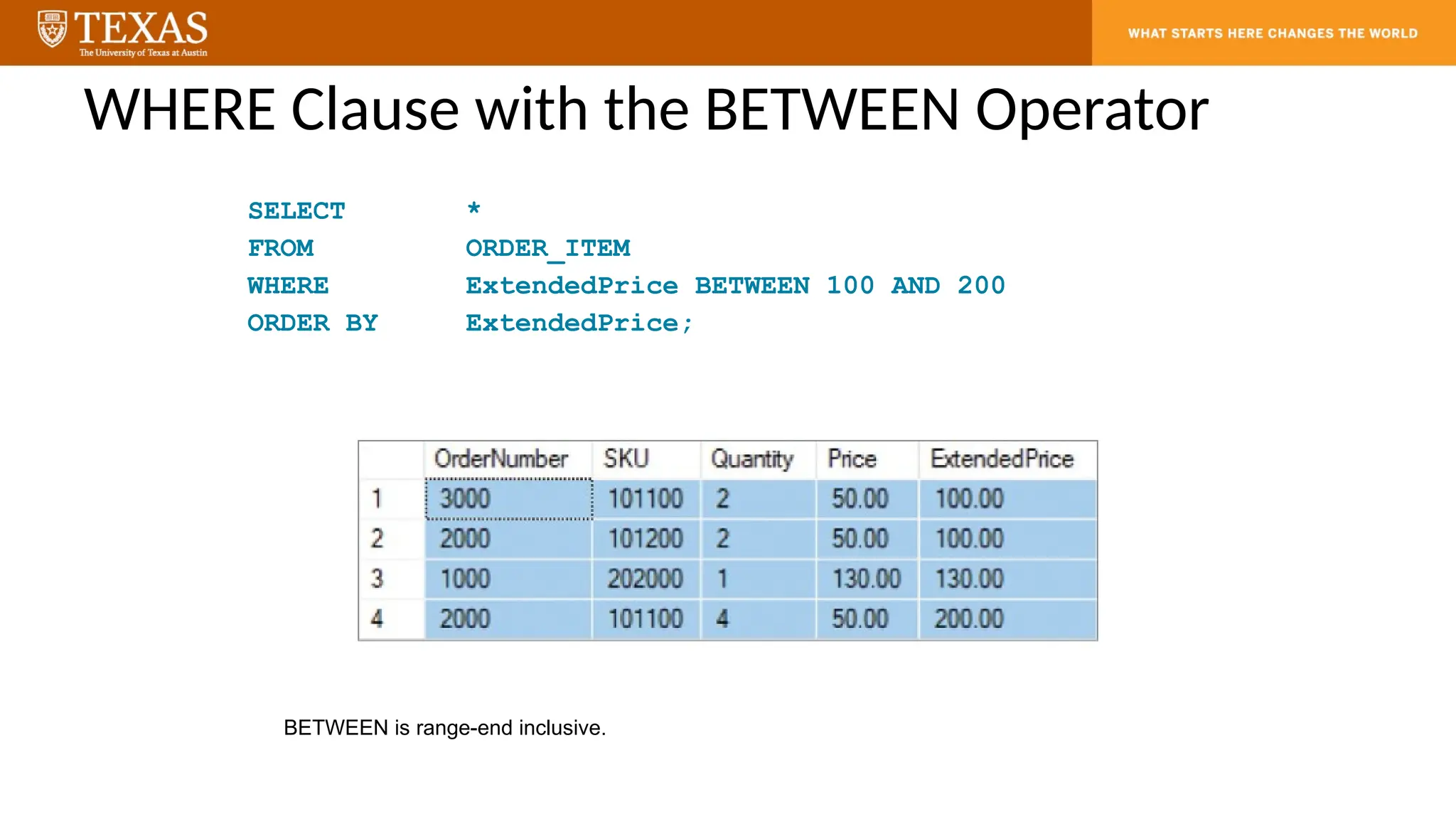
WHERE Clause withthe BETWEEN Operator
SELECT *
FROM ORDER_ITEM
WHERE ExtendedPrice BETWEEN 100 AND 200
ORDER BY ExtendedPrice;
BETWEEN is range-end inclusive.
32.
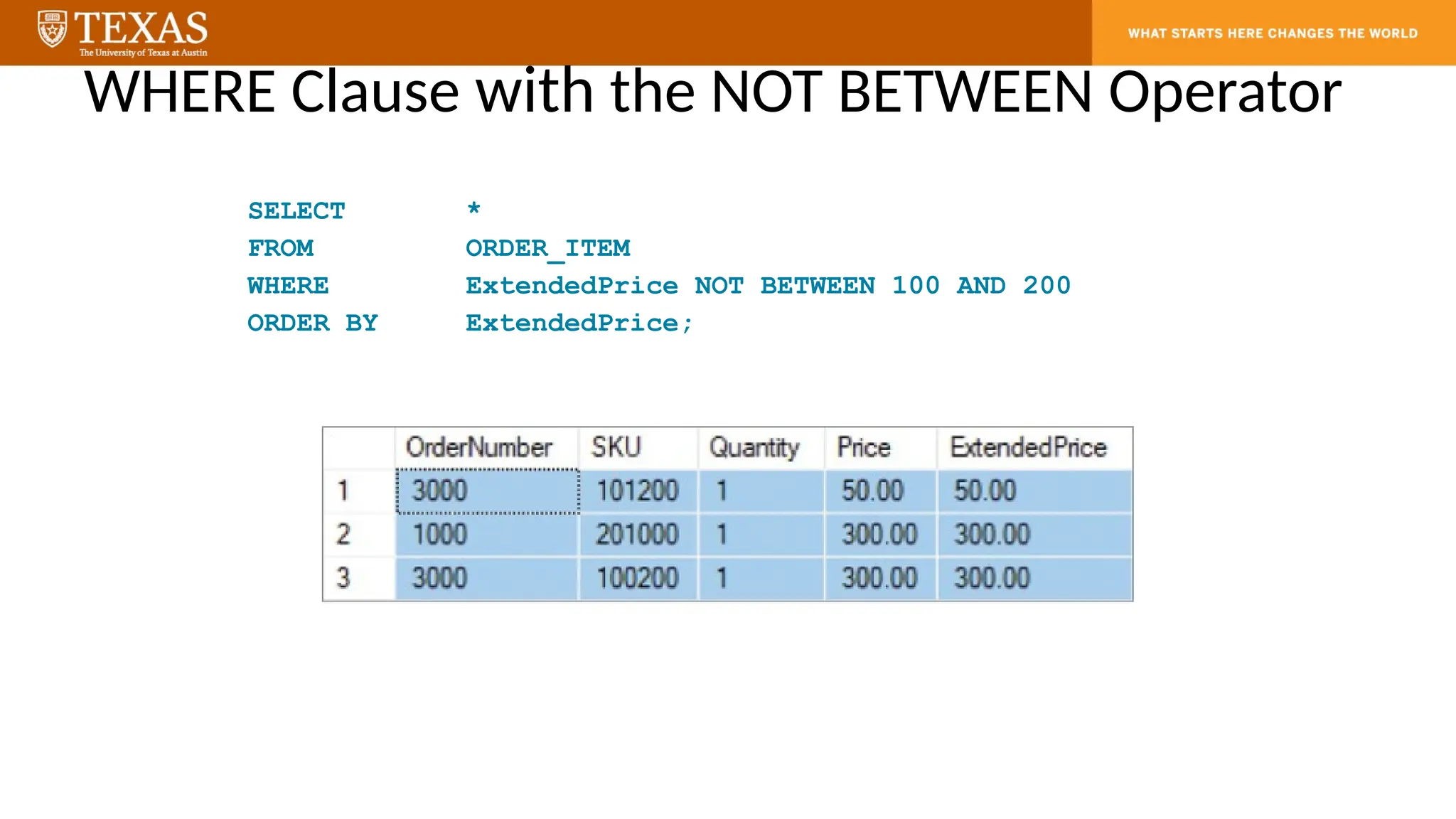
WHERE Clause withthe NOT BETWEEN Operator
SELECT *
FROM ORDER_ITEM
WHERE ExtendedPrice NOT BETWEEN 100 AND 200
ORDER BY ExtendedPrice;
33.
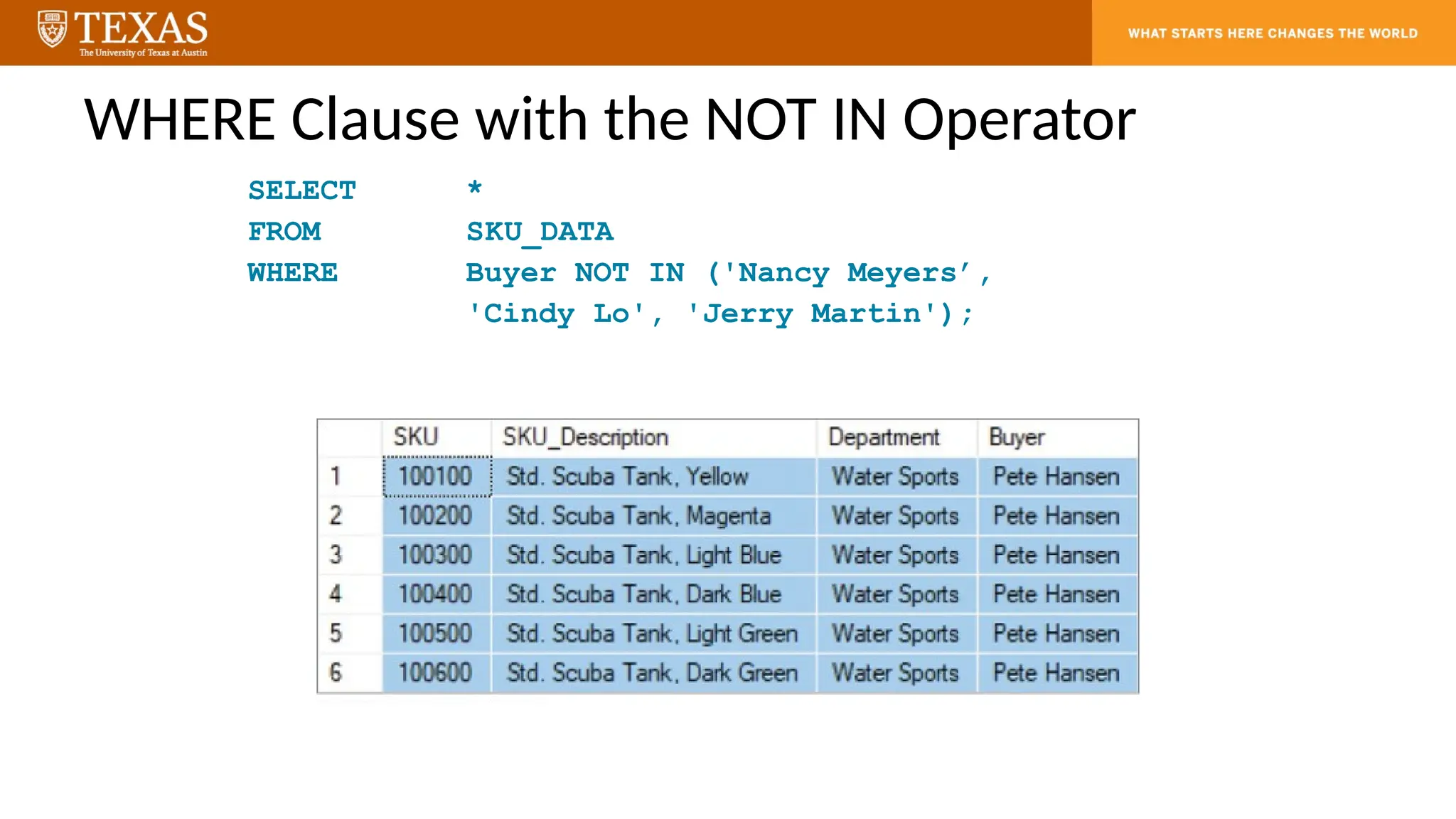
WHERE Clause withthe NOT IN Operator
SELECT *
FROM SKU_DATA
WHERE Buyer NOT IN ('Nancy Meyers’,
'Cindy Lo', 'Jerry Martin');
34.
Matching Conditions
• MatchingConditions: using the LIKE, REGEXP operators
– with a built-in function to extract characters from the data: left() function
– with wildcard characters
• underscore ( _ ) for exactly one character
– state LIKE ‘T_’
• percent ( % ) for any number of characters (even none)
– last_name LIKE ‘P%’
– with regular expressions
• last_name REGEXP ‘^[QY]’
– all last names that start with Q or Y
• different DBMSs support them in slightly different ways:
SELECT last_name
FROM customer
WHERE last_name LIKE ‘P%’;
WHERE left(city, 1) = ‘P’
In MySQL
*
35.
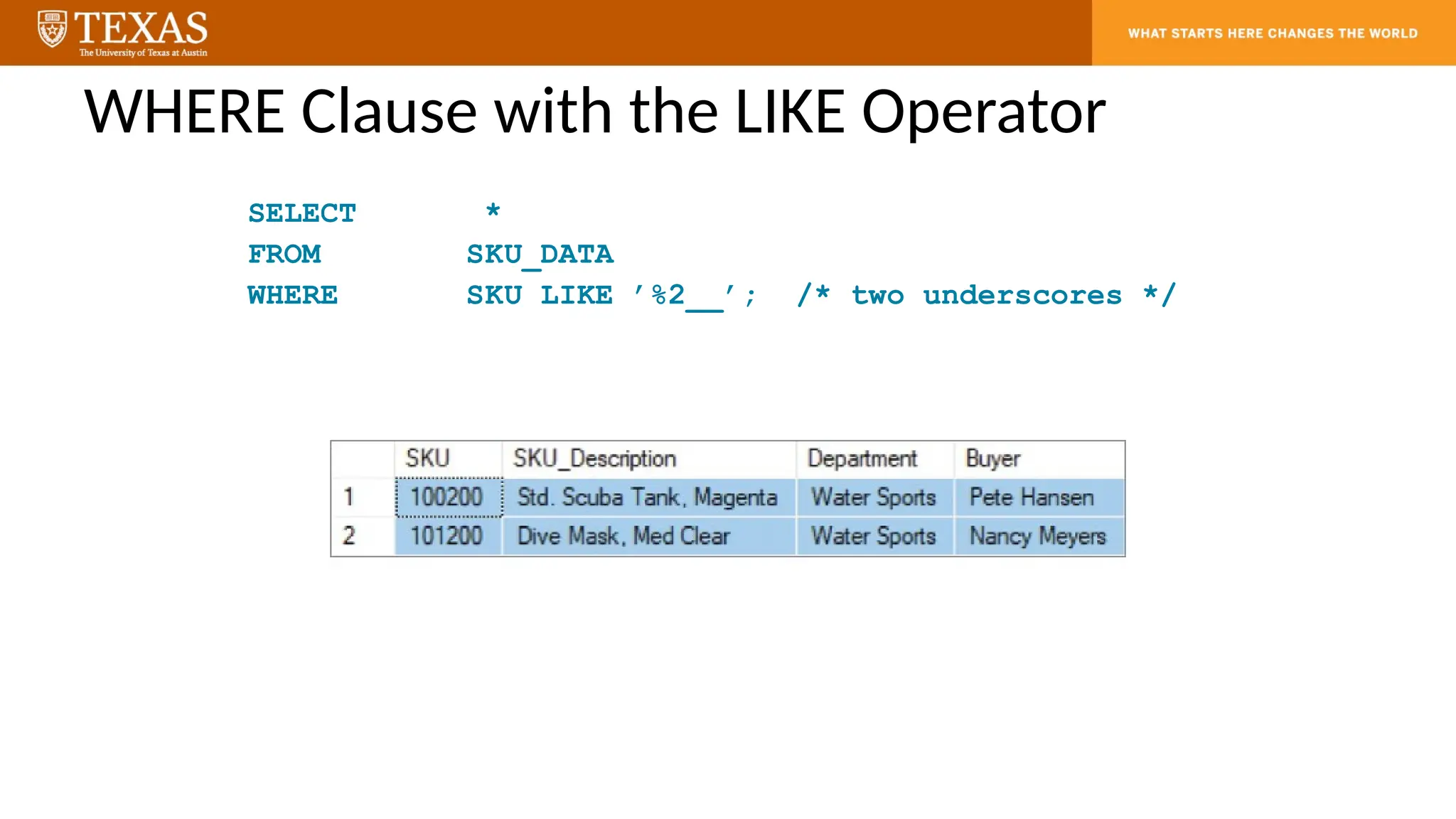
WHERE Clause withthe LIKE Operator
SELECT *
FROM SKU_DATA
WHERE SKU LIKE ’%2__’; /* two underscores */
36.
The NULL Value
•NULL is the absence of a value in a certain column of a row
• NULL means “a missing unknown value” and it is treated somewhat differently
from other values
• To test for NULL, use the IS NULL and IS NOT NULL operators
• Be aware that the NULL ’value’ is different from values such as 0 for numeric
types or the empty string for string types
• For sorting with ORDER BY, NULL values sort before other values for ascending
sorts (and after other values for descending sorts) in MySQL, the opposite way
for Postgres
37.
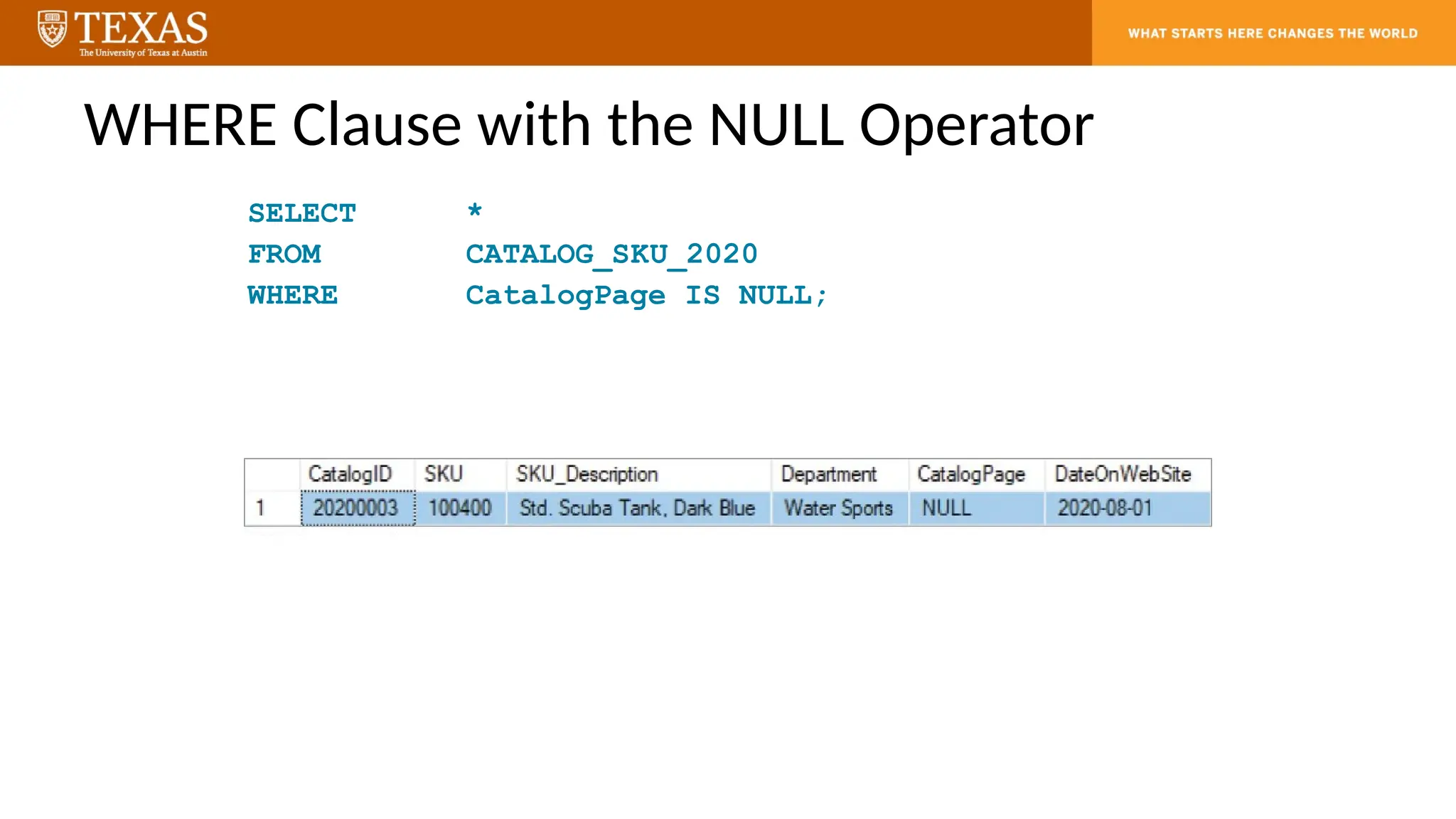
WHERE Clause withthe NULL Operator
SELECT *
FROM CATALOG_SKU_2020
WHERE CatalogPage IS NULL;
38.
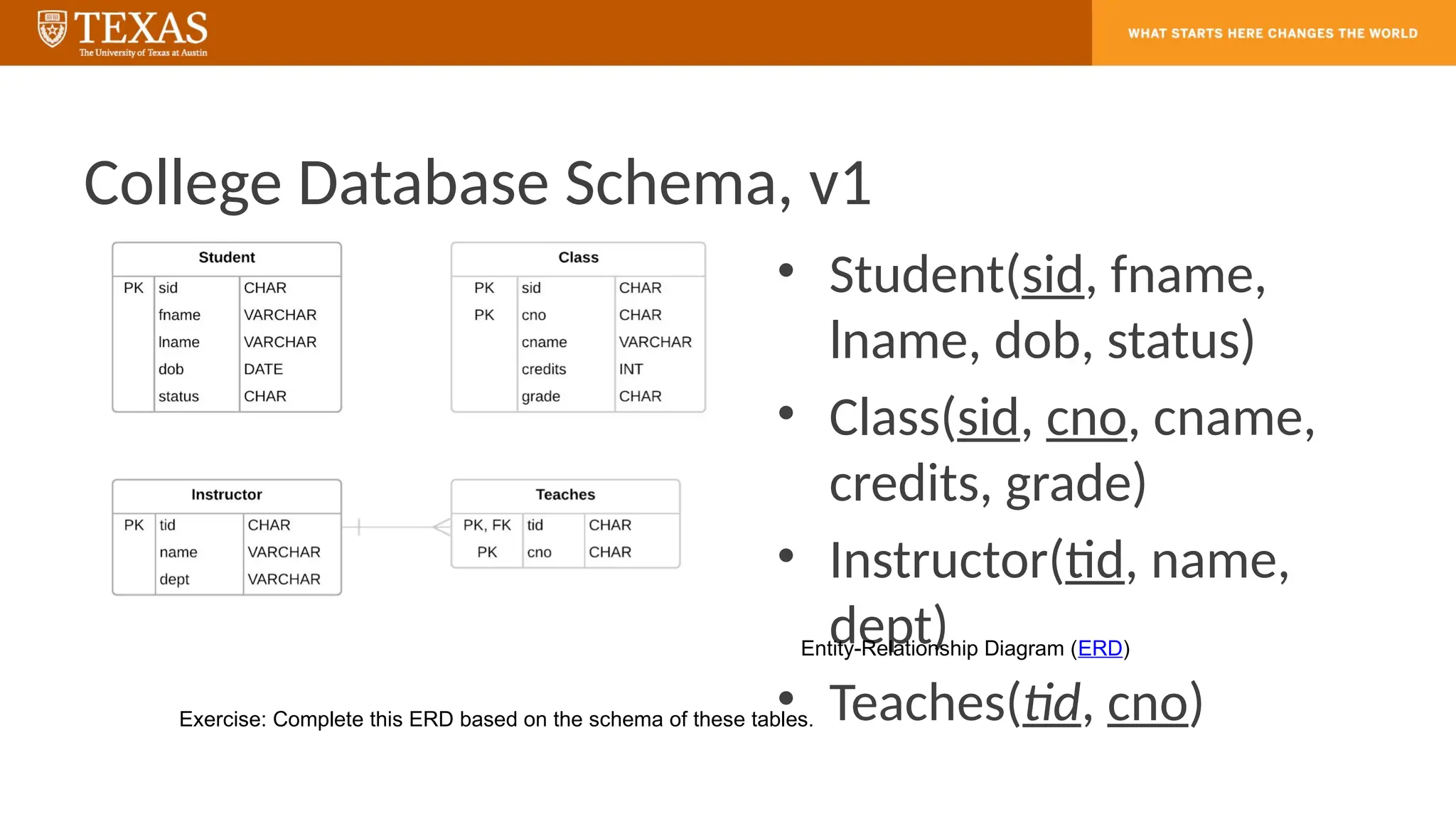
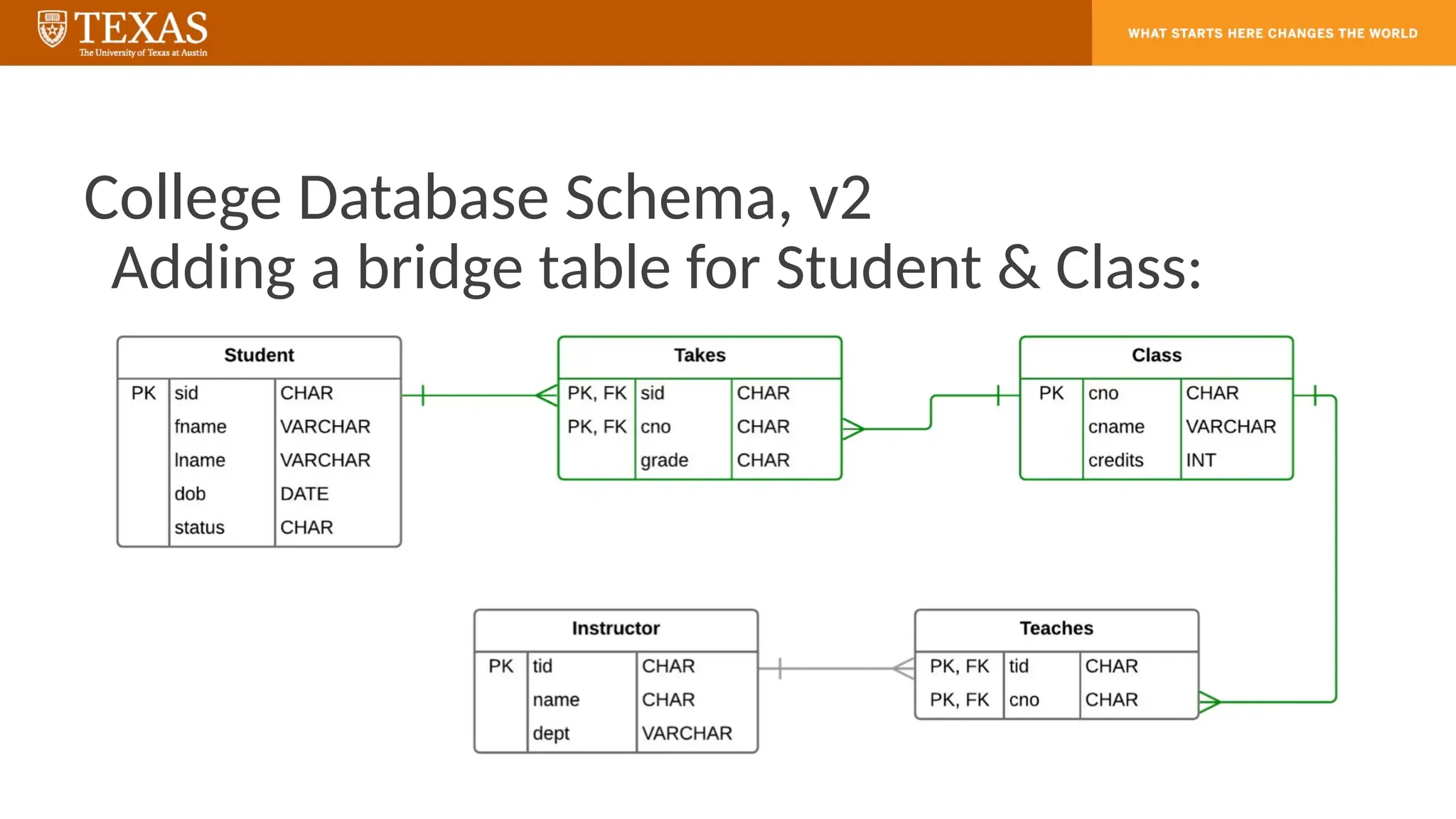
College Database Schema,v1
• Student(sid, fname,
lname, dob, status)
• Class(sid, cno, cname,
credits, grade)
• Instructor(tid, name,
dept)
• Teaches(tid, cno)
Entity-Relationship Diagram (ERD)
Exercise: Complete this ERD based on the schema of these tables.
39.
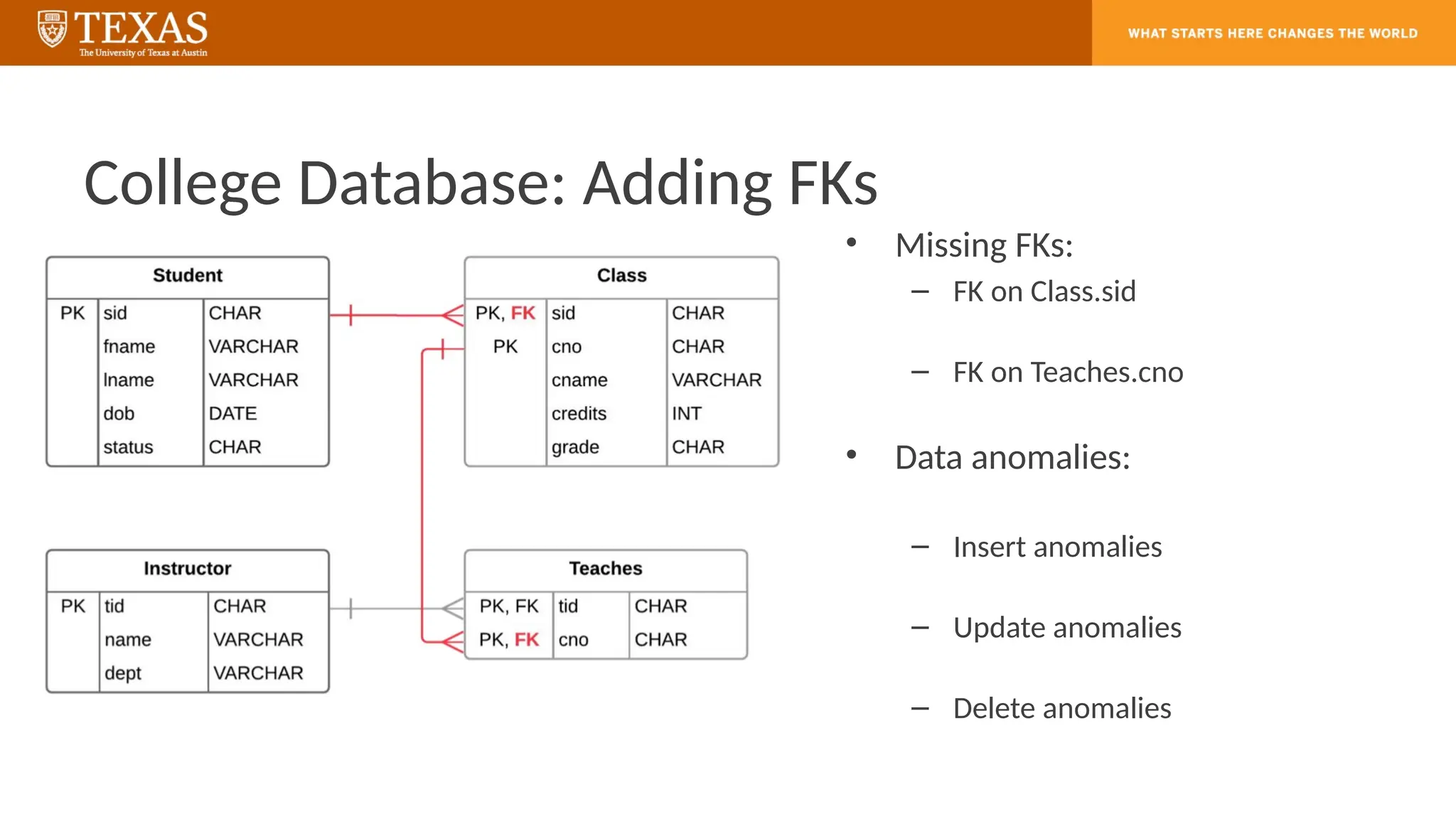
College Database: AddingFKs
• Missing FKs:
– FK on Class.sid
– FK on Teaches.cno
• Data anomalies:
– Insert anomalies
– Update anomalies
– Delete anomalies
SQL Exercise
• Writethe SQL statements to answer these
two questions:
– Who takes CS327E or CS329E?
– Who takes CS327E and CS329E?
42.
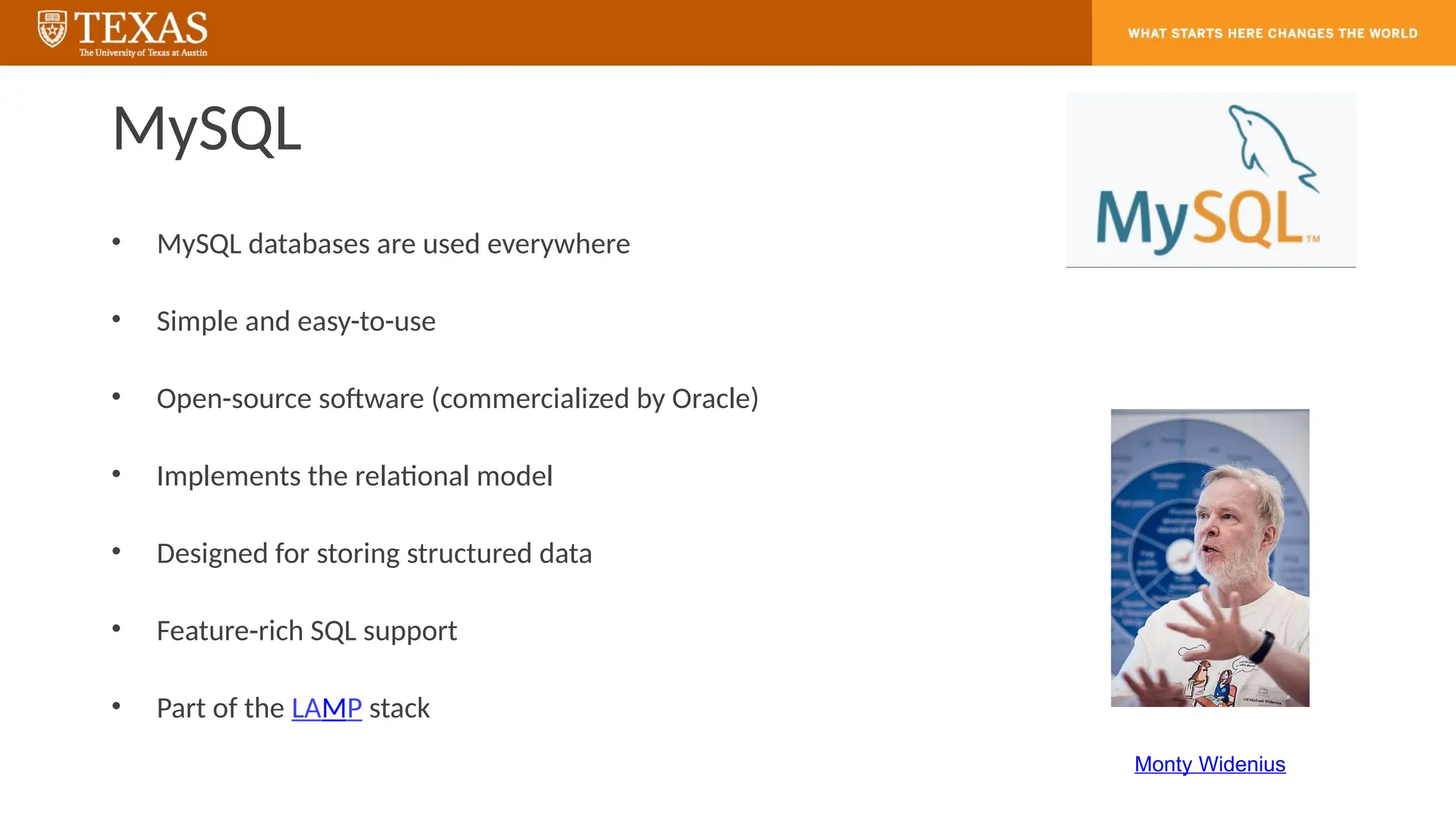
MySQL
• MySQL databasesare used everywhere
• Simple and easy-to-use
• Open-source software (commercialized by Oracle)
• Implements the relational model
• Designed for storing structured data
• Feature-rich SQL support
• Part of the LAMP stack
Monty Widenius
43.
MySQL
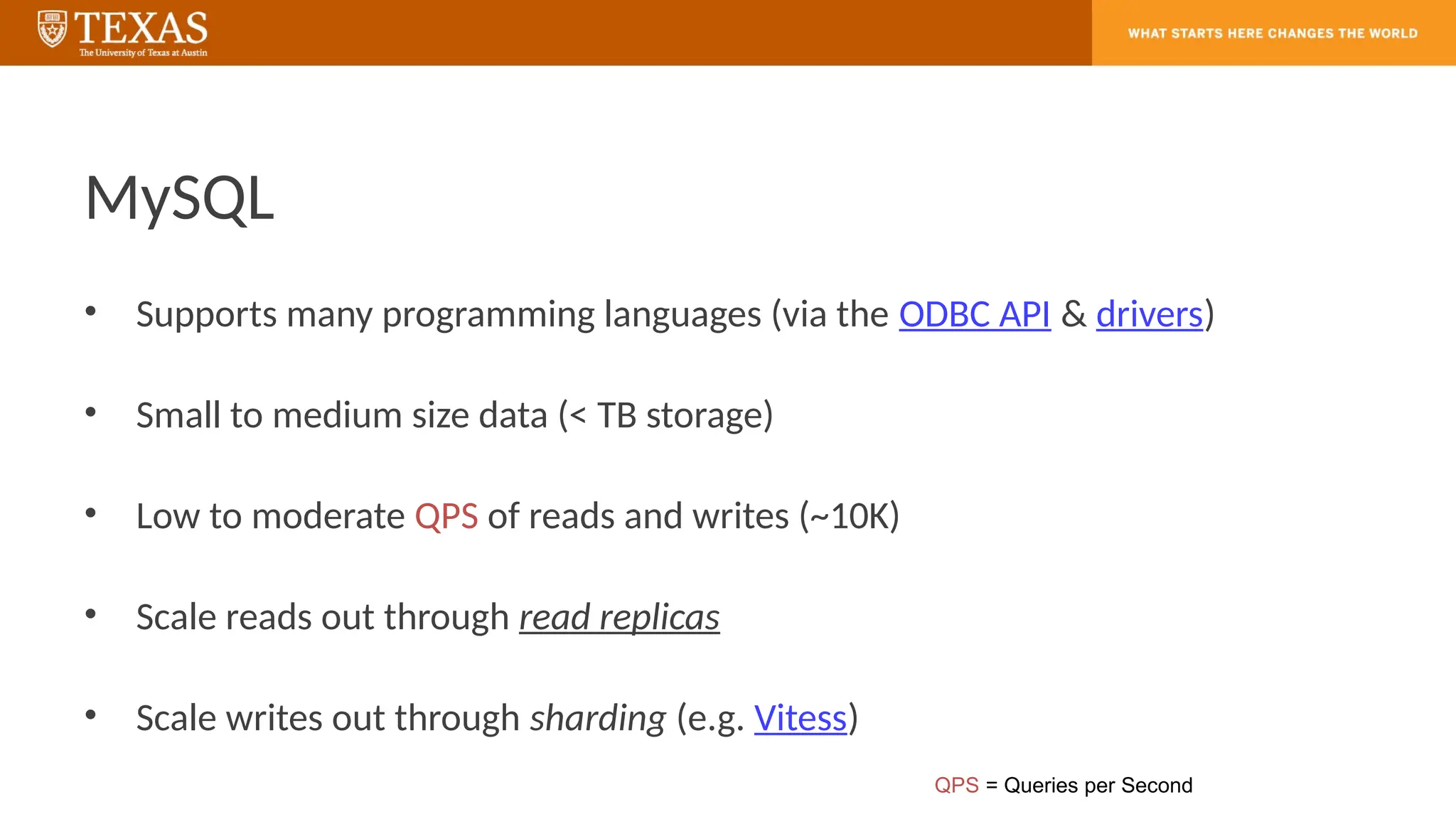
• Supports manyprogramming languages (via the ODBC API & drivers)
• Small to medium size data (< TB storage)
• Low to moderate QPS of reads and writes (~10K)
• Scale reads out through read replicas
• Scale writes out through sharding (e.g. Vitess)
QPS = Queries per Second
MySQL Column DataTypes
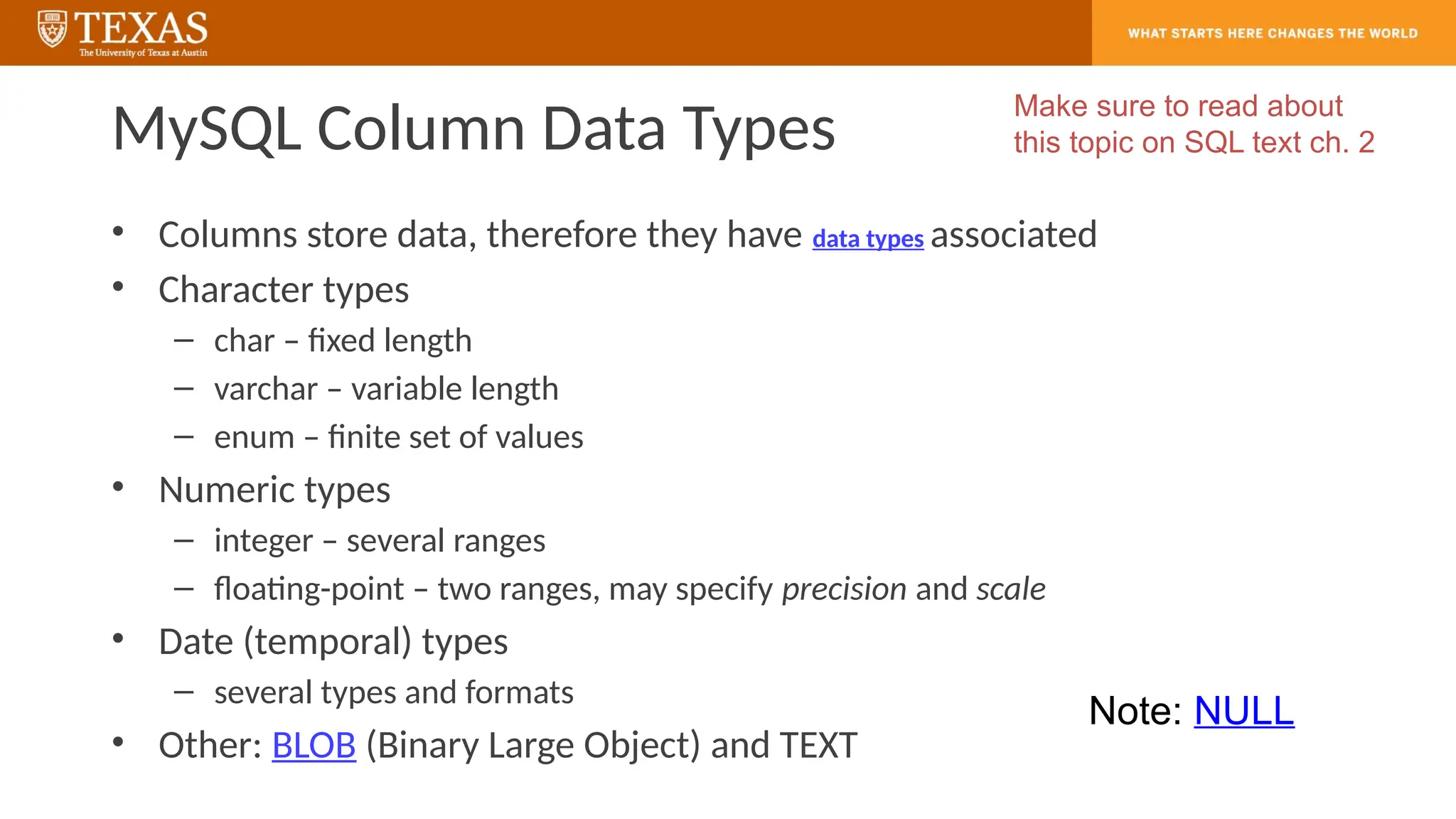
• Columns store data, therefore they have data types associated
• Character types
– char – fixed length
– varchar – variable length
– enum – finite set of values
• Numeric types
– integer – several ranges
– floating-point – two ranges, may specify precision and scale
• Date (temporal) types
– several types and formats
• Other: BLOB (Binary Large Object) and TEXT
Make sure to read about
this topic on SQL text ch. 2
Note: NULL
46.
The MySQL Client
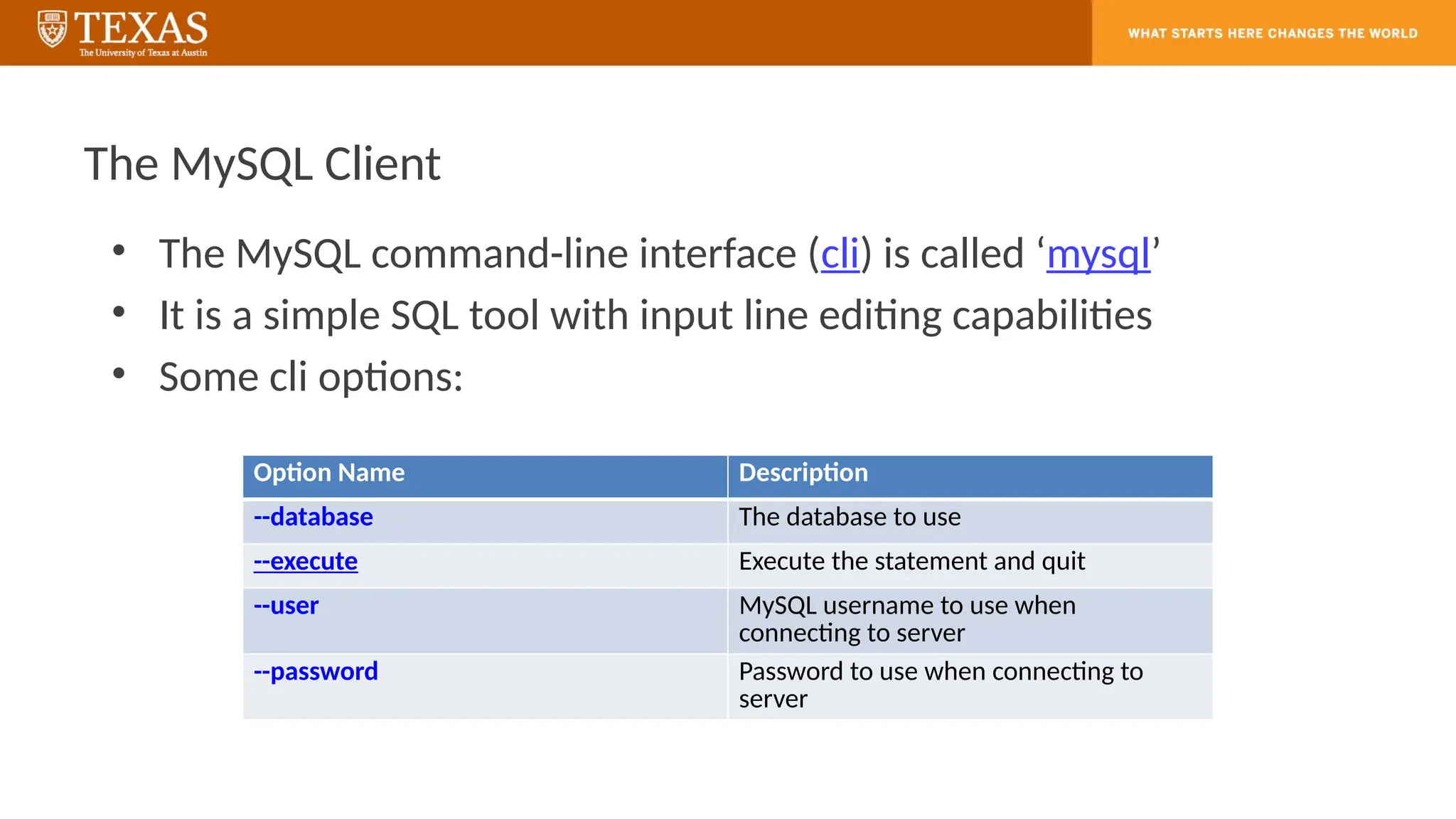
•The MySQL command-line interface (cli) is called ‘mysql’
• It is a simple SQL tool with input line editing capabilities
• Some cli options:
Option Name Description
--database The database to use
--execute Execute the statement and quit
--user MySQL username to use when
connecting to server
--password Password to use when connecting to
server
47.
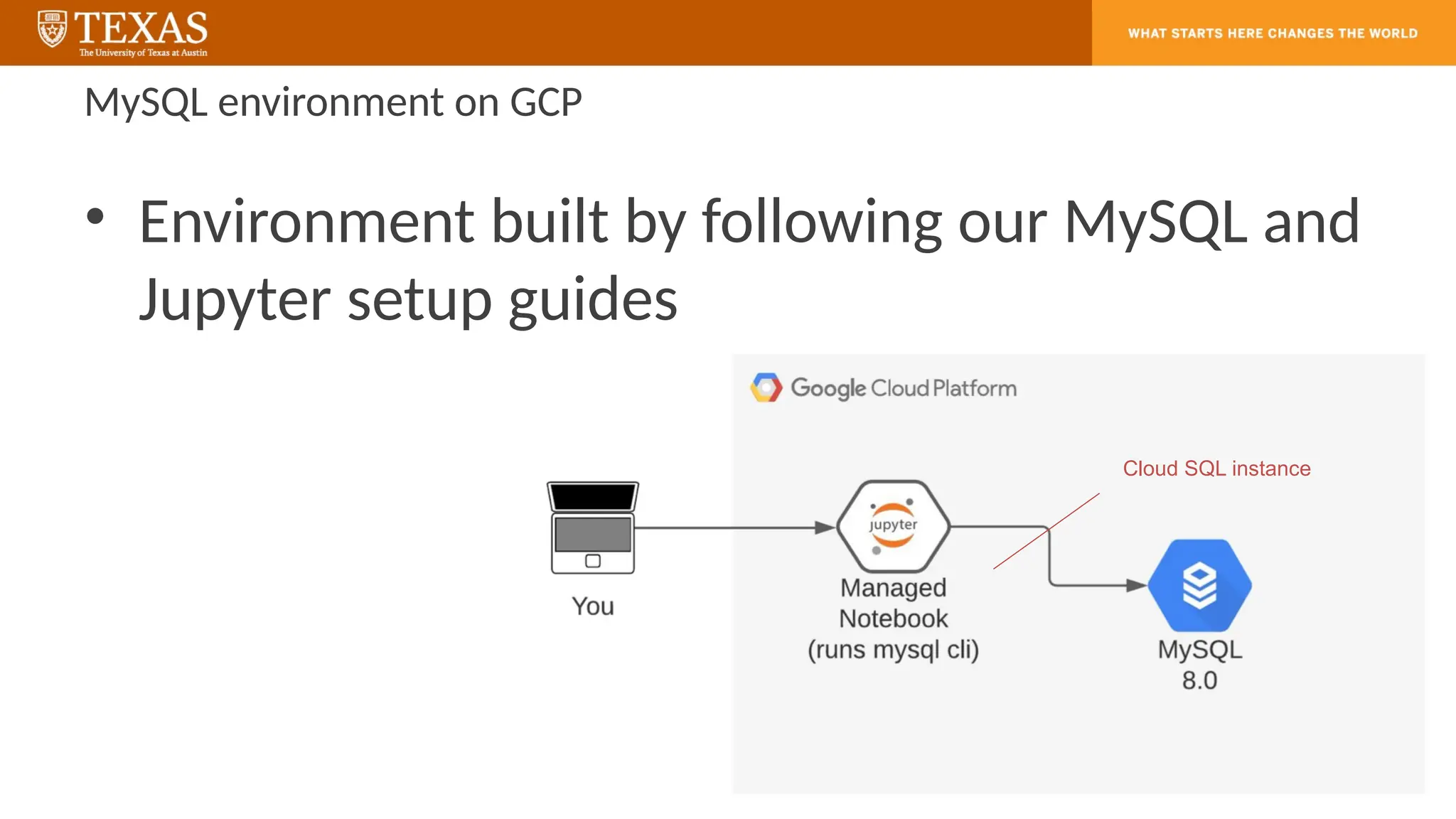
MySQL environment onGCP
• Environment built by following our MySQL and
Jupyter setup guides
Cloud SQL instance
48.
Jupyter Notebooks
• Jupyteris a set of tools originally developed to make it easier for
scientists to work with Python and data
• Jupyter Notebooks are documents that blend computations,
outputs, explanatory text, mathematics, images, and rich media
representations of objects
• JupyterLab is the latest web-based interactive development
environment for notebooks, code, and data
– It is one interface used to create and interact with Jupyter Notebooks
49.
What question mayI answer before we end …?
Remember, all questions are good questions!
Editor's Notes
#10 The table is as follows.
A table has 13 rows and 5 columns. The columns have the following headings from left to right. Data, S K U, S K U underscore Description, Department, Buyer, . The row entries are as follows. Row 1. Data, 1. S K U, 100100. S K U underscore Description, Standard Scuba Tank. Yellow. Department, Water Sports. Buyer, Pete Hansen. Row 2. Data, 2. S K U, 100200. S K U underscore Description, Standard Scuba Tank. Magenta. Department, Water Sports. Buyer, Pete Hansen. Row 3. Data, 3. S K U, 100300. S K U underscore Description, Standard Scuba Tank, Light Blue. Department, Water Sports. Buyer, Pete Hansen. Row 4. Data, 4. S K U, 100400. S K U underscore Description, Standard Scuba Tank, Dark Blue. Department, Water Sports. Buyer, Pete Hansen. Row 5. Data, 5. S K U, 100500. S K U underscore Description, Standard Scuba Tank, Light Green. Department, Water Sports. Buyer, Pete Hansen. Row 6. Data, 6. S K U, 100600. S K U underscore Description, Standard Scuba Tank, Dark Green. Department, Water Sports. Buyer, Pete Hansen. Row 7. Data, 7. S K U, 101100. S K U underscore Description, Dive Mask, Small Clear. Department, Water Sports. Buyer, Nancy Meyers. Row 8. Data, 8. S K U, 101200. S K U underscore Description, Dive Mask. Med Clear. Department, Water Sports. Buyer, Nancy Meyers. Row 9. Data, 9. S K U, 201000. S K U underscore Description, Half dome Tent. Department, Camping. Buyer, Cindy Lo. Row 10. Data, 10. S K U, 202000. S K U underscore Description, Half dome Tent Vestibule. Department, Camping. Buyer, Cindy Lo. Row 11. Data, 11. S K U, 203000. S K U underscore Description, Half dome Tent Vestibule, Wide. Department, Camping. Buyer, Cindy Lo. Row 12. Data, 12. S K U, 301000. S K U underscore Description, Light Fly Climbing Harness. Department, Climbing. Buyer, Jerry Martin. Row 13. Data, 13. S K U, 302000. S K U underscore Description, Locking Carabiner, Oval. Department, Climbing. Buyer, Jerry Martin.
#12 The table is as follows.
A table has 8 rows and 5 columns. The columns have the following headings from left to right. Data, S K U, S K U underscore Description, Department, Buyer, . The row entries are as follows. Row 1. Data, 1. S K U, 100100. S K U underscore Description, Standard Scuba Tank. Yellow. Department, Water Sports. Buyer, Pete Hansen. Row 2. Data, 2. S K U, 100200. S K U underscore Description, Standard Scuba Tank. Magenta. Department, Water Sports. Buyer, Pete Hansen. Row 3. Data, 3. S K U, 100300. S K U underscore Description, Standard Scuba Tank, Light Blue. Department, Water Sports. Buyer, Pete Hansen. Row 4. Data, 4. S K U, 100400. S K U underscore Description, Standard Scuba Tank, Dark Blue. Department, Water Sports. Buyer, Pete Hansen. Row 5. Data, 5. S K U, 100500. S K U underscore Description, Standard Scuba Tank, Light Green. Department, Water Sports. Buyer, Pete Hansen. Row 6. Data, 6. S K U, 100600. S K U underscore Description, Standard Scuba Tank, Dark Green. Department, Water Sports. Buyer, Pete Hansen. Row 7. Data, 7. S K U, 101100. S K U underscore Description, Dive Mask. Small Clear. Department, Water Sports. Buyer, Nancy Meyers. Row 8. Data, 8. S K U, 101200. S K U underscore Description, Dive Mask. Med Clear. Department, Water Sports. Buyer, Nancy Meyers.
#13 A table has 5 rows and 5 columns. The columns have the following headings from left to right. Blank, S K U, S K U underscore Description, Department, Buyer, . The row entries are as follows. Row 1. Blank, 1. S K U, 201000. S K U underscore Description, Half dome Tent. Department, Camping. Buyer, Cindy Lo. Row 2. Blank, 2. S K U, 202000. S K U underscore Description, Half dome Tent Vestibule. Department, Camping. Buyer, Cindy Lo. Row 3. Blank, 3. S K U, 203000. S K U underscore Description, Half dome Tent Vestibule, Wide. Department, Camping. Buyer, Cindy Lo. Row 4. Blank, 4. S K U, 301000. S K U underscore Description, Light Fly Climbing Harness. Department, Climbing. Buyer, Jerry Martin. Row 5. Blank, 5. S K U, 302000. S K U underscore Description, Locking Carabiner, Oval. Department, Climbing. Buyer, Jerry Martin.
#15 A table has 6 rows and 5 columns. The columns have the following headings from left to right. Blank, S K U, S K U underscore Description, Department, Buyer, . The row entries are as follows. Row 1. Blank, 1. S K U, 100100. S K U underscore Description, Standard Scuba Tank. Yellow. Department, Water Sports. Buyer, Pete Hansen. Row 2. Blank, 2. S K U, 100200. S K U underscore Description, Standard Scuba Tank. Magenta. Department, Water Sports. Buyer, Pete Hansen. Row 3. Blank, 3. S K U, 100300. S K U underscore Description, Standard Scuba Tank, Light Blue. Department, Water Sports. Buyer, Pete Hansen. Row 4. Blank, 4. S K U, 100400. S K U underscore Description, Standard Scuba Tank, Dark Blue. Department, Water Sports. Buyer, Pete Hansen. Row 5. Blank, 5. S K U, 100500. S K U underscore Description, Standard Scuba Tank, Light Green. Department, Water Sports. Buyer, Pete Hansen. Row 6. Blank, 6. S K U, 100600. S K U underscore Description, Standard Scuba Tank, Dark Green. Department, Water Sports. Buyer, Pete Hansen.
#18 A table has 9 rows and 7 columns. The columns have the following headings from left to right. Blank, Catalog I D, S K U, S K U underscore Description, Department, Catalog Page, Date On Website, . The row entries are as follows. Row 1. Blank, 1. Catalog I D, 20200001. S K U, 100100. S K U underscore Description, Standard Scuba Tank, Yellow. Department, Water Sports. Catalog Page, 23. Date On Website, 20 20 dash 01 dash 01. Row 2. Blank, 2. Catalog I D, 20200002. S K U, 100300. S K U underscore Description, Standard Scuba Tank, Light Blue. Department, Water Sports. Catalog Page, 23. Date On Website, 20 20 dash 01 dash 01. Row 3. Blank, 3. Catalog I D, 20200004. S K U, 101100. S K U underscore Description, Dive Mask, Small Clear. Department, Water Sports. Catalog Page, 26. Date On Website, 20 20 dash 01 dash 01. Row 4. Blank, 4. Catalog I D, 20200005. S K U, 101200. S K U underscore Description, Dive Mask, Med Clear. Department, Water Sports. Catalog Page, 26. Date On Website, 20 20 dash 01 dash 01. Row 5. Blank, 5. Catalog I D, 20200006. S K U, 201000. S K U underscore Description, Half dome Tent. Department, Camping. Catalog Page, 46. Date On Website, 20 20 dash 01 dash 01. Row 6. Blank, 6. Catalog I D, 20200007. S K U, 202000. S K U underscore Description, Half dome Tent Vestibule. Department, Camping. Catalog Page, 46. Date On Website, 20 20 dash 01 dash 01. Row 7. Blank, 7. Catalog I D, 20200008. S K U, 301000. S K U underscore Description, Light Fly Climbing Harness. Department, Climbing. Catalog Page, 77. Date On Website, 20 20 dash 01 dash 01. Row 8. Blank, 8. Catalog I D, 20200009. S K U, 302000. S K U underscore Description, Locking Carabiner, Oval. Department, Climbing. Catalog Page, 79. Date On Website, 20 20 dash 01 dash 01. Row 9. Blank, 1. Catalog I D, 20200001. S K U, 100100. S K U underscore Description, Standard Scuba Tank, Yellow. Department, Water Sports. Catalog Page, 23. Date On Website, 20 20 dash 01 dash 01.
#19 A table has 3 rows and 2 columns. The columns have the following headings from left to right. Department, Number Of Catalog Items. The row entries are as follows. Row 1. Department, Camping. Number Of Catalog Items, 2. Row 2. Department, Climbing. Number Of Catalog Items, 2. Row 3. Department, Water Sports. Number Of Catalog Items, 4.
#28 A table has 2 rows and 5 columns. The columns have the following headings from left to right. Blank, S K U, S K U underscore Description, Department, Buyer, . The row entries are as follows. Row 1. Blank, 1. S K U, 101100. S K U underscore Description, Dive Mask, Small Clear. Department, Water Sports. Buyer, Nancy Meyers. Row 2. Blank, 2. S K U, 101200. S K U underscore Description, Dive Mask, Med Clear. Department, Water Sports. Buyer, Nancy Meyers.
#30 A table has 4 rows and 6 columns. The columns have the following headings from left to right. Blank, Order Number, S K U, Quantity, Price, Extended Price. The row entries are as follows. Row 1. Blank, 1. Order Number, 3000. S K U, 101100. Quantity, 2. Price, 50. Extended Price, 100. Row 2. Blank, 2. Order Number, 2000. S K U, 101200. Quantity, 2. Price, 50. Extended Price, 100. Row 3. Blank, 3. Order Number, 1000. S K U, 202000. Quantity, 1. Price, 130. Extended Price, 130. Row 4. Blank, 4. Order Number, 2000. S K U, 101100. Quantity, 4. Price, 50. Extended Price, 200.
#31 A table has 4 rows and 6 columns. The columns have the following headings from left to right. Blank, Order Number, S K U, Quantity, Price, Extended Price. The row entries are as follows. Row 1. Blank, 1. Order Number, 3000. S K U, 101100. Quantity, 2. Price, 50. Extended Price, 100. Row 2. Blank, 2. Order Number, 2000. S K U, 101200. Quantity, 2. Price, 50. Extended Price, 100. Row 3. Blank, 3. Order Number, 1000. S K U, 202000. Quantity, 1. Price, 130. Extended Price, 130. Row 4. Blank, 4. Order Number, 2000. S K U, 101100. Quantity, 4. Price, 50. Extended Price, 200.
#32 A table has 3 rows and 6 columns. The columns have the following headings from left to right. Blank, Order Number, S K U, Quantity, Price, Extended Price. The row entries are as follows. Row 1. Blank, 1. Order Number, 3000. S K U, 101200. Quantity, 1. Price, 50. Extended Price, 50. Row 2. Blank, 2. Order Number, 1000. S K U, 201000. Quantity, 1. Price, 300. Extended Price, 300. Row 3. Blank, 3. Order Number, 3000. S K U, 100200. Quantity, 1. Price, 300. Extended Price, 300.
#33 A table has 6 rows and 5 columns. The columns have the following headings from left to right. Blank, S K U, S K U underscore Description, Department, Buyer, . The row entries are as follows. Row 1. Blank, 1. S K U, 100100. S K U underscore Description, Standard Scuba Tank. Yellow. Department, Water Sports. Buyer, Pete Hansen. Row 2. Blank, 2. S K U, 100200. S K U underscore Description, Standard Scuba Tank. Magenta. Department, Water Sports. Buyer, Pete Hansen. Row 3. Blank, 3. S K U, 100300. S K U underscore Description, Standard Scuba Tank, Light Blue. Department, Water Sports. Buyer, Pete Hansen. Row 4. Blank, 4. S K U, 100400. S K U underscore Description, Standard Scuba Tank, Dark Blue. Department, Water Sports. Buyer, Pete Hansen. Row 5. Blank, 5. S K U, 100500. S K U underscore Description, Standard Scuba Tank, Light Green. Department, Water Sports. Buyer, Pete Hansen. Row 6. Blank, 6. S K U, 100600. S K U underscore Description, Standard Scuba Tank, Dark Green. Department, Water Sports. Buyer, Pete Hansen.
#35 A table has 2 rows and 5 columns. The columns have the following headings from left to right. Blank, S K U, S K U underscore Description, Department, Buyer, . The row entries are as follows. Row 1. Blank, 1. S K U, 100200. S K U underscore Description, Standard Scuba Tank. Magenta. Department, Water Sports. Buyer, Pete Hansen. Row 2. Blank, 2. S K U, 101200. S K U underscore Description, Dive Mask, Med Clear. Department, Water Sports. Buyer, Nancy Meyers.
#37 A table has 1 rows and 7 columns. The columns have the following headings from left to right. Blank, Catalog I D, S K U, S K U underscore Description, Department, Catalog Page, Date On Website, . The row entries are as follows. Row 1. Blank, 1. Catalog I D, 20200003. S K U, 100400. S K U underscore Description, Standard Scuba Tank, Dark Blue. Department, Water Sports. Catalog Page, Null. Date On Website, 20 20 dash 08 dash 01.



![Matching Conditions
• Matching Conditions: using the LIKE, REGEXP operators
– with a built-in function to extract characters from the data: left() function
– with wildcard characters
• underscore ( _ ) for exactly one character
– state LIKE ‘T_’
• percent ( % ) for any number of characters (even none)
– last_name LIKE ‘P%’
– with regular expressions
• last_name REGEXP ‘^[QY]’
– all last names that start with Q or Y
• different DBMSs support them in slightly different ways:
SELECT last_name
FROM customer
WHERE last_name LIKE ‘P%’;
WHERE left(city, 1) = ‘P’
In MySQL
*](https://image.slidesharecdn.com/cs327eweek3sqlfilters-250912223744-5a4b8e31/75/CS327E-Week3-SQL-Fidakfljad-lkdjfa-lkdjflkjlters-pptx-34-2048.jpg)