PRESENTATION
BY
Sundar.R
   The Data Definition Language (DDL) part of SQL
    permits database tables to be created or deleted.
    We can also define indexes (keys), specify links
    between tables, and impose constraints between
    database tables.
   CREATE TABLE - creates a new database table
   ALTER TABLE - alters (changes) a database table
   DROP TABLE - deletes a database
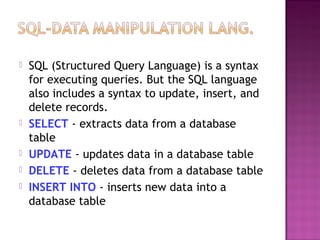
   SQL (Structured Query Language) is a syntax
    for executing queries. But the SQL language
    also includes a syntax to update, insert, and
    delete records.
   SELECT - extracts data from a database
    table
   UPDATE - updates data in a database table
   DELETE - deletes data from a database table
   INSERT INTO - inserts new data into a
    database table
   To create a database:
   SYNTAX
   CREATE DATABASE database_name ;
   EXAMPLE
   CREATE DATABASE s2i;
   To activate the created database:
   SYNTAX
   USE DATABASE_NAME;
   SYNTAX

   CREATE TABLE table_name(column_name1
    data_type,column_name2 data_type,.......) ;
Data Type        Description
integer(size)    Hold integers only. The maximum
int(size)        number of digits are specified in
smallint(size)   parenthesis.
tinyint(size)
decimal(size,d) Hold numbers with fractions. The
numeric(size,d maximum number of digits are
)               specified in "size". The maximum
                number of digits to the right of the
                decimal is specified in "d".
char(size)      Holds a fixed length string (can
                contain letters, numbers, and special
                characters). The fixed size is
                specified in parenthesis.
varchar(size)    Holds a variable length string (can
                 contain letters, numbers, and special
                 characters). The maximum size is
                 specified in parenthesis.
date(yyyymmd     Holds a date
d)
   The INSERT INTO statement is used to insert
    new rows into a table.
   SYNTAX
   INSERT INTO table_name VALUES (value1,
    value2,....) ;

   INSERT INTO table_name (column1,
    column2,...)VALUES (value1, value2,....) ;
 The UPDATE statement is used to modify the
  data in a table.
 SYNTAX
 UPDATE table_name SET column1=
  new_value WHERE
Old_column1=old_value;
   The ALTER TABLE statement is used to add or
    drop columns in an existing table.

   SYNTAX

   ALTER TABLE table_name ADD column_name
    data_type;
   The DELETE statement is used to delete rows
    in a table.

   Syntax

   DELETE FROM table_name WHERE
    column_name = some_value;
   Delete All Rows

   DELETE FROM table_name;
            OR
   DELETE * FROM table_name;
             OR
   TRUNCATE TABLE table_name;
   To delete a table
   DROP TABLE table_name;
   To delete a database
   DROP DATABASE database_name;
   To delete the column in table
   ALTER TABLE table_name DROP COLUMN
    column_name;
   The SELECT statement is used to select data
    from a table. The tabular result is stored in a
    result table (called the result-set).
   Select a table fully
   Syntax
   SELECT * FROM Persons;
   SELECT A COLUMN
   Select column_name from table_name;

   SELECT A ROW
   Select*from table_name where
    column_name=‘value’;
   All values stored in mysql is in array formate.
   $var1=mysql_query(“select*from table_name”,
    $connection_name);
   While($var=mysql_fetch_array($var1))
   {
   Echo “<br/>”;
   Echo $var[‘column_name’];
   }
   The LIKE & UNLIKE condition is used to
    specify a search for a pattern in a column.
   Syntax
   SELECT column FROM table_name WHERE
    column_name LIKE pattern;
   SELECT column FROM table_name WHERE
    column_name UNLIKE pattern;
   EXAMPLES

   SELECT * FROM table_name WHERE column_name
    LIKE 'O%‘;

   SELECT * FROM table_name WHERE column_name
    LIKE '%a‘;

   SELECT * FROM table_name WHERE column_name
    LIKE '%la%‘;
   The AND & OR operators are used to filter
    records based on more than one condition.
   The AND operator displays a record if both
    the first condition and the second condition
    is true.
   The OR operator displays a record if either
    the first condition or the second condition is
    true.
   SELECT * FROM table_name WHERE
    column1=‘value' AND column2=‘value‘;

   SELECT * FROM table_name WHERE
    column1=‘value1' OR column1=‘value2‘;

   SELECT * FROM table_name WHERE
    column1=‘value' AND (column2=‘value1' OR
    column2=‘value2‘);
   The ORDER BY keyword is used to sort the
    result-set by a specified column.

   The ORDER BY keyword sort the records in
    ascending order by default.

   If you want to sort the records in a descending
    order, you can use the DESC keyword.
   SELECT column_name(s) FROM table_name
    ORDER BY column_name(s) ASC|DESC;

   SELECT * FROM table_name ORDER BY
    column_name;

   SELECT * FROM table_name ORDER BY
    column_name DESC;
   Auto-increment allows a unique number to be
    generated when a new record is inserted into a
    table.
   CREATE TABLE Persons ( Id int (5)
    AUTO_INCREMENT)
   ALTER TABLE Persons AUTO_INCREMENT=100 ;
   The TOP clause is used to specify the number
    of records to return.
   The TOP clause can be very useful on large
    tables with thousands of records. Returning a
    large number of records can impact on
    performance.
   Note: Not all database systems support the
    TOP clause.
   SELECT column_name(s) FROM table_name LIMIT
    number;

   SELECT TOP 2 * FROM table_name;

   SELECT TOP 50 PERCENT * FROM table_name;
   With SQL, aliases can be used for column names
    and table names.
   SELECT column AS column_alias FROM table;
   EXAMPLES: SELECT LastName AS Family, FirstName
    AS NameFROM Persons;
   SELECT column FROM table AS table_alias;
   EXAMPLE: SELECT LastName, FROM Persons AS
    Employees;
   The IN operator allows you to specify multiple
    values in a WHERE clause.

   SELECT column_name(s) FROM table_name WHERE
    column_name IN (value1,value2,...);

   SELECT * FROM table_name WHERE column IN
    (‘value1',‘value2');
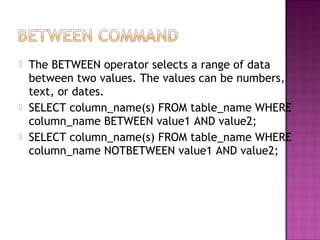
   The BETWEEN operator selects a range of data
    between two values. The values can be numbers,
    text, or dates.
   SELECT column_name(s) FROM table_name WHERE
    column_name BETWEEN value1 AND value2;
   SELECT column_name(s) FROM table_name WHERE
    column_name NOTBETWEEN value1 AND value2;
   To select only DIFFERENT values from the
    column named

   SYNTAX
   SELECT DISTINCT Company FROM Orders;
   Constraints are used to limit the type of data
    that can go into a table.
   Constraints can be specified when a table is
    created (with the CREATE TABLE statement) or
    after the table is created (with the ALTER
    TABLE statement).
   NOT NULL
   UNIQUE
   CHECK
   PRIMARY KEY
   FOREIGN KEY
   DEFAULT
   The NOT NULL constraint enforces a column
    to NOT accept NULL values.
   CREATE TABLE Persons ( P_Id int NOT NULL,
    LastName varchar(255) NOT NULL, FirstName
    varchar(255), Address varchar(255), City
    varchar(255) )
   The UNIQUE constraint uniquely identifies each
    record in a database table.
   CREATE TABLE Persons ( P_Id int NOT NULL,
    LastName varchar(255) NOT NULL, FirstName
    varchar(255), Address varchar(255), City
    varchar(255), UNIQUE (P_Id) );
   Alter table table_name ADD UNIQUE (ID);
   The PRIMARY KEY constraint uniquely
    identifies each record in a database
    table.
   Primary keys must contain unique values.
   A primary key column cannot contain
    NULL values
   CREATE TABLE Persons ( P_Id int NOT
    NULL, LastName varchar(255) NOT NULL,
    PRIMARY KEY (P_Id) )
   ALTER TABLE Persons ADD PRIMARY KEY
    (P_Id)
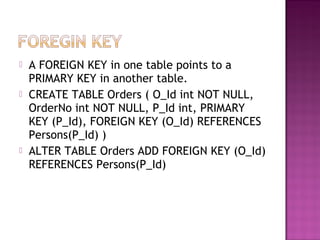
   A FOREIGN KEY in one table points to a
    PRIMARY KEY in another table.
   CREATE TABLE Orders ( O_Id int NOT NULL,
    OrderNo int NOT NULL, P_Id int, PRIMARY
    KEY (P_Id), FOREIGN KEY (O_Id) REFERENCES
    Persons(P_Id) )
   ALTER TABLE Orders ADD FOREIGN KEY (O_Id)
    REFERENCES Persons(P_Id)
   The CHECK constraint is used to limit the value
    range that can be placed in a column.
   CREATE TABLE Persons ( P_Id int NOT NULL,
    LastName varchar(255) NOT NULL, FirstName
    varchar(255), Address varchar(255), City
    varchar(255), CHECK (P_Id>0) )
   ALTER TABLE Persons ADD CHECK (P_Id>0)
   The DEFAULT constraint is used to insert a
    default value into a column.
   CREATE TABLE Persons ( P_Id int NOT NULL,
    City varchar(255) DEFAULT 'Sandnes' )
   ALTER TABLE Persons WHERE City SET
    DEFAULT 'SANDNES'
   An index can be created in a table to find
    data more quickly and efficiently.
   CREATE INDEX index_name ON table_name
    (column_name);
   CREATE UNIQUE INDEX index_name ON
    table_name (column_name);
   Drop INDEX index_name FROM TABLE_NAME;
   The JOIN keyword is used in an SQL statement to
    query data from two or more tables, based on a
    relationship between certain columns in these
    tables.
   Different SQL JOINS
   INNER JOIN
   OUTER JOIN
   FULL JOIN
   The INNER JOIN keyword return rows when
    there is at least one match in both tables.
   SELECT column_name(s) FROM table_name1
    INNER JOIN table_name2 ON
    table_name1.column_name=table_name2.col
    umn_name
   The LEFT JOIN keyword returns all rows from
    the left table (table_name1), even if there
    are no matches in the right table
    (table_name2).
   SELECT column_name(s) FROM table_name1
    LEFT JOIN table_name2 ON
    table_name1.column_name=table_name2.col
    umn_name
   The RIGHT JOIN keyword Return all rows
    from the right table (table_name2), even if
    there are no matches in the left table
    (table_name1).
   SELECT column_name(s) FROM table_name1
    RIGHT JOIN table_name2 ON
    table_name1.column_name=table_name2.col
    umn_name
   The FULL JOIN keyword return rows when
    there is a match in one of the tables.
   SELECT column_name(s) FROM table_name1
    FULL JOIN table_name2 ON
    table_name1.column_name=table_name2.col
    umn_name
SQL aggregate functions return a single value,
  calculated from values in a column.
 AVG() - Returns the average value
 COUNT() - Returns the number of rows
 FIRST() - Returns the first value
 LAST() - Returns the last value
 MAX() - Returns the largest value
 MIN() - Returns the smallest value
 SUM() - Returns the sum
SQL scalar functions return a single value, based
  on the input value.
 UCASE() - Converts a field to upper case
 LCASE() - Converts a field to lower case
 MID() - Extract characters from a text field
 LEN() - Returns the length of a text field
 ROUND() - Rounds a numeric field to the number
   of decimals specified
 NOW() - Returns the current system date and
   time
 FORMAT() - Formats how a field is to be
   displayed
   GROUP BY... was added to SQL because
    aggregate functions (like SUM) return the
    aggregate of all column values every time
    they are called, and without the GROUP BY
    function it was impossible to find the sum for
    each individual group of column values.
   SELECT column, SUM(column) FROM table GROUP
    BY column;
   EXAMPLE: SELECT Company, SUM(Amount) FROM
    Sales;
   SELECT Company, SUM(Amount) FROM Sales
    GROUP BY Company;
   SELECT column, SUM(column) FROM table GROUP
    BY column HAVING SUM(column) condition value;
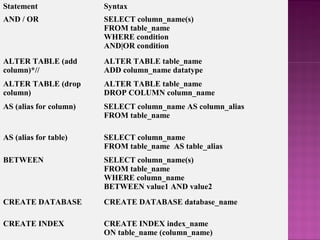
Statement               Syntax
AND / OR                SELECT column_name(s)
                        FROM table_name
                        WHERE condition
                        AND|OR condition
ALTER TABLE (add        ALTER TABLE table_name
column)*//              ADD column_name datatype
ALTER TABLE (drop       ALTER TABLE table_name
column)                 DROP COLUMN column_name
AS (alias for column)   SELECT column_name AS column_alias
                        FROM table_name

AS (alias for table)    SELECT column_name
                        FROM table_name AS table_alias
BETWEEN                 SELECT column_name(s)
                        FROM table_name
                        WHERE column_name
                        BETWEEN value1 AND value2
CREATE DATABASE         CREATE DATABASE database_name

CREATE INDEX            CREATE INDEX index_name
                        ON table_name (column_name)
CREATE TABLE          CREATE TABLE table_name
                      (
                      column_name1 data_type,
                      column_name2 data_type,
                      .......
                      )

CREATE UNIQUE INDEX   CREATE UNIQUE INDEX
                      index_name
                      ON table_name (column_name)
CREATE VIEW           CREATE VIEW view_name AS
                      SELECT column_name(s)
                      FROM table_name
                      WHERE condition

DELETE FROM           DELETE FROM table_name
                      (Note: Deletes the entire table!!)
                      or
                      DELETE FROM table_name
                      WHERE condition

DROP DATABASE         DROP DATABASE database_name
DROP INDEX            DROP INDEX table_name.index_name
DROP TABLE            DROP TABLE table_name
GROUP BY      SELECT
              column_name1,SUM(column_name2)
              FROM table_name
              GROUP BY column_name1

HAVING        SELECT
              column_name1,SUM(column_name2)
              FROM table_name
              GROUP BY column_name1
              HAVING SUM(column_name2)
              condition value

IN            SELECT column_name(s)
              FROM table_name
              WHERE column_name
              IN (value1,value2,..)

INSERT INTO   INSERT INTO table_name
              VALUES (value1, value2,....)

LIKE          SELECT column_name(s)
              FROM table_name
              WHERE column_name
              LIKE pattern
ORDER BY                     SELECT column_name(s)
                             FROM table_name
                             ORDER BY column_name
                             [ASC|DESC]


SELECT                       SELECT column_name(s)
                             FROM table_name
SELECT *                     SELECT *
                             FROM table_name
SELECT DISTINCT              SELECT DISTINCT
                             column_name(s)
                             FROM table_name

SELECT INTO                   SELECT *
(used to create backup copies INTO new_table_name
of tables)                    FROM original_table_name
                              or
                              SELECT column_name(s)
                              INTO new_table_name
                              FROM original_table_name
SELECT INTO                                SELECT *
(used to create backup copies of tables)   INTO new_table_name
                                           FROM original_table_name
                                           or
                                           SELECT column_name(s)
                                           INTO new_table_name
                                           FROM original_table_name


TRUNCATE TABLE                             TRUNCATE TABLE table_name
(deletes only the data inside the table)

UPDATE                                     UPDATE table_name
                                           SET column_name=new_value
                                           [, column_name=new_value]
                                           WHERE column_name=some_value


WHERE                                      SELECT column_name(s)
                                           FROM table_name
                                           WHERE condition

MY SQL

  • 1.
  • 2.
    The Data Definition Language (DDL) part of SQL permits database tables to be created or deleted. We can also define indexes (keys), specify links between tables, and impose constraints between database tables.  CREATE TABLE - creates a new database table  ALTER TABLE - alters (changes) a database table  DROP TABLE - deletes a database
  • 3.
    SQL (Structured Query Language) is a syntax for executing queries. But the SQL language also includes a syntax to update, insert, and delete records.  SELECT - extracts data from a database table  UPDATE - updates data in a database table  DELETE - deletes data from a database table  INSERT INTO - inserts new data into a database table
  • 4.
    To create a database:  SYNTAX  CREATE DATABASE database_name ;  EXAMPLE  CREATE DATABASE s2i;  To activate the created database:  SYNTAX  USE DATABASE_NAME;
  • 5.
    SYNTAX  CREATE TABLE table_name(column_name1 data_type,column_name2 data_type,.......) ;
  • 6.
    Data Type Description integer(size) Hold integers only. The maximum int(size) number of digits are specified in smallint(size) parenthesis. tinyint(size) decimal(size,d) Hold numbers with fractions. The numeric(size,d maximum number of digits are ) specified in "size". The maximum number of digits to the right of the decimal is specified in "d". char(size) Holds a fixed length string (can contain letters, numbers, and special characters). The fixed size is specified in parenthesis. varchar(size) Holds a variable length string (can contain letters, numbers, and special characters). The maximum size is specified in parenthesis. date(yyyymmd Holds a date d)
  • 7.
    The INSERT INTO statement is used to insert new rows into a table.  SYNTAX  INSERT INTO table_name VALUES (value1, value2,....) ;  INSERT INTO table_name (column1, column2,...)VALUES (value1, value2,....) ;
  • 8.
     The UPDATEstatement is used to modify the data in a table.  SYNTAX  UPDATE table_name SET column1= new_value WHERE Old_column1=old_value;
  • 9.
    The ALTER TABLE statement is used to add or drop columns in an existing table.  SYNTAX  ALTER TABLE table_name ADD column_name data_type;
  • 10.
    The DELETE statement is used to delete rows in a table.  Syntax  DELETE FROM table_name WHERE column_name = some_value;
  • 11.
    Delete All Rows  DELETE FROM table_name;  OR  DELETE * FROM table_name;  OR  TRUNCATE TABLE table_name;
  • 12.
    To delete a table  DROP TABLE table_name;  To delete a database  DROP DATABASE database_name;  To delete the column in table  ALTER TABLE table_name DROP COLUMN column_name;
  • 13.
    The SELECT statement is used to select data from a table. The tabular result is stored in a result table (called the result-set).  Select a table fully  Syntax  SELECT * FROM Persons;
  • 14.
    SELECT A COLUMN  Select column_name from table_name;  SELECT A ROW  Select*from table_name where column_name=‘value’;
  • 15.
    All values stored in mysql is in array formate.  $var1=mysql_query(“select*from table_name”, $connection_name);  While($var=mysql_fetch_array($var1))  {  Echo “<br/>”;  Echo $var[‘column_name’];  }
  • 16.
    The LIKE & UNLIKE condition is used to specify a search for a pattern in a column.  Syntax  SELECT column FROM table_name WHERE column_name LIKE pattern;  SELECT column FROM table_name WHERE column_name UNLIKE pattern;
  • 17.
    EXAMPLES  SELECT * FROM table_name WHERE column_name LIKE 'O%‘;  SELECT * FROM table_name WHERE column_name LIKE '%a‘;  SELECT * FROM table_name WHERE column_name LIKE '%la%‘;
  • 18.
    The AND & OR operators are used to filter records based on more than one condition.  The AND operator displays a record if both the first condition and the second condition is true.  The OR operator displays a record if either the first condition or the second condition is true.
  • 19.
    SELECT * FROM table_name WHERE column1=‘value' AND column2=‘value‘;  SELECT * FROM table_name WHERE column1=‘value1' OR column1=‘value2‘;  SELECT * FROM table_name WHERE column1=‘value' AND (column2=‘value1' OR column2=‘value2‘);
  • 20.
    The ORDER BY keyword is used to sort the result-set by a specified column.  The ORDER BY keyword sort the records in ascending order by default.  If you want to sort the records in a descending order, you can use the DESC keyword.
  • 21.
    SELECT column_name(s) FROM table_name ORDER BY column_name(s) ASC|DESC;  SELECT * FROM table_name ORDER BY column_name;  SELECT * FROM table_name ORDER BY column_name DESC;
  • 22.
    Auto-increment allows a unique number to be generated when a new record is inserted into a table.  CREATE TABLE Persons ( Id int (5) AUTO_INCREMENT)  ALTER TABLE Persons AUTO_INCREMENT=100 ;
  • 23.
    The TOP clause is used to specify the number of records to return.  The TOP clause can be very useful on large tables with thousands of records. Returning a large number of records can impact on performance.  Note: Not all database systems support the TOP clause.
  • 24.
    SELECT column_name(s) FROM table_name LIMIT number;  SELECT TOP 2 * FROM table_name;  SELECT TOP 50 PERCENT * FROM table_name;
  • 25.
    With SQL, aliases can be used for column names and table names.  SELECT column AS column_alias FROM table;  EXAMPLES: SELECT LastName AS Family, FirstName AS NameFROM Persons;  SELECT column FROM table AS table_alias;  EXAMPLE: SELECT LastName, FROM Persons AS Employees;
  • 26.
    The IN operator allows you to specify multiple values in a WHERE clause.  SELECT column_name(s) FROM table_name WHERE column_name IN (value1,value2,...);  SELECT * FROM table_name WHERE column IN (‘value1',‘value2');
  • 27.
    The BETWEEN operator selects a range of data between two values. The values can be numbers, text, or dates.  SELECT column_name(s) FROM table_name WHERE column_name BETWEEN value1 AND value2;  SELECT column_name(s) FROM table_name WHERE column_name NOTBETWEEN value1 AND value2;
  • 28.
    To select only DIFFERENT values from the column named  SYNTAX  SELECT DISTINCT Company FROM Orders;
  • 29.
    Constraints are used to limit the type of data that can go into a table.  Constraints can be specified when a table is created (with the CREATE TABLE statement) or after the table is created (with the ALTER TABLE statement).  NOT NULL  UNIQUE  CHECK  PRIMARY KEY  FOREIGN KEY  DEFAULT
  • 30.
    The NOT NULL constraint enforces a column to NOT accept NULL values.  CREATE TABLE Persons ( P_Id int NOT NULL, LastName varchar(255) NOT NULL, FirstName varchar(255), Address varchar(255), City varchar(255) )
  • 31.
    The UNIQUE constraint uniquely identifies each record in a database table.  CREATE TABLE Persons ( P_Id int NOT NULL, LastName varchar(255) NOT NULL, FirstName varchar(255), Address varchar(255), City varchar(255), UNIQUE (P_Id) );  Alter table table_name ADD UNIQUE (ID);
  • 32.
    The PRIMARY KEY constraint uniquely identifies each record in a database table.  Primary keys must contain unique values.  A primary key column cannot contain NULL values  CREATE TABLE Persons ( P_Id int NOT NULL, LastName varchar(255) NOT NULL, PRIMARY KEY (P_Id) )  ALTER TABLE Persons ADD PRIMARY KEY (P_Id)
  • 33.
    A FOREIGN KEY in one table points to a PRIMARY KEY in another table.  CREATE TABLE Orders ( O_Id int NOT NULL, OrderNo int NOT NULL, P_Id int, PRIMARY KEY (P_Id), FOREIGN KEY (O_Id) REFERENCES Persons(P_Id) )  ALTER TABLE Orders ADD FOREIGN KEY (O_Id) REFERENCES Persons(P_Id)
  • 34.
    The CHECK constraint is used to limit the value range that can be placed in a column.  CREATE TABLE Persons ( P_Id int NOT NULL, LastName varchar(255) NOT NULL, FirstName varchar(255), Address varchar(255), City varchar(255), CHECK (P_Id>0) )  ALTER TABLE Persons ADD CHECK (P_Id>0)
  • 35.
    The DEFAULT constraint is used to insert a default value into a column.  CREATE TABLE Persons ( P_Id int NOT NULL, City varchar(255) DEFAULT 'Sandnes' )  ALTER TABLE Persons WHERE City SET DEFAULT 'SANDNES'
  • 36.
    An index can be created in a table to find data more quickly and efficiently.  CREATE INDEX index_name ON table_name (column_name);  CREATE UNIQUE INDEX index_name ON table_name (column_name);  Drop INDEX index_name FROM TABLE_NAME;
  • 37.
    The JOIN keyword is used in an SQL statement to query data from two or more tables, based on a relationship between certain columns in these tables.  Different SQL JOINS  INNER JOIN  OUTER JOIN  FULL JOIN
  • 38.
    The INNER JOIN keyword return rows when there is at least one match in both tables.  SELECT column_name(s) FROM table_name1 INNER JOIN table_name2 ON table_name1.column_name=table_name2.col umn_name
  • 39.
    The LEFT JOIN keyword returns all rows from the left table (table_name1), even if there are no matches in the right table (table_name2).  SELECT column_name(s) FROM table_name1 LEFT JOIN table_name2 ON table_name1.column_name=table_name2.col umn_name
  • 40.
    The RIGHT JOIN keyword Return all rows from the right table (table_name2), even if there are no matches in the left table (table_name1).  SELECT column_name(s) FROM table_name1 RIGHT JOIN table_name2 ON table_name1.column_name=table_name2.col umn_name
  • 41.
    The FULL JOIN keyword return rows when there is a match in one of the tables.  SELECT column_name(s) FROM table_name1 FULL JOIN table_name2 ON table_name1.column_name=table_name2.col umn_name
  • 42.
    SQL aggregate functionsreturn a single value, calculated from values in a column.  AVG() - Returns the average value  COUNT() - Returns the number of rows  FIRST() - Returns the first value  LAST() - Returns the last value  MAX() - Returns the largest value  MIN() - Returns the smallest value  SUM() - Returns the sum
  • 43.
    SQL scalar functionsreturn a single value, based on the input value.  UCASE() - Converts a field to upper case  LCASE() - Converts a field to lower case  MID() - Extract characters from a text field  LEN() - Returns the length of a text field  ROUND() - Rounds a numeric field to the number of decimals specified  NOW() - Returns the current system date and time  FORMAT() - Formats how a field is to be displayed
  • 44.
    GROUP BY... was added to SQL because aggregate functions (like SUM) return the aggregate of all column values every time they are called, and without the GROUP BY function it was impossible to find the sum for each individual group of column values.
  • 45.
    SELECT column, SUM(column) FROM table GROUP BY column;  EXAMPLE: SELECT Company, SUM(Amount) FROM Sales;  SELECT Company, SUM(Amount) FROM Sales GROUP BY Company;  SELECT column, SUM(column) FROM table GROUP BY column HAVING SUM(column) condition value;
  • 46.
    Statement Syntax AND / OR SELECT column_name(s) FROM table_name WHERE condition AND|OR condition ALTER TABLE (add ALTER TABLE table_name column)*// ADD column_name datatype ALTER TABLE (drop ALTER TABLE table_name column) DROP COLUMN column_name AS (alias for column) SELECT column_name AS column_alias FROM table_name AS (alias for table) SELECT column_name FROM table_name AS table_alias BETWEEN SELECT column_name(s) FROM table_name WHERE column_name BETWEEN value1 AND value2 CREATE DATABASE CREATE DATABASE database_name CREATE INDEX CREATE INDEX index_name ON table_name (column_name)
  • 47.
    CREATE TABLE CREATE TABLE table_name ( column_name1 data_type, column_name2 data_type, ....... ) CREATE UNIQUE INDEX CREATE UNIQUE INDEX index_name ON table_name (column_name) CREATE VIEW CREATE VIEW view_name AS SELECT column_name(s) FROM table_name WHERE condition DELETE FROM DELETE FROM table_name (Note: Deletes the entire table!!) or DELETE FROM table_name WHERE condition DROP DATABASE DROP DATABASE database_name DROP INDEX DROP INDEX table_name.index_name DROP TABLE DROP TABLE table_name
  • 48.
    GROUP BY SELECT column_name1,SUM(column_name2) FROM table_name GROUP BY column_name1 HAVING SELECT column_name1,SUM(column_name2) FROM table_name GROUP BY column_name1 HAVING SUM(column_name2) condition value IN SELECT column_name(s) FROM table_name WHERE column_name IN (value1,value2,..) INSERT INTO INSERT INTO table_name VALUES (value1, value2,....) LIKE SELECT column_name(s) FROM table_name WHERE column_name LIKE pattern
  • 49.
    ORDER BY SELECT column_name(s) FROM table_name ORDER BY column_name [ASC|DESC] SELECT SELECT column_name(s) FROM table_name SELECT * SELECT * FROM table_name SELECT DISTINCT SELECT DISTINCT column_name(s) FROM table_name SELECT INTO SELECT * (used to create backup copies INTO new_table_name of tables) FROM original_table_name or SELECT column_name(s) INTO new_table_name FROM original_table_name
  • 50.
    SELECT INTO SELECT * (used to create backup copies of tables) INTO new_table_name FROM original_table_name or SELECT column_name(s) INTO new_table_name FROM original_table_name TRUNCATE TABLE TRUNCATE TABLE table_name (deletes only the data inside the table) UPDATE UPDATE table_name SET column_name=new_value [, column_name=new_value] WHERE column_name=some_value WHERE SELECT column_name(s) FROM table_name WHERE condition