Sanjivani Rural EducationSociety’s
Sanjivani College of Engineering, Kopargaon-423 603
(An Autonomous Institute, Affiliated to Savitribai Phule Pune University, Pune)
NACC ‘A’ Grade Accredited, ISO 9001:2015 Certified
Department of Computer Engineering
(NBA Accredited)
Prof. Monika Agrawal
Assistant Professor
E-mail : agrawalmonikacomp@sanjivani.org.in
Contact No: 8770361037
Course:CO210
Database Management System
Lecture-03 SQL Clauses
2.
The SQL SELECTStatement
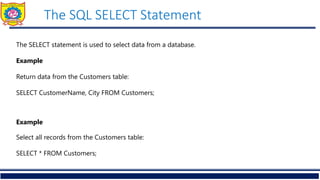
The SELECT statement is used to select data from a database.
Example
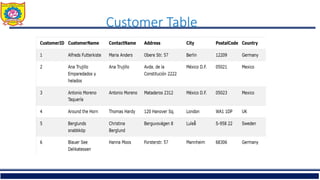
Return data from the Customers table:
SELECT CustomerName, City FROM Customers;
Example
Select all records from the Customers table:
SELECT * FROM Customers;
The SQL SELECTDISTINCT Statemen
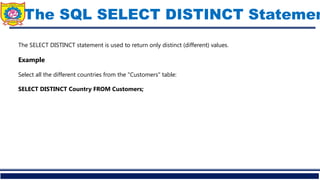
The SELECT DISTINCT statement is used to return only distinct (different) values.
Example
Select all the different countries from the "Customers" table:
SELECT DISTINCT Country FROM Customers;
5.
The SQL WHEREClause
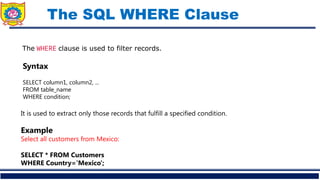
The WHERE clause is used to filter records.
It is used to extract only those records that fulfill a specified condition.
Example
Select all customers from Mexico:
SELECT * FROM Customers
WHERE Country='Mexico';
Syntax
SELECT column1, column2, ...
FROM table_name
WHERE condition;
6.
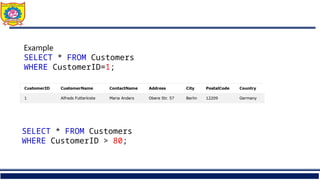
Example
SELECT * FROMCustomers
WHERE CustomerID=1;
SELECT * FROM Customers
WHERE CustomerID > 80;
8.
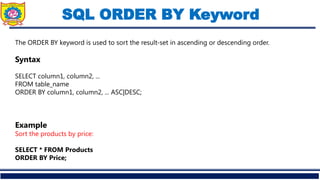
SQL ORDER BYKeyword
The ORDER BY keyword is used to sort the result-set in ascending or descending order.
Syntax
SELECT column1, column2, ...
FROM table_name
ORDER BY column1, column2, ... ASC|DESC;
Example
Sort the products by price:
SELECT * FROM Products
ORDER BY Price;
9.
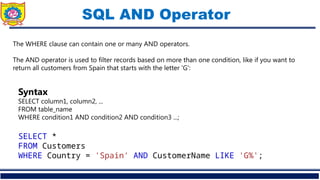
SQL AND Operator
TheWHERE clause can contain one or many AND operators.
The AND operator is used to filter records based on more than one condition, like if you want to
return all customers from Spain that starts with the letter 'G':
Syntax
SELECT column1, column2, ...
FROM table_name
WHERE condition1 AND condition2 AND condition3 ...;
SELECT *
FROM Customers
WHERE Country = 'Spain' AND CustomerName LIKE 'G%';
10.
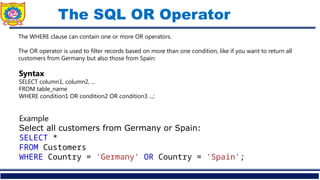
The SQL OROperator
The WHERE clause can contain one or more OR operators.
The OR operator is used to filter records based on more than one condition, like if you want to return all
customers from Germany but also those from Spain:
ExampleGet your own SQL Serve
Select all customers from Germany or Spain:
SELECT *
FROM Customers
WHERE Country = 'Germany' OR Country = 'Spain';
Syntax
SELECT column1, column2, ...
FROM table_name
WHERE condition1 OR condition2 OR condition3 ...;
11.
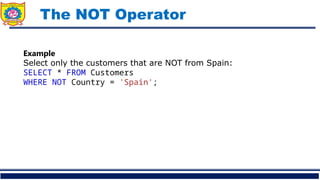
The NOT Operator
ExampleGetyour own SQL Server
Select only the customers that are NOT from Spain:
SELECT * FROM Customers
WHERE NOT Country = 'Spain';
12.
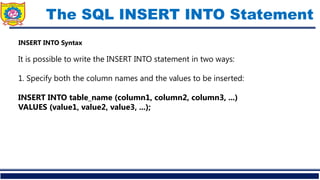
The SQL INSERTINTO Statement
INSERT INTO Syntax
It is possible to write the INSERT INTO statement in two ways:
1. Specify both the column names and the values to be inserted:
INSERT INTO table_name (column1, column2, column3, ...)
VALUES (value1, value2, value3, ...);
13.
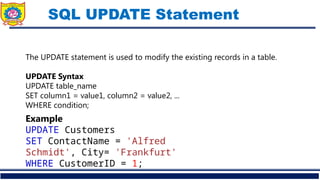
SQL UPDATE Statement
TheUPDATE statement is used to modify the existing records in a table.
UPDATE Syntax
UPDATE table_name
SET column1 = value1, column2 = value2, ...
WHERE condition;
ExampleGet your own SQL Server
UPDATE Customers
SET ContactName = 'Alfred
Schmidt', City= 'Frankfurt'
WHERE CustomerID = 1;
14.
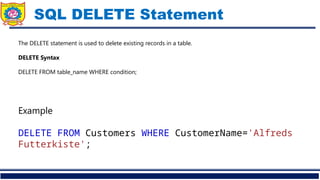
SQL DELETE Statement
TheDELETE statement is used to delete existing records in a table.
DELETE Syntax
DELETE FROM table_name WHERE condition;
ExampleGet your own SQL
DELETE FROM Customers WHERE CustomerName='Alfreds
Futterkiste';



![XII_IP_PPT[2].pptxhggggggggggggggggggggggggggggggggdj](https://cdn.slidesharecdn.com/ss_thumbnails/xiiipppt2-241126173608-8f1ba8a2-thumbnail.jpg?width=640&height=640&fit=bounds)


