HASANKA WIJESINGHE
INTRODUCTION
TO SERVERS
MIT, B.Sc
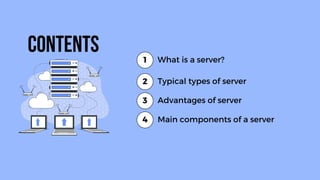
Contents What is a server?
1
Advantages of server
2
Main components of a server
4
Typical types of server
3
A specialized computer or
software that manages network
resources and provides services to
other computers (clients) in the
network
What is a Server?
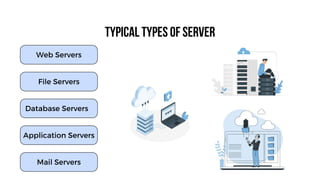
Typical types of server
Mail Servers
Web Servers
File Servers
Database Servers
Application Servers
Web Servers
A type of server that is
use to host a website
available through
internet is called web
server. The web server
run specialized
software that enables
them host website.
Typical types of server
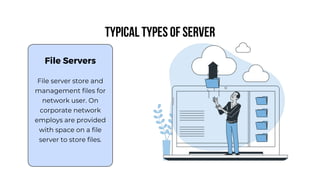
File Servers
File server store and
management files for
network user. On
corporate network
employs are provided
with space on a file
server to store files.
Typical types of server
Database
Servers
A type of server that
manage the database
of an organization is
called database server.
It is dedicated to
database storage,
queries and retrieval
etc.
Typical types of server
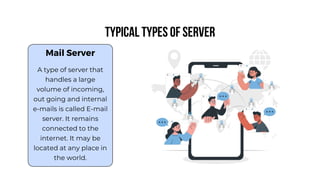
Mail Server
A type of server that
handles a large
volume of incoming,
out going and internal
e-mails is called E-mail
server. It remains
connected to the
internet. It may be
located at any place in
the world.
Typical types of server
Advantages of Server
• Efficient resource management and network
management
• Improve security
• Web and application hosting
• Support automated backup processes
• Provide email and communication services
• Provide centralized storage and file sharing
• Cost efficiency
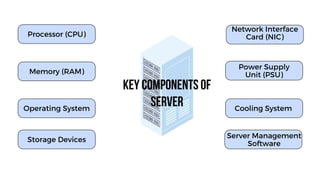
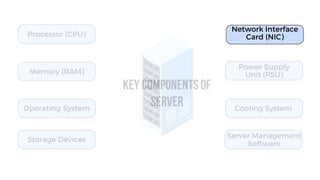
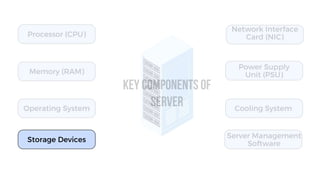
Key Components of
Server
Processor (CPU)
Operating System
Storage Devices
Network Interface
Card (NIC)
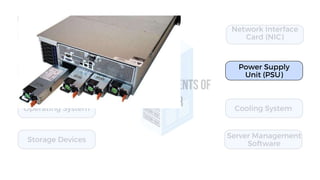
Power Supply
Unit (PSU)
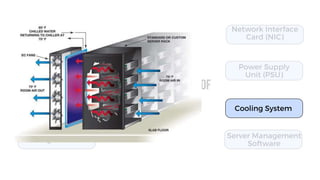
Cooling System
Memory (RAM)
Server Management
Software
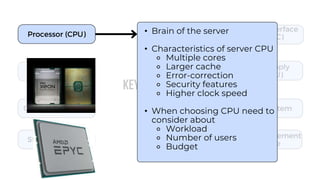
Processor (CPU) • Brain of the server
• Characteristics of server CPU
⚬ Multiple cores
⚬ Larger cache
⚬ Error-correction
⚬ Security features
⚬ Higher clock speed
• When choosing CPU need to
consider about
⚬ Workload
⚬ Number of users
⚬ Budget
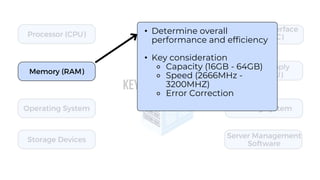
Memory (RAM)
• Determine overall
performance and efficiency
• Key consideration
⚬ Capacity (16GB - 64GB)
⚬ Speed (2666MHz -
3200MHZ)
⚬ Error Correction
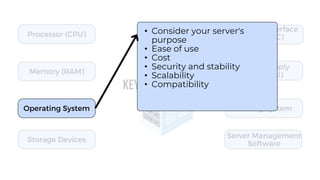
Operating System
• Consider your server's
purpose
• Ease of use
• Cost
• Security and stability
• Scalability
• Compatibility
Network Interface
Card (NIC)
Power Supply
Unit (PSU)
Cooling System
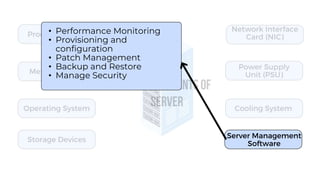
Server Management
Software
• Performance Monitoring
• Provisioning and
configuration
• Patch Management
• Backup and Restore
• Manage Security
Storage Devices
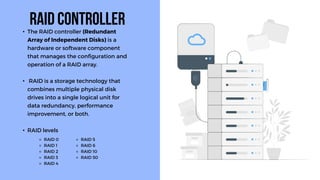
• The RAID controller (Redundant
Array of Independent Disks) is a
hardware or software component
that manages the configuration and
operation of a RAID array.
• RAID is a storage technology that
combines multiple physical disk
drives into a single logical unit for
data redundancy, performance
improvement, or both.
• RAID levels
RAID Controller
⚬ RAID 0
⚬ RAID 1
⚬ RAID 2
⚬ RAID 3
⚬ RAID 4
⚬ RAID 5
⚬ RAID 6
⚬ RAID 10
⚬ RAID 50
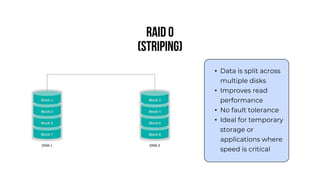
RAID 0
(Striping)
• Data is split across
multiple disks
• Improves read
performance
• No fault tolerance
• Ideal for temporary
storage or
applications where
speed is critical
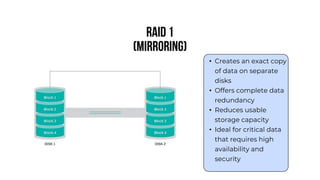
RAID 1
(Mirroring)
• Creates an exact copy
of data on separate
disks
• Offers complete data
redundancy
• Reduces usable
storage capacity
• Ideal for critical data
that requires high
availability and
security
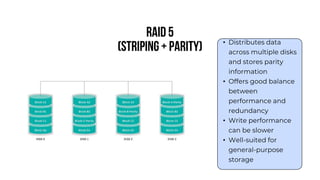
RAID 5
(Striping + Parity) • Distributes data
across multiple disks
and stores parity
information
• Offers good balance
between
performance and
redundancy
• Write performance
can be slower
• Well-suited for
general-purpose
storage
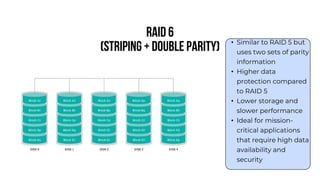
RAID 6
(Striping + Double Parity) • Similar to RAID 5 but
uses two sets of parity
information
• Higher data
protection compared
to RAID 5
• Lower storage and
slower performance
• Ideal for mission-
critical applications
that require high data
availability and
security
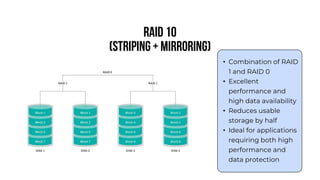
RAID 10
(Striping + Mirroring)
• Combination of RAID
1 and RAID 0
• Excellent
performance and
high data availability
• Reduces usable
storage by half
• Ideal for applications
requiring both high
performance and
data protection
THANK YOU FOR
LISTENING!

Introduction to Servers and Server Types.pptx

  • 1.
  • 2.
    Contents What isa server? 1 Advantages of server 2 Main components of a server 4 Typical types of server 3
  • 3.
    A specialized computeror software that manages network resources and provides services to other computers (clients) in the network What is a Server?
  • 4.
    Typical types ofserver Mail Servers Web Servers File Servers Database Servers Application Servers
  • 5.
    Web Servers A typeof server that is use to host a website available through internet is called web server. The web server run specialized software that enables them host website. Typical types of server
  • 6.
    File Servers File serverstore and management files for network user. On corporate network employs are provided with space on a file server to store files. Typical types of server
  • 7.
    Database Servers A type ofserver that manage the database of an organization is called database server. It is dedicated to database storage, queries and retrieval etc. Typical types of server
  • 8.
    Mail Server A typeof server that handles a large volume of incoming, out going and internal e-mails is called E-mail server. It remains connected to the internet. It may be located at any place in the world. Typical types of server
  • 9.
    Advantages of Server •Efficient resource management and network management • Improve security • Web and application hosting • Support automated backup processes • Provide email and communication services • Provide centralized storage and file sharing • Cost efficiency
  • 10.
    Key Components of Server Processor(CPU) Operating System Storage Devices Network Interface Card (NIC) Power Supply Unit (PSU) Cooling System Memory (RAM) Server Management Software
  • 11.
    Processor (CPU) •Brain of the server • Characteristics of server CPU ⚬ Multiple cores ⚬ Larger cache ⚬ Error-correction ⚬ Security features ⚬ Higher clock speed • When choosing CPU need to consider about ⚬ Workload ⚬ Number of users ⚬ Budget
  • 12.
    Memory (RAM) • Determineoverall performance and efficiency • Key consideration ⚬ Capacity (16GB - 64GB) ⚬ Speed (2666MHz - 3200MHZ) ⚬ Error Correction
  • 13.
    Operating System • Consideryour server's purpose • Ease of use • Cost • Security and stability • Scalability • Compatibility
  • 14.
  • 15.
  • 16.
  • 17.
    Server Management Software • PerformanceMonitoring • Provisioning and configuration • Patch Management • Backup and Restore • Manage Security
  • 18.
  • 19.
    • The RAIDcontroller (Redundant Array of Independent Disks) is a hardware or software component that manages the configuration and operation of a RAID array. • RAID is a storage technology that combines multiple physical disk drives into a single logical unit for data redundancy, performance improvement, or both. • RAID levels RAID Controller ⚬ RAID 0 ⚬ RAID 1 ⚬ RAID 2 ⚬ RAID 3 ⚬ RAID 4 ⚬ RAID 5 ⚬ RAID 6 ⚬ RAID 10 ⚬ RAID 50
  • 20.
    RAID 0 (Striping) • Datais split across multiple disks • Improves read performance • No fault tolerance • Ideal for temporary storage or applications where speed is critical
  • 21.
    RAID 1 (Mirroring) • Createsan exact copy of data on separate disks • Offers complete data redundancy • Reduces usable storage capacity • Ideal for critical data that requires high availability and security
  • 22.
    RAID 5 (Striping +Parity) • Distributes data across multiple disks and stores parity information • Offers good balance between performance and redundancy • Write performance can be slower • Well-suited for general-purpose storage
  • 23.
    RAID 6 (Striping +Double Parity) • Similar to RAID 5 but uses two sets of parity information • Higher data protection compared to RAID 5 • Lower storage and slower performance • Ideal for mission- critical applications that require high data availability and security
  • 24.
    RAID 10 (Striping +Mirroring) • Combination of RAID 1 and RAID 0 • Excellent performance and high data availability • Reduces usable storage by half • Ideal for applications requiring both high performance and data protection
  • 26.