STORAGE AREA NETWORK
Submitted by,
Neha agarwal
DEFINITION
 A SAN (Storage Area Network) is a network designed
to transfer data from servers to targets, and it is
alternative to a directly attached target architecture,
or to a DAS architecture
 Additional definitions of a SAN imply that the SAN
should also be highly performing, and should be such
to enable storage devices to communicate with one
another and with computer systems
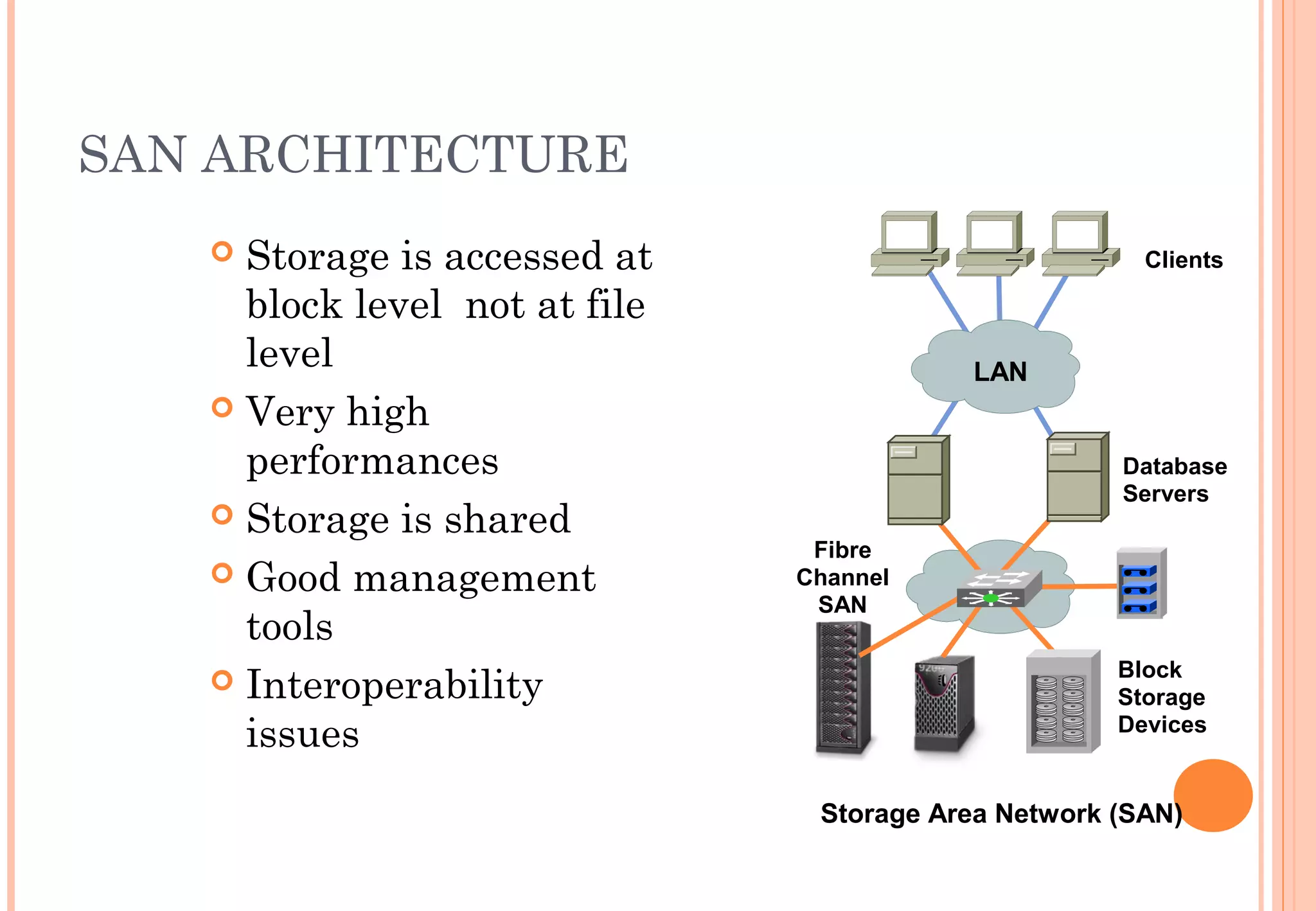
SAN ARCHITECTURE
 Storage is accessed at
block level not at file
level
 Very high
performances
 Storage is shared
 Good management
tools
 Interoperability
issues
Storage Area Network (SAN)
Database
Servers
Block
Storage
Devices
Fibre
Channel
SAN
Clients
LAN
DIFFERENT TECHNOLOGIES
 Multiple technology can be used when building a
SAN; traditionally the dominant technology is Fiber
Channel, but IP based solutions are also quite
popular for specific applications
 The concept of SAN is also independent from the
devices that are attached to it. Can be disks, tapes,
RAIDs, file servers, or other
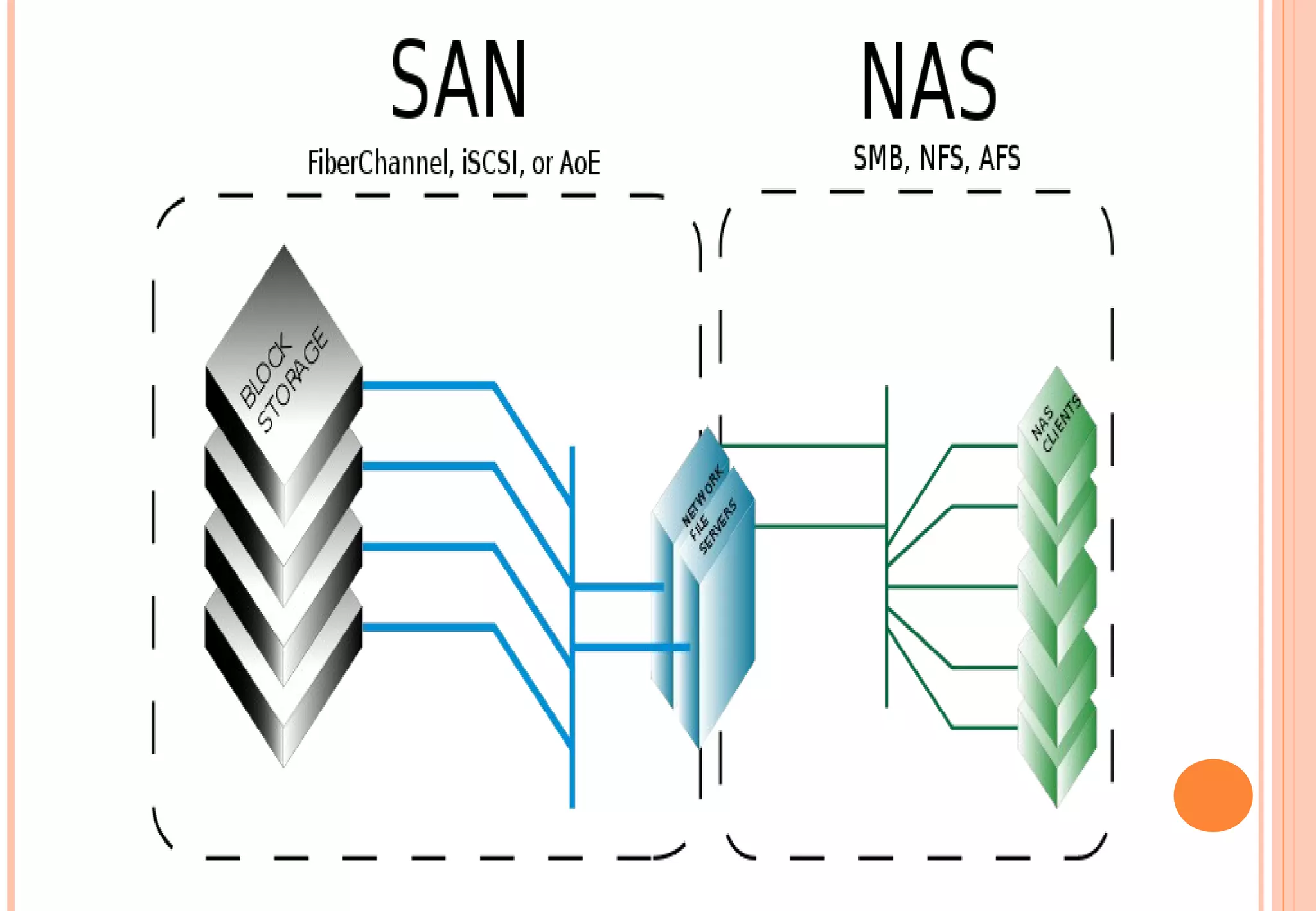
SAN AND NAS: NETWORK AND NODE
 SAN vs NAS: while a SAN is a network connecting
storage subsystems, the NAS is a storage subsystem,
making use of a general purpose network.
 The SAN is an extension of the disk channel outside
the server, while the NAS is a disk subsystem
connected to the servers, in most cases via an IP
network.
HARD DRIVES
 The basic storage element is an Hard Drive. They are
made into complex devices composed of platters,
heads, cylinders and tracks
 File systems arrange files into sectors so that they
can be stored and retrieved
 The File system usually deals with clusters of blocks
and uses a FAT (File Allocation Table) to map a file to
the sectors
SAN VIRTUALIZATION
 As it has been found quite complex, virtualization
concept came into picture for the sake of effective and
efficient management of SAN. Virtualization can be
defined as an abstracted management of huge
amounts of equipment and data. Virtualization takes
all diverse and large complex storage devices and
makes them appear as one Hugh volume.  Presently
there are three proven methodologies for achieving
SAN virtualization in the market.
TYPES OF SAN VIRTUALIZATION
 Host-based virtualization - This methodology requires
a control software program on every server that
accesses the SAN. The main benefits out of this are
easy installation and access.
 Storage-based virtualization - It works in a
homogeneous hardware environment, i.e., everything
has to be from the same vendor.
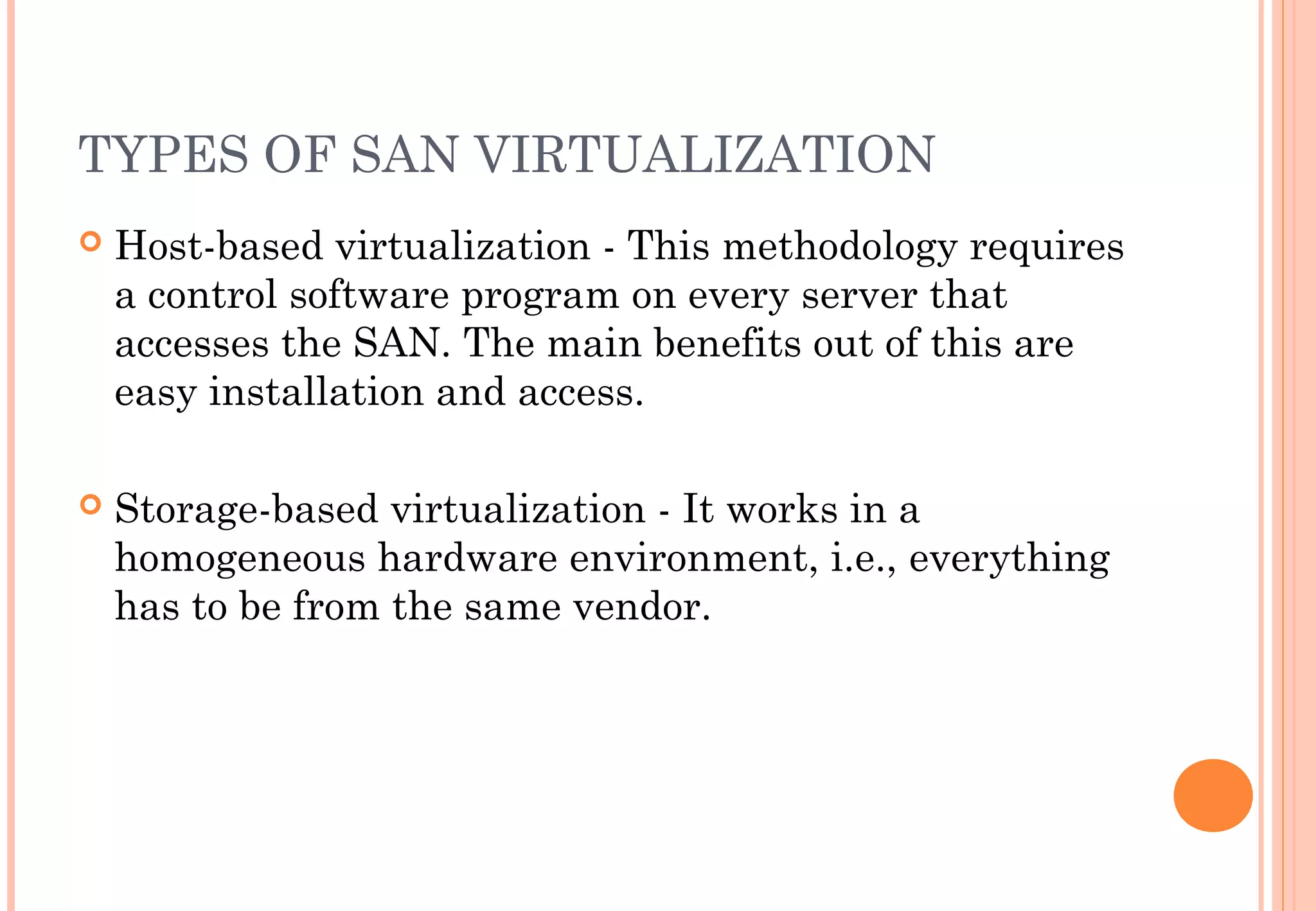
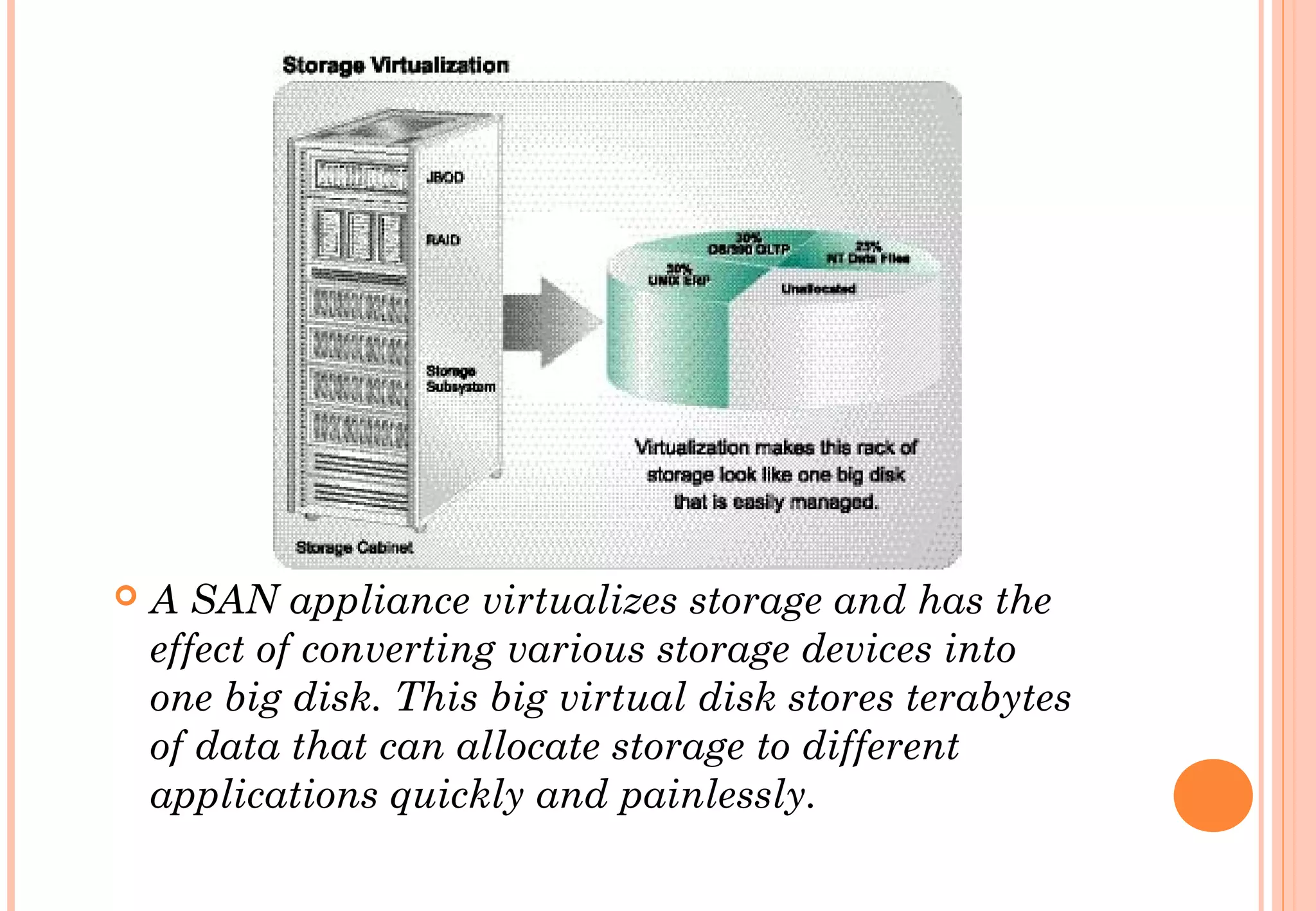
 A SAN appliance virtualizes storage and has the
effect of converting various storage devices into
one big disk. This big virtual disk stores terabytes
of data that can allocate storage to different
applications quickly and painlessly.
SAN SUPPORTED TOPOLOGIES: POINT
TO POINT
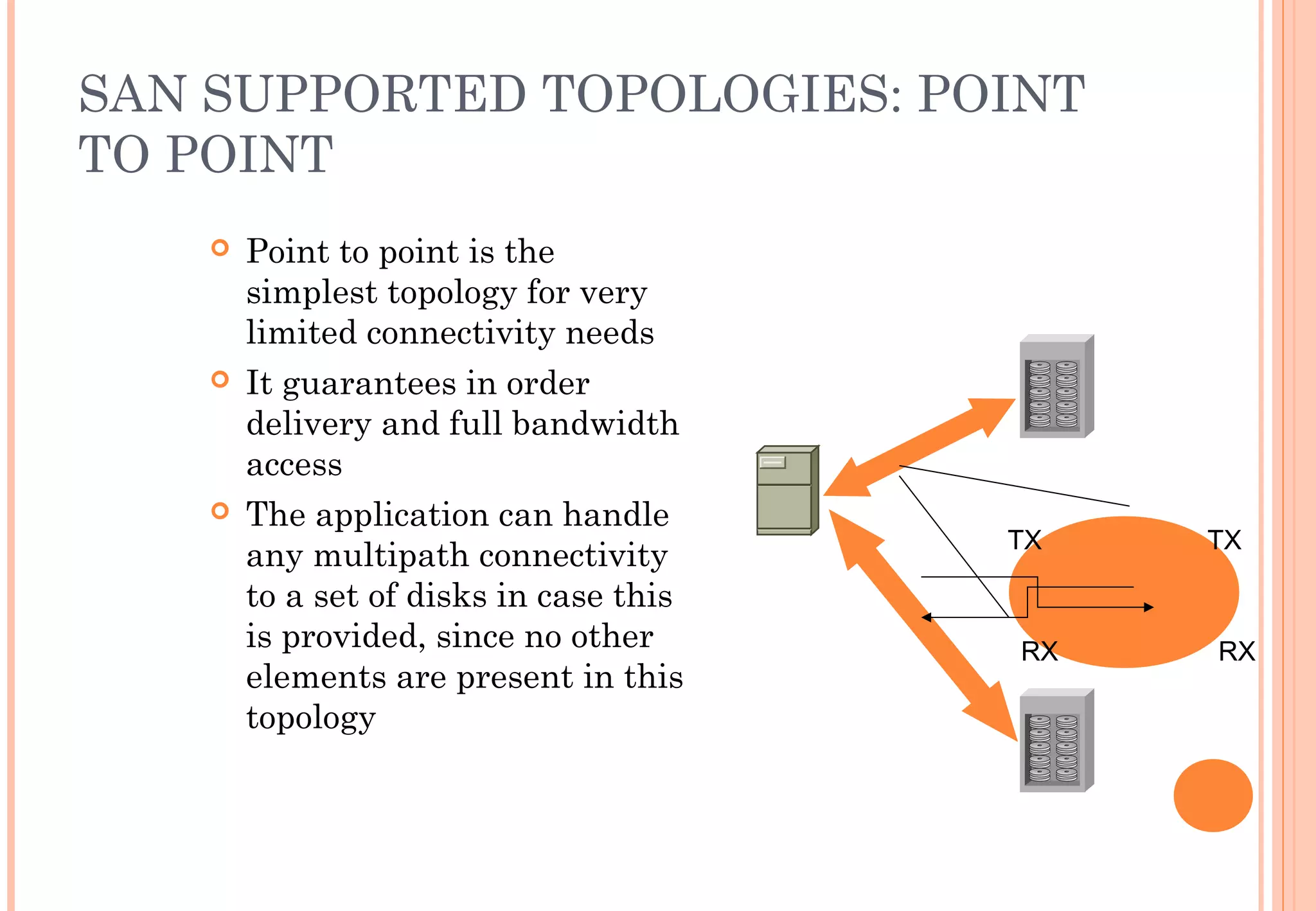
 Point to point is the
simplest topology for very
limited connectivity needs
 It guarantees in order
delivery and full bandwidth
access
 The application can handle
any multipath connectivity
to a set of disks in case this
is provided, since no other
elements are present in this
topology
TX TX
RX RX
SAN SUPPORTED TOPOLOGIES:
ARBITRATED LOOP
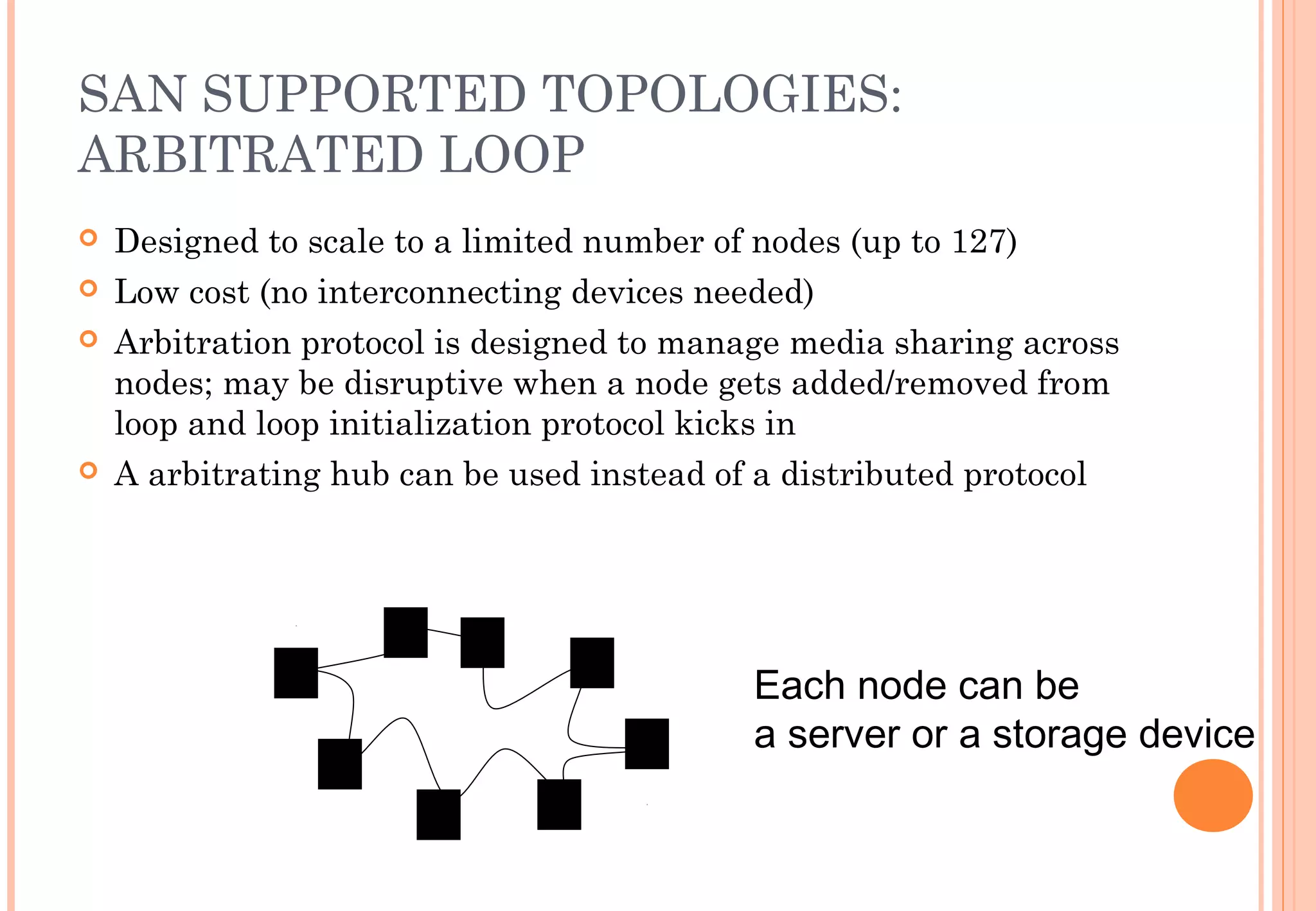
 Designed to scale to a limited number of nodes (up to 127)
 Low cost (no interconnecting devices needed)
 Arbitration protocol is designed to manage media sharing across
nodes; may be disruptive when a node gets added/removed from
loop and loop initialization protocol kicks in
 A arbitrating hub can be used instead of a distributed protocol
Each node can be
a server or a storage device
SAN SUPPORTED TOPOLOGIES:
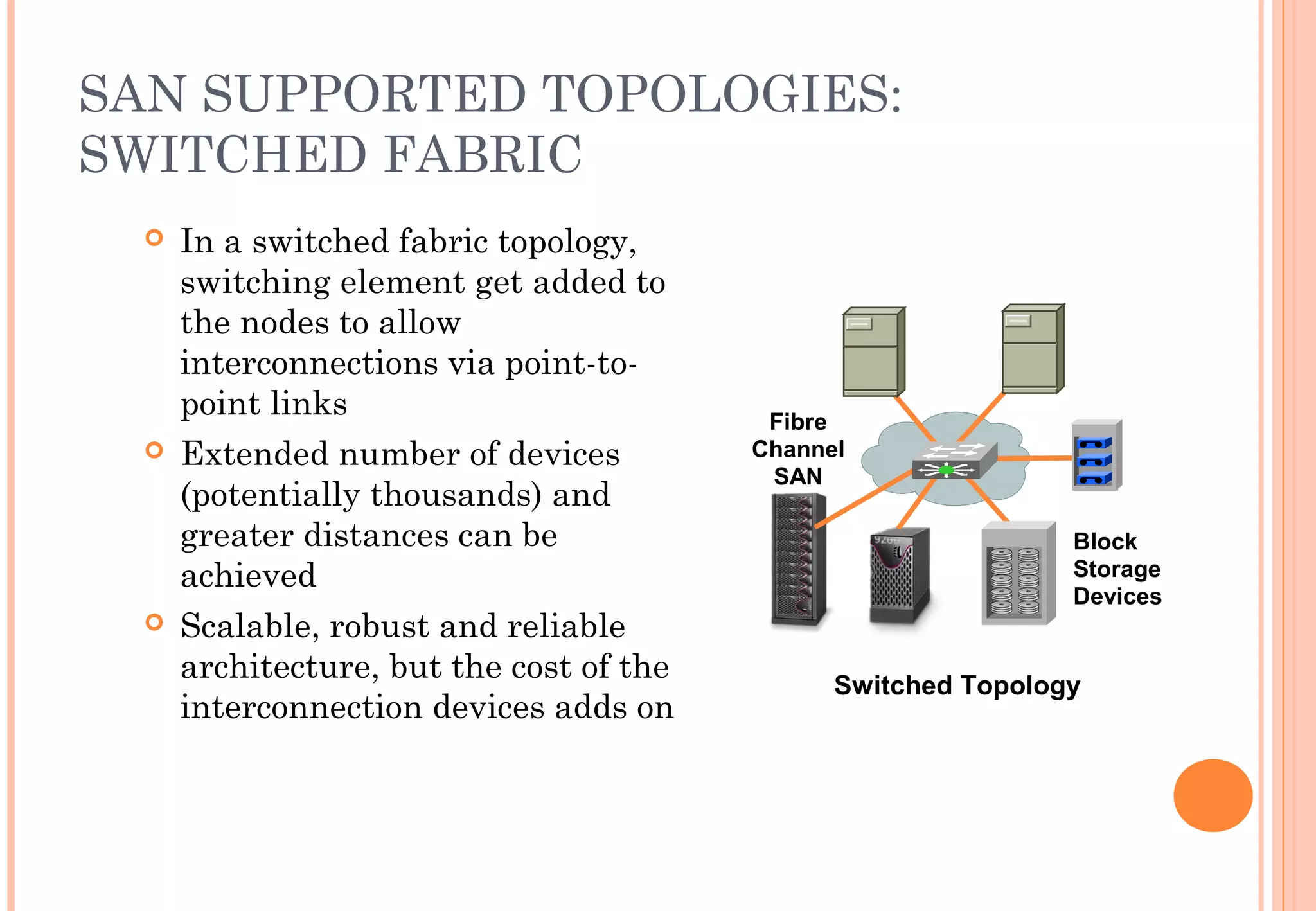
SWITCHED FABRIC
 In a switched fabric topology,
switching element get added to
the nodes to allow
interconnections via point-to-
point links
 Extended number of devices
(potentially thousands) and
greater distances can be
achieved
 Scalable, robust and reliable
architecture, but the cost of the
interconnection devices adds on
Switched Topology
Block
Storage
Devices
Fibre
Channel
SAN
SUMMARY
 What is a SAN
 Basic Building Blocks of a SAN
 A zoom into the Storage Architectures
 SAN elements and architecture
 FIBRE CHANNEL
FIBER CHANNEL AND THE OTHERS
 The Fibre Channel (FC) is used to develop practical,
inexpensive, means of quickly transferring data
between workstations, supercomputers, desktop
computers, storage devices, displays and other
peripherials.
 Long cable length up to 10 km.
 Transfer speeds up to 2 gbps.
 Data must be sent through frames.
 Used as a backbone for most commercial networks
SUMMARY
 What is a SAN
 Basic Building Blocks of a SAN
 A zoom into the Storage Architectures
 SAN elements and architecture
 Basic Protocols and Mechanisms
 Advantages and disadvantages
SAN ADVANTAGES
 SAN Architecture facilitates scalability - Any number of storage
devices can be added to store hundreds of terabytes.
 Sharing SAN is possible - As SAN is not directly attached with
any particular server or network, a SAN can be shared by all.
 SAN provides long distance connectivity - With Fibre channel
capable of running up to 10 kilometers, we can keep our data in
a remote, physically secure location. 
 SAN is truly versatile - A SAN can be single entity, a master
grouping of several SANs
SAN DISADVANTAGES
 SANs are very expensive as Fibre channel technology
tends to be pricier and maintenance requires a higher
degree of skill .
 Management of SAN systems has proved to be a real
tough one due to various reasons. Also for some,
having a SAN storage facility seems to be wasteful
one.
 
 Also, there are a few SAN product vendors due to its
very high price and very few mega enterprises need
SAN set up.
CONCLUSION
 SAN is literally a separate network devoted entirely
to storage. Almost all SANs communicate and connect
to servers via a Fibre channel host adopter card and
switch.
Storage area network

Storage area network

  • 1.
  • 2.
    DEFINITION  A SAN(Storage Area Network) is a network designed to transfer data from servers to targets, and it is alternative to a directly attached target architecture, or to a DAS architecture  Additional definitions of a SAN imply that the SAN should also be highly performing, and should be such to enable storage devices to communicate with one another and with computer systems
  • 3.
    SAN ARCHITECTURE  Storageis accessed at block level not at file level  Very high performances  Storage is shared  Good management tools  Interoperability issues Storage Area Network (SAN) Database Servers Block Storage Devices Fibre Channel SAN Clients LAN
  • 4.
    DIFFERENT TECHNOLOGIES  Multipletechnology can be used when building a SAN; traditionally the dominant technology is Fiber Channel, but IP based solutions are also quite popular for specific applications  The concept of SAN is also independent from the devices that are attached to it. Can be disks, tapes, RAIDs, file servers, or other
  • 5.
    SAN AND NAS:NETWORK AND NODE  SAN vs NAS: while a SAN is a network connecting storage subsystems, the NAS is a storage subsystem, making use of a general purpose network.  The SAN is an extension of the disk channel outside the server, while the NAS is a disk subsystem connected to the servers, in most cases via an IP network.
  • 7.
    HARD DRIVES  Thebasic storage element is an Hard Drive. They are made into complex devices composed of platters, heads, cylinders and tracks  File systems arrange files into sectors so that they can be stored and retrieved  The File system usually deals with clusters of blocks and uses a FAT (File Allocation Table) to map a file to the sectors
  • 8.
    SAN VIRTUALIZATION  Asit has been found quite complex, virtualization concept came into picture for the sake of effective and efficient management of SAN. Virtualization can be defined as an abstracted management of huge amounts of equipment and data. Virtualization takes all diverse and large complex storage devices and makes them appear as one Hugh volume.  Presently there are three proven methodologies for achieving SAN virtualization in the market.
  • 9.
    TYPES OF SANVIRTUALIZATION  Host-based virtualization - This methodology requires a control software program on every server that accesses the SAN. The main benefits out of this are easy installation and access.  Storage-based virtualization - It works in a homogeneous hardware environment, i.e., everything has to be from the same vendor.
  • 10.
     A SANappliance virtualizes storage and has the effect of converting various storage devices into one big disk. This big virtual disk stores terabytes of data that can allocate storage to different applications quickly and painlessly.
  • 11.
    SAN SUPPORTED TOPOLOGIES:POINT TO POINT  Point to point is the simplest topology for very limited connectivity needs  It guarantees in order delivery and full bandwidth access  The application can handle any multipath connectivity to a set of disks in case this is provided, since no other elements are present in this topology TX TX RX RX
  • 12.
    SAN SUPPORTED TOPOLOGIES: ARBITRATEDLOOP  Designed to scale to a limited number of nodes (up to 127)  Low cost (no interconnecting devices needed)  Arbitration protocol is designed to manage media sharing across nodes; may be disruptive when a node gets added/removed from loop and loop initialization protocol kicks in  A arbitrating hub can be used instead of a distributed protocol Each node can be a server or a storage device
  • 13.
    SAN SUPPORTED TOPOLOGIES: SWITCHEDFABRIC  In a switched fabric topology, switching element get added to the nodes to allow interconnections via point-to- point links  Extended number of devices (potentially thousands) and greater distances can be achieved  Scalable, robust and reliable architecture, but the cost of the interconnection devices adds on Switched Topology Block Storage Devices Fibre Channel SAN
  • 14.
    SUMMARY  What isa SAN  Basic Building Blocks of a SAN  A zoom into the Storage Architectures  SAN elements and architecture  FIBRE CHANNEL
  • 15.
    FIBER CHANNEL ANDTHE OTHERS  The Fibre Channel (FC) is used to develop practical, inexpensive, means of quickly transferring data between workstations, supercomputers, desktop computers, storage devices, displays and other peripherials.  Long cable length up to 10 km.  Transfer speeds up to 2 gbps.  Data must be sent through frames.  Used as a backbone for most commercial networks
  • 16.
    SUMMARY  What isa SAN  Basic Building Blocks of a SAN  A zoom into the Storage Architectures  SAN elements and architecture  Basic Protocols and Mechanisms  Advantages and disadvantages
  • 17.
    SAN ADVANTAGES  SANArchitecture facilitates scalability - Any number of storage devices can be added to store hundreds of terabytes.  Sharing SAN is possible - As SAN is not directly attached with any particular server or network, a SAN can be shared by all.  SAN provides long distance connectivity - With Fibre channel capable of running up to 10 kilometers, we can keep our data in a remote, physically secure location.   SAN is truly versatile - A SAN can be single entity, a master grouping of several SANs
  • 18.
    SAN DISADVANTAGES  SANsare very expensive as Fibre channel technology tends to be pricier and maintenance requires a higher degree of skill .  Management of SAN systems has proved to be a real tough one due to various reasons. Also for some, having a SAN storage facility seems to be wasteful one.    Also, there are a few SAN product vendors due to its very high price and very few mega enterprises need SAN set up.
  • 19.
    CONCLUSION  SAN isliterally a separate network devoted entirely to storage. Almost all SANs communicate and connect to servers via a Fibre channel host adopter card and switch.