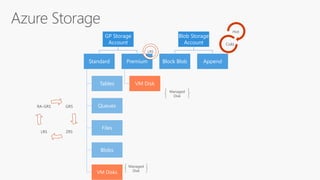
GP Storage
Account
Standard
Tables
Queues
Files
Blobs
VM Disks
Premium
VM Disk
Blob Storage
Account
Block Blob Append
Hot
Cold
GRS
ZRSLRS
RA-GRS
LRS
Managed
Disk
Managed
Disk
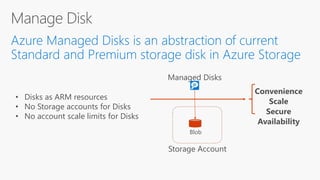
Storage Account
Managed Disks
Blob
Convenience
Scale
Secure
Availability
• Disks as ARM resources
• No Storage accounts for Disks
• No account scale limits for Disks
6
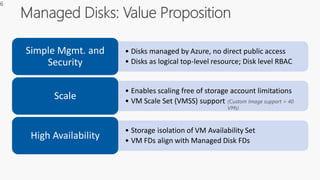
• Storage isolation of VM Availability Set
• VM FDs align with Managed Disk FDs
High Availability
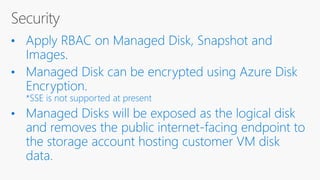
• Disks managed by Azure, no direct public access
• Disks as logical top-level resource; Disk level RBAC
Simple Mgmt. and
Security
• Enables scaling free of storage account limitations
• VM Scale Set (VMSS) support
Scale (Custom Image support > 40
VMs)
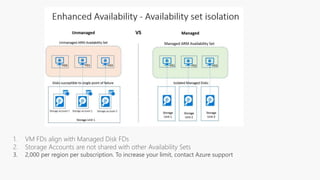
• Storage isolation of VM Availability Set
• VM FDs align with Managed Disk FDs
High Availability
• Disks managed by Azure, no direct public accessSimple Mgmt. and
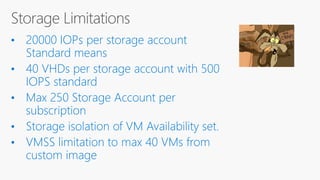
3. 2,000 per region per subscription. To increase your limit, contact Azure support
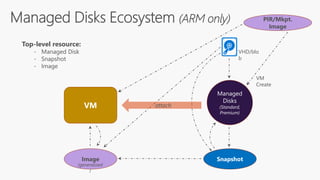
Managed
Disks
(Standard,
Premium)
Image Snapshot
VM
VHD/blo
b
attach
Top-level resource:
- Managed Disk
- Snapshot
- Image
PIR/Mkpt.
Image
VM
Create
(generalized
)
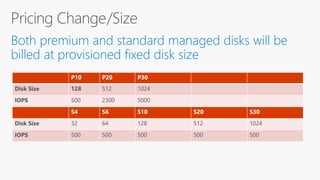
P10 P20 P30
Disk Size 128 512 1024
IOPS 500 2300 5000
S4 S6 S10 S20 S30
Disk Size 32 64 128 512 1024
IOPS 500 500 500 500 500
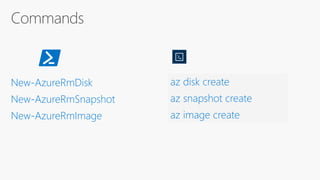
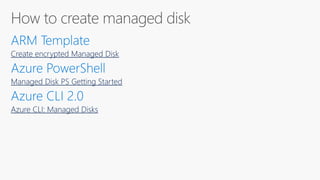
Create encrypted Managed Disk
Managed Disk PS Getting Started
Azure CLI: Managed Disks
BitLocker DM-
Crypt
Azure Key Vault

Managed disk-Azure Storage Evolution

Editor's Notes

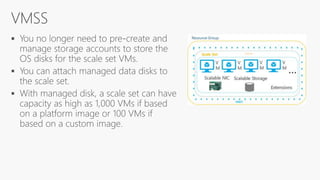
  • #5 VMSS custom image https://github.com/Azure/azure-quickstart-templates/tree/master/201-vmss-windows-customimage
  • #7 Chetan
  • #9 Availability Set Isolation Disks for different VMs in the Availability Set are placed in different fault domains for isolation of failure points Provides better reliability for Availability Sets
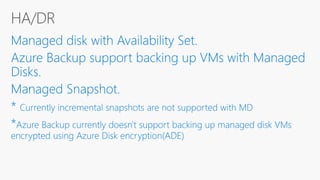
  • #15 https://azure.microsoft.com/en-us/blog/azure-managed-disk-backup/
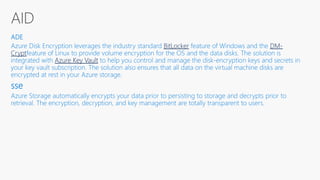
  • #16 Azure Disk Encryption leverages the industry standard BitLocker feature of Windows and the DM-Cryptfeature of Linux to provide volume encryption for the OS and the data disks. T
  • #17 https://docs.microsoft.com/en-us/azure/storage/storage-scalability-targets
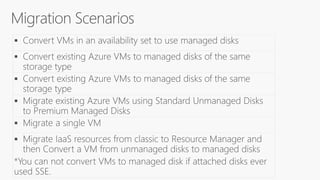
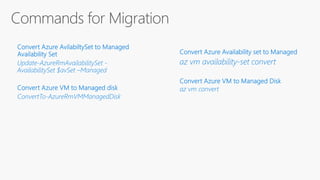
  • #20 https://docs.microsoft.com/en-us/azure/virtual-machines/windows/convert-unmanaged-to-managed-disks#convert-vms-in-an-availability-set-to-managed-disks-in-a-managed-availability-set
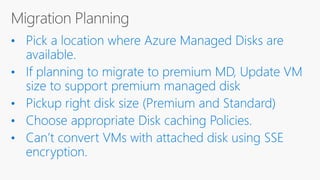
  • #21 By default, disk caching policy is Read-Only for all the Premium data disks, and Read-Write for the Premium operating system disk attached to the VM. This configuration setting is recommended to achieve the optimal performance for your application’s IOs. For write-heavy or write-only data disks (such as SQL Server log files), disable disk caching so that you can achieve better application performance.
  • #23 https://docs.microsoft.com/en-us/azure/virtual-machines/windows/convert-unmanaged-to-managed-disks#convert-vms-in-an-availability-set-to-managed-disks-in-a-managed-availability-set