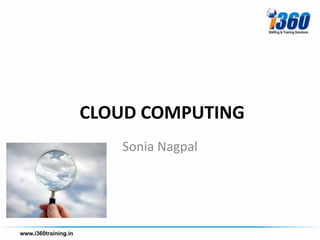
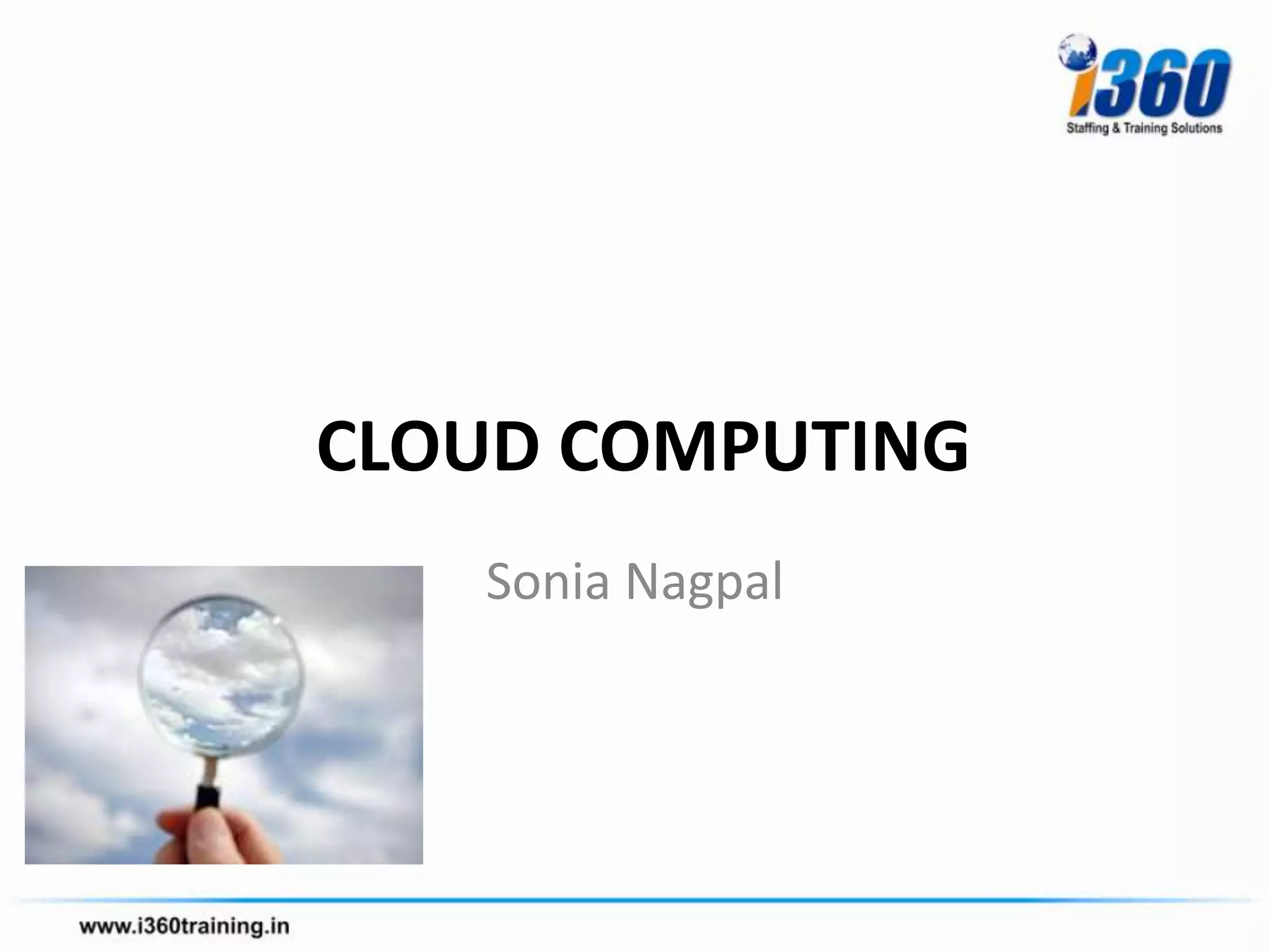
CLOUD COMPUTING
   Sonia Nagpal
Definition
• Cloud computing is
  – a computing paradigm,
  – where a large pool of systems are connected
    in private or public networks,
  – to provide dynamically scalable infrastructure
    for application, data and file storage.
  – Advantages : The cost of computation,
    application hosting, content storage and
    delivery is reduced significantly.
How can you use the cloud?

• The cloud makes it possible for you to access your
  information from anywhere at any time.

• The cloud removes the need for you to be in the same
  physical location as the hardware that stores your data

• Small companies can store their information in the
  cloud, removing the cost of purchasing and storing
  memory devices.
Cloud Services Offers
• Low barriers to entry, making it available to
  small businesses
• Large scalability
• Multi-tenancy, resource sharing
• Device Independence, independent of
  hardware
Why the rush to the cloud?
• Reduced cost: Cloud computing can reduce both capital
  expense
   – (CapEx) and operating expense (OpEx) costs because
     resources are only acquired when needed and are only
     paid for when used.
• Refined usage of personnel: Using cloud computing frees
  valuable
   – personnel allowing them to focus on delivering value
     rather than maintaining hardware and software.
• Robust scalability: Cloud computing allows for immediate
  scaling, either
   – up or down, at any time without long-term commitment.
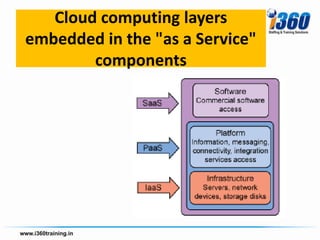
Cloud computing layers
embedded in the "as a Service"
        components
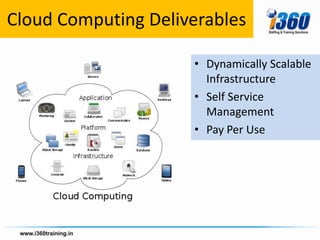
Cloud Computing Deliverables

                     • Dynamically Scalable
                       Infrastructure
                     • Self Service
                       Management
                     • Pay Per Use
Uses of Cloud Computing ?
• Consumers and businesses utilize the cloud on a
  daily basis even if they're not aware of it
  –   Email
  –   Social sites
  –   Reservations
  –   Post Photos
  –   E-Commerce
  –   Online document storage
  –   Banking
  –   Entertainment
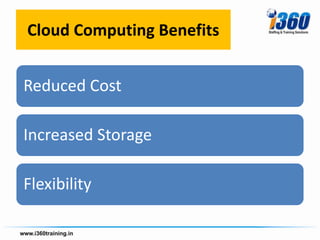
Cloud Computing Benefits


Reduced Cost

Increased Storage

Flexibility
Types of clouds
• Public Cloud - A public cloud can be accessed by any
  subscriber with an internet connection and access to the
  cloud space.
• Private Cloud - A private cloud is established for a specific
  group or organization and limits access to just that group.
• Community Cloud - A community cloud is shared among
  two or more organizations that have similar cloud
  requirements.
• Hybrid Cloud - A hybrid cloud is essentially a combination
  of at least two clouds, where the clouds included are a
  mixture of public, private, or community.
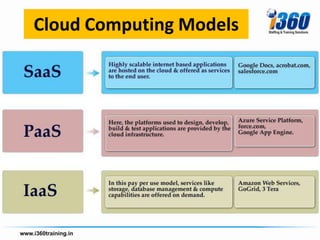
Cloud Computing Models
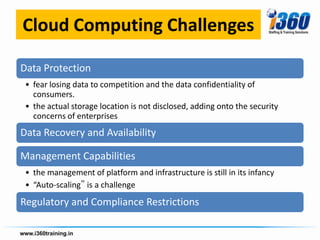
Cloud Computing Challenges

Data Protection
 • fear losing data to competition and the data confidentiality of
   consumers.
 • the actual storage location is not disclosed, adding onto the security
   concerns of enterprises
Data Recovery and Availability

Management Capabilities
 • the management of platform and infrastructure is still in its infancy
 • “Auto-scaling‟ is a challenge
Regulatory and Compliance Restrictions
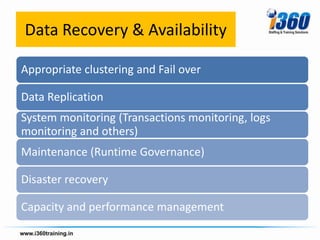
Data Recovery & Availability

Appropriate clustering and Fail over

Data Replication
System monitoring (Transactions monitoring, logs
monitoring and others)
Maintenance (Runtime Governance)

Disaster recovery

Capacity and performance management
Software as a Service (SaaS)

– a complete application is offered to the customer,
  as a service on demand.
– A single instance of the service runs on the cloud
  & multiple end users are serviced.
– On the customers‟ side, there is no need for
  upfront investment in servers or software licenses,
  while for the provider, the costs are lowered, since
  only a single application needs to be hosted &
  maintained.
– Google, Salesforce, Microsoft, Zoho
SAAS Offerings used in
•   CRM
•   Video Conferencing
•   IT Service Management
•   Accounting
•   Web Analytics
•   We content management
Platform as a Service (PAAS)
• PaaS delivers a computing platform and/or
  solution stack as a service, often consuming
  cloud infrastructure and sustaining cloud
  applications.
• It provides a consistent hardware and
  software infrastructure aimed entirely at
  running applications, such as within Microsoft
  Windows Azure.
Software as a Service
• SaaS is “software deployed as a hosted service
  and accessed over the Internet.”
• The user accesses applications running on a
  cloud infrastructure via a web browser or
  other client software and IT professionals are
  not required to manage the underlying cloud
  infrastructure to administrate their
  applications.
Emerging Job Opportunities
New Technologies and Job
      Areas to Consider
1.Provisioning and management
2.Monitoring and protecting
3.Service management
4.Virtualization
5.Automation
6.Security and compliance
7.Performance optimization
Datacenter Managers
• Administration and configuration tasks
• Service management and process automation
• Datacenter operations
  – to manage the datacenter,
  – engage in network management,
  – user account management,
  – server management and
  – application management.
Business liaison
• Move skills up the stack in the decision
  process.
• Hone expertise to the business from within IT.
• Move into design and architecture roles.
• Determine whether to focus in-house or off-
  premise
• Define options whether the organization
  decides to stay on-premise or moves to the
  cloud.
Datacenter manager
• Reposition datacenter skills toward the hosted
  datacenter.
• Enhance automation skills.
• Work in standardized environments and with
  standardized applications as an option.
• Become good at management applications,
  scripting, and performance optimization.
• Acquire best practices skills, such as
  information services technology management.
Security specialist
• Help businesses move core business processes and
  data securely to private, public, or hybrid cloud
  solutions.
• Security specialists need to stay abreast of new security
  models and technologies,
   – such as data protection skills,
   – privacy standards,
   – securing message integrity (encryption, digital signing and
     malware protection),
   – federated identity management,
   – authentication methods,
   – and auditing.
Software architect
• Serve as a link between the organization’s technical
  and business staff.
• Architects are asked to design and build complex
  distributed systems that exist both outside and inside
  an enterprise and the cloud.
• They need to acquire the new skills required to build
  infrastructure, platform, and software clouds.
• They need to understand how to design and construct
  multi-tenant and virtualized systems that can manage
  thousands of simultaneous users and isolate higher
  levels of the stack from physical component failures.
The Cloud Developer
• The cloud developer will need to understand how
  applications are designed, developed, and
  deployed for a PaaS.
• The skills developers need to invest in to prepare
  for the cloud include the following:
  – Identity management
  – Windows Communication Foundation (WCF) and Rich
    Internet Application (RIA) services
  – Connects
  – Middleware
  – Architecting Cloud Solutions
Architecting
• Architecting addresses computer service
  applications and cost considerations.
• The investment now is in composite applications
  — and that has cost implications.
• Developers will need to understand their data
  storage options and data partitioning.
• They don’t need one single store for all their
  data; it can be put in a particular location. The
  question becomes where to keep the data.
• It behooves developers to think about how to
  design applications with regard to where data is.
Database Administrator
              Opportunities
• Database administrators (DBAs) who are able to
  design and manage databases anywhere also
  emerge as an important role.
• DBAs in a cloud environment need to invest in
  skills like
  – architecting a cloud strategy (e.g., story type, cost)
    and
  – identifying potential data to move to cloud storage
    (Windows Azure, SQL Azure).
  – To take advantage of the scaling nature of the cloud,
    DBAs need to be aware of the new storage services.
An Office 365 Administrator

• Foundational understanding of the Office 365 service
  offerings and related technologies
• Planning and implementation skills for Office 365
  hosted solution
• Skills for migrating from an existing environment to
  newly hosted solution and hybrid solution
• Skills for implementing and managing the provisioning
  of new users
• Skills for day-to-day service management tasks
• Foundational networking skills
• Foundational security skills
An Office 365 Enterprise Service
Administrator will need the following
          technology skills
• Planning and design skills
• Infrastructure skills to determine basic infrastructure requirements
  such as Directory Synchronization, mail routing and namespace
  planning, Active Directory Federation
  Services, DNS, bandwidth, etc.
• Security skills to determine internal security and privacy policies
  and address any concerns or legal requirements
• Migration and integration skills — you will still manage your users
  and their mailboxes. Industry-specific data retention compliance, as
  well as implementing custom workflows, remains a responsibility.
• Hybrid deployment skills to determine coexistence and
  maintenance strategy between on-premise systems and the cloud
• Core skills in configuration of all Office 365 technologies with deep
  specialization in one or more of the following: SharePoint
  Server, Lync Server and Exchange Server.
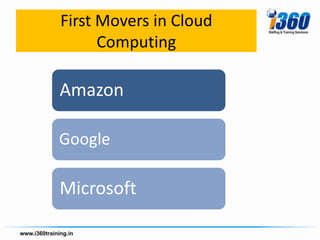
First Movers in Cloud
      Computing

Amazon

Google

Microsoft
Need more details mail to
  info@i360training.in

Cloud Computing Fundamentals

  • 1.
    CLOUD COMPUTING Sonia Nagpal
  • 2.
    Definition • Cloud computingis – a computing paradigm, – where a large pool of systems are connected in private or public networks, – to provide dynamically scalable infrastructure for application, data and file storage. – Advantages : The cost of computation, application hosting, content storage and delivery is reduced significantly.
  • 3.
    How can youuse the cloud? • The cloud makes it possible for you to access your information from anywhere at any time. • The cloud removes the need for you to be in the same physical location as the hardware that stores your data • Small companies can store their information in the cloud, removing the cost of purchasing and storing memory devices.
  • 4.
    Cloud Services Offers •Low barriers to entry, making it available to small businesses • Large scalability • Multi-tenancy, resource sharing • Device Independence, independent of hardware
  • 5.
    Why the rushto the cloud? • Reduced cost: Cloud computing can reduce both capital expense – (CapEx) and operating expense (OpEx) costs because resources are only acquired when needed and are only paid for when used. • Refined usage of personnel: Using cloud computing frees valuable – personnel allowing them to focus on delivering value rather than maintaining hardware and software. • Robust scalability: Cloud computing allows for immediate scaling, either – up or down, at any time without long-term commitment.
  • 6.
    Cloud computing layers embeddedin the "as a Service" components
  • 7.
    Cloud Computing Deliverables • Dynamically Scalable Infrastructure • Self Service Management • Pay Per Use
  • 8.
    Uses of CloudComputing ? • Consumers and businesses utilize the cloud on a daily basis even if they're not aware of it – Email – Social sites – Reservations – Post Photos – E-Commerce – Online document storage – Banking – Entertainment
  • 9.
    Cloud Computing Benefits ReducedCost Increased Storage Flexibility
  • 10.
    Types of clouds •Public Cloud - A public cloud can be accessed by any subscriber with an internet connection and access to the cloud space. • Private Cloud - A private cloud is established for a specific group or organization and limits access to just that group. • Community Cloud - A community cloud is shared among two or more organizations that have similar cloud requirements. • Hybrid Cloud - A hybrid cloud is essentially a combination of at least two clouds, where the clouds included are a mixture of public, private, or community.
  • 11.
  • 12.
    Cloud Computing Challenges DataProtection • fear losing data to competition and the data confidentiality of consumers. • the actual storage location is not disclosed, adding onto the security concerns of enterprises Data Recovery and Availability Management Capabilities • the management of platform and infrastructure is still in its infancy • “Auto-scaling‟ is a challenge Regulatory and Compliance Restrictions
  • 13.
    Data Recovery &Availability Appropriate clustering and Fail over Data Replication System monitoring (Transactions monitoring, logs monitoring and others) Maintenance (Runtime Governance) Disaster recovery Capacity and performance management
  • 14.
    Software as aService (SaaS) – a complete application is offered to the customer, as a service on demand. – A single instance of the service runs on the cloud & multiple end users are serviced. – On the customers‟ side, there is no need for upfront investment in servers or software licenses, while for the provider, the costs are lowered, since only a single application needs to be hosted & maintained. – Google, Salesforce, Microsoft, Zoho
  • 15.
    SAAS Offerings usedin • CRM • Video Conferencing • IT Service Management • Accounting • Web Analytics • We content management
  • 16.
    Platform as aService (PAAS) • PaaS delivers a computing platform and/or solution stack as a service, often consuming cloud infrastructure and sustaining cloud applications. • It provides a consistent hardware and software infrastructure aimed entirely at running applications, such as within Microsoft Windows Azure.
  • 17.
    Software as aService • SaaS is “software deployed as a hosted service and accessed over the Internet.” • The user accesses applications running on a cloud infrastructure via a web browser or other client software and IT professionals are not required to manage the underlying cloud infrastructure to administrate their applications.
  • 18.
  • 20.
    New Technologies andJob Areas to Consider 1.Provisioning and management 2.Monitoring and protecting 3.Service management 4.Virtualization 5.Automation 6.Security and compliance 7.Performance optimization
  • 21.
    Datacenter Managers • Administrationand configuration tasks • Service management and process automation • Datacenter operations – to manage the datacenter, – engage in network management, – user account management, – server management and – application management.
  • 22.
    Business liaison • Moveskills up the stack in the decision process. • Hone expertise to the business from within IT. • Move into design and architecture roles. • Determine whether to focus in-house or off- premise • Define options whether the organization decides to stay on-premise or moves to the cloud.
  • 23.
    Datacenter manager • Repositiondatacenter skills toward the hosted datacenter. • Enhance automation skills. • Work in standardized environments and with standardized applications as an option. • Become good at management applications, scripting, and performance optimization. • Acquire best practices skills, such as information services technology management.
  • 24.
    Security specialist • Helpbusinesses move core business processes and data securely to private, public, or hybrid cloud solutions. • Security specialists need to stay abreast of new security models and technologies, – such as data protection skills, – privacy standards, – securing message integrity (encryption, digital signing and malware protection), – federated identity management, – authentication methods, – and auditing.
  • 25.
    Software architect • Serveas a link between the organization’s technical and business staff. • Architects are asked to design and build complex distributed systems that exist both outside and inside an enterprise and the cloud. • They need to acquire the new skills required to build infrastructure, platform, and software clouds. • They need to understand how to design and construct multi-tenant and virtualized systems that can manage thousands of simultaneous users and isolate higher levels of the stack from physical component failures.
  • 26.
    The Cloud Developer •The cloud developer will need to understand how applications are designed, developed, and deployed for a PaaS. • The skills developers need to invest in to prepare for the cloud include the following: – Identity management – Windows Communication Foundation (WCF) and Rich Internet Application (RIA) services – Connects – Middleware – Architecting Cloud Solutions
  • 27.
    Architecting • Architecting addressescomputer service applications and cost considerations. • The investment now is in composite applications — and that has cost implications. • Developers will need to understand their data storage options and data partitioning. • They don’t need one single store for all their data; it can be put in a particular location. The question becomes where to keep the data. • It behooves developers to think about how to design applications with regard to where data is.
  • 28.
    Database Administrator Opportunities • Database administrators (DBAs) who are able to design and manage databases anywhere also emerge as an important role. • DBAs in a cloud environment need to invest in skills like – architecting a cloud strategy (e.g., story type, cost) and – identifying potential data to move to cloud storage (Windows Azure, SQL Azure). – To take advantage of the scaling nature of the cloud, DBAs need to be aware of the new storage services.
  • 29.
    An Office 365Administrator • Foundational understanding of the Office 365 service offerings and related technologies • Planning and implementation skills for Office 365 hosted solution • Skills for migrating from an existing environment to newly hosted solution and hybrid solution • Skills for implementing and managing the provisioning of new users • Skills for day-to-day service management tasks • Foundational networking skills • Foundational security skills
  • 30.
    An Office 365Enterprise Service Administrator will need the following technology skills • Planning and design skills • Infrastructure skills to determine basic infrastructure requirements such as Directory Synchronization, mail routing and namespace planning, Active Directory Federation Services, DNS, bandwidth, etc. • Security skills to determine internal security and privacy policies and address any concerns or legal requirements • Migration and integration skills — you will still manage your users and their mailboxes. Industry-specific data retention compliance, as well as implementing custom workflows, remains a responsibility. • Hybrid deployment skills to determine coexistence and maintenance strategy between on-premise systems and the cloud • Core skills in configuration of all Office 365 technologies with deep specialization in one or more of the following: SharePoint Server, Lync Server and Exchange Server.
  • 31.
    First Movers inCloud Computing Amazon Google Microsoft
  • 32.
    Need more detailsmail to info@i360training.in