Introduction to Optimizing
WordPress for Website Speed
Nile Flores
@blondishnet
http://blondish.net
Objective
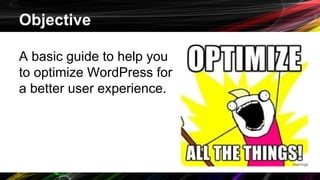
A basic guide to help you
to optimize WordPress for
a better user experience.
Areas that this presentation will cover:
❏ General tips
❏ Plugins
❏ Themes
❏ Cache
❏ CDN
❏ Images
❏ Database
In the beginning...
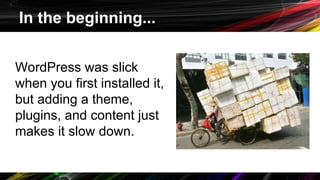
WordPress was slick
when you first installed it,
but adding a theme,
plugins, and content just
makes it slow down.
Updates are important!
Keep WordPress core, themes, and plugins up-
to-date.
Some updates actually include speeding up
certain areas of your site.
Optimization: Plugins
Plugins: Use what you need
Deactivate plugins that you’re not using.
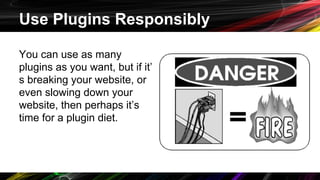
Use Plugins Responsibly
You can use as many
plugins as you want, but if it’
s breaking your website, or
even slowing down your
website, then perhaps it’s
time for a plugin diet.
Plugin Organizer
For those who can’t code, this allows you to
control what plugins can run globally, or on
specific post types (posts, pages, custom post
types.)
https://wordpress.org/plugins/plugin-organizer/
Optimization: Themes
Theme Choosing
❏ Sometimes too many theme options may be
a bad thing.
❏ Don’t forget to choose a responsive theme!
❏ Don’t be afraid to test the theme for speed
on a beta or development site.
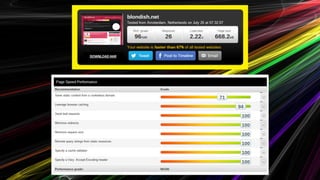
Website Speed Testers
Pingdom - http://tools.pingdom.com/fpt/
GTMetrix - http://gtmetrix.com
Google PageSpeed - https://developers.google.
com/speed/pagespeed/
WebPagetest - http://www.webpagetest.org/
Cache Plugin
W3 Total Cache - http://bit.ly/O6hDMy
WP Super Cache - http://bit.ly/1nywhqg
WPRocket (premium) - http://wp-rocket.me/
There are a lot more out there. Google
“Recommended Settings…” to help set up your
Cache Plugin
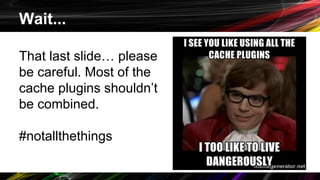
Wait...
That last slide… please
be careful. Most of the
cache plugins shouldn’t
be combined.
#notallthethings
CDN
❏ Cloudflare - http://cloudflare.com
❏ MaxCDN - http://maxcdn.com
A content delivery network or content distribution network (CDN) is a
large distributed system of servers deployed in multiple data centers
across the Internet. - Wikipedia
https://en.wikipedia.org/wiki/Content_delivery_network
Optimization: Your Host
Look for or ask if the web host has or offers:
❏ Memcache
❏ Varnish Cache
❏ APC/ OpCache
❏ “Website Booster”
Optimization: Images
A CDN helps, but you may want to use a plugin
like WP Smush to strip out all the extra stuff,
and overall, reduces file size.
https://wordpress.org/plugins/wp-smushit/
Optimization: Database
WP-Optimize - http://bit.ly/1FnSMu5
❏ Repair and Optimize Tables
❏ Remove extra revisions
❏ Remove trashed comments
…. and much much more!
Wanna Optimize More?
If you’re code savvy, or just want to learn more, here’s
some great resources on Optimizing WordPress:
❏ Codex: WordPress Optimization - http://bit.ly/1JzVEHd
❏ WordPress Optimization Guide - http://bit.ly/1dkctde
❏ How to Optimize WordPress for Better Performance - http://bit.
ly/1PwXwVY
❏ Battle of the Image Compression WordPress Plugins - http://bit.
ly/1HUFQi5
❏
Nile Flores
http://blondish.net
Don’t forget to subscribe to my
newsletter. :)
Twitter: @blondishnet
LinkedIn: http://linkedin.
com/in/blondishnet
Slideshare: http://slideshare.
net/blondishnet

Introduction to Optimizing WordPress for Website Speed

  • 1.
    Introduction to Optimizing WordPressfor Website Speed Nile Flores @blondishnet http://blondish.net
  • 2.
    Objective A basic guideto help you to optimize WordPress for a better user experience.
  • 3.
    Areas that thispresentation will cover: ❏ General tips ❏ Plugins ❏ Themes ❏ Cache ❏ CDN ❏ Images ❏ Database
  • 4.
    In the beginning... WordPresswas slick when you first installed it, but adding a theme, plugins, and content just makes it slow down.
  • 5.
    Updates are important! KeepWordPress core, themes, and plugins up- to-date. Some updates actually include speeding up certain areas of your site.
  • 6.
  • 7.
    Plugins: Use whatyou need Deactivate plugins that you’re not using.
  • 8.
    Use Plugins Responsibly Youcan use as many plugins as you want, but if it’ s breaking your website, or even slowing down your website, then perhaps it’s time for a plugin diet.
  • 9.
    Plugin Organizer For thosewho can’t code, this allows you to control what plugins can run globally, or on specific post types (posts, pages, custom post types.) https://wordpress.org/plugins/plugin-organizer/
  • 10.
  • 11.
    Theme Choosing ❏ Sometimestoo many theme options may be a bad thing. ❏ Don’t forget to choose a responsive theme! ❏ Don’t be afraid to test the theme for speed on a beta or development site.
  • 12.
    Website Speed Testers Pingdom- http://tools.pingdom.com/fpt/ GTMetrix - http://gtmetrix.com Google PageSpeed - https://developers.google. com/speed/pagespeed/ WebPagetest - http://www.webpagetest.org/
  • 14.
    Cache Plugin W3 TotalCache - http://bit.ly/O6hDMy WP Super Cache - http://bit.ly/1nywhqg WPRocket (premium) - http://wp-rocket.me/ There are a lot more out there. Google “Recommended Settings…” to help set up your Cache Plugin
  • 15.
    Wait... That last slide…please be careful. Most of the cache plugins shouldn’t be combined. #notallthethings
  • 16.
    CDN ❏ Cloudflare -http://cloudflare.com ❏ MaxCDN - http://maxcdn.com A content delivery network or content distribution network (CDN) is a large distributed system of servers deployed in multiple data centers across the Internet. - Wikipedia https://en.wikipedia.org/wiki/Content_delivery_network
  • 17.
    Optimization: Your Host Lookfor or ask if the web host has or offers: ❏ Memcache ❏ Varnish Cache ❏ APC/ OpCache ❏ “Website Booster”
  • 18.
    Optimization: Images A CDNhelps, but you may want to use a plugin like WP Smush to strip out all the extra stuff, and overall, reduces file size. https://wordpress.org/plugins/wp-smushit/
  • 19.
    Optimization: Database WP-Optimize -http://bit.ly/1FnSMu5 ❏ Repair and Optimize Tables ❏ Remove extra revisions ❏ Remove trashed comments …. and much much more!
  • 20.
    Wanna Optimize More? Ifyou’re code savvy, or just want to learn more, here’s some great resources on Optimizing WordPress: ❏ Codex: WordPress Optimization - http://bit.ly/1JzVEHd ❏ WordPress Optimization Guide - http://bit.ly/1dkctde ❏ How to Optimize WordPress for Better Performance - http://bit. ly/1PwXwVY ❏ Battle of the Image Compression WordPress Plugins - http://bit. ly/1HUFQi5 ❏
  • 21.
    Nile Flores http://blondish.net Don’t forgetto subscribe to my newsletter. :) Twitter: @blondishnet LinkedIn: http://linkedin. com/in/blondishnet Slideshare: http://slideshare. net/blondishnet