Practical SEO
for WordPress Content
Creators
By Nile Flores @nilefloresmedia
Objective
❏ Learn practical SEO tips to
optimize your content.
❏ Discover beginner-friendly tools to
streamline your SEO workflow.
❏ Get the scoop on AI's impact on
SEO: dos & don'ts.
So you’ve installed and setup up WordPress...
You’re ready to write or you’ve started blogging or
creating content. Now what?
SEO Tips
Don’t Confuse Your Visitors
You need to make sure your website tells people
who you are, what you’re offering, and why you
matter.
Also have an About page and a Contact page.
Creating an Effective About Page:
https://bit.ly/2rSMyBY
Know the difference between Categories & Tags
You don’t need 200 categories
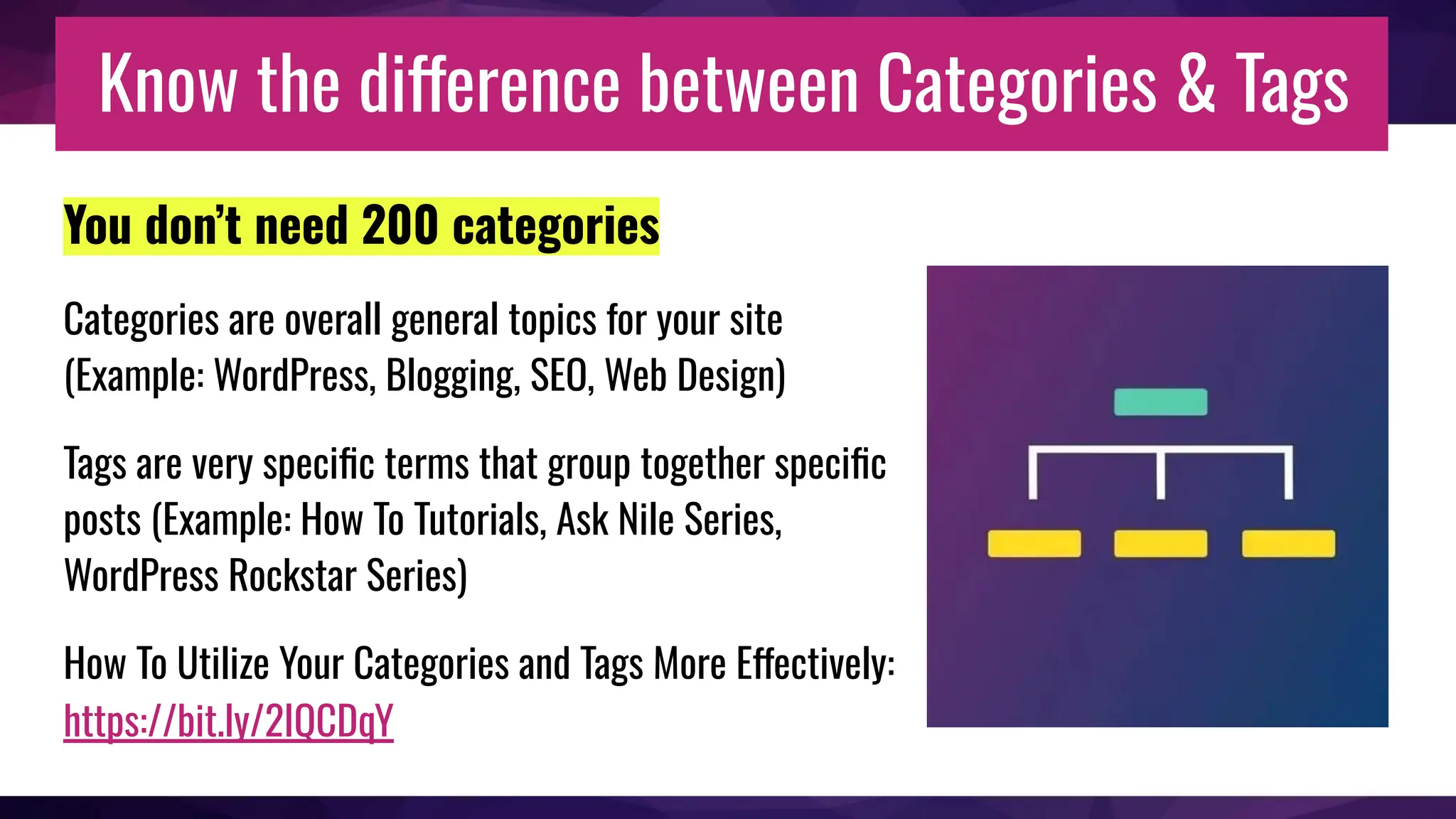
Categories are overall general topics for your site
(Example: WordPress, Blogging, SEO, Web Design)
Tags are very specific terms that group together specific
posts (Example: How To Tutorials, Ask Nile Series,
WordPress Rockstar Series)
How To Utilize Your Categories and Tags More Effectively:
https://bit.ly/2IQCDqY
Tell search engines that you exist
❏ Add your site and sitemap to Bing.
❏ Add your website and sitemap to Google Search Console.
These track your website’s search engine health and have tools
to help guide you toward optimizing your site.
Google Search Console:
https://www.google.com/webmasters/
Integrating GSC to WordPress - https://bit.ly/2ZhQ5Zb
Bing Webmaster Tools:
https://www.bing.com/toolbox/webmaster
Enable or add Open Graph to your website
Easiest ways to do that is either using the Yoast SEO or Jetpack plugins.
❏ Yoast SEO - https://wordpress.org/plugins/wordpress-seo/
❏ Jetpack - https://wordpress.org/plugins/jetpack/
Remember to link to other
websites’ content in your
website
Linking to EXTERNAL content builds
your own authority.
You’re less likely to be seen as the
crazy person standing shouting, on top
of a soapbox.
Remember to link to other
content within your
website
Linking to INTERNAL content allows
people to stay on your website to read
for more information that you might
have.
Your site needs to be accessible
Making your site accessible to those who cannot view your website the
same way as others do is important.
Video, audio/ podcast, image/ infographics should be accompanied by some
text.
Understanding and Supporting Web Accessibility (video presentation from
WordPress TV): https://bit.ly/2IvH1fN
Track your Traffic
Add your website to Google Analytics.
Monster Insights -
https://wordpress.org/plugins/google-analytics-for-wordpress/
More about Google Analytics and how to integrate it into WordPress using
Monster Insights -
https://www.godaddy.com/garage/how-to-use-google-analytics/
Write naturally
and uniquely,
and
be entertaining.
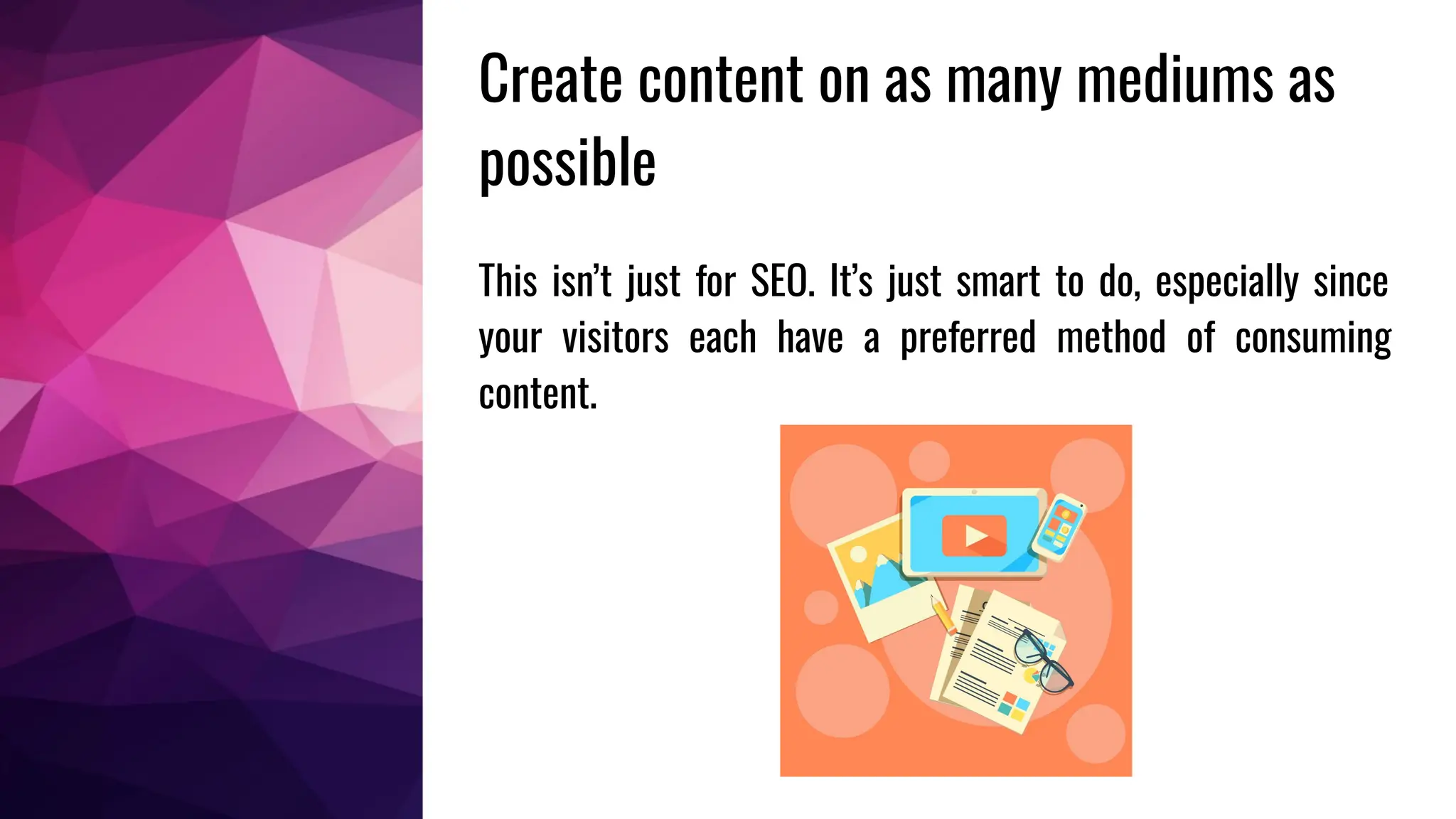
This isn’t just for SEO. It’s just smart to do, especially since
your visitors each have a preferred method of consuming
content.
Create content on as many mediums as
possible
Never write less than 300 words
on a post
Want Google to index you more accurately? - Write
lengthy content.
Not feeling up to writing? - Then at least get 300
words in.
How Long Should Each Blog Post Be? A Data Driven
Answer (via QuickSprout): https://bit.ly/1gcq6eT
Watch your links!
Keep up-to-date with the links you add
to your content. Over time, you might
find dead links throughout your site.
Broken Link Checker plugin:
https://bit.ly/1qoS1IZ
Fill out your meta descriptions to look enticing
Take advantage of making your meta descriptions look enticing in the
search results.
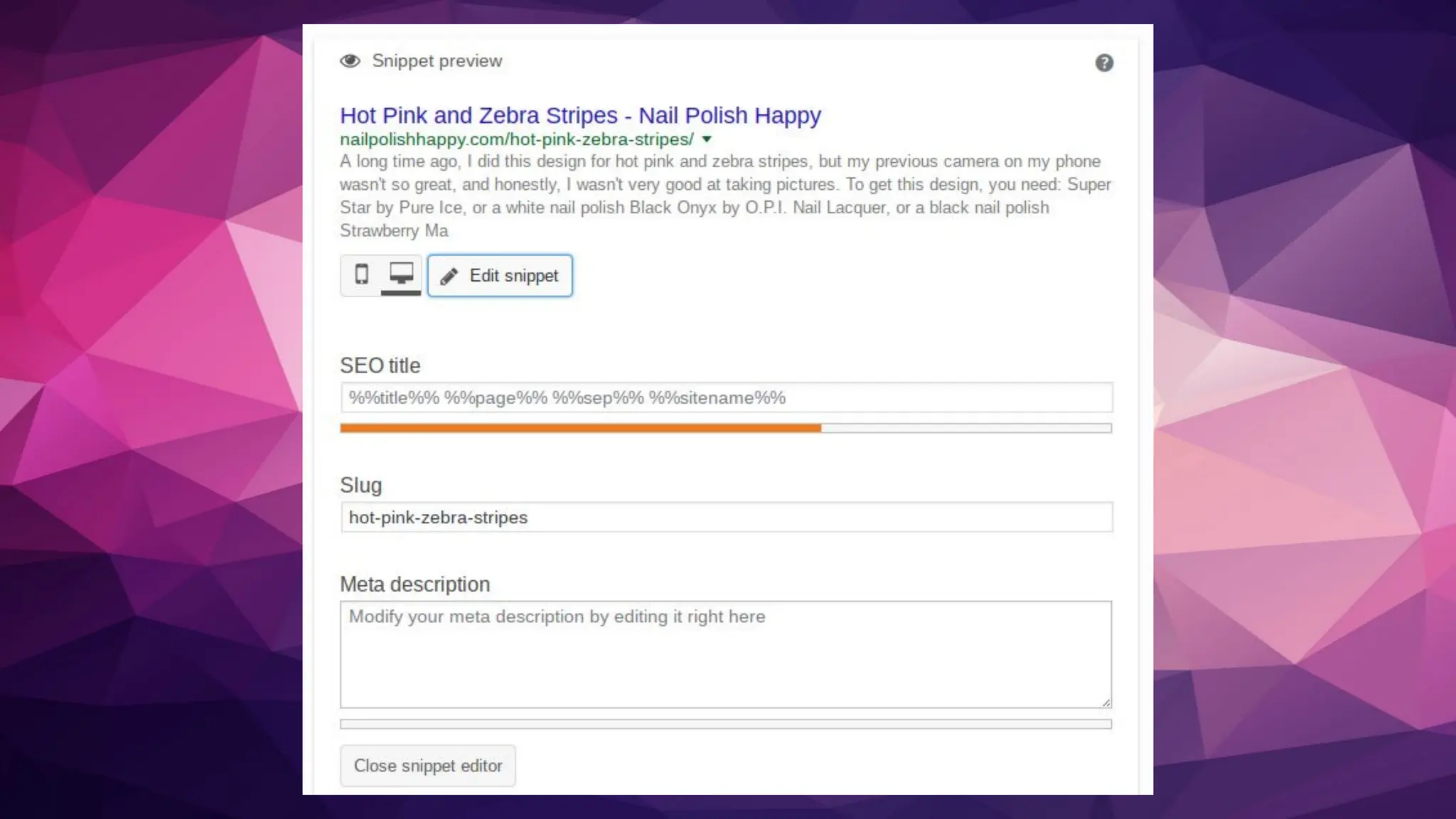
Yoast SEO has a snippet editor that you can alter the meta description. In
filling it out with your own, you are suggesting to Google that your
description should be use.
Write an engaging title
Just like meta descriptions, write an engaging title that grabs your
audience.
101 title ideas for your next post - https://bit.ly/2k7Qg7r
Blog Title Generator - https://seopressor.com/blog-title-generator/
Make sure your
site is responsive
and can be seen
in most device
widths!
Site speed is important
Under 2-second page load time is ideal for any device.
Presentation - Introduction to Optimizing WordPress for
Website Speed
https://bit.ly/2pKOePt
You need to do keyword research
That being said, if you don’t know your niche,
research it, because you’ll miss the right keywords
that you need to be writing about on your site.
Yoast Suggest - https://yoast.com/suggest
Google Adwords Keyword Planner -
https://bit.ly/2gt3tmS
Google Trends - https://trends.google.com/trends/
Have a clear and simple
website navigation
You don’t need ALL of the things in your
menu
Use KISS Method
Optimizing your website menu (via
Yoast): https://bit.ly/2rVatk6
Add ways to keep your visitors on your site
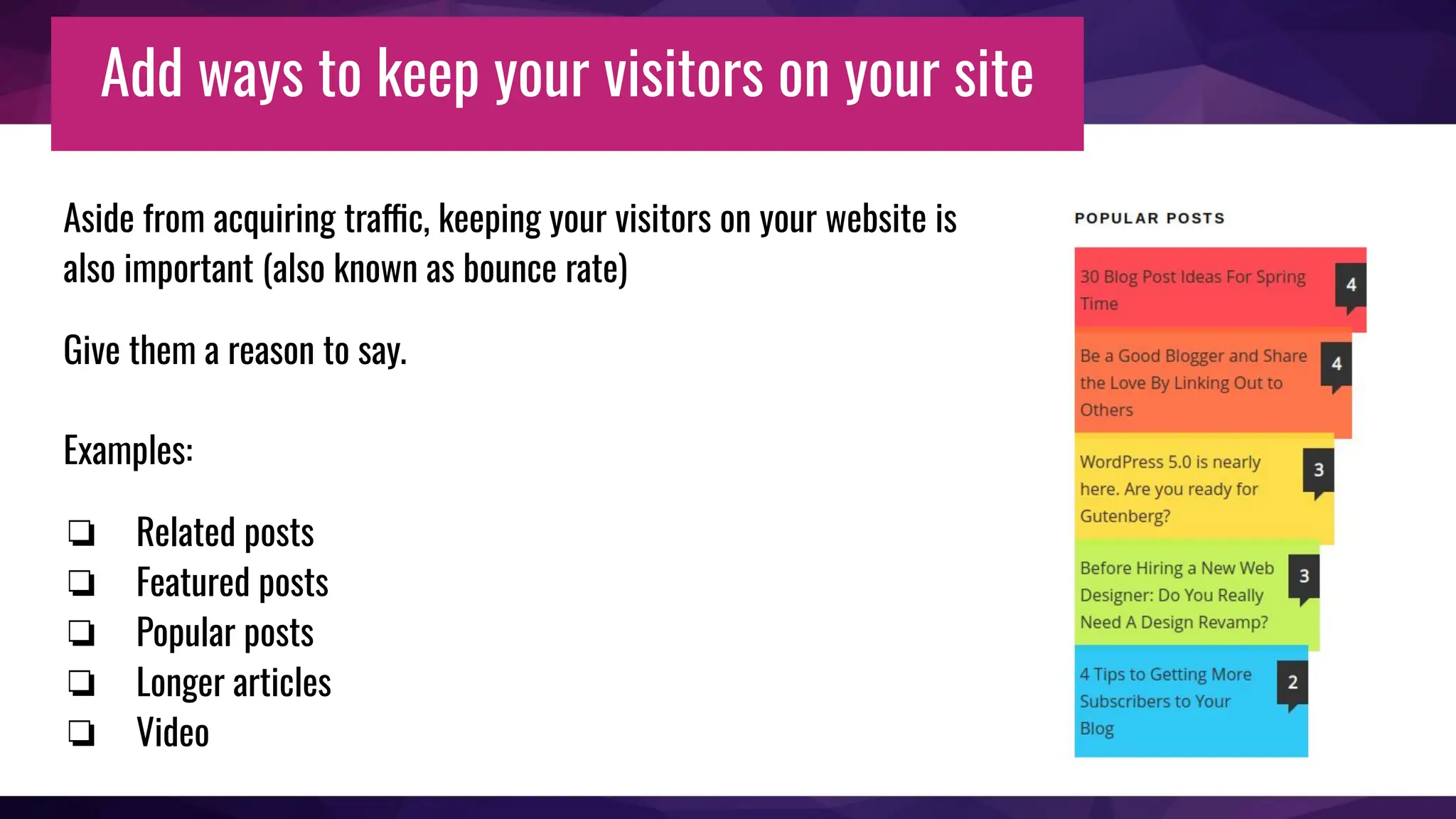
Aside from acquiring traffic, keeping your visitors on your website is
also important (also known as bounce rate)
Give them a reason to say.
Examples:
❏ Related posts
❏ Featured posts
❏ Popular posts
❏ Longer articles
❏ Video
AI and SEO
How to make them play well together
AI and SEO: Dos
❏ It’s okay to use AI to streamline your content
writing.
❏ DO your research and create an article outline
before using an AI generator.
❏ DO add your own knowledge and fact check what AI
generated.
❏ Do run some of your AI generator through a rewrite
tool or proof it to add your own tone and voice.
❏ DO use AI to curate content or get content ideas
AI and SEO: Don’ts
❏ Don’t rely 100% on AI generators.
❏ Don’t allow AI to become your blog’s voice.
❏ Don’t produce mediocre AI generated content.
Handy AI Tools & Content Creation Resources
❏ ChatGPT - https://chat.openai.com/
❏ Pixlr AI Image Generator - https://pixlr.com
❏ Quillbot Paraphrasing Tool - https://quillbot.com/
Thank You!
Nile Flores - https://nileflores.com
Twitter: @nilefloresmedia
LinkedIn:
https://linkedin.com/in/nilefloresmedia
Slideshare:
https://slideshare.net/nilefloresmedia

Practical SEO for WordPress Bloggers

  • 1.
    Practical SEO for WordPressContent Creators By Nile Flores @nilefloresmedia
  • 2.
    Objective ❏ Learn practicalSEO tips to optimize your content. ❏ Discover beginner-friendly tools to streamline your SEO workflow. ❏ Get the scoop on AI's impact on SEO: dos & don'ts.
  • 3.
    So you’ve installedand setup up WordPress... You’re ready to write or you’ve started blogging or creating content. Now what?
  • 4.
  • 5.
    Don’t Confuse YourVisitors You need to make sure your website tells people who you are, what you’re offering, and why you matter. Also have an About page and a Contact page. Creating an Effective About Page: https://bit.ly/2rSMyBY
  • 6.
    Know the differencebetween Categories & Tags You don’t need 200 categories Categories are overall general topics for your site (Example: WordPress, Blogging, SEO, Web Design) Tags are very specific terms that group together specific posts (Example: How To Tutorials, Ask Nile Series, WordPress Rockstar Series) How To Utilize Your Categories and Tags More Effectively: https://bit.ly/2IQCDqY
  • 7.
    Tell search enginesthat you exist ❏ Add your site and sitemap to Bing. ❏ Add your website and sitemap to Google Search Console. These track your website’s search engine health and have tools to help guide you toward optimizing your site. Google Search Console: https://www.google.com/webmasters/ Integrating GSC to WordPress - https://bit.ly/2ZhQ5Zb Bing Webmaster Tools: https://www.bing.com/toolbox/webmaster
  • 8.
    Enable or addOpen Graph to your website Easiest ways to do that is either using the Yoast SEO or Jetpack plugins. ❏ Yoast SEO - https://wordpress.org/plugins/wordpress-seo/ ❏ Jetpack - https://wordpress.org/plugins/jetpack/
  • 9.
    Remember to linkto other websites’ content in your website Linking to EXTERNAL content builds your own authority. You’re less likely to be seen as the crazy person standing shouting, on top of a soapbox.
  • 10.
    Remember to linkto other content within your website Linking to INTERNAL content allows people to stay on your website to read for more information that you might have.
  • 11.
    Your site needsto be accessible Making your site accessible to those who cannot view your website the same way as others do is important. Video, audio/ podcast, image/ infographics should be accompanied by some text. Understanding and Supporting Web Accessibility (video presentation from WordPress TV): https://bit.ly/2IvH1fN
  • 12.
    Track your Traffic Addyour website to Google Analytics. Monster Insights - https://wordpress.org/plugins/google-analytics-for-wordpress/ More about Google Analytics and how to integrate it into WordPress using Monster Insights - https://www.godaddy.com/garage/how-to-use-google-analytics/
  • 13.
  • 14.
    This isn’t justfor SEO. It’s just smart to do, especially since your visitors each have a preferred method of consuming content. Create content on as many mediums as possible
  • 15.
    Never write lessthan 300 words on a post Want Google to index you more accurately? - Write lengthy content. Not feeling up to writing? - Then at least get 300 words in. How Long Should Each Blog Post Be? A Data Driven Answer (via QuickSprout): https://bit.ly/1gcq6eT
  • 16.
    Watch your links! Keepup-to-date with the links you add to your content. Over time, you might find dead links throughout your site. Broken Link Checker plugin: https://bit.ly/1qoS1IZ
  • 17.
    Fill out yourmeta descriptions to look enticing Take advantage of making your meta descriptions look enticing in the search results. Yoast SEO has a snippet editor that you can alter the meta description. In filling it out with your own, you are suggesting to Google that your description should be use.
  • 19.
    Write an engagingtitle Just like meta descriptions, write an engaging title that grabs your audience. 101 title ideas for your next post - https://bit.ly/2k7Qg7r Blog Title Generator - https://seopressor.com/blog-title-generator/
  • 20.
    Make sure your siteis responsive and can be seen in most device widths!
  • 21.
    Site speed isimportant Under 2-second page load time is ideal for any device. Presentation - Introduction to Optimizing WordPress for Website Speed https://bit.ly/2pKOePt
  • 22.
    You need todo keyword research That being said, if you don’t know your niche, research it, because you’ll miss the right keywords that you need to be writing about on your site. Yoast Suggest - https://yoast.com/suggest Google Adwords Keyword Planner - https://bit.ly/2gt3tmS Google Trends - https://trends.google.com/trends/
  • 23.
    Have a clearand simple website navigation You don’t need ALL of the things in your menu Use KISS Method Optimizing your website menu (via Yoast): https://bit.ly/2rVatk6
  • 24.
    Add ways tokeep your visitors on your site Aside from acquiring traffic, keeping your visitors on your website is also important (also known as bounce rate) Give them a reason to say. Examples: ❏ Related posts ❏ Featured posts ❏ Popular posts ❏ Longer articles ❏ Video
  • 25.
    AI and SEO Howto make them play well together
  • 26.
    AI and SEO:Dos ❏ It’s okay to use AI to streamline your content writing. ❏ DO your research and create an article outline before using an AI generator. ❏ DO add your own knowledge and fact check what AI generated. ❏ Do run some of your AI generator through a rewrite tool or proof it to add your own tone and voice. ❏ DO use AI to curate content or get content ideas
  • 27.
    AI and SEO:Don’ts ❏ Don’t rely 100% on AI generators. ❏ Don’t allow AI to become your blog’s voice. ❏ Don’t produce mediocre AI generated content.
  • 28.
    Handy AI Tools& Content Creation Resources ❏ ChatGPT - https://chat.openai.com/ ❏ Pixlr AI Image Generator - https://pixlr.com ❏ Quillbot Paraphrasing Tool - https://quillbot.com/
  • 29.
    Thank You! Nile Flores- https://nileflores.com Twitter: @nilefloresmedia LinkedIn: https://linkedin.com/in/nilefloresmedia Slideshare: https://slideshare.net/nilefloresmedia