STAYING
CONNECTED:
SecuringYour
WordPress Website
About Me
● Designer / Developer /Consultant
at SixFour Web Design
● SixFour Web Design specializes in
helping Small Businesses and
Non-Profits maximize their Web
Presence
● We Believe “Even Small Businesses
Deserve a Nice Website”
Some WordPress Background
and what it means for Security
●
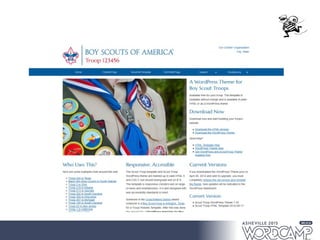
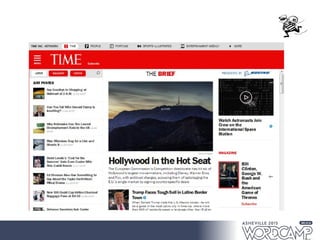
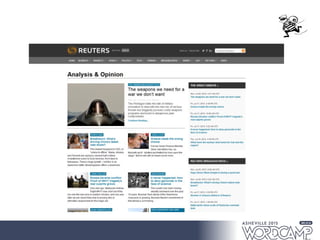
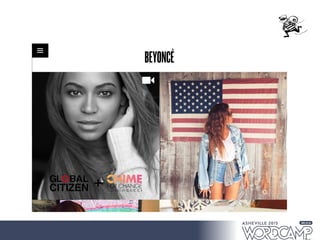
Increasingly,WordPress powers the internet
● Over 20% of all websites are WordPress based and
over 60% of websites that use a CMS use WordPress
Some WordPress Background
and what it means for Security
●
Increasingly,WordPress powers the internet
● Over 20% of all websites are WordPress based and
over 60% of websites that use a CMS use WordPress*
●
“There are no viruses for Mac's”
● That's because only pretentious, hipster designers use
them (just kidding (not really))
●
It's ALMOST too easy to use
● One-Click-Installs, themes and plugins have
democratized the internet. Ease of Use ≠ Set and Forget
*W3techs monthly technology survey – http://w3techs.com/technologies/overview/content_management/all/
Why Do They Want To Hack My
Little Site?
●
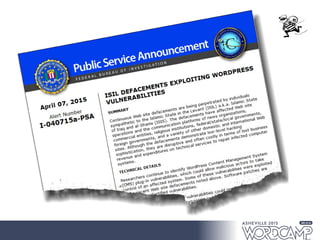
Most times, it's not for the content or data on
your site, but what your site can do
– Drive by Downloads/Malicious Downloads
– Email Spam
– SEO Spam
– Access your server for malicious tasks (botnets)
– Hactivism - your politics are not mine
So,How Can I Protect My Site
●
Practice good hygiene
●
Take advantage of tools and best practices
● Don't put your head in the sand.Take Action!
Do Something!
The Three Steps To Securing
A WordPress Site
●
Manage Site Owner Behaviors
● Don't be your worst enemy. Do things that make your
site more secure
●
Control User Behaviors
● Don't let others intentionally or unintentionally
compromise your site
●
Frustrate The Bad Guys
● Frustrate, because as long as you're connected to the
internet, you can't guarantee you wont get hacked.
Managing Site Owner
Behavior
●
Skip the One-Click-Install
● It's not hard to do it from scratch -
https://codex.wordpress.org/Installing_WordPress
●
Keep WordPress Core and Plugins Updated
● Use a “Safe”Theme and Plugins, from the
WordPress repository or from known vendors
Managing Site Owner
Behavior
●
Don't use admin or other easily guessed user
names
●
Make sure your own password is strong
Archer – Mole Hunt
https://youtu.be/UduILWi2p6s
Managing Site Owner
Behavior
●
Don't use admin or other easily guessed user
names
●
Make sure your own password is strong
● Don't underpay for hosting
●
Backup your website regularly- database and
content and keep copies off-site
●
Keep your computer's antivirus up to date
Controlling User Behavior
● Require the use of strong passwords
● Require complex passwords, especially if you allow
people to sign up as subscribers, contributors, or
members
● Given the chance, people would use "1" as their password
● Remove unnecessary users
● Do they still work here?
●
Manage user roles appropriately
● Do they really need Admin access?
Frustrate The Bad Guys
●
Limit brute force attacks
●
Use two factor authentication
● Scan your site regularly for Malware
●
Use the salts
● Use .htaccess to protect your site
●
or, Use a security plugin
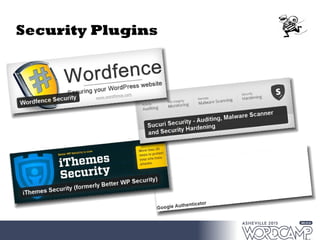
Security Plugins
Additional Resources
●
Hardening WordPress
● http://codex.wordpress.org/Hardening_WordPress
●
Reducing Comment Spam
● https://github.com/splorp/wordpress-comment-
blacklist
Questions & Contact Info
@sixfourweb on Twitter
Connect with me on LinkedIn
(bit.ly/raymitchell)
– Let me know we met at #WCAVL
Visit sixfourweb.com and unsuckywebsite.com

Staying Connected: Securing Your WordPress Website

  • 1.
  • 2.
    About Me ● Designer/ Developer /Consultant at SixFour Web Design ● SixFour Web Design specializes in helping Small Businesses and Non-Profits maximize their Web Presence ● We Believe “Even Small Businesses Deserve a Nice Website”
  • 3.
    Some WordPress Background andwhat it means for Security ● Increasingly,WordPress powers the internet ● Over 20% of all websites are WordPress based and over 60% of websites that use a CMS use WordPress
  • 11.
    Some WordPress Background andwhat it means for Security ● Increasingly,WordPress powers the internet ● Over 20% of all websites are WordPress based and over 60% of websites that use a CMS use WordPress* ● “There are no viruses for Mac's” ● That's because only pretentious, hipster designers use them (just kidding (not really)) ● It's ALMOST too easy to use ● One-Click-Installs, themes and plugins have democratized the internet. Ease of Use ≠ Set and Forget *W3techs monthly technology survey – http://w3techs.com/technologies/overview/content_management/all/
  • 12.
    Why Do TheyWant To Hack My Little Site? ● Most times, it's not for the content or data on your site, but what your site can do – Drive by Downloads/Malicious Downloads – Email Spam – SEO Spam – Access your server for malicious tasks (botnets) – Hactivism - your politics are not mine
  • 14.
    So,How Can IProtect My Site ● Practice good hygiene ● Take advantage of tools and best practices ● Don't put your head in the sand.Take Action! Do Something!
  • 15.
    The Three StepsTo Securing A WordPress Site ● Manage Site Owner Behaviors ● Don't be your worst enemy. Do things that make your site more secure ● Control User Behaviors ● Don't let others intentionally or unintentionally compromise your site ● Frustrate The Bad Guys ● Frustrate, because as long as you're connected to the internet, you can't guarantee you wont get hacked.
  • 16.
    Managing Site Owner Behavior ● Skipthe One-Click-Install ● It's not hard to do it from scratch - https://codex.wordpress.org/Installing_WordPress ● Keep WordPress Core and Plugins Updated ● Use a “Safe”Theme and Plugins, from the WordPress repository or from known vendors
  • 17.
    Managing Site Owner Behavior ● Don'tuse admin or other easily guessed user names ● Make sure your own password is strong
  • 18.
    Archer – MoleHunt https://youtu.be/UduILWi2p6s
  • 19.
    Managing Site Owner Behavior ● Don'tuse admin or other easily guessed user names ● Make sure your own password is strong ● Don't underpay for hosting ● Backup your website regularly- database and content and keep copies off-site ● Keep your computer's antivirus up to date
  • 20.
    Controlling User Behavior ●Require the use of strong passwords ● Require complex passwords, especially if you allow people to sign up as subscribers, contributors, or members ● Given the chance, people would use "1" as their password ● Remove unnecessary users ● Do they still work here? ● Manage user roles appropriately ● Do they really need Admin access?
  • 21.
    Frustrate The BadGuys ● Limit brute force attacks ● Use two factor authentication ● Scan your site regularly for Malware ● Use the salts ● Use .htaccess to protect your site ● or, Use a security plugin
  • 22.
  • 23.
    Additional Resources ● Hardening WordPress ●http://codex.wordpress.org/Hardening_WordPress ● Reducing Comment Spam ● https://github.com/splorp/wordpress-comment- blacklist
  • 24.
    Questions & ContactInfo @sixfourweb on Twitter Connect with me on LinkedIn (bit.ly/raymitchell) – Let me know we met at #WCAVL Visit sixfourweb.com and unsuckywebsite.com