
Basic Plugin Recommendations
To Get Your WordPress Website
Started
by Nile Flores
@blondishnet
http://blondish.net
Objective
❏ Allow people to contact you
❏ Allow people to share your articles over social network
sites
❏ Some plugins for search engine optimization
❏ Plugin suggestions for security
❏ … and a few other fun plugins in case you need them
You just installed WordPress… what next???
Depending on the type of site you want
to have, you’re going to want to decide
what you need your site to do.
It could be adding a contact form to
allow people to contact you, allowing
people to easily share your posts, have
a photo gallery, or more. To get this,
you’re gonna need some plugins!
What is a plugin?
A WordPress plugin is a
series of functions, filters,
hooks, and actions that add
dynamic functionality outside
the default bounds of the
WordPress core.
Where Can I Get A Plugin
http://wordpress.org/plugins/
OR
From your own WordPress admin under Plugins
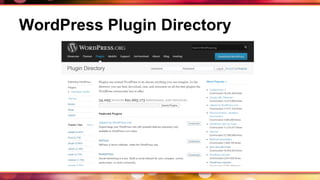
WordPress Plugin Directory
Wow, 32,000 plugins to choose from!
Just because there are a lot of plugins available,
doesn’t mean you need them all, especially when
you’re starting out. So, that’s where this
presentation comes into play.
Use your own judgement when installing
plugins. You’ll know when you’ve had too
many when your site is slow or doesn’t work
correctly.
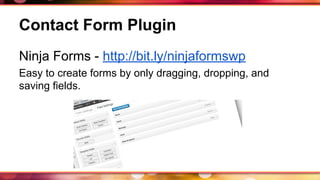
Contact Form Plugin
Ninja Forms - http://bit.ly/ninjaformswp
Easy to create forms by only dragging, dropping, and
saving fields.
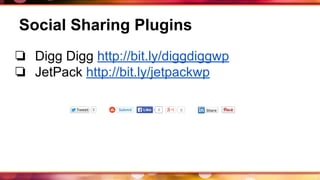
Social Sharing Plugins
❏ Digg Digg http://bit.ly/diggdiggwp
❏ JetPack http://bit.ly/jetpackwp
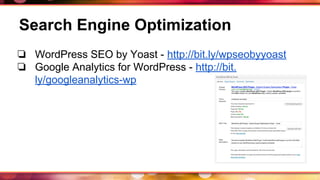
Search Engine Optimization
❏ WordPress SEO by Yoast - http://bit.ly/wpseobyyoast
❏ Google Analytics for WordPress - http://bit.
ly/googleanalytics-wp
Optimize Site Speed
❏ W3 Total Cache - http://wordpress.org/plugins/w3-total-
cache/
❏ WP Super Cache - http://wordpress.org/plugins/wp-
super-cache/
❏ WPSmush.it - http://wordpress.org/plugins/wp-smushit/
Security Plugin
Wordfence - http://wordpress.org/plugins/wordfence/
iThemes Security - http://wordpress.org/plugins/better-wp-
security/
❏ Helps block bad bots from attacking your site
❏ Helps against fake login attempts
and much more.
Note: iThemes offers more security features.
Security Plugin (continued)
iThemes Security plugin allows you to:
❏ change admin user name
❏ change user ID with #1 to another ID#
❏ change wp database prefix
❏ change path of wp-content
and much more.
Plugins For Comments
❏ Akismet - http://wordpress.org/plugins/akismet/
❏ CommentLuv - http://wordpress.org/plugins/commentluv/
❏ Growmap Anti-Spam - http://wordpress.
org/plugins/growmap-anti-spambot-plugin/
Don’t Forget- Backup Your Site!
❏ BackUpWordPress - http://wordpress.
org/plugins/backupwordpress/
❏ BackWPup - http://wordpress.
org/plugins/backwpup/
❏ BackUpBuddy (premium plugin) - http:
//ithemes.com/purchase/backupbuddy/
Other Common Plugins
❏ NextGen Gallery (photo gallery) - http://wordpress.
org/plugins/nextgen-gallery/
❏ WooCommerce (shopping cart) - http://wordpress.
org/plugins/woocommerce/
❏ Sugar Events Calendar Lite (and Pro version) - https:
//wordpress.org/plugins/sugar-calendar-lite/
Ask me!
Not sure what plugin you
need for your site, feel free to
ask.
Thank You!
Nile Flores - http://blondish.net
Make sure to subscribe to my weekly
newsletter!
http://twitter.com/blondishnet
http://facebook.com/NileFlores
http://slideshare.net/blondishnet

Basic Plugin Recommendations to get your WordPress Website Started

  • 1.
    Basic Plugin Recommendations ToGet Your WordPress Website Started by Nile Flores @blondishnet http://blondish.net
  • 2.
    Objective ❏ Allow peopleto contact you ❏ Allow people to share your articles over social network sites ❏ Some plugins for search engine optimization ❏ Plugin suggestions for security ❏ … and a few other fun plugins in case you need them
  • 3.
    You just installedWordPress… what next??? Depending on the type of site you want to have, you’re going to want to decide what you need your site to do. It could be adding a contact form to allow people to contact you, allowing people to easily share your posts, have a photo gallery, or more. To get this, you’re gonna need some plugins!
  • 4.
    What is aplugin? A WordPress plugin is a series of functions, filters, hooks, and actions that add dynamic functionality outside the default bounds of the WordPress core.
  • 5.
    Where Can IGet A Plugin http://wordpress.org/plugins/ OR From your own WordPress admin under Plugins
  • 6.
  • 7.
    Wow, 32,000 pluginsto choose from! Just because there are a lot of plugins available, doesn’t mean you need them all, especially when you’re starting out. So, that’s where this presentation comes into play.
  • 8.
    Use your ownjudgement when installing plugins. You’ll know when you’ve had too many when your site is slow or doesn’t work correctly.
  • 9.
    Contact Form Plugin NinjaForms - http://bit.ly/ninjaformswp Easy to create forms by only dragging, dropping, and saving fields.
  • 10.
    Social Sharing Plugins ❏Digg Digg http://bit.ly/diggdiggwp ❏ JetPack http://bit.ly/jetpackwp
  • 11.
    Search Engine Optimization ❏WordPress SEO by Yoast - http://bit.ly/wpseobyyoast ❏ Google Analytics for WordPress - http://bit. ly/googleanalytics-wp
  • 12.
    Optimize Site Speed ❏W3 Total Cache - http://wordpress.org/plugins/w3-total- cache/ ❏ WP Super Cache - http://wordpress.org/plugins/wp- super-cache/ ❏ WPSmush.it - http://wordpress.org/plugins/wp-smushit/
  • 13.
    Security Plugin Wordfence -http://wordpress.org/plugins/wordfence/ iThemes Security - http://wordpress.org/plugins/better-wp- security/ ❏ Helps block bad bots from attacking your site ❏ Helps against fake login attempts and much more. Note: iThemes offers more security features.
  • 14.
    Security Plugin (continued) iThemesSecurity plugin allows you to: ❏ change admin user name ❏ change user ID with #1 to another ID# ❏ change wp database prefix ❏ change path of wp-content and much more.
  • 15.
    Plugins For Comments ❏Akismet - http://wordpress.org/plugins/akismet/ ❏ CommentLuv - http://wordpress.org/plugins/commentluv/ ❏ Growmap Anti-Spam - http://wordpress. org/plugins/growmap-anti-spambot-plugin/
  • 16.
    Don’t Forget- BackupYour Site! ❏ BackUpWordPress - http://wordpress. org/plugins/backupwordpress/ ❏ BackWPup - http://wordpress. org/plugins/backwpup/ ❏ BackUpBuddy (premium plugin) - http: //ithemes.com/purchase/backupbuddy/
  • 17.
    Other Common Plugins ❏NextGen Gallery (photo gallery) - http://wordpress. org/plugins/nextgen-gallery/ ❏ WooCommerce (shopping cart) - http://wordpress. org/plugins/woocommerce/ ❏ Sugar Events Calendar Lite (and Pro version) - https: //wordpress.org/plugins/sugar-calendar-lite/
  • 18.
    Ask me! Not surewhat plugin you need for your site, feel free to ask.
  • 19.
    Thank You! Nile Flores- http://blondish.net Make sure to subscribe to my weekly newsletter! http://twitter.com/blondishnet http://facebook.com/NileFlores http://slideshare.net/blondishnet