WordPress for Beginners
Presented by Brian Krogsgard - @krogsgard - krogsgard.com - #wpyall

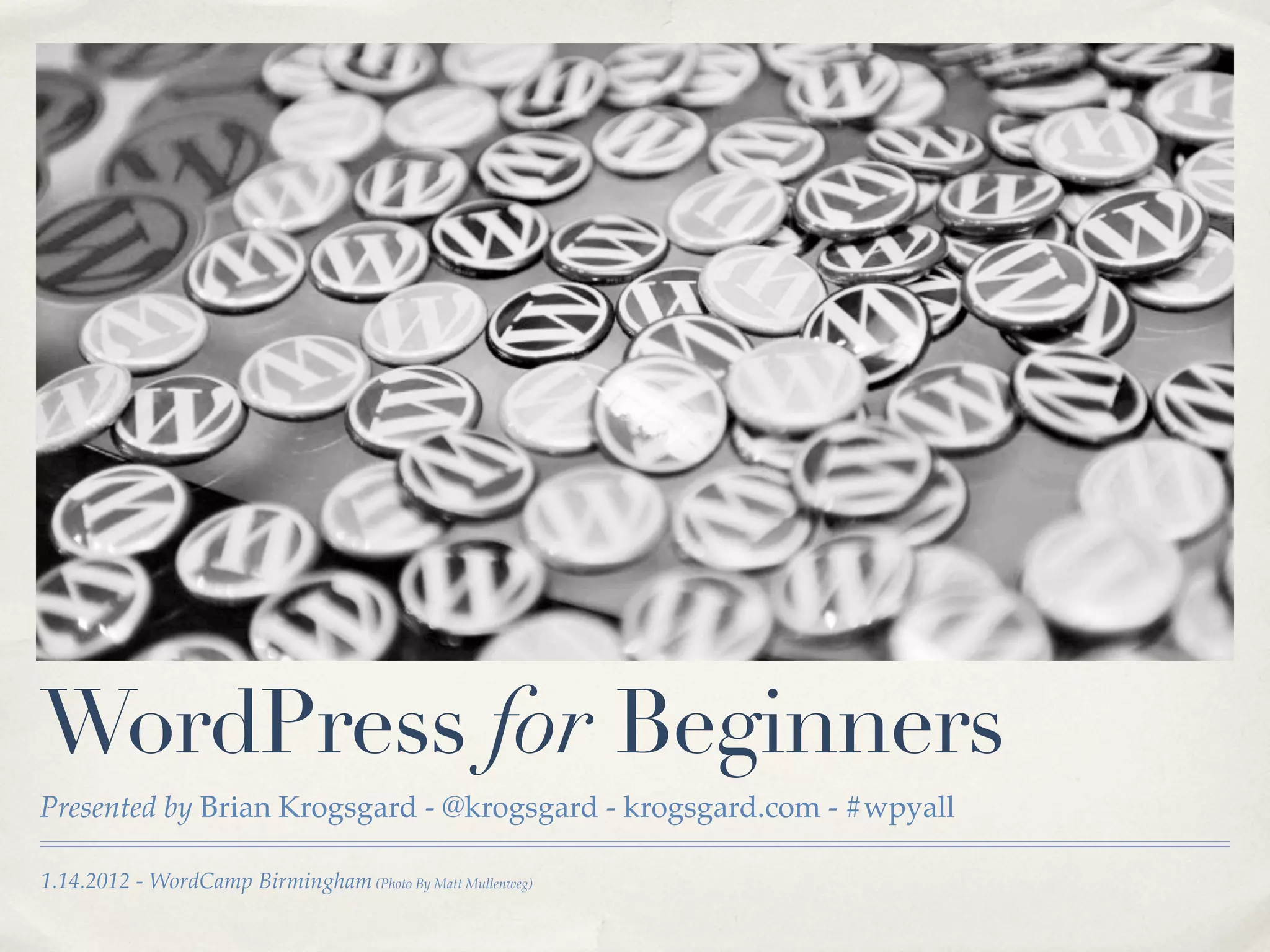
1.14.2012 - WordCamp Birmingham (Photo By Matt Mullenweg)
About brian

✤   Lead WordPress Developer
    Infomedia.com

✤   WordPress fanatic since 2008ish

✤   Contributing Editor @WPCandy

✤   Great Dane owner, Auburn fan,
    lucky husband
What is WordPress?


✤   Different things to different people

    ✤   A print shop

    ✤   A billboard

    ✤   Yours
Why should i use WordPress?

✤   It’s free and open source

✤   It’s easy to get started

✤   It’s flexible and powerful
    enough for almost any website

✤   The user is always most
    important.
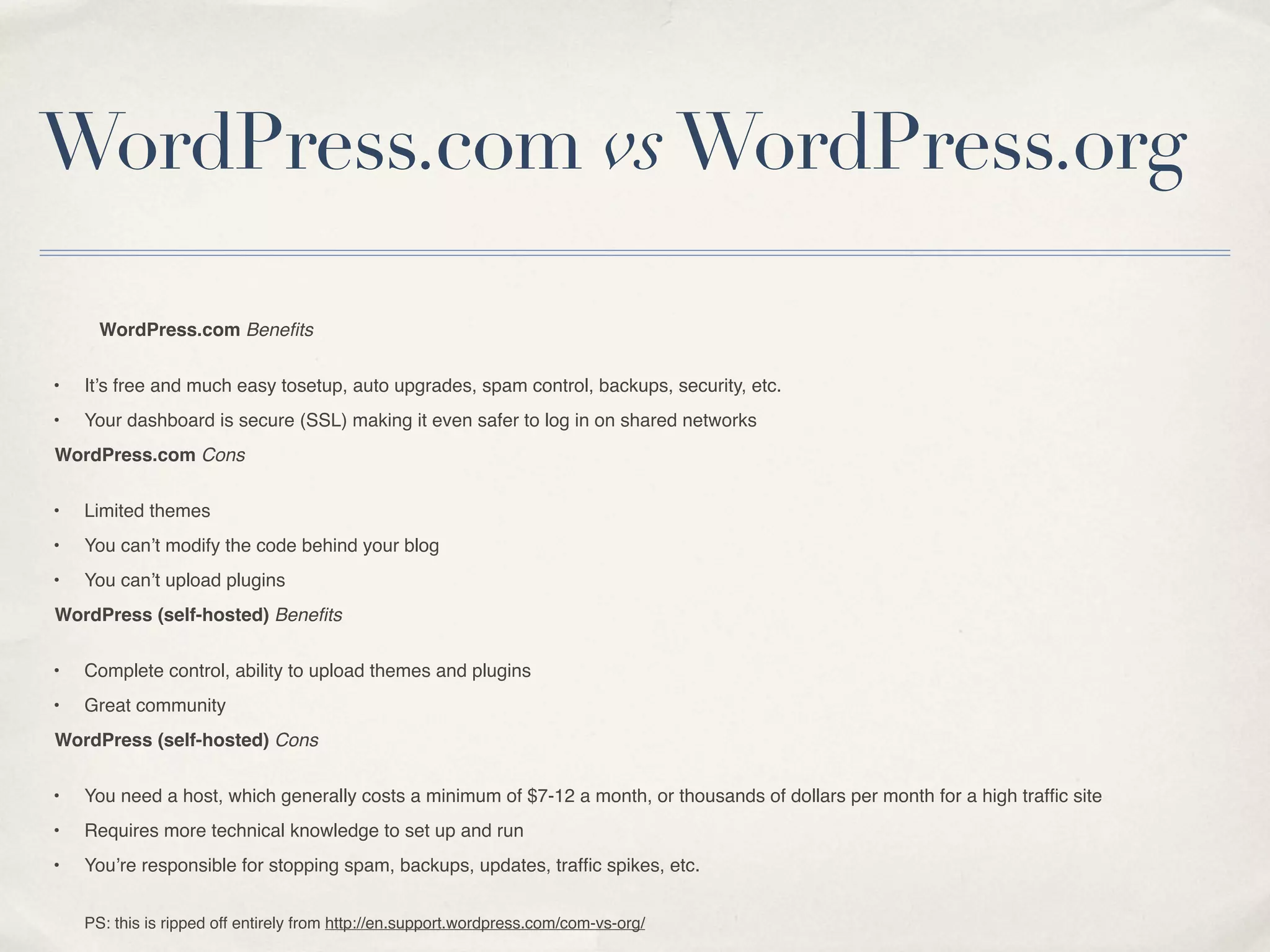
WordPress.com vs WordPress.org

      WordPress.com Benefits


•   It’s free and much easy tosetup, auto upgrades, spam control, backups, security, etc.
•   Your dashboard is secure (SSL) making it even safer to log in on shared networks
WordPress.com Cons


•   Limited themes
•   You can’t modify the code behind your blog
•   You can’t upload plugins
WordPress (self-hosted) Benefits


•   Complete control, ability to upload themes and plugins
•   Great community
WordPress (self-hosted) Cons


•   You need a host, which generally costs a minimum of $7-12 a month, or thousands of dollars per month for a high traffic site
•   Requires more technical knowledge to set up and run
•   You’re responsible for stopping spam, backups, updates, traffic spikes, etc.


    PS: this is ripped off entirely from http://en.support.wordpress.com/com-vs-org/
What we’ll Cover

✤   What it’s made of

✤   Installation

✤   Configuration

✤   Themes

✤   Plugins

✤   Publishing

✤   Flexibility
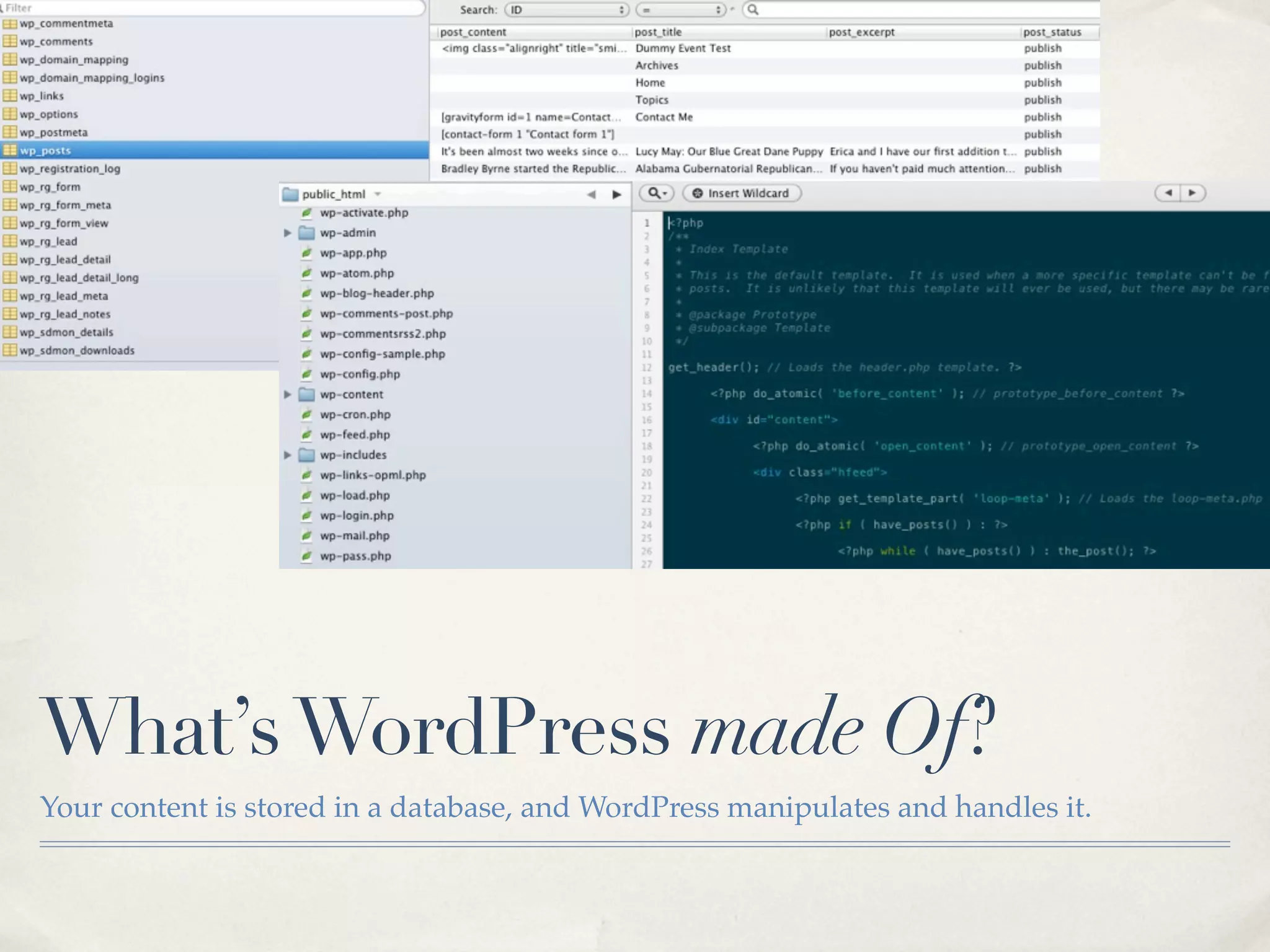
What’s WordPress made Of?
Your content is stored in a database, and WordPress manipulates and handles it.
installing WordPress


✤   http://codex.wordpress.org/Installing_WordPress

✤   http://codex.wordpress.org/Getting_Started_with_WordPress

✤   http://wpcandy.com/teaches/how-to-install-wordpress
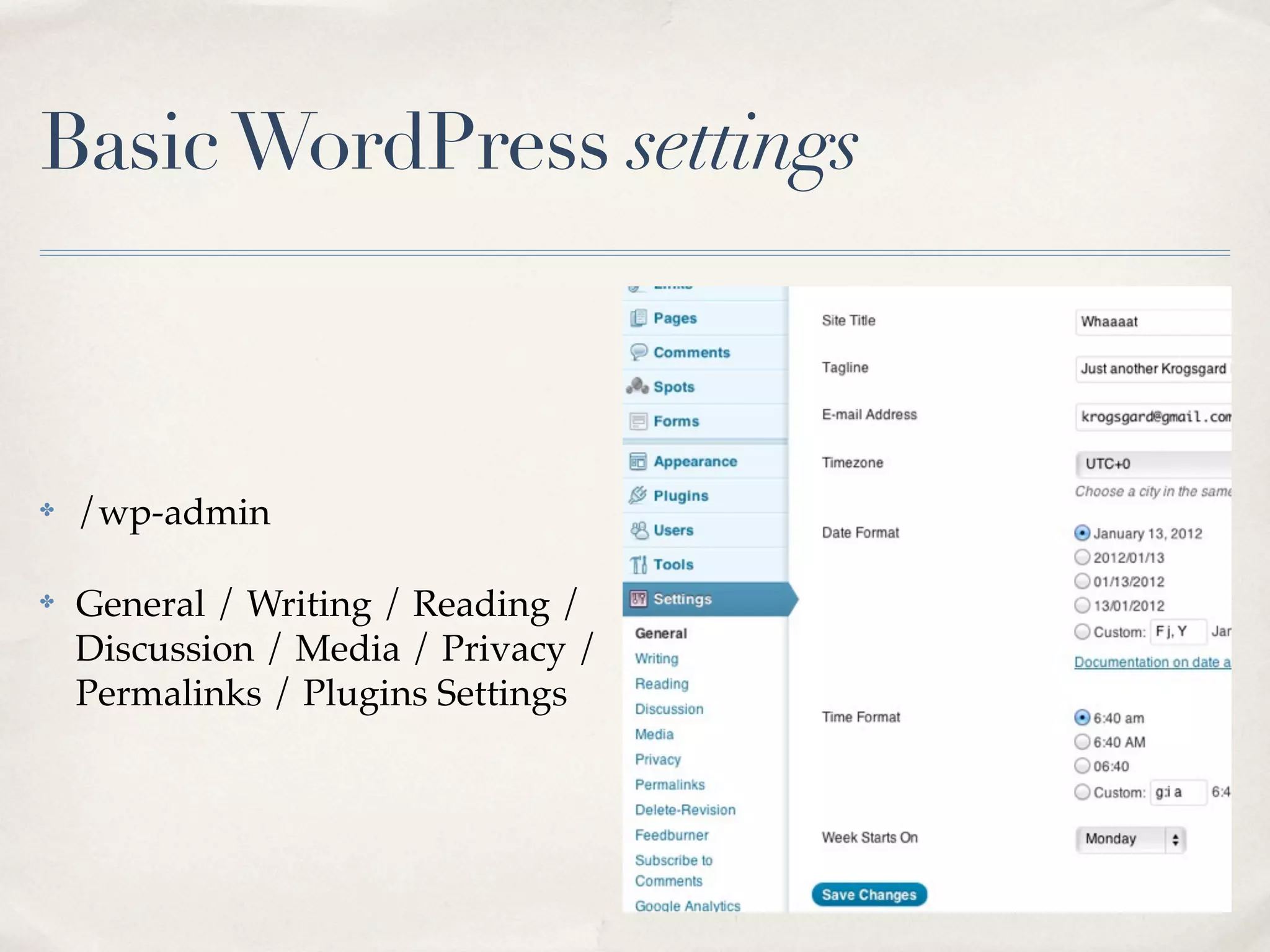
Basic WordPress settings


✤   /wp-admin

✤   General / Writing / Reading /
    Discussion / Media / Privacy /
    Permalinks / Plugins Settings
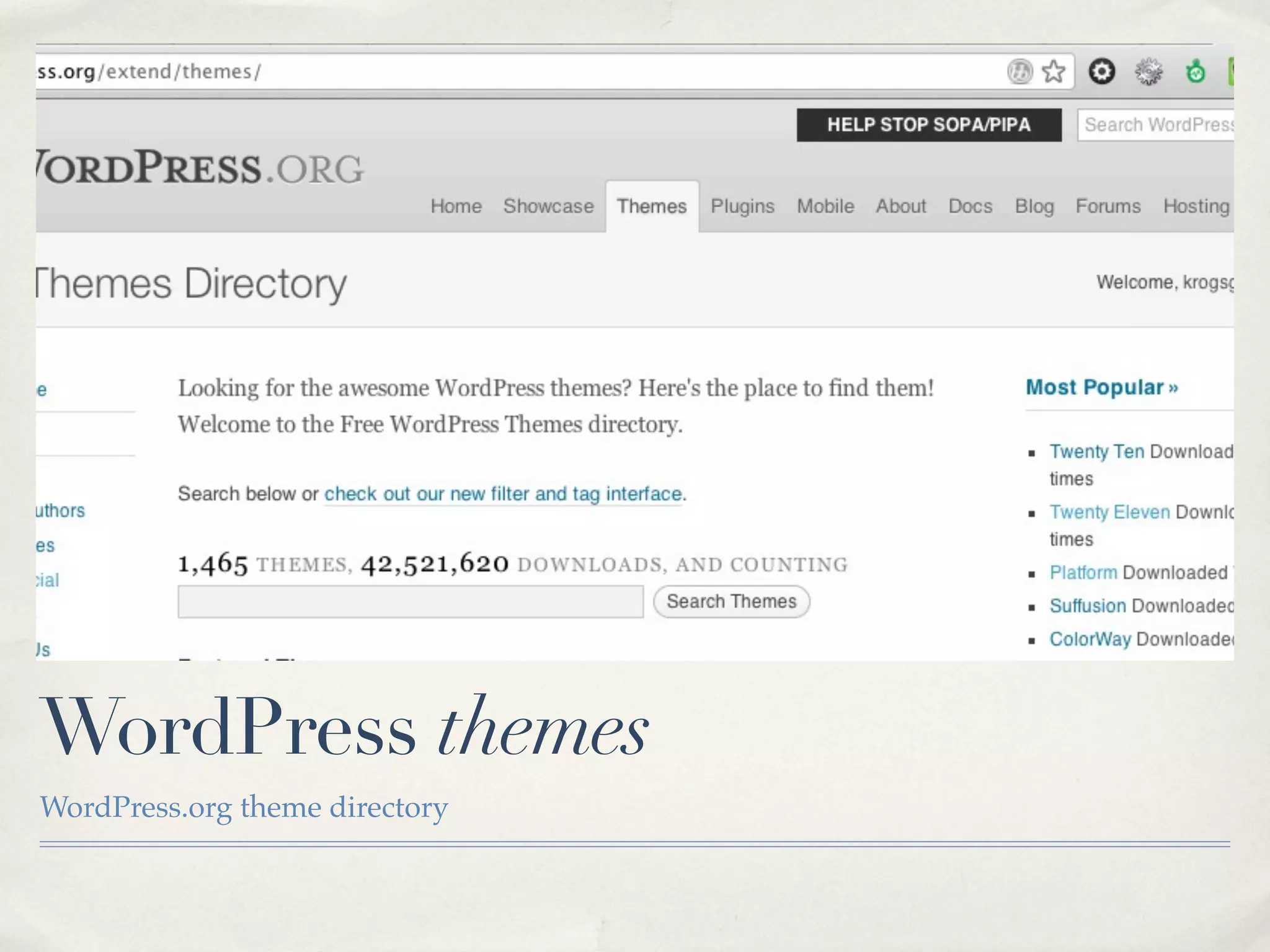
WordPress themes
WordPress.org theme directory
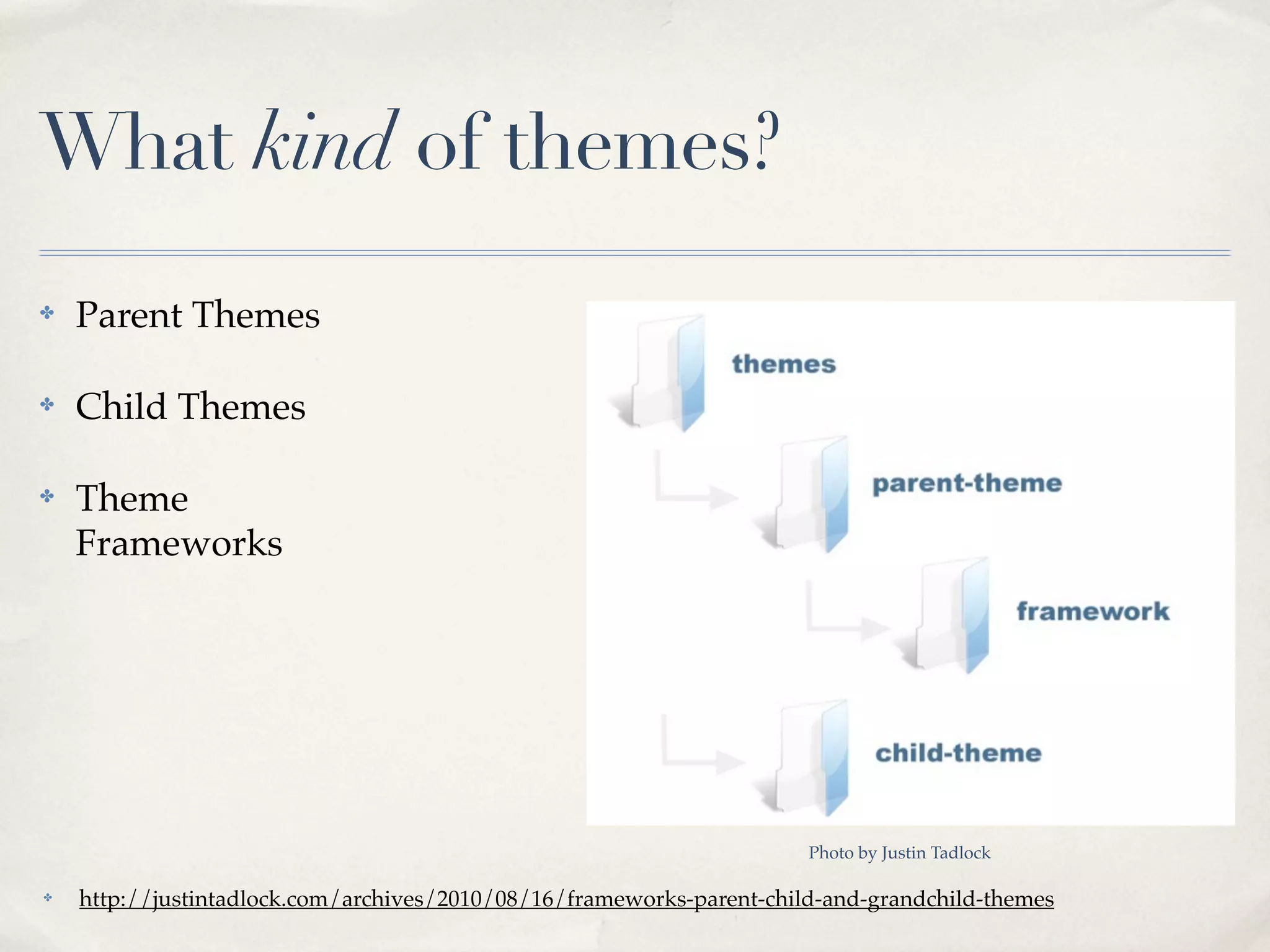
What kind of themes?
✤   Parent Themes

✤   Child Themes

✤   Theme
    Frameworks


                                                                       Photo by Justin Tadlock

✤   http://justintadlock.com/archives/2010/08/16/frameworks-parent-child-and-grandchild-themes
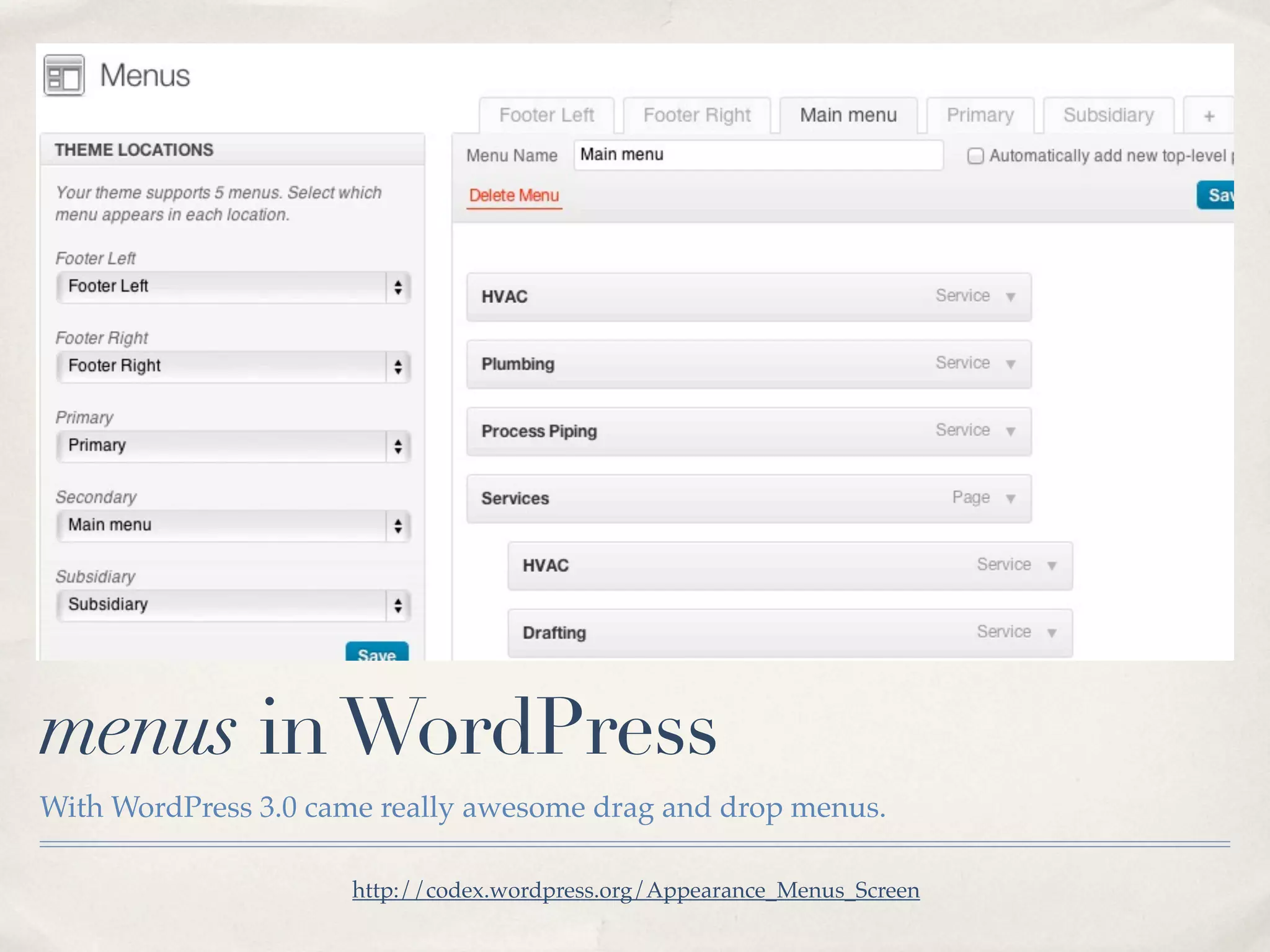
menus in WordPress
With WordPress 3.0 came really awesome drag and drop menus.

                     http://codex.wordpress.org/Appearance_Menus_Screen
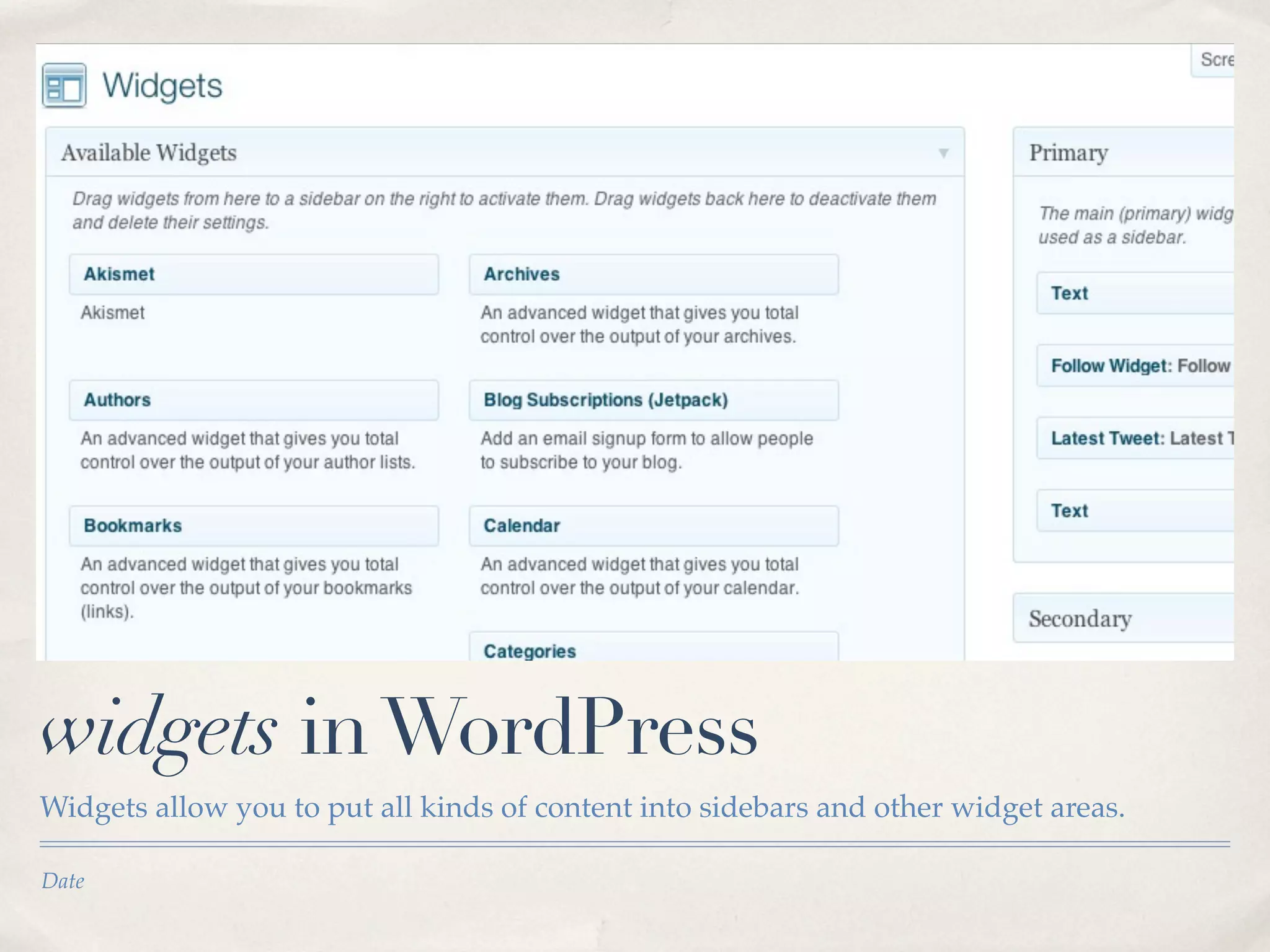
widgets in WordPress
Widgets allow you to put all kinds of content into sidebars and other widget areas.

Date
WordPress plugins

✤   Plugins act on top of WordPress
    and your theme.

✤   They do a variety of things

    ✤   SEO, Stats, Analytics,
        backups, content handling,
        caching, and thousands more

    ✤   Ryan will show you more : )
    ✤   http://wordpress.org/extend/plugins/   Sidenote: I don’t really know what this picture has to do with plugins
free vs. paid Plugins & Themes
✤   What to keep in mind

    ✤   support

    ✤   quality

    ✤   sustainability

✤   Not all paid are good.

✤   Some of the best are free.
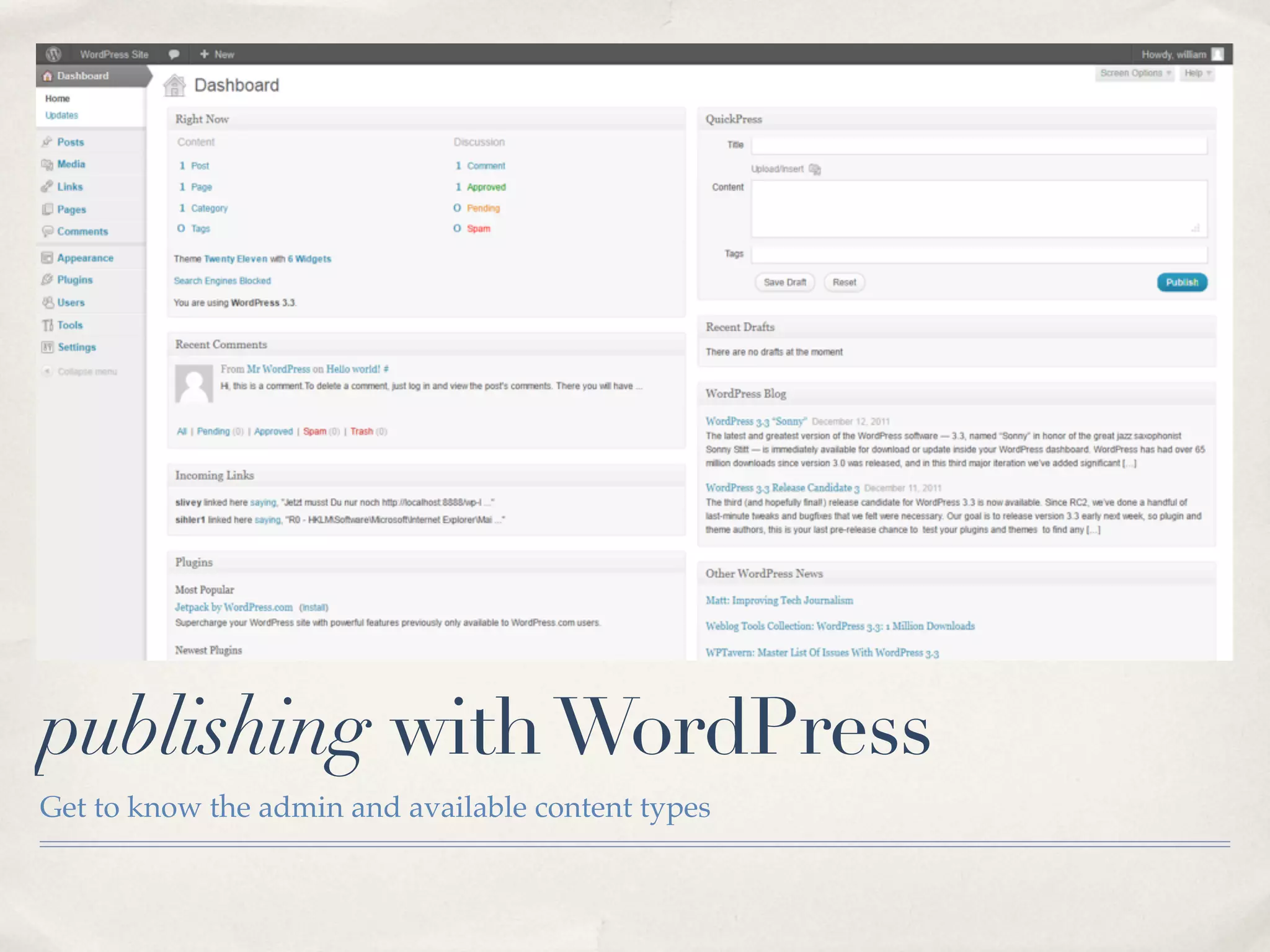
publishing with WordPress
Get to know the admin and available content types
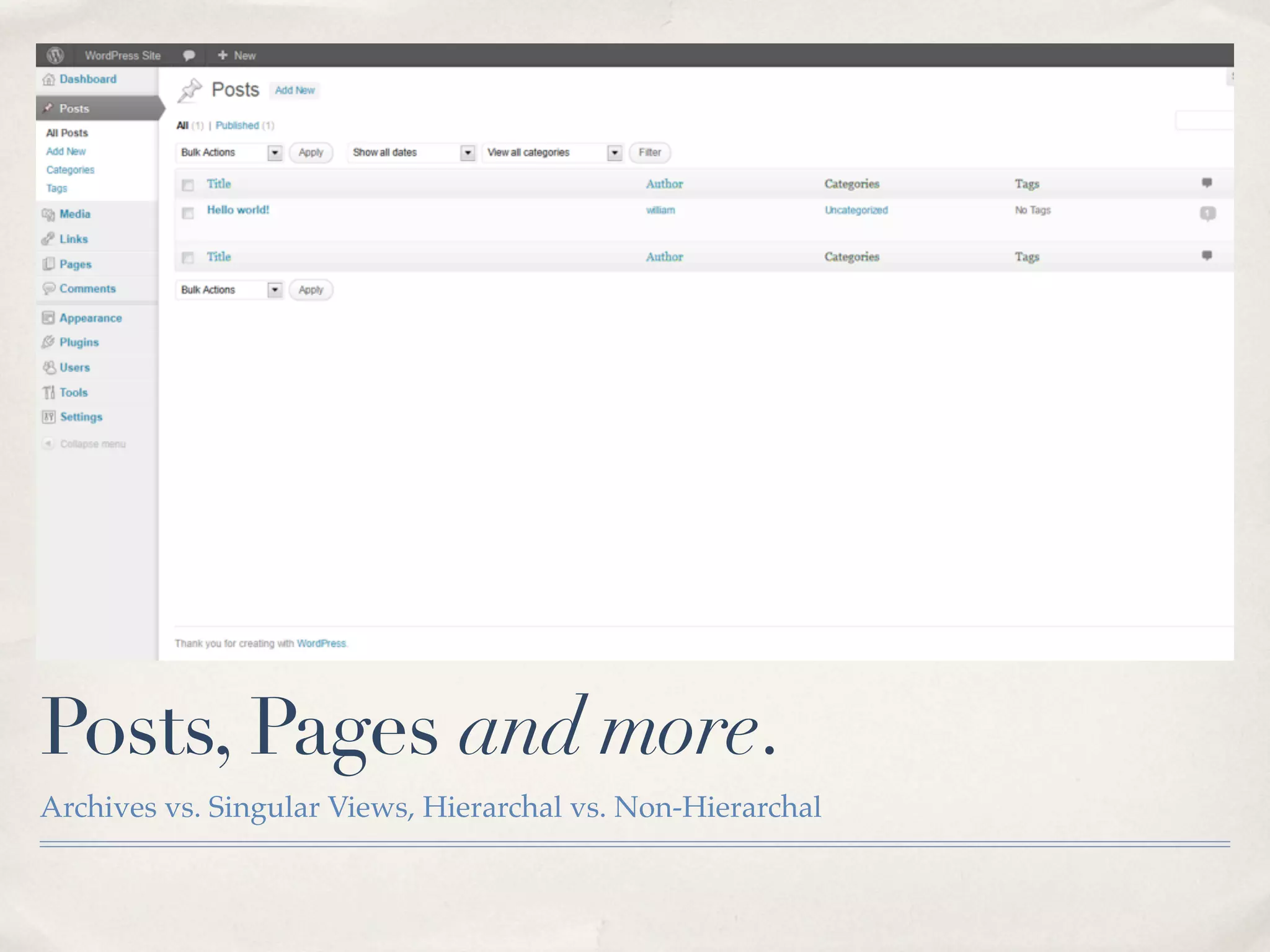
Posts, Pages and more.
Archives vs. Singular Views, Hierarchal vs. Non-Hierarchal
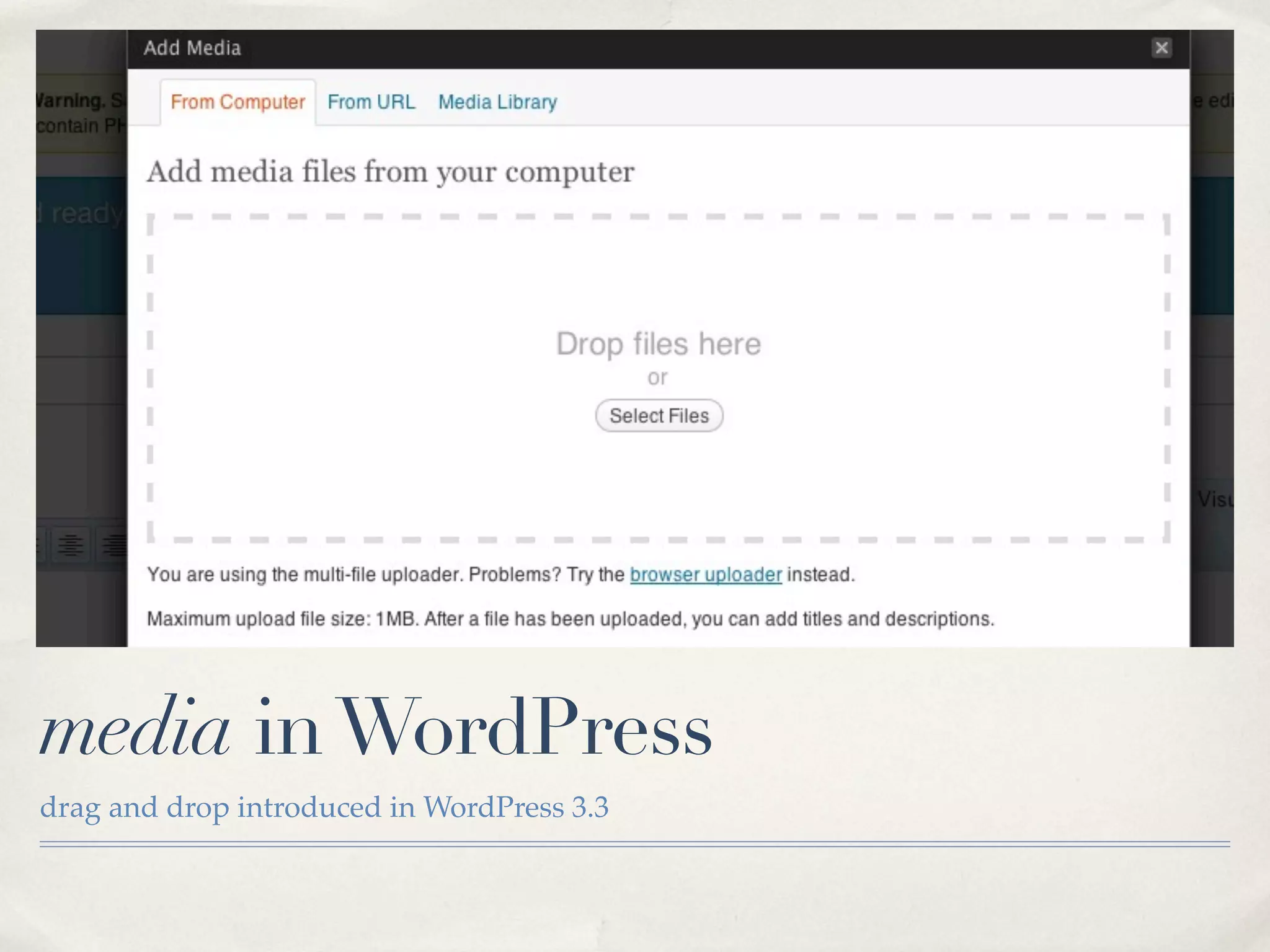
media in WordPress
drag and drop introduced in WordPress 3.3
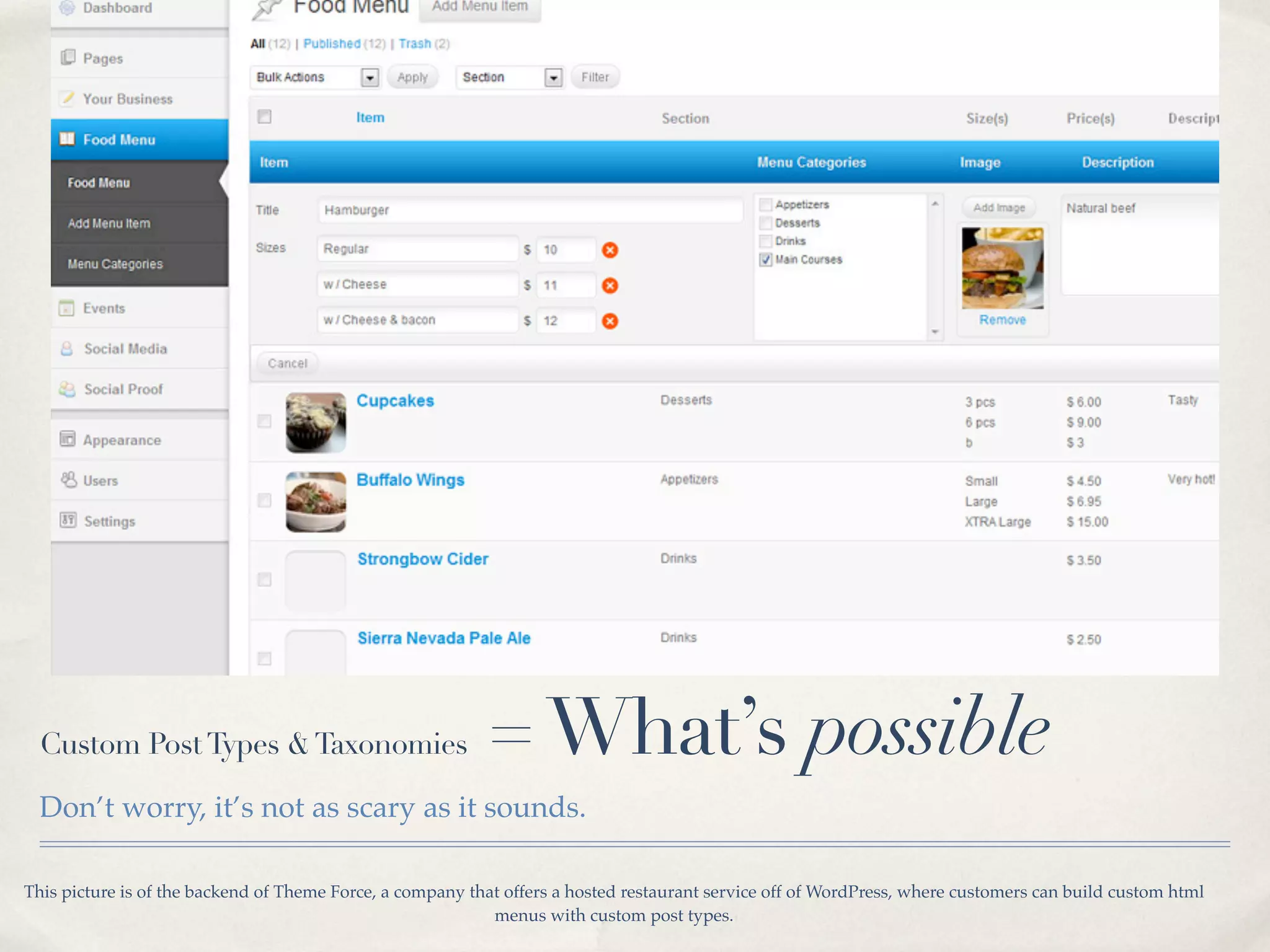
Custom Post Types & Taxonomies                           = What’s possible
  Don’t worry, it’s not as scary as it sounds.

This picture is of the backend of Theme Force, a company that offers a hosted restaurant service off of WordPress, where customers can build custom html
                                                            menus with custom post types.
WordPress For more than blogs

✤   Ecommerce                                                                   ✤    Job boards

✤   Newspapers                                                                  ✤    Ticketing & Events

✤   Magazines                                                                   ✤    Portfolios

✤   Communities                                                                 ✤    Restaurants

✤   Intranets                                                                   ✤    Daily Deals

✤   Marketing Campaigns                                                         ✤    SaaS

You’d be amazed at what WordPress can do. It’s no longer just a blog framework. It’s a full featured CMS, ready to take on the challenges we can throw at
       it. It’s why more than half of all websites that use a CMS use WordPress and why more than 22 of every 100 new domains use WordPress.
Resources for Beginners

✤   The Codex

✤   WPCandy

✤   ALL THE OTHERS.
WordPress for Beginners
Presented by Brian Krogsgard - @krogsgard - krogsgard.com - #wpyall

1.14.2012 - WordCamp Birmingham (Photo By Matt Mullenweg)

WordPress for Beginners | WordCamp Birmingham

  • 1.
    WordPress for Beginners Presentedby Brian Krogsgard - @krogsgard - krogsgard.com - #wpyall 1.14.2012 - WordCamp Birmingham (Photo By Matt Mullenweg)
  • 2.
    About brian ✤ Lead WordPress Developer Infomedia.com ✤ WordPress fanatic since 2008ish ✤ Contributing Editor @WPCandy ✤ Great Dane owner, Auburn fan, lucky husband
  • 3.
    What is WordPress? ✤ Different things to different people ✤ A print shop ✤ A billboard ✤ Yours
  • 4.
    Why should iuse WordPress? ✤ It’s free and open source ✤ It’s easy to get started ✤ It’s flexible and powerful enough for almost any website ✤ The user is always most important.
  • 5.
    WordPress.com vs WordPress.org WordPress.com Benefits • It’s free and much easy tosetup, auto upgrades, spam control, backups, security, etc. • Your dashboard is secure (SSL) making it even safer to log in on shared networks WordPress.com Cons • Limited themes • You can’t modify the code behind your blog • You can’t upload plugins WordPress (self-hosted) Benefits • Complete control, ability to upload themes and plugins • Great community WordPress (self-hosted) Cons • You need a host, which generally costs a minimum of $7-12 a month, or thousands of dollars per month for a high traffic site • Requires more technical knowledge to set up and run • You’re responsible for stopping spam, backups, updates, traffic spikes, etc. PS: this is ripped off entirely from http://en.support.wordpress.com/com-vs-org/
  • 6.
    What we’ll Cover ✤ What it’s made of ✤ Installation ✤ Configuration ✤ Themes ✤ Plugins ✤ Publishing ✤ Flexibility
  • 7.
    What’s WordPress madeOf? Your content is stored in a database, and WordPress manipulates and handles it.
  • 8.
    installing WordPress ✤ http://codex.wordpress.org/Installing_WordPress ✤ http://codex.wordpress.org/Getting_Started_with_WordPress ✤ http://wpcandy.com/teaches/how-to-install-wordpress
  • 9.
    Basic WordPress settings ✤ /wp-admin ✤ General / Writing / Reading / Discussion / Media / Privacy / Permalinks / Plugins Settings
  • 10.
  • 11.
    What kind ofthemes? ✤ Parent Themes ✤ Child Themes ✤ Theme Frameworks Photo by Justin Tadlock ✤ http://justintadlock.com/archives/2010/08/16/frameworks-parent-child-and-grandchild-themes
  • 12.
    menus in WordPress WithWordPress 3.0 came really awesome drag and drop menus. http://codex.wordpress.org/Appearance_Menus_Screen
  • 13.
    widgets in WordPress Widgetsallow you to put all kinds of content into sidebars and other widget areas. Date
  • 14.
    WordPress plugins ✤ Plugins act on top of WordPress and your theme. ✤ They do a variety of things ✤ SEO, Stats, Analytics, backups, content handling, caching, and thousands more ✤ Ryan will show you more : ) ✤ http://wordpress.org/extend/plugins/ Sidenote: I don’t really know what this picture has to do with plugins
  • 15.
    free vs. paidPlugins & Themes ✤ What to keep in mind ✤ support ✤ quality ✤ sustainability ✤ Not all paid are good. ✤ Some of the best are free.
  • 16.
    publishing with WordPress Getto know the admin and available content types
  • 17.
    Posts, Pages andmore. Archives vs. Singular Views, Hierarchal vs. Non-Hierarchal
  • 18.
    media in WordPress dragand drop introduced in WordPress 3.3
  • 19.
    Custom Post Types& Taxonomies = What’s possible Don’t worry, it’s not as scary as it sounds. This picture is of the backend of Theme Force, a company that offers a hosted restaurant service off of WordPress, where customers can build custom html menus with custom post types.
  • 20.
    WordPress For morethan blogs ✤ Ecommerce ✤ Job boards ✤ Newspapers ✤ Ticketing & Events ✤ Magazines ✤ Portfolios ✤ Communities ✤ Restaurants ✤ Intranets ✤ Daily Deals ✤ Marketing Campaigns ✤ SaaS You’d be amazed at what WordPress can do. It’s no longer just a blog framework. It’s a full featured CMS, ready to take on the challenges we can throw at it. It’s why more than half of all websites that use a CMS use WordPress and why more than 22 of every 100 new domains use WordPress.
  • 21.
    Resources for Beginners ✤ The Codex ✤ WPCandy ✤ ALL THE OTHERS.
  • 22.
    WordPress for Beginners Presentedby Brian Krogsgard - @krogsgard - krogsgard.com - #wpyall 1.14.2012 - WordCamp Birmingham (Photo By Matt Mullenweg)