An Introduction to Graphs
Chris Hammill
2015-04-01
Chris Hammill An Introduction to Graphs 2015-04-01 1 / 47
About Me
Graduate Student in Biology
Bioinformatics Research Assistant
R Afficianado
Data Analysis/Visualization Contractor
Alumnus of this course
Chris Hammill An Introduction to Graphs 2015-04-01 2 / 47
Why I’m Here
Talk about my research
Chris Hammill An Introduction to Graphs 2015-04-01 3 / 47
Why I’m Here
Talk about my research
Teach you a bit about graphs
Chris Hammill An Introduction to Graphs 2015-04-01 3 / 47
Why I’m Here
Talk about my research
Teach you a bit about graphs
Introduce you to some useful packages
Chris Hammill An Introduction to Graphs 2015-04-01 3 / 47
Why I’m Here
Talk about my research
Teach you a bit about graphs
Introduce you to some useful packages
Get you excited about interactive analysis
Chris Hammill An Introduction to Graphs 2015-04-01 3 / 47
Outline
Introduce graphs
Introduce igraph
Introduce Interactivity with Shiny
Introduce the diabetes project
Demo the diabetes project app
Offer resources
Chris Hammill An Introduction to Graphs 2015-04-01 4 / 47
This presentation was written in R Markdown!
The slides and code will be made available via D2L
Chris Hammill An Introduction to Graphs 2015-04-01 5 / 47
Outline
Introduce graphs
Introduce igraph
Introduce Interactivity with Shiny
Introduce the diabetes project
Demo the diabetes project app
Offer resources
Chris Hammill An Introduction to Graphs 2015-04-01 6 / 47
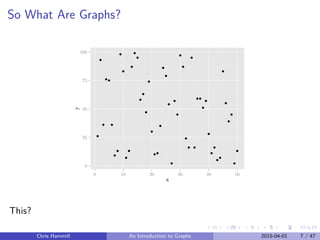
So What Are Graphs?
0
25
50
75
100
0 10 20 30 40 50
x
y
This?
Chris Hammill An Introduction to Graphs 2015-04-01 7 / 47
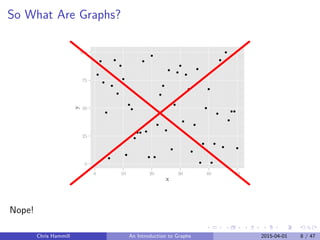
So What Are Graphs?
0
25
50
75
100
0 10 20 30 40 50
x
y
Nope!
Chris Hammill An Introduction to Graphs 2015-04-01 8 / 47
So What Are Graphs
Graphs are a formal system for representing connections between things
Graphs are composed of nodes (or vertices) and edges (connections)
Edges can be weighted or unweighted, directed or not
Graphs have recently been rebranded as networks
Chris Hammill An Introduction to Graphs 2015-04-01 9 / 47
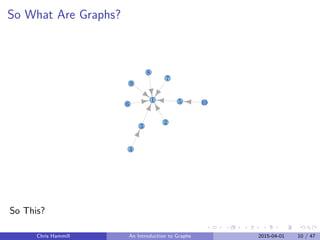
So What Are Graphs?
1
2
3
4
56
7
8
9
10
So This?
Chris Hammill An Introduction to Graphs 2015-04-01 10 / 47
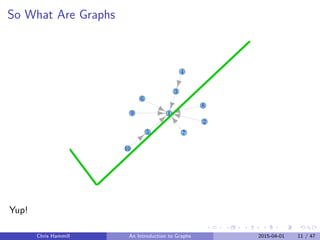
So What Are Graphs
1
2
3
4
5
6
7
8
9
10
Yup!
Chris Hammill An Introduction to Graphs 2015-04-01 11 / 47
Graphs in Math
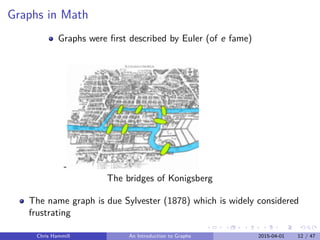
Graphs were first described by Euler (of e fame)
-
The bridges of Konigsberg
The name graph is due Sylvester (1878) which is widely considered
frustrating
Chris Hammill An Introduction to Graphs 2015-04-01 12 / 47
Graphs For the Rest of Us
Graphs were brought out of the math domain primarily by social
scientists
For example Sampson (1968) did a social network analysis on monks in
a monastery identifying social dynamics
Chris Hammill An Introduction to Graphs 2015-04-01 13 / 47
But More Importantly
Chris Hammill An Introduction to Graphs 2015-04-01 14 / 47
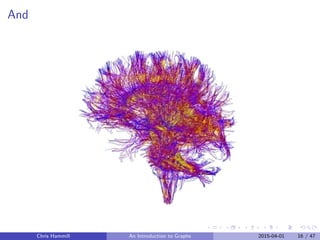
And
Chris Hammill An Introduction to Graphs 2015-04-01 15 / 47
And
Chris Hammill An Introduction to Graphs 2015-04-01 16 / 47
So
Graphs are everywhere
Social Networks? Graphs
Internet? Graph
Metabolic pathways? Graphs
Due to this amazing generality, graph based representations
and algorithms can be incredibly useful for both exploration and
inference
Chris Hammill An Introduction to Graphs 2015-04-01 17 / 47
What Can We Learn From Graphs?
Disclaimer: I’m still learning plenty about what can be done using graphs, so
this section will be necessarily over simplified.
Typically graphs are used to answer questions about the nature of its
connections (although graph representations can be used to carry out
immensely complex calculations as well; as you might have noticed
when you learned about artificial neural networks)
Typical questions include:
1 Where are the hubs (highly connected nodes)?
2 Can the graph be subdivided into clusters or communities?
3 Are there unexpected connections?
But as with any data representation you’re usually limited by your ability to
ask interesting questions, not the representations ability to answer them
Chris Hammill An Introduction to Graphs 2015-04-01 18 / 47
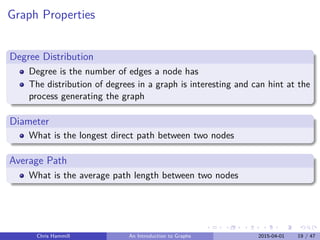
Graph Properties
Degree Distribution
Degree is the number of edges a node has
The distribution of degrees in a graph is interesting and can hint at the
process generating the graph
Diameter
What is the longest direct path between two nodes
Average Path
What is the average path length between two nodes
Chris Hammill An Introduction to Graphs 2015-04-01 19 / 47
Outline
Introduce graphs
Introduce igraph
Introduce Interactivity with Shiny
Introduce the diabetes project
Demo the diabetes project app
Offer resources
Chris Hammill An Introduction to Graphs 2015-04-01 20 / 47
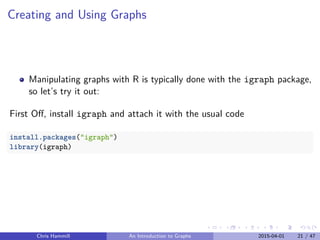
Creating and Using Graphs
Manipulating graphs with R is typically done with the igraph package,
so let’s try it out:
First Off, install igraph and attach it with the usual code
install.packages("igraph")
library(igraph)
Chris Hammill An Introduction to Graphs 2015-04-01 21 / 47
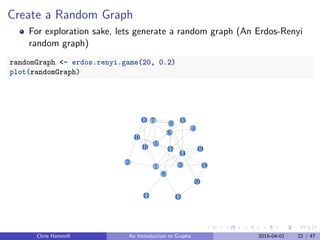
Create a Random Graph
For exploration sake, lets generate a random graph (An Erdos-Renyi
random graph)
randomGraph <- erdos.renyi.game(20, 0.2)
plot(randomGraph)
1
2 3
4
5
6
7
8
9
10
11 12
13
14
15
16
17
18
19
20
Chris Hammill An Introduction to Graphs 2015-04-01 22 / 47
Summary Statistics
Degree
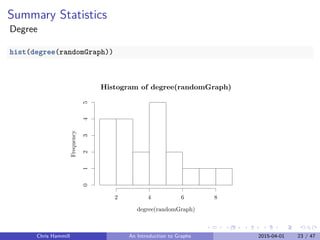
hist(degree(randomGraph))
Histogram of degree(randomGraph)
degree(randomGraph)
Frequency
2 4 6 8
012345
Chris Hammill An Introduction to Graphs 2015-04-01 23 / 47
Summary Statistics
Diameter
diameter(randomGraph)
## [1] 4
Path Length
average.path.length(randomGraph)
## [1] 2.052632
Chris Hammill An Introduction to Graphs 2015-04-01 24 / 47
Other Useful Commands
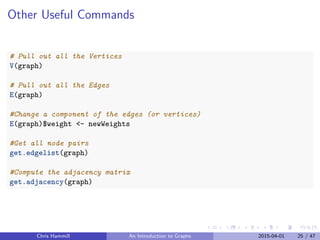
# Pull out all the Vertices
V(graph)
# Pull out all the Edges
E(graph)
#Change a component of the edges (or vertices)
E(graph)$weight <- newWeights
#Get all node pairs
get.edgelist(graph)
#Compute the adjacency matrix
get.adjacency(graph)
Chris Hammill An Introduction to Graphs 2015-04-01 25 / 47
Outline
Introduce graphs
Introduce igraph
Introduce Interactivity with Shiny
Introduce the diabetes project
Demo the diabetes project app
Offer resources
Chris Hammill An Introduction to Graphs 2015-04-01 26 / 47
Switching gears
Lets talk about exploratory analysis
Chris Hammill An Introduction to Graphs 2015-04-01 27 / 47
Interactivity
A typical first pass of data analysis involves:
1 Visualizing your data
2 Searching for hypotheses to test
3 Tuning parameters and repeating steps 1 and 2
You will waste untold hours (if you pursue science) doing
guess-and-check plot parameter tuning
You will grow weary in your search and likely settle for less than
optimal choices
Why not take the guess work out and make it faster to
explore parameter space
Chris Hammill An Introduction to Graphs 2015-04-01 28 / 47
Enter Shiny
Shiny is a framework developed by the people at R Studio to bring
interactivity to R
Provides a tool to bring your analyses into the modern age
Not to mention the benefit in presenting your analyses to non-experts
when they can see for themselves how parameters affect the results.
Slightly frustrating interface, but very little new needs to be learned
Chris Hammill An Introduction to Graphs 2015-04-01 29 / 47
So How Does Shiny Work
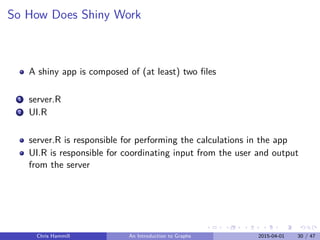
A shiny app is composed of (at least) two files
1 server.R
2 UI.R
server.R is responsible for performing the calculations in the app
UI.R is responsible for coordinating input from the user and output
from the server
Chris Hammill An Introduction to Graphs 2015-04-01 30 / 47
Minimal Example
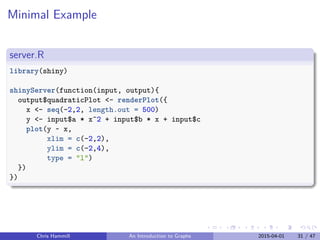
server.R
library(shiny)
shinyServer(function(input, output){
output$quadraticPlot <- renderPlot({
x <- seq(-2,2, length.out = 500)
y <- input$a * x^2 + input$b * x + input$c
plot(y ~ x,
xlim = c(-2,2),
ylim = c(-2,4),
type = "l")
})
})
Chris Hammill An Introduction to Graphs 2015-04-01 31 / 47
Minimal Example
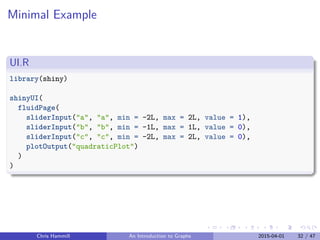
UI.R
library(shiny)
shinyUI(
fluidPage(
sliderInput("a", "a", min = -2L, max = 2L, value = 1),
sliderInput("b", "b", min = -1L, max = 1L, value = 0),
sliderInput("c", "c", min = -2L, max = 2L, value = 0),
plotOutput("quadraticPlot")
)
)
Chris Hammill An Introduction to Graphs 2015-04-01 32 / 47
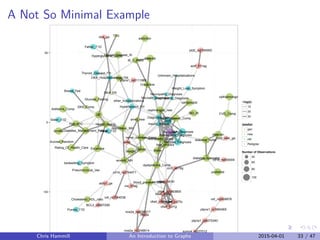
A Not So Minimal Example
Pedigree
Addisons_Comp
IBD_AI
Thyroid_Disease_AI
CVD_Comp
dyslipidemia_Comp
heart_disease_Comp
blood_pressure_Comp
nerve_damage_Compretinopathy_Comp
DKA_Comp
Hyperglycemia_Comp
diabetes_nurse
diabetes_specialist
dietician
GP
nephrologist_new
opthalmologist
cardiologist
podiatrist
Ace_inhibitor
Statin
addiction
anxiety_MH
depression_MH
Cholesterol_HDL_ratio
Creatinine
Glucose_Fasting
Glucose_Random
Hgb_A1C
M_C_Ratio
TSH
TTG
Gender
Weight
Smoke
Pneumococcal_Vax
Excercise
Health_Rating
Diabetes_Management_Rating
Rating_Of_Health_Care
DKA_ER
Dialysis
DOB
Diagnosis_Date
Insulin_started
DKA_Diagnosis
Ketones_Diagnosis
Weight_Loss_Symptom
bedwetting_Symptom
Breast_Fed
Sister_T1D
Father_T1D
Paunt_T1D
Puncle_T1D
Thyroid_Disease_FH
Hypertension_FH
Retinopathy_Diagnosis
Microalb_DiagnosisNephropathy_Diagnosis
Neuropathy_Diagnosis
Unknown_Hospitalizations
DKA_Hospitalizations_Old
other_hospitalizations
cd1d_rs3754471
cd1d_rs859009
ctla4_rs1863800
ctla4_mh30
ctla4_a49g
ctla4_ct60g_ga
ctla4_jo31g
ctla4_jo27tc
ccr2_v64i_ga
ccr5_a676g
wolf_611ag
dob_ga
sumo4_rs237012
adrb1_ga
ins_67ag
vdr_rs2544038
vdr_rs2408876
pld2_rs3764900
nos2a_rs4796017
nos2a_rs2248814
BCL2_c8687299
ptpns1_rs6075340
ptpns1_rs6111988
ptpns1_rs1884565
amel
amel_new
nos2a
−50
0
50
−log(p)
10
20
30
dataSet
gen
new
old
Pedigree
Number of Observations
40
60
80
100
Chris Hammill An Introduction to Graphs 2015-04-01 33 / 47
Outline
Introduce graphs
Introduce igraph
Introduce Interactivity with Shiny
Introduce the diabetes project
Demo the diabetes project app
Offer resources
Chris Hammill An Introduction to Graphs 2015-04-01 34 / 47
Diabetes Project
Attempting to predict health outcomes for Newfoundlanders suffering
from type one diabetes mellitus
Data from a large cohort of diabetes patents gathered ~10 years ago
Heterogenous mix of data sources, types, and completeness
Lots of data cleaning
Chris Hammill An Introduction to Graphs 2015-04-01 35 / 47
The Data
three major data sources
1 Diabetes database
contains information about 631 study participants at the time of study
start
Chris Hammill An Introduction to Graphs 2015-04-01 36 / 47
The Data
three major data sources
1 Diabetes database
contains information about 631 study participants at the time of study
start
2 Genetics Data
contains genotype markers for 591 study participants (and family
members)
Chris Hammill An Introduction to Graphs 2015-04-01 36 / 47
The Data
three major data sources
1 Diabetes database
contains information about 631 study participants at the time of study
start
2 Genetics Data
contains genotype markers for 591 study participants (and family
members)
3 2014 Checkup Database
contains survey data and chart review for ~100 study participants
Chris Hammill An Introduction to Graphs 2015-04-01 36 / 47
The Data
three major data sources
1 Diabetes database
contains information about 631 study participants at the time of study
start
2 Genetics Data
contains genotype markers for 591 study participants (and family
members)
3 2014 Checkup Database
contains survey data and chart review for ~100 study participants
This analysis is only concerned with the individuals for whom we have
updated information
Chris Hammill An Introduction to Graphs 2015-04-01 36 / 47
The Data
three major data sources
1 Diabetes database
contains information about 631 study participants at the time of study
start
2 Genetics Data
contains genotype markers for 591 study participants (and family
members)
3 2014 Checkup Database
contains survey data and chart review for ~100 study participants
This analysis is only concerned with the individuals for whom we have
updated information
After cleaning 300 features exist for the participants
Chris Hammill An Introduction to Graphs 2015-04-01 36 / 47
Analysis Approach
Considering each feature how well does it correlate to the rest of the
features
Chris Hammill An Introduction to Graphs 2015-04-01 37 / 47
Analysis Approach
Considering each feature how well does it correlate to the rest of the
features
Pairwise correlation measures can be treated as a distance measure
between features
Chris Hammill An Introduction to Graphs 2015-04-01 37 / 47
Analysis Approach
Considering each feature how well does it correlate to the rest of the
features
Pairwise correlation measures can be treated as a distance measure
between features
Correlations can be filtered by signficance level
Chris Hammill An Introduction to Graphs 2015-04-01 37 / 47
Analysis Approach
Considering each feature how well does it correlate to the rest of the
features
Pairwise correlation measures can be treated as a distance measure
between features
Correlations can be filtered by signficance level
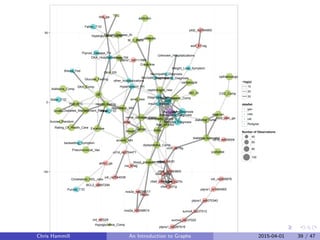
Each significant correlation can be viewed as an edge connecting the
two features
Chris Hammill An Introduction to Graphs 2015-04-01 37 / 47
Creating the Graph
Challenge in going from
Spread Sheet Representation
head(bigtable[25:28,c(1,21,23, 41)])
## Pedigree dietician_new nephrologist_new Hgb_A1C_new
## 25 93001 0 0 8.7
## 26 94001 3 0 10.2
## 27 101001 0 0 9.2
## 28 105001 0 0 13.7
Chris Hammill An Introduction to Graphs 2015-04-01 38 / 47
Pedigree
Addisons_Comp
IBD_AI
Thyroid_Disease_AI
CVD_Comp
dyslipidemia_Comp
heart_disease_Comp
blood_pressure_Comp
nerve_damage_Compretinopathy_Comp
DKA_Comp
Hyperglycemia_Comp
Hypoglycemia_Comp
diabetes_nurse
diabetes_specialist
dietician
GP
nephrologist_new
opthalmologist
cardiologist
podiatrist
Ace_inhibitor
Statin
addiction
anxiety_MH
depression_MH
Cholesterol_HDL_ratio
Creatinine
Glucose_Fasting
Glucose_Random
Hgb_A1C
M_C_Ratio
TSH
TTG
Gender
Weight
Smoke
Pneumococcal_Vax
Excercise
Health_Rating
Diabetes_Management_Rating
Rating_Of_Health_Care
DKA_ER
Dialysis
DOB
Diagnosis_Date
Insulin_started
DKA_Diagnosis
Ketones_Diagnosis
Weight_Loss_Symptom
bedwetting_Symptom
Breast_Fed
Sister_T1D
Father_T1D
Paunt_T1D
Puncle_T1D
Thyroid_Disease_FH
Hypertension_FH
Retinopathy_Diagnosis
Microalb_DiagnosisNephropathy_Diagnosis
Neuropathy_Diagnosis
Unknown_Hospitalizations
DKA_Hospitalizations_Old
other_hospitalizations
cd1d_rs3754471
cd1d_rs859009
ctla4_rs1863800
ctla4_mh30
ctla4_a49g
ctla4_ct60g_ga
ctla4_jo31g
ctla4_jo27tc
ccr2_v64i_ga
ccr5_a676g
wolf_611ag
dob_ga
sumo4_rs237025
sumo4_rs237012
adrb1_ga
ins_67ag
vdr_rs2544038
vdr_rs2408876
pld2_rs3764900
nos2a_rs4796017
nos2a_rs2248814
BCL2_c8687299
ptpns1_rs6075340
ptpns1_rs6111988
ptpns1_rs1884565
ptpns1_rs2267916
amel
amel_new
mit_nt7028
nos2a
−50
0
50
−log(p)
10
20
30
dataSet
gen
new
old
Pedigree
Number of Observations
40
60
80
100
Chris Hammill An Introduction to Graphs 2015-04-01 39 / 47
Producing the Base Graph
Convert to a distance matrix
bt <- pCorrelationMatrix(bigtable)
Convert To Adjacency Matrix
adjacencyMat <- bt < threshold
Create an Igraph Object
network <- igraph.adjacency(adjacencyMat)
Chris Hammill An Introduction to Graphs 2015-04-01 40 / 47
Converting the Igraph to a data.frame
Create a data.frame of vectices
getVertices <- function(graph, vertexNames = NULL){
vertices <- as.data.frame(layout.fruchterman.reingold(graph))
names(vertices) <- c("x","y")
vertices$vertexName <- 1:nrow(vertices)
if(!is.null(vertexNames)) vertices$vertexName <- vertexNames
vertices$size <- get.vertex.attribute(graph, "weight")
vertices
}
Chris Hammill An Introduction to Graphs 2015-04-01 41 / 47
Converting the Igraph to a data.frame
Create a data.frame of edges
getEdges <- function(graph, vertices){
edgeLocations <- get.edgelist(graph)
edgeCoords <- mapply(function(v1,v2){
c(vertices[v1,], vertices[v2,])
}, edgeLocations[,1], edgeLocations[,2])
edgeFrame <- as.data.frame(t(edgeCoords))[,c(1,2,5,6)]
edgeFrame[,1:4] <- lapply(edgeFrame[,1:4], as.numeric)
edgeFrame$weight <- get.edge.attribute(graph, "weight")
edgeFrame$npo <- get.edge.attribute(graph, "npo")
names(edgeFrame) <- c("x0", "y0", "x1", "y1", "weight", "npo")
return(edgeFrame)
}
Chris Hammill An Introduction to Graphs 2015-04-01 42 / 47
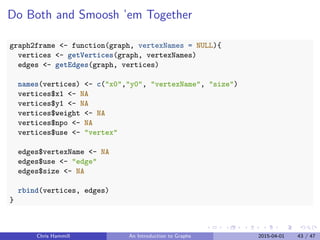
Do Both and Smoosh ’em Together
graph2frame <- function(graph, vertexNames = NULL){
vertices <- getVertices(graph, vertexNames)
edges <- getEdges(graph, vertices)
names(vertices) <- c("x0","y0", "vertexName", "size")
vertices$x1 <- NA
vertices$y1 <- NA
vertices$weight <- NA
vertices$npo <- NA
vertices$use <- "vertex"
edges$vertexName <- NA
edges$use <- "edge"
edges$size <- NA
rbind(vertices, edges)
}
Chris Hammill An Introduction to Graphs 2015-04-01 43 / 47
Outline
Introduce graphs
Introduce igraph
Introduce Interactivity with Shiny
Introduce the diabetes project
Demo the diabetes project app
Offer resources
Chris Hammill An Introduction to Graphs 2015-04-01 44 / 47
The App
Chris Hammill An Introduction to Graphs 2015-04-01 45 / 47
Resources
Igraph
Ggplot
Shiny
R Markdown
Knitr
Datatables for R
My Blog!
Chris Hammill An Introduction to Graphs 2015-04-01 46 / 47
Thanks For Having Me
Any questions?
Chris Hammill An Introduction to Graphs 2015-04-01 47 / 47

Introduction To Igraph and Shiny

  • 1.
    An Introduction toGraphs Chris Hammill 2015-04-01 Chris Hammill An Introduction to Graphs 2015-04-01 1 / 47
  • 2.
    About Me Graduate Studentin Biology Bioinformatics Research Assistant R Afficianado Data Analysis/Visualization Contractor Alumnus of this course Chris Hammill An Introduction to Graphs 2015-04-01 2 / 47
  • 3.
    Why I’m Here Talkabout my research Chris Hammill An Introduction to Graphs 2015-04-01 3 / 47
  • 4.
    Why I’m Here Talkabout my research Teach you a bit about graphs Chris Hammill An Introduction to Graphs 2015-04-01 3 / 47
  • 5.
    Why I’m Here Talkabout my research Teach you a bit about graphs Introduce you to some useful packages Chris Hammill An Introduction to Graphs 2015-04-01 3 / 47
  • 6.
    Why I’m Here Talkabout my research Teach you a bit about graphs Introduce you to some useful packages Get you excited about interactive analysis Chris Hammill An Introduction to Graphs 2015-04-01 3 / 47
  • 7.
    Outline Introduce graphs Introduce igraph IntroduceInteractivity with Shiny Introduce the diabetes project Demo the diabetes project app Offer resources Chris Hammill An Introduction to Graphs 2015-04-01 4 / 47
  • 8.
    This presentation waswritten in R Markdown! The slides and code will be made available via D2L Chris Hammill An Introduction to Graphs 2015-04-01 5 / 47
  • 9.
    Outline Introduce graphs Introduce igraph IntroduceInteractivity with Shiny Introduce the diabetes project Demo the diabetes project app Offer resources Chris Hammill An Introduction to Graphs 2015-04-01 6 / 47
  • 10.
    So What AreGraphs? 0 25 50 75 100 0 10 20 30 40 50 x y This? Chris Hammill An Introduction to Graphs 2015-04-01 7 / 47
  • 11.
    So What AreGraphs? 0 25 50 75 100 0 10 20 30 40 50 x y Nope! Chris Hammill An Introduction to Graphs 2015-04-01 8 / 47
  • 12.
    So What AreGraphs Graphs are a formal system for representing connections between things Graphs are composed of nodes (or vertices) and edges (connections) Edges can be weighted or unweighted, directed or not Graphs have recently been rebranded as networks Chris Hammill An Introduction to Graphs 2015-04-01 9 / 47
  • 13.
    So What AreGraphs? 1 2 3 4 56 7 8 9 10 So This? Chris Hammill An Introduction to Graphs 2015-04-01 10 / 47
  • 14.
    So What AreGraphs 1 2 3 4 5 6 7 8 9 10 Yup! Chris Hammill An Introduction to Graphs 2015-04-01 11 / 47
  • 15.
    Graphs in Math Graphswere first described by Euler (of e fame) - The bridges of Konigsberg The name graph is due Sylvester (1878) which is widely considered frustrating Chris Hammill An Introduction to Graphs 2015-04-01 12 / 47
  • 16.
    Graphs For theRest of Us Graphs were brought out of the math domain primarily by social scientists For example Sampson (1968) did a social network analysis on monks in a monastery identifying social dynamics Chris Hammill An Introduction to Graphs 2015-04-01 13 / 47
  • 17.
    But More Importantly ChrisHammill An Introduction to Graphs 2015-04-01 14 / 47
  • 18.
    And Chris Hammill AnIntroduction to Graphs 2015-04-01 15 / 47
  • 19.
    And Chris Hammill AnIntroduction to Graphs 2015-04-01 16 / 47
  • 20.
    So Graphs are everywhere SocialNetworks? Graphs Internet? Graph Metabolic pathways? Graphs Due to this amazing generality, graph based representations and algorithms can be incredibly useful for both exploration and inference Chris Hammill An Introduction to Graphs 2015-04-01 17 / 47
  • 21.
    What Can WeLearn From Graphs? Disclaimer: I’m still learning plenty about what can be done using graphs, so this section will be necessarily over simplified. Typically graphs are used to answer questions about the nature of its connections (although graph representations can be used to carry out immensely complex calculations as well; as you might have noticed when you learned about artificial neural networks) Typical questions include: 1 Where are the hubs (highly connected nodes)? 2 Can the graph be subdivided into clusters or communities? 3 Are there unexpected connections? But as with any data representation you’re usually limited by your ability to ask interesting questions, not the representations ability to answer them Chris Hammill An Introduction to Graphs 2015-04-01 18 / 47
  • 22.
    Graph Properties Degree Distribution Degreeis the number of edges a node has The distribution of degrees in a graph is interesting and can hint at the process generating the graph Diameter What is the longest direct path between two nodes Average Path What is the average path length between two nodes Chris Hammill An Introduction to Graphs 2015-04-01 19 / 47
  • 23.
    Outline Introduce graphs Introduce igraph IntroduceInteractivity with Shiny Introduce the diabetes project Demo the diabetes project app Offer resources Chris Hammill An Introduction to Graphs 2015-04-01 20 / 47
  • 24.
    Creating and UsingGraphs Manipulating graphs with R is typically done with the igraph package, so let’s try it out: First Off, install igraph and attach it with the usual code install.packages("igraph") library(igraph) Chris Hammill An Introduction to Graphs 2015-04-01 21 / 47
  • 25.
    Create a RandomGraph For exploration sake, lets generate a random graph (An Erdos-Renyi random graph) randomGraph <- erdos.renyi.game(20, 0.2) plot(randomGraph) 1 2 3 4 5 6 7 8 9 10 11 12 13 14 15 16 17 18 19 20 Chris Hammill An Introduction to Graphs 2015-04-01 22 / 47
  • 26.
    Summary Statistics Degree hist(degree(randomGraph)) Histogram ofdegree(randomGraph) degree(randomGraph) Frequency 2 4 6 8 012345 Chris Hammill An Introduction to Graphs 2015-04-01 23 / 47
  • 27.
    Summary Statistics Diameter diameter(randomGraph) ## [1]4 Path Length average.path.length(randomGraph) ## [1] 2.052632 Chris Hammill An Introduction to Graphs 2015-04-01 24 / 47
  • 28.
    Other Useful Commands #Pull out all the Vertices V(graph) # Pull out all the Edges E(graph) #Change a component of the edges (or vertices) E(graph)$weight <- newWeights #Get all node pairs get.edgelist(graph) #Compute the adjacency matrix get.adjacency(graph) Chris Hammill An Introduction to Graphs 2015-04-01 25 / 47
  • 29.
    Outline Introduce graphs Introduce igraph IntroduceInteractivity with Shiny Introduce the diabetes project Demo the diabetes project app Offer resources Chris Hammill An Introduction to Graphs 2015-04-01 26 / 47
  • 30.
    Switching gears Lets talkabout exploratory analysis Chris Hammill An Introduction to Graphs 2015-04-01 27 / 47
  • 31.
    Interactivity A typical firstpass of data analysis involves: 1 Visualizing your data 2 Searching for hypotheses to test 3 Tuning parameters and repeating steps 1 and 2 You will waste untold hours (if you pursue science) doing guess-and-check plot parameter tuning You will grow weary in your search and likely settle for less than optimal choices Why not take the guess work out and make it faster to explore parameter space Chris Hammill An Introduction to Graphs 2015-04-01 28 / 47
  • 32.
    Enter Shiny Shiny isa framework developed by the people at R Studio to bring interactivity to R Provides a tool to bring your analyses into the modern age Not to mention the benefit in presenting your analyses to non-experts when they can see for themselves how parameters affect the results. Slightly frustrating interface, but very little new needs to be learned Chris Hammill An Introduction to Graphs 2015-04-01 29 / 47
  • 33.
    So How DoesShiny Work A shiny app is composed of (at least) two files 1 server.R 2 UI.R server.R is responsible for performing the calculations in the app UI.R is responsible for coordinating input from the user and output from the server Chris Hammill An Introduction to Graphs 2015-04-01 30 / 47
  • 34.
    Minimal Example server.R library(shiny) shinyServer(function(input, output){ output$quadraticPlot<- renderPlot({ x <- seq(-2,2, length.out = 500) y <- input$a * x^2 + input$b * x + input$c plot(y ~ x, xlim = c(-2,2), ylim = c(-2,4), type = "l") }) }) Chris Hammill An Introduction to Graphs 2015-04-01 31 / 47
  • 35.
    Minimal Example UI.R library(shiny) shinyUI( fluidPage( sliderInput("a", "a",min = -2L, max = 2L, value = 1), sliderInput("b", "b", min = -1L, max = 1L, value = 0), sliderInput("c", "c", min = -2L, max = 2L, value = 0), plotOutput("quadraticPlot") ) ) Chris Hammill An Introduction to Graphs 2015-04-01 32 / 47
  • 36.
    A Not SoMinimal Example Pedigree Addisons_Comp IBD_AI Thyroid_Disease_AI CVD_Comp dyslipidemia_Comp heart_disease_Comp blood_pressure_Comp nerve_damage_Compretinopathy_Comp DKA_Comp Hyperglycemia_Comp diabetes_nurse diabetes_specialist dietician GP nephrologist_new opthalmologist cardiologist podiatrist Ace_inhibitor Statin addiction anxiety_MH depression_MH Cholesterol_HDL_ratio Creatinine Glucose_Fasting Glucose_Random Hgb_A1C M_C_Ratio TSH TTG Gender Weight Smoke Pneumococcal_Vax Excercise Health_Rating Diabetes_Management_Rating Rating_Of_Health_Care DKA_ER Dialysis DOB Diagnosis_Date Insulin_started DKA_Diagnosis Ketones_Diagnosis Weight_Loss_Symptom bedwetting_Symptom Breast_Fed Sister_T1D Father_T1D Paunt_T1D Puncle_T1D Thyroid_Disease_FH Hypertension_FH Retinopathy_Diagnosis Microalb_DiagnosisNephropathy_Diagnosis Neuropathy_Diagnosis Unknown_Hospitalizations DKA_Hospitalizations_Old other_hospitalizations cd1d_rs3754471 cd1d_rs859009 ctla4_rs1863800 ctla4_mh30 ctla4_a49g ctla4_ct60g_ga ctla4_jo31g ctla4_jo27tc ccr2_v64i_ga ccr5_a676g wolf_611ag dob_ga sumo4_rs237012 adrb1_ga ins_67ag vdr_rs2544038 vdr_rs2408876 pld2_rs3764900 nos2a_rs4796017 nos2a_rs2248814 BCL2_c8687299 ptpns1_rs6075340 ptpns1_rs6111988 ptpns1_rs1884565 amel amel_new nos2a −50 0 50 −log(p) 10 20 30 dataSet gen new old Pedigree Number of Observations 40 60 80 100 Chris Hammill An Introduction to Graphs 2015-04-01 33 / 47
  • 37.
    Outline Introduce graphs Introduce igraph IntroduceInteractivity with Shiny Introduce the diabetes project Demo the diabetes project app Offer resources Chris Hammill An Introduction to Graphs 2015-04-01 34 / 47
  • 38.
    Diabetes Project Attempting topredict health outcomes for Newfoundlanders suffering from type one diabetes mellitus Data from a large cohort of diabetes patents gathered ~10 years ago Heterogenous mix of data sources, types, and completeness Lots of data cleaning Chris Hammill An Introduction to Graphs 2015-04-01 35 / 47
  • 39.
    The Data three majordata sources 1 Diabetes database contains information about 631 study participants at the time of study start Chris Hammill An Introduction to Graphs 2015-04-01 36 / 47
  • 40.
    The Data three majordata sources 1 Diabetes database contains information about 631 study participants at the time of study start 2 Genetics Data contains genotype markers for 591 study participants (and family members) Chris Hammill An Introduction to Graphs 2015-04-01 36 / 47
  • 41.
    The Data three majordata sources 1 Diabetes database contains information about 631 study participants at the time of study start 2 Genetics Data contains genotype markers for 591 study participants (and family members) 3 2014 Checkup Database contains survey data and chart review for ~100 study participants Chris Hammill An Introduction to Graphs 2015-04-01 36 / 47
  • 42.
    The Data three majordata sources 1 Diabetes database contains information about 631 study participants at the time of study start 2 Genetics Data contains genotype markers for 591 study participants (and family members) 3 2014 Checkup Database contains survey data and chart review for ~100 study participants This analysis is only concerned with the individuals for whom we have updated information Chris Hammill An Introduction to Graphs 2015-04-01 36 / 47
  • 43.
    The Data three majordata sources 1 Diabetes database contains information about 631 study participants at the time of study start 2 Genetics Data contains genotype markers for 591 study participants (and family members) 3 2014 Checkup Database contains survey data and chart review for ~100 study participants This analysis is only concerned with the individuals for whom we have updated information After cleaning 300 features exist for the participants Chris Hammill An Introduction to Graphs 2015-04-01 36 / 47
  • 44.
    Analysis Approach Considering eachfeature how well does it correlate to the rest of the features Chris Hammill An Introduction to Graphs 2015-04-01 37 / 47
  • 45.
    Analysis Approach Considering eachfeature how well does it correlate to the rest of the features Pairwise correlation measures can be treated as a distance measure between features Chris Hammill An Introduction to Graphs 2015-04-01 37 / 47
  • 46.
    Analysis Approach Considering eachfeature how well does it correlate to the rest of the features Pairwise correlation measures can be treated as a distance measure between features Correlations can be filtered by signficance level Chris Hammill An Introduction to Graphs 2015-04-01 37 / 47
  • 47.
    Analysis Approach Considering eachfeature how well does it correlate to the rest of the features Pairwise correlation measures can be treated as a distance measure between features Correlations can be filtered by signficance level Each significant correlation can be viewed as an edge connecting the two features Chris Hammill An Introduction to Graphs 2015-04-01 37 / 47
  • 48.
    Creating the Graph Challengein going from Spread Sheet Representation head(bigtable[25:28,c(1,21,23, 41)]) ## Pedigree dietician_new nephrologist_new Hgb_A1C_new ## 25 93001 0 0 8.7 ## 26 94001 3 0 10.2 ## 27 101001 0 0 9.2 ## 28 105001 0 0 13.7 Chris Hammill An Introduction to Graphs 2015-04-01 38 / 47
  • 49.
    Pedigree Addisons_Comp IBD_AI Thyroid_Disease_AI CVD_Comp dyslipidemia_Comp heart_disease_Comp blood_pressure_Comp nerve_damage_Compretinopathy_Comp DKA_Comp Hyperglycemia_Comp Hypoglycemia_Comp diabetes_nurse diabetes_specialist dietician GP nephrologist_new opthalmologist cardiologist podiatrist Ace_inhibitor Statin addiction anxiety_MH depression_MH Cholesterol_HDL_ratio Creatinine Glucose_Fasting Glucose_Random Hgb_A1C M_C_Ratio TSH TTG Gender Weight Smoke Pneumococcal_Vax Excercise Health_Rating Diabetes_Management_Rating Rating_Of_Health_Care DKA_ER Dialysis DOB Diagnosis_Date Insulin_started DKA_Diagnosis Ketones_Diagnosis Weight_Loss_Symptom bedwetting_Symptom Breast_Fed Sister_T1D Father_T1D Paunt_T1D Puncle_T1D Thyroid_Disease_FH Hypertension_FH Retinopathy_Diagnosis Microalb_DiagnosisNephropathy_Diagnosis Neuropathy_Diagnosis Unknown_Hospitalizations DKA_Hospitalizations_Old other_hospitalizations cd1d_rs3754471 cd1d_rs859009 ctla4_rs1863800 ctla4_mh30 ctla4_a49g ctla4_ct60g_ga ctla4_jo31g ctla4_jo27tc ccr2_v64i_ga ccr5_a676g wolf_611ag dob_ga sumo4_rs237025 sumo4_rs237012 adrb1_ga ins_67ag vdr_rs2544038 vdr_rs2408876 pld2_rs3764900 nos2a_rs4796017 nos2a_rs2248814 BCL2_c8687299 ptpns1_rs6075340 ptpns1_rs6111988 ptpns1_rs1884565 ptpns1_rs2267916 amel amel_new mit_nt7028 nos2a −50 0 50 −log(p) 10 20 30 dataSet gen new old Pedigree Number of Observations 40 60 80 100 ChrisHammill An Introduction to Graphs 2015-04-01 39 / 47
  • 50.
    Producing the BaseGraph Convert to a distance matrix bt <- pCorrelationMatrix(bigtable) Convert To Adjacency Matrix adjacencyMat <- bt < threshold Create an Igraph Object network <- igraph.adjacency(adjacencyMat) Chris Hammill An Introduction to Graphs 2015-04-01 40 / 47
  • 51.
    Converting the Igraphto a data.frame Create a data.frame of vectices getVertices <- function(graph, vertexNames = NULL){ vertices <- as.data.frame(layout.fruchterman.reingold(graph)) names(vertices) <- c("x","y") vertices$vertexName <- 1:nrow(vertices) if(!is.null(vertexNames)) vertices$vertexName <- vertexNames vertices$size <- get.vertex.attribute(graph, "weight") vertices } Chris Hammill An Introduction to Graphs 2015-04-01 41 / 47
  • 52.
    Converting the Igraphto a data.frame Create a data.frame of edges getEdges <- function(graph, vertices){ edgeLocations <- get.edgelist(graph) edgeCoords <- mapply(function(v1,v2){ c(vertices[v1,], vertices[v2,]) }, edgeLocations[,1], edgeLocations[,2]) edgeFrame <- as.data.frame(t(edgeCoords))[,c(1,2,5,6)] edgeFrame[,1:4] <- lapply(edgeFrame[,1:4], as.numeric) edgeFrame$weight <- get.edge.attribute(graph, "weight") edgeFrame$npo <- get.edge.attribute(graph, "npo") names(edgeFrame) <- c("x0", "y0", "x1", "y1", "weight", "npo") return(edgeFrame) } Chris Hammill An Introduction to Graphs 2015-04-01 42 / 47
  • 53.
    Do Both andSmoosh ’em Together graph2frame <- function(graph, vertexNames = NULL){ vertices <- getVertices(graph, vertexNames) edges <- getEdges(graph, vertices) names(vertices) <- c("x0","y0", "vertexName", "size") vertices$x1 <- NA vertices$y1 <- NA vertices$weight <- NA vertices$npo <- NA vertices$use <- "vertex" edges$vertexName <- NA edges$use <- "edge" edges$size <- NA rbind(vertices, edges) } Chris Hammill An Introduction to Graphs 2015-04-01 43 / 47
  • 54.
    Outline Introduce graphs Introduce igraph IntroduceInteractivity with Shiny Introduce the diabetes project Demo the diabetes project app Offer resources Chris Hammill An Introduction to Graphs 2015-04-01 44 / 47
  • 55.
    The App Chris HammillAn Introduction to Graphs 2015-04-01 45 / 47
  • 56.
    Resources Igraph Ggplot Shiny R Markdown Knitr Datatables forR My Blog! Chris Hammill An Introduction to Graphs 2015-04-01 46 / 47
  • 57.
    Thanks For HavingMe Any questions? Chris Hammill An Introduction to Graphs 2015-04-01 47 / 47