Introduction

Details

Reproducible research with RStudio and knitr
Ben Bolker
McMaster University, Mathematics & Statistics and Biology

25 February 2014

Ben Bolker
RStudio and knitr
Introduction

Details

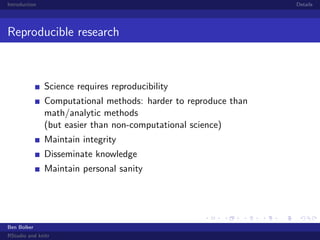
Reproducible research

Science requires reproducibility
Computational methods: harder to reproduce than
math/analytic methods
(but easier than non-computational science)
Maintain integrity
Disseminate knowledge
Maintain personal sanity

Ben Bolker
RStudio and knitr
Introduction

Details

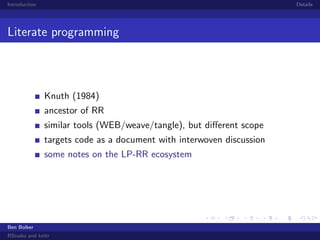
Literate programming

Knuth (1984)
ancestor of RR
similar tools (WEB/weave/tangle), but different scope
targets code as a document with interwoven discussion
some notes on the LP-RR ecosystem

Ben Bolker
RStudio and knitr
Introduction

Details

A
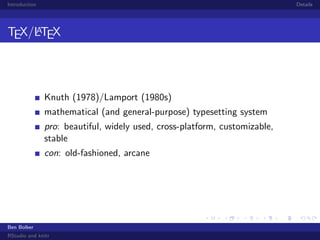
TEX/LTEX

Knuth (1978)/Lamport (1980s)
mathematical (and general-purpose) typesetting system
pro: beautiful, widely used, cross-platform, customizable,
stable
con: old-fashioned, arcane

Ben Bolker
RStudio and knitr
Introduction

Details

R

Gentleman and Ihaka, 1990s
statistical programming language/data analysis environment
pro: powerful, widely used (3000+ packages), cross-platform,
customizable
con: slower than low-level languages; organic/inconsistent

Ben Bolker
RStudio and knitr
Introduction

Details

Sweave/knitr

Leisch / Xie
A
literate programming tool, allowing LTEX chunks in R
highlighted code chunks (echo=TRUE)

automatically generated figures, optionally in a figure
environment
pro: super-convenient, once you get used to it
con: one more software layer;
not suited for big projects/code

Ben Bolker
RStudio and knitr
Introduction

Details

RStudio

Allaire et al.
front-end for R
one-button front end for knitr (“Compile PDF”)
pro: beginner-friendly; cross-platform;
zoomable graphics, code highlighting, tab completion,
environment listing, etc.
con: R-centric; restriction to built-in editor;
one more software layer

Ben Bolker
RStudio and knitr
Introduction

Details

Getting started
bookmark the knitr web page and especially the options page
switch RStudio to compile documents with knitr
(Tools/Global options/Sweave/Weave Rnw files using ...)
A
make sure LTEX is installed/working and the knitr package
is installed (install.packages("knitr")); also install
tikzDevice package

build this document, or use (File/New File/R Sweave) to
generate an empty template (need to add something to it);
RStudio recognizes .Rnw extension
code chunks start with <<>>= and end with @

Ben Bolker
RStudio and knitr
Introduction

Details

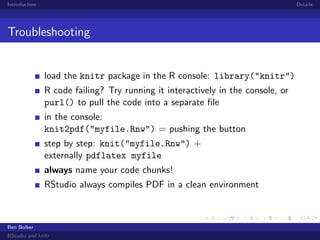
Troubleshooting

load the knitr package in the R console: library("knitr")
R code failing? Try running it interactively in the console, or
purl() to pull the code into a separate file
in the console:
knit2pdf("myfile.Rnw") = pushing the button
step by step: knit("myfile.Rnw") +
externally pdflatex myfile
always name your code chunks!
RStudio always compiles PDF in a clean environment

Ben Bolker
RStudio and knitr
Introduction

Details

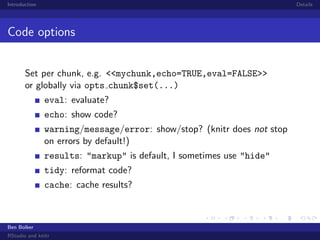
Code options
Set per chunk, e.g. <<mychunk,echo=TRUE,eval=FALSE>>
or globally via opts chunk$set(...)
eval: evaluate?
echo: show code?
warning/message/error: show/stop? (knitr does not stop
on errors by default!)
results: "markup" is default, I sometimes use "hide"
tidy: reformat code?
cache: cache results?

Ben Bolker
RStudio and knitr
Introduction

Details

More stuff about code

if you’re using beamer, need to use
begin{frame}[fragile] if you’re going to show code (i.e.,
echo=TRUE)
code in chunks must be complete/syntactically correct: no
fragments allowed;
can’t (e.g.) separate parts of a for loop, even if eval=FALSE
in-line expressions via Sexpr{} (don’t forget to round
numeric values)

Ben Bolker
RStudio and knitr
Introduction

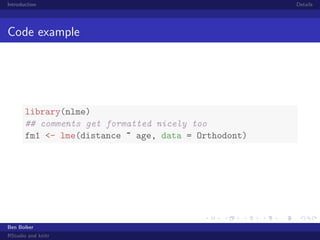
Code example

library(nlme)
## comments get formatted nicely too
fm1 <- lme(distance ~ age, data = Orthodont)

Ben Bolker
RStudio and knitr

Details
Introduction

Details

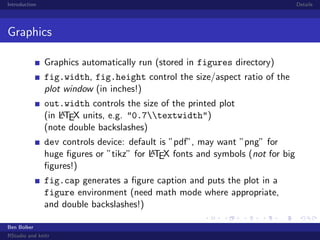
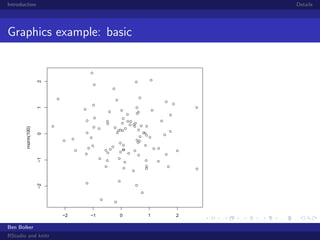
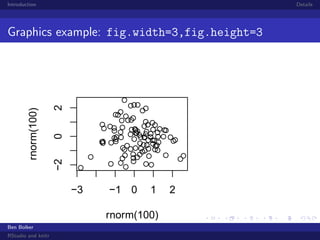
Graphics
Graphics automatically run (stored in figures directory)
fig.width, fig.height control the size/aspect ratio of the
plot window (in inches!)
out.width controls the size of the printed plot
A
(in LTEX units, e.g. "0.7textwidth")
(note double backslashes)
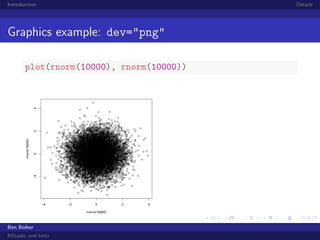
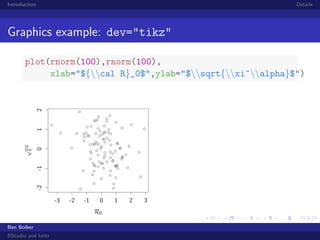
dev controls device: default is ”pdf”, may want ”png” for
A
huge figures or ”tikz” for LTEX fonts and symbols (not for big
figures!)
fig.cap generates a figure caption and puts the plot in a
figure environment (need math mode where appropriate,
and double backslashes!)
Ben Bolker
RStudio and knitr
Introduction

Details

0
−2

−1

rnorm(100)

1

2

Graphics example: basic

−2

Ben Bolker
RStudio and knitr

−1

0
rnorm(100)

1

2
Introduction

Details

2
0
−2

rnorm(100)

Graphics example: fig.width=3,fig.height=3

−3

−1 0

1

rnorm(100)
Ben Bolker
RStudio and knitr

2
Introduction

Details

Graphics example: dev="png"

0
−2

rnorm(10000)

2

4

plot(rnorm(10000), rnorm(10000))

−4

−2

0
rnorm(10000)

Ben Bolker
RStudio and knitr

2

4
Introduction

Details

Graphics example: dev="tikz"

0
-2

-1

√

ξα

1

2

plot(rnorm(100),rnorm(100),
xlab="${cal R}_0$",ylab="$sqrt{xi^alpha}$")

-3

-2

-1

0
R0

Ben Bolker
RStudio and knitr

1

2

3
Introduction

Details

Other stuff

other input formats: R markdown
chunks in other languages
output to other formats: HTML, docx
other ways of documenting/disseminating results:
commented R code (spin()); R packages/vignettes;
roxygen2 package
large/batch jobs: caching gets tricky, use Makefiles instead?
figure tricks: 3D (rgl) plots, animation . . .

Ben Bolker
RStudio and knitr
Introduction

Details

Further resources

knitr web page, including the demos and showcase . . .
StackOverflow
my examples on Rpubs
knitr book on Amazon

Ben Bolker
RStudio and knitr

intro to knitr with RStudio