Chapter 1
Overview of an
Engineering Drawing
TOPICS
Drawing standards
Graphics language
Engineering drawing
Traditional Drawing Tools
Lettering
GRAPHICS
LANGUAGE
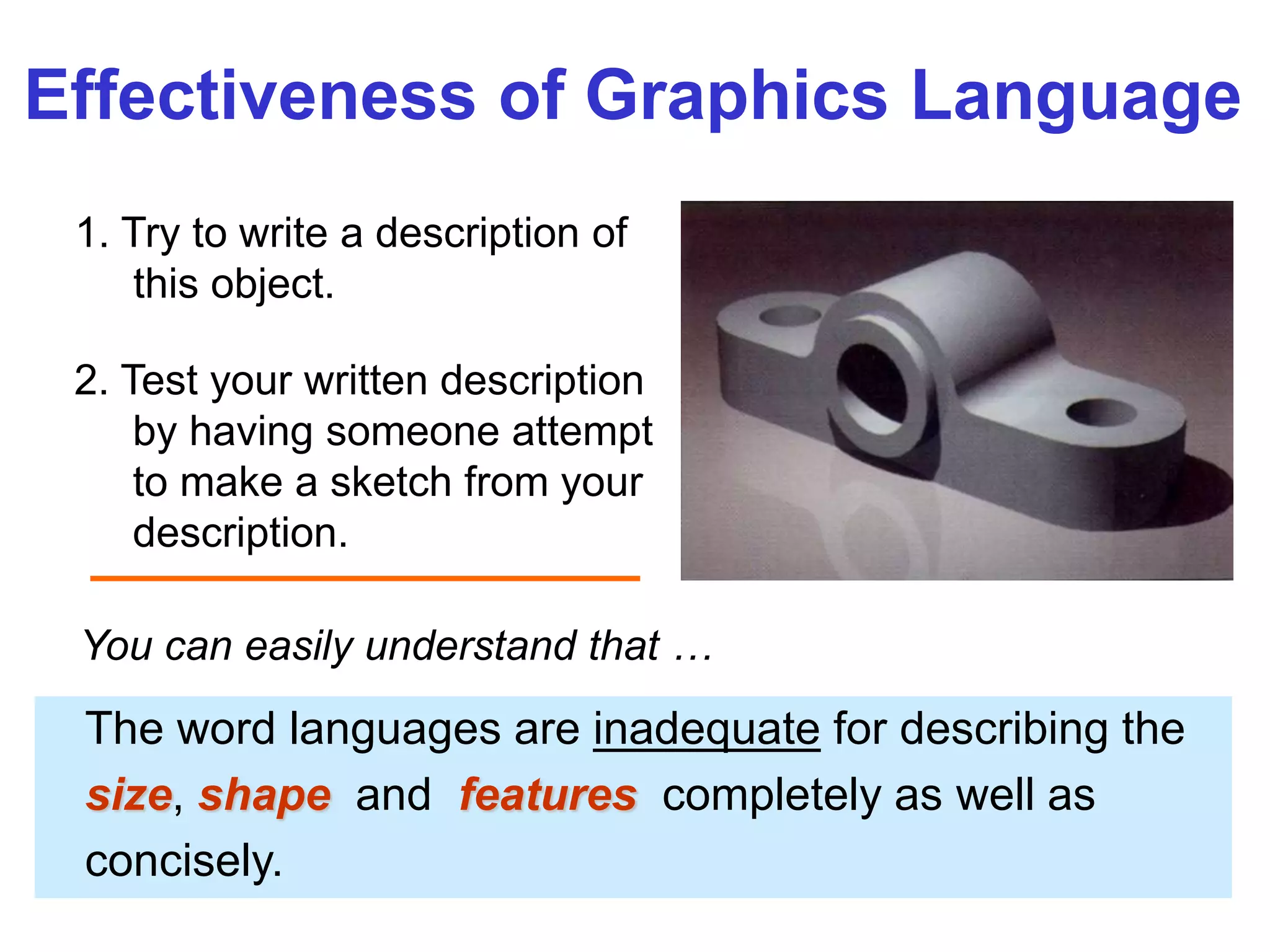
1. Try to write a description of
this object.
2. Test your written description
by having someone attempt
to make a sketch from your
description.
Effectiveness of Graphics Language
The word languages are inadequate for describing the
size, shape and features completely as well as
concisely.
You can easily understand that …
Graphic language in “engineering application” use
lines to represent the surfaces, edges and contours
of objects.
A drawing can be done using freehand, instruments
or computer methods.
Composition of Graphic Language
The language is known as “drawing” or “drafting” .
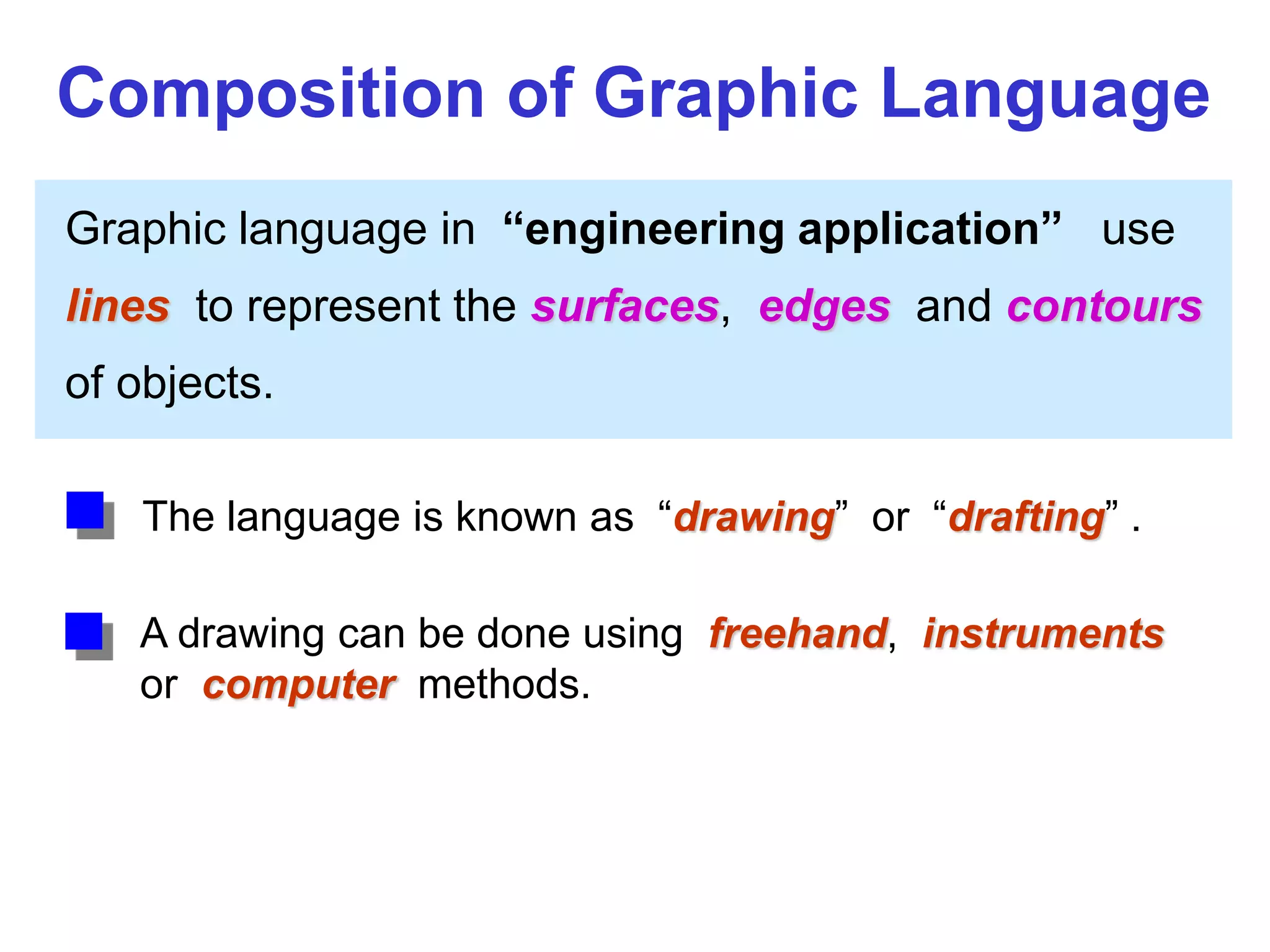
Freehand drawing
The lines are sketched without using instruments other
than pencils and erasers.
Example
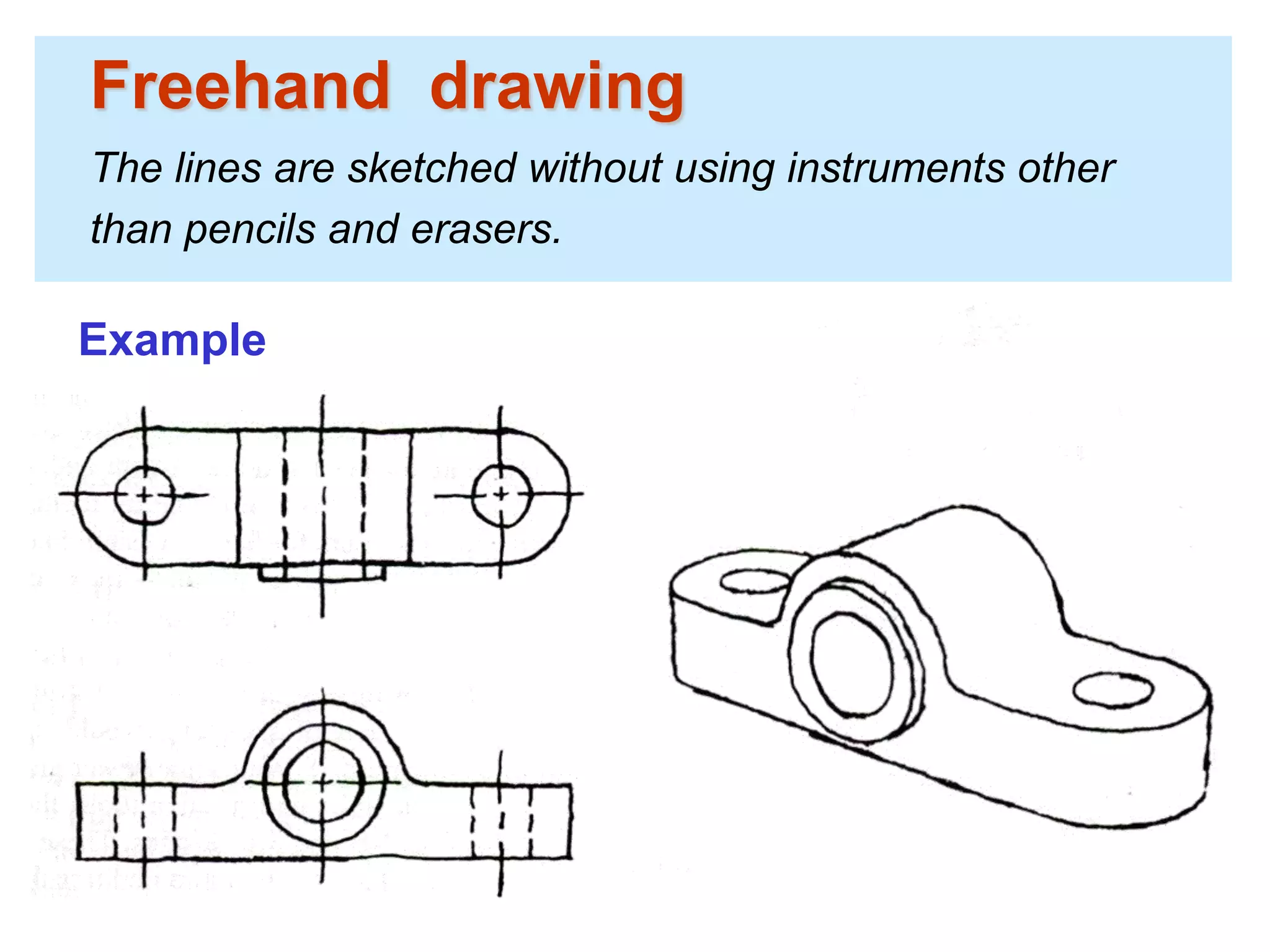
Instrument drawing
Instruments are used to draw straight lines, circles, and
curves concisely and accurately. Thus, the drawings are
usually made to scale.
Example
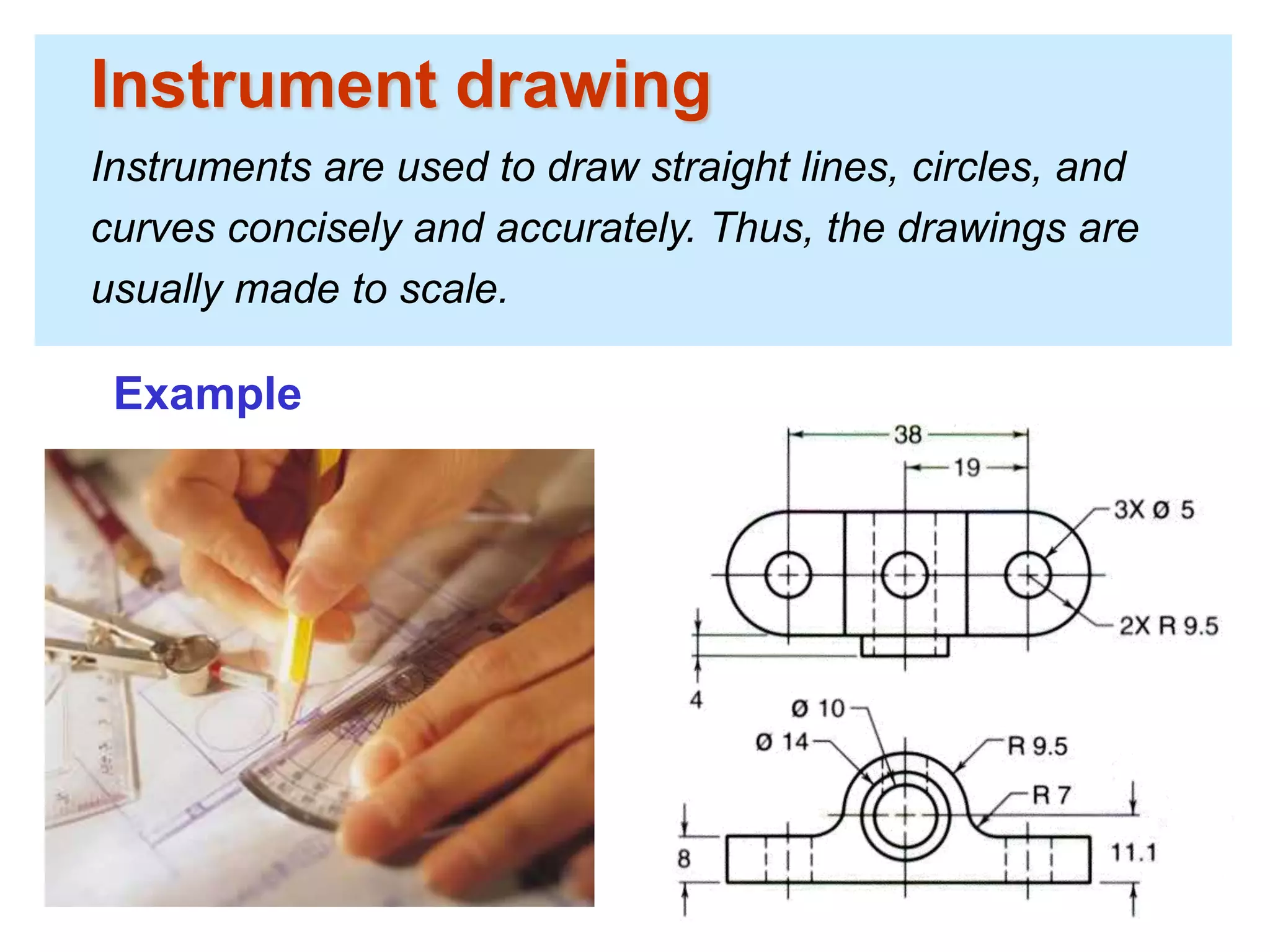
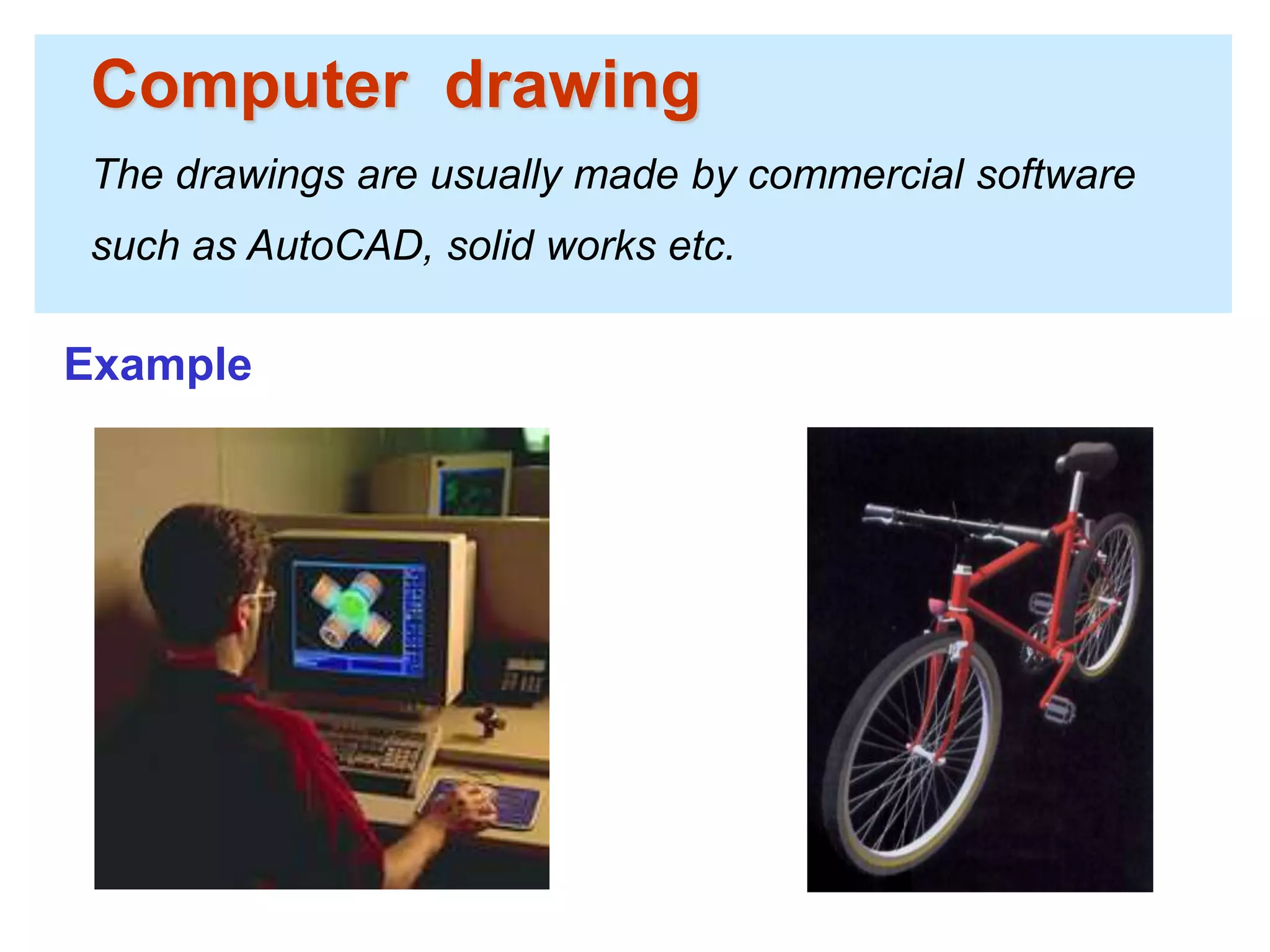
Computer drawing
The drawings are usually made by commercial software
such as AutoCAD, solid works etc.
Example
Engineering
Drawing
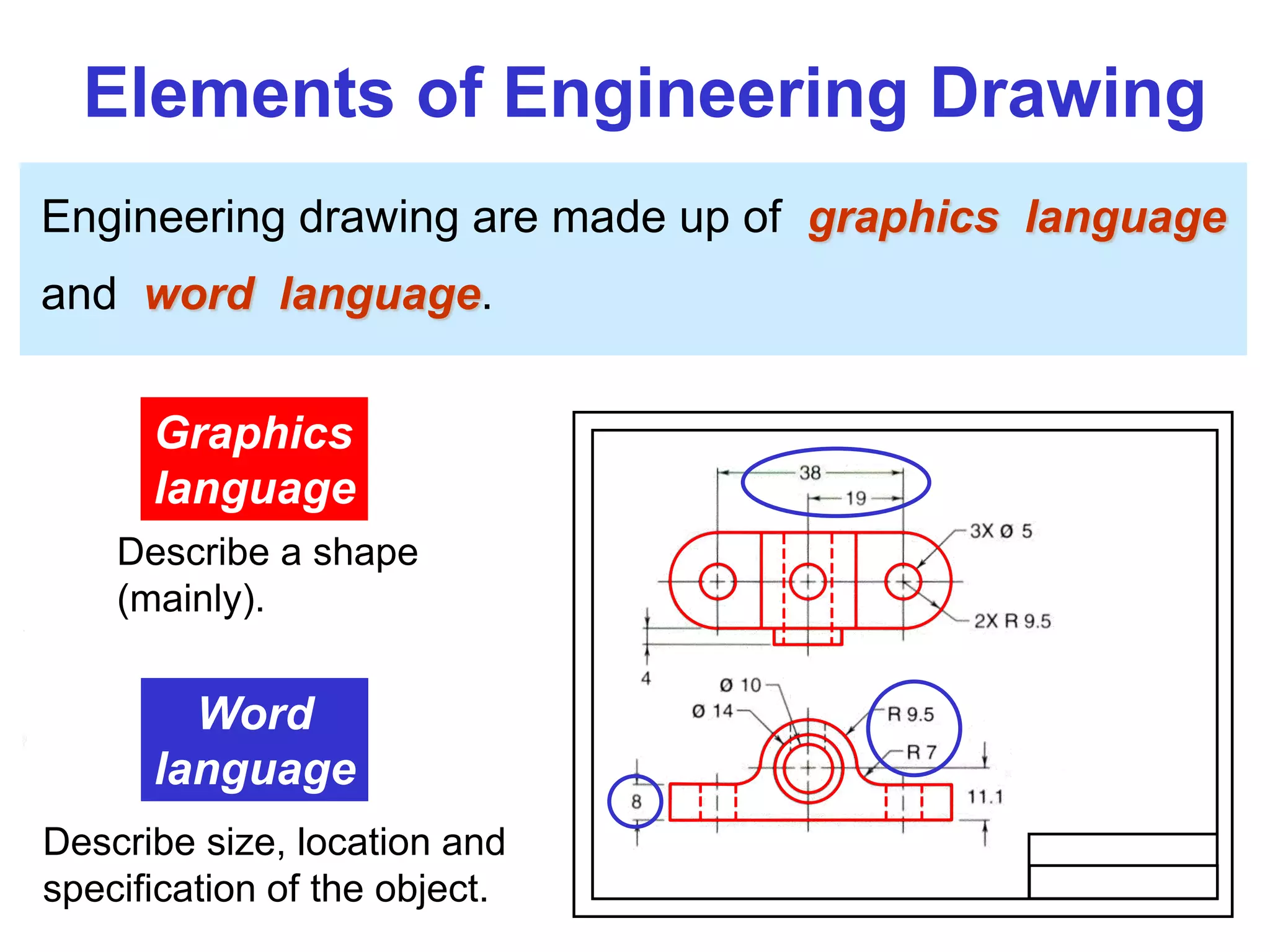
Elements of Engineering Drawing
Engineering drawing are made up of graphics language
and word language.
Graphics
language
Describe a shape
(mainly).
Word
language
Describe size, location and
specification of the object.
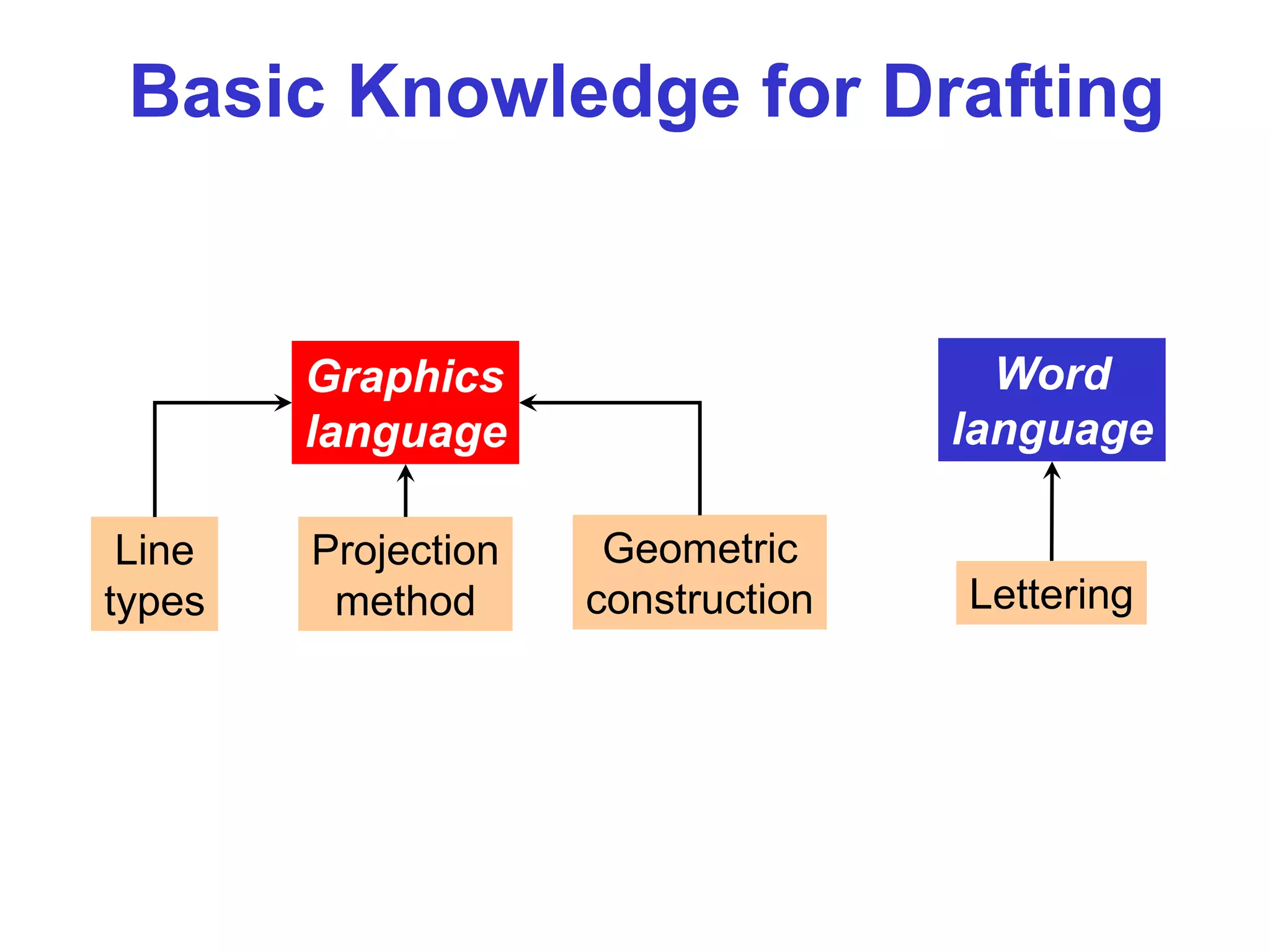
Basic Knowledge for Drafting
Graphics
language
Word
language
Line
types
Geometric
construction Lettering
Projection
method
Drawing Standard
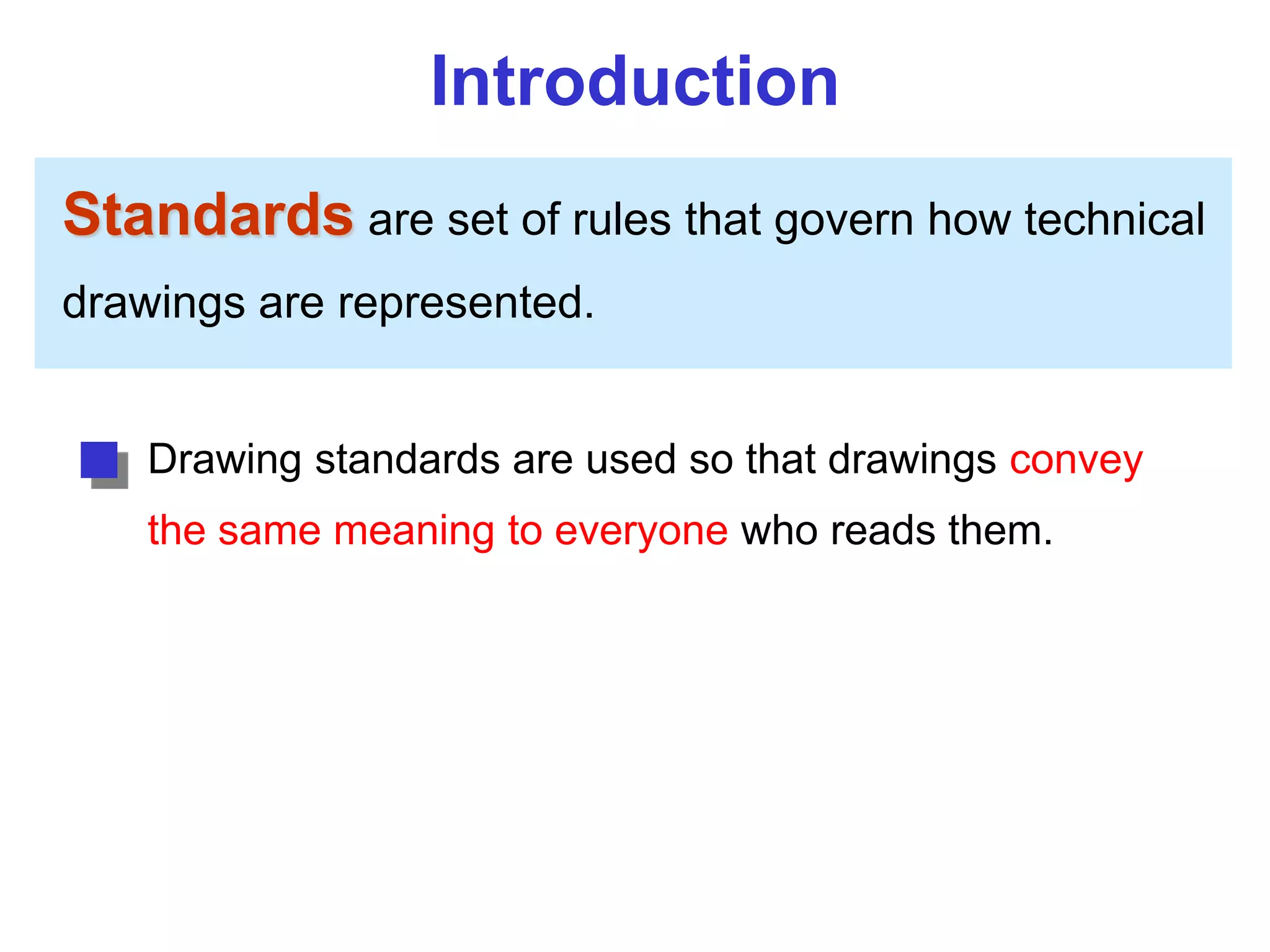
Introduction
Standards are set of rules that govern how technical
drawings are represented.
Drawing standards are used so that drawings convey
the same meaning to everyone who reads them.
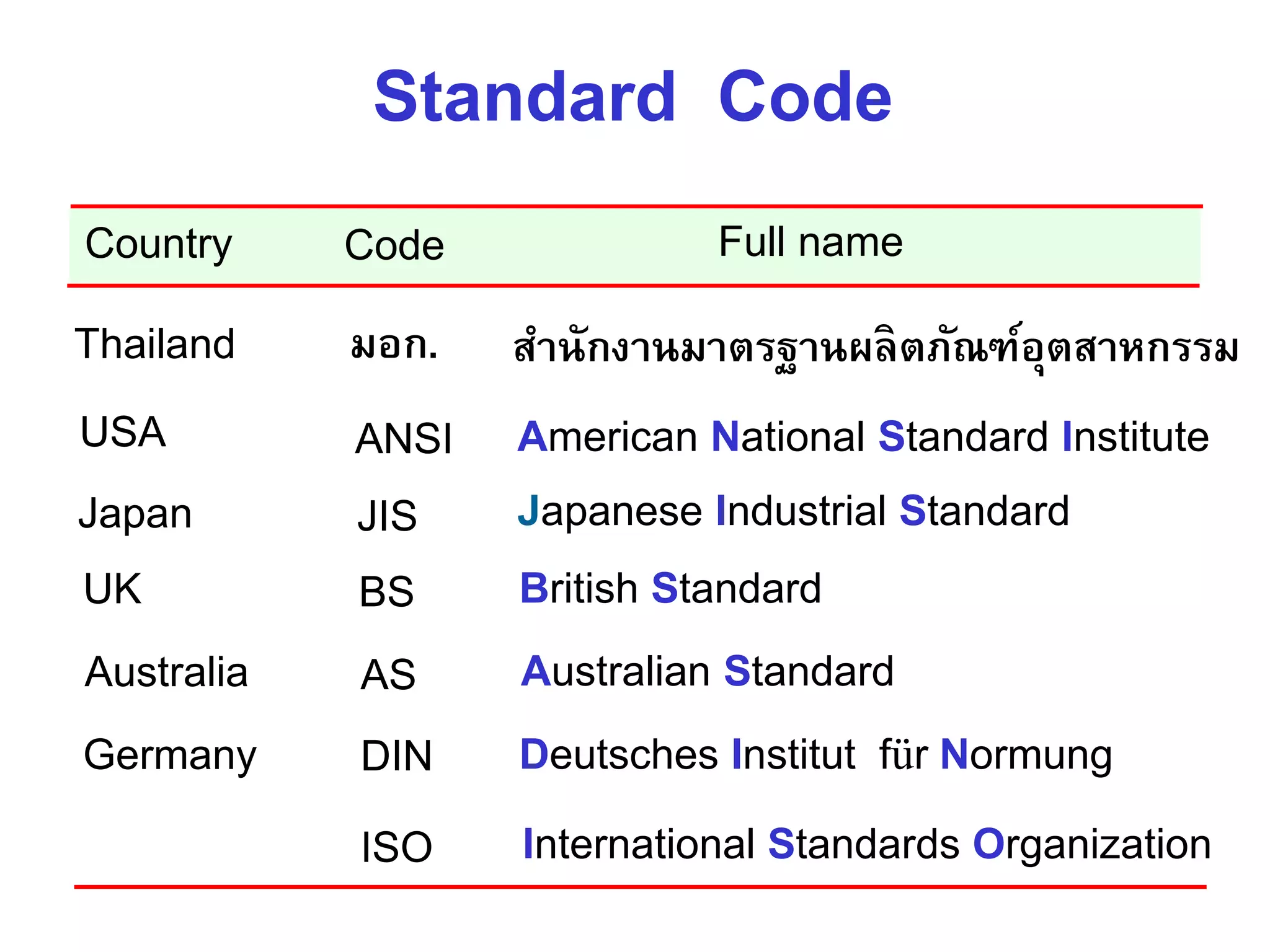
ISO International Standards Organization
Standard Code
ANSI American National Standard InstituteUSA
JIS Japanese Industrial StandardJapan
BS British StandardUK
AS Australian StandardAustralia
Deutsches Institut für NormungDINGermany
Country Code Full name
มอก. สำนักงำนมำตรฐำนผลิตภัณฑ์อุตสำหกรรมThailand
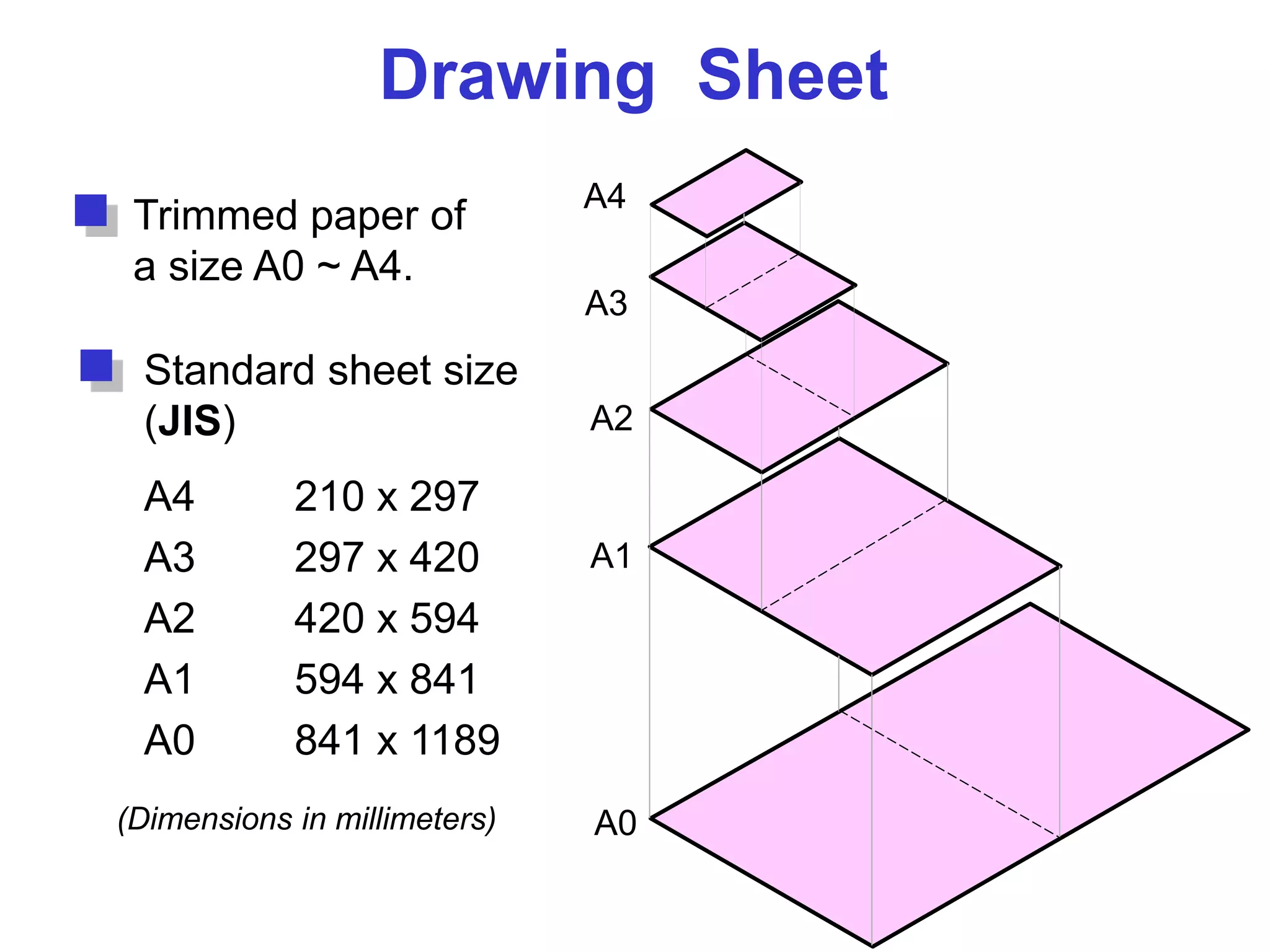
Drawing Sheet
Trimmed paper of
a size A0 ~ A4.
Standard sheet size
(JIS)
A4 210 x 297
A3 297 x 420
A2 420 x 594
A1 594 x 841
A0 841 x 1189
A4
A3
A2
A1
A0(Dimensions in millimeters)
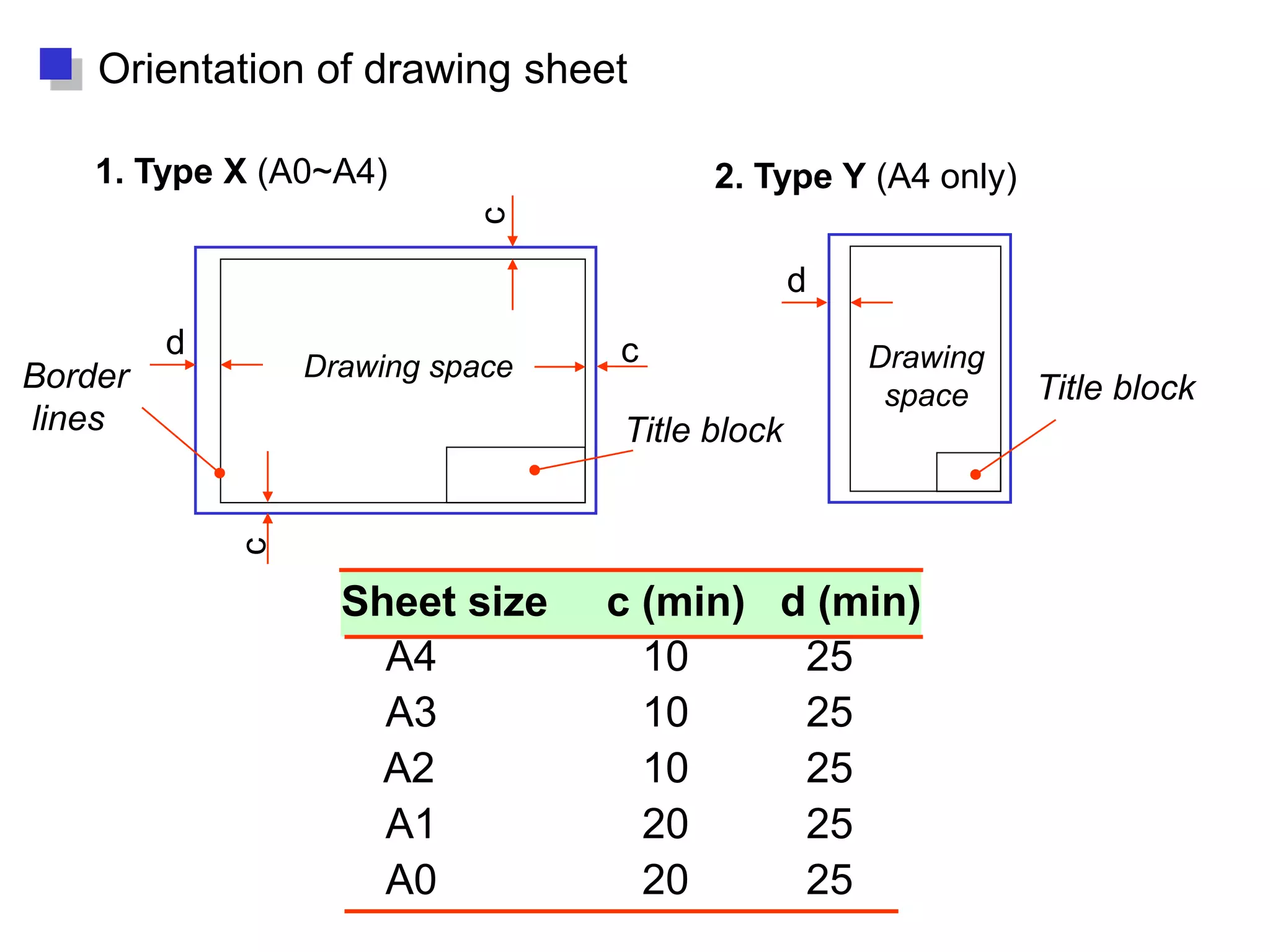
Drawing space Drawing
space
Title block
d
d
c
c
c
Border
lines
1. Type X (A0~A4) 2. Type Y (A4 only)
Orientation of drawing sheet
Title block
Sheet size c (min) d (min)
A4 10 25
A3 10 25
A2 10 25
A1 20 25
A0 20 25
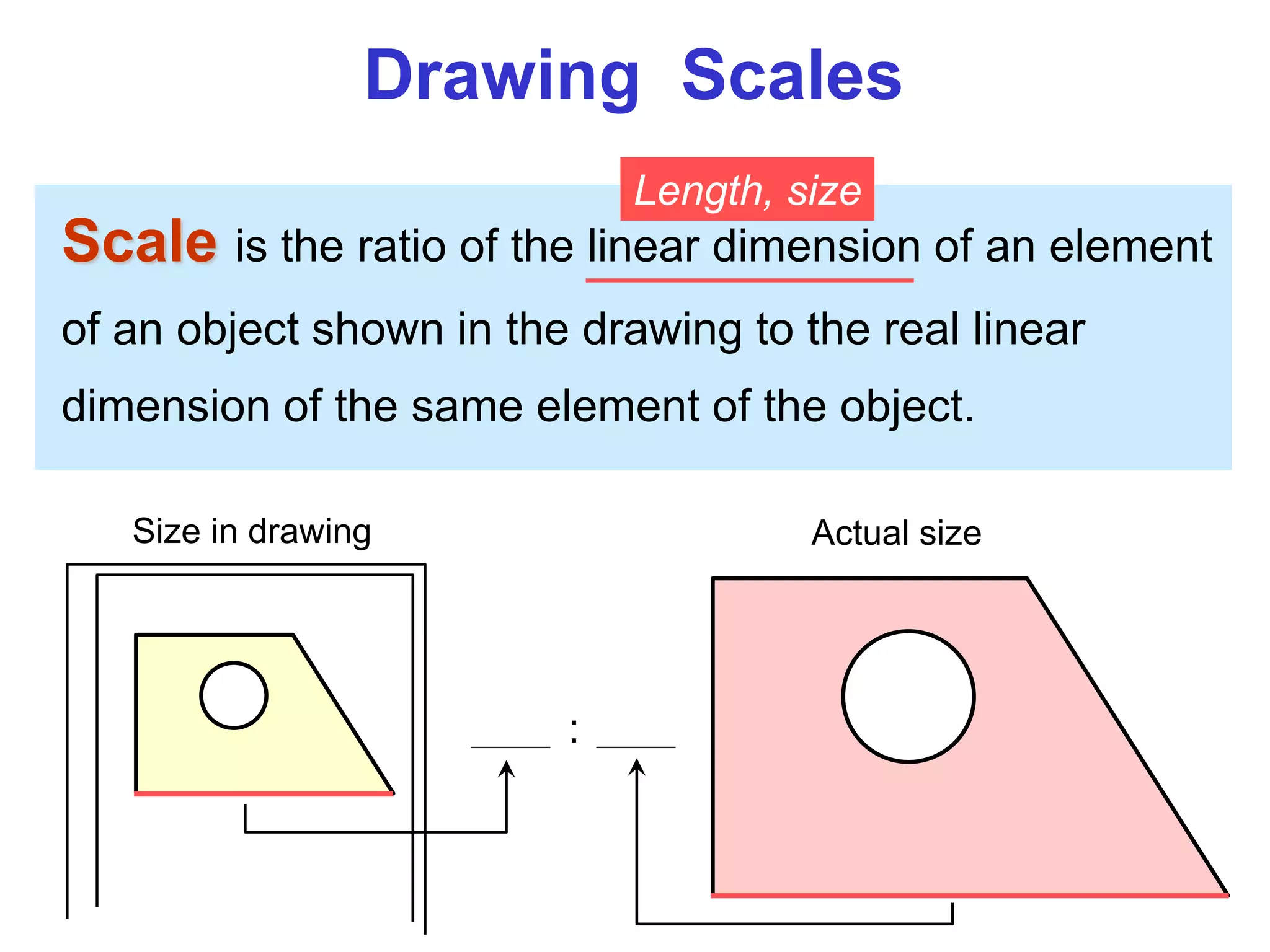
Drawing Scales
Scale is the ratio of the linear dimension of an element
of an object shown in the drawing to the real linear
dimension of the same element of the object.
Size in drawing Actual size
Length, size
:
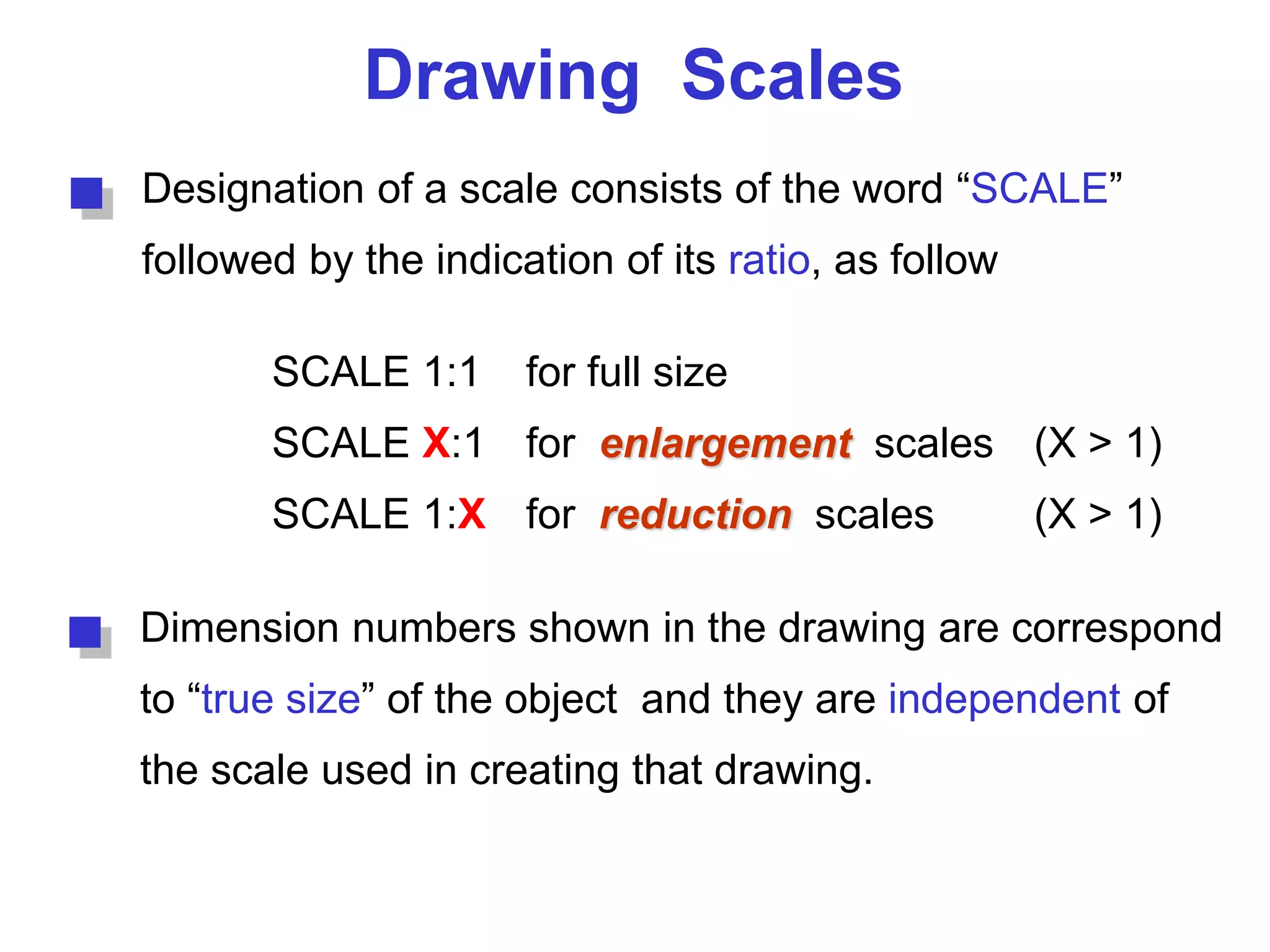
Drawing Scales
Designation of a scale consists of the word “SCALE”
followed by the indication of its ratio, as follow
SCALE 1:1 for full size
SCALE X:1 for enlargement scales (X > 1)
SCALE 1:X for reduction scales (X > 1)
Dimension numbers shown in the drawing are correspond
to “true size” of the object and they are independent of
the scale used in creating that drawing.
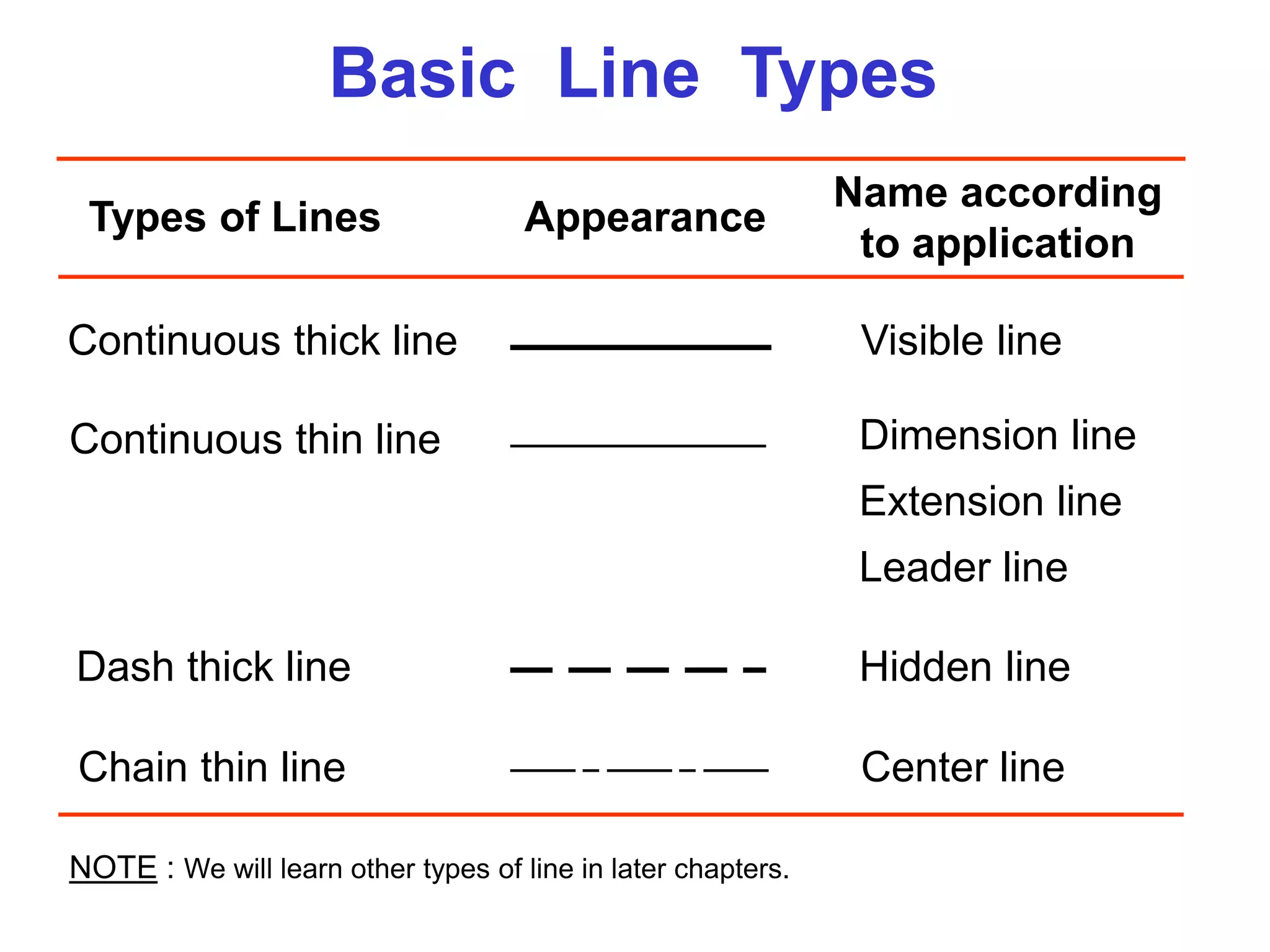
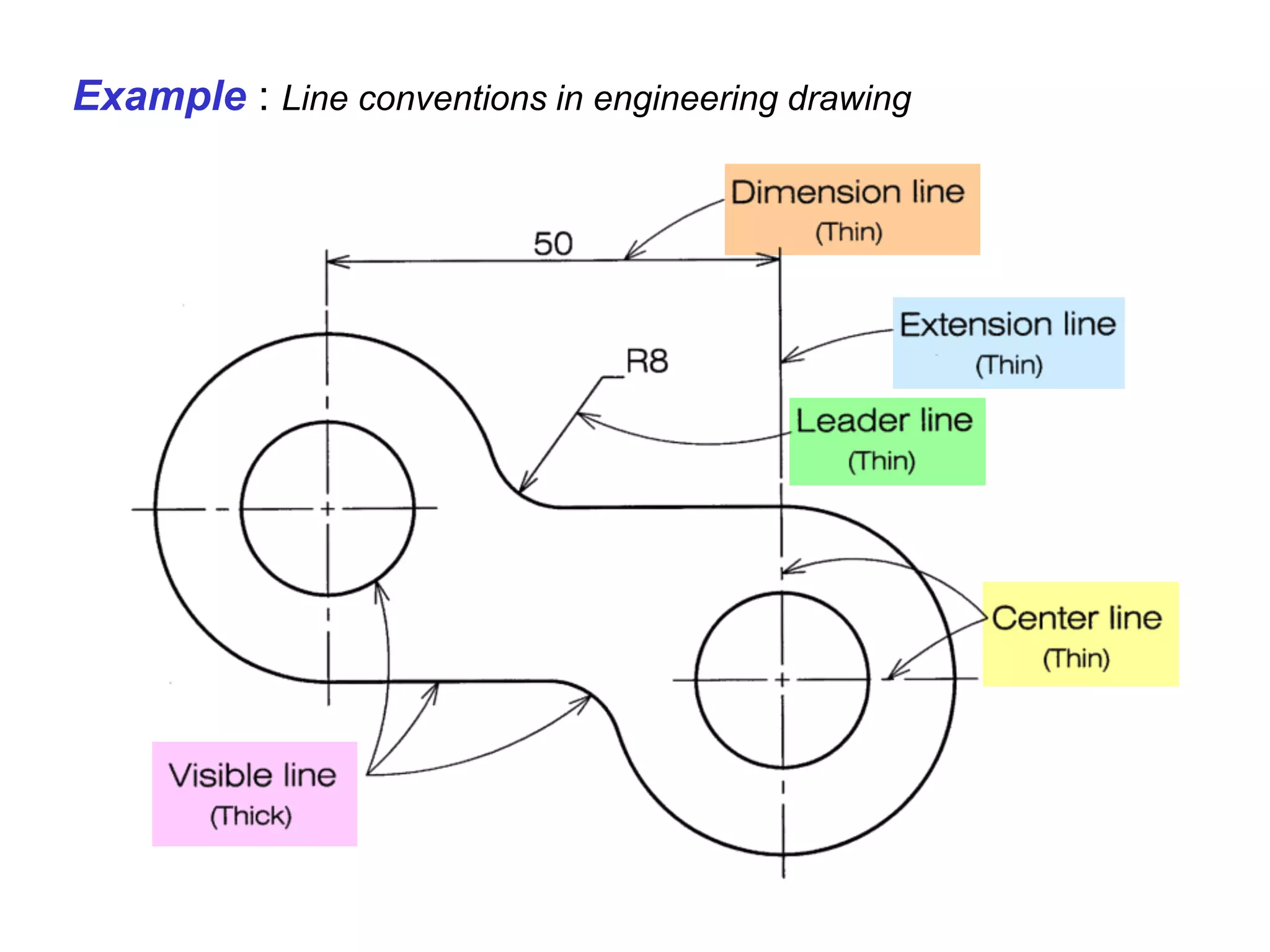
Basic Line Types
Types of Lines Appearance
Name according
to application
Continuous thick line Visible line
Continuous thin line Dimension line
Extension line
Leader line
Dash thick line Hidden line
Chain thin line Center line
NOTE : We will learn other types of line in later chapters.
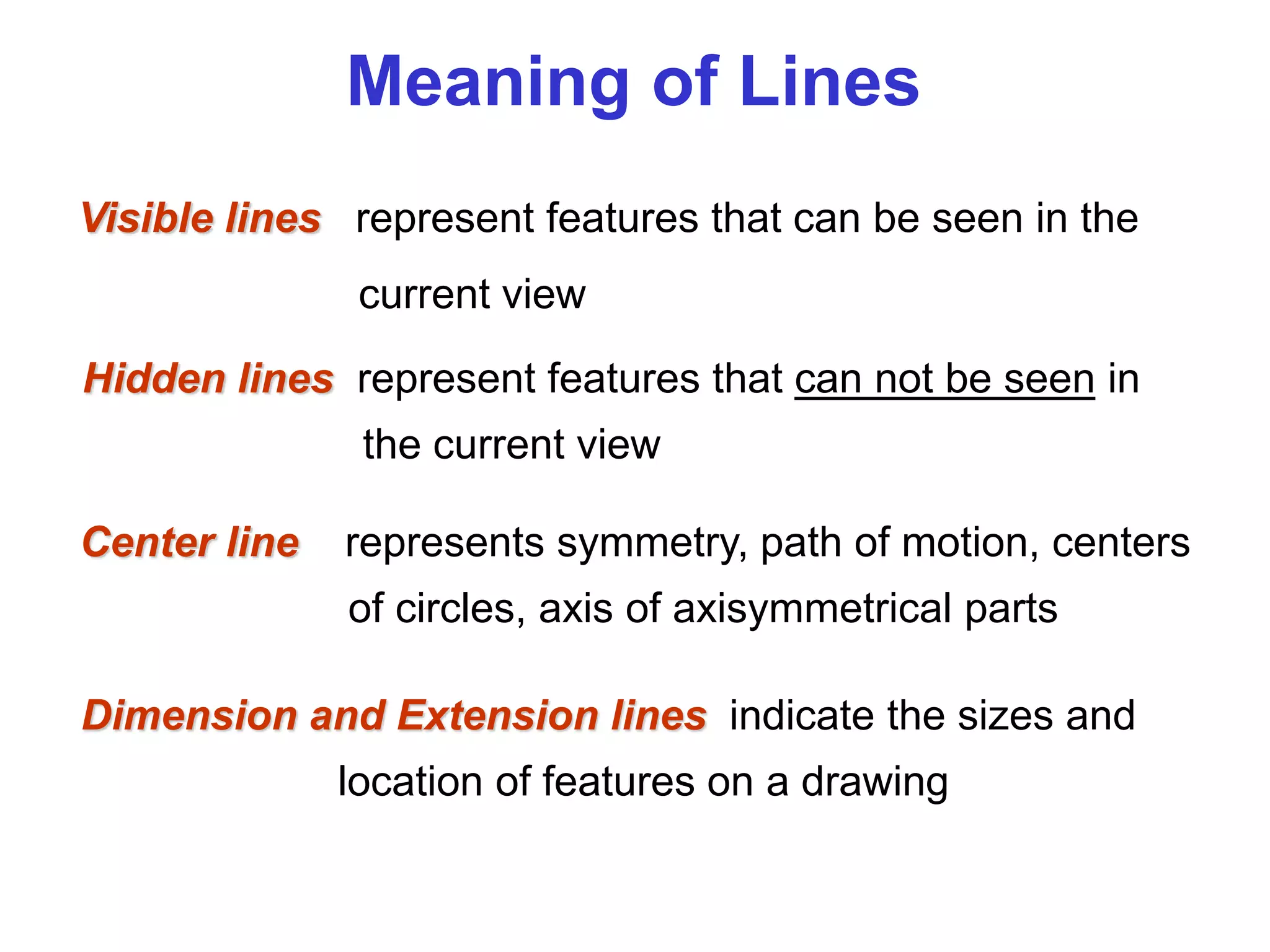
Visible lines represent features that can be seen in the
current view
Meaning of Lines
Hidden lines represent features that can not be seen in
the current view
Center line represents symmetry, path of motion, centers
of circles, axis of axisymmetrical parts
Dimension and Extension lines indicate the sizes and
location of features on a drawing
Example : Line conventions in engineering drawing
Traditional
Drawing Tools
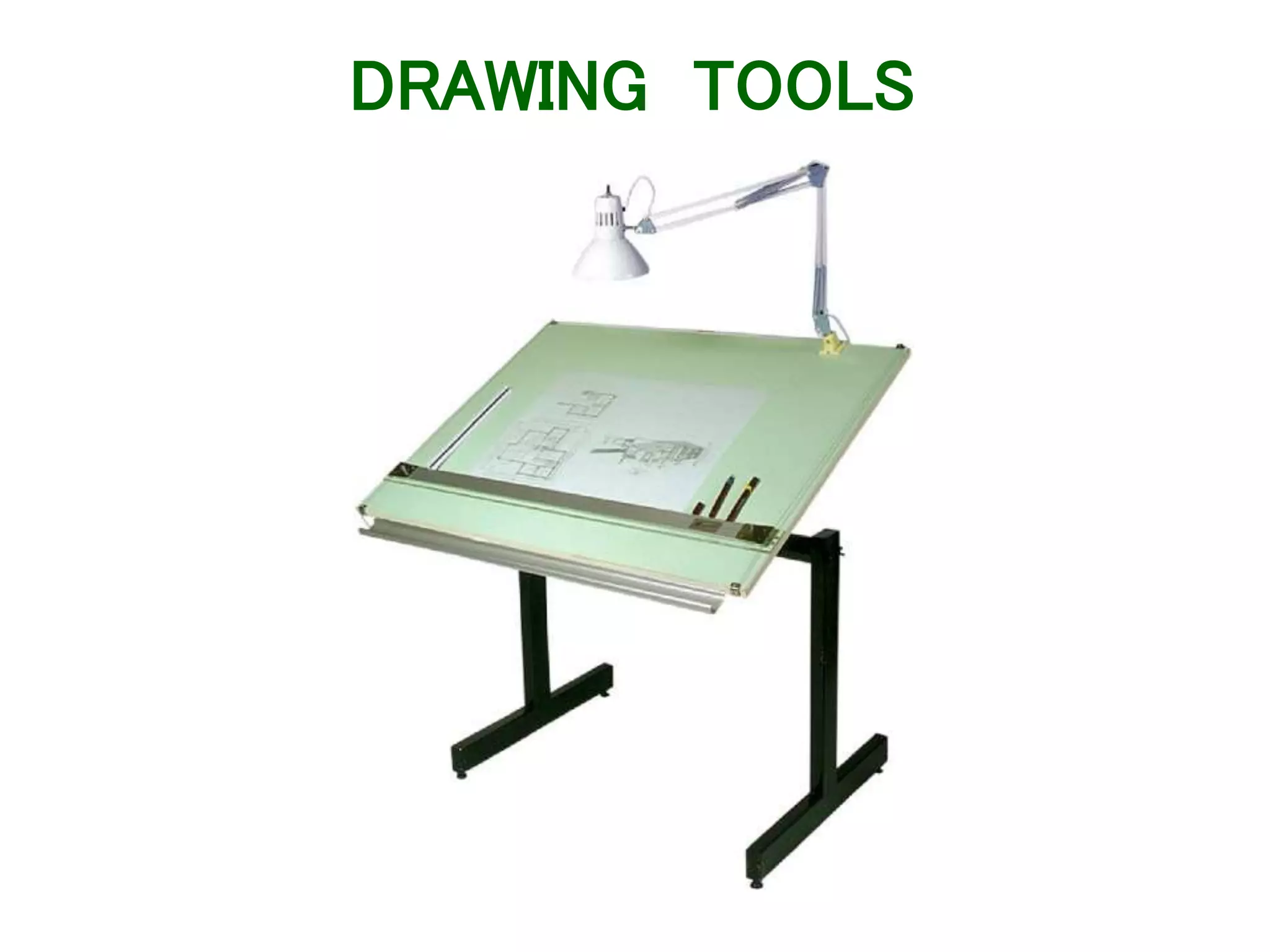
DRAWING TOOLS
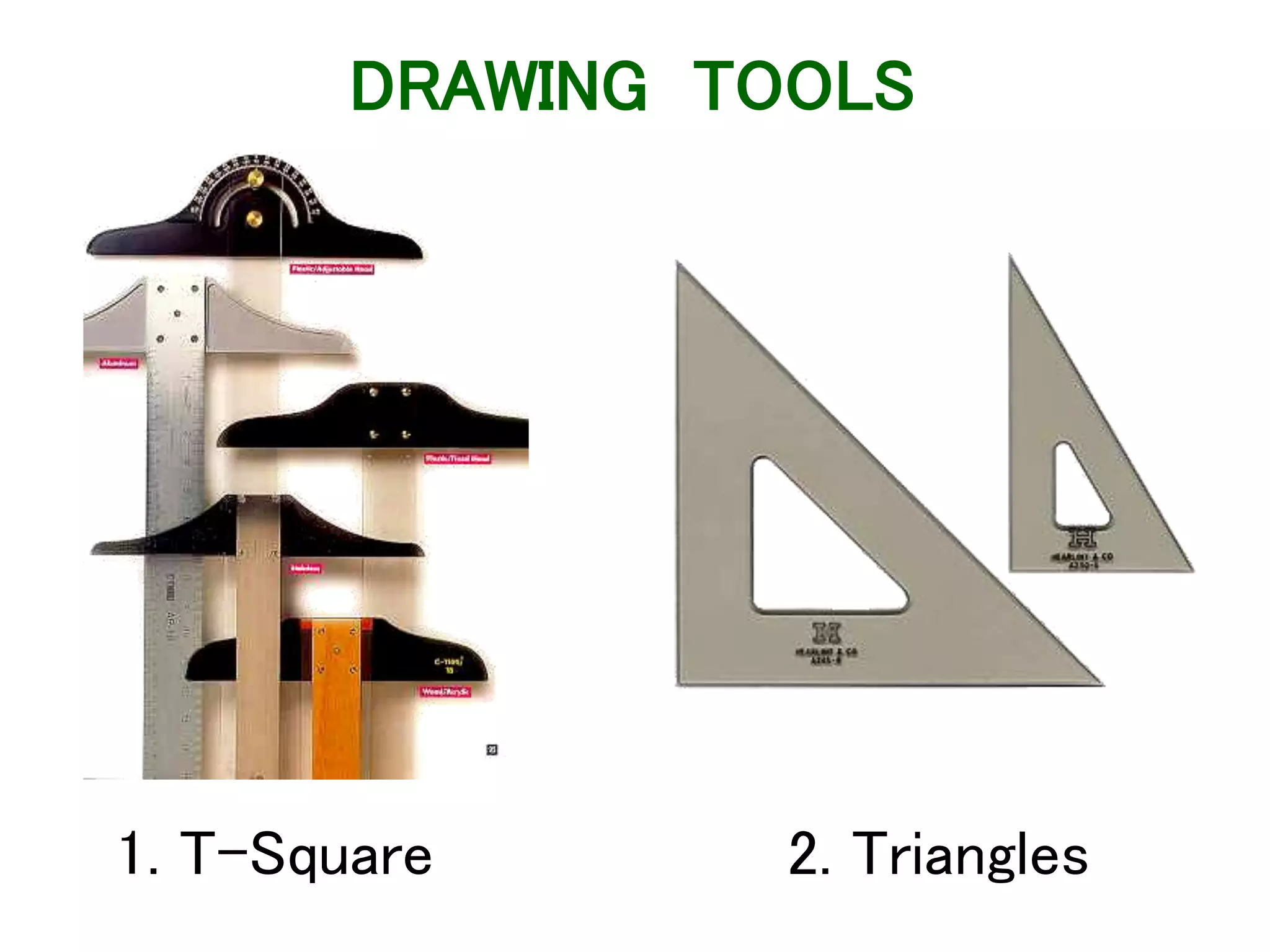
1. T-Square 2. Triangles
DRAWING TOOLS
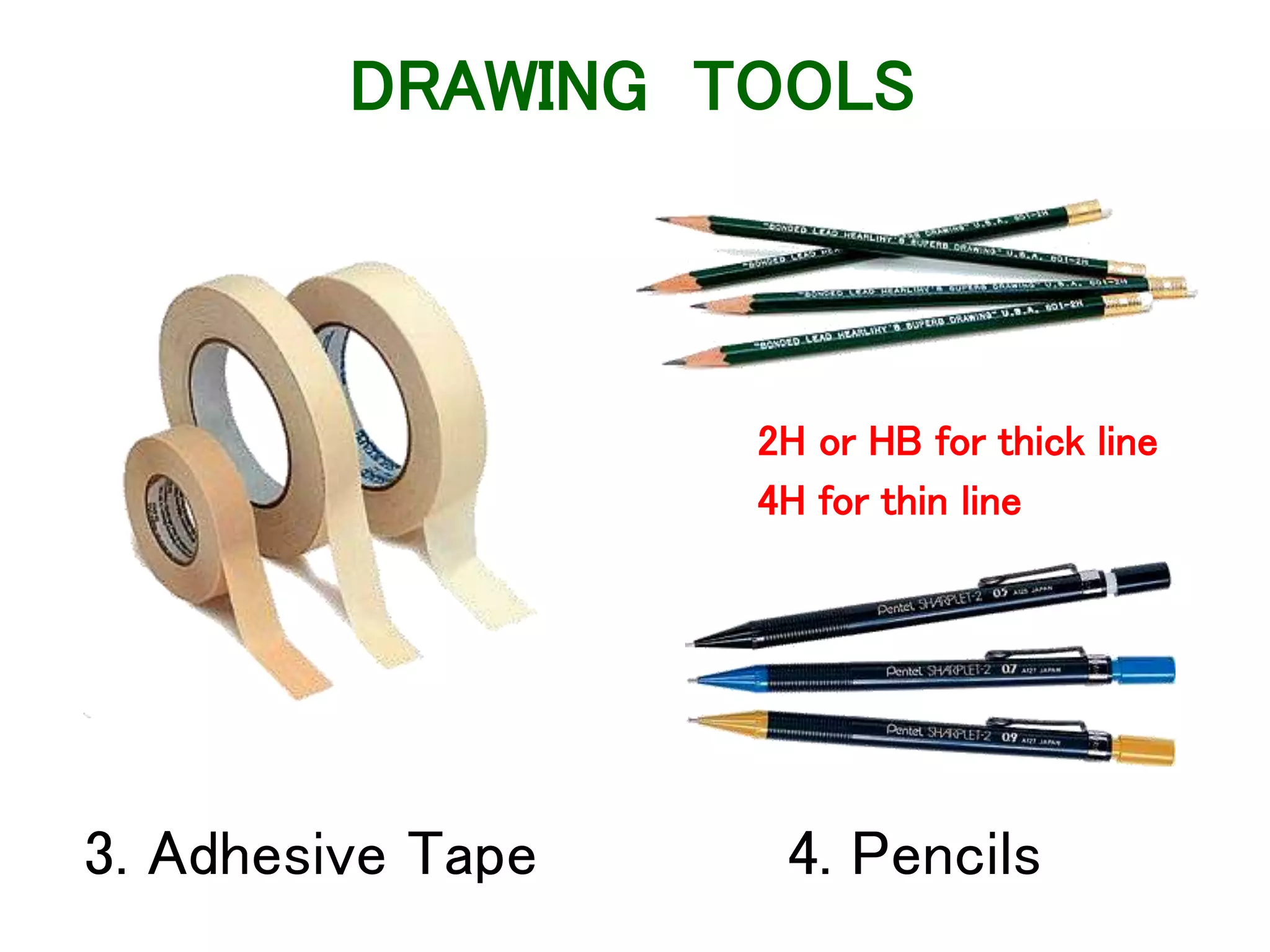
3. Adhesive Tape 4. Pencils
2H or HB for thick line
4H for thin line
DRAWING TOOLS
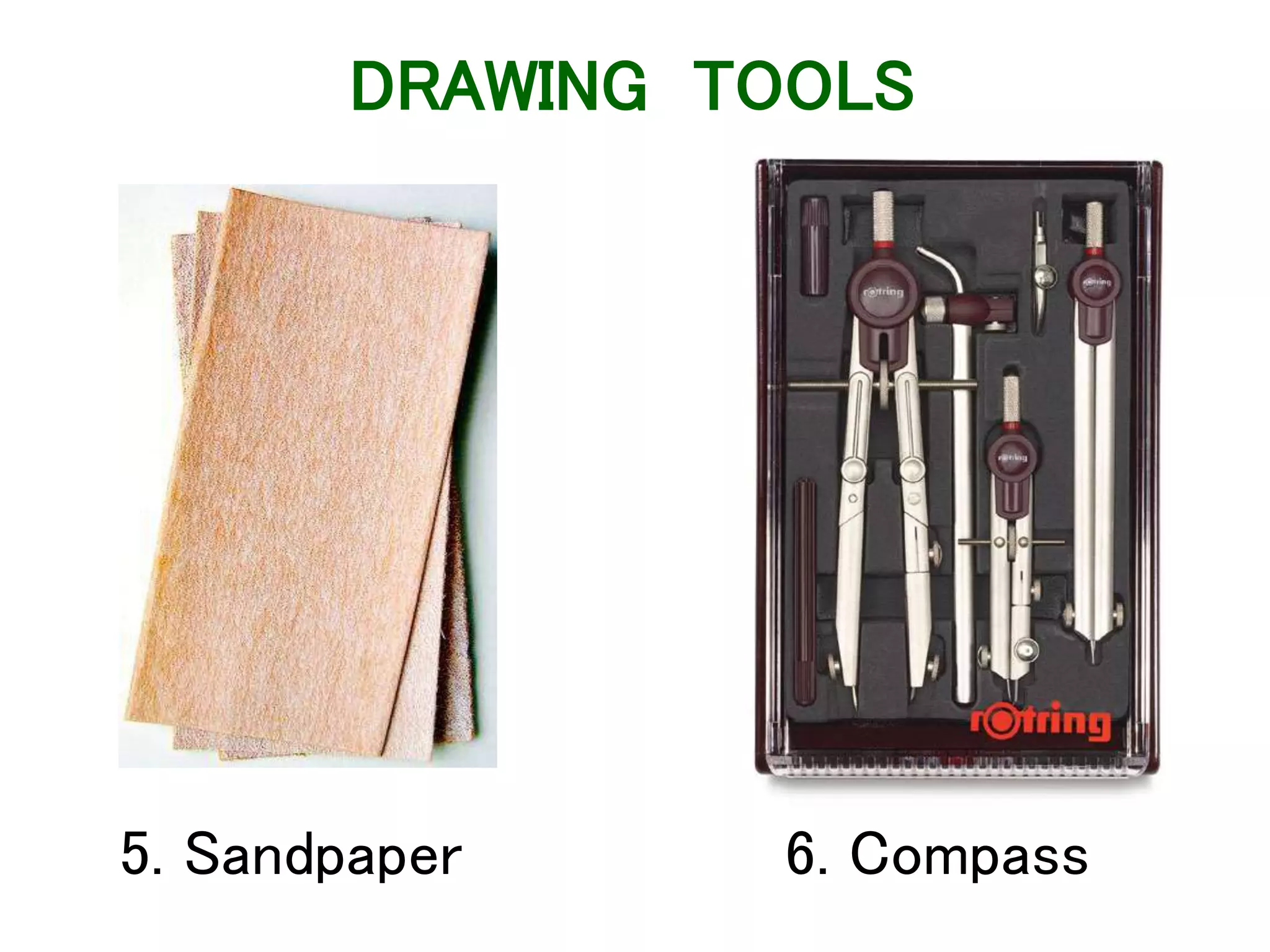
5. Sandpaper 6. Compass
DRAWING TOOLS
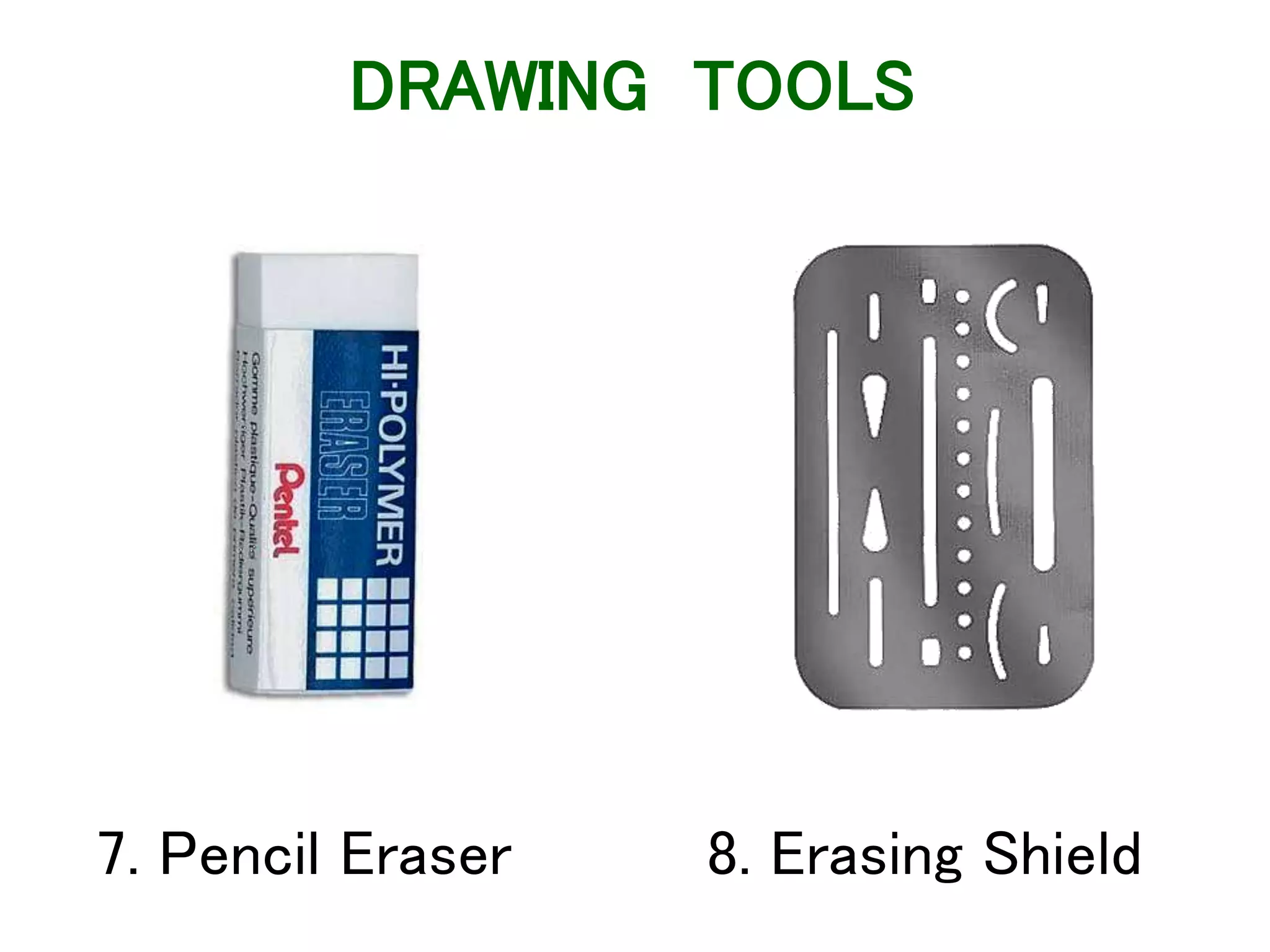
7. Pencil Eraser 8. Erasing Shield
DRAWING TOOLS
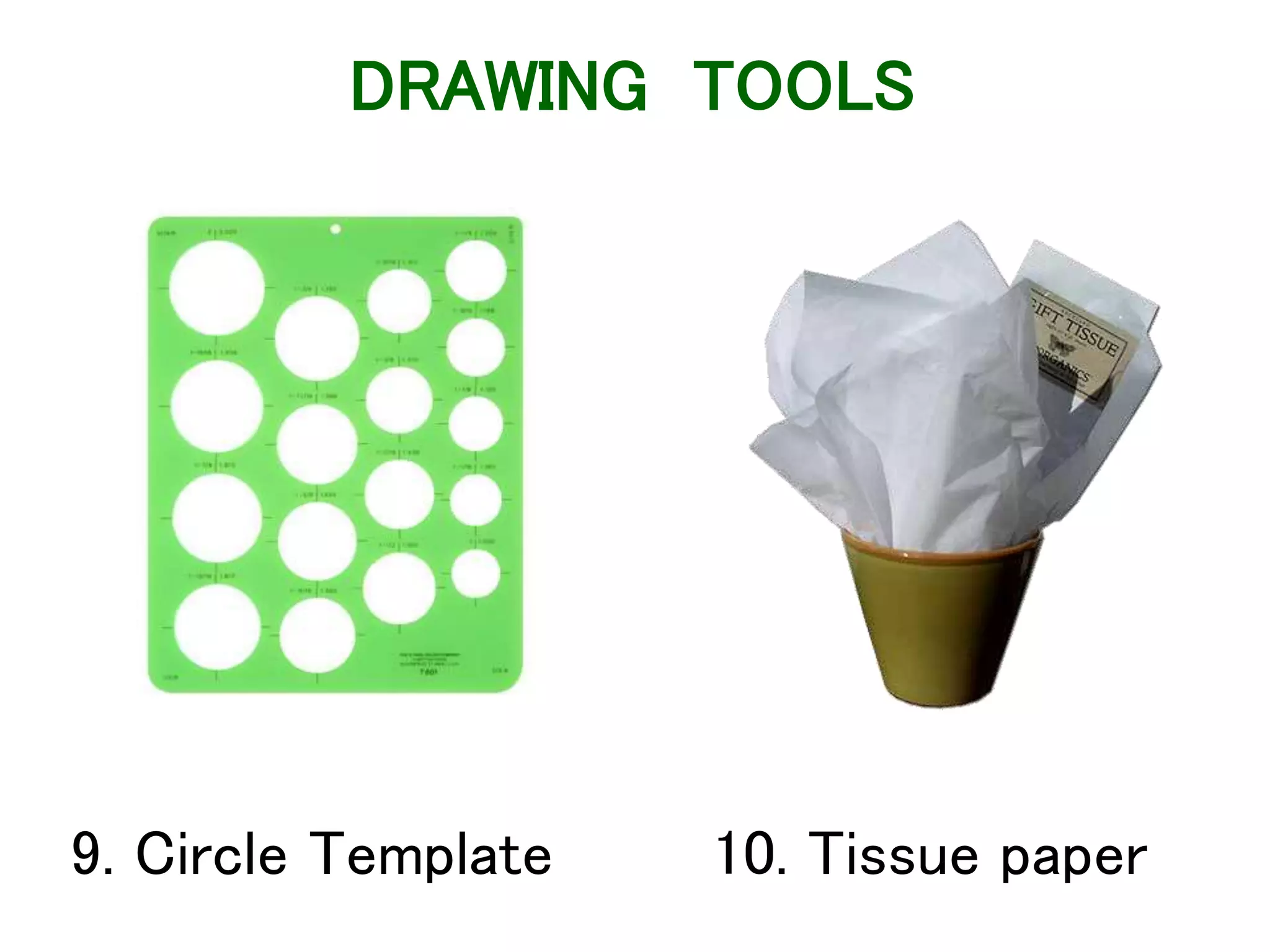
9. Circle Template 10. Tissue paper
DRAWING TOOLS
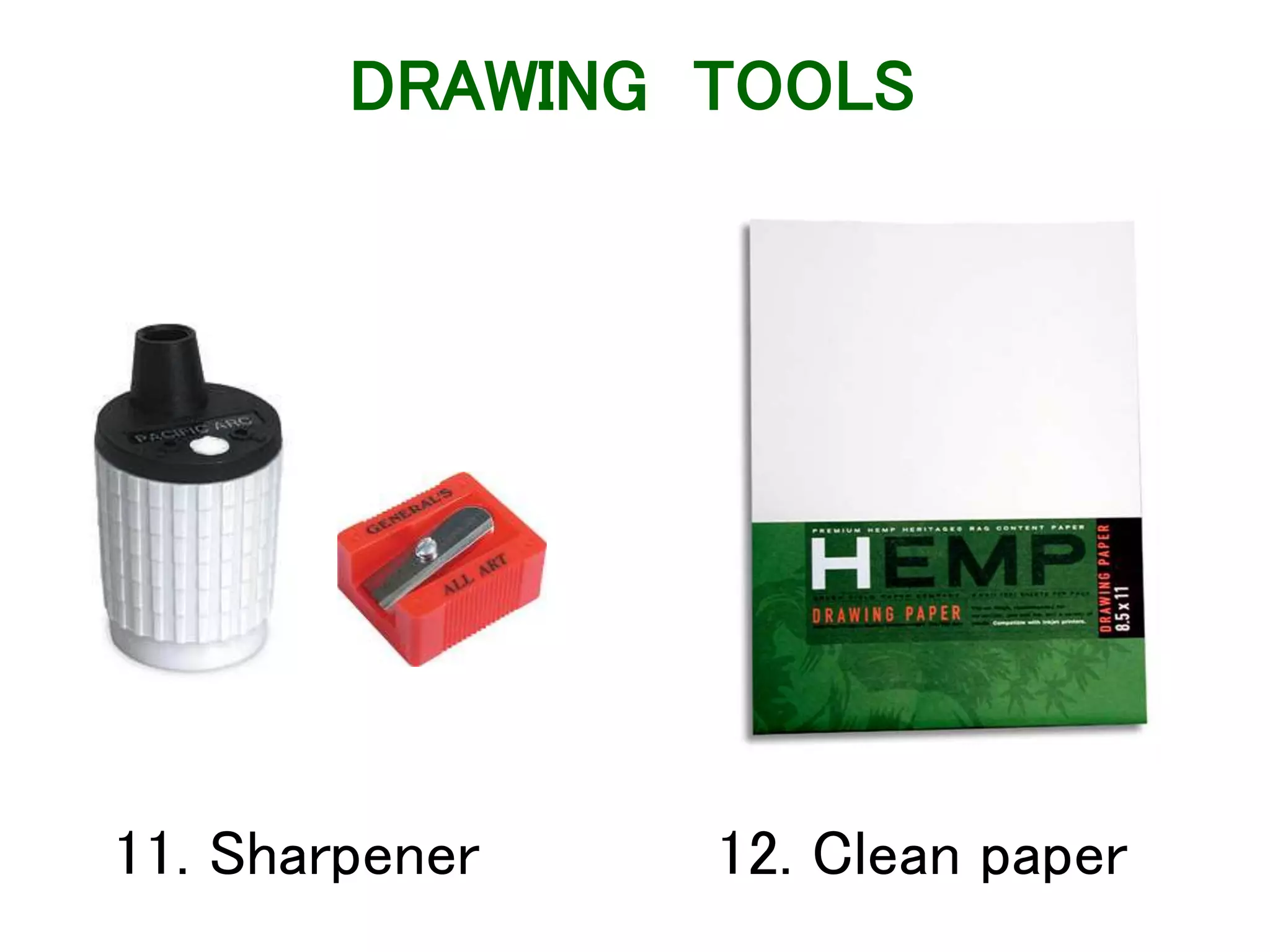
11. Sharpener 12. Clean paper
DRAWING TOOLS
ABCDEFGHIJKLMNOPQRST
UVWXYZABCDEFGHIJKLM
NOPQRSTUVWXYZABCDEF
ABCDEFGHIJKLMNOPQRST
UVWXYZABCDEFGHIJKLM
NOPQRSTUVWXYZABCDEF
Lettering
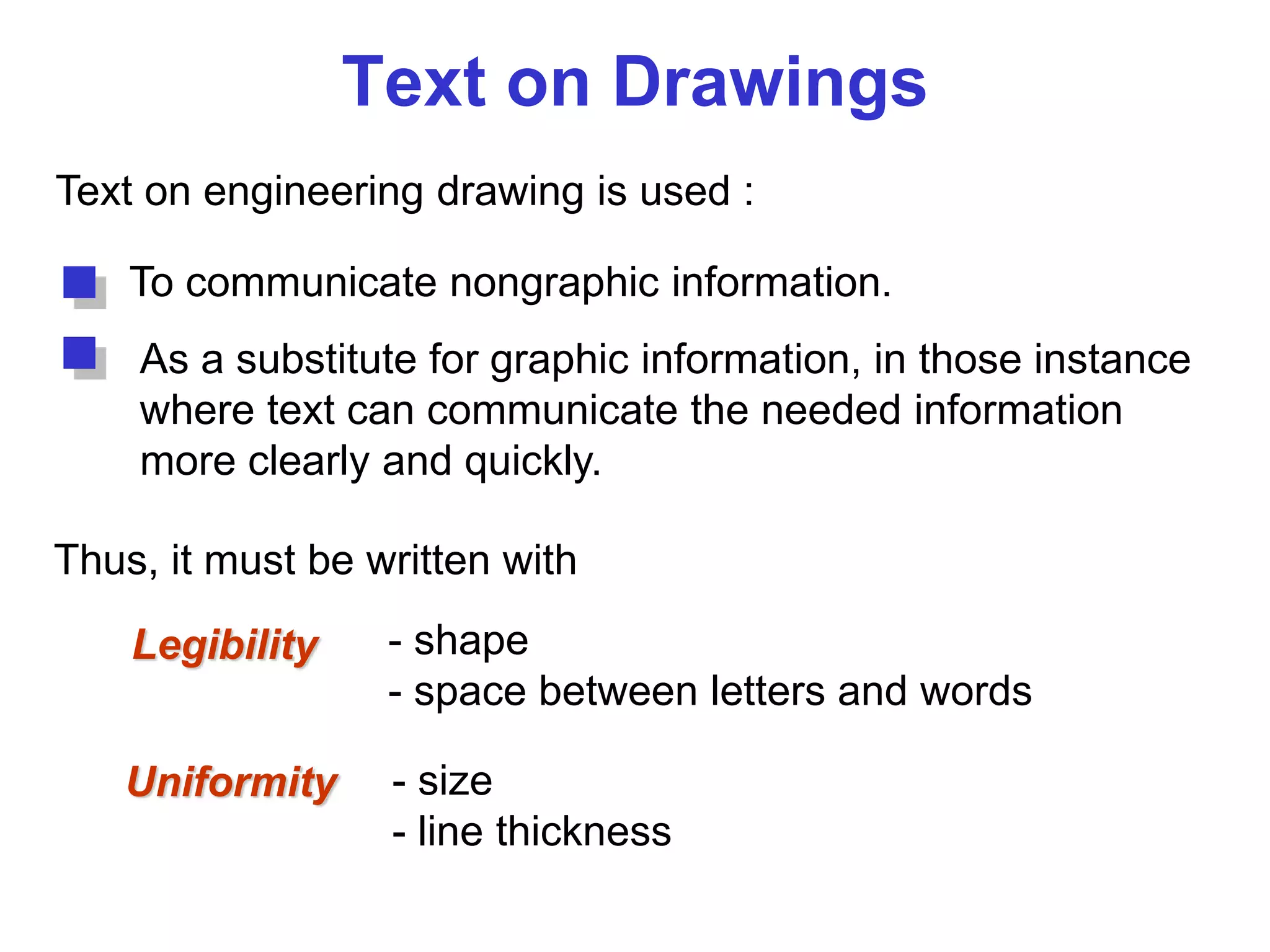
Text on Drawings
Text on engineering drawing is used :
To communicate nongraphic information.
As a substitute for graphic information, in those instance
where text can communicate the needed information
more clearly and quickly.
Uniformity - size
- line thickness
Legibility - shape
- space between letters and words
Thus, it must be written with
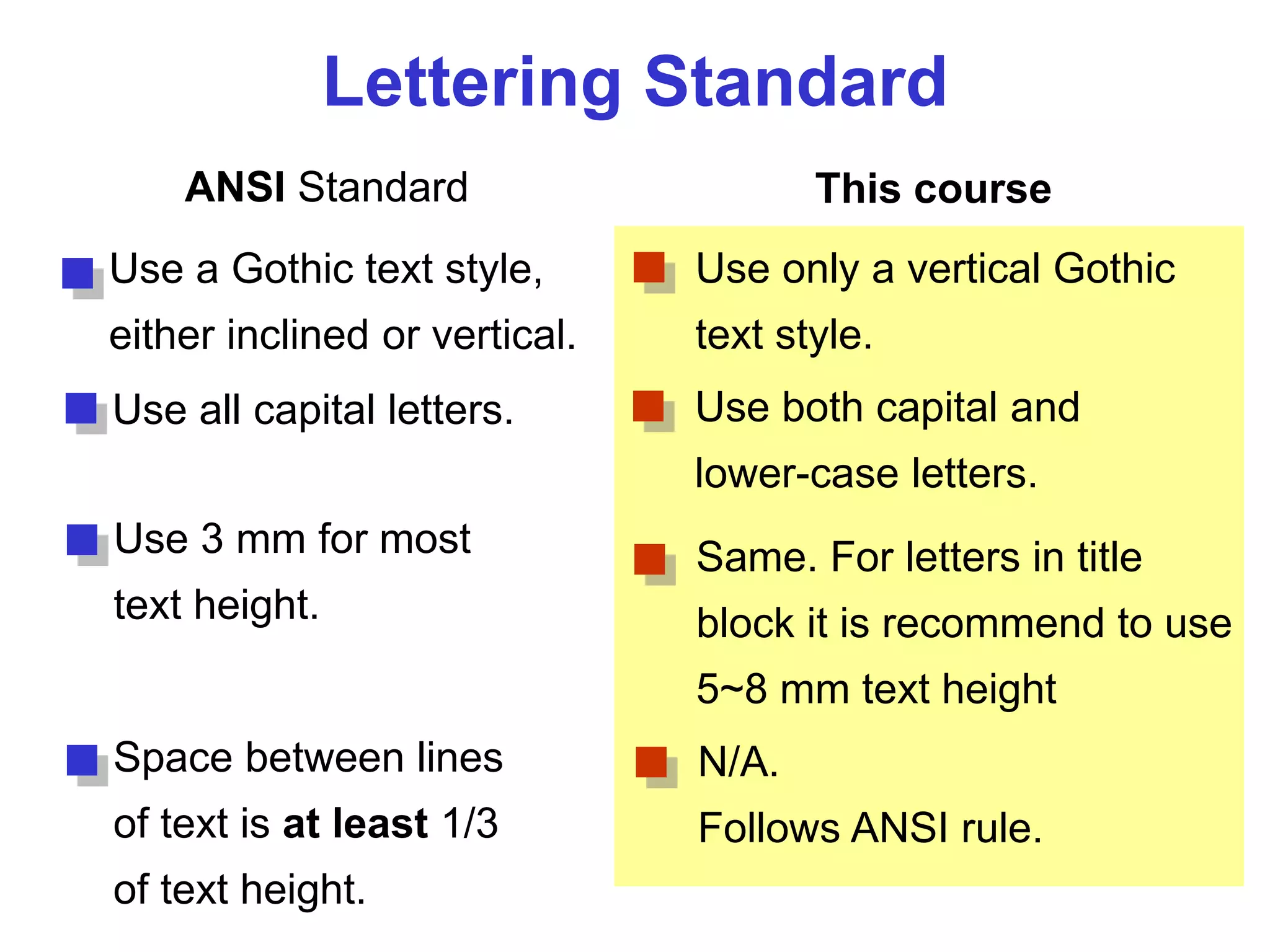
Lettering Standard
ANSI Standard This course
Use a Gothic text style,
either inclined or vertical.
Use all capital letters.
Use 3 mm for most
text height.
Space between lines
of text is at least 1/3
of text height.
Use only a vertical Gothic
text style.
Use both capital and
lower-case letters.
Same. For letters in title
block it is recommend to use
5~8 mm text height
N/A.
Follows ANSI rule.
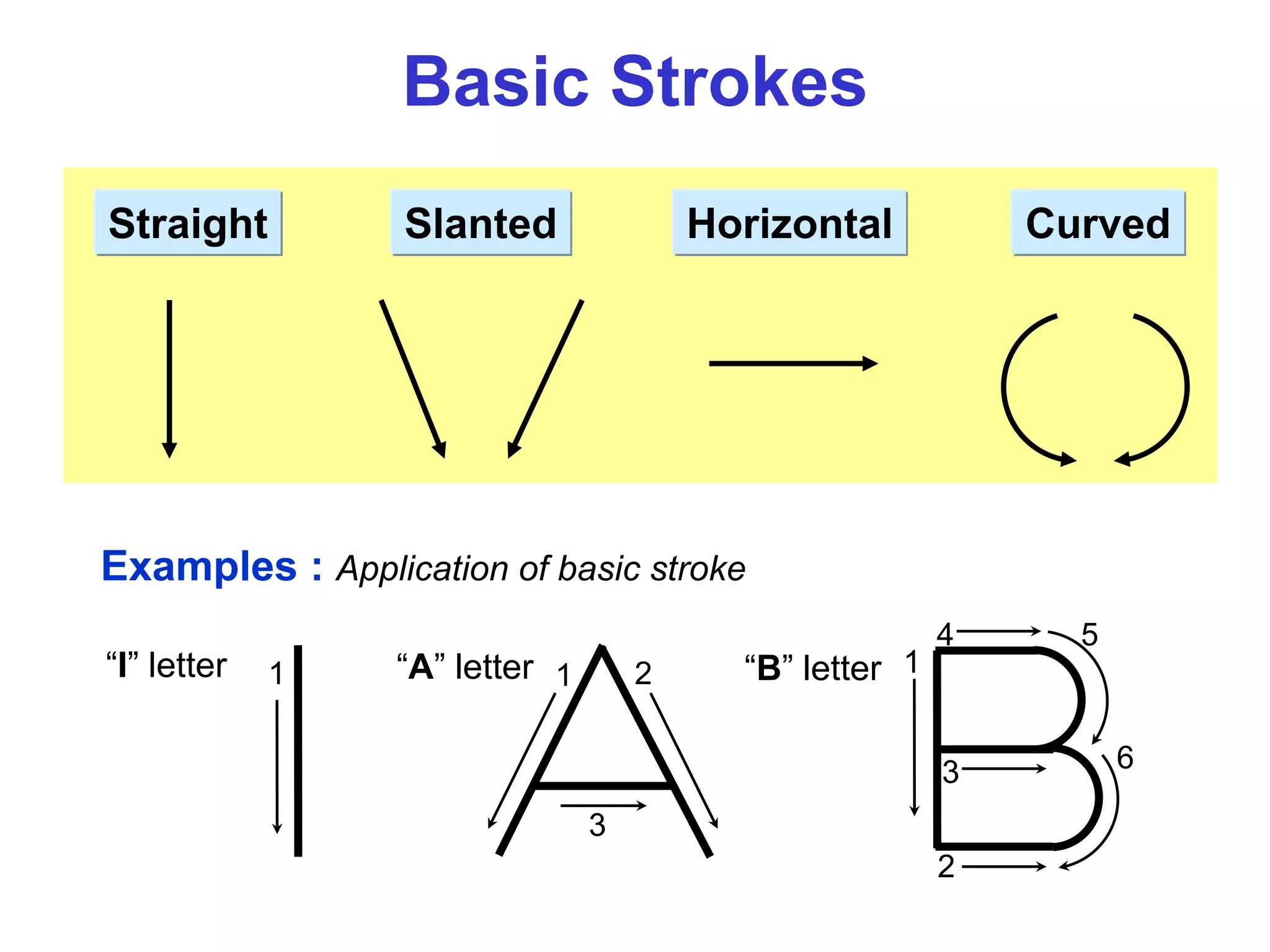
Basic Strokes
Straight Slanted CurvedHorizontal
1 1 2
3
Examples : Application of basic stroke
“I” letter “A” letter 1
2
3
4 5
6
“B” letter
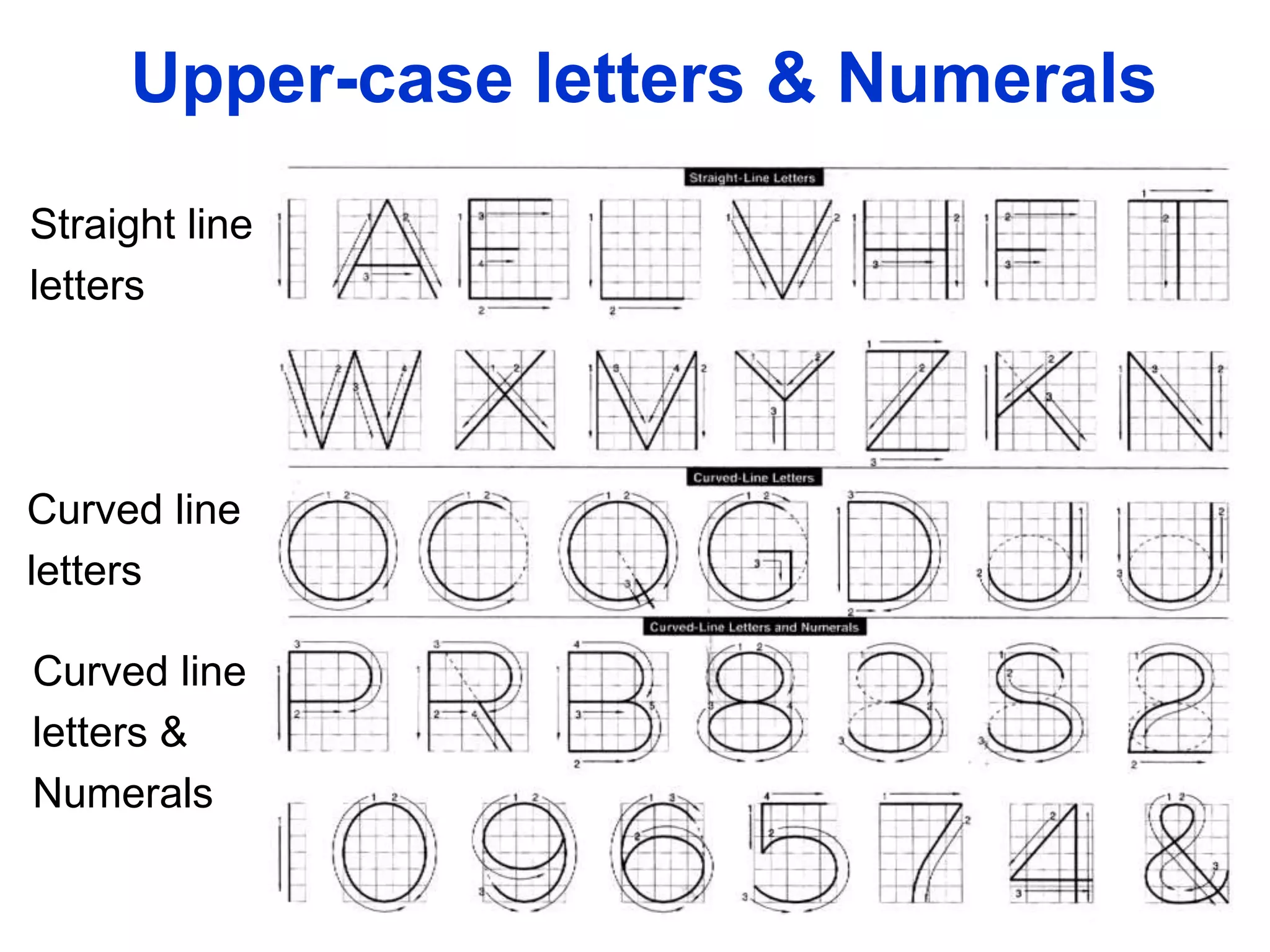
Suggested Strokes Sequence
Straight line
letters
Curved line
letters
Curved line
letters &
Numerals
Upper-case letters & Numerals
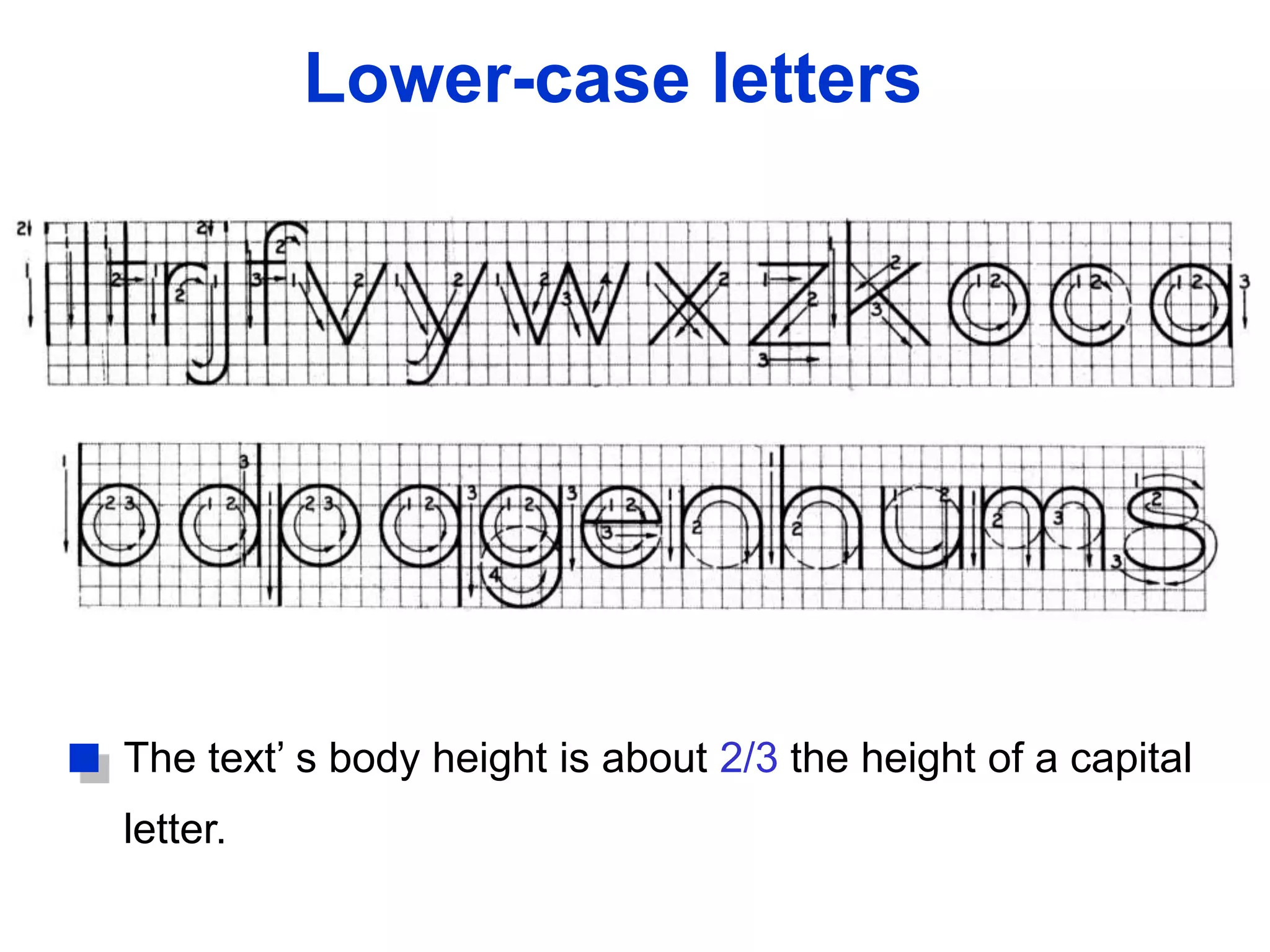
The text’ s body height is about 2/3 the height of a capital
letter.
Suggested Strokes SequenceLower-case letters
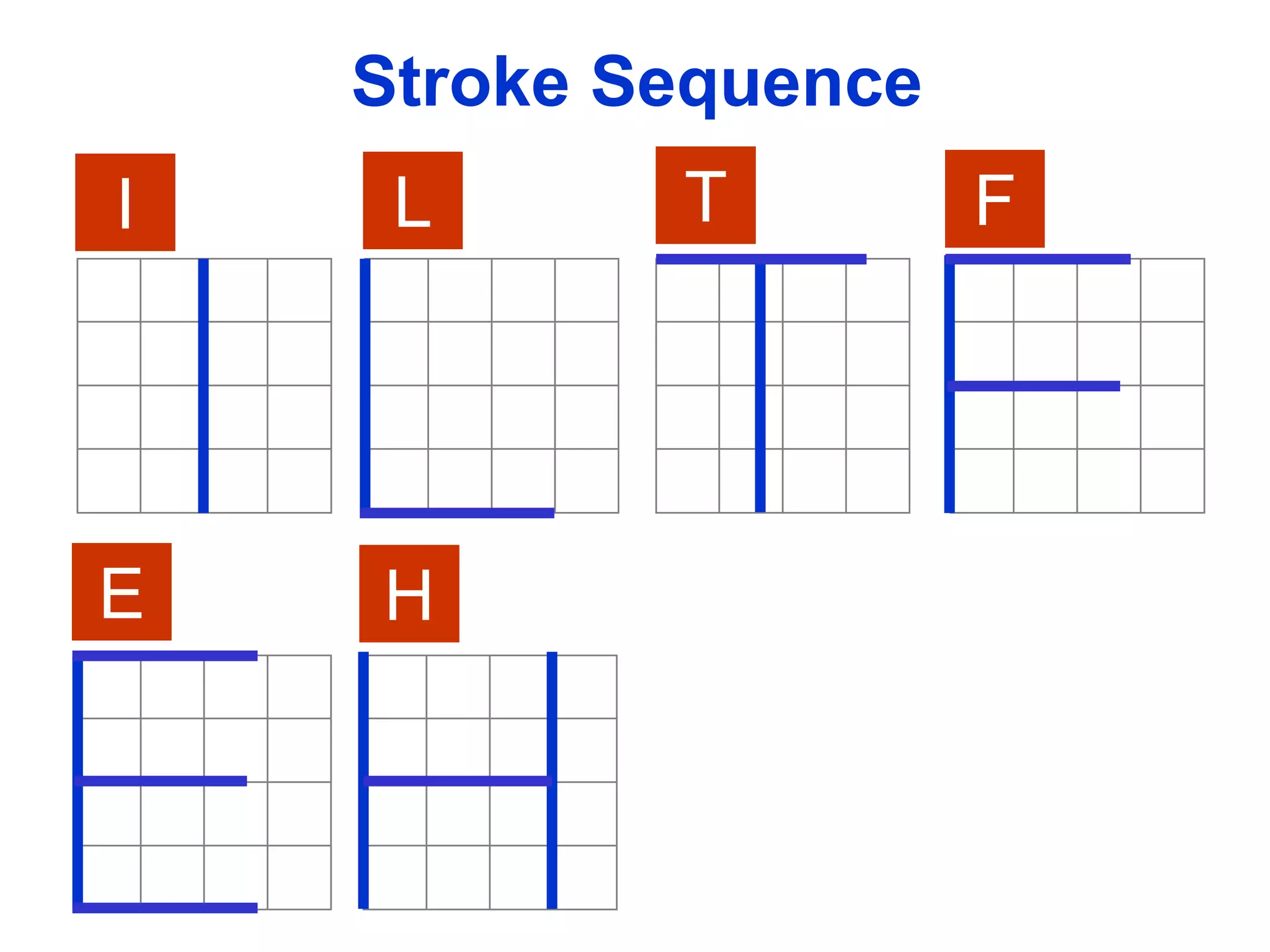
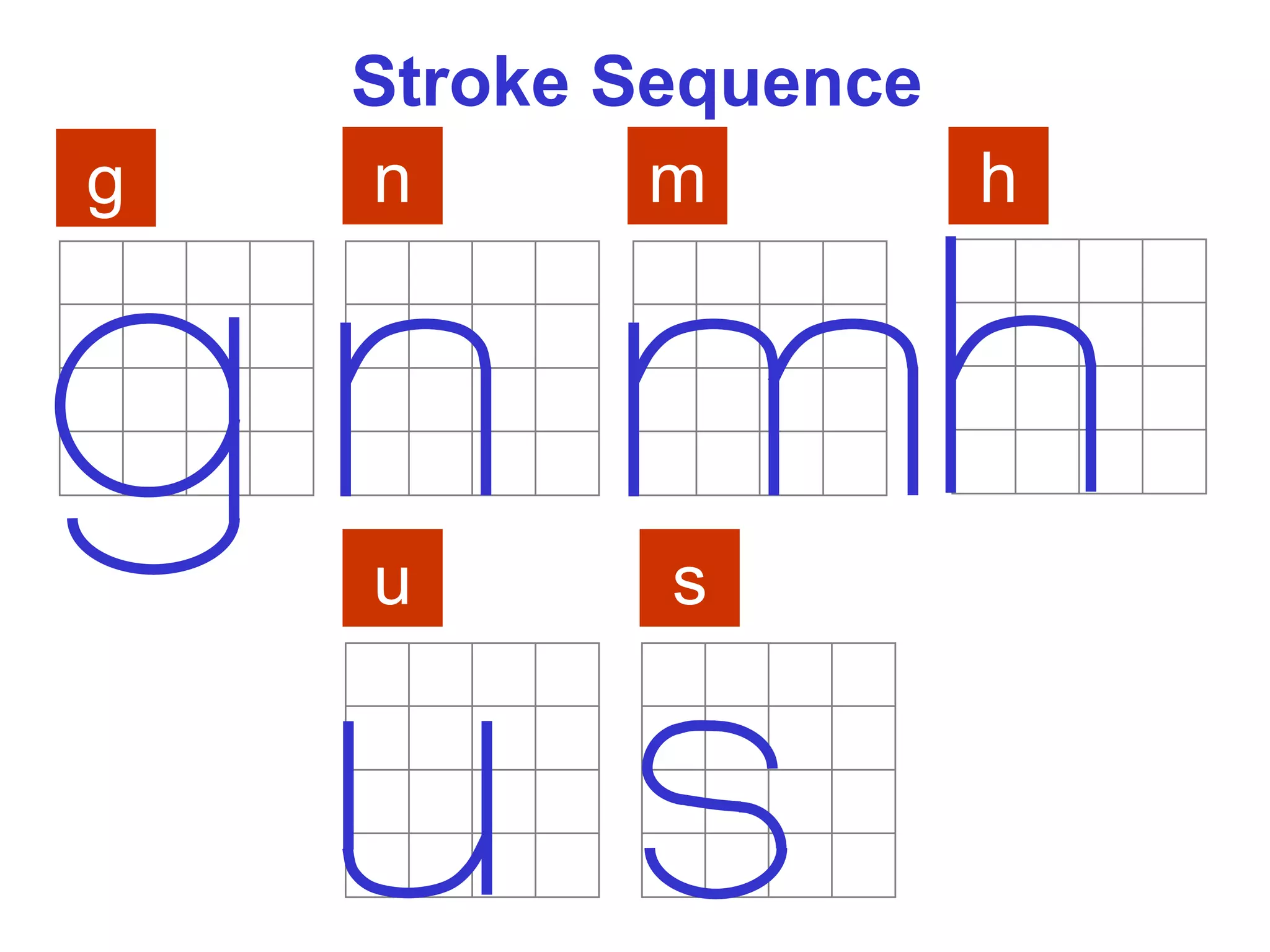
Stroke Sequence
I L T F
E H
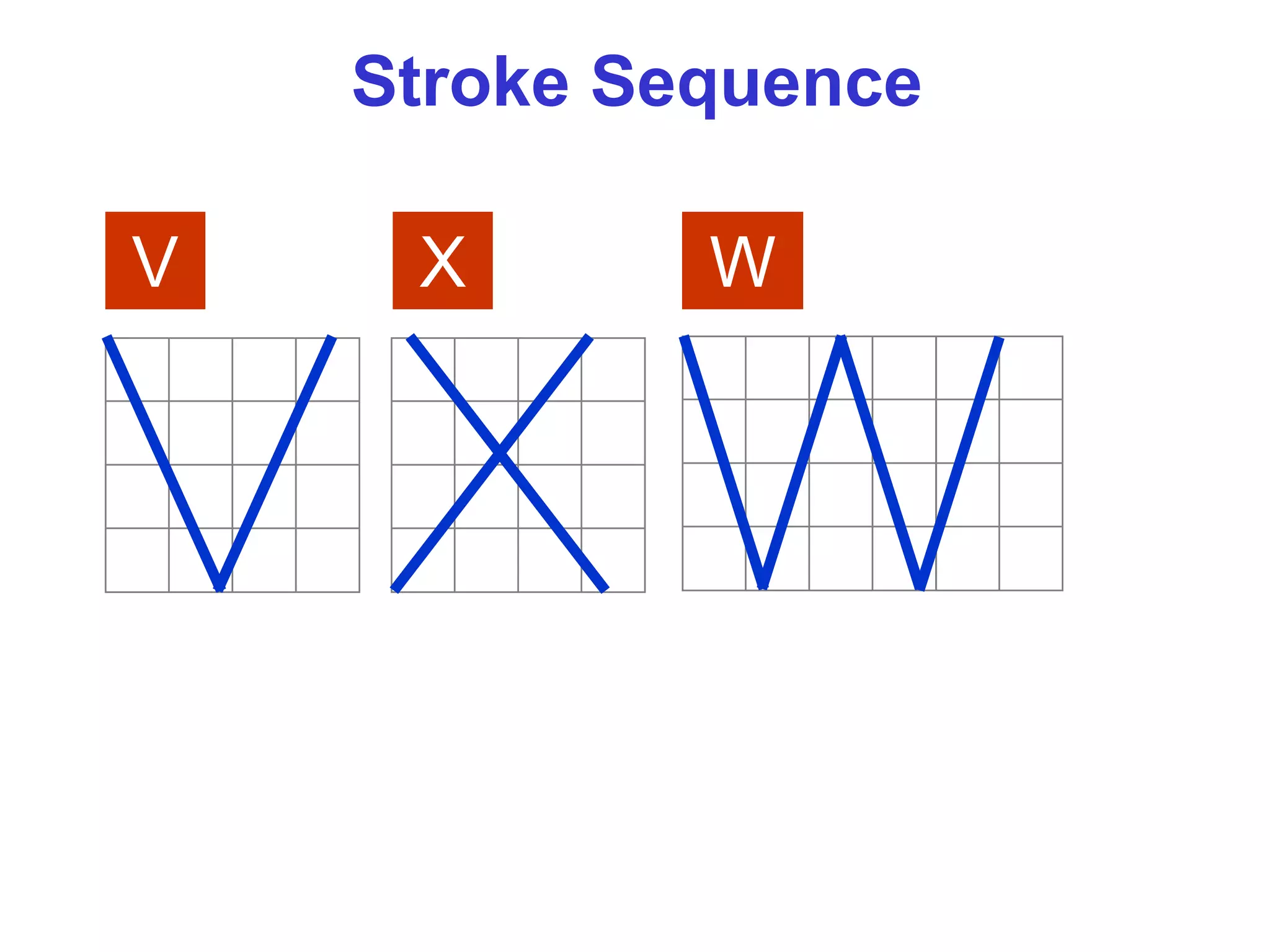
V X W
Stroke Sequence
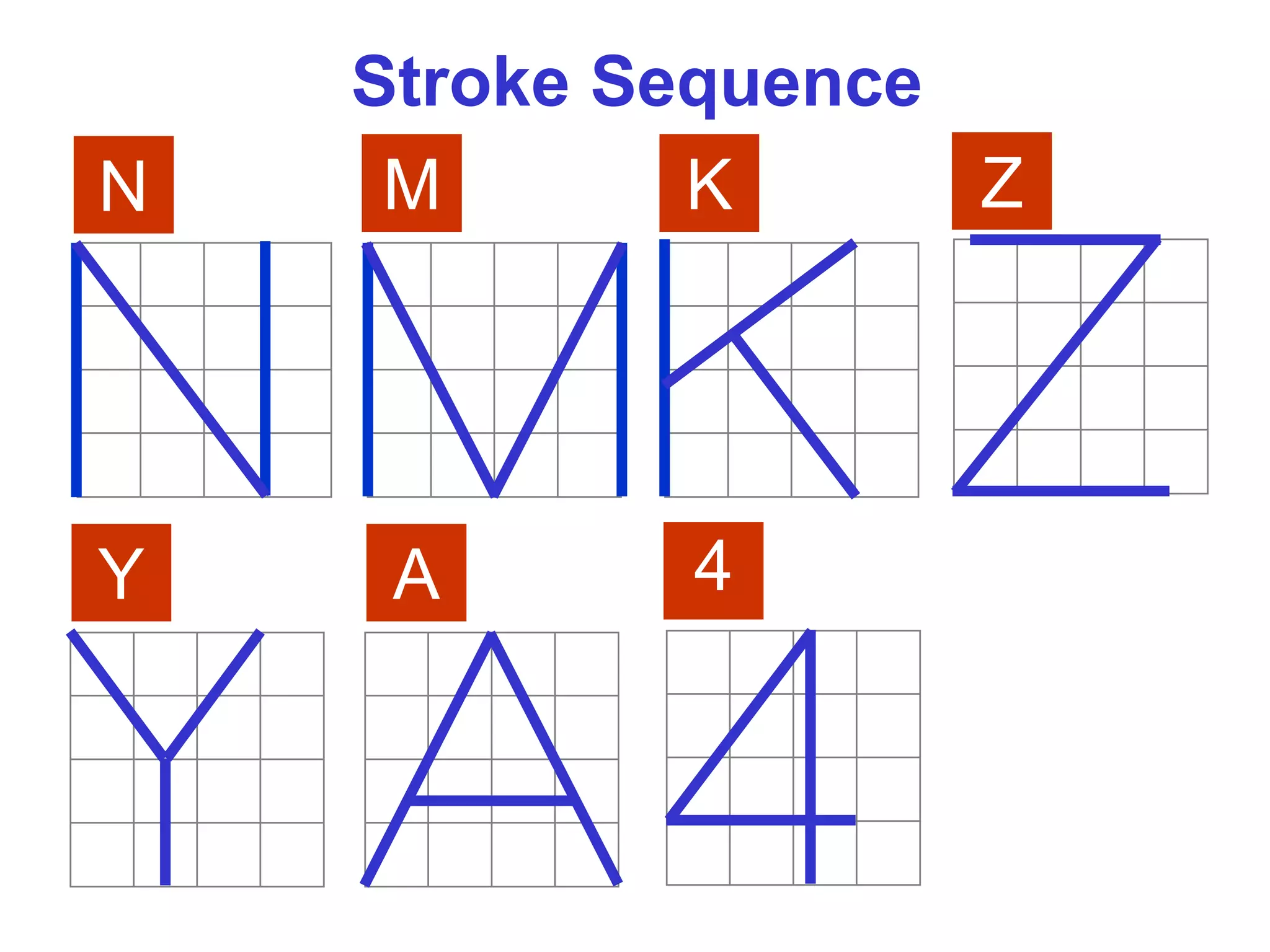
N M K Z
Y A
Stroke Sequence
4
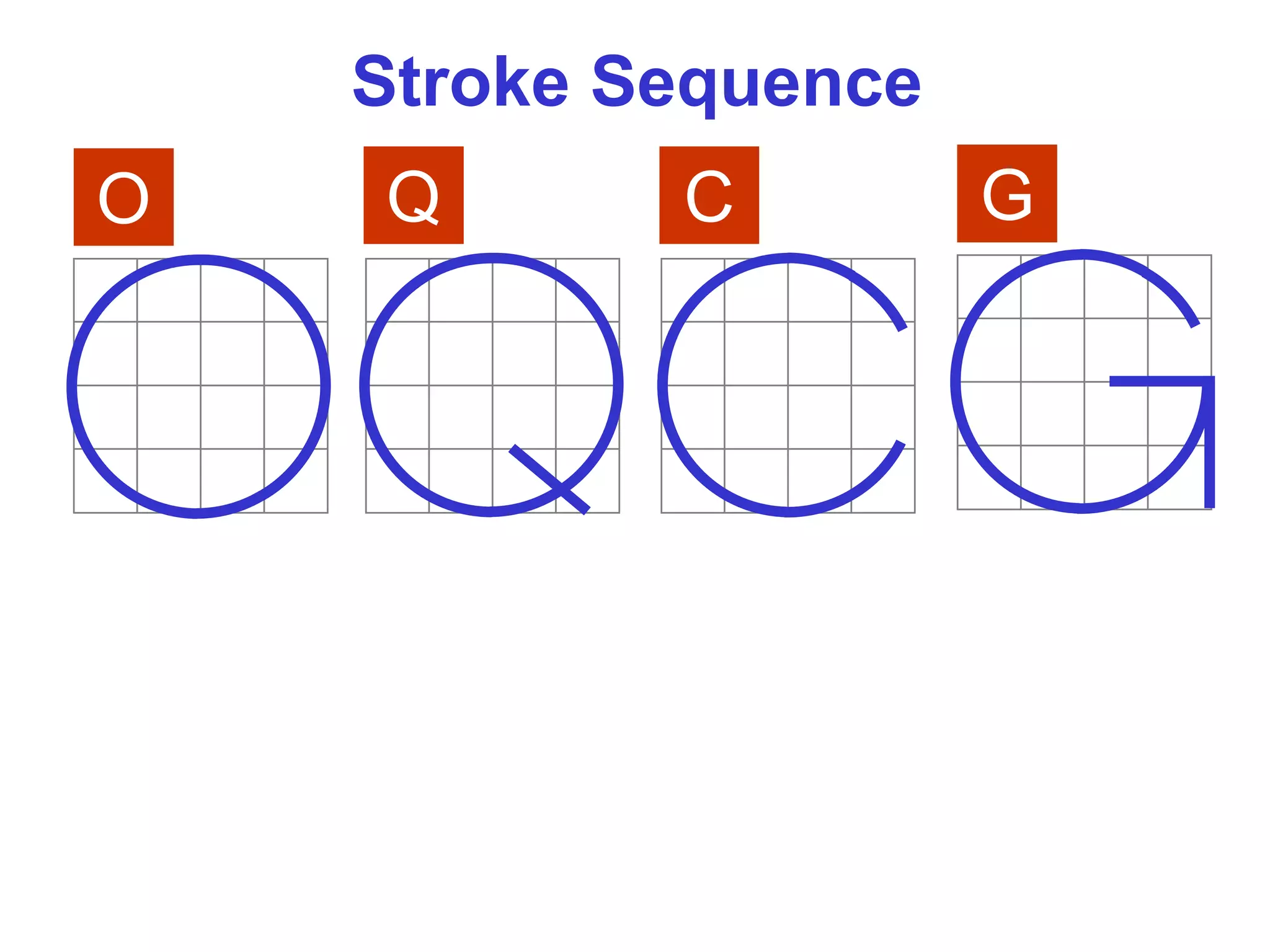
O Q C G
Stroke Sequence
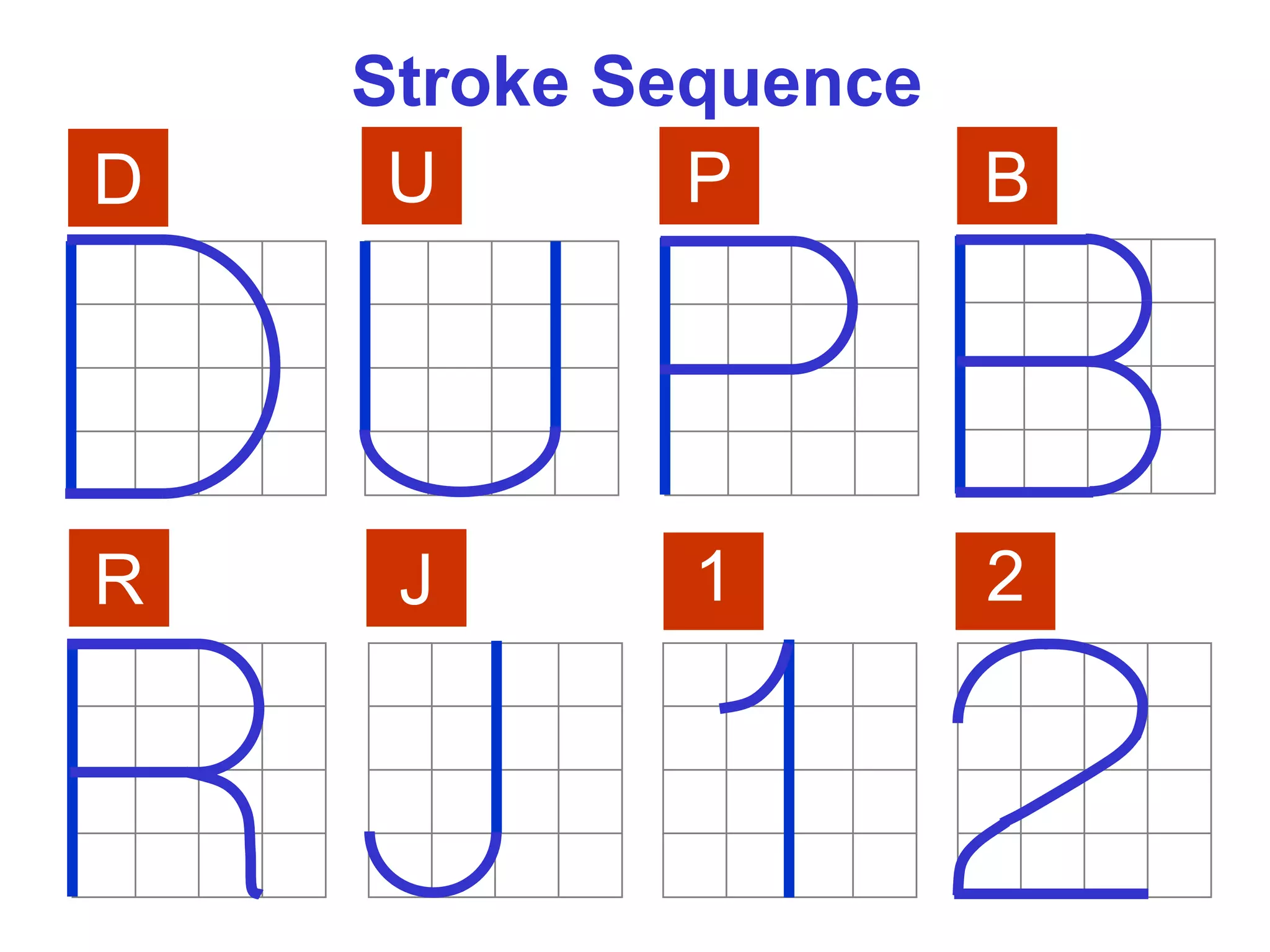
D U P B
R J
Stroke Sequence
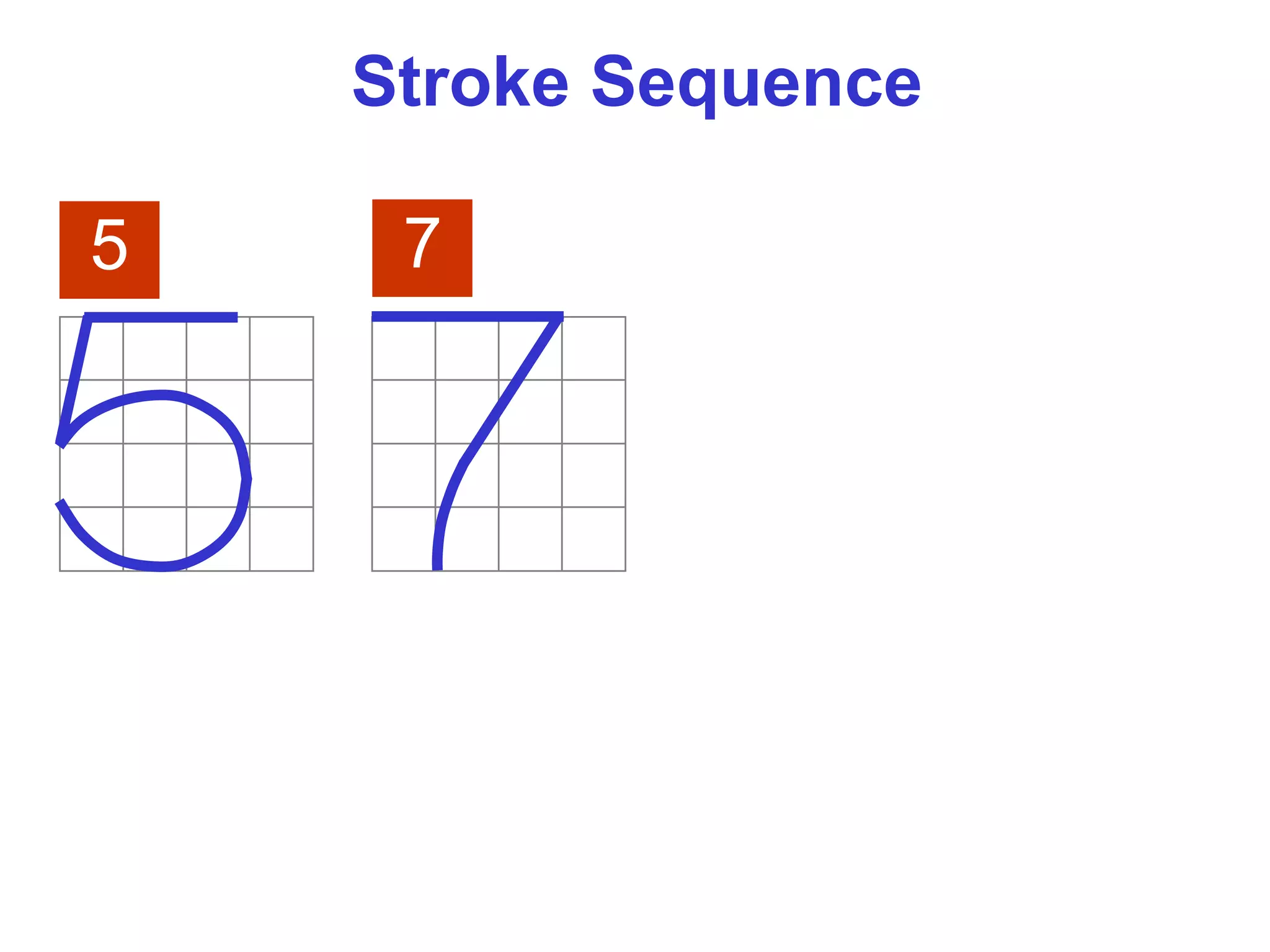
1 2
5
Stroke Sequence
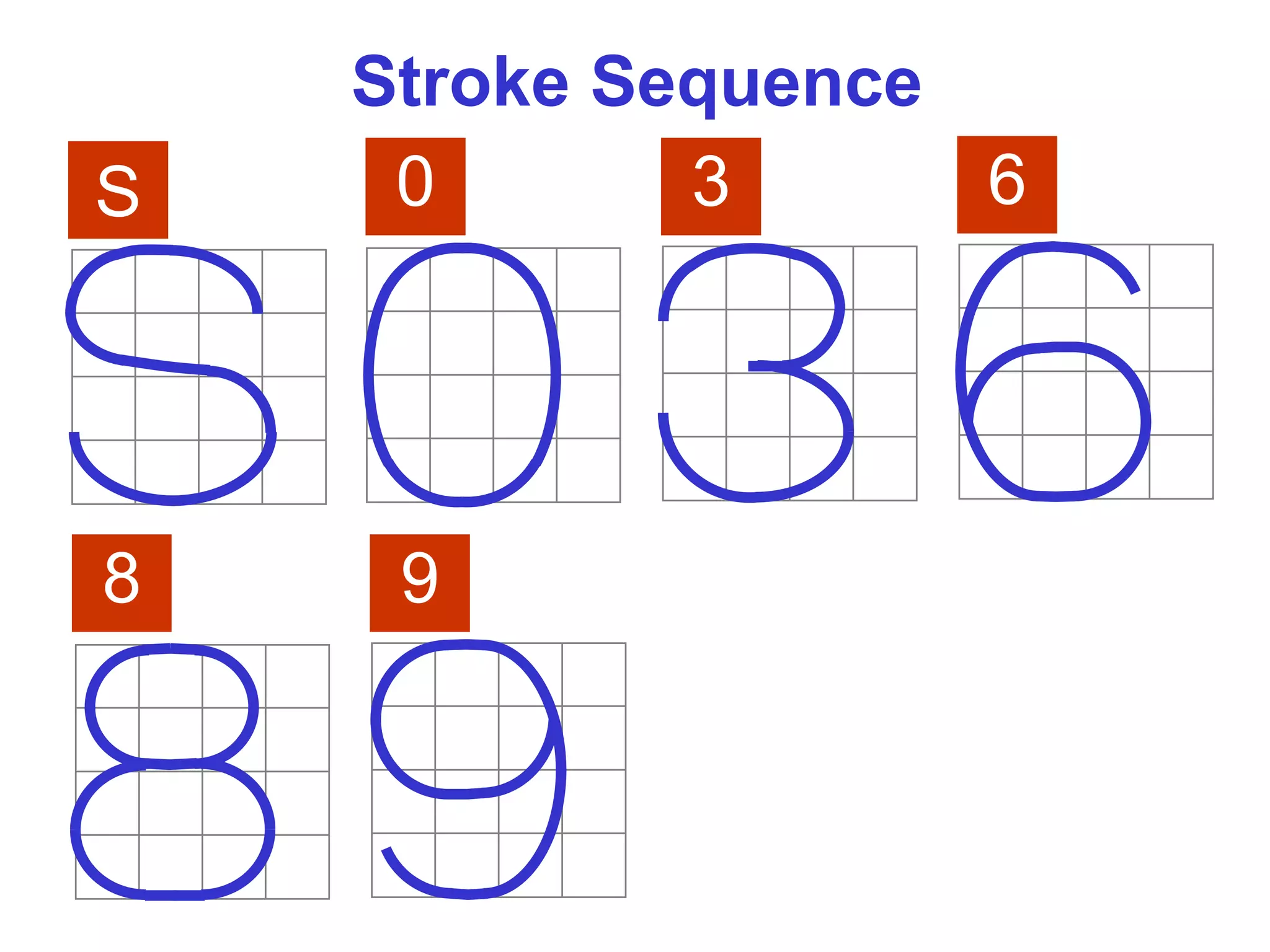
7
6
8 9
0
Stroke Sequence
S 3
Stroke Sequence
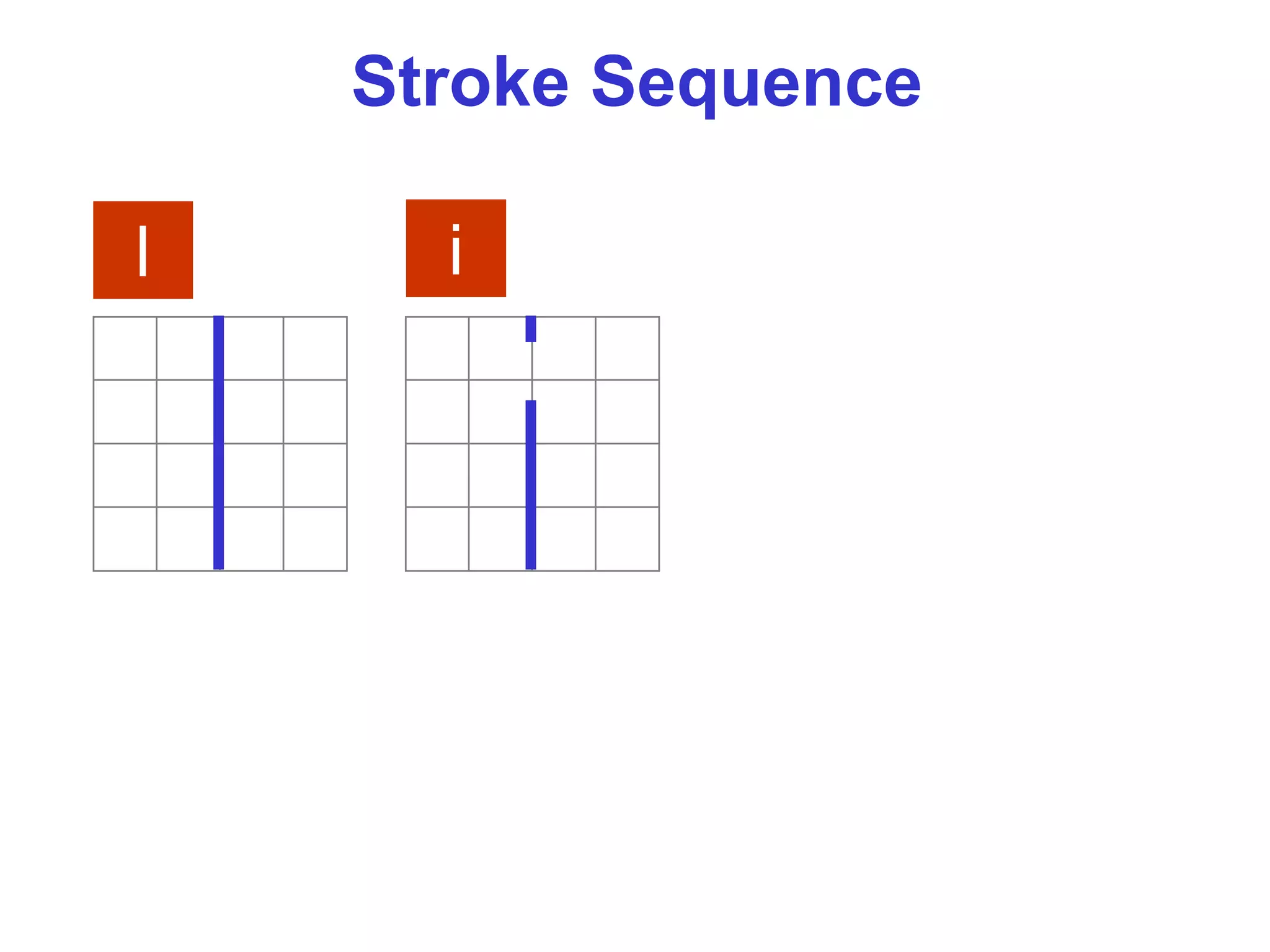
l i
Stroke Sequence
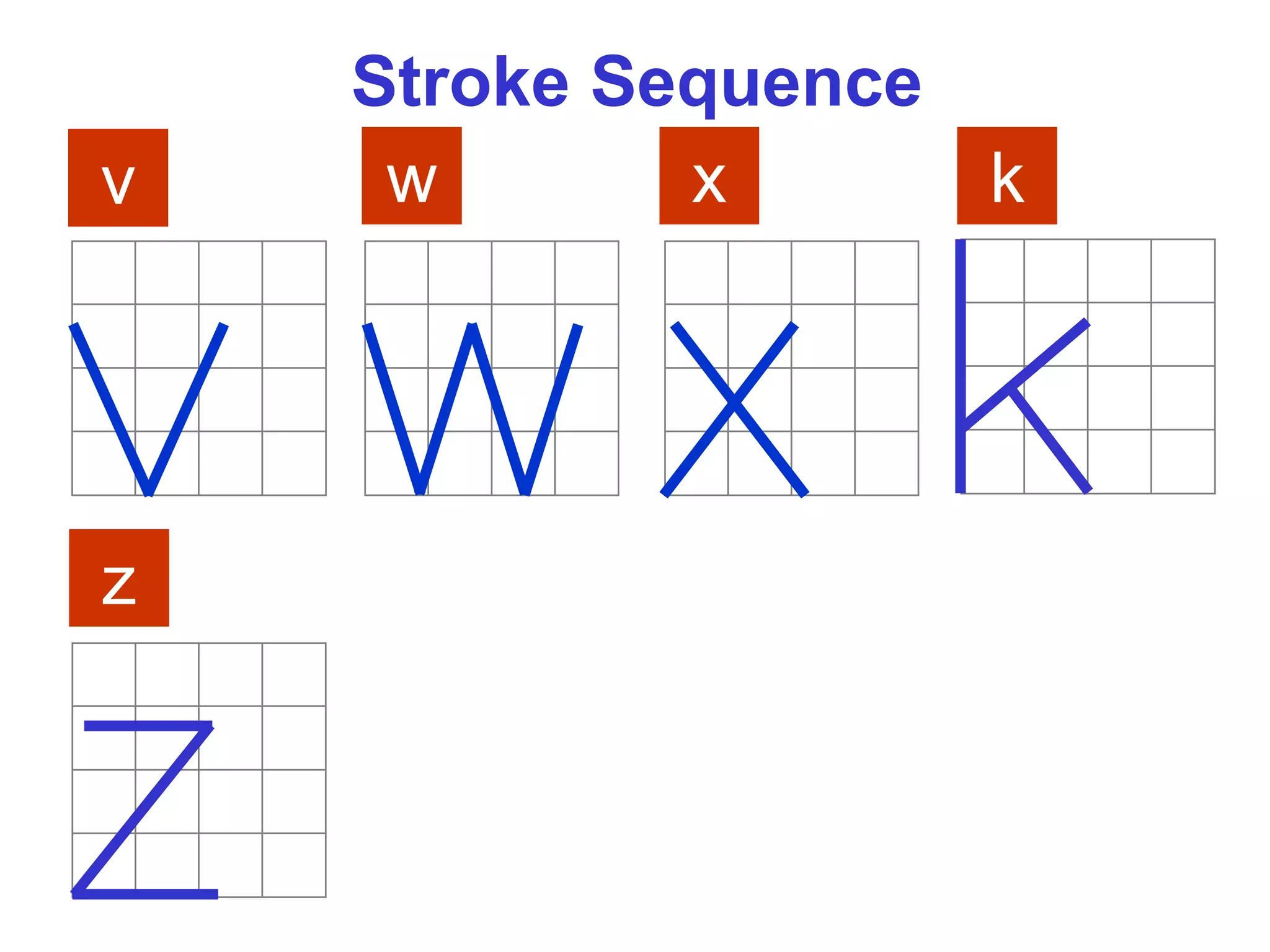
v w x k
z
Stroke Sequence
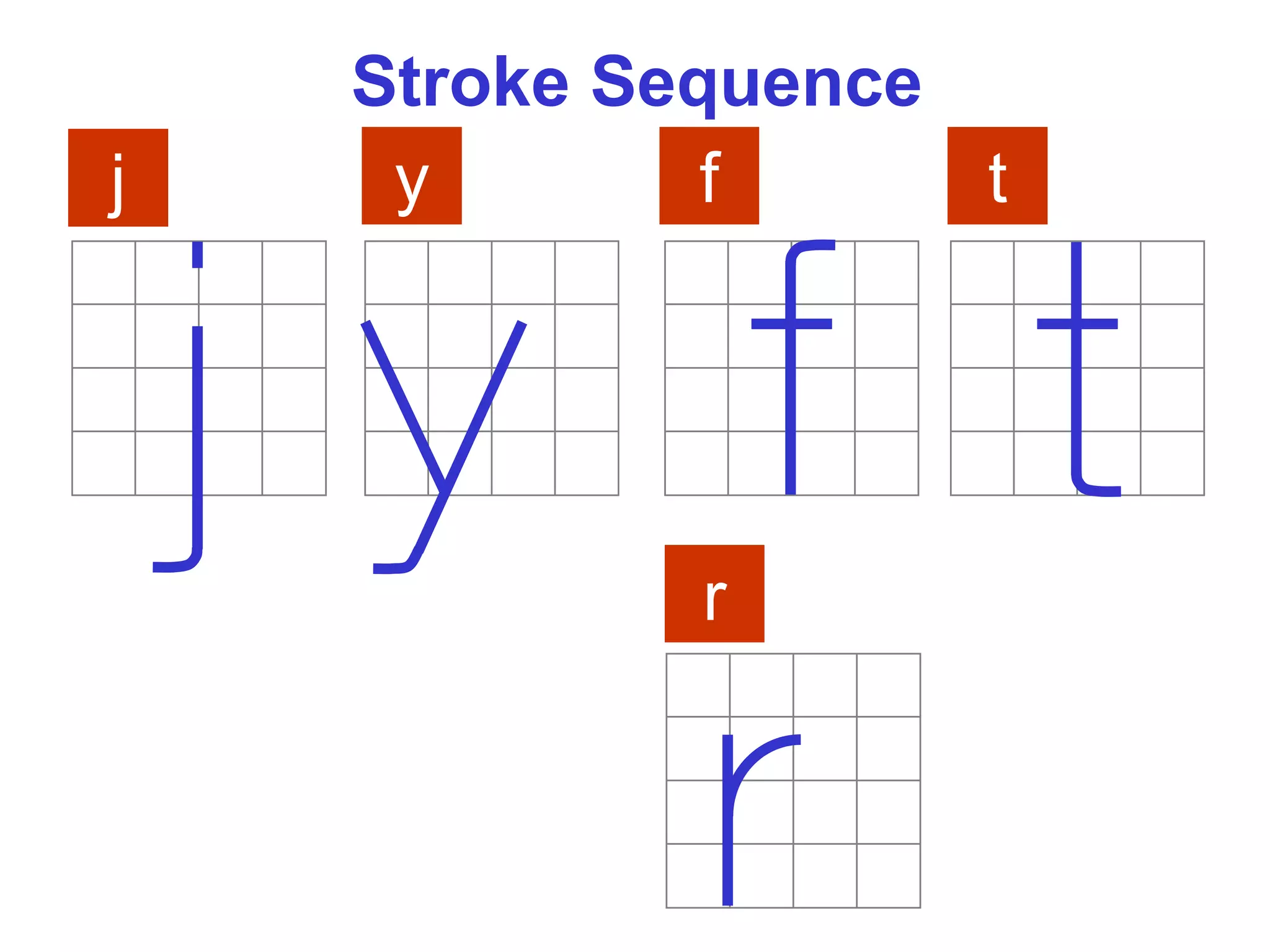
j y f
r
t
Stroke Sequence
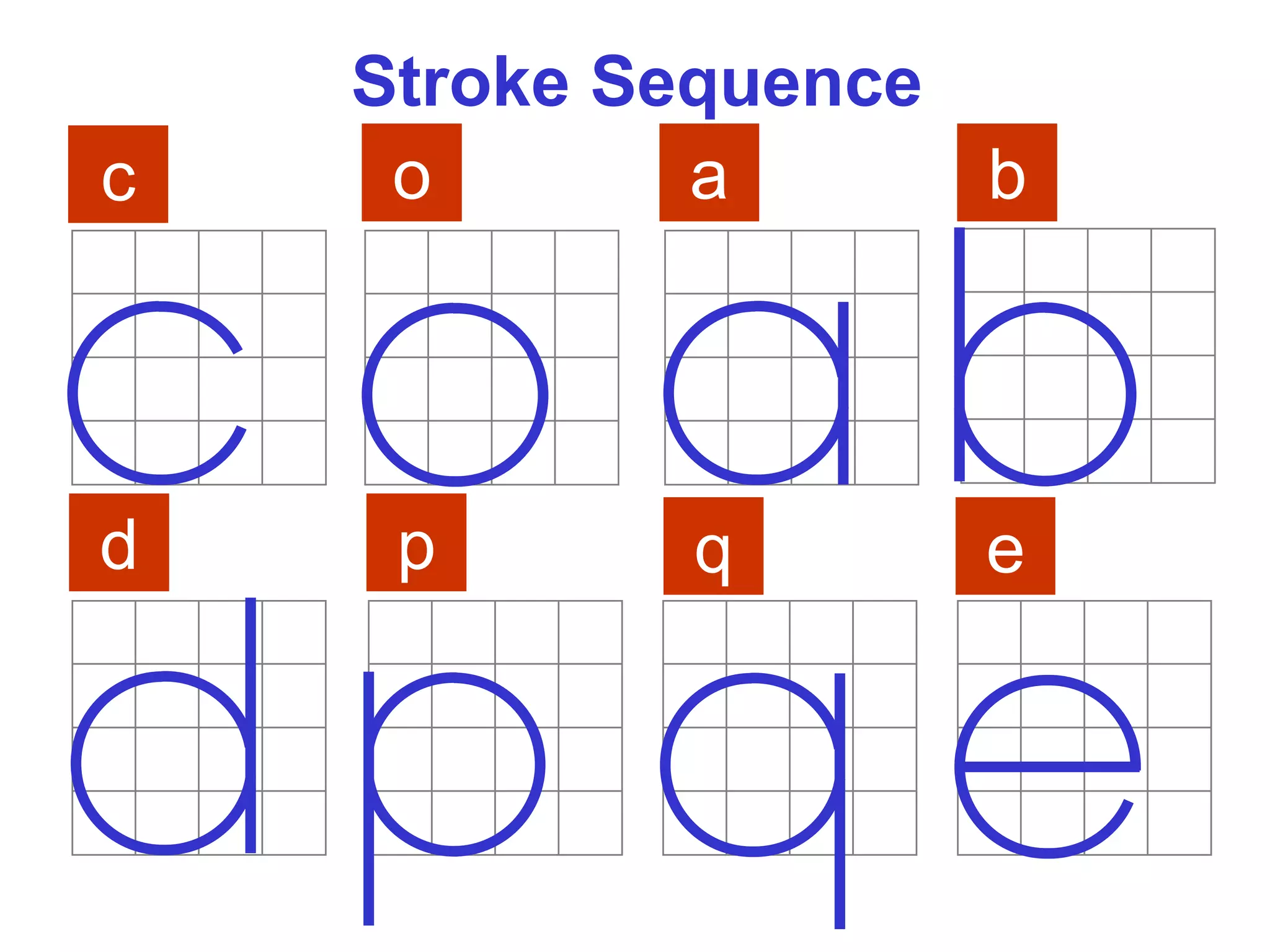
c o a b
d p q e
Stroke Sequence
g n m h
u s
Word Composition
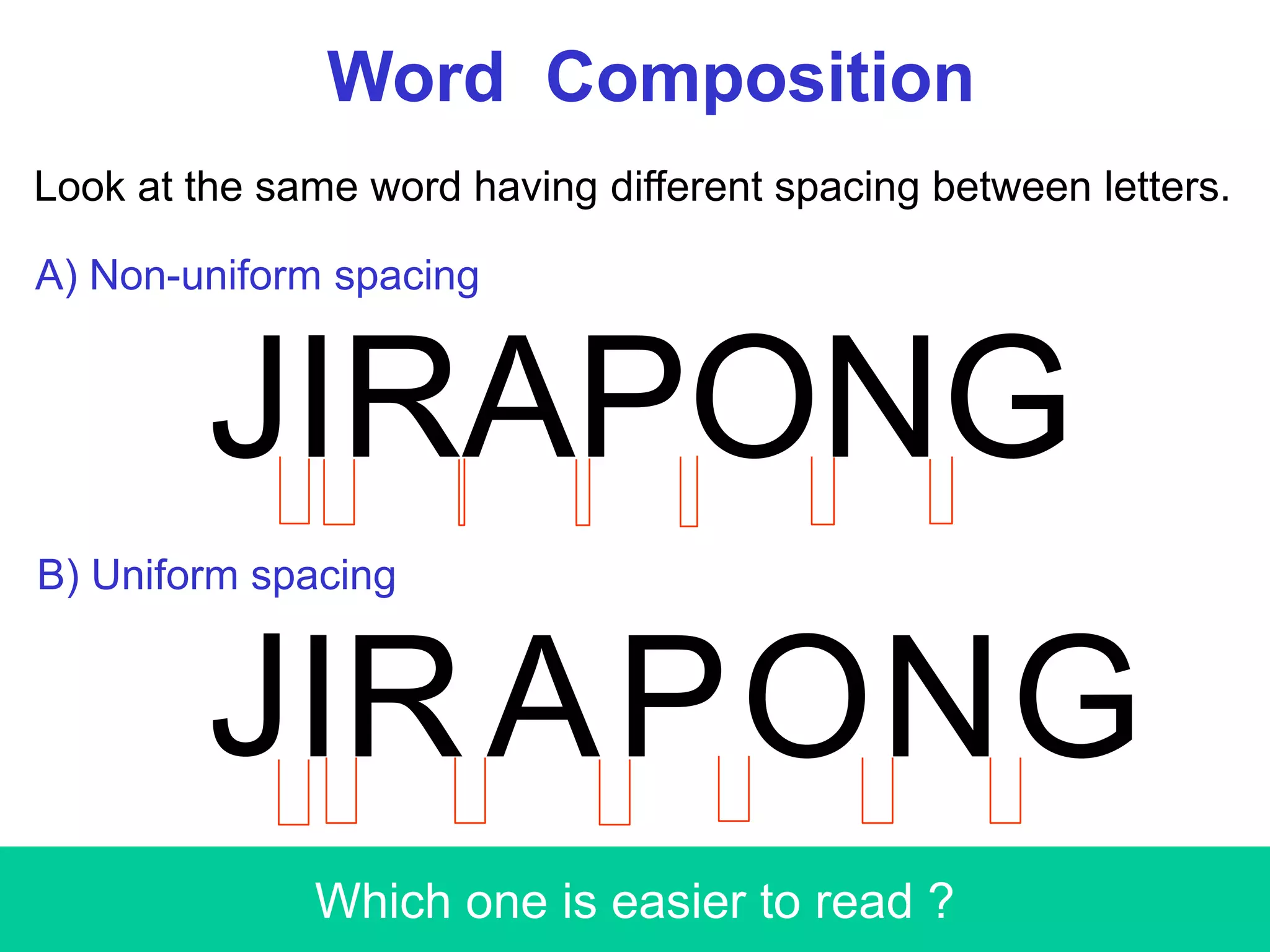
Look at the same word having different spacing between letters.
JIRAPONG
JI GOR NPA
Which one is easier to read ?
A) Non-uniform spacing
B) Uniform spacing
Word Composition
JIRAPONG
/ | )( )| (|
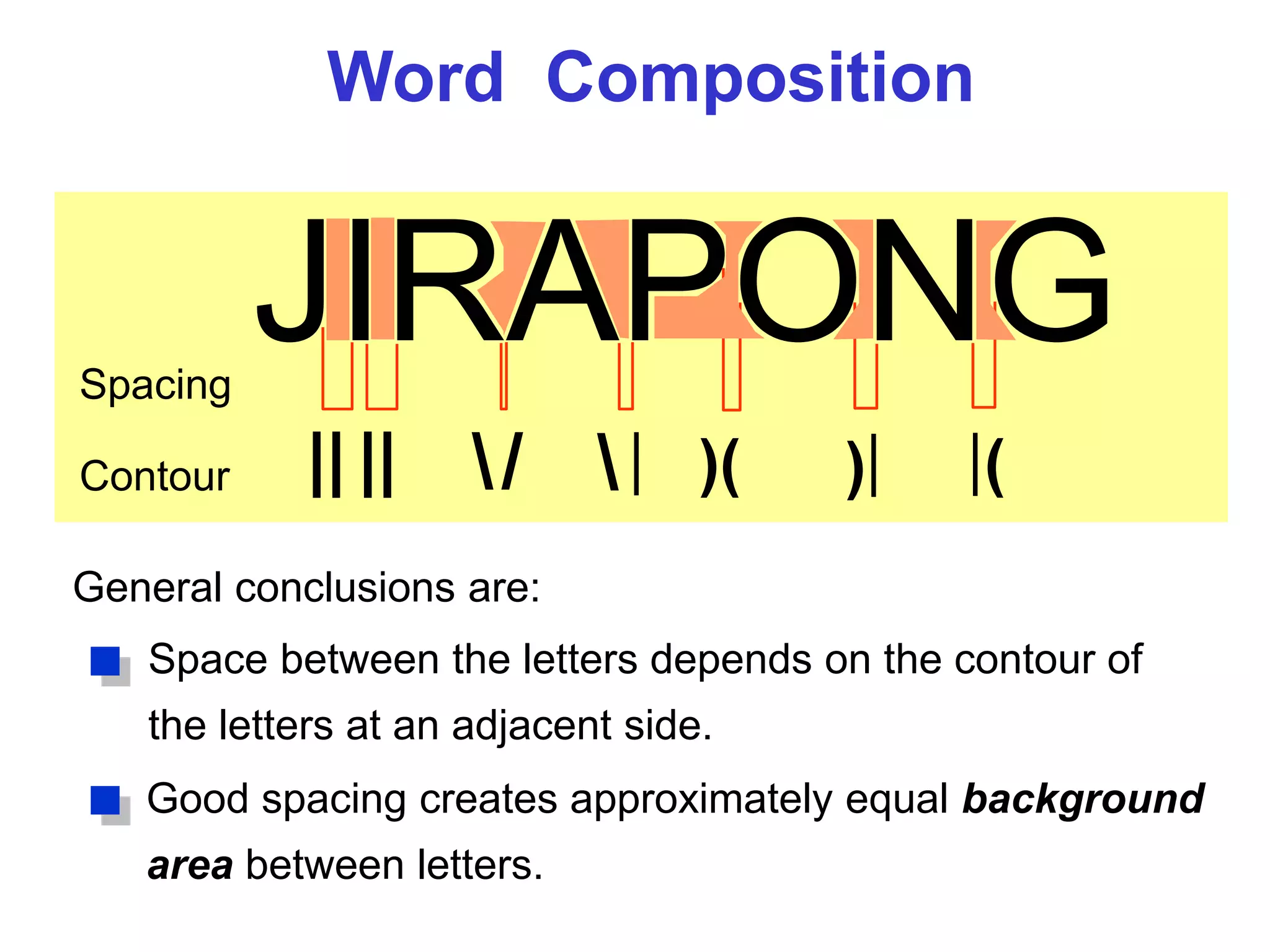
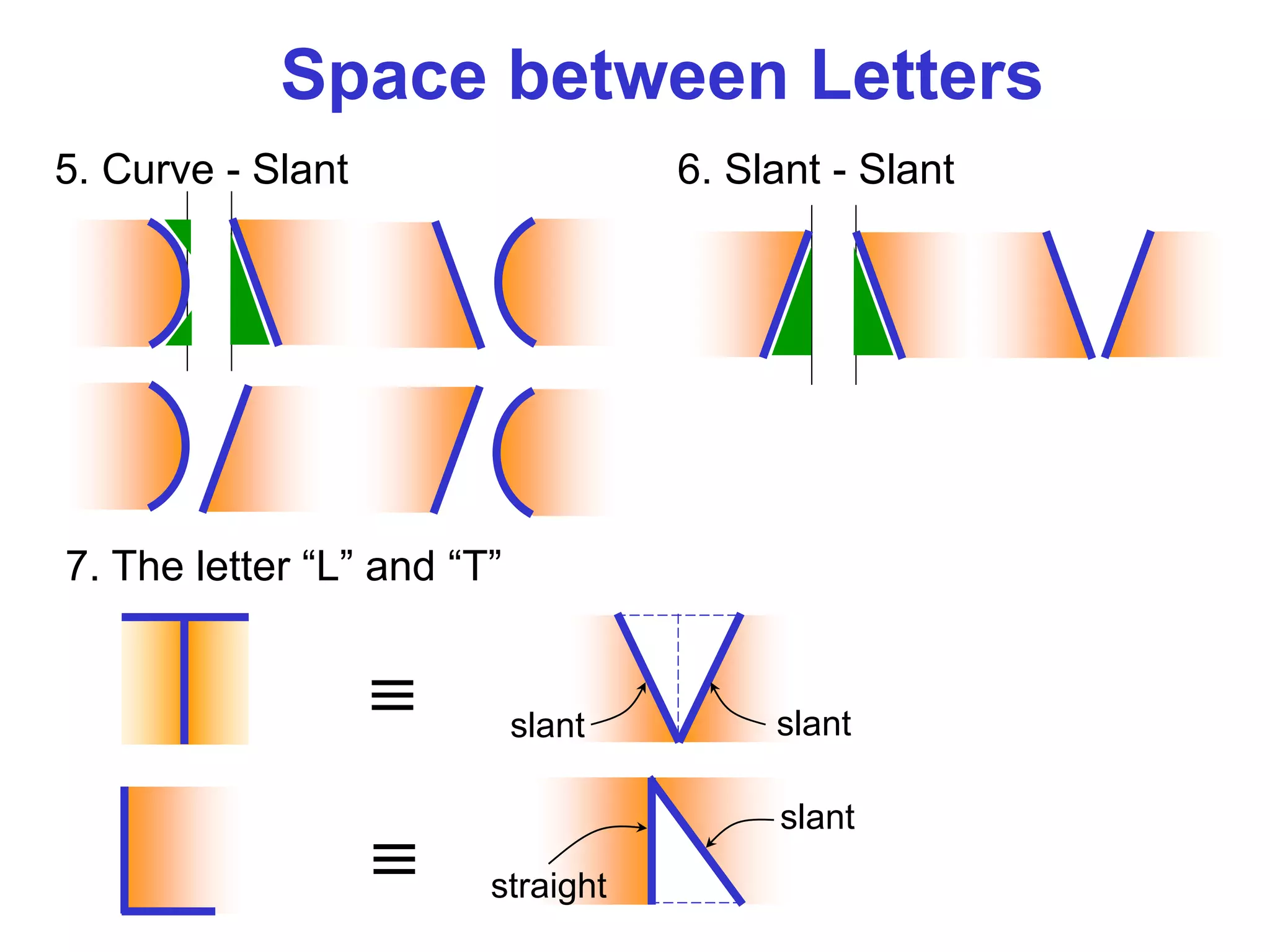
Space between the letters depends on the contour of
the letters at an adjacent side.
Spacing
Contour || ||
General conclusions are:
Good spacing creates approximately equal background
area between letters.
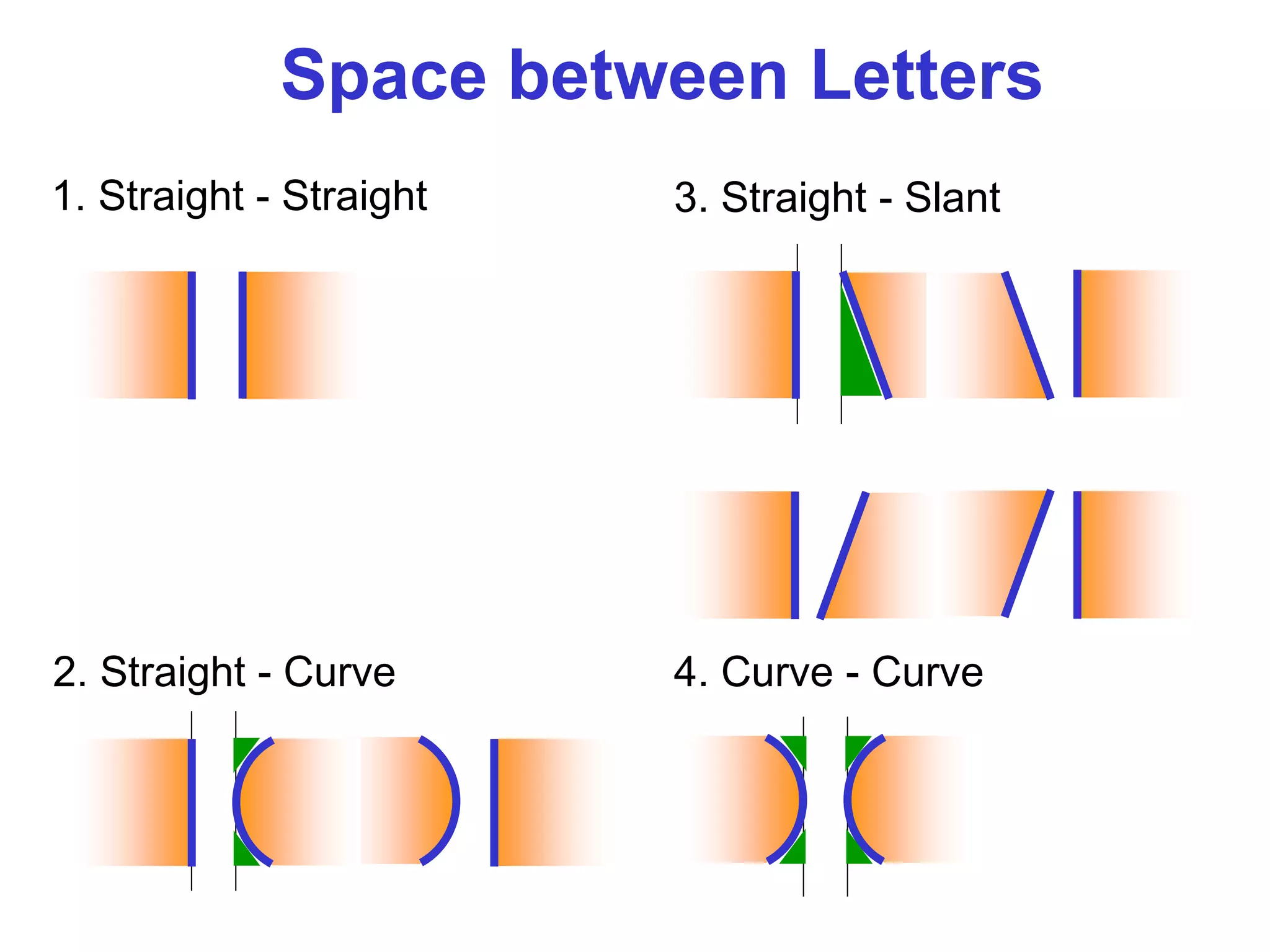
1. Straight - Straight
2. Straight - Curve
3. Straight - Slant
4. Curve - Curve
Space between Letters
6. Slant - Slant5. Curve - Slant
7. The letter “L” and “T”
≡ slant slant
≡
slant
straight
Space between Letters
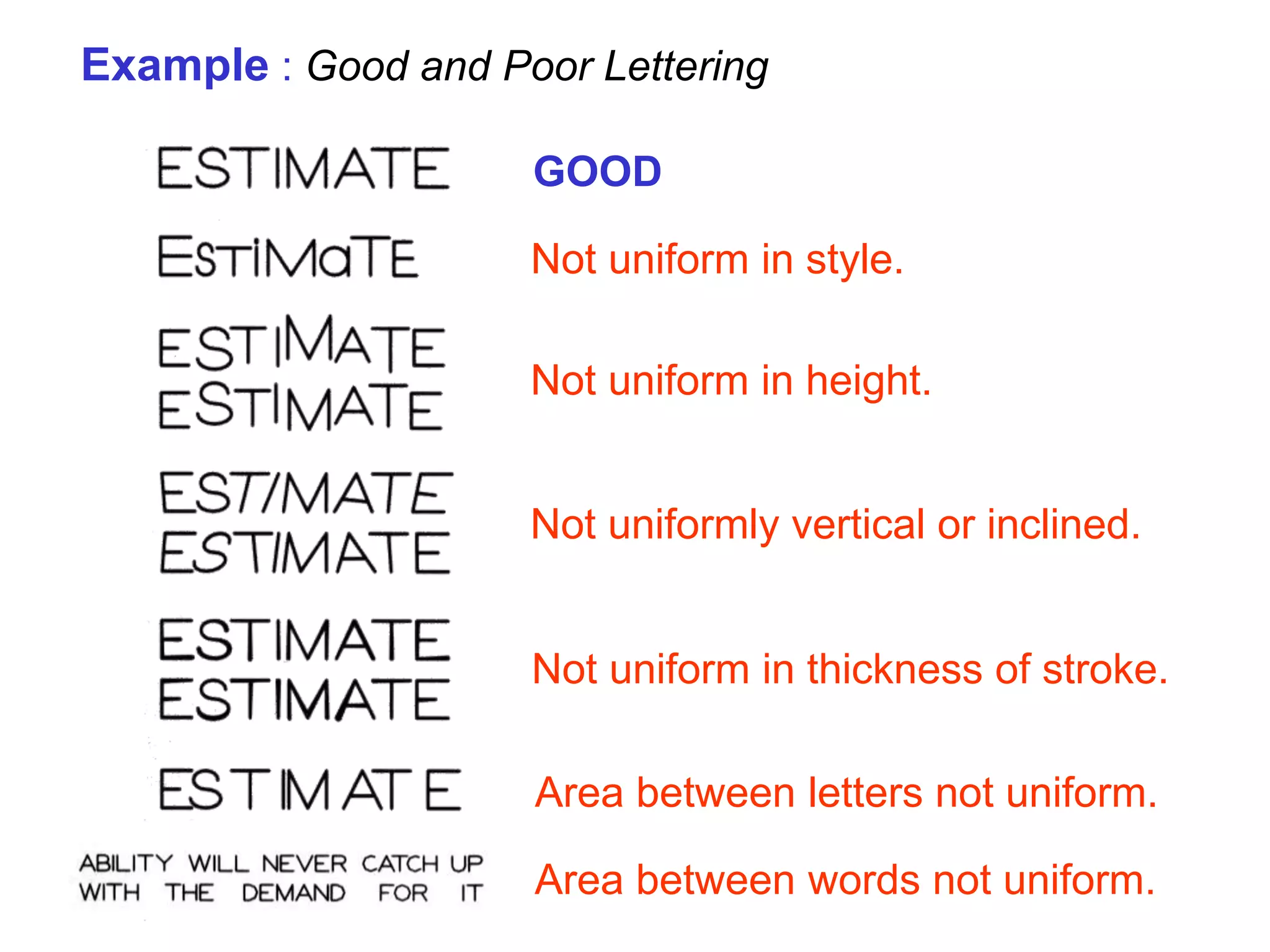
GOOD
Not uniform in style.
Not uniform in height.
Not uniformly vertical or inclined.
Not uniform in thickness of stroke.
Area between letters not uniform.
Area between words not uniform.
Example : Good and Poor Lettering
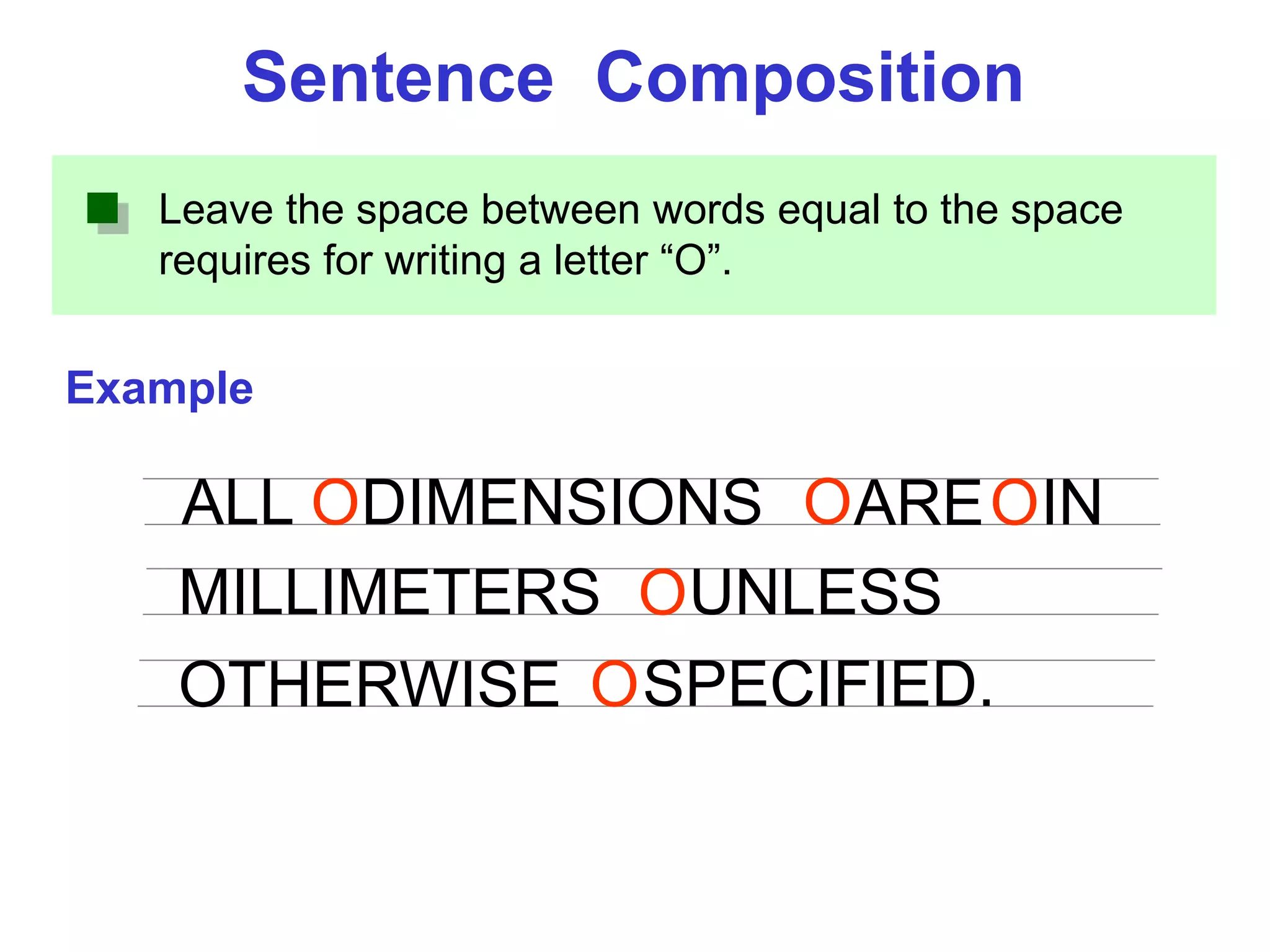
Leave the space between words equal to the space
requires for writing a letter “O”.
Example
Sentence Composition
ALL DIMENSIONS ARE IN
MILLIMETERS
O O O
OUNLESS
OTHERWISE SPECIFIED.O
End of Chapter 1
Overview of an
Engineering Drawing

Introduction to Engineering drawing and Graphics

  • 1.
    Chapter 1 Overview ofan Engineering Drawing
  • 2.
    TOPICS Drawing standards Graphics language Engineeringdrawing Traditional Drawing Tools Lettering
  • 3.
  • 4.
    1. Try towrite a description of this object. 2. Test your written description by having someone attempt to make a sketch from your description. Effectiveness of Graphics Language The word languages are inadequate for describing the size, shape and features completely as well as concisely. You can easily understand that …
  • 5.
    Graphic language in“engineering application” use lines to represent the surfaces, edges and contours of objects. A drawing can be done using freehand, instruments or computer methods. Composition of Graphic Language The language is known as “drawing” or “drafting” .
  • 6.
    Freehand drawing The linesare sketched without using instruments other than pencils and erasers. Example
  • 7.
    Instrument drawing Instruments areused to draw straight lines, circles, and curves concisely and accurately. Thus, the drawings are usually made to scale. Example
  • 8.
    Computer drawing The drawingsare usually made by commercial software such as AutoCAD, solid works etc. Example
  • 9.
  • 10.
    Elements of EngineeringDrawing Engineering drawing are made up of graphics language and word language. Graphics language Describe a shape (mainly). Word language Describe size, location and specification of the object.
  • 11.
    Basic Knowledge forDrafting Graphics language Word language Line types Geometric construction Lettering Projection method
  • 12.
  • 13.
    Introduction Standards are setof rules that govern how technical drawings are represented. Drawing standards are used so that drawings convey the same meaning to everyone who reads them.
  • 14.
    ISO International StandardsOrganization Standard Code ANSI American National Standard InstituteUSA JIS Japanese Industrial StandardJapan BS British StandardUK AS Australian StandardAustralia Deutsches Institut für NormungDINGermany Country Code Full name มอก. สำนักงำนมำตรฐำนผลิตภัณฑ์อุตสำหกรรมThailand
  • 15.
    Drawing Sheet Trimmed paperof a size A0 ~ A4. Standard sheet size (JIS) A4 210 x 297 A3 297 x 420 A2 420 x 594 A1 594 x 841 A0 841 x 1189 A4 A3 A2 A1 A0(Dimensions in millimeters)
  • 16.
    Drawing space Drawing space Titleblock d d c c c Border lines 1. Type X (A0~A4) 2. Type Y (A4 only) Orientation of drawing sheet Title block Sheet size c (min) d (min) A4 10 25 A3 10 25 A2 10 25 A1 20 25 A0 20 25
  • 17.
    Drawing Scales Scale isthe ratio of the linear dimension of an element of an object shown in the drawing to the real linear dimension of the same element of the object. Size in drawing Actual size Length, size :
  • 18.
    Drawing Scales Designation ofa scale consists of the word “SCALE” followed by the indication of its ratio, as follow SCALE 1:1 for full size SCALE X:1 for enlargement scales (X > 1) SCALE 1:X for reduction scales (X > 1) Dimension numbers shown in the drawing are correspond to “true size” of the object and they are independent of the scale used in creating that drawing.
  • 19.
    Basic Line Types Typesof Lines Appearance Name according to application Continuous thick line Visible line Continuous thin line Dimension line Extension line Leader line Dash thick line Hidden line Chain thin line Center line NOTE : We will learn other types of line in later chapters.
  • 20.
    Visible lines representfeatures that can be seen in the current view Meaning of Lines Hidden lines represent features that can not be seen in the current view Center line represents symmetry, path of motion, centers of circles, axis of axisymmetrical parts Dimension and Extension lines indicate the sizes and location of features on a drawing
  • 21.
    Example : Lineconventions in engineering drawing
  • 22.
  • 23.
  • 24.
    1. T-Square 2.Triangles DRAWING TOOLS
  • 25.
    3. Adhesive Tape4. Pencils 2H or HB for thick line 4H for thin line DRAWING TOOLS
  • 26.
    5. Sandpaper 6.Compass DRAWING TOOLS
  • 27.
    7. Pencil Eraser8. Erasing Shield DRAWING TOOLS
  • 28.
    9. Circle Template10. Tissue paper DRAWING TOOLS
  • 29.
    11. Sharpener 12.Clean paper DRAWING TOOLS
  • 30.
  • 31.
    Text on Drawings Texton engineering drawing is used : To communicate nongraphic information. As a substitute for graphic information, in those instance where text can communicate the needed information more clearly and quickly. Uniformity - size - line thickness Legibility - shape - space between letters and words Thus, it must be written with
  • 32.
    Lettering Standard ANSI StandardThis course Use a Gothic text style, either inclined or vertical. Use all capital letters. Use 3 mm for most text height. Space between lines of text is at least 1/3 of text height. Use only a vertical Gothic text style. Use both capital and lower-case letters. Same. For letters in title block it is recommend to use 5~8 mm text height N/A. Follows ANSI rule.
  • 33.
    Basic Strokes Straight SlantedCurvedHorizontal 1 1 2 3 Examples : Application of basic stroke “I” letter “A” letter 1 2 3 4 5 6 “B” letter
  • 34.
    Suggested Strokes Sequence Straightline letters Curved line letters Curved line letters & Numerals Upper-case letters & Numerals
  • 35.
    The text’ sbody height is about 2/3 the height of a capital letter. Suggested Strokes SequenceLower-case letters
  • 36.
  • 37.
    V X W StrokeSequence
  • 38.
    N M KZ Y A Stroke Sequence 4
  • 39.
    O Q CG Stroke Sequence
  • 40.
    D U PB R J Stroke Sequence 1 2
  • 41.
  • 42.
  • 43.
  • 44.
  • 45.
  • 46.
  • 47.
  • 48.
    Word Composition Look atthe same word having different spacing between letters. JIRAPONG JI GOR NPA Which one is easier to read ? A) Non-uniform spacing B) Uniform spacing
  • 49.
    Word Composition JIRAPONG / |)( )| (| Space between the letters depends on the contour of the letters at an adjacent side. Spacing Contour || || General conclusions are: Good spacing creates approximately equal background area between letters.
  • 50.
    1. Straight -Straight 2. Straight - Curve 3. Straight - Slant 4. Curve - Curve Space between Letters
  • 51.
    6. Slant -Slant5. Curve - Slant 7. The letter “L” and “T” ≡ slant slant ≡ slant straight Space between Letters
  • 52.
    GOOD Not uniform instyle. Not uniform in height. Not uniformly vertical or inclined. Not uniform in thickness of stroke. Area between letters not uniform. Area between words not uniform. Example : Good and Poor Lettering
  • 53.
    Leave the spacebetween words equal to the space requires for writing a letter “O”. Example Sentence Composition ALL DIMENSIONS ARE IN MILLIMETERS O O O OUNLESS OTHERWISE SPECIFIED.O
  • 54.
    End of Chapter1 Overview of an Engineering Drawing