
INTRODUCTION TO
GPU COMPUTING
Ilya Kuzovkin
13 May 2014, Tartu
PART I
“TEAPOT”
SIMPLE OPENGL PROGRAM
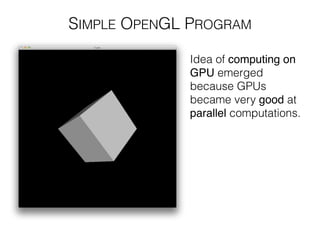
Idea of computing on
GPU emerged
because GPUs
became very good at
parallel computations.
SIMPLE OPENGL PROGRAM
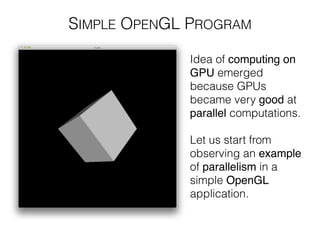
Idea of computing on
GPU emerged
because GPUs
became very good at
parallel computations.
!
Let us start from
observing an example
of parallelism in a
simple OpenGL
application.
SIMPLE OPENGL PROGRAM
You will need CodeBlocksWindows, Linux or XCodeMac to run
this example.
• Install CodeBlocks bundled with MinGW compiler from
http://www.codeblocks.org/downloads/26
!
• Download codebase from https://github.com/kuz/
Introduction-to-GPU-Computing
!
• Open the project from the code/Cube!
!
• Compile & run it
SHADER PROGRAM
Program which is executed on GPU.
Has to be written using shading language.
In OpenGL this language is GLSL, which is based on C.
http://www.opengl.org/wiki/Shader
SHADER PROGRAM
Program which is executed on GPU.
Has to be written using shading language.
In OpenGL this language is GLSL, which is based on C.
OpenGL has 5 main shader stages:
• Vertex Shader
• Tessellation Control
• Geometry Shader
• Fragment Shader
• Compute Shader (since 4.3)
http://www.opengl.org/wiki/Shader
SHADER PROGRAM
Program which is executed on GPU.
Has to be written using shading language.
In OpenGL this language is GLSL, which is based on C.
OpenGL has 5 main shader stages:
• Vertex Shader
• Tessellation Control
• Geometry Shader
• Fragment Shader
• Compute Shader (since 4.3)
http://www.opengl.org/wiki/Shader
LIGHTING
Is it a cube or not?
We will find out as soon as
we add lighting to the scene.
LIGHTING
Is it a cube or not?
We will find out as soon as
we add lighting to the scene.
https://github.com/konstantint/ComputerGraphics2013/blob/master/Lectures/07%20-%20Color%20and%20Lighting/slides07_colorandlighting.pdf
LIGHTING
Is it a cube or not?
We will find out as soon as
we add lighting to the scene.
https://github.com/konstantint/ComputerGraphics2013/blob/master/Lectures/07%20-%20Color%20and%20Lighting/slides07_colorandlighting.pdf
Exercise: code that equation into
fragment shader of the Cube program
LIGHTING
• Run the program with lighting enabled and look at
FPS values
COMPARE FPS
• Run the program with lighting enabled and look at
FPS values
!
• In cube.cpp idle() function uncomment dummy
code which simulates approximately same amount of
computations as Phong lighting model requires.
COMPARE FPS
• Run the program with lighting enabled and look at
FPS values
!
• In cube.cpp idle() function uncomment dummy
code which simulates approximately same amount of
computations as Phong lighting model requires.
!
• Note that these computations are performed on CPU
COMPARE FPS
• Run the program with lighting enabled and look at
FPS values
!
• In cube.cpp idle() function uncomment dummy
code which simulates approximately same amount of
computations as Phong lighting model requires.
!
• Note that these computations are performed on CPU
!
• Observe how FPS has changed
COMPARE FPS
• Run the program with lighting enabled and look at
FPS values
!
• In cube.cpp idle() function uncomment dummy
code which simulates approximately same amount of
computations as Phong lighting model requires.
!
• Note that these computations are performed on CPU
!
• Observe how FPS has changed
Parallel computations are fast on GPU.
Lets use it to compute something useful.
COMPARE FPS
PART II
“OLD SCHOOL”
OPENGL PIPELINE + GLSL
http://www.opengl.org/wiki/Framebuffer
Take the input data from
the CPU memory and put
it as an image into the
GPU memory
http://www.opengl.org/wiki/Framebuffer
In the fragment shader
perform a computation on
each of the pixels of that
image
Take the input data from
the CPU memory and put
it as an image into the
GPU memory
OPENGL PIPELINE + GLSL
http://www.opengl.org/wiki/Framebuffer
In the fragment shader
perform a computation on
each of the pixels of that
image
Store the resulting image
to the Render Buffer inside
the GPU memory
Take the input data from
the CPU memory and put
it as an image into the
GPU memory
OPENGL PIPELINE + GLSL
http://www.opengl.org/wiki/Framebuffer
Read output from the GPU
memory back to the CPU
memory
Store the resulting image
to the Render Buffer inside
the GPU memory
In the fragment shader
perform a computation on
each of the pixels of that
image
Take the input data from
the CPU memory and put
it as an image into the
GPU memory
OPENGL PIPELINE + GLSL
• Create texture where will store the input data
http://www.opengl.org/wiki/Framebuffer
OPENGL PIPELINE + GLSL
• Create texture where will store the input data
!
!
!
!
!
• Create FrameBuffer Object (FBO) to “render” to
http://www.opengl.org/wiki/Framebuffer
OPENGL PIPELINE + GLSL
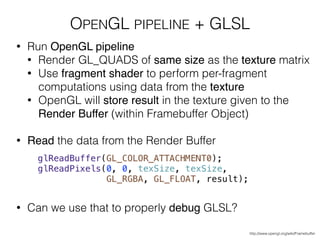
• Run OpenGL pipeline
http://www.opengl.org/wiki/Framebuffer
OPENGL PIPELINE + GLSL
• Run OpenGL pipeline
• Render GL_QUADS of same size as the texture matrix
http://www.opengl.org/wiki/Framebuffer
OPENGL PIPELINE + GLSL
• Run OpenGL pipeline
• Render GL_QUADS of same size as the texture matrix
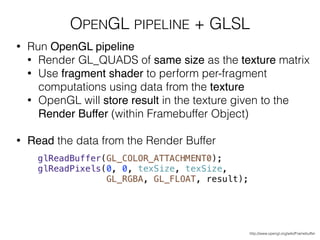
• Use fragment shader to perform per-fragment
computations using data from the texture
http://www.opengl.org/wiki/Framebuffer
OPENGL PIPELINE + GLSL
• Run OpenGL pipeline
• Render GL_QUADS of same size as the texture matrix
• Use fragment shader to perform per-fragment
computations using data from the texture
• OpenGL will store result in the texture given to the
Render Buffer (within Framebuffer Object)
http://www.opengl.org/wiki/Framebuffer
OPENGL PIPELINE + GLSL
• Run OpenGL pipeline
• Render GL_QUADS of same size as the texture matrix
• Use fragment shader to perform per-fragment
computations using data from the texture
• OpenGL will store result in the texture given to the
Render Buffer (within Framebuffer Object)
!
• Read the data from the Render Buffer
http://www.opengl.org/wiki/Framebuffer
OPENGL PIPELINE + GLSL
• Run OpenGL pipeline
• Render GL_QUADS of same size as the texture matrix
• Use fragment shader to perform per-fragment
computations using data from the texture
• OpenGL will store result in the texture given to the
Render Buffer (within Framebuffer Object)
!
• Read the data from the Render Buffer
!
!
!
!
• Can we use that to properly debug GLSL?
http://www.opengl.org/wiki/Framebuffer
OPENGL PIPELINE + GLSL
Run the project from the code/FBO
DEMO
PART III
“MODERN TIMES”
COMPUTE SHADER
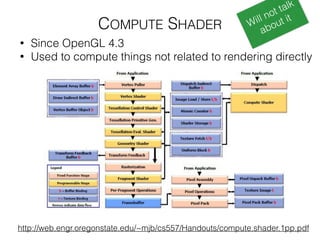
• Since OpenGL 4.3
• Used to compute things not related to rendering directly
COMPUTE SHADER
• Since OpenGL 4.3
• Used to compute things not related to rendering directly
COMPUTE SHADER
http://web.engr.oregonstate.edu/~mjb/cs557/Handouts/compute.shader.1pp.pdf
• Since OpenGL 4.3
• Used to compute things not related to rendering directly
Will not talk
about it
http://wiki.tiker.net/CudaVsOpenCL
Supported only by
nVidia hardware
Supported by nVidia,
AMD, Intel, Qualcomm
https://developer.nvidia.com/cuda-gpus http://www.khronos.org/conformance/adopters/conformant-products#opencl
http://wiki.tiker.net/CudaVsOpenCL
Supported only by
nVidia hardware
Supported by nVidia,
AMD, Intel, Qualcomm
https://developer.nvidia.com/cuda-gpus http://www.khronos.org/conformance/adopters/conformant-products#opencl
Implementations only
by nVidia
OpenCL
http://wiki.tiker.net/CudaVsOpenCL
Supported only by
nVidia hardware
Supported by nVidia,
AMD, Intel, Qualcomm
https://developer.nvidia.com/cuda-gpus http://www.khronos.org/conformance/adopters/conformant-products#opencl
Implementations only
by nVidia
OpenCL
http://wiki.tiker.net/CudaVsOpenCL
~same performance levels
Supported only by
nVidia hardware
Supported by nVidia,
AMD, Intel, Qualcomm
https://developer.nvidia.com/cuda-gpus http://www.khronos.org/conformance/adopters/conformant-products#opencl
Implementations only
by nVidia
OpenCL
http://wiki.tiker.net/CudaVsOpenCL
~same performance levels
Developer-friendly OpenCL
PART III
CHAPTER 1
KERNEL
KERNEL
KERNEL
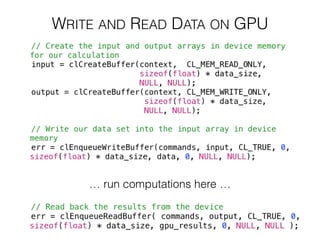
WRITE AND READ DATA ON GPU
… run computations here …
WRITE AND READ DATA ON GPU
… run computations here …
THE COMPUTATION
THE COMPUTATION
THE COMPUTATION
THE COMPUTATION
THE COMPUTATION
DEMO
Open, study and run the project from the code/OpenCL
PART III
CHAPTER 2
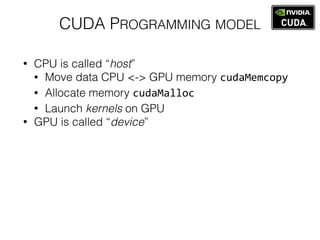
CUDA PROGRAMMING MODEL
• CPU is called “host”
• Move data CPU <-> GPU memory cudaMemcopy
• Allocate memory cudaMalloc	
  
• Launch kernels on GPU
• GPU is called “device”
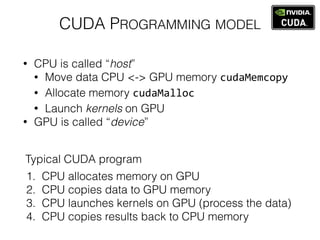
CUDA PROGRAMMING MODEL
• CPU is called “host”
• Move data CPU <-> GPU memory cudaMemcopy
• Allocate memory cudaMalloc	
  
• Launch kernels on GPU
• GPU is called “device”
1. CPU allocates memory on GPU
2. CPU copies data to GPU memory
3. CPU launches kernels on GPU (process the data)
4. CPU copies results back to CPU memory
Typical CUDA program
CUDA PROGRAMMING MODEL
• CPU is called “host”
• Move data CPU <-> GPU memory cudaMemcopy
• Allocate memory cudaMalloc	
  
• Launch kernels on GPU
• GPU is called “device”
1. CPU allocates memory on GPU
2. CPU copies data to GPU memory
3. CPU launches kernels on GPU (process the data)
4. CPU copies results back to CPU memory
Typical CUDA program
Very similar to the
logic of OpenCL
EXAMPLE
Introduction to Parallel Programming @ Udacity
https://www.udacity.com/course/cs344
EXAMPLE
Introduction to Parallel Programming @ Udacity
https://www.udacity.com/course/cs344
EXAMPLE
Introduction to Parallel Programming @ Udacity
https://www.udacity.com/course/cs344
EXAMPLE
Introduction to Parallel Programming @ Udacity
https://www.udacity.com/course/cs344
EXAMPLE
Introduction to Parallel Programming @ Udacity
https://www.udacity.com/course/cs344
EXAMPLE
Introduction to Parallel Programming @ Udacity
https://www.udacity.com/course/cs344
EXAMPLE
Introduction to Parallel Programming @ Udacity
https://www.udacity.com/course/cs344
PART IV
“DISCUSSION”
LINKS
• Code repository for this presentation
• https://github.com/kuz/Introduction-to-GPU-Computing
• Feel free to leave feature requests there, ask questions, etc.
!
• OpenCL tutorials & presentations
• http://streamcomputing.eu/knowledge/for-developers/tutorials/
• http://opencl.codeplex.com/wikipage?title=OpenCL%20Tutorials%20-%201&referringTitle=OpenCL%20Tutorials
• http://www.cc.gatech.edu/~vetter/keeneland/tutorial-2011-04-14/06-intro_to_opencl.pdf
!
• Introduction to Parallel Computing @ www.udacity.com
• https://www.udacity.com/course/cs344
!
• Slides about Compute Shader
• http://web.engr.oregonstate.edu/~mjb/cs557/Handouts/compute.shader.1pp.pdf
!
• Introduction to Computer Graphics with codebases
• https://github.com/konstantint/ComputerGraphics2013
!
• GLSL Computing (aka “Old school”)
• http://www.computer-graphics.se/gpu-computing/lab1.html

Introduction to Computing on GPU

  • 1.
    INTRODUCTION TO GPU COMPUTING IlyaKuzovkin 13 May 2014, Tartu
  • 2.
  • 3.
    SIMPLE OPENGL PROGRAM Ideaof computing on GPU emerged because GPUs became very good at parallel computations.
  • 4.
    SIMPLE OPENGL PROGRAM Ideaof computing on GPU emerged because GPUs became very good at parallel computations. ! Let us start from observing an example of parallelism in a simple OpenGL application.
  • 5.
    SIMPLE OPENGL PROGRAM Youwill need CodeBlocksWindows, Linux or XCodeMac to run this example. • Install CodeBlocks bundled with MinGW compiler from http://www.codeblocks.org/downloads/26 ! • Download codebase from https://github.com/kuz/ Introduction-to-GPU-Computing ! • Open the project from the code/Cube! ! • Compile & run it
  • 6.
    SHADER PROGRAM Program whichis executed on GPU. Has to be written using shading language. In OpenGL this language is GLSL, which is based on C. http://www.opengl.org/wiki/Shader
  • 7.
    SHADER PROGRAM Program whichis executed on GPU. Has to be written using shading language. In OpenGL this language is GLSL, which is based on C. OpenGL has 5 main shader stages: • Vertex Shader • Tessellation Control • Geometry Shader • Fragment Shader • Compute Shader (since 4.3) http://www.opengl.org/wiki/Shader
  • 8.
    SHADER PROGRAM Program whichis executed on GPU. Has to be written using shading language. In OpenGL this language is GLSL, which is based on C. OpenGL has 5 main shader stages: • Vertex Shader • Tessellation Control • Geometry Shader • Fragment Shader • Compute Shader (since 4.3) http://www.opengl.org/wiki/Shader
  • 9.
    LIGHTING Is it acube or not? We will find out as soon as we add lighting to the scene.
  • 10.
    LIGHTING Is it acube or not? We will find out as soon as we add lighting to the scene. https://github.com/konstantint/ComputerGraphics2013/blob/master/Lectures/07%20-%20Color%20and%20Lighting/slides07_colorandlighting.pdf
  • 11.
    LIGHTING Is it acube or not? We will find out as soon as we add lighting to the scene. https://github.com/konstantint/ComputerGraphics2013/blob/master/Lectures/07%20-%20Color%20and%20Lighting/slides07_colorandlighting.pdf Exercise: code that equation into fragment shader of the Cube program
  • 12.
  • 13.
    • Run theprogram with lighting enabled and look at FPS values COMPARE FPS
  • 14.
    • Run theprogram with lighting enabled and look at FPS values ! • In cube.cpp idle() function uncomment dummy code which simulates approximately same amount of computations as Phong lighting model requires. COMPARE FPS
  • 15.
    • Run theprogram with lighting enabled and look at FPS values ! • In cube.cpp idle() function uncomment dummy code which simulates approximately same amount of computations as Phong lighting model requires. ! • Note that these computations are performed on CPU COMPARE FPS
  • 16.
    • Run theprogram with lighting enabled and look at FPS values ! • In cube.cpp idle() function uncomment dummy code which simulates approximately same amount of computations as Phong lighting model requires. ! • Note that these computations are performed on CPU ! • Observe how FPS has changed COMPARE FPS
  • 17.
    • Run theprogram with lighting enabled and look at FPS values ! • In cube.cpp idle() function uncomment dummy code which simulates approximately same amount of computations as Phong lighting model requires. ! • Note that these computations are performed on CPU ! • Observe how FPS has changed Parallel computations are fast on GPU. Lets use it to compute something useful. COMPARE FPS
  • 18.
  • 19.
    OPENGL PIPELINE +GLSL http://www.opengl.org/wiki/Framebuffer Take the input data from the CPU memory and put it as an image into the GPU memory
  • 20.
    http://www.opengl.org/wiki/Framebuffer In the fragmentshader perform a computation on each of the pixels of that image Take the input data from the CPU memory and put it as an image into the GPU memory OPENGL PIPELINE + GLSL
  • 21.
    http://www.opengl.org/wiki/Framebuffer In the fragmentshader perform a computation on each of the pixels of that image Store the resulting image to the Render Buffer inside the GPU memory Take the input data from the CPU memory and put it as an image into the GPU memory OPENGL PIPELINE + GLSL
  • 22.
    http://www.opengl.org/wiki/Framebuffer Read output fromthe GPU memory back to the CPU memory Store the resulting image to the Render Buffer inside the GPU memory In the fragment shader perform a computation on each of the pixels of that image Take the input data from the CPU memory and put it as an image into the GPU memory OPENGL PIPELINE + GLSL
  • 23.
    • Create texturewhere will store the input data http://www.opengl.org/wiki/Framebuffer OPENGL PIPELINE + GLSL
  • 24.
    • Create texturewhere will store the input data ! ! ! ! ! • Create FrameBuffer Object (FBO) to “render” to http://www.opengl.org/wiki/Framebuffer OPENGL PIPELINE + GLSL
  • 25.
    • Run OpenGLpipeline http://www.opengl.org/wiki/Framebuffer OPENGL PIPELINE + GLSL
  • 26.
    • Run OpenGLpipeline • Render GL_QUADS of same size as the texture matrix http://www.opengl.org/wiki/Framebuffer OPENGL PIPELINE + GLSL
  • 27.
    • Run OpenGLpipeline • Render GL_QUADS of same size as the texture matrix • Use fragment shader to perform per-fragment computations using data from the texture http://www.opengl.org/wiki/Framebuffer OPENGL PIPELINE + GLSL
  • 28.
    • Run OpenGLpipeline • Render GL_QUADS of same size as the texture matrix • Use fragment shader to perform per-fragment computations using data from the texture • OpenGL will store result in the texture given to the Render Buffer (within Framebuffer Object) http://www.opengl.org/wiki/Framebuffer OPENGL PIPELINE + GLSL
  • 29.
    • Run OpenGLpipeline • Render GL_QUADS of same size as the texture matrix • Use fragment shader to perform per-fragment computations using data from the texture • OpenGL will store result in the texture given to the Render Buffer (within Framebuffer Object) ! • Read the data from the Render Buffer http://www.opengl.org/wiki/Framebuffer OPENGL PIPELINE + GLSL
  • 30.
    • Run OpenGLpipeline • Render GL_QUADS of same size as the texture matrix • Use fragment shader to perform per-fragment computations using data from the texture • OpenGL will store result in the texture given to the Render Buffer (within Framebuffer Object) ! • Read the data from the Render Buffer ! ! ! ! • Can we use that to properly debug GLSL? http://www.opengl.org/wiki/Framebuffer OPENGL PIPELINE + GLSL
  • 31.
    Run the projectfrom the code/FBO DEMO
  • 32.
  • 33.
    COMPUTE SHADER • SinceOpenGL 4.3 • Used to compute things not related to rendering directly
  • 34.
    COMPUTE SHADER • SinceOpenGL 4.3 • Used to compute things not related to rendering directly
  • 35.
    COMPUTE SHADER http://web.engr.oregonstate.edu/~mjb/cs557/Handouts/compute.shader.1pp.pdf • SinceOpenGL 4.3 • Used to compute things not related to rendering directly Will not talk about it
  • 36.
  • 37.
    Supported only by nVidiahardware Supported by nVidia, AMD, Intel, Qualcomm https://developer.nvidia.com/cuda-gpus http://www.khronos.org/conformance/adopters/conformant-products#opencl http://wiki.tiker.net/CudaVsOpenCL
  • 38.
    Supported only by nVidiahardware Supported by nVidia, AMD, Intel, Qualcomm https://developer.nvidia.com/cuda-gpus http://www.khronos.org/conformance/adopters/conformant-products#opencl Implementations only by nVidia OpenCL http://wiki.tiker.net/CudaVsOpenCL
  • 39.
    Supported only by nVidiahardware Supported by nVidia, AMD, Intel, Qualcomm https://developer.nvidia.com/cuda-gpus http://www.khronos.org/conformance/adopters/conformant-products#opencl Implementations only by nVidia OpenCL http://wiki.tiker.net/CudaVsOpenCL ~same performance levels
  • 40.
    Supported only by nVidiahardware Supported by nVidia, AMD, Intel, Qualcomm https://developer.nvidia.com/cuda-gpus http://www.khronos.org/conformance/adopters/conformant-products#opencl Implementations only by nVidia OpenCL http://wiki.tiker.net/CudaVsOpenCL ~same performance levels Developer-friendly OpenCL
  • 41.
  • 47.
  • 48.
  • 49.
  • 50.
    WRITE AND READDATA ON GPU
  • 51.
    WRITE AND READDATA ON GPU … run computations here …
  • 52.
    WRITE AND READDATA ON GPU … run computations here …
  • 53.
  • 54.
  • 55.
  • 56.
  • 57.
  • 58.
    DEMO Open, study andrun the project from the code/OpenCL
  • 59.
  • 60.
    CUDA PROGRAMMING MODEL •CPU is called “host” • Move data CPU <-> GPU memory cudaMemcopy • Allocate memory cudaMalloc   • Launch kernels on GPU • GPU is called “device”
  • 61.
    CUDA PROGRAMMING MODEL •CPU is called “host” • Move data CPU <-> GPU memory cudaMemcopy • Allocate memory cudaMalloc   • Launch kernels on GPU • GPU is called “device” 1. CPU allocates memory on GPU 2. CPU copies data to GPU memory 3. CPU launches kernels on GPU (process the data) 4. CPU copies results back to CPU memory Typical CUDA program
  • 62.
    CUDA PROGRAMMING MODEL •CPU is called “host” • Move data CPU <-> GPU memory cudaMemcopy • Allocate memory cudaMalloc   • Launch kernels on GPU • GPU is called “device” 1. CPU allocates memory on GPU 2. CPU copies data to GPU memory 3. CPU launches kernels on GPU (process the data) 4. CPU copies results back to CPU memory Typical CUDA program Very similar to the logic of OpenCL
  • 63.
    EXAMPLE Introduction to ParallelProgramming @ Udacity https://www.udacity.com/course/cs344
  • 64.
    EXAMPLE Introduction to ParallelProgramming @ Udacity https://www.udacity.com/course/cs344
  • 65.
    EXAMPLE Introduction to ParallelProgramming @ Udacity https://www.udacity.com/course/cs344
  • 66.
    EXAMPLE Introduction to ParallelProgramming @ Udacity https://www.udacity.com/course/cs344
  • 67.
    EXAMPLE Introduction to ParallelProgramming @ Udacity https://www.udacity.com/course/cs344
  • 68.
    EXAMPLE Introduction to ParallelProgramming @ Udacity https://www.udacity.com/course/cs344
  • 69.
    EXAMPLE Introduction to ParallelProgramming @ Udacity https://www.udacity.com/course/cs344
  • 70.
  • 71.
    LINKS • Code repositoryfor this presentation • https://github.com/kuz/Introduction-to-GPU-Computing • Feel free to leave feature requests there, ask questions, etc. ! • OpenCL tutorials & presentations • http://streamcomputing.eu/knowledge/for-developers/tutorials/ • http://opencl.codeplex.com/wikipage?title=OpenCL%20Tutorials%20-%201&referringTitle=OpenCL%20Tutorials • http://www.cc.gatech.edu/~vetter/keeneland/tutorial-2011-04-14/06-intro_to_opencl.pdf ! • Introduction to Parallel Computing @ www.udacity.com • https://www.udacity.com/course/cs344 ! • Slides about Compute Shader • http://web.engr.oregonstate.edu/~mjb/cs557/Handouts/compute.shader.1pp.pdf ! • Introduction to Computer Graphics with codebases • https://github.com/konstantint/ComputerGraphics2013 ! • GLSL Computing (aka “Old school”) • http://www.computer-graphics.se/gpu-computing/lab1.html