Introduction
to Computers
S.Sangeetha
Introduction
to Computers
Information
Processing
Charateristics
Computer
Organization
Hardware
Introduction to Computers
S.Sangeetha
April 15, 2021
Introduction
to Computers
S.Sangeetha
Introduction
to Computers
Information
Processing
Charateristics
Computer
Organization
Hardware
Overview
1 Introduction to Computers
Information Processing
Charateristics
Computer Organization
2 Hardware
Introduction
to Computers
S.Sangeetha
Introduction
to Computers
Information
Processing
Charateristics
Computer
Organization
Hardware
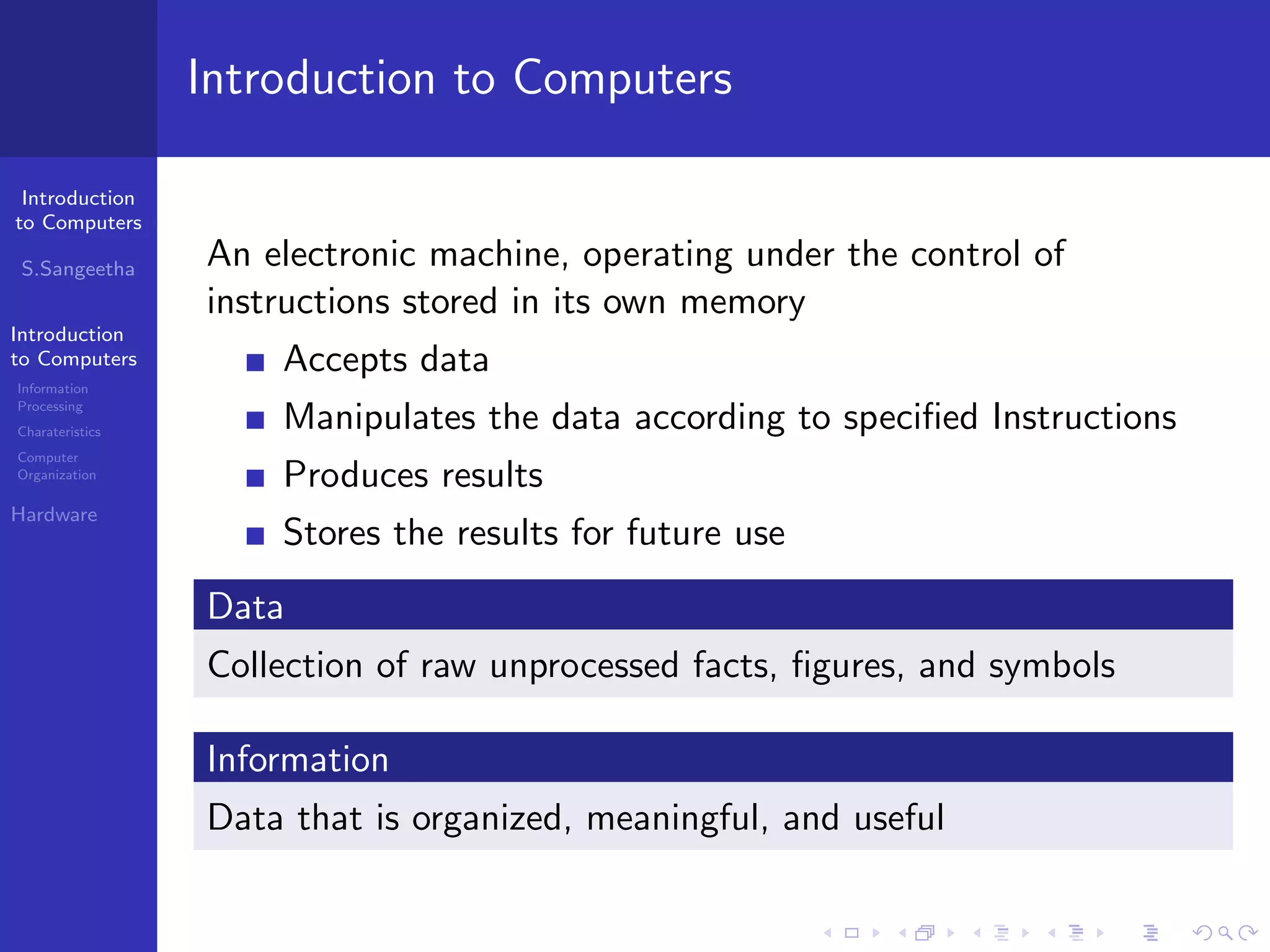
Introduction to Computers
An electronic machine, operating under the control of
instructions stored in its own memory
Accepts data
Manipulates the data according to specified Instructions
Produces results
Stores the results for future use
Data
Collection of raw unprocessed facts, figures, and symbols
Information
Data that is organized, meaningful, and useful
Introduction
to Computers
S.Sangeetha
Introduction
to Computers
Information
Processing
Charateristics
Computer
Organization
Hardware
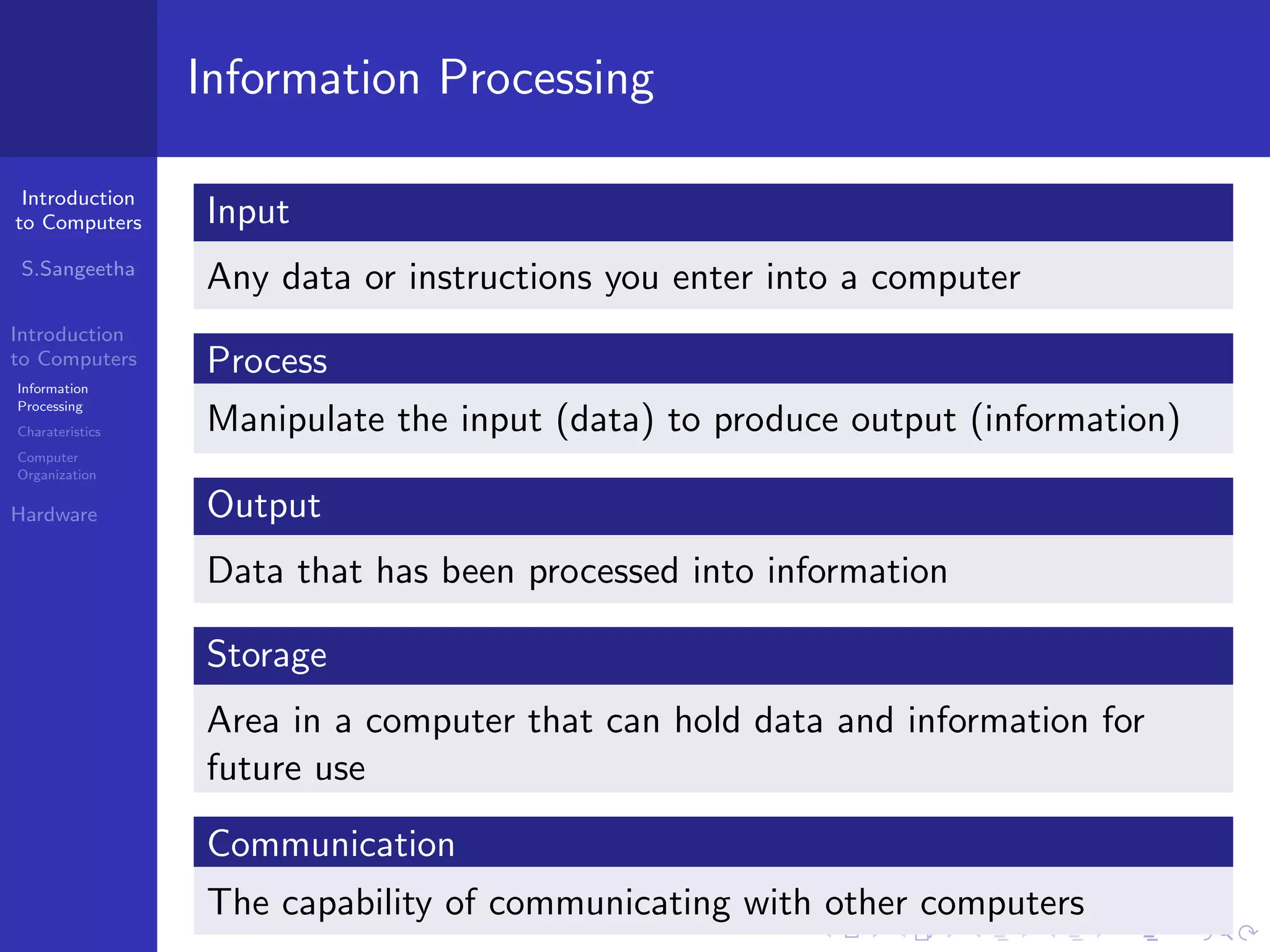
Information Processing
Input
Any data or instructions you enter into a computer
Process
Manipulate the input (data) to produce output (information)
Output
Data that has been processed into information
Storage
Area in a computer that can hold data and information for
future use
Communication
The capability of communicating with other computers
Introduction
to Computers
S.Sangeetha
Introduction
to Computers
Information
Processing
Charateristics
Computer
Organization
Hardware
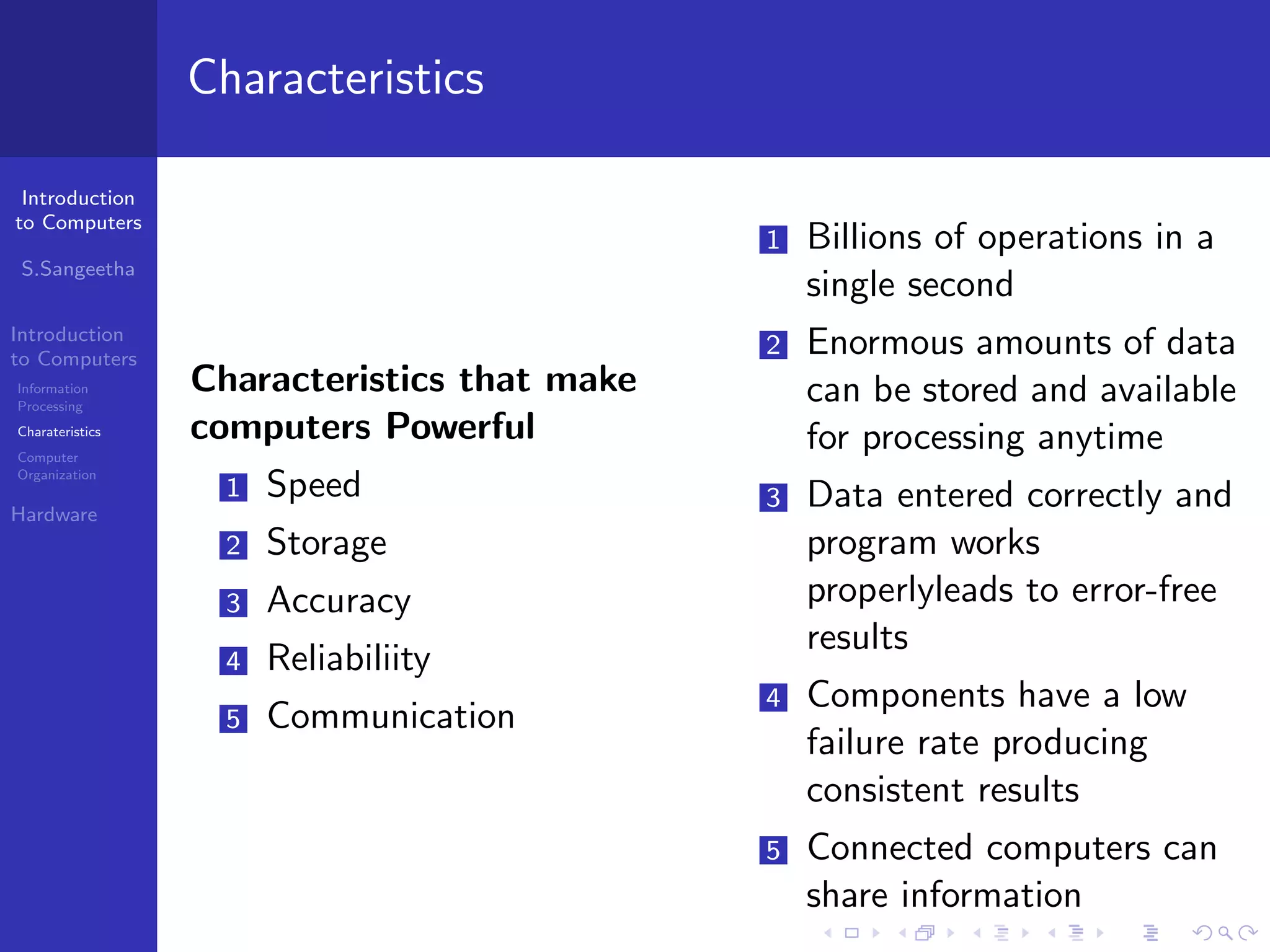
Characteristics
Characteristics that make
computers Powerful
1 Speed
2 Storage
3 Accuracy
4 Reliabiliity
5 Communication
1 Billions of operations in a
single second
2 Enormous amounts of data
can be stored and available
for processing anytime
3 Data entered correctly and
program works
properlyleads to error-free
results
4 Components have a low
failure rate producing
consistent results
5 Connected computers can
share information
Introduction
to Computers
S.Sangeetha
Introduction
to Computers
Information
Processing
Charateristics
Computer
Organization
Hardware
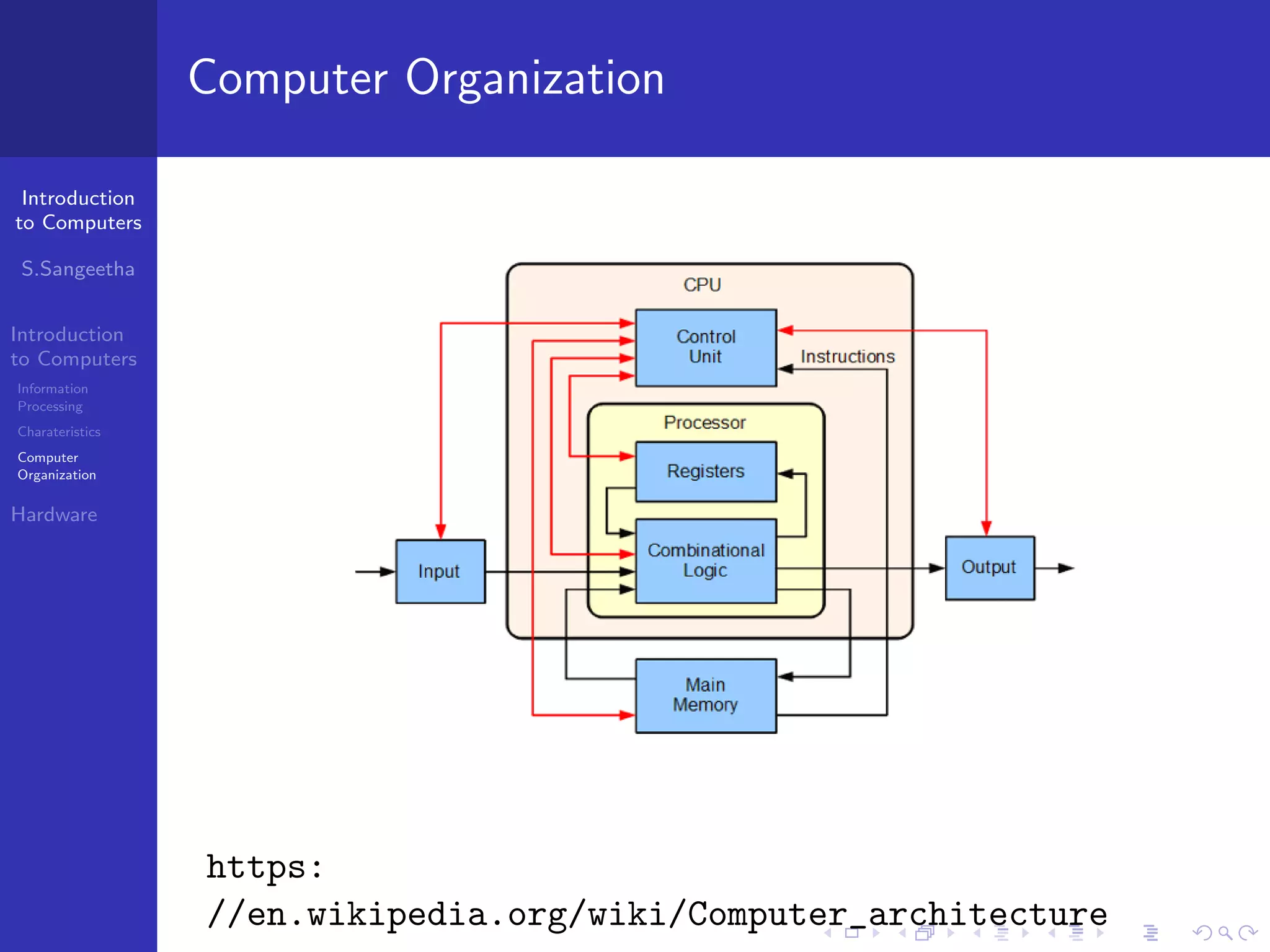
Computer Organization
https:
//en.wikipedia.org/wiki/Computer_architecture
Introduction
to Computers
S.Sangeetha
Introduction
to Computers
Information
Processing
Charateristics
Computer
Organization
Hardware
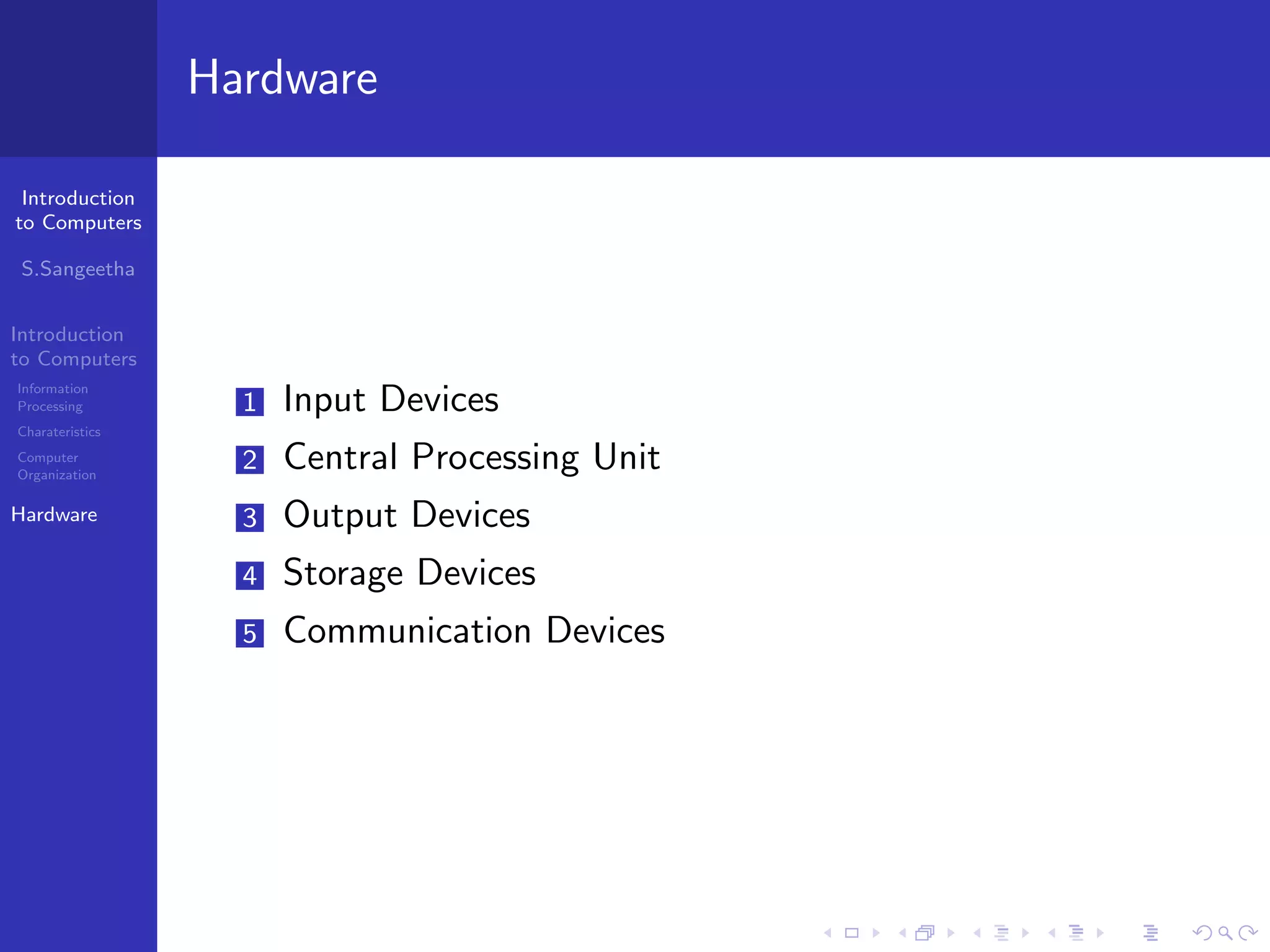
Hardware
1 Input Devices
2 Central Processing Unit
3 Output Devices
4 Storage Devices
5 Communication Devices
Introduction
to Computers
S.Sangeetha
Introduction
to Computers
Information
Processing
Charateristics
Computer
Organization
Hardware
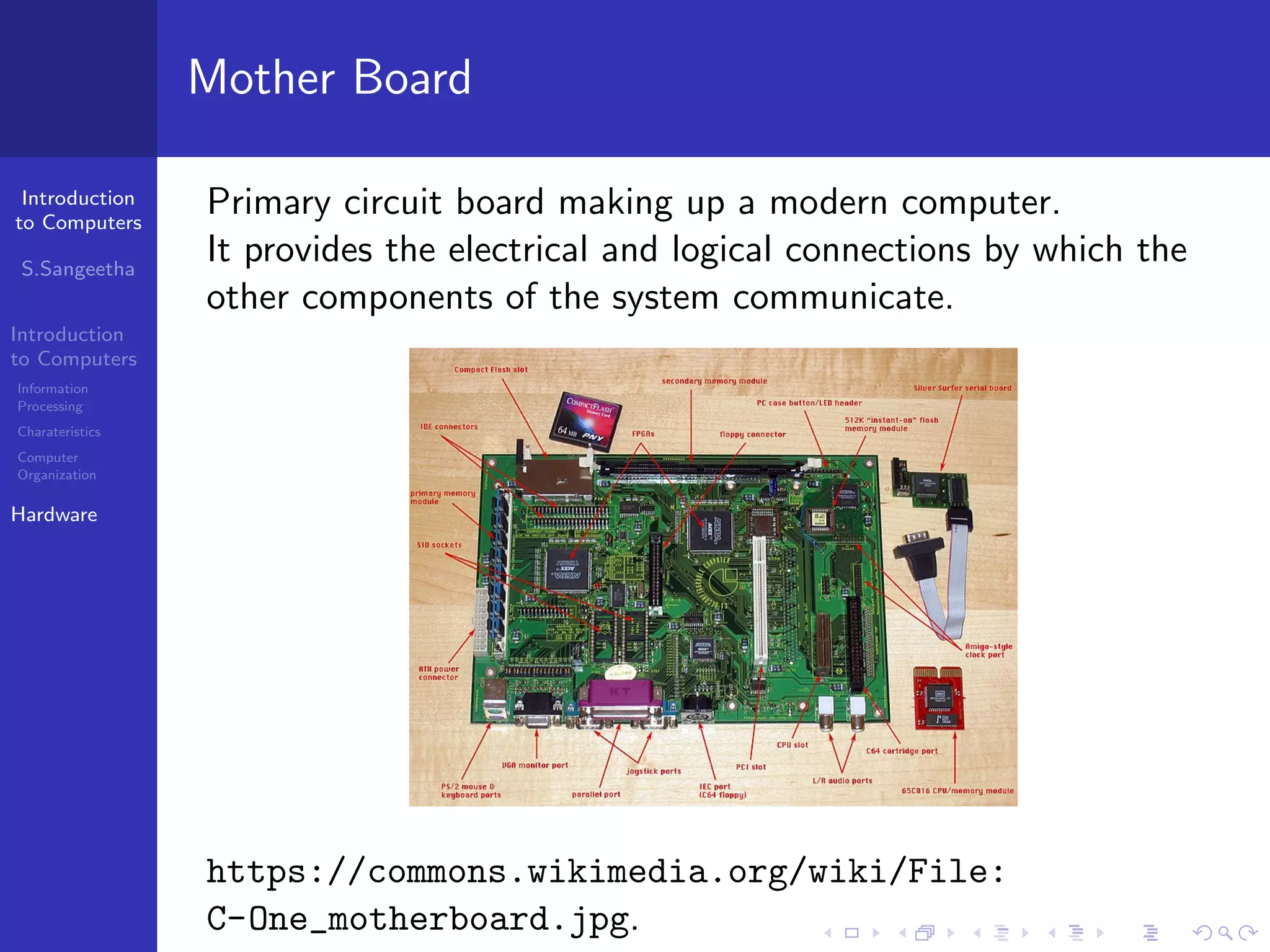
Mother Board
Primary circuit board making up a modern computer.
It provides the electrical and logical connections by which the
other components of the system communicate.
https://commons.wikimedia.org/wiki/File:
C-One_motherboard.jpg.
Introduction
to Computers
S.Sangeetha
Introduction
to Computers
Information
Processing
Charateristics
Computer
Organization
Hardware
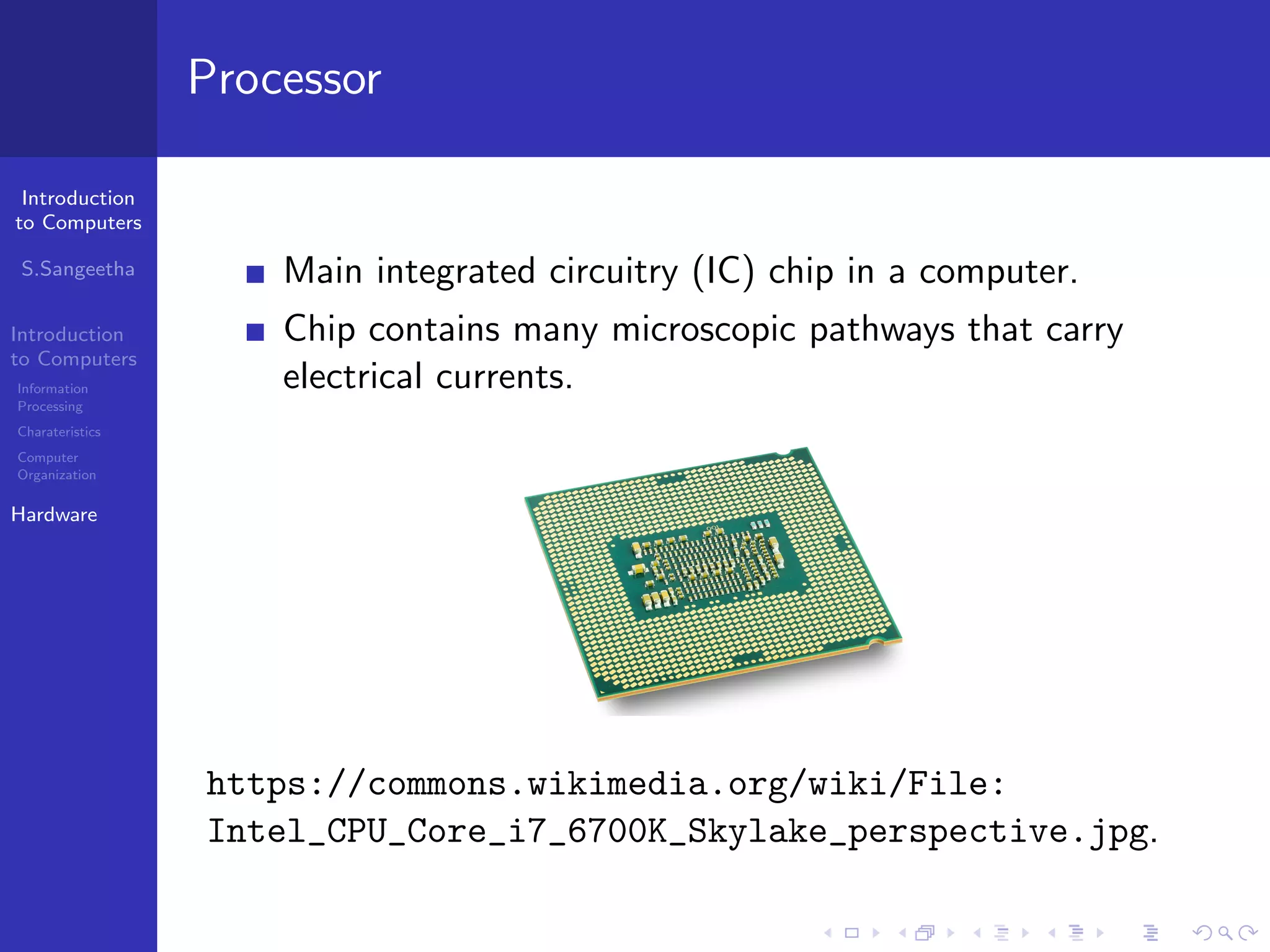
Processor
Main integrated circuitry (IC) chip in a computer.
Chip contains many microscopic pathways that carry
electrical currents.
https://commons.wikimedia.org/wiki/File:
Intel_CPU_Core_i7_6700K_Skylake_perspective.jpg.
Introduction
to Computers
S.Sangeetha
Introduction
to Computers
Information
Processing
Charateristics
Computer
Organization
Hardware
Central Processing Unit
Electronic device that interprets and carries out the basic
instructions that operate the computer.
Controls the transmission of data from input devices to
memory.
Processes the data held in main memory.
Controls the transmission of information from main
memory to output devices.
ALU (Arithmetic Logic Unit) perform mathematical
operations like addition, subtraction, multiplication and
division.
Introduction
to Computers
S.Sangeetha
Introduction
to Computers
Information
Processing
Charateristics
Computer
Organization
Hardware
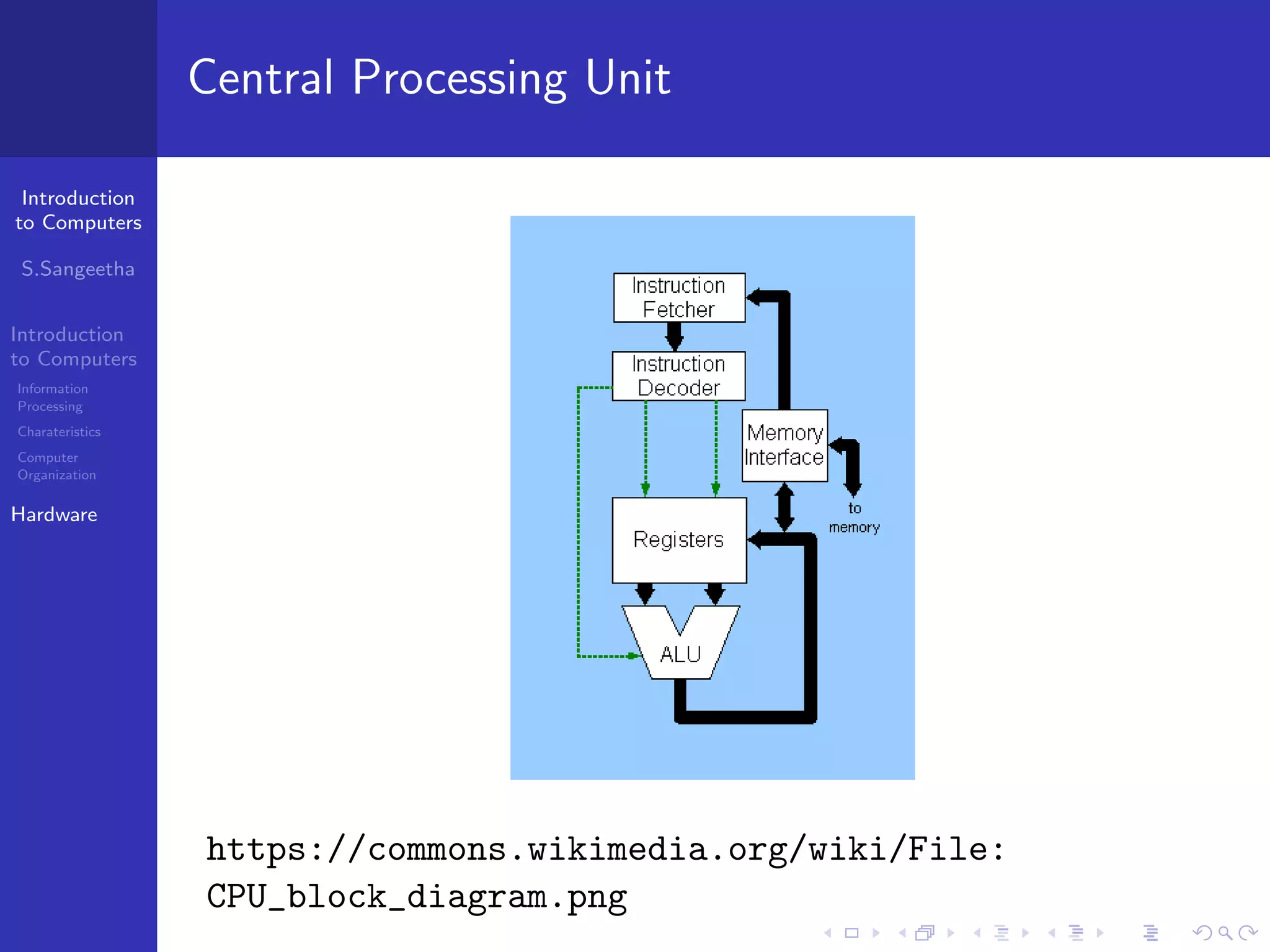
Central Processing Unit
https://commons.wikimedia.org/wiki/File:
CPU_block_diagram.png
Introduction
to Computers
S.Sangeetha
Introduction
to Computers
Information
Processing
Charateristics
Computer
Organization
Hardware
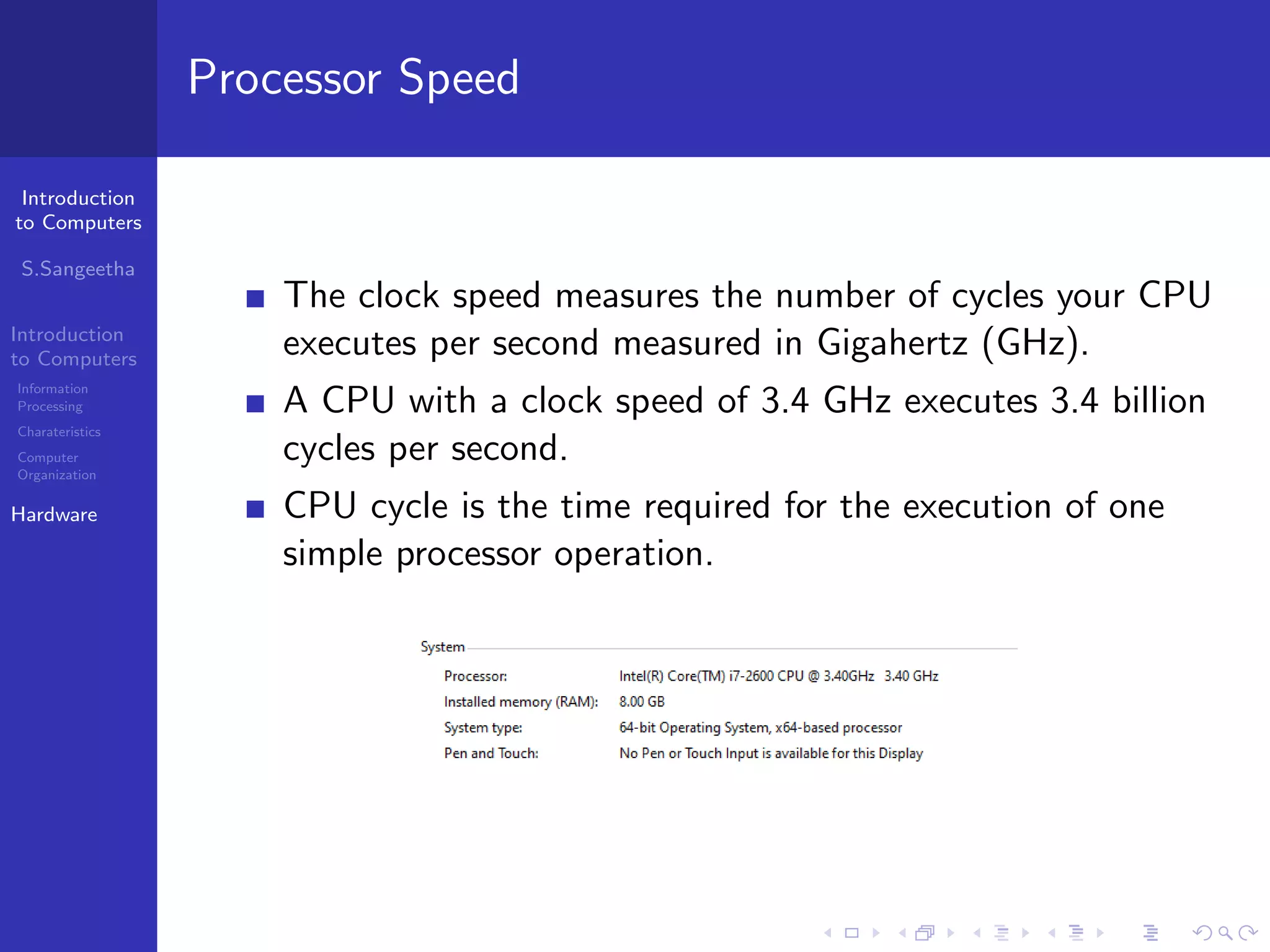
Processor Speed
The clock speed measures the number of cycles your CPU
executes per second measured in Gigahertz (GHz).
A CPU with a clock speed of 3.4 GHz executes 3.4 billion
cycles per second.
CPU cycle is the time required for the execution of one
simple processor operation.
Introduction
to Computers
S.Sangeetha
Introduction
to Computers
Information
Processing
Charateristics
Computer
Organization
Hardware
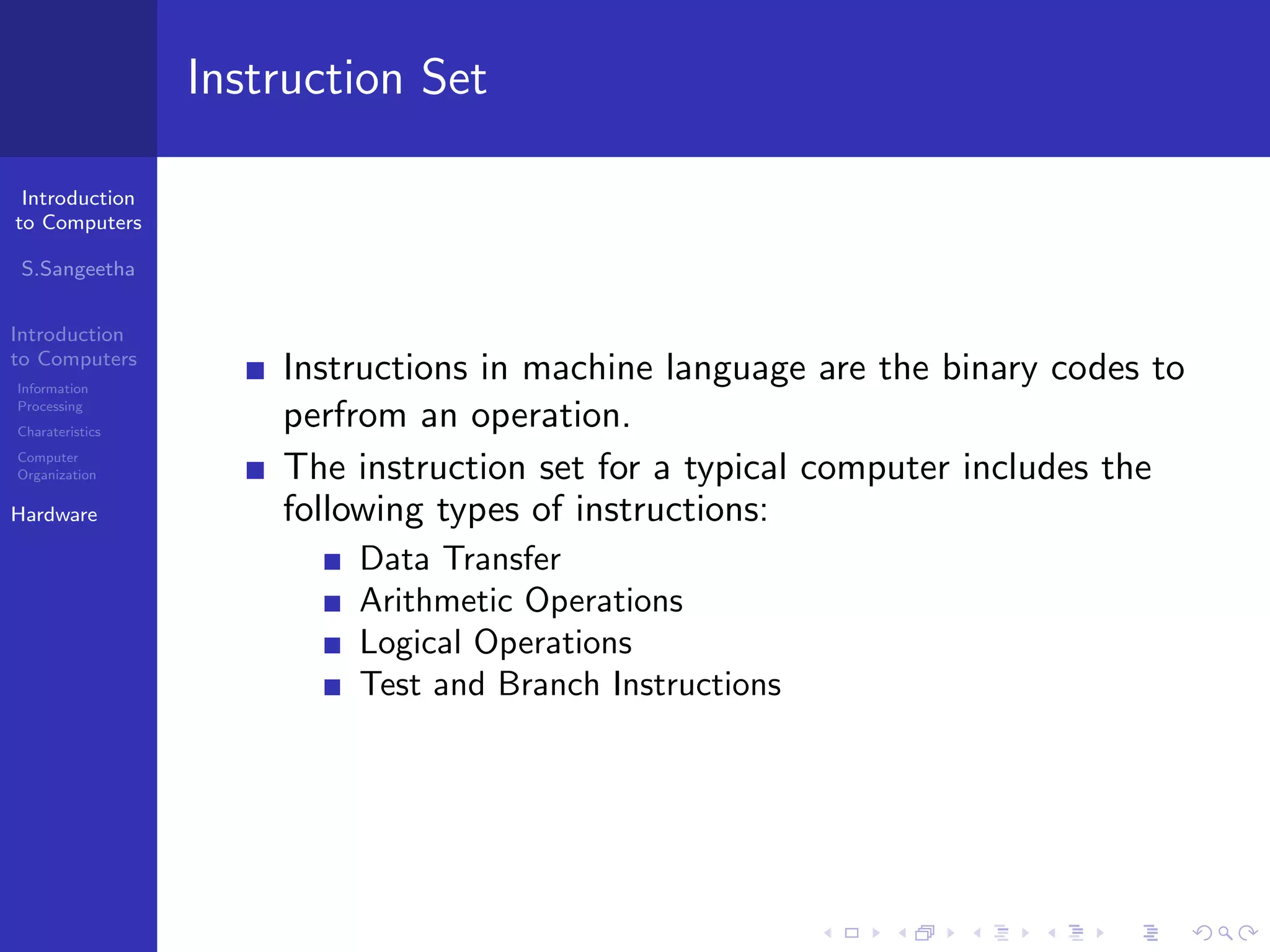
Instruction Set
Instructions in machine language are the binary codes to
perfrom an operation.
The instruction set for a typical computer includes the
following types of instructions:
Data Transfer
Arithmetic Operations
Logical Operations
Test and Branch Instructions
Introduction
to Computers
S.Sangeetha
Introduction
to Computers
Information
Processing
Charateristics
Computer
Organization
Hardware
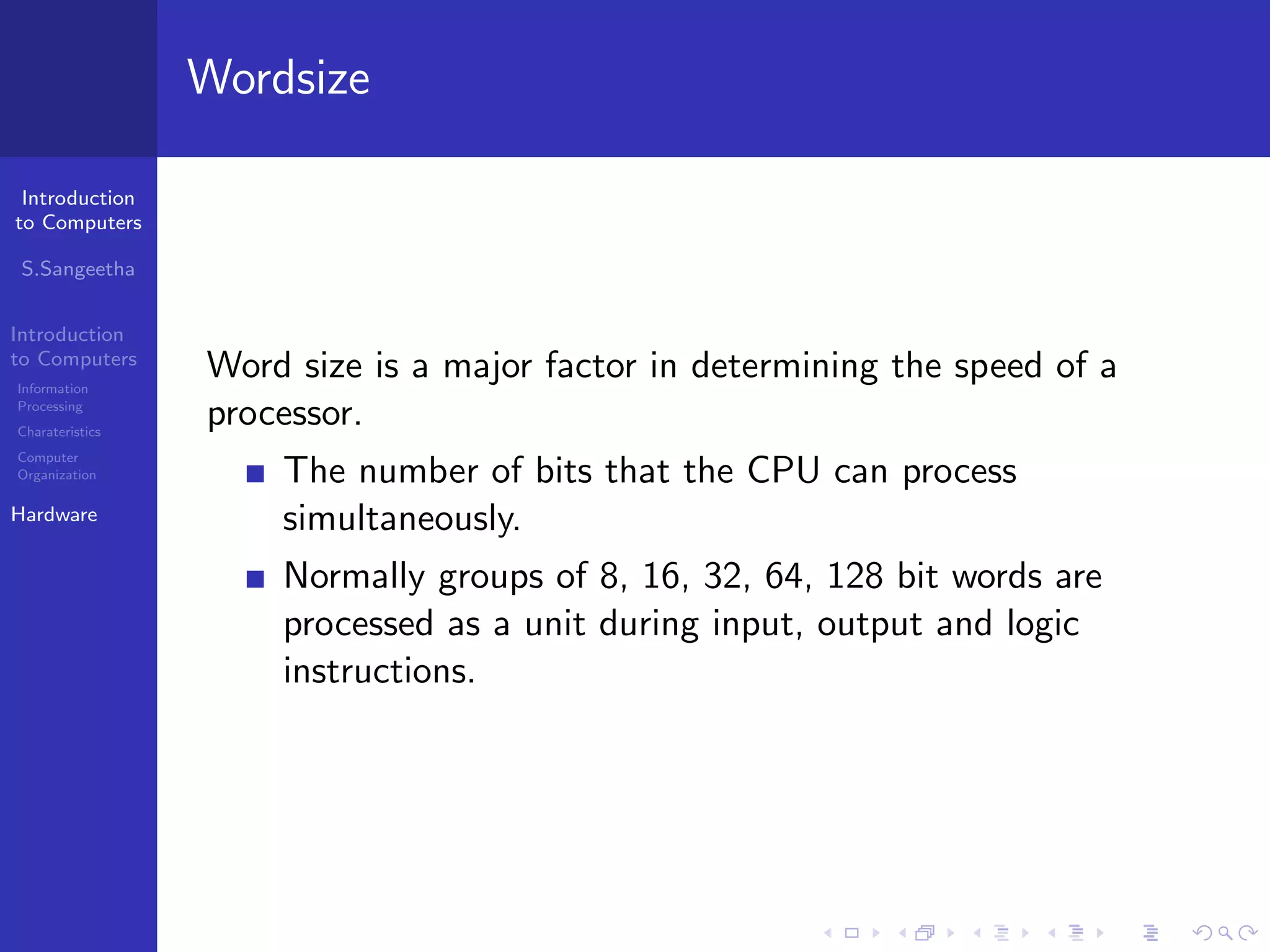
Wordsize
Word size is a major factor in determining the speed of a
processor.
The number of bits that the CPU can process
simultaneously.
Normally groups of 8, 16, 32, 64, 128 bit words are
processed as a unit during input, output and logic
instructions.
Introduction
to Computers
S.Sangeetha
Introduction
to Computers
Information
Processing
Charateristics
Computer
Organization
Hardware
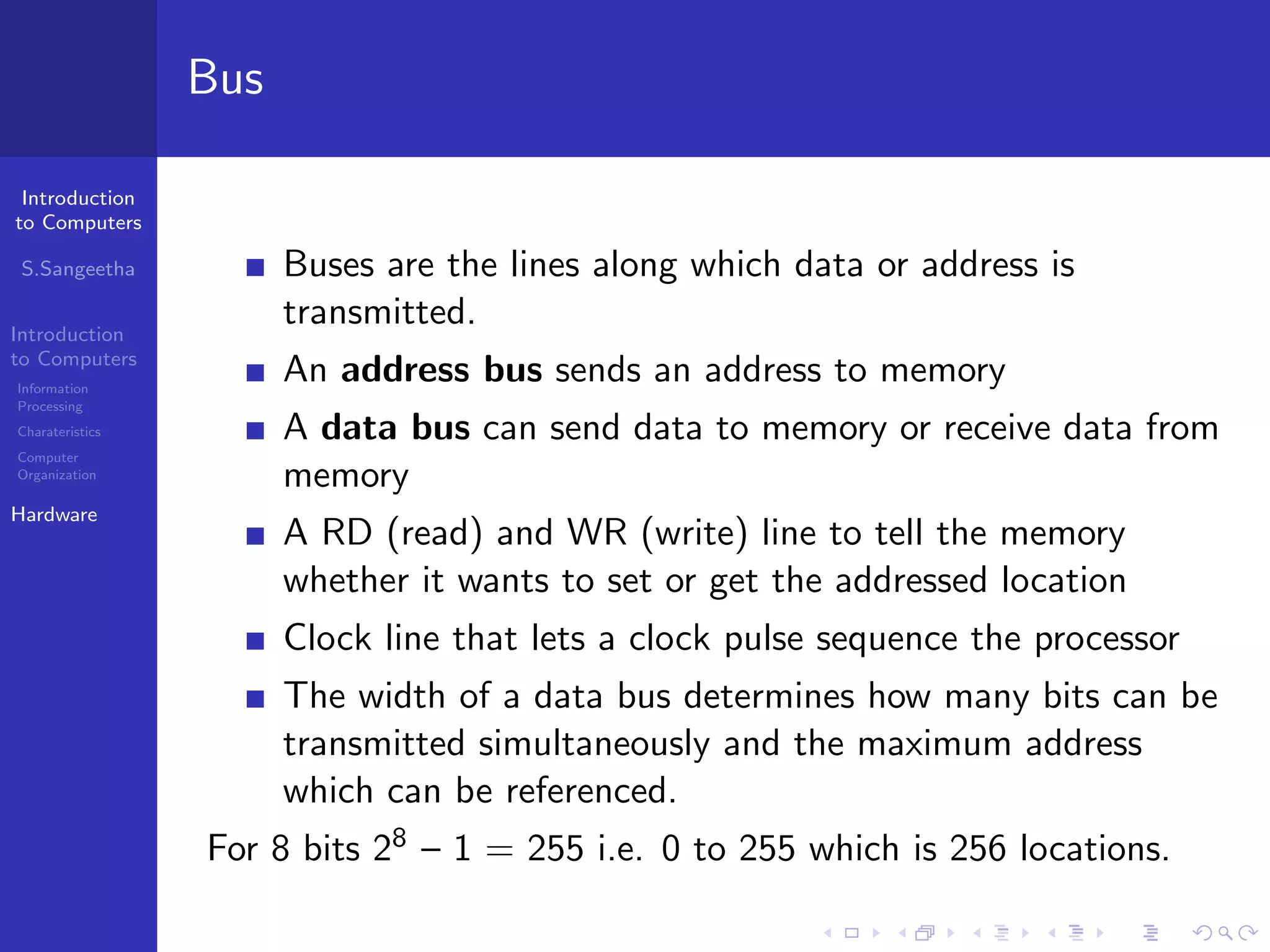
Bus
Buses are the lines along which data or address is
transmitted.
An address bus sends an address to memory
A data bus can send data to memory or receive data from
memory
A RD (read) and WR (write) line to tell the memory
whether it wants to set or get the addressed location
Clock line that lets a clock pulse sequence the processor
The width of a data bus determines how many bits can be
transmitted simultaneously and the maximum address
which can be referenced.
For 8 bits 28 – 1 = 255 i.e. 0 to 255 which is 256 locations.
Introduction
to Computers
S.Sangeetha
Introduction
to Computers
Information
Processing
Charateristics
Computer
Organization
Hardware
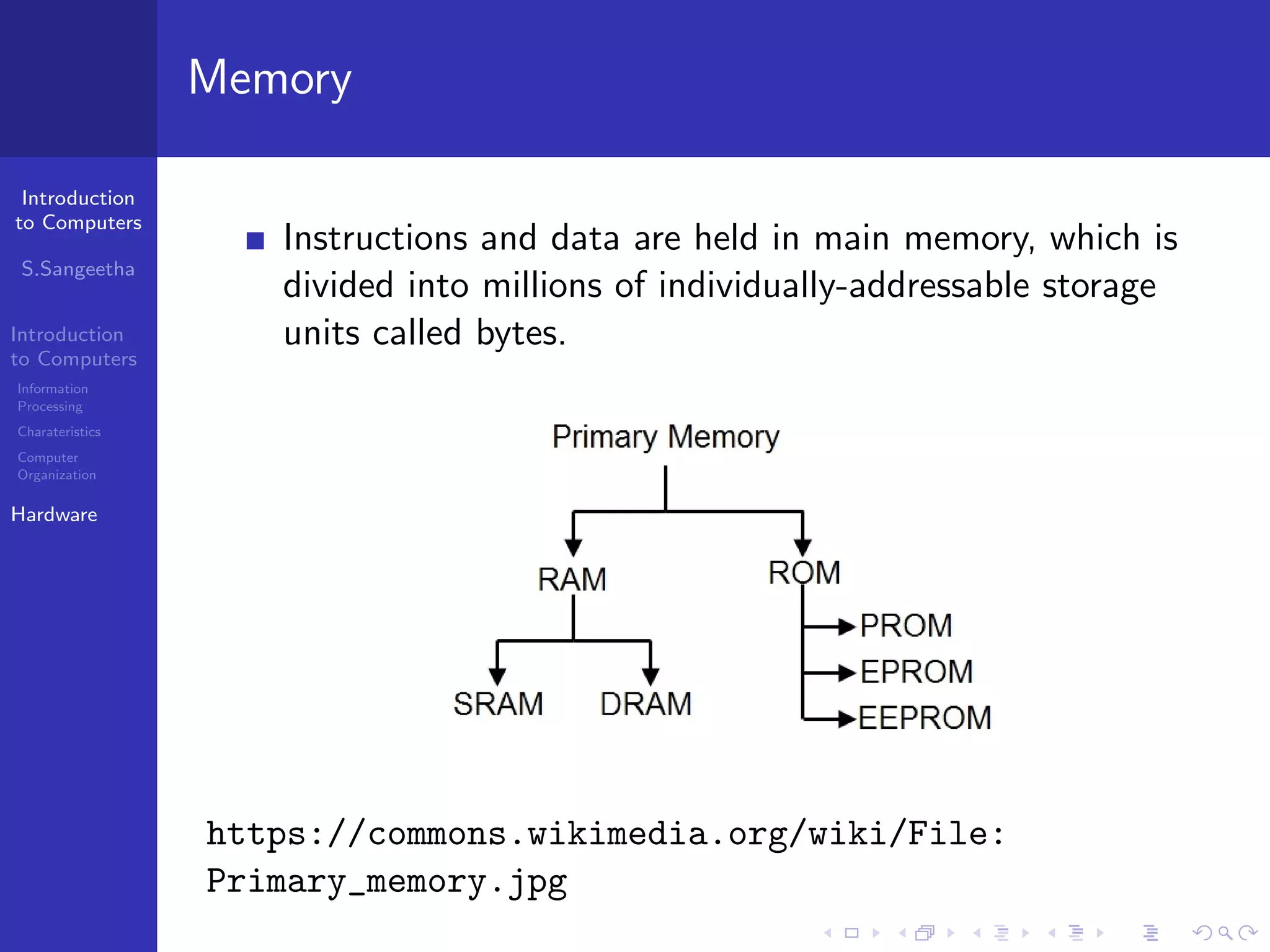
Memory
Instructions and data are held in main memory, which is
divided into millions of individually-addressable storage
units called bytes.
https://commons.wikimedia.org/wiki/File:
Primary_memory.jpg
Introduction
to Computers
S.Sangeetha
Introduction
to Computers
Information
Processing
Charateristics
Computer
Organization
Hardware
RAM
Used for storing programs which are currently running and
data which is being processed.
It is volatile memory(i.e) it loses all its contents as soon as
the machine is switched off.
SRAM is relatively more expensive. It is typically used for
the cache and internal registers of a CPU
DRAM is inexpensive and somewhat slow.
It requires an uninterrupted power supply to maintain the
data.
DRAM stores data in tiny capacitor that must be
refreshed to maintain the data.
Introduction
to Computers
S.Sangeetha
Introduction
to Computers
Information
Processing
Charateristics
Computer
Organization
Hardware
ROM
Non-volatile memory with contents permanently added
into the memory chip at the manufacturing stage
Holds bootstrap loader- The program which runs as soon
as the computer is switched on and instructs it to load the
operating system from disk into memory.
EPROM - Erasable programmable read-only memory.
EEPROM - electrically erasable programmable read-only
memory.
A flash EPROM is similar to an EEPROM except that
flash EPROMs are erased all at once while a regular
EEROMs can erase one byte at a time.
Introduction
to Computers
S.Sangeetha
Introduction
to Computers
Information
Processing
Charateristics
Computer
Organization
Hardware
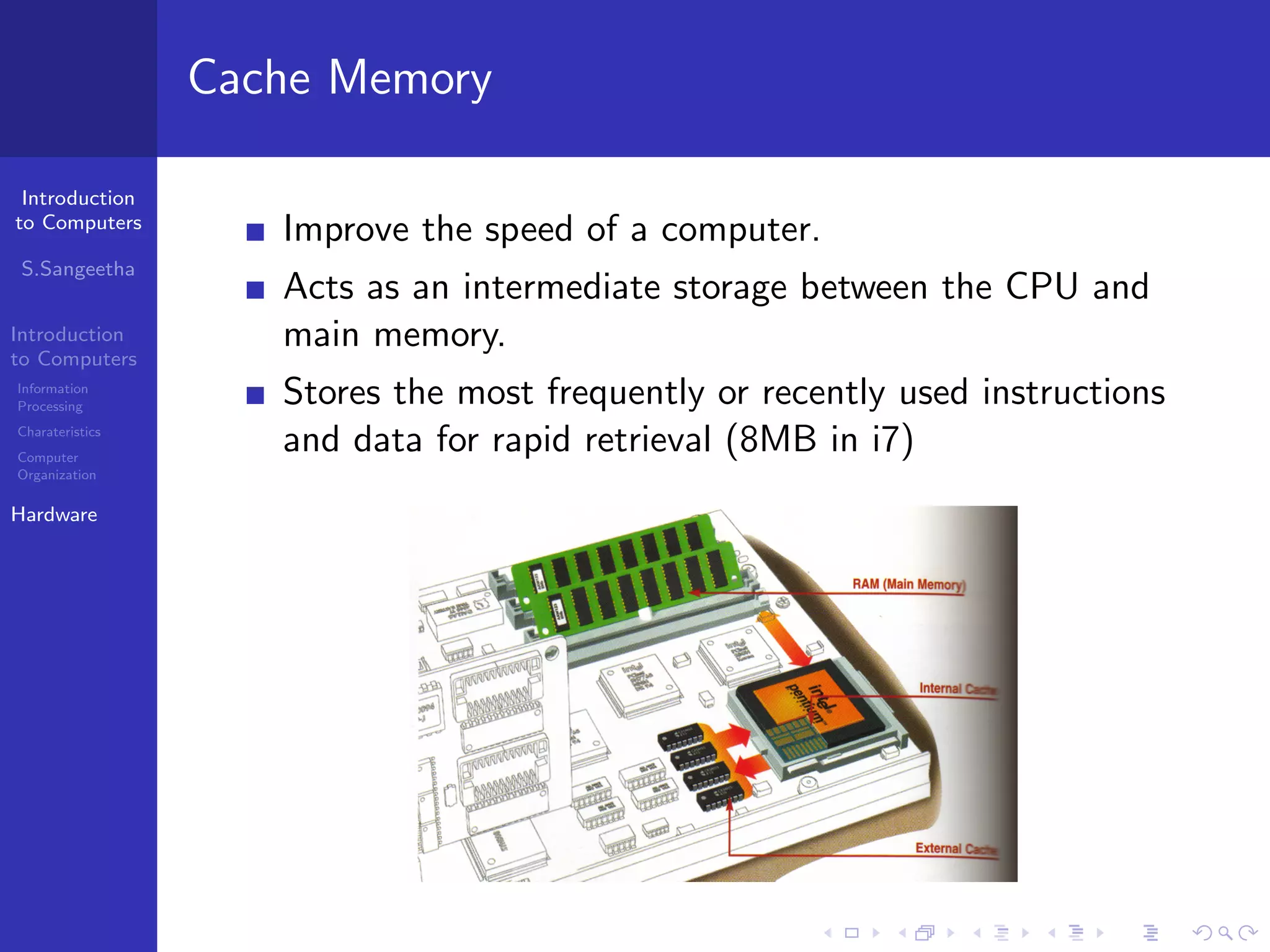
Cache Memory
Improve the speed of a computer.
Acts as an intermediate storage between the CPU and
main memory.
Stores the most frequently or recently used instructions
and data for rapid retrieval (8MB in i7)
Introduction
to Computers
S.Sangeetha
Introduction
to Computers
Information
Processing
Charateristics
Computer
Organization
Hardware
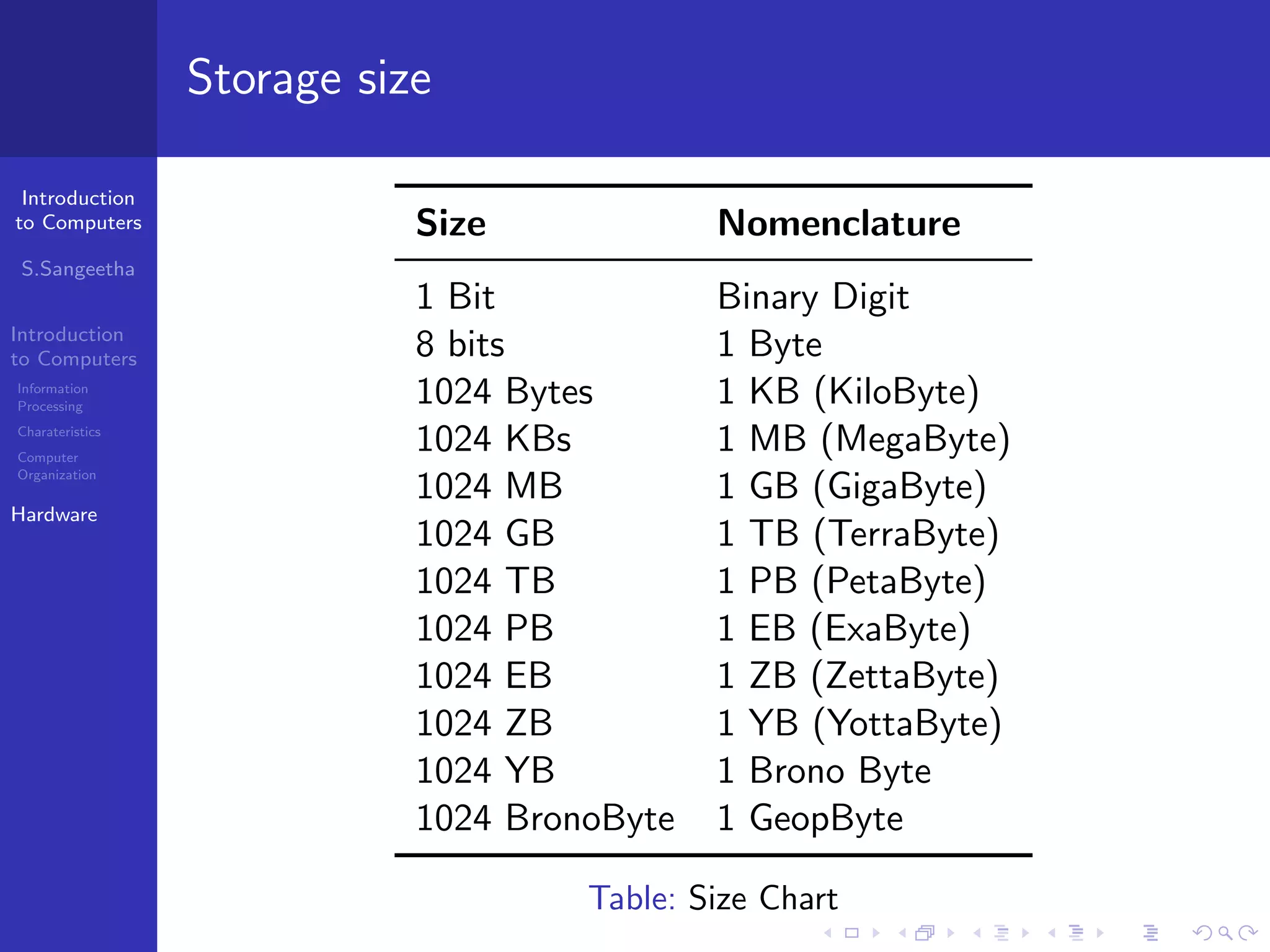
Storage size
Size Nomenclature
1 Bit Binary Digit
8 bits 1 Byte
1024 Bytes 1 KB (KiloByte)
1024 KBs 1 MB (MegaByte)
1024 MB 1 GB (GigaByte)
1024 GB 1 TB (TerraByte)
1024 TB 1 PB (PetaByte)
1024 PB 1 EB (ExaByte)
1024 EB 1 ZB (ZettaByte)
1024 ZB 1 YB (YottaByte)
1024 YB 1 Brono Byte
1024 BronoByte 1 GeopByte
Table: Size Chart
Introduction
to Computers
S.Sangeetha
Introduction
to Computers
Information
Processing
Charateristics
Computer
Organization
Hardware
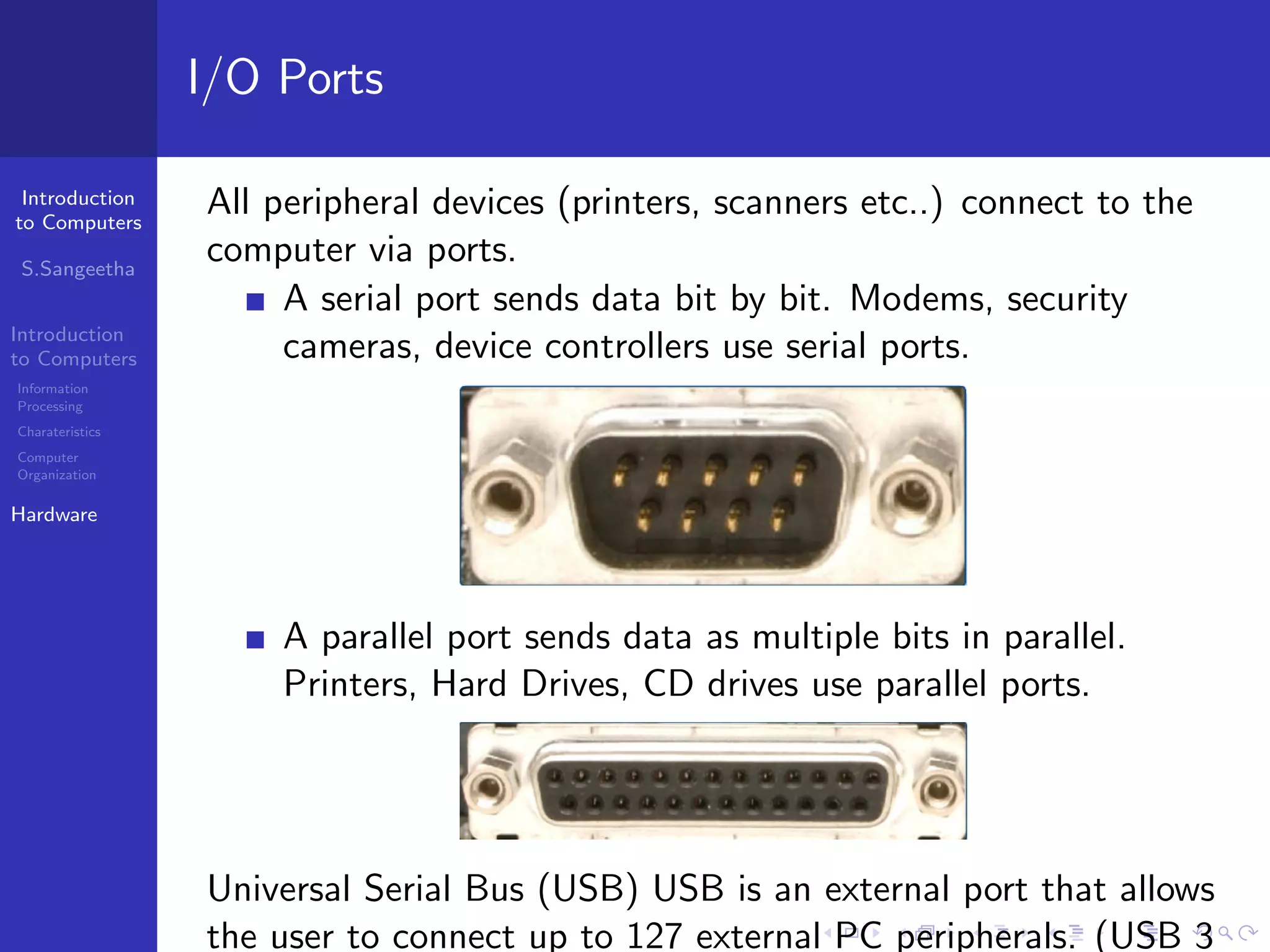
I/O Ports
All peripheral devices (printers, scanners etc..) connect to the
computer via ports.
A serial port sends data bit by bit. Modems, security
cameras, device controllers use serial ports.
A parallel port sends data as multiple bits in parallel.
Printers, Hard Drives, CD drives use parallel ports.
Universal Serial Bus (USB) USB is an external port that allows
the user to connect up to 127 external PC peripherals. (USB 3
Introduction
to Computers
S.Sangeetha
Introduction
to Computers
Information
Processing
Charateristics
Computer
Organization
Hardware
Cards
Cards are components added to computers to increase their
capability.
Sound Card
Sound cards allow computers to produce sound like music and
voice.
Video Card
A video card (graphics card, display card, graphics adapter) is
an expansion card which generates output images to a display
device (monitor).
Network Card
Network cards allow computers to connect together to
communicate with each other.
Introduction
to Computers
S.Sangeetha
Introduction
to Computers
Information
Processing
Charateristics
Computer
Organization
Hardware
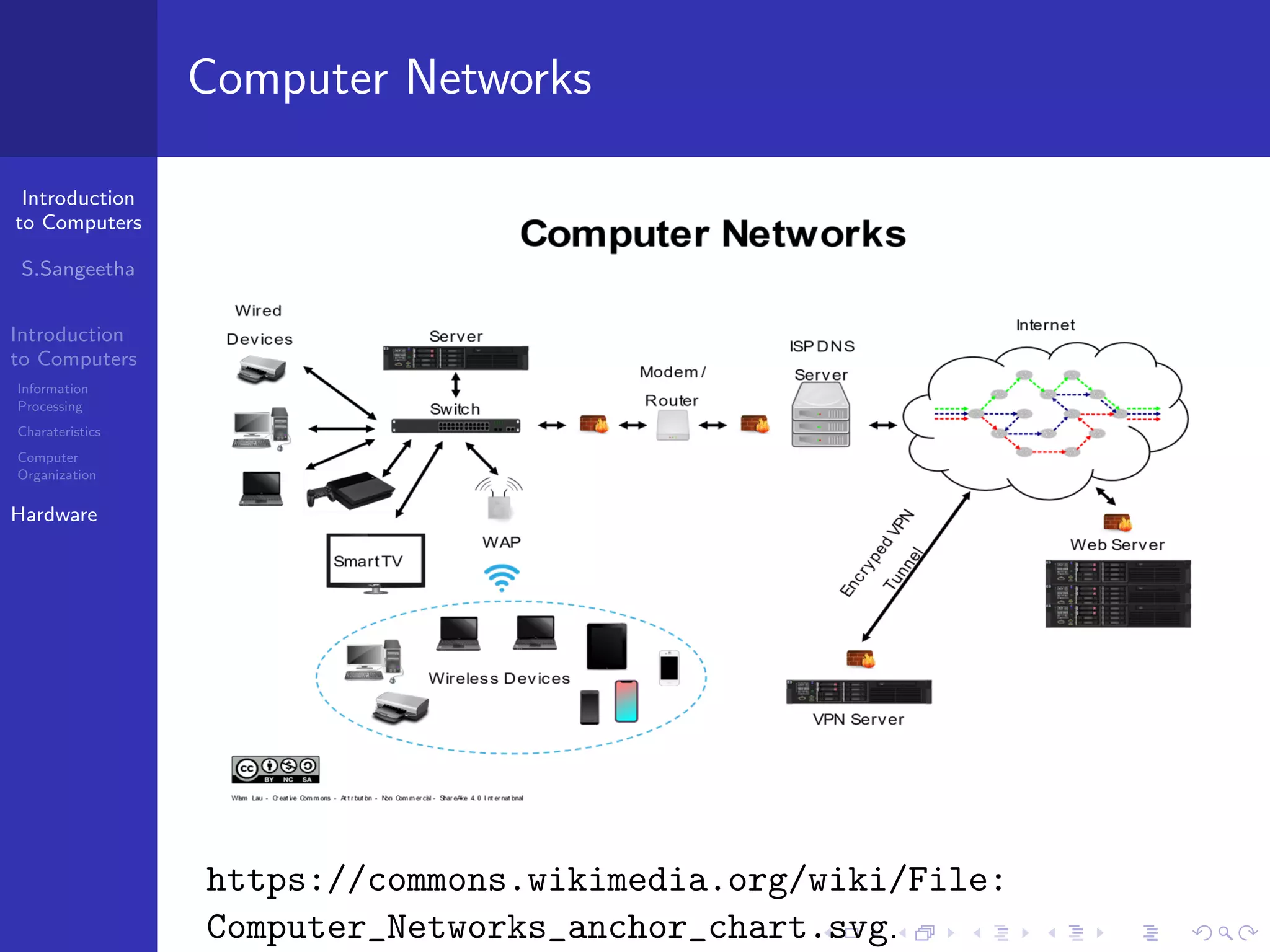
Computer Networks
https://commons.wikimedia.org/wiki/File:
Computer_Networks_anchor_chart.svg.
Introduction
to Computers
S.Sangeetha
Introduction
to Computers
Information
Processing
Charateristics
Computer
Organization
Hardware
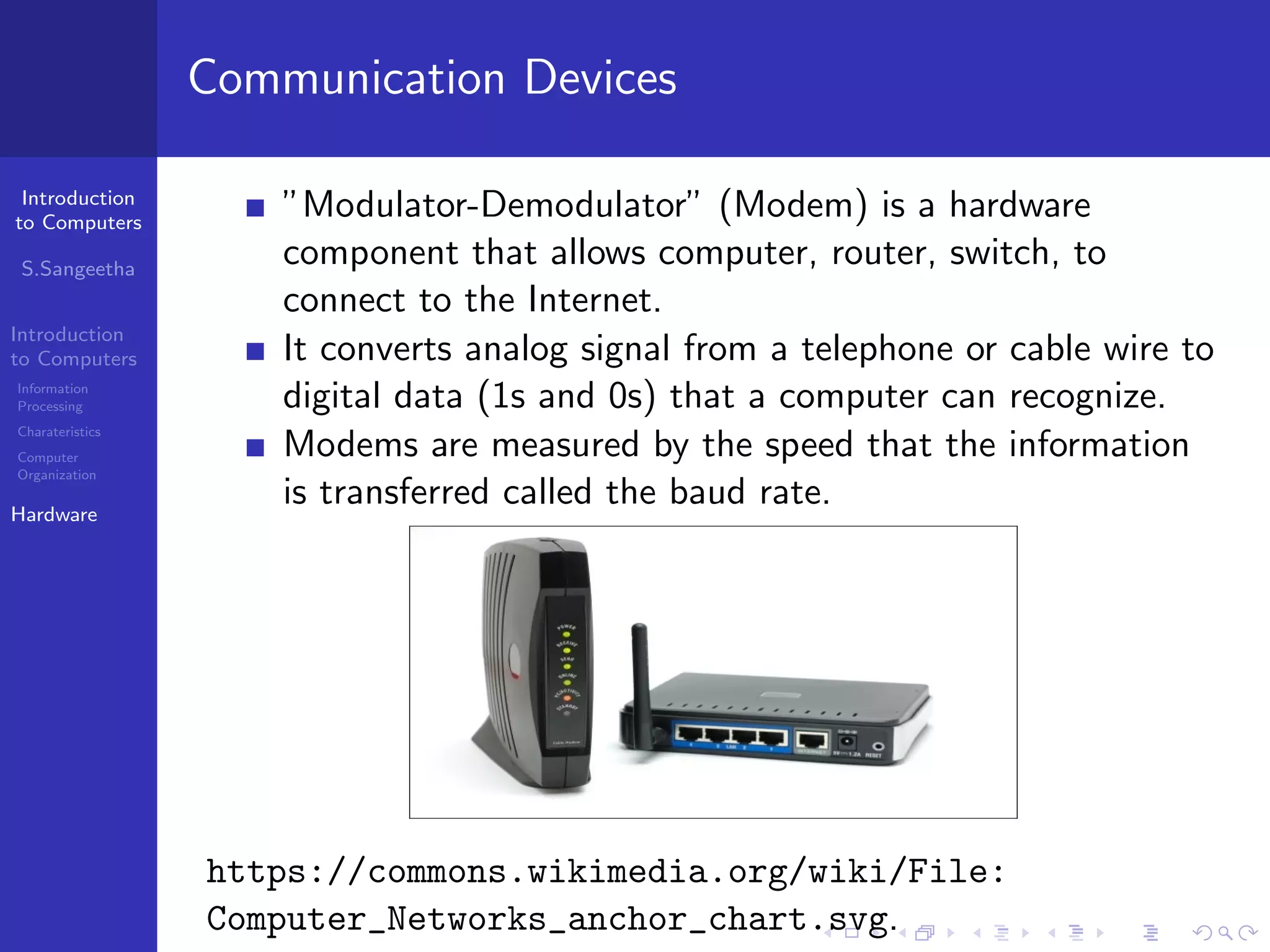
Communication Devices
”Modulator-Demodulator” (Modem) is a hardware
component that allows computer, router, switch, to
connect to the Internet.
It converts analog signal from a telephone or cable wire to
digital data (1s and 0s) that a computer can recognize.
Modems are measured by the speed that the information
is transferred called the baud rate.
https://commons.wikimedia.org/wiki/File:
Computer_Networks_anchor_chart.svg.
Introduction
to Computers
S.Sangeetha
Introduction
to Computers
Information
Processing
Charateristics
Computer
Organization
Hardware
Communication Devices
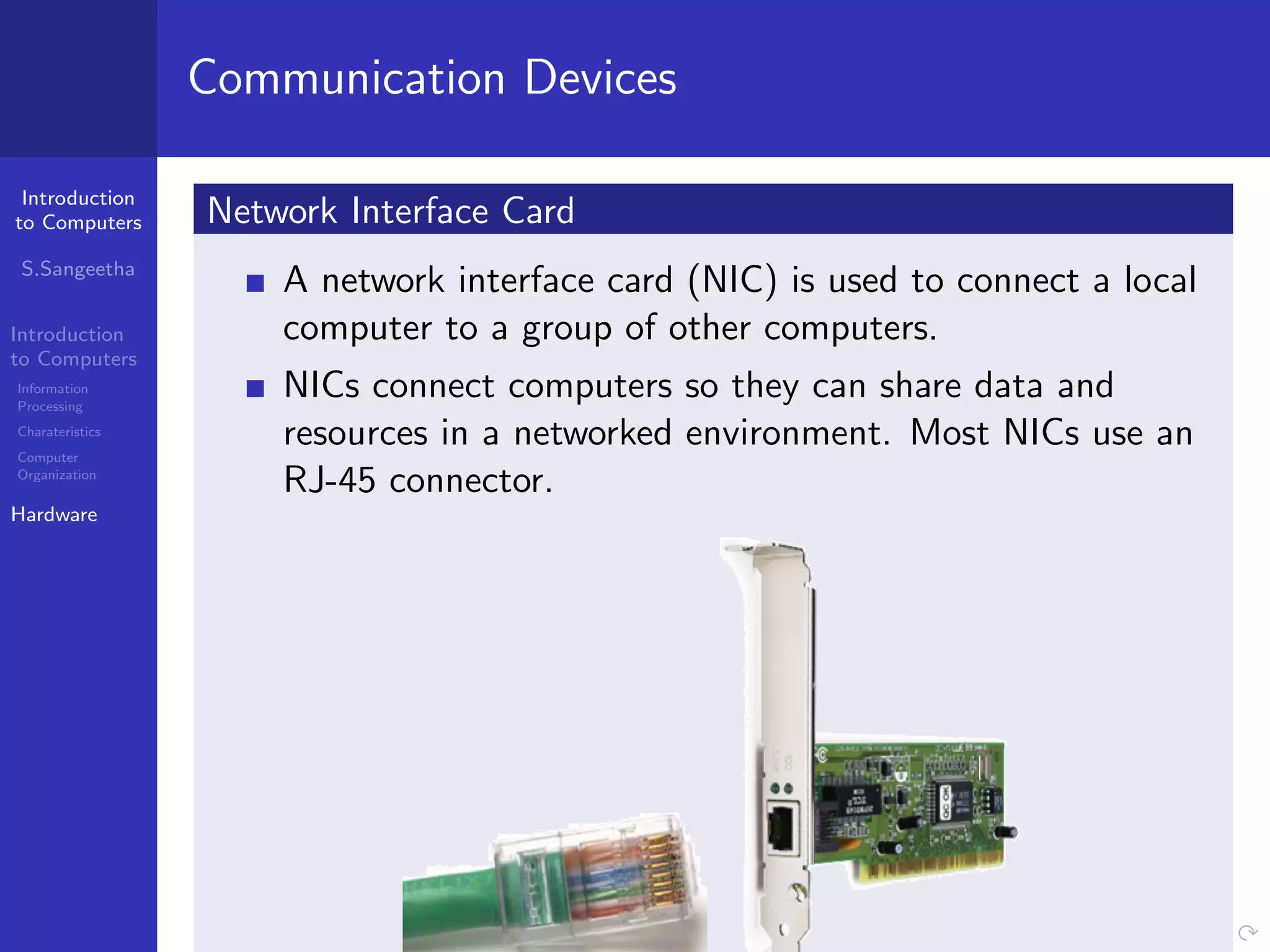
Network Interface Card
A network interface card (NIC) is used to connect a local
computer to a group of other computers.
NICs connect computers so they can share data and
resources in a networked environment. Most NICs use an
RJ-45 connector.
Introduction
to Computers
S.Sangeetha
Introduction
to Computers
Information
Processing
Charateristics
Computer
Organization
Hardware
Communication Devices
Repeaters
Repeaters boost the signal. The repeater electrically amplifies
the signal it receives and rebroadcasts it.
Switch
Ethernet switch is a device that provides a central connection
point for cables from workstations, servers, and peripherals. A
switch forwards data only to the port on which the destination
system is connected. It uses MAC addresses.
Bridge
A bridge is used to join two network segments together. It
allows computers on either segment to access resources on the
other segment. It is used for dividing large networks into
smaller segments.
Introduction
to Computers
S.Sangeetha
Introduction
to Computers
Information
Processing
Charateristics
Computer
Organization
Hardware
Communication Devices
Router
Routers efficiently route information between LANs. Routers
are mostly used in large internetworks to connect hosts and
LANs to the Internet.
Wireless access point
A wireless access point (WAP or AP) is a device that allows
wireless communication devices to connect to a wireless
network using WiFi, Bluetooth or related standards. The WAP
usually connects to a wired network, and can transfer data
Introduction
to Computers
S.Sangeetha
Introduction
to Computers
Information
Processing
Charateristics
Computer
Organization
Hardware
Firewall
Firewalls are used to prevent unauthorized users from
accessing private networks connected to the Internet.
Firewalls can be implemented in both hardware and
software.
It is configured to permit/deny, encrypt/decrypt, or proxy
all traffic based on set of rules.
All messages entering or leaving the LAN pass through the
firewall.
The firewall examines each message and blocks the
messages that do not meet the specified security criteria.
Introduction
to Computers
S.Sangeetha
Introduction
to Computers
Information
Processing
Charateristics
Computer
Organization
Hardware
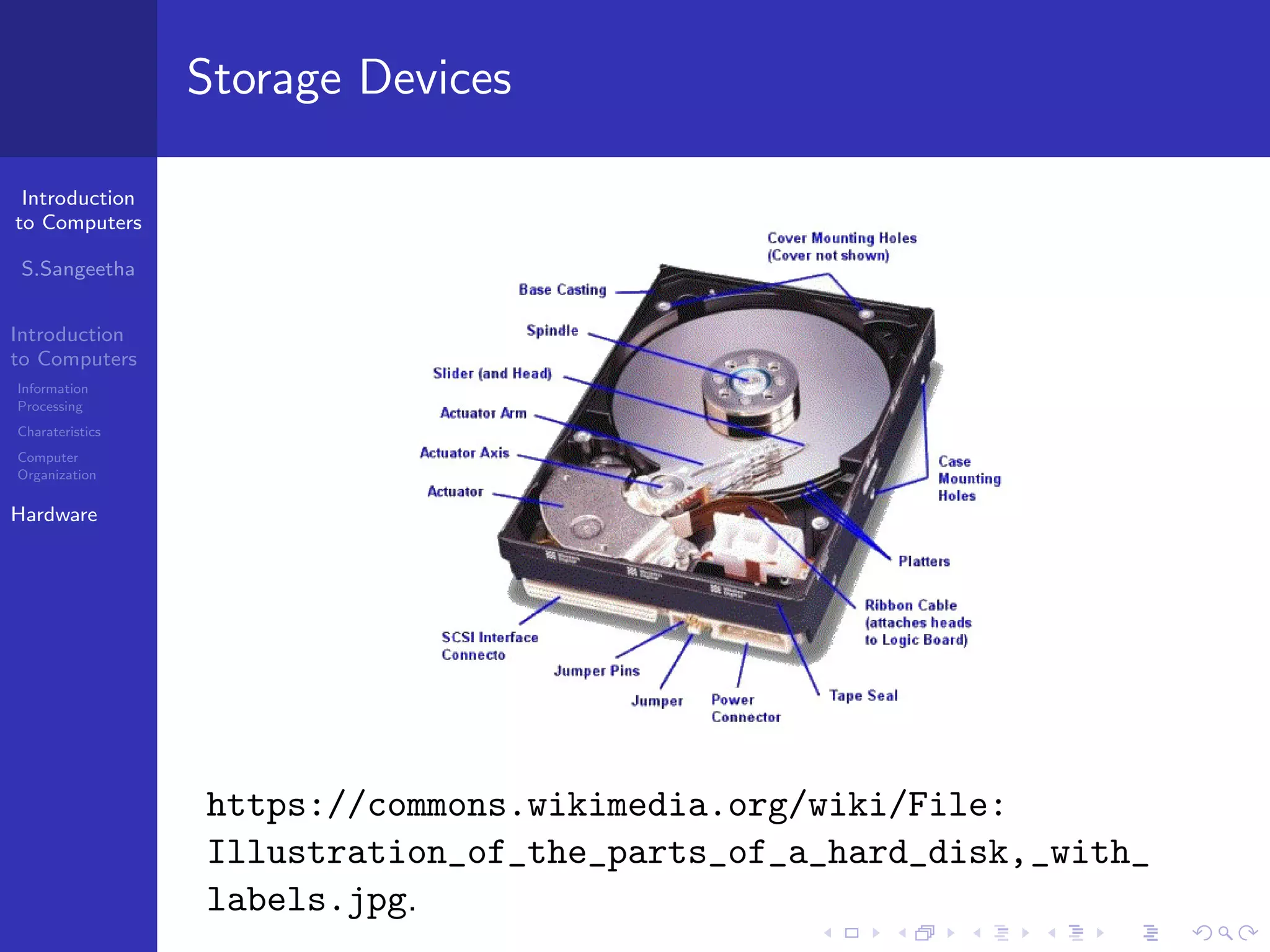
Storage Devices
https://commons.wikimedia.org/wiki/File:
Illustration_of_the_parts_of_a_hard_disk,_with_
labels.jpg.
Introduction
to Computers
S.Sangeetha
Introduction
to Computers
Information
Processing
Charateristics
Computer
Organization
Hardware
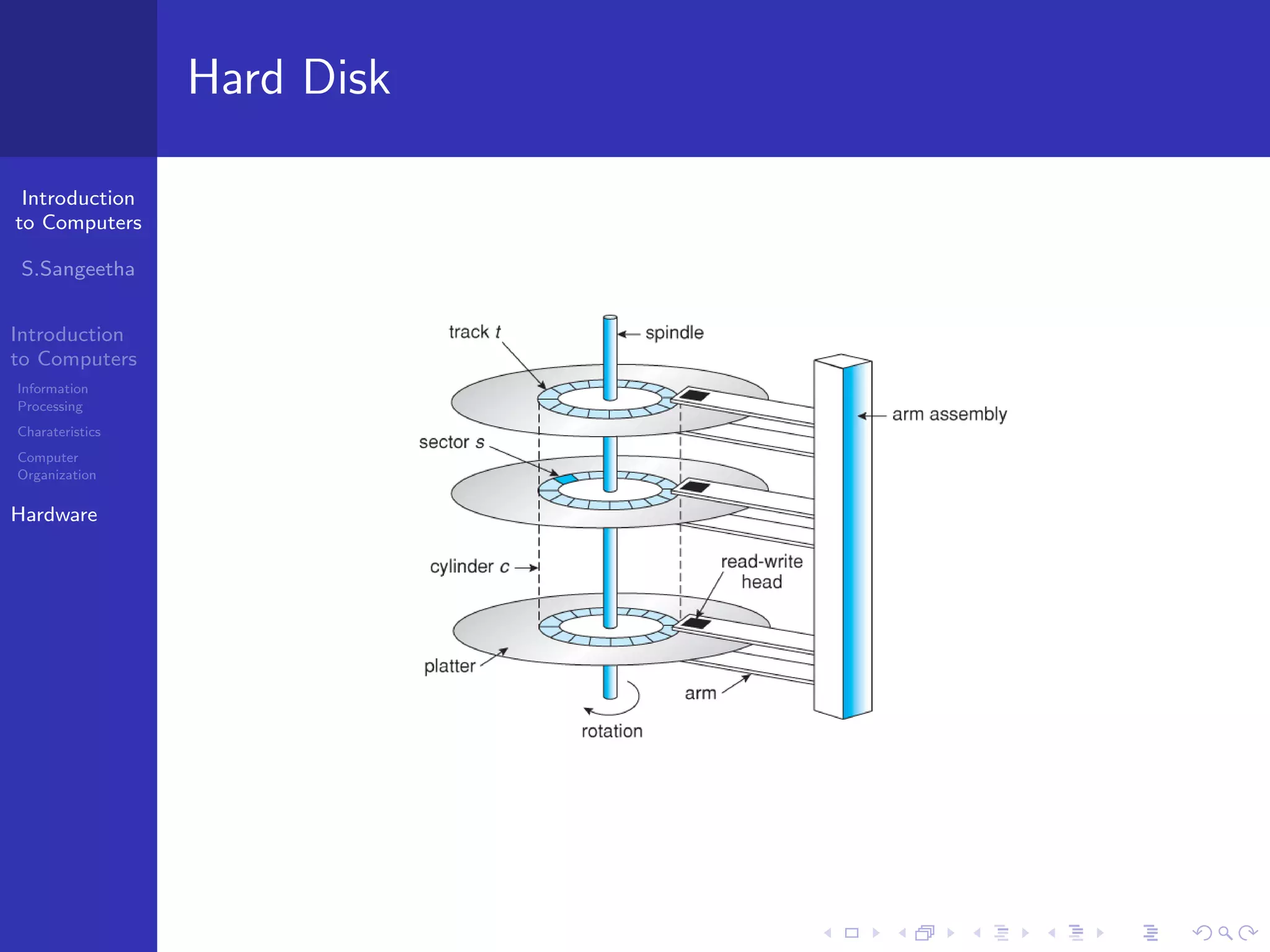
Hard Disk

Introduction to Computers - Hardware