R Programming
S.Sangeetha
R
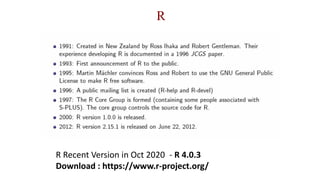
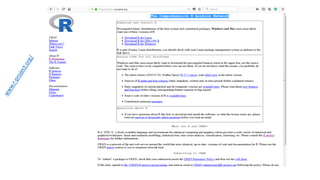
R Recent Version in Oct 2020 - R 4.0.3
Download : https://www.r-project.org/
Why R?
• It's free!
• It runs on a variety of platforms including Windows, Unix and MacOS.
• It contains advanced statistical routines not yet available in other packages.
• It has state-of-the-art graphics capabilities.
What Is R?
• Programming “environment”
• Object-oriented
• Freeware
• Provides calculations on matrices
• Excellent graphics capabilities
• Supported by a large user network
R Overview
• You can enter commands one at a time at the command prompt
(>) or run a set of commands from a source file.
• There is a wide variety of data types, including vectors
(numerical, character, logical), matrices, data frames, and lists.
To quit R, use
>q()
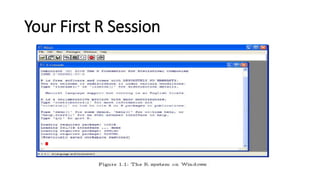
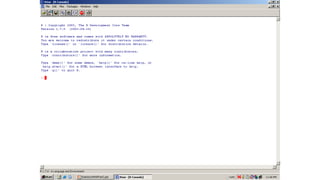
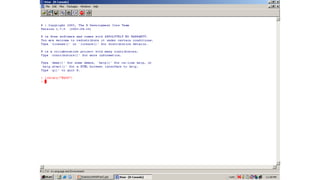
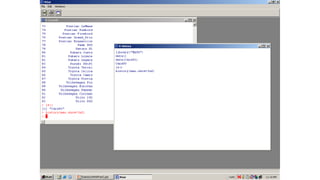
Your First R Session
Objects
• Names
• Types of objects: vector, array, matrix, data Frame, list
• Attributes
• Mode: numeric, character, complex, logical
• Length: number of elements in object
• Creation
• Assign a value
Assignment
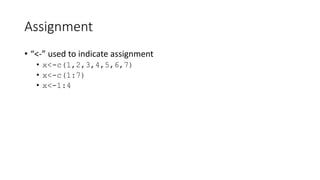
• “<-” used to indicate assignment
• x<-c(1,2,3,4,5,6,7)
• x<-c(1:7)
• x<-1:4
Vectors
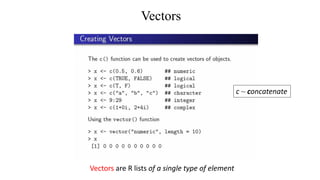
Vectors are R lists of a single type of element
c ~ concatenate
Factors
• A factor - statistical data type used to store categorical variables.
• Categorical variables belong to a limited number of categories.
• Nominal categorical variable- without an implied order.
• Ordinal categorical variable - Natural ordering -"Low", "Medium",
"High" .
Factors
> temp <- c("low", "high", "medium", "high", "low", "medium", "high")
> factor(temp)
[1] low high medium high low medium high
>levels(factor(temp))
[1] "high" "low" "medium"
> factor(temp,order=TRUE,levels=c("low","medium","high"))
Levels: low < medium < high
>tempfact<-factor(temp,order=TRUE,levels=c("low","medium","high"))
> summary(tempfact)
low medium high
2 2 3
Plot
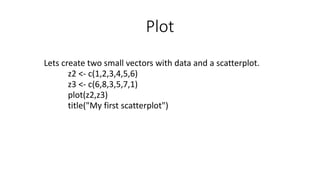
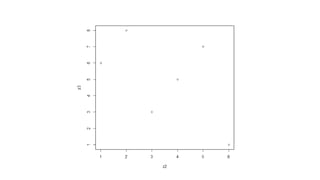
Lets create two small vectors with data and a scatterplot.
z2 <- c(1,2,3,4,5,6)
z3 <- c(6,8,3,5,7,1)
plot(z2,z3)
title("My first scatterplot")
R Attach Packages
To attach another package to the system you can use the menu or the library
function.
Via the menu:
`Packages' → `Load package...',
Via the library function:
> library(MASS)
> shoes
$A
[1] 13.2 8.2 10.9 14.3 10.7 6.6 9.5 10.8 8.8 13.3
$B
[1] 14.0 8.8 11.2 14.2 11.8 6.4 9.8 11.3 9.3 13.6
Functions and datasets to support Venables and Ripley,
"Modern Applied Statistics with S" (4th edition, 2002)
R Datasets
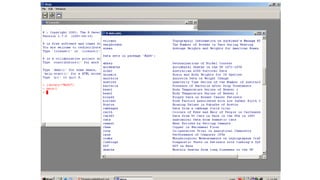
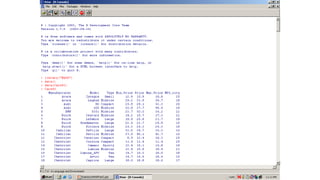
R comes with a number of sample datasets that you can experiment with. Type
> data( )
To see the available datasets. The results will depend on which packages you
have loaded. Type
>help(datasetname)
for details on a sample dataset.
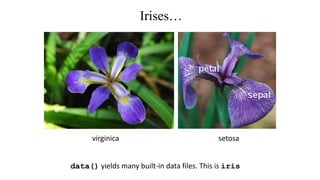
Irises…
setosavirginica
data() yields many built-in data files. This is iris
Subsetting iris data
As with vectors, you can "subset" data frames.
df[rows,cols]
Two most common object types for statistics
Matrix
Data frame
Matrix
• A matrix is a vector with an additional attribute (dim) that defines the
number of columns and rows
• Only one mode (numeric, character, complex, or logical) allowed
• Can be created using matrix()
x<-matrix(data=0,nr=2,nc=2)
or
x<-matrix(0,2,2)
• All columns in a matrix must have the same data type (numeric,
character, etc.) and the same length.
Data Frame
• A data frame is more general than a matrix, in that different columns
can have different modes (numeric, character, factor, etc.).
• Just like a table in a database or excel sheet.
• Can be created using data.Frame()
L <-letters[1:4] #a b c d
X <-1:4 #1 2 3 4
data.frame(x,l) #create data frame
Data Elements
• select only one element
• x[2]
• select range of elements
• x[1:3]
• select all but one element
• x[-3]
• slicing: including only part of the object
• x[c(1,2,5)]
• select elements based on logical operator
• x(x>3)
In R, array indexes start at 1
Packages in R
Standard Packages
Standard statistical and graphical functions
• CRAN-Comprehensive R Archive Network
Namespaces
• Packages have namespaces
• Hide functions and data that are meant only for internal use
• Prevent functions from breaking when a user picks a name that
clashes package
• Provide a way to refer to an object within a particular package.
• Namespaces prevent the user’s definition from taking precedence
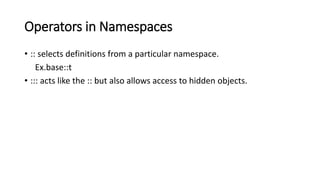
Operators in Namespaces
• :: selects definitions from a particular namespace.
Ex.base::t
• ::: acts like the :: but also allows access to hidden objects.
Data Input
Data Import & Entry
Data input
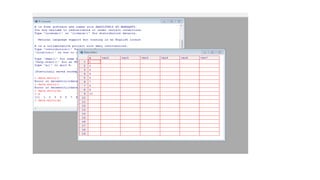
• data.entry()
• create object first, then enter data
• read.table()
• reads in data from an external file
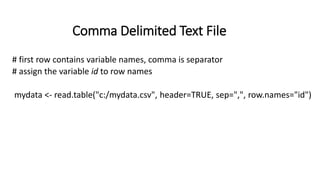
Comma Delimited Text File
# first row contains variable names, comma is separator
# assign the variable id to row names
mydata <- read.table("c:/mydata.csv", header=TRUE, sep=",", row.names="id")
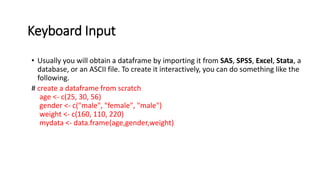
Keyboard Input
• Usually you will obtain a dataframe by importing it from SAS, SPSS, Excel, Stata, a
database, or an ASCII file. To create it interactively, you can do something like the
following.
# create a dataframe from scratch
age <- c(25, 30, 56)
gender <- c("male", "female", "male")
weight <- c(160, 110, 220)
mydata <- data.frame(age,gender,weight)
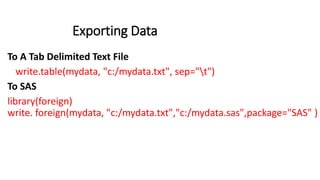
Exporting Data
To A Tab Delimited Text File
write.table(mydata, "c:/mydata.txt", sep="t")
To SAS
library(foreign)
write. foreign(mydata, "c:/mydata.txt","c:/mydata.sas",package="SAS" )
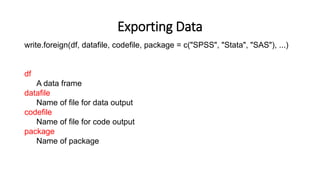
Exporting Data
write.foreign(df, datafile, codefile, package = c("SPSS", "Stata", "SAS"), ...)
df
A data frame
datafile
Name of file for data output
codefile
Name of file for code output
package
Name of package
Data Manipulation
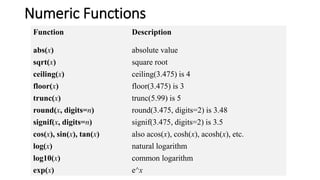
Numeric Functions
Function Description
abs(x) absolute value
sqrt(x) square root
ceiling(x) ceiling(3.475) is 4
floor(x) floor(3.475) is 3
trunc(x) trunc(5.99) is 5
round(x, digits=n) round(3.475, digits=2) is 3.48
signif(x, digits=n) signif(3.475, digits=2) is 3.5
cos(x), sin(x), tan(x) also acos(x), cosh(x), acosh(x), etc.
log(x) natural logarithm
log10(x) common logarithm
exp(x) e^x
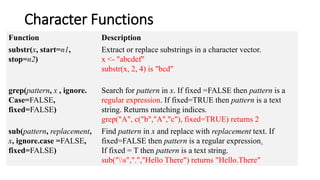
Character Functions
Function Description
substr(x, start=n1,
stop=n2)
Extract or replace substrings in a character vector.
x <- "abcdef"
substr(x, 2, 4) is "bcd"
grep(pattern, x , ignore.
Case=FALSE,
fixed=FALSE)
Search for pattern in x. If fixed =FALSE then pattern is a
regular expression. If fixed=TRUE then pattern is a text
string. Returns matching indices.
grep("A", c("b","A","c"), fixed=TRUE) returns 2
sub(pattern, replacement,
x, ignore.case =FALSE,
fixed=FALSE)
Find pattern in x and replace with replacement text. If
fixed=FALSE then pattern is a regular expression.
If fixed = T then pattern is a text string.
sub("s",".","Hello There") returns "Hello.There"
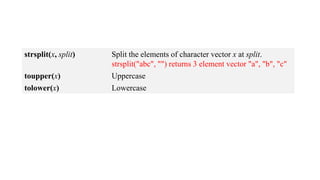
strsplit(x, split) Split the elements of character vector x at split.
strsplit("abc", "") returns 3 element vector "a", "b", "c"
toupper(x) Uppercase
tolower(x) Lowercase
References
• P. Kuhnert & B. Venables, An Introduction to R: Software for Statistical
Modeling & Computing
• J.H. Maindonald, Using R for Data Analysis and Graphics
• W.N. Venebles & D. M. Smith, An Introduction to R
• G. Jay Kerns, “Introduction to Probability and Statistics Using R”, Third
Edition”

R Introduction

  • 1.
  • 2.
    R R Recent Versionin Oct 2020 - R 4.0.3 Download : https://www.r-project.org/
  • 3.
    Why R? • It'sfree! • It runs on a variety of platforms including Windows, Unix and MacOS. • It contains advanced statistical routines not yet available in other packages. • It has state-of-the-art graphics capabilities.
  • 4.
    What Is R? •Programming “environment” • Object-oriented • Freeware • Provides calculations on matrices • Excellent graphics capabilities • Supported by a large user network
  • 6.
    R Overview • Youcan enter commands one at a time at the command prompt (>) or run a set of commands from a source file. • There is a wide variety of data types, including vectors (numerical, character, logical), matrices, data frames, and lists. To quit R, use >q()
  • 7.
    Your First RSession
  • 8.
    Objects • Names • Typesof objects: vector, array, matrix, data Frame, list • Attributes • Mode: numeric, character, complex, logical • Length: number of elements in object • Creation • Assign a value
  • 9.
    Assignment • “<-” usedto indicate assignment • x<-c(1,2,3,4,5,6,7) • x<-c(1:7) • x<-1:4
  • 10.
    Vectors Vectors are Rlists of a single type of element c ~ concatenate
  • 11.
    Factors • A factor- statistical data type used to store categorical variables. • Categorical variables belong to a limited number of categories. • Nominal categorical variable- without an implied order. • Ordinal categorical variable - Natural ordering -"Low", "Medium", "High" .
  • 12.
    Factors > temp <-c("low", "high", "medium", "high", "low", "medium", "high") > factor(temp) [1] low high medium high low medium high >levels(factor(temp)) [1] "high" "low" "medium" > factor(temp,order=TRUE,levels=c("low","medium","high")) Levels: low < medium < high >tempfact<-factor(temp,order=TRUE,levels=c("low","medium","high")) > summary(tempfact) low medium high 2 2 3
  • 13.
    Plot Lets create twosmall vectors with data and a scatterplot. z2 <- c(1,2,3,4,5,6) z3 <- c(6,8,3,5,7,1) plot(z2,z3) title("My first scatterplot")
  • 16.
    R Attach Packages Toattach another package to the system you can use the menu or the library function. Via the menu: `Packages' → `Load package...', Via the library function: > library(MASS) > shoes $A [1] 13.2 8.2 10.9 14.3 10.7 6.6 9.5 10.8 8.8 13.3 $B [1] 14.0 8.8 11.2 14.2 11.8 6.4 9.8 11.3 9.3 13.6 Functions and datasets to support Venables and Ripley, "Modern Applied Statistics with S" (4th edition, 2002)
  • 18.
    R Datasets R comeswith a number of sample datasets that you can experiment with. Type > data( ) To see the available datasets. The results will depend on which packages you have loaded. Type >help(datasetname) for details on a sample dataset.
  • 22.
    Irises… setosavirginica data() yields manybuilt-in data files. This is iris
  • 23.
    Subsetting iris data Aswith vectors, you can "subset" data frames. df[rows,cols]
  • 25.
    Two most commonobject types for statistics Matrix Data frame
  • 26.
    Matrix • A matrixis a vector with an additional attribute (dim) that defines the number of columns and rows • Only one mode (numeric, character, complex, or logical) allowed • Can be created using matrix() x<-matrix(data=0,nr=2,nc=2) or x<-matrix(0,2,2) • All columns in a matrix must have the same data type (numeric, character, etc.) and the same length.
  • 27.
    Data Frame • Adata frame is more general than a matrix, in that different columns can have different modes (numeric, character, factor, etc.). • Just like a table in a database or excel sheet. • Can be created using data.Frame() L <-letters[1:4] #a b c d X <-1:4 #1 2 3 4 data.frame(x,l) #create data frame
  • 28.
    Data Elements • selectonly one element • x[2] • select range of elements • x[1:3] • select all but one element • x[-3] • slicing: including only part of the object • x[c(1,2,5)] • select elements based on logical operator • x(x>3) In R, array indexes start at 1
  • 29.
    Packages in R StandardPackages Standard statistical and graphical functions • CRAN-Comprehensive R Archive Network
  • 30.
    Namespaces • Packages havenamespaces • Hide functions and data that are meant only for internal use • Prevent functions from breaking when a user picks a name that clashes package • Provide a way to refer to an object within a particular package. • Namespaces prevent the user’s definition from taking precedence
  • 31.
    Operators in Namespaces •:: selects definitions from a particular namespace. Ex.base::t • ::: acts like the :: but also allows access to hidden objects.
  • 32.
  • 33.
  • 34.
    Data input • data.entry() •create object first, then enter data • read.table() • reads in data from an external file
  • 36.
    Comma Delimited TextFile # first row contains variable names, comma is separator # assign the variable id to row names mydata <- read.table("c:/mydata.csv", header=TRUE, sep=",", row.names="id")
  • 37.
    Keyboard Input • Usuallyyou will obtain a dataframe by importing it from SAS, SPSS, Excel, Stata, a database, or an ASCII file. To create it interactively, you can do something like the following. # create a dataframe from scratch age <- c(25, 30, 56) gender <- c("male", "female", "male") weight <- c(160, 110, 220) mydata <- data.frame(age,gender,weight)
  • 38.
    Exporting Data To ATab Delimited Text File write.table(mydata, "c:/mydata.txt", sep="t") To SAS library(foreign) write. foreign(mydata, "c:/mydata.txt","c:/mydata.sas",package="SAS" )
  • 39.
    Exporting Data write.foreign(df, datafile,codefile, package = c("SPSS", "Stata", "SAS"), ...) df A data frame datafile Name of file for data output codefile Name of file for code output package Name of package
  • 40.
  • 41.
    Numeric Functions Function Description abs(x)absolute value sqrt(x) square root ceiling(x) ceiling(3.475) is 4 floor(x) floor(3.475) is 3 trunc(x) trunc(5.99) is 5 round(x, digits=n) round(3.475, digits=2) is 3.48 signif(x, digits=n) signif(3.475, digits=2) is 3.5 cos(x), sin(x), tan(x) also acos(x), cosh(x), acosh(x), etc. log(x) natural logarithm log10(x) common logarithm exp(x) e^x
  • 42.
    Character Functions Function Description substr(x,start=n1, stop=n2) Extract or replace substrings in a character vector. x <- "abcdef" substr(x, 2, 4) is "bcd" grep(pattern, x , ignore. Case=FALSE, fixed=FALSE) Search for pattern in x. If fixed =FALSE then pattern is a regular expression. If fixed=TRUE then pattern is a text string. Returns matching indices. grep("A", c("b","A","c"), fixed=TRUE) returns 2 sub(pattern, replacement, x, ignore.case =FALSE, fixed=FALSE) Find pattern in x and replace with replacement text. If fixed=FALSE then pattern is a regular expression. If fixed = T then pattern is a text string. sub("s",".","Hello There") returns "Hello.There"
  • 43.
    strsplit(x, split) Splitthe elements of character vector x at split. strsplit("abc", "") returns 3 element vector "a", "b", "c" toupper(x) Uppercase tolower(x) Lowercase
  • 44.
    References • P. Kuhnert& B. Venables, An Introduction to R: Software for Statistical Modeling & Computing • J.H. Maindonald, Using R for Data Analysis and Graphics • W.N. Venebles & D. M. Smith, An Introduction to R • G. Jay Kerns, “Introduction to Probability and Statistics Using R”, Third Edition”