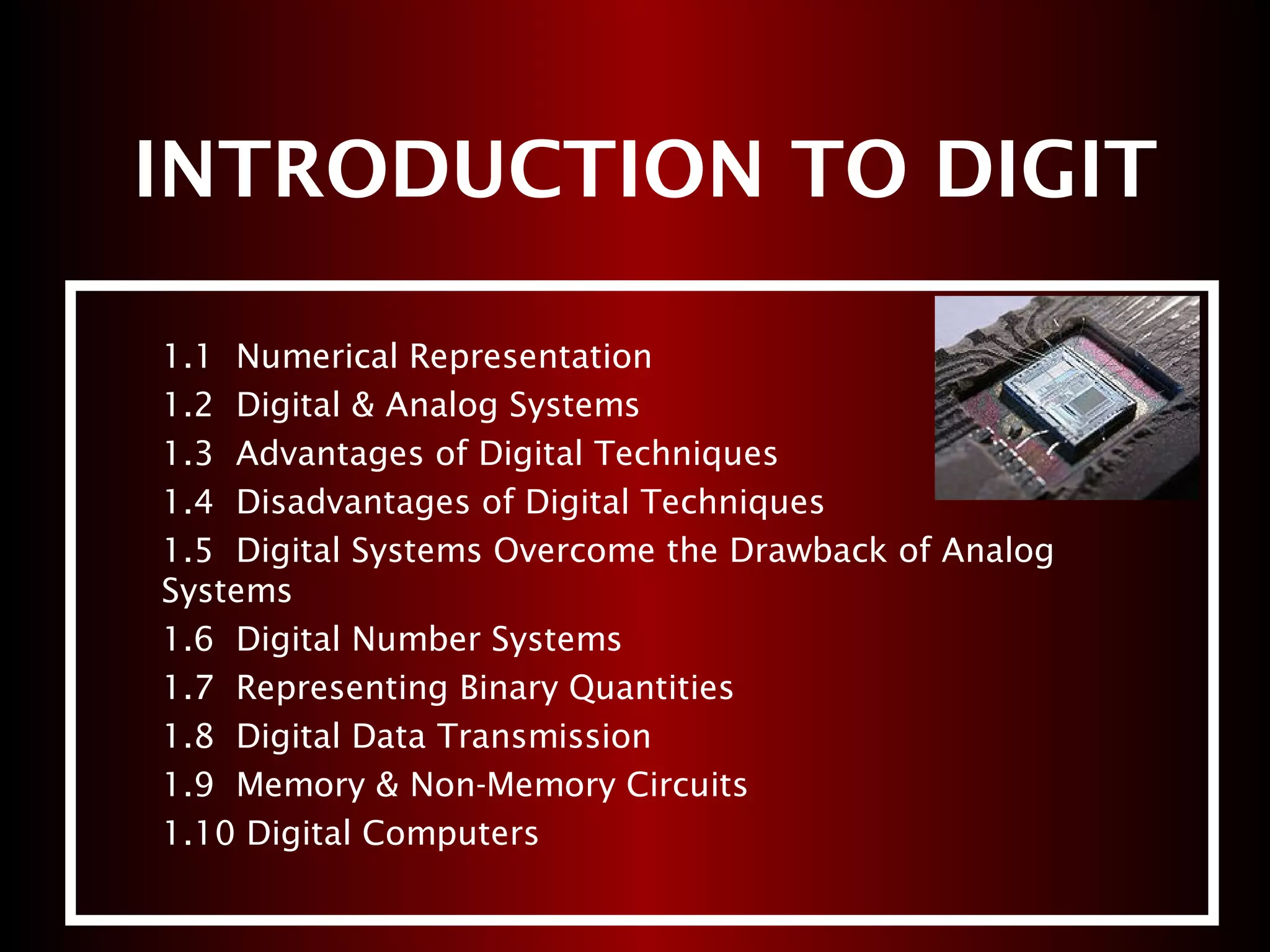
INTRODUCTION TO DIGIT
1.1 Numerical Representation
1.2 Digital & Analog Systems
1.3 Advantages of Digital Techniques
1.4 Disadvantages of Digital Techniques
1.5 Digital Systems Overcome the Drawback of Analog
Systems
1.6 Digital Number Systems
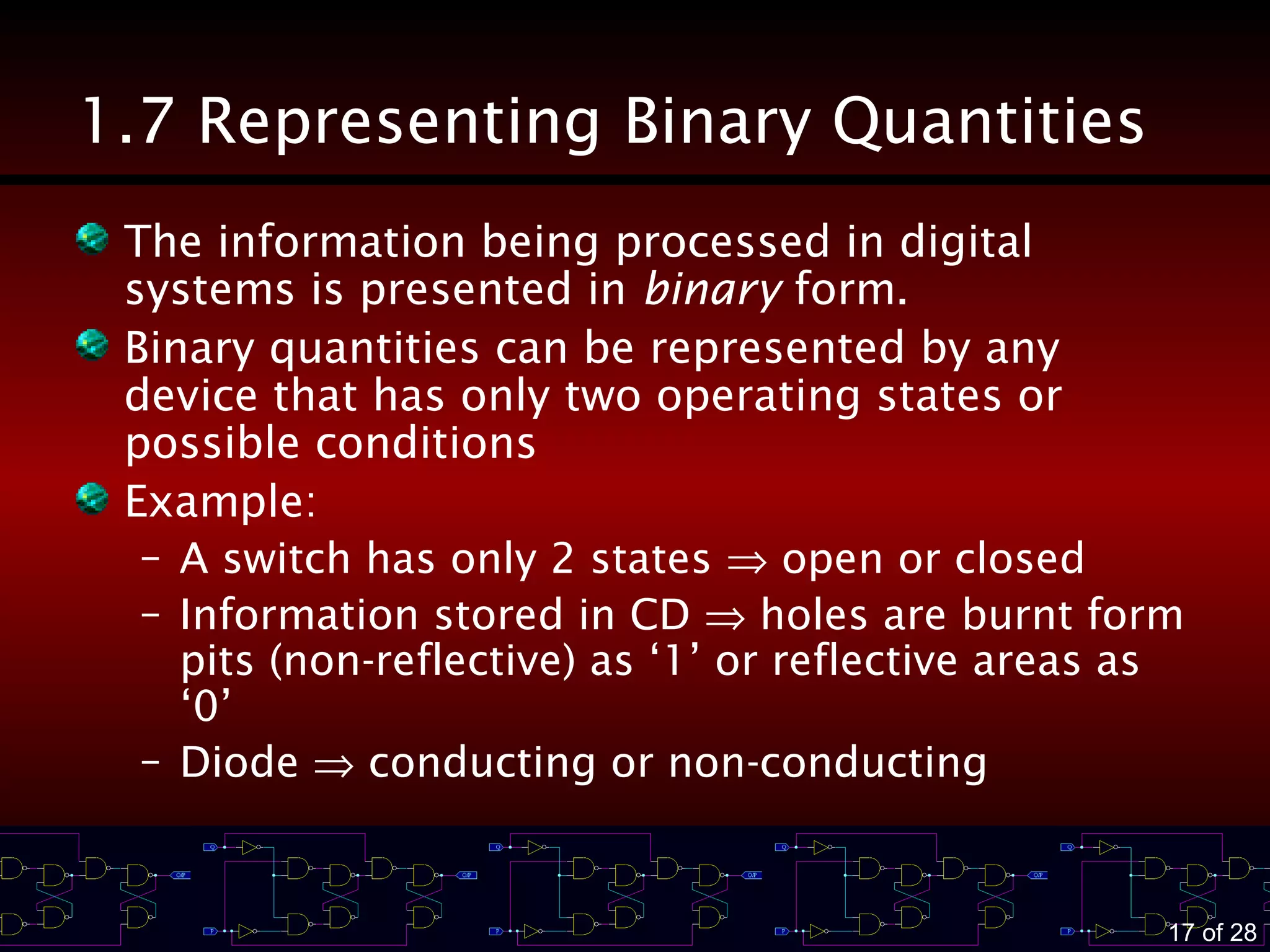
1.7 Representing Binary Quantities
1.8 Digital Data Transmission
1.9 Memory & Non-Memory Circuits
1.10 Digital Computers
2 of 28
Learning Outcomes
At the end of this chapter, you must be able to
– Distinguish between analog & digital
representations
– State the advantages and disadvantages of
digital techniques compared with analog
– Understand the need for ADCs and DACs
– State the differences between parallel and serial
transmissions
– Describe the property of memory
– Describe the major parts of a digital computer &
understand their functions
3 of 28
1.1 Numerical Representations
Most naturally occurring physical quantities in our world
are analog in nature.
Quantities are measured, monitored, recorded,
manipulated arithmetically, observed in most physical
systems.
Important when dealing with quantities
– To represent their values efficiently and accurately
– 2 ways to represent them:
1) ANALOG representation
2) DIGITAL representation
4 of 28
Analog Representation
Represent a quantity by a continuously variable,
proportional indicator
Characteristic of analog quantities
– They can vary over a continuous range of values
Example
– 1) Speedometer
– 2) Thermometer
⇒ In electrical mean, the measured/processed physical quantity is
converted to a proportional electrical signal (V or I) → used by the
system for display, processing or control purposes
Use a mechanical
means
5 of 28
Digital Representation
Represent a quantity by a symbol, called digits.
Characteristic of digital quantities
– They are varied in discrete steps
Example
– 1) Digital Clock
– 2) Digital weighting scale
6 of 28
1.2 Digital & Analog Systems
DIGITAL SYSTEM
Combination of devices designed to manipulate
logical information or physical quantities that are
represented in digital form.
Example: digital calculator
ANALOG SYSTEM
Devices that manipulate physical quantities that
are represented in analog form.
Example: magnetic tape recording and playback
equipment
7 of 28
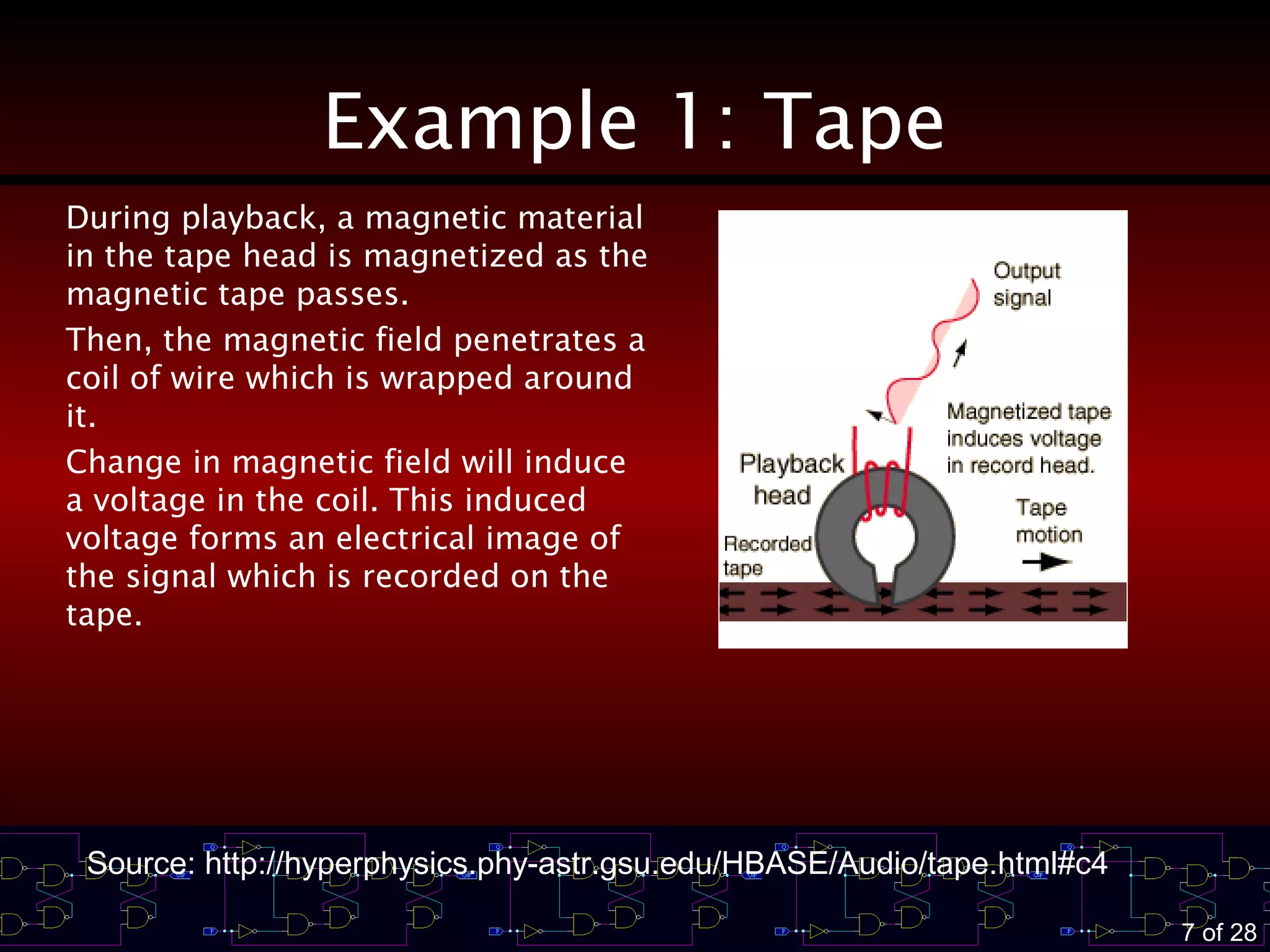
Example 1: Tape
During playback, a magnetic material
in the tape head is magnetized as the
magnetic tape passes.
Then, the magnetic field penetrates a
coil of wire which is wrapped around
it.
Change in magnetic field will induce
a voltage in the coil. This induced
voltage forms an electrical image of
the signal which is recorded on the
tape.
Source: http://hyperphysics.phy-astr.gsu.edu/HBASE/Audio/tape.html#c4
8 of 28
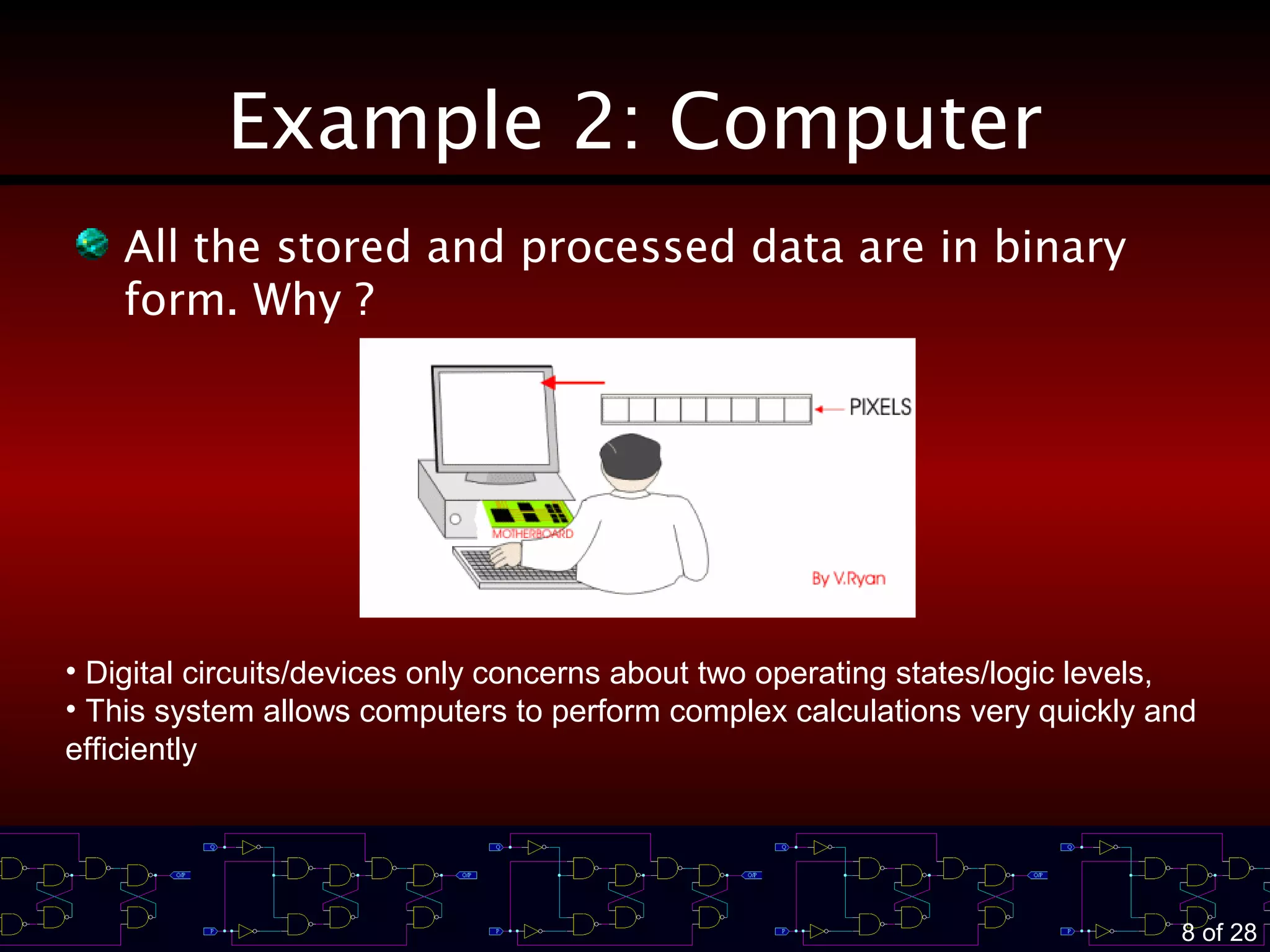
Example 2: Computer
All the stored and processed data are in binary
form. Why ?
• Digital circuits/devices only concerns about two operating states/logic levels,
• This system allows computers to perform complex calculations very quickly and
efficiently
9 of 28
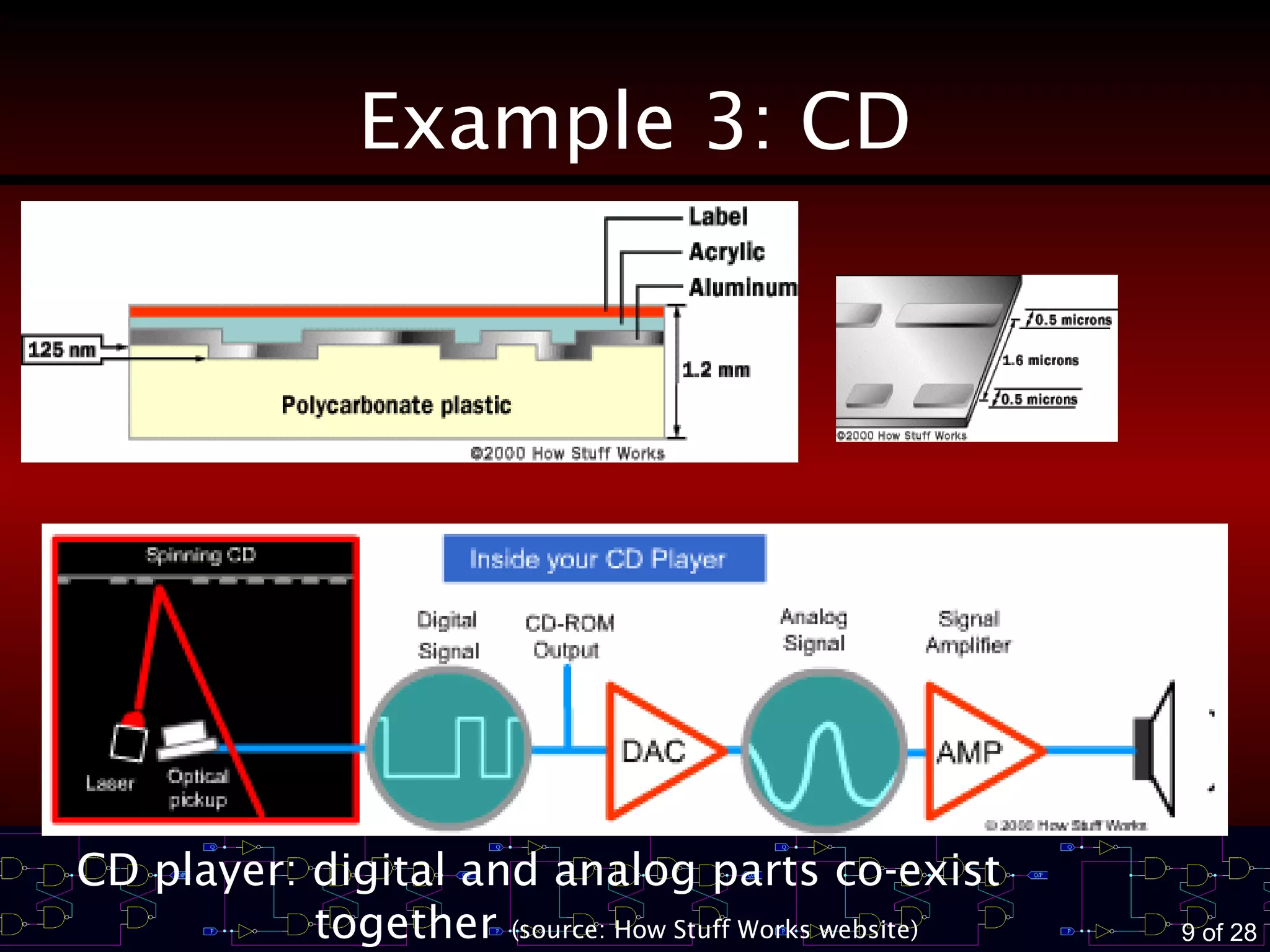
Example 3: CD
CD player: digital and analog parts co-exist
together (source: How Stuff Works website)
10 of 28
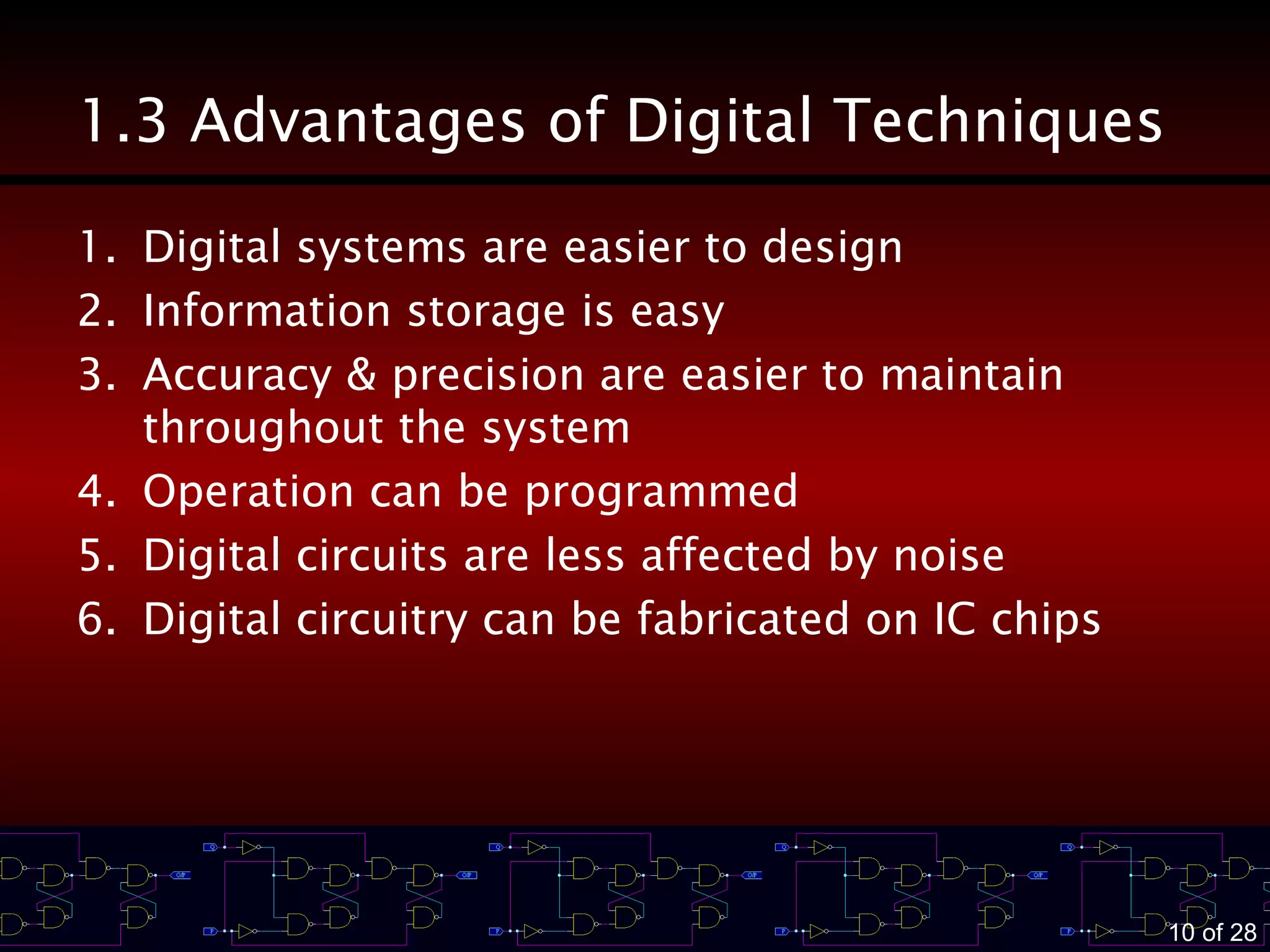
1.3 Advantages of Digital Techniques
1. Digital systems are easier to design
2. Information storage is easy
3. Accuracy & precision are easier to maintain
throughout the system
4. Operation can be programmed
5. Digital circuits are less affected by noise
6. Digital circuitry can be fabricated on IC chips
11 of 28
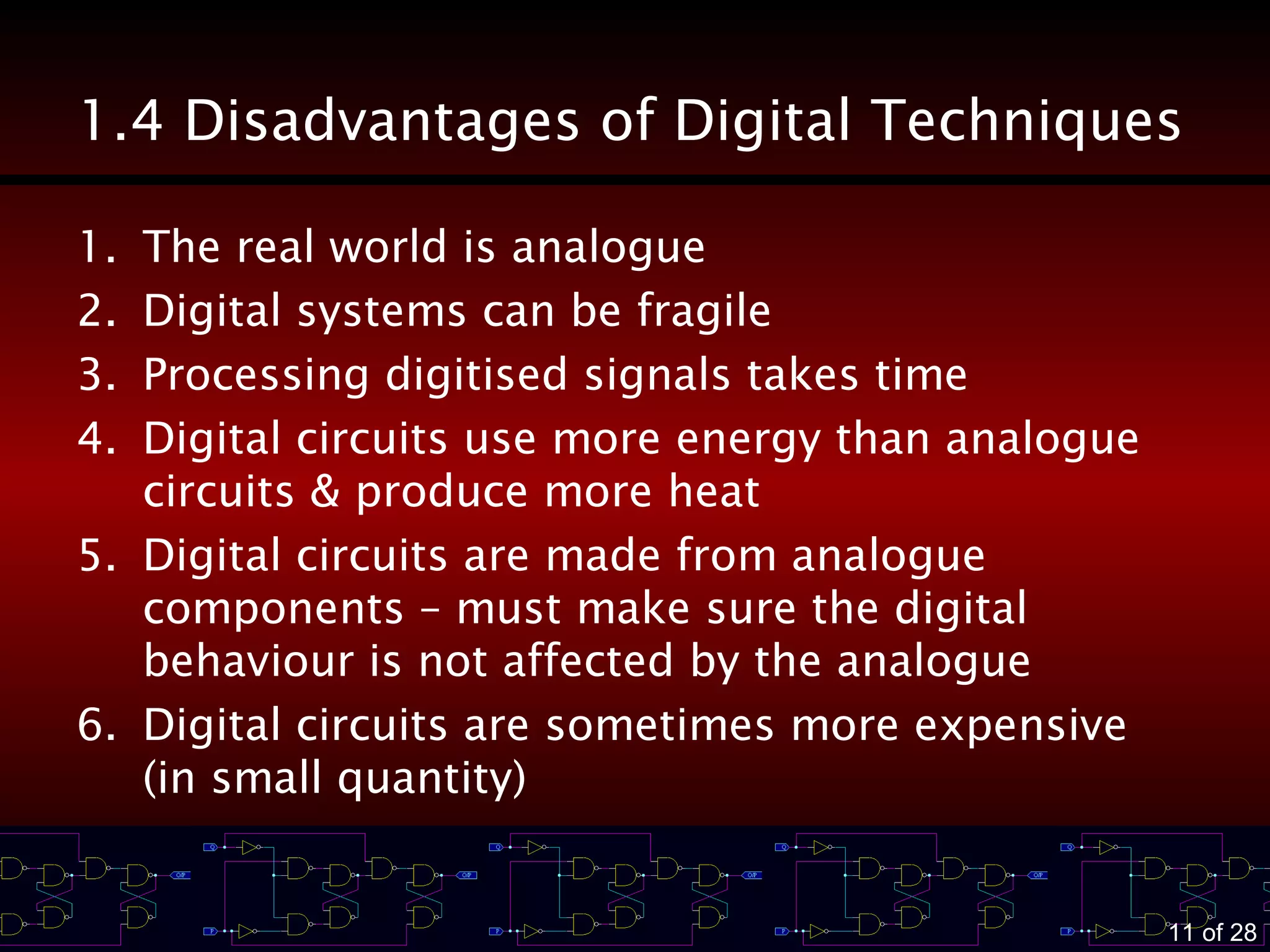
1.4 Disadvantages of Digital Techniques
1. The real world is analogue
2. Digital systems can be fragile
3. Processing digitised signals takes time
4. Digital circuits use more energy than analogue
circuits & produce more heat
5. Digital circuits are made from analogue
components – must make sure the digital
behaviour is not affected by the analogue
6. Digital circuits are sometimes more expensive
(in small quantity)
12 of 28
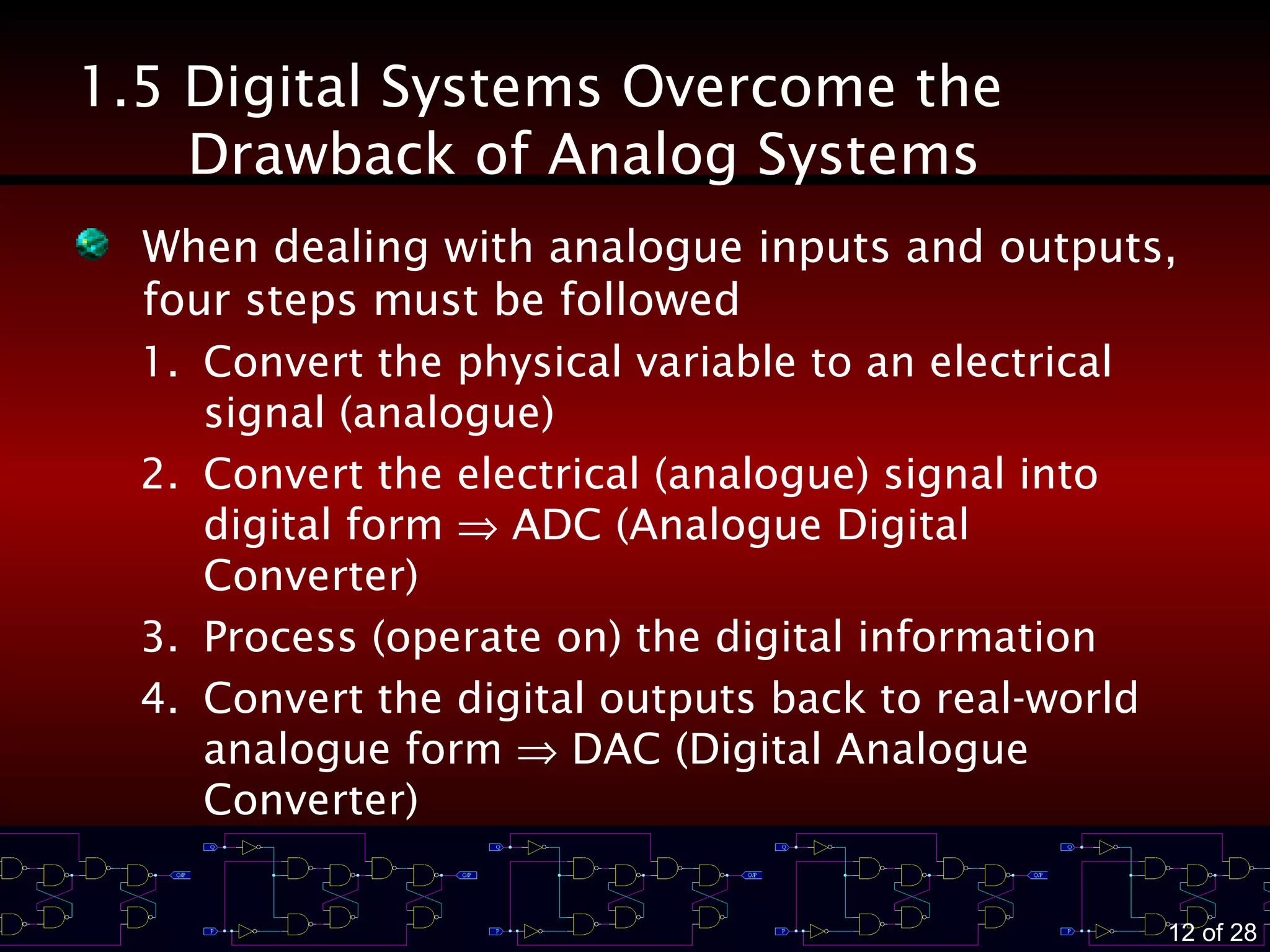
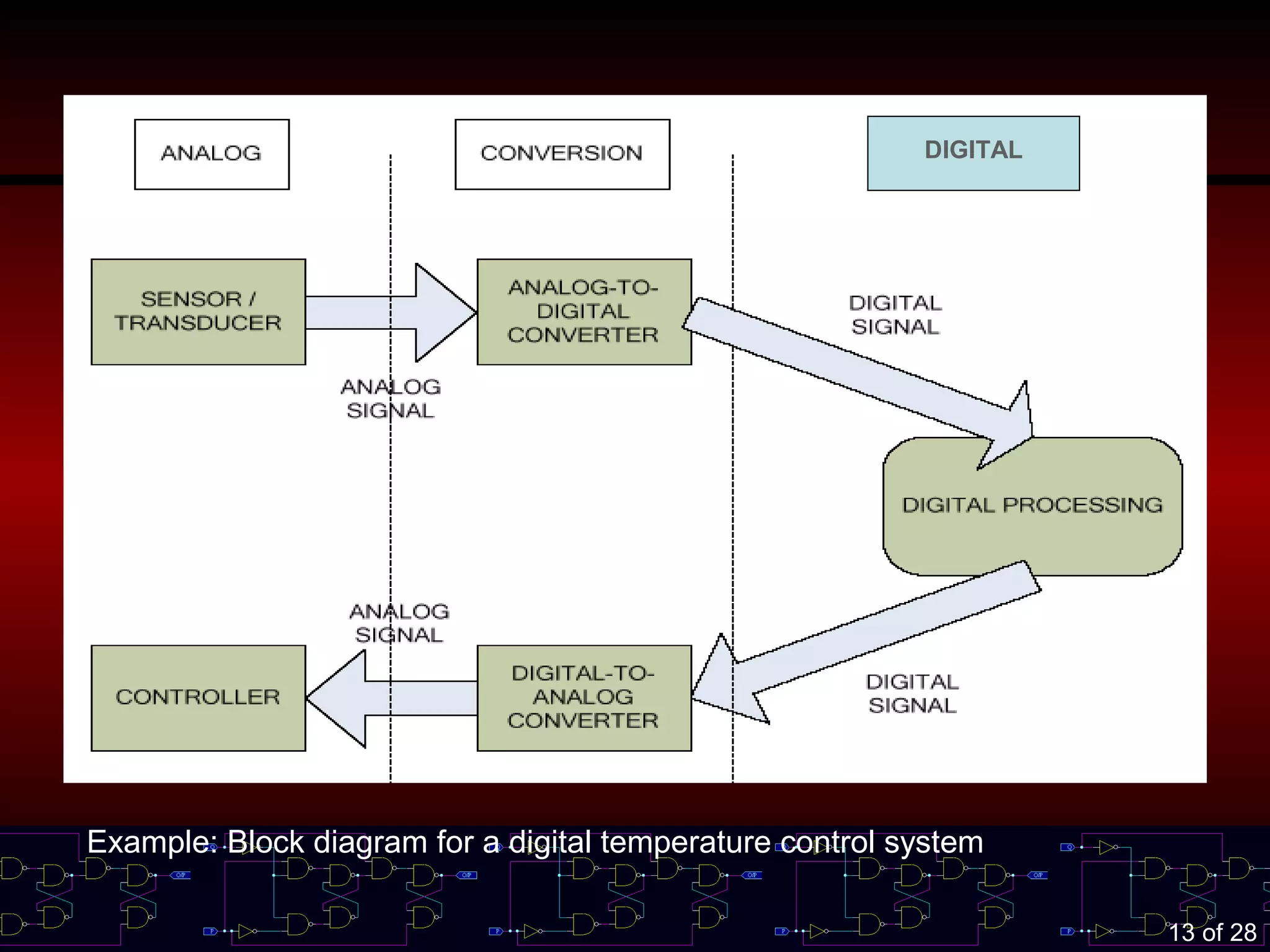
1.5 Digital Systems Overcome the
Drawback of Analog Systems
When dealing with analogue inputs and outputs,
four steps must be followed
1. Convert the physical variable to an electrical
signal (analogue)
2. Convert the electrical (analogue) signal into
digital form ⇒ ADC (Analogue Digital
Converter)
3. Process (operate on) the digital information
4. Convert the digital outputs back to real-world
analogue form ⇒ DAC (Digital Analogue
Converter)
13 of 28
DIGITAL
Example: Block diagram for a digital temperature control system
14 of 28
1.6 Digital Number Systems
There are many numbering systems used in
digital technology.
– Decimal ⇒ most familiar to us
– Binary
– Octal
– Hexadecimal
15 of 28
Decimal System
It is also called as base 10 (due to 10-symbols
representation)
It is a positional numeral system.
Example:
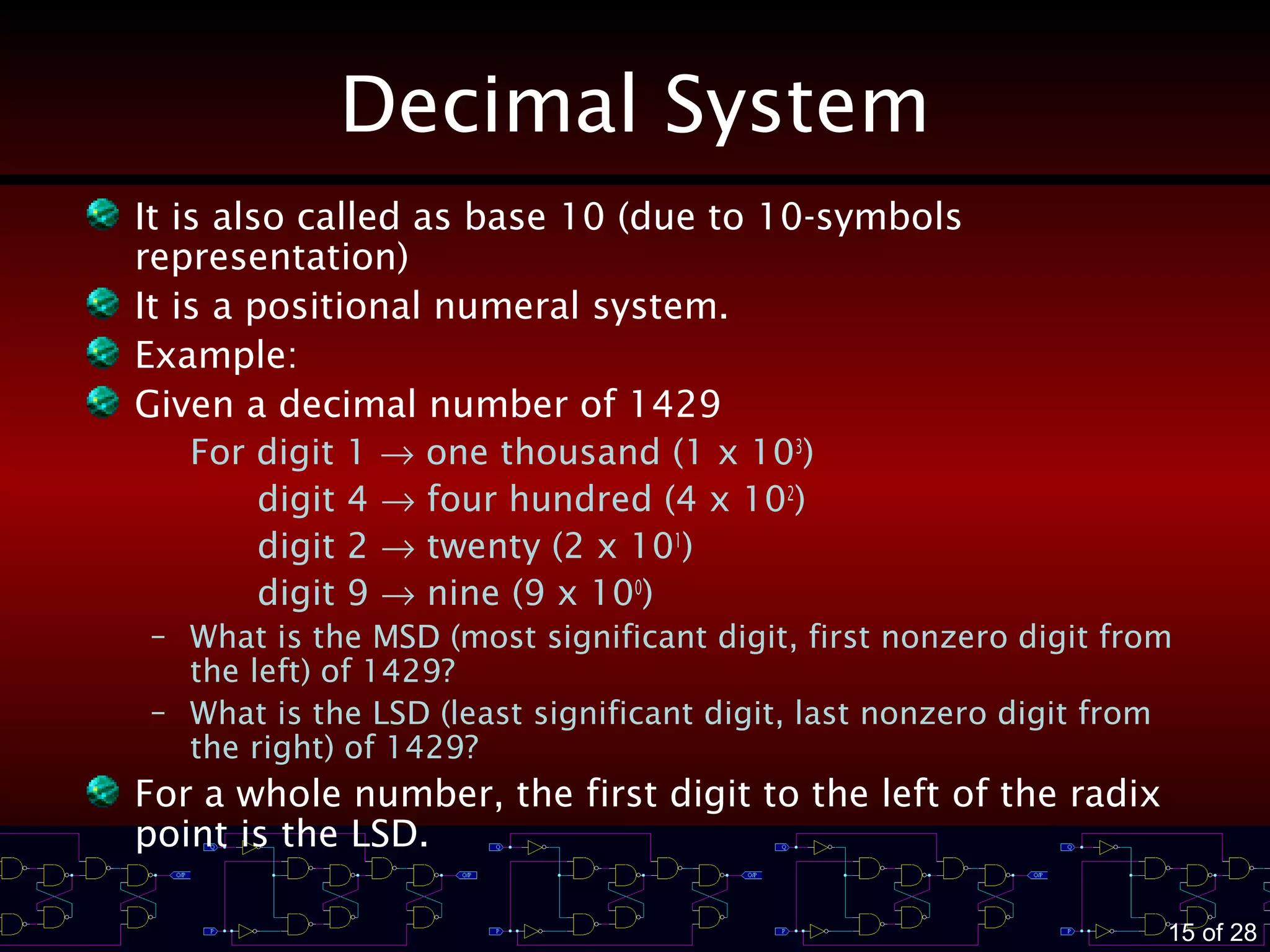
Given a decimal number of 1429
For digit 1 → one thousand (1 x 10³
)
digit 4 → four hundred (4 x 10²
)
digit 2 → twenty (2 x 101
)
digit 9 → nine (9 x 100
)
– What is the MSD (most significant digit, first nonzero digit from
the left) of 1429?
– What is the LSD (least significant digit, last nonzero digit from
the right) of 1429?
For a whole number, the first digit to the left of the radix
point is the LSD.
16 of 28
Binary System
It is also called as base 2 (due to 2-symbols
representation)
It is also a positional numeral system. However,
the weight of its bit is different than decimal.
Example:
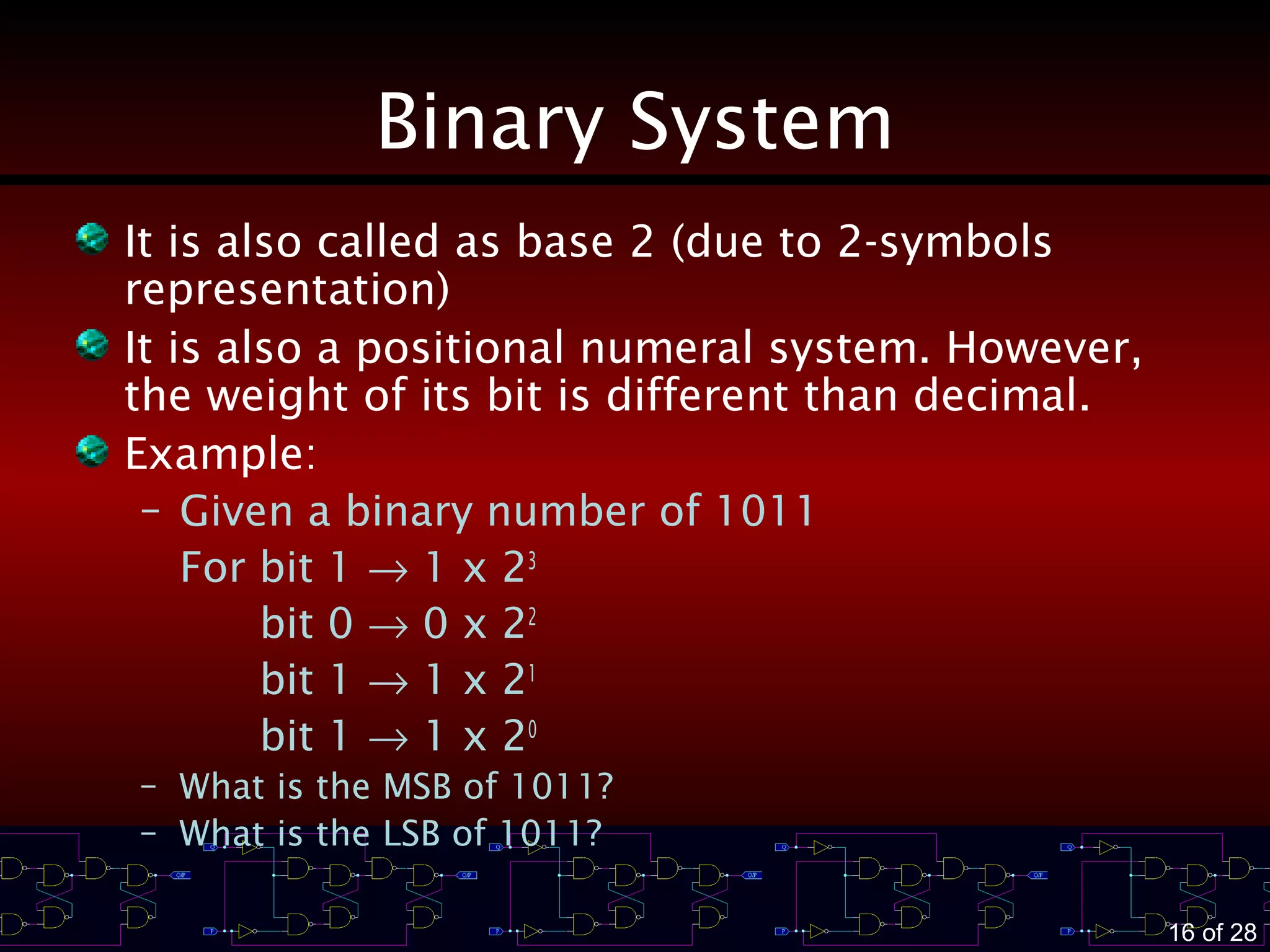
– Given a binary number of 1011
For bit 1 → 1 x 23
bit 0 → 0 x 22
bit 1 → 1 x 21
bit 1 → 1 x 20
– What is the MSB of 1011?
– What is the LSB of 1011?
17 of 28
1.7 Representing Binary Quantities
The information being processed in digital
systems is presented in binary form.
Binary quantities can be represented by any
device that has only two operating states or
possible conditions
Example:
– A switch has only 2 states ⇒ open or closed
– Information stored in CD ⇒ holes are burnt form
pits (non-reflective) as ‘1’ or reflective areas as
‘0’
– Diode ⇒ conducting or non-conducting
18 of 28
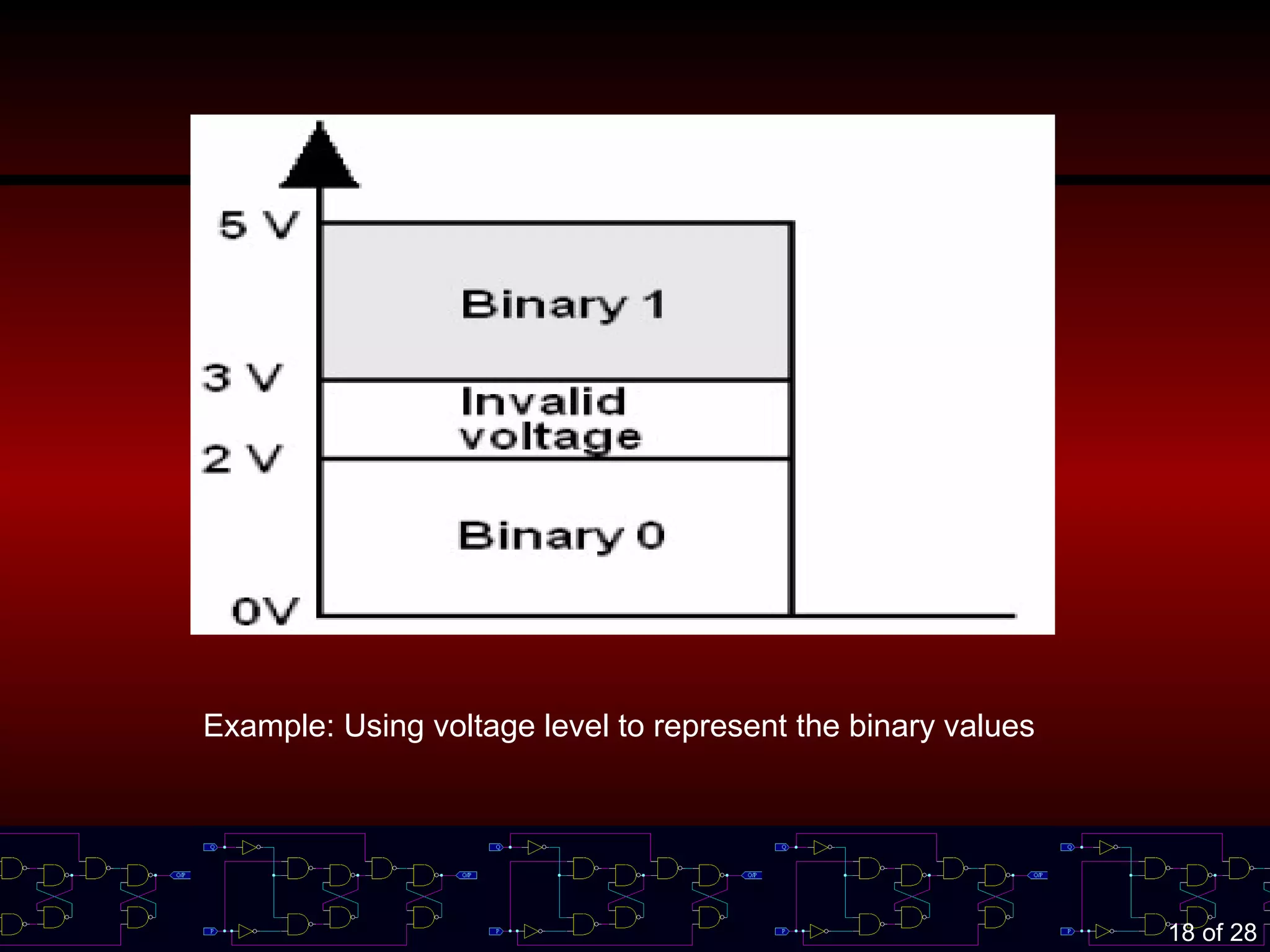
Example: Using voltage level to represent the binary values
19 of 28
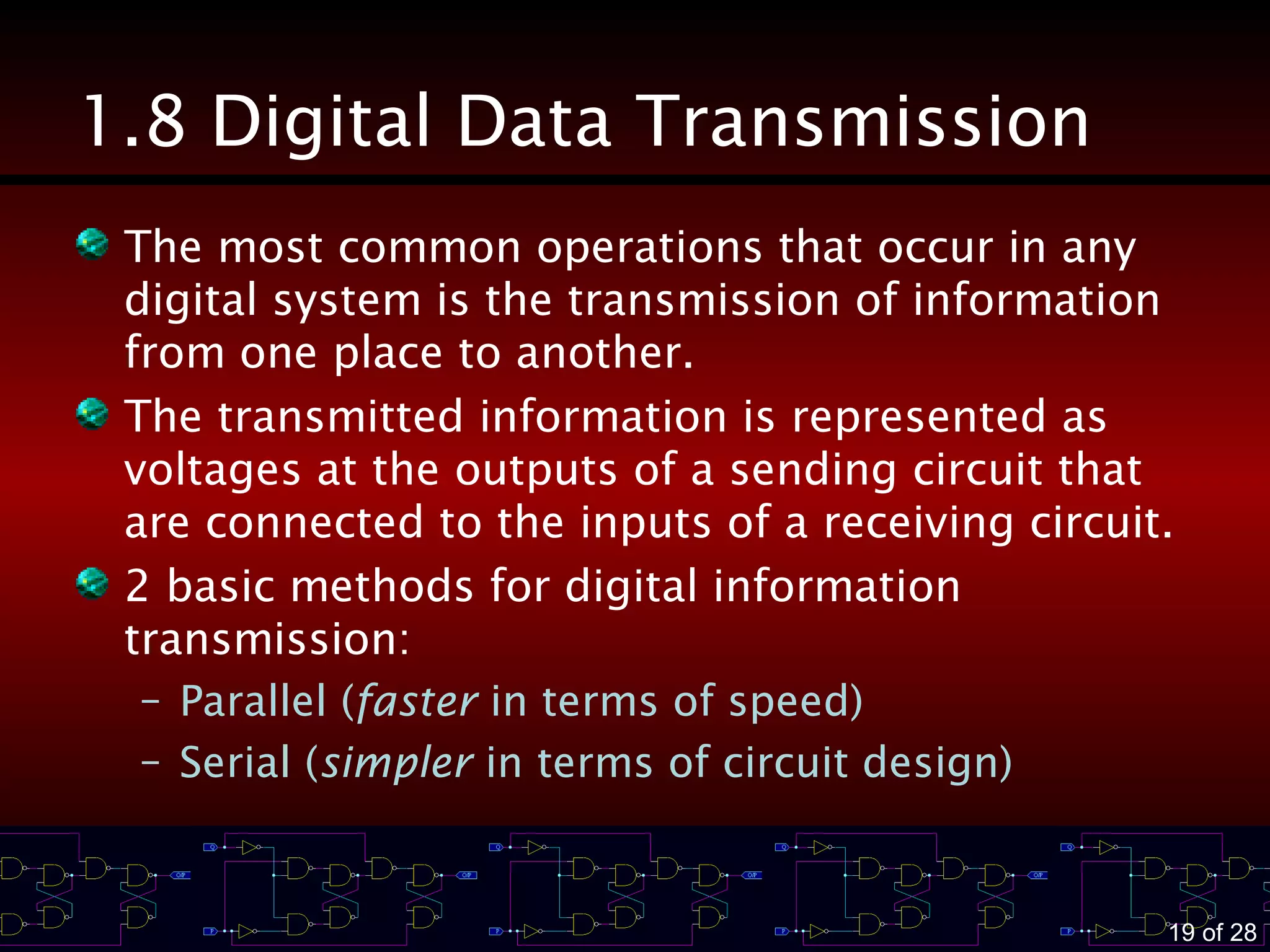
1.8 Digital Data Transmission
The most common operations that occur in any
digital system is the transmission of information
from one place to another.
The transmitted information is represented as
voltages at the outputs of a sending circuit that
are connected to the inputs of a receiving circuit.
2 basic methods for digital information
transmission:
– Parallel (faster in terms of speed)
– Serial (simpler in terms of circuit design)
20 of 28
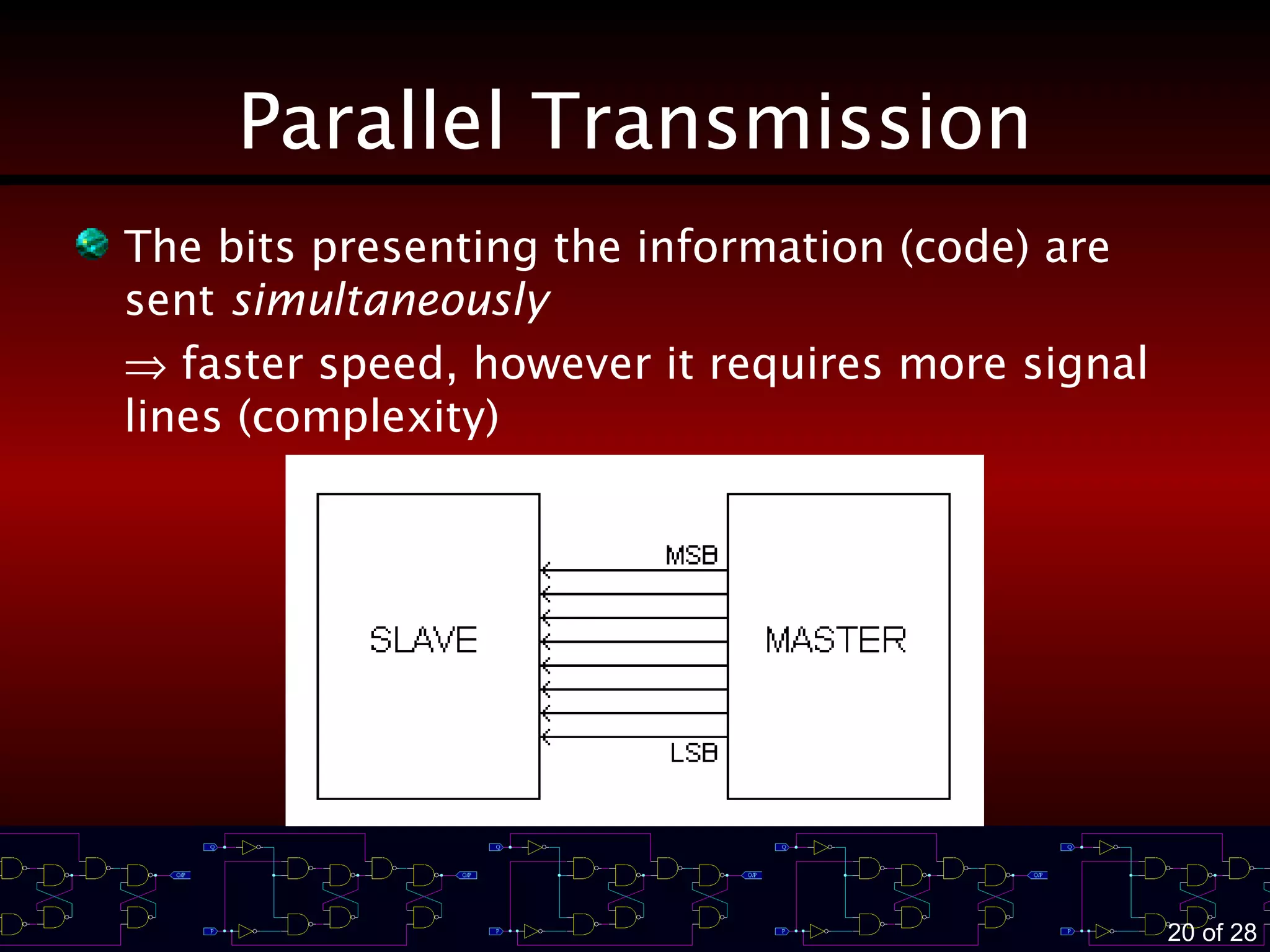
Parallel Transmission
The bits presenting the information (code) are
sent simultaneously
⇒ faster speed, however it requires more signal
lines (complexity)
21 of 28
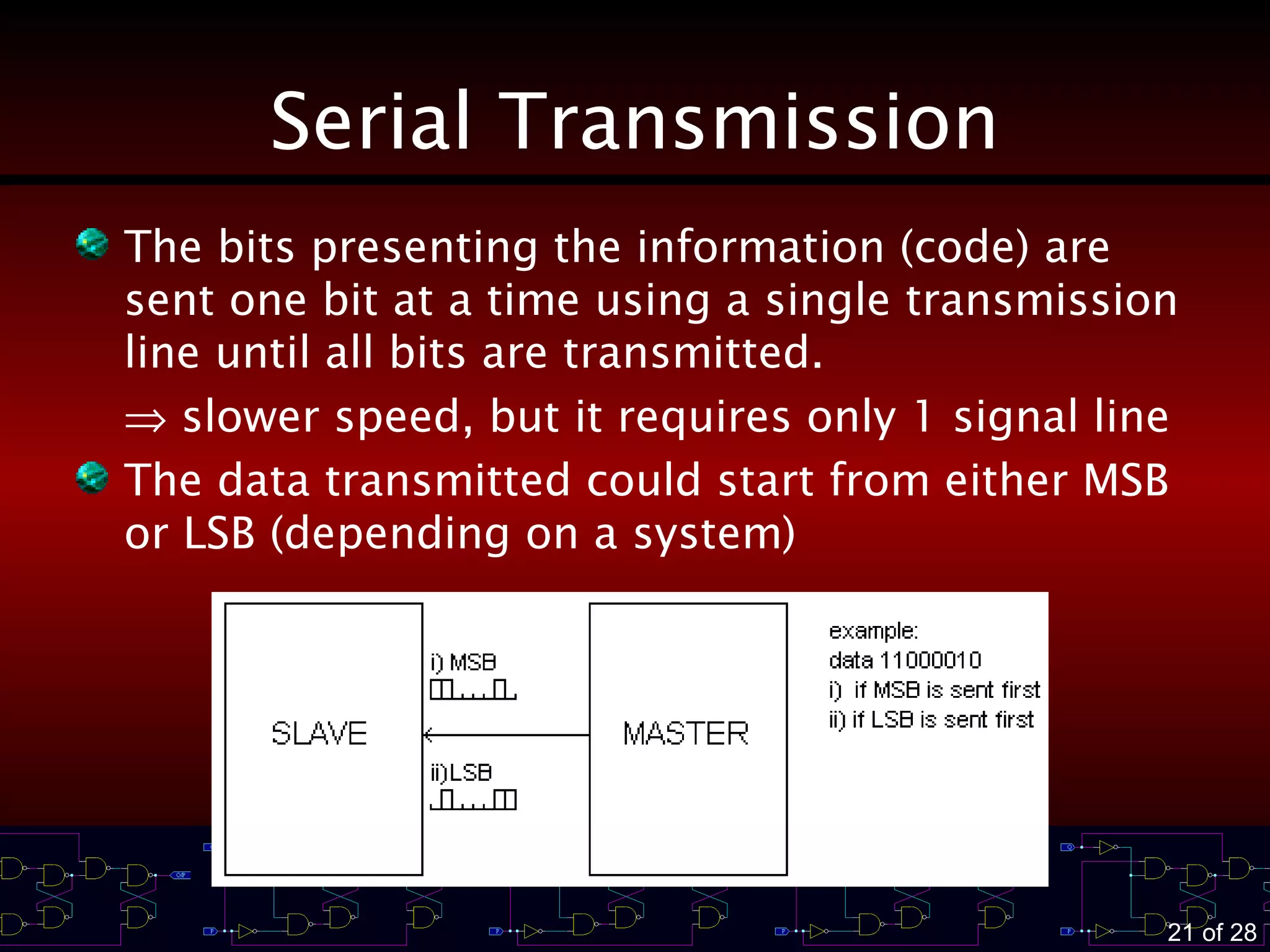
Serial Transmission
The bits presenting the information (code) are
sent one bit at a time using a single transmission
line until all bits are transmitted.
⇒ slower speed, but it requires only 1 signal line
The data transmitted could start from either MSB
or LSB (depending on a system)
22 of 28
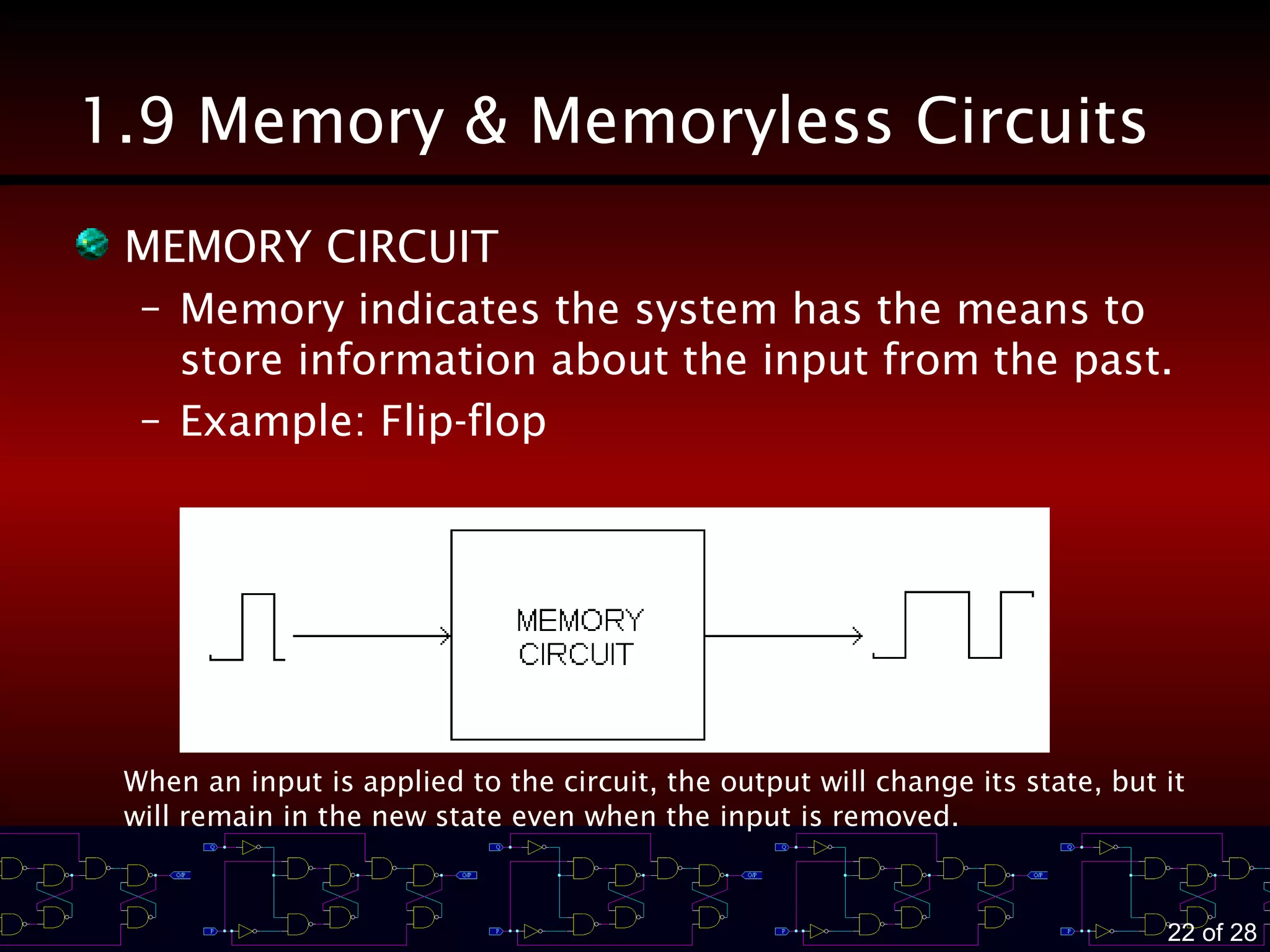
1.9 Memory & Memoryless Circuits
MEMORY CIRCUIT
– Memory indicates the system has the means to
store information about the input from the past.
– Example: Flip-flop
When an input is applied to the circuit, the output will change its state, but it
will remain in the new state even when the input is removed.
23 of 28
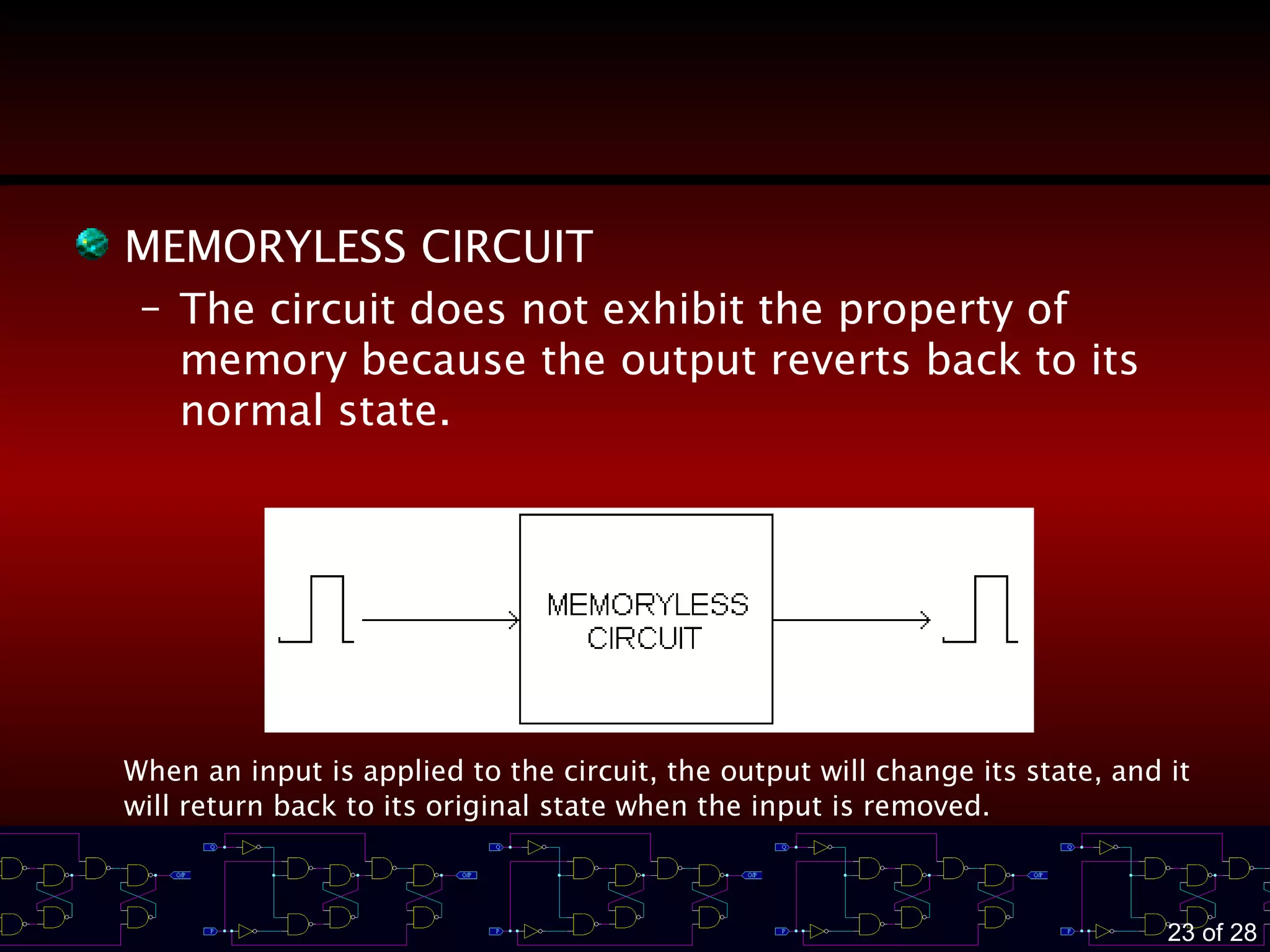
MEMORYLESS CIRCUIT
– The circuit does not exhibit the property of
memory because the output reverts back to its
normal state.
When an input is applied to the circuit, the output will change its state, and it
will return back to its original state when the input is removed.
24 of 28
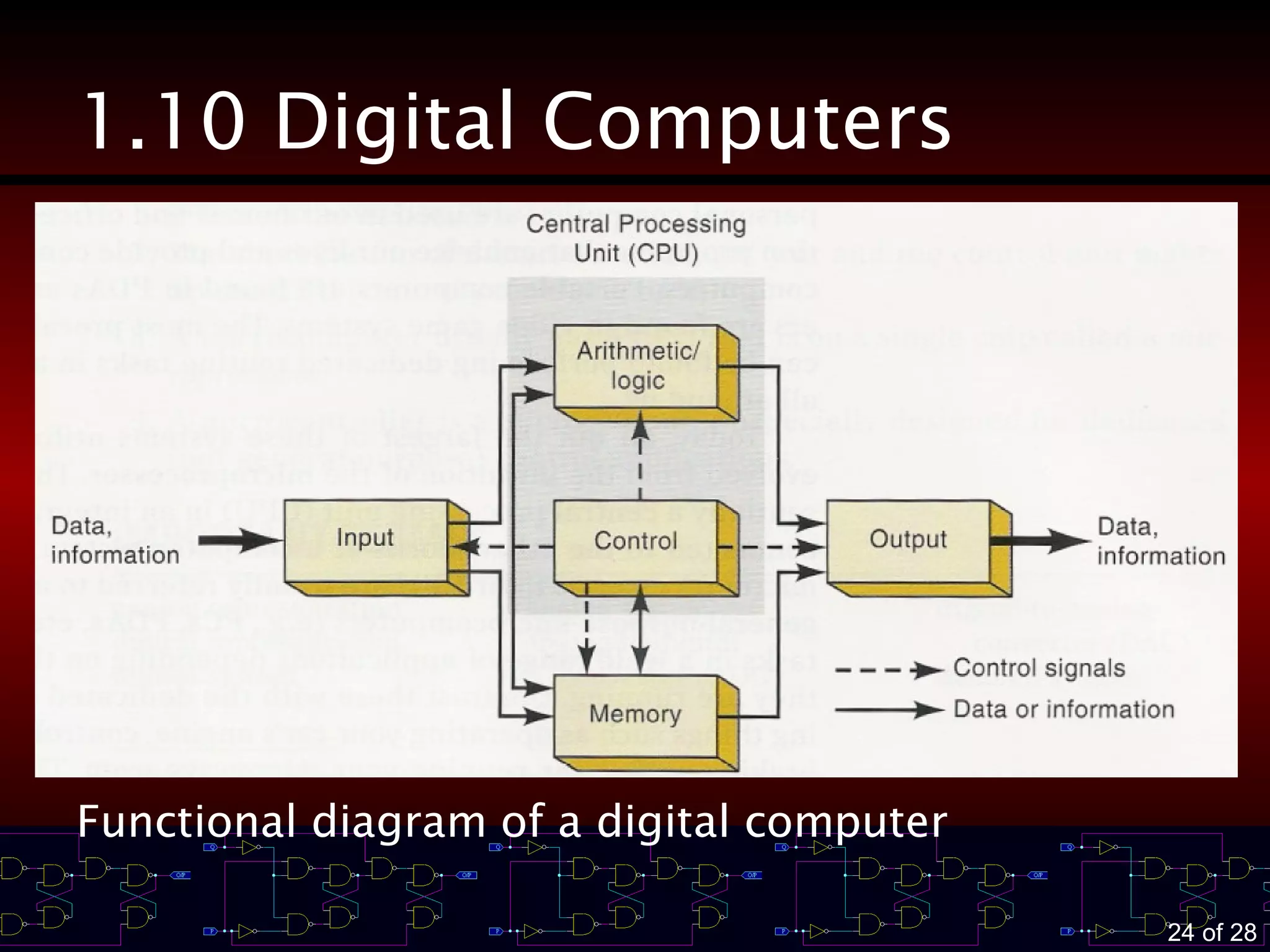
1.10 Digital Computers
Functional diagram of a digital computer
25 of 28
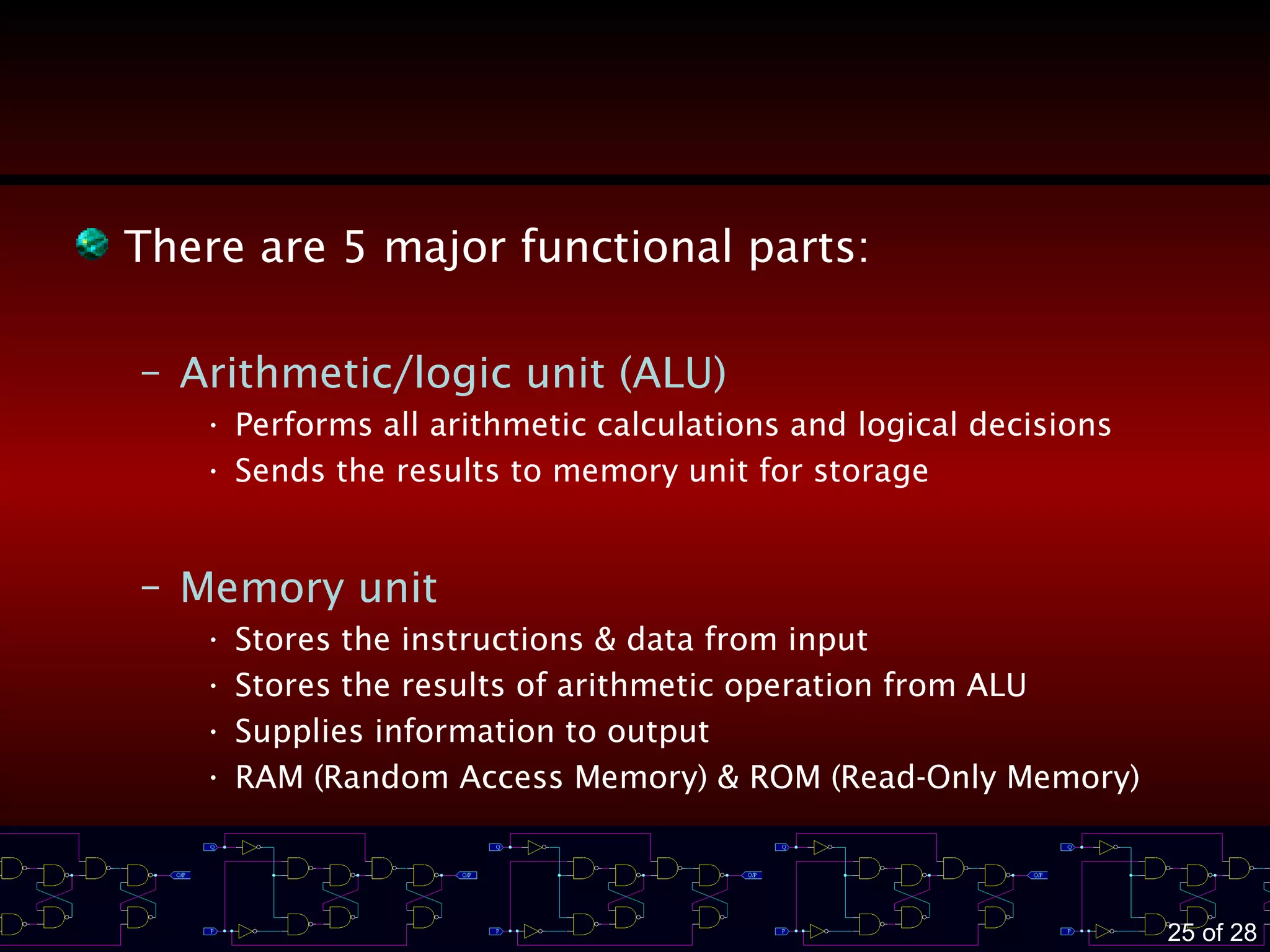
There are 5 major functional parts:
– Arithmetic/logic unit (ALU)
• Performs all arithmetic calculations and logical decisions
• Sends the results to memory unit for storage
– Memory unit
• Stores the instructions & data from input
• Stores the results of arithmetic operation from ALU
• Supplies information to output
• RAM (Random Access Memory) & ROM (Read-Only Memory)
26 of 28
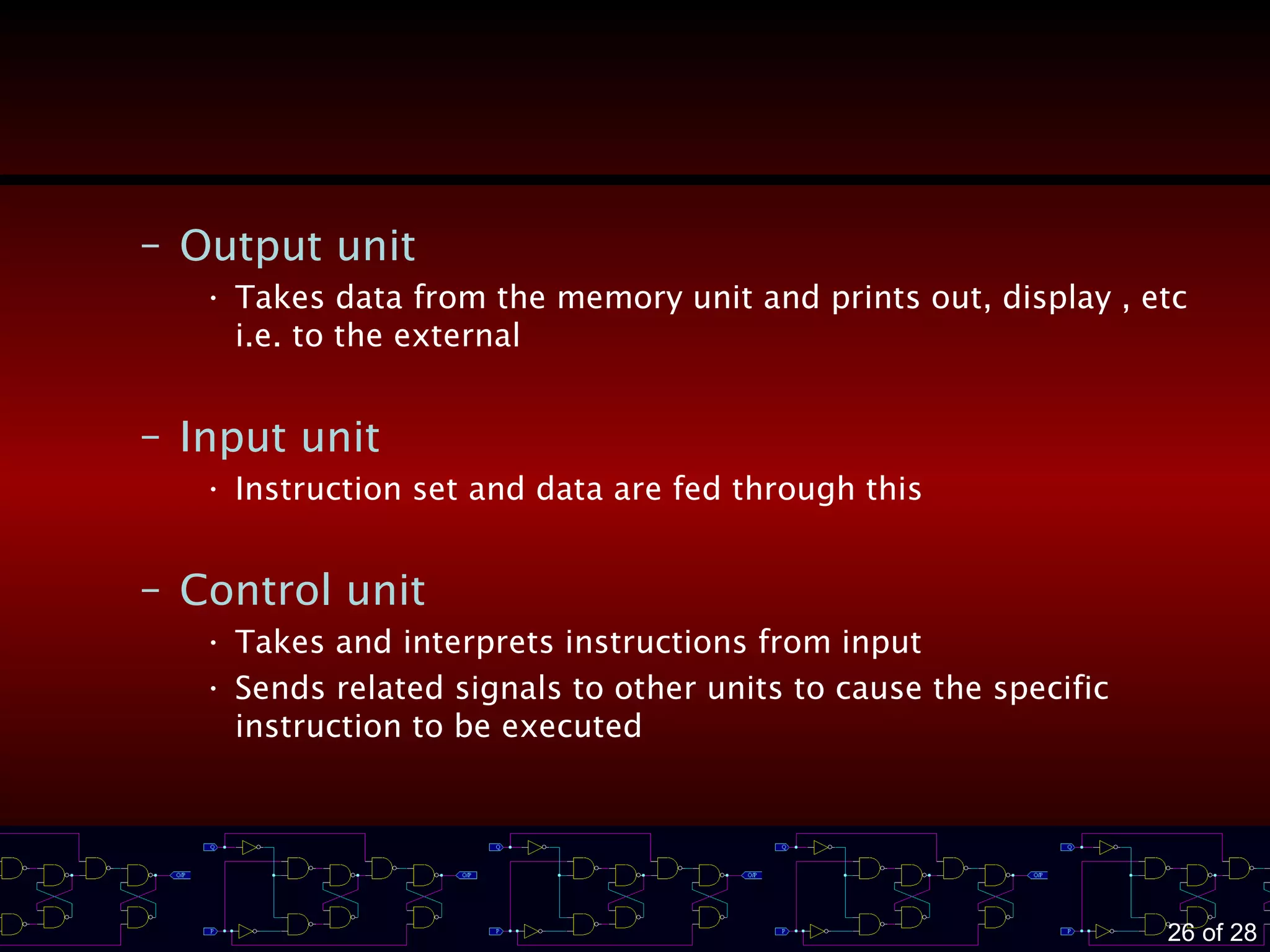
– Output unit
• Takes data from the memory unit and prints out, display , etc
i.e. to the external
– Input unit
• Instruction set and data are fed through this
– Control unit
• Takes and interprets instructions from input
• Sends related signals to other units to cause the specific
instruction to be executed
27 of 28
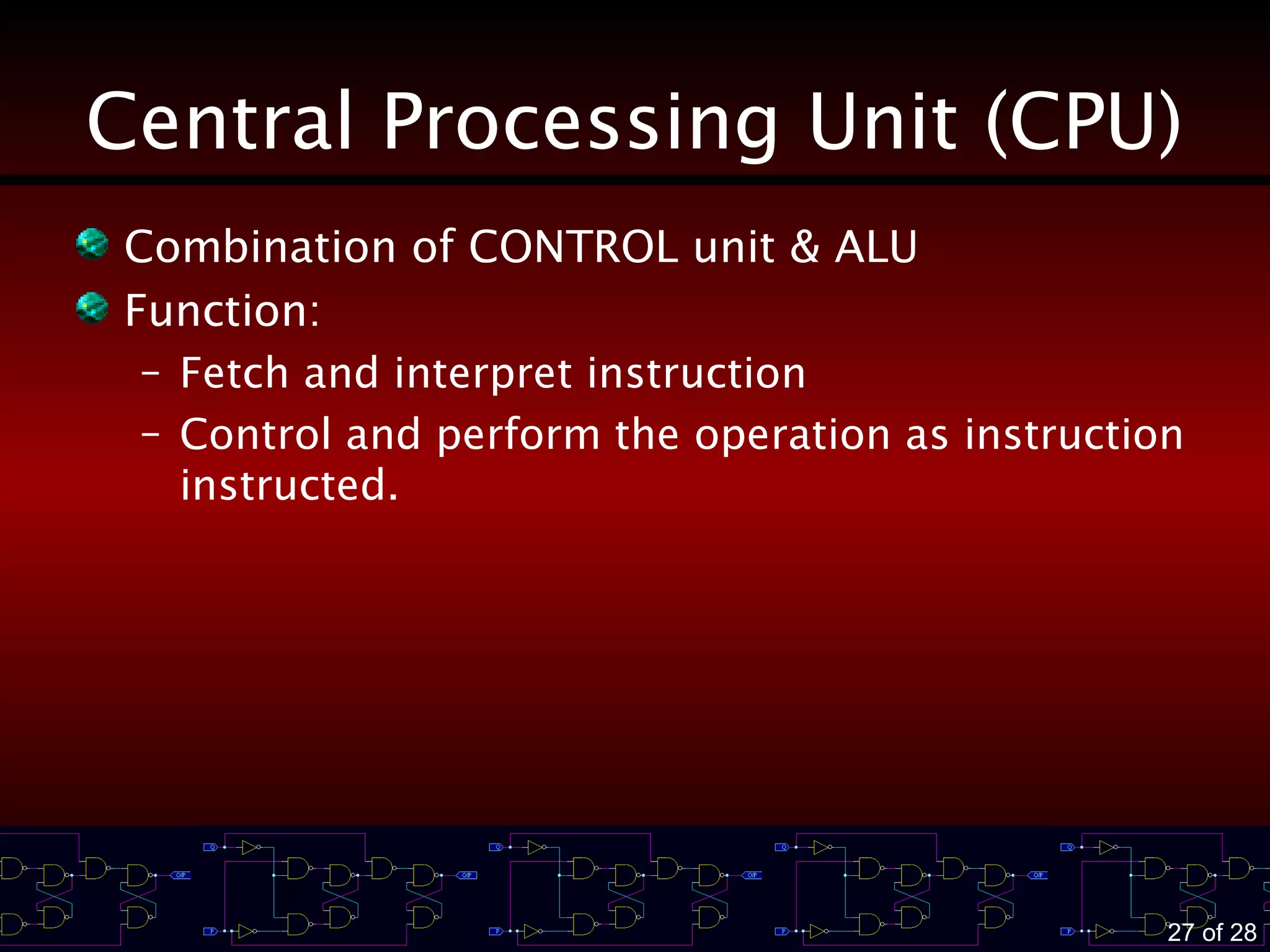
Central Processing Unit (CPU)
Combination of CONTROL unit & ALU
Function:
– Fetch and interpret instruction
– Control and perform the operation as instruction
instructed.
28 of 28
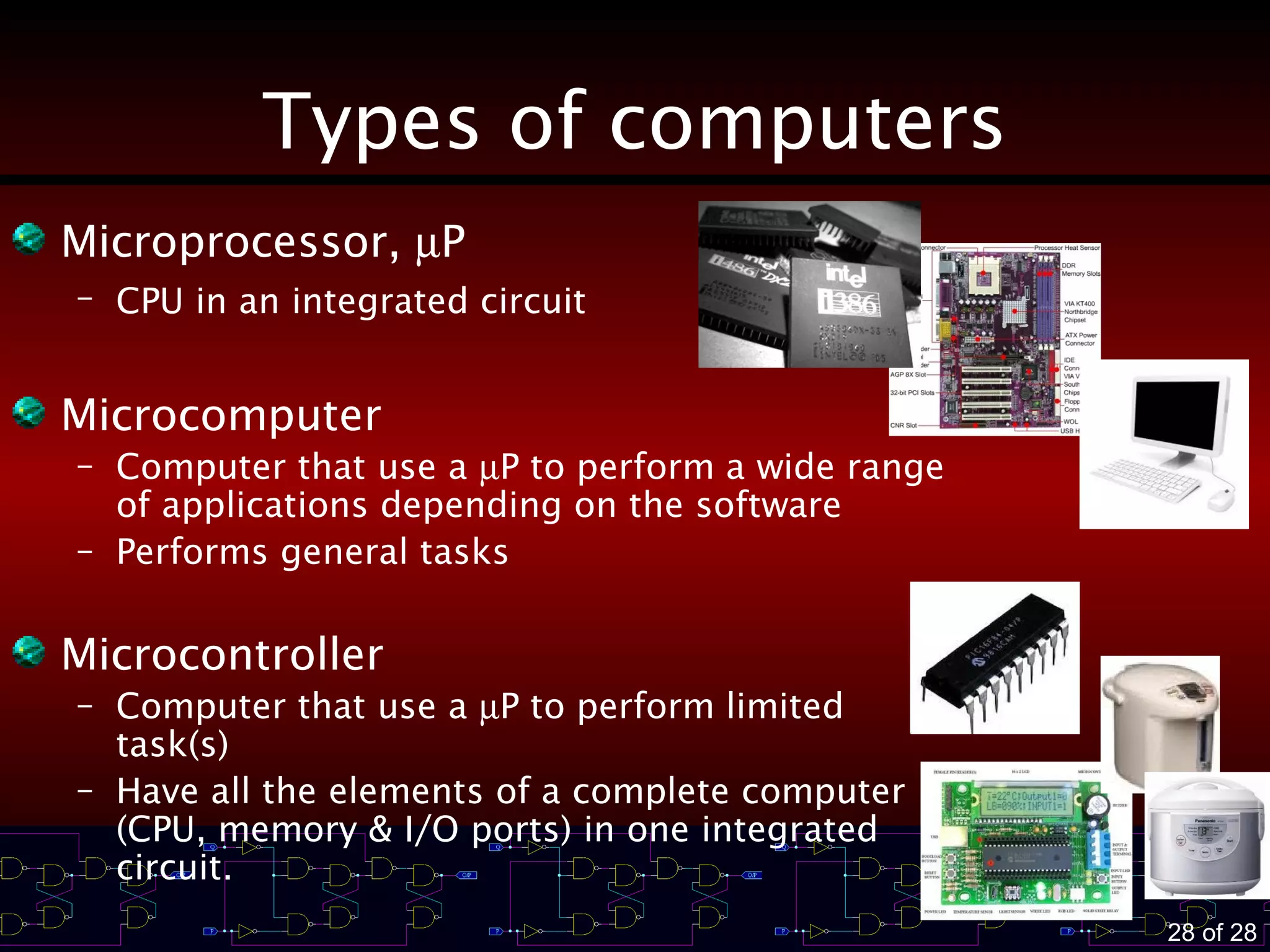
Types of computers
Microprocessor, µP
– CPU in an integrated circuit
Microcomputer
– Computer that use a µP to perform a wide range
of applications depending on the software
– Performs general tasks
Microcontroller
– Computer that use a µP to perform limited
task(s)
– Have all the elements of a complete computer
(CPU, memory & I/O ports) in one integrated
circuit.

Introduction of digital system

  • 1.
    INTRODUCTION TO DIGIT 1.1Numerical Representation 1.2 Digital & Analog Systems 1.3 Advantages of Digital Techniques 1.4 Disadvantages of Digital Techniques 1.5 Digital Systems Overcome the Drawback of Analog Systems 1.6 Digital Number Systems 1.7 Representing Binary Quantities 1.8 Digital Data Transmission 1.9 Memory & Non-Memory Circuits 1.10 Digital Computers
  • 2.
    2 of 28 LearningOutcomes At the end of this chapter, you must be able to – Distinguish between analog & digital representations – State the advantages and disadvantages of digital techniques compared with analog – Understand the need for ADCs and DACs – State the differences between parallel and serial transmissions – Describe the property of memory – Describe the major parts of a digital computer & understand their functions
  • 3.
    3 of 28 1.1Numerical Representations Most naturally occurring physical quantities in our world are analog in nature. Quantities are measured, monitored, recorded, manipulated arithmetically, observed in most physical systems. Important when dealing with quantities – To represent their values efficiently and accurately – 2 ways to represent them: 1) ANALOG representation 2) DIGITAL representation
  • 4.
    4 of 28 AnalogRepresentation Represent a quantity by a continuously variable, proportional indicator Characteristic of analog quantities – They can vary over a continuous range of values Example – 1) Speedometer – 2) Thermometer ⇒ In electrical mean, the measured/processed physical quantity is converted to a proportional electrical signal (V or I) → used by the system for display, processing or control purposes Use a mechanical means
  • 5.
    5 of 28 DigitalRepresentation Represent a quantity by a symbol, called digits. Characteristic of digital quantities – They are varied in discrete steps Example – 1) Digital Clock – 2) Digital weighting scale
  • 6.
    6 of 28 1.2Digital & Analog Systems DIGITAL SYSTEM Combination of devices designed to manipulate logical information or physical quantities that are represented in digital form. Example: digital calculator ANALOG SYSTEM Devices that manipulate physical quantities that are represented in analog form. Example: magnetic tape recording and playback equipment
  • 7.
    7 of 28 Example1: Tape During playback, a magnetic material in the tape head is magnetized as the magnetic tape passes. Then, the magnetic field penetrates a coil of wire which is wrapped around it. Change in magnetic field will induce a voltage in the coil. This induced voltage forms an electrical image of the signal which is recorded on the tape. Source: http://hyperphysics.phy-astr.gsu.edu/HBASE/Audio/tape.html#c4
  • 8.
    8 of 28 Example2: Computer All the stored and processed data are in binary form. Why ? • Digital circuits/devices only concerns about two operating states/logic levels, • This system allows computers to perform complex calculations very quickly and efficiently
  • 9.
    9 of 28 Example3: CD CD player: digital and analog parts co-exist together (source: How Stuff Works website)
  • 10.
    10 of 28 1.3Advantages of Digital Techniques 1. Digital systems are easier to design 2. Information storage is easy 3. Accuracy & precision are easier to maintain throughout the system 4. Operation can be programmed 5. Digital circuits are less affected by noise 6. Digital circuitry can be fabricated on IC chips
  • 11.
    11 of 28 1.4Disadvantages of Digital Techniques 1. The real world is analogue 2. Digital systems can be fragile 3. Processing digitised signals takes time 4. Digital circuits use more energy than analogue circuits & produce more heat 5. Digital circuits are made from analogue components – must make sure the digital behaviour is not affected by the analogue 6. Digital circuits are sometimes more expensive (in small quantity)
  • 12.
    12 of 28 1.5Digital Systems Overcome the Drawback of Analog Systems When dealing with analogue inputs and outputs, four steps must be followed 1. Convert the physical variable to an electrical signal (analogue) 2. Convert the electrical (analogue) signal into digital form ⇒ ADC (Analogue Digital Converter) 3. Process (operate on) the digital information 4. Convert the digital outputs back to real-world analogue form ⇒ DAC (Digital Analogue Converter)
  • 13.
    13 of 28 DIGITAL Example:Block diagram for a digital temperature control system
  • 14.
    14 of 28 1.6Digital Number Systems There are many numbering systems used in digital technology. – Decimal ⇒ most familiar to us – Binary – Octal – Hexadecimal
  • 15.
    15 of 28 DecimalSystem It is also called as base 10 (due to 10-symbols representation) It is a positional numeral system. Example: Given a decimal number of 1429 For digit 1 → one thousand (1 x 10³ ) digit 4 → four hundred (4 x 10² ) digit 2 → twenty (2 x 101 ) digit 9 → nine (9 x 100 ) – What is the MSD (most significant digit, first nonzero digit from the left) of 1429? – What is the LSD (least significant digit, last nonzero digit from the right) of 1429? For a whole number, the first digit to the left of the radix point is the LSD.
  • 16.
    16 of 28 BinarySystem It is also called as base 2 (due to 2-symbols representation) It is also a positional numeral system. However, the weight of its bit is different than decimal. Example: – Given a binary number of 1011 For bit 1 → 1 x 23 bit 0 → 0 x 22 bit 1 → 1 x 21 bit 1 → 1 x 20 – What is the MSB of 1011? – What is the LSB of 1011?
  • 17.
    17 of 28 1.7Representing Binary Quantities The information being processed in digital systems is presented in binary form. Binary quantities can be represented by any device that has only two operating states or possible conditions Example: – A switch has only 2 states ⇒ open or closed – Information stored in CD ⇒ holes are burnt form pits (non-reflective) as ‘1’ or reflective areas as ‘0’ – Diode ⇒ conducting or non-conducting
  • 18.
    18 of 28 Example:Using voltage level to represent the binary values
  • 19.
    19 of 28 1.8Digital Data Transmission The most common operations that occur in any digital system is the transmission of information from one place to another. The transmitted information is represented as voltages at the outputs of a sending circuit that are connected to the inputs of a receiving circuit. 2 basic methods for digital information transmission: – Parallel (faster in terms of speed) – Serial (simpler in terms of circuit design)
  • 20.
    20 of 28 ParallelTransmission The bits presenting the information (code) are sent simultaneously ⇒ faster speed, however it requires more signal lines (complexity)
  • 21.
    21 of 28 SerialTransmission The bits presenting the information (code) are sent one bit at a time using a single transmission line until all bits are transmitted. ⇒ slower speed, but it requires only 1 signal line The data transmitted could start from either MSB or LSB (depending on a system)
  • 22.
    22 of 28 1.9Memory & Memoryless Circuits MEMORY CIRCUIT – Memory indicates the system has the means to store information about the input from the past. – Example: Flip-flop When an input is applied to the circuit, the output will change its state, but it will remain in the new state even when the input is removed.
  • 23.
    23 of 28 MEMORYLESSCIRCUIT – The circuit does not exhibit the property of memory because the output reverts back to its normal state. When an input is applied to the circuit, the output will change its state, and it will return back to its original state when the input is removed.
  • 24.
    24 of 28 1.10Digital Computers Functional diagram of a digital computer
  • 25.
    25 of 28 Thereare 5 major functional parts: – Arithmetic/logic unit (ALU) • Performs all arithmetic calculations and logical decisions • Sends the results to memory unit for storage – Memory unit • Stores the instructions & data from input • Stores the results of arithmetic operation from ALU • Supplies information to output • RAM (Random Access Memory) & ROM (Read-Only Memory)
  • 26.
    26 of 28 –Output unit • Takes data from the memory unit and prints out, display , etc i.e. to the external – Input unit • Instruction set and data are fed through this – Control unit • Takes and interprets instructions from input • Sends related signals to other units to cause the specific instruction to be executed
  • 27.
    27 of 28 CentralProcessing Unit (CPU) Combination of CONTROL unit & ALU Function: – Fetch and interpret instruction – Control and perform the operation as instruction instructed.
  • 28.
    28 of 28 Typesof computers Microprocessor, µP – CPU in an integrated circuit Microcomputer – Computer that use a µP to perform a wide range of applications depending on the software – Performs general tasks Microcontroller – Computer that use a µP to perform limited task(s) – Have all the elements of a complete computer (CPU, memory & I/O ports) in one integrated circuit.

Editor's Notes

  • #16 Whole number, without fraction
  • #19 goto slide8 please refer to slide 'disadvantage of the digital techniques'. must take into account the suitable range to avoid misjudgement of the input/output data.