Top 100 security tips
Topics
• Social Engineering
• Social Media
• Physical computer security
• Password security
• Smartphones
• Encryption
• Anti Virus
• Public computers
• WiFi security
Social Engineering
1. Don't leave password notes on your desk, under your keyboard / phone /
table. You could use an password manager instead.
2. Don't provide people information that they should not have.
3. Always check the credentials if someone is asking for non-disclosed
information. (This could be your credentials, or the password of your
username).
4. Hackers often impersonate (Spoof) users to gain information. Be aware
of this threat.
5. With social engineering comes the threat; Theft of financial
information.Hackers use phishing or spear phishing techniques to request
confidential information, such as account details.
Social Engineering
6. Never provide sensitive information via email. If someone tries to get you to give out
personal data, passwords, and other sensitive information via your email, don't do so. Always call
back to the real source and confirm if such a request is needed.
7. Be skeptical of anyone that tries to get personal data, passwords, and other sensitive
information from you. Always be skeptical if anyone tries to get information from you. Normally,
it is very rare for a company to make you give out any information, so you should never do so if
you haven't checked the source first and are absolutely confident about it. It is your right not to
give out any information unless it is under extreme circumstances.
8. Beware of people that call you on the phone and try to make you provide your personal
information, passwords, and other sensitive information. Always be skeptical if someone calls
you on the phone and tries to get your personal information, your passwords, and other sensitive
data. Always be skeptical and never give out any information to strangers.
9. You will never get 100M USD via an e-mail contact. Spammers use various techniques to gain
information from you. They will act like they have money waiting for you and all they need is
your credentials. Be aware of this threat.
Social Engineering
10. The Govtdoes not send mass e-mails to private citizens about cyber
scams. if you received an e-mail that claims to be from the Govt or other
top official, it is most likely a scam.
11. Social engineering can strike you anytime.
12. Social engineering is an method that is used to obtain information
and let people do what you want them to do.
13. Attackers might use various methods to obtain their information.
14. When you get an security warning take it seriously!
Social Media
1. Consider if you want to use your real name. (You can connect your network directly to 
add an specific username)
2. Social media is fun. Yes social media is fun as it is dangerous. Don't leave your social 
media page open in an public environment like schools, cafes and other hotspots.
3. Applications are fun. Yes, applications are fun as they are dangerous. Applications 
need information for their databases. These databases could belong to anyone. So before 
you download or install an application check the source of the application. You don't 
want your information in the hands of cyber criminals right?
4. @Cyberwarzonecom OMG, someone just posted an picture follow this link bla bla
bla. Hackers often use messages that people will click on. Social media is an great 
resource for hackers as everyone is connected. When you click on an Malicious link you 
will get infected by malware that will extract your credentials to an criminal database.
Social Media
5. I got 21513 friends. DON'T!!! only accept people that you know to your social 
media network. This will protect you from harm.
6. Don't share your password with others!
7. Beware of shoulder-surfers when typing in your password, or sensitive 
information.
8. SSL keeps you safe. Pay attention to the SSL errors when browsing.
9. Recognize current phishing, phishing and other scams.
10. Malicious content is crawling social media. Be aware of surveys that like 
collecting your information.
Physicial computer security
 
1. Before you turn on a computer check if it has weird objects connect to it. People 
could use physical keyloggers to gain your information.
2. Don't leave your smartphone, computer, laptop, notebook or whatever with personal 
information unattended or unsecured.
3. Lock your plugin hardware. People could gain acces to your working environment. It 
would be an easy way for an criminal to take the plugin hardware with him. Lock op your 
external harddrive, USB sticks.
4. Don't toss around with your USB sticks. Keep them safe and encrypt them!
5. When your harddisk or memory is declared dead be sure to dispose them in an 
secured way. Put them in an bag and hammer them to pieces. Great workout.
Physicial computer security
 
6. Don't mix your laptop that you use for you work as an multimedia laptop. Keep work 
and fun separated when dealing with information.
7. Turn off your WiFi, either in the OS or using a physical switch (if you have one), when 
not in use.
8. Almost any device can be used to record audio and/or video, including smartphones, 
watches and buttons.
9. Disconnect the internet cable when you are done with the computer. This will 
prevent a Wake on Lan attack.
10. Use secure wiping functionality (Disk Utility) or tools to erase drives/devices before 
giving or selling them.
Password security
 
1. Use password generators to create passwords for you and then add an extra 
character that you prefer to the generated password.
2. Use password managers to manage your passwords for you.
3. Keep your password secret.
4. Do change your password on a regular basis.
5. Prevent the use of easy to guess passwords like; 12345, welcome. Hackers use 
password lists to brute force accounts. These lists expand millions of passwords
Password security
6. Don't use the same password.
7. Don't leave password notes on your desk, under your keyboard / 
phone / table. You could use an password manager instead.
8. Make sure that your credentials travel via HTTPS protocol.
9. Set strong (hard to guess) secret questions and answers.
10. Disable auto-login.
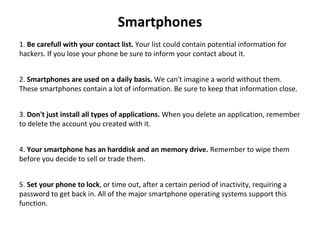
Smartphones
1. Be carefull with your contact list. Your list could contain potential information for 
hackers. If you lose your phone be sure to inform your contact about it.
2. Smartphones are used on a daily basis. We can't imagine a world without them. 
These smartphones contain a lot of information. Be sure to keep that information close.
3. Don't just install all types of applications. When you delete an application, remember 
to delete the account you created with it.
4. Your smartphone has an harddisk and an memory drive. Remember to wipe them 
before you decide to sell or trade them.
5. Set your phone to lock, or time out, after a certain period of inactivity, requiring a 
password to get back in. All of the major smartphone operating systems support this 
function.
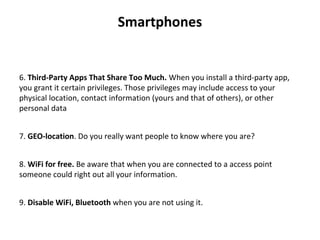
Smartphones
6. Third-Party Apps That Share Too Much. When you install a third-party app, 
you grant it certain privileges. Those privileges may include access to your 
physical location, contact information (yours and that of others), or other 
personal data
7. GEO-location. Do you really want people to know where you are?
8. WiFi for free. Be aware that when you are connected to a access point 
someone could right out all your information.
9. Disable WiFi, Bluetooth when you are not using it.
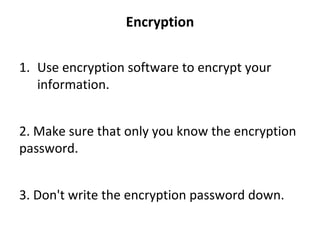
Encryption
1. Use encryption software to encrypt your 
information.
2. Make sure that only you know the encryption 
password.
3. Don't write the encryption password down.
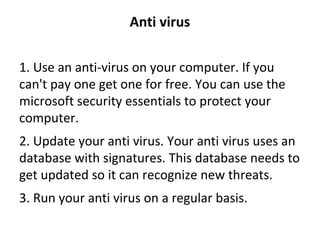
Anti virus
1. Use an anti-virus on your computer. If you 
can't pay one get one for free. You can use the 
microsoft security essentials to protect your 
computer.
2. Update your anti virus. Your anti virus uses an 
database with signatures. This database needs to 
get updated so it can recognize new threats.
3. Run your anti virus on a regular basis.
Public computers
1. Prevent logging in on public computers.
2. Disable auto-login.
3. Check for weird objects like keyloggers.
4. Use secured protocols like HTTPS.
5. Don't store files on public computers.
6. Be aware of your environment.
7. Delete your browsing history.
8. Delete your cookies.
9. Delete auto-forms.
10. Prevent using public computers.
WiFi Security
1. Use a strong password.
2. Don’t broadcast your SSID.
3. Use good wireless encryption.
4. Use another layer of encryption when possible
5. Restrict access by MAC address.
6. Shut down the network when it’s not being used.
7. Shut down your wireless network interface, too.
8. Monitor your network for intruders.
9. Cover the bases.
10. Don’t waste your time on ineffective security measures.

INTERNET SECUIRTY TIPS

  • 1.
  • 2.
    Topics • Social Engineering •Social Media • Physical computer security • Password security • Smartphones • Encryption • Anti Virus • Public computers • WiFi security
  • 3.
    Social Engineering 1. Don'tleave password notes on your desk, under your keyboard / phone / table. You could use an password manager instead. 2. Don't provide people information that they should not have. 3. Always check the credentials if someone is asking for non-disclosed information. (This could be your credentials, or the password of your username). 4. Hackers often impersonate (Spoof) users to gain information. Be aware of this threat. 5. With social engineering comes the threat; Theft of financial information.Hackers use phishing or spear phishing techniques to request confidential information, such as account details.
  • 4.
    Social Engineering 6. Neverprovide sensitive information via email. If someone tries to get you to give out personal data, passwords, and other sensitive information via your email, don't do so. Always call back to the real source and confirm if such a request is needed. 7. Be skeptical of anyone that tries to get personal data, passwords, and other sensitive information from you. Always be skeptical if anyone tries to get information from you. Normally, it is very rare for a company to make you give out any information, so you should never do so if you haven't checked the source first and are absolutely confident about it. It is your right not to give out any information unless it is under extreme circumstances. 8. Beware of people that call you on the phone and try to make you provide your personal information, passwords, and other sensitive information. Always be skeptical if someone calls you on the phone and tries to get your personal information, your passwords, and other sensitive data. Always be skeptical and never give out any information to strangers. 9. You will never get 100M USD via an e-mail contact. Spammers use various techniques to gain information from you. They will act like they have money waiting for you and all they need is your credentials. Be aware of this threat.
  • 5.
    Social Engineering 10. TheGovtdoes not send mass e-mails to private citizens about cyber scams. if you received an e-mail that claims to be from the Govt or other top official, it is most likely a scam. 11. Social engineering can strike you anytime. 12. Social engineering is an method that is used to obtain information and let people do what you want them to do. 13. Attackers might use various methods to obtain their information. 14. When you get an security warning take it seriously!
  • 6.
    Social Media 1. Consider ifyou want to use your real name. (You can connect your network directly to  add an specific username) 2. Social media is fun. Yes social media is fun as it is dangerous. Don't leave your social  media page open in an public environment like schools, cafes and other hotspots. 3. Applications are fun. Yes, applications are fun as they are dangerous. Applications  need information for their databases. These databases could belong to anyone. So before  you download or install an application check the source of the application. You don't  want your information in the hands of cyber criminals right? 4. @Cyberwarzonecom OMG, someone just posted an picture follow this link bla bla bla. Hackers often use messages that people will click on. Social media is an great  resource for hackers as everyone is connected. When you click on an Malicious link you  will get infected by malware that will extract your credentials to an criminal database.
  • 7.
    Social Media 5. I got21513 friends. DON'T!!! only accept people that you know to your social  media network. This will protect you from harm. 6. Don't share your password with others! 7. Beware of shoulder-surfers when typing in your password, or sensitive  information. 8. SSL keeps you safe. Pay attention to the SSL errors when browsing. 9. Recognize current phishing, phishing and other scams. 10. Malicious content is crawling social media. Be aware of surveys that like  collecting your information.
  • 8.
    Physicial computer security   1. Beforeyou turn on a computer check if it has weird objects connect to it. People  could use physical keyloggers to gain your information. 2. Don't leave your smartphone, computer, laptop, notebook or whatever with personal  information unattended or unsecured. 3. Lock your plugin hardware. People could gain acces to your working environment. It  would be an easy way for an criminal to take the plugin hardware with him. Lock op your  external harddrive, USB sticks. 4. Don't toss around with your USB sticks. Keep them safe and encrypt them! 5. When your harddisk or memory is declared dead be sure to dispose them in an  secured way. Put them in an bag and hammer them to pieces. Great workout.
  • 9.
    Physicial computer security   6. Don'tmix your laptop that you use for you work as an multimedia laptop. Keep work  and fun separated when dealing with information. 7. Turn off your WiFi, either in the OS or using a physical switch (if you have one), when  not in use. 8. Almost any device can be used to record audio and/or video, including smartphones,  watches and buttons. 9. Disconnect the internet cable when you are done with the computer. This will  prevent a Wake on Lan attack. 10. Use secure wiping functionality (Disk Utility) or tools to erase drives/devices before  giving or selling them.
  • 10.
    Password security   1. Use passwordgenerators to create passwords for you and then add an extra  character that you prefer to the generated password. 2. Use password managers to manage your passwords for you. 3. Keep your password secret. 4. Do change your password on a regular basis. 5. Prevent the use of easy to guess passwords like; 12345, welcome. Hackers use  password lists to brute force accounts. These lists expand millions of passwords
  • 11.
    Password security 6. Don't use the same password. 7. Don't leavepassword notes on your desk, under your keyboard /  phone / table. You could use an password manager instead. 8. Make sure that your credentials travel via HTTPS protocol. 9. Set strong (hard to guess) secret questions and answers. 10. Disable auto-login.
  • 12.
    Smartphones 1. Be carefull withyour contact list. Your list could contain potential information for  hackers. If you lose your phone be sure to inform your contact about it. 2. Smartphones are used on a daily basis. We can't imagine a world without them.  These smartphones contain a lot of information. Be sure to keep that information close. 3. Don't just install all types of applications. When you delete an application, remember  to delete the account you created with it. 4. Your smartphone has an harddisk and an memory drive. Remember to wipe them  before you decide to sell or trade them. 5. Set your phone to lock, or time out, after a certain period of inactivity, requiring a  password to get back in. All of the major smartphone operating systems support this  function.
  • 13.
    Smartphones 6. Third-Party Apps ThatShare Too Much. When you install a third-party app,  you grant it certain privileges. Those privileges may include access to your  physical location, contact information (yours and that of others), or other  personal data 7. GEO-location. Do you really want people to know where you are? 8. WiFi for free. Be aware that when you are connected to a access point  someone could right out all your information. 9. Disable WiFi, Bluetooth when you are not using it.
  • 14.
  • 15.
  • 16.
    Public computers 1. Prevent logging in on public computers. 2. Disable auto-login. 3. Check for weird objects like keyloggers. 4. Use securedprotocols like HTTPS. 5. Don't store files on public computers. 6. Be aware of your environment. 7. Delete your browsing history. 8. Delete your cookies. 9. Delete auto-forms. 10. Prevent using public computers.
  • 17.