Introduction to Information Security
1. Introduction to Cyber Security
2. Security of a Facility
3. Importance of Network Security
4. Protecting Yourself and Your Information
5. Social Engineering – The Greatest Threat
6. Email – Fool Me Once…
7. How to Defend Against Malicious Websites
8. How to Protect your Mobile Device
9. Good Information Security Practices
Introduction to Cyber Security
Introduction
1. What is Cyber Security? All the processes and practices we implement to protect
networks, computers, applications and data from attacks on the C-I-A triad
(Confidentiality, Integrity and Availability)
2. Why Do We Care?
Estimates upwards of 250 BILLION dollars of loss associated with Cyber Crime (McAfee
estimates almost one trillion.
3. Every year, the Director of National Intelligence publishes an unclassified 11World wide
Threat Assessment." The year 201S report was published listing "Cyber ' is the first (and
greatest} threat listed.
Know Your Enemy
1. Who commits cyber crim
2. ► Organized Crime
Traditional mafia is outsourcing cybercrime to Freelance
3. Criminals-Billions of dollars at stake
4. ► Terrorists
ISIS attacks on military sites
Pose threats to national security secrets, but also the existing
5. infrastructure
6. ► Foreign Nations
Stuxnet, Sony attacks
7. ► Insiders
Estimated 1.2 Billion in losses
8. ► Hacktivists
Anonymous
9. ► Common Thieves
Why did you rob the bank? that’s where the money is
Protecting your C-1-A, also known as "Covering Your Assets!"
► Confidentiality: Prevent unauthorized disclosure of information
► Integrity: Prevent unauthorized modification of information or
files
► Availability: Ensuring timely access to resources
Security of a Facility
Protect... the Facility
► The safety of our employees is PRIORITY NUMBER ONE!
►Often a successful attack originates with the attacker on the premise
► Attackers can use a physical attack to lower a company's Défense
(Sounding the fire alarm, causing the building to be evacuated).
► Regulations/Laws apply even in the event of an emergency.
Sensitive Data must continue to be protected
► Physical access can lead to theft, or allow us to launch a network or other attack
Importance of Network Security
Protect ...the Network
► Network Attacks are the most common technical threat to a network
► Can range from eavesdropping on data transfer to Denial of Service
► Can cause compliance and regulatory issues
► Can lead to compromise of customer data resulting in loss of revenue and law suits
► Our systems can be used to attack others
What can we do?
► Use secure protocols when transmitting data {HTTPS instead
of HTTP}
► Protect physical access to your system
► Don't connect systems to the network without the knowledge of the security team
► Don't bring media to work from home without prior approval
► Scan all files before download
► Download from trusted sites
► Encrypt mail and other sensitive files
Protecting Yourself and Your Information
Protect...Identities
► We live in world of information sharing.
► What is Pl!? Personally, Identifiable Information.
► Over 17 million people were victims of identity theft in 2014. this number on the rise.
► Any information that can lead to locating and contacting an individual and identifying that
individual uniquely
► Full Name, Mothers maiden Name
► Social Security Number
► Address, Phone Number
► Vehicle Registration Number
► Biometrics
► Other uniquely identifying characteristics
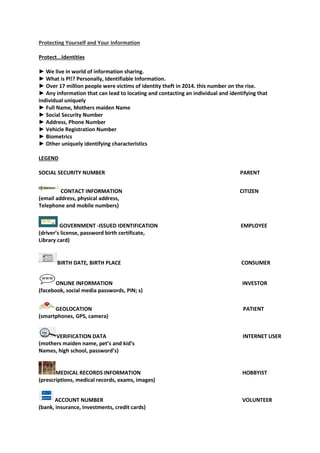
LEGEND
SOCIAL SECURITY NUMBER PARENT
CONTACT INFORMATION CITIZEN
(email address, physical address,
Telephone and mobile numbers)
GOVERNMENT -ISSUED IDENTIFICATION EMPLOYEE
(driver’s license, password birth certificate,
Library card)
BIRTH DATE, BIRTH PLACE CONSUMER
ONLINE INFORMATION INVESTOR
(facebook, social media passwords, PIN; s)
GEOLOCATION PATIENT
(smartphones, GPS, camera)
VERIFICATION DATA INTERNET USER
(mothers maiden name, pet’s and kid’s
Names, high school, password’s)
MEDICAL RECORDS INFORMATION HOBBYIST
(prescriptions, medical records, exams, images)
ACCOUNT NUMBER VOLUNTEER
(bank, insurance, investments, credit cards)
What can We do?
► Secure your social security number (SSN). Don't carry your social security card in your wallet or
write your number on your checks.
► Don't respond to unsolicited requests for personal by phone,
mail, or online.
► Watch out for shoulder surfers specifically with coded-access
to buildings when using ATMs
► Review your receipts. Promptly compare receipts with account statements. Watch for
unauthorized transactions.
► Shred receipts, credit offers, account statements, and expired cards. to prevent dumpster
divers from getting your personal information.
► Store personal information in a safe place at home and at work.
► Install firewalls and virus-detection software on your home
computer.
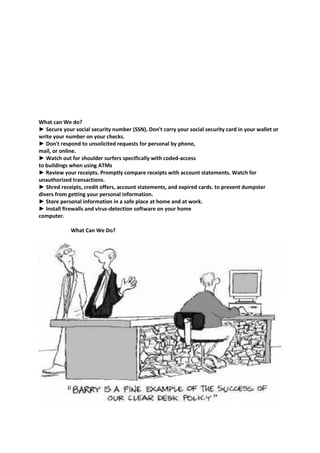
What Can We Do?
Social Engineering – The Greatest Threat
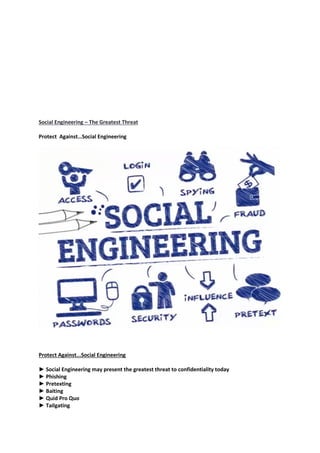
Protect Against…Social Engineering
Protect Against...Social Engineering
► Social Engineering may present the greatest threat to confidentiality today
► Phishing
► Pretexting
► Baiting
► Quid Pro Quo
► Tailgating
What Can we Do?
► Require multifactor authentication
► Trust no one!
► Follow company policy
► Don't succumb to pressure
► Install anti-malware
► Don't leave valuable information on your desk
► When in doubt, call your security team
Email – Fool Me Once…
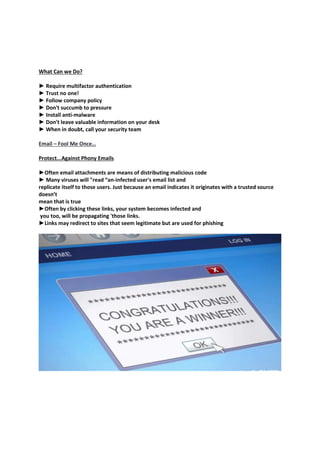
Protect...Against Phony Emails
►Often email attachments are means of distributing malicious code
► Many viruses will "read “an-infected user's email list and
replicate itself to those users. Just because an email indicates it originates with a trusted source
doesn’t
mean that is true
►Often by clicking these links, your system becomes infected and
you too, will be propagating 'those links.
►Links may redirect to sites that seem legitimate but are used for phishing
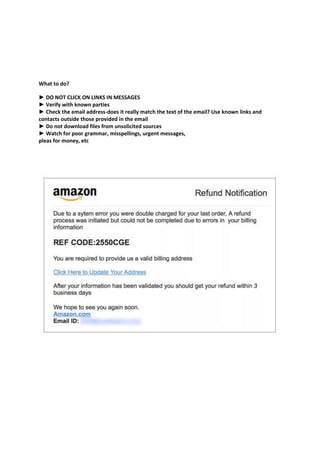
What to do?
► DO NOT CLICK ON LINKS IN MESSAGES
► Verify with known parties
► Check the email address-does it really match the text of the email? Use known links and
contacts outside those provided in the email
► Do not download files from unsolicited sources
► Watch for poor grammar, misspellings, urgent messages,
pleas for money, etc
How to Defend Against Malicious Websites
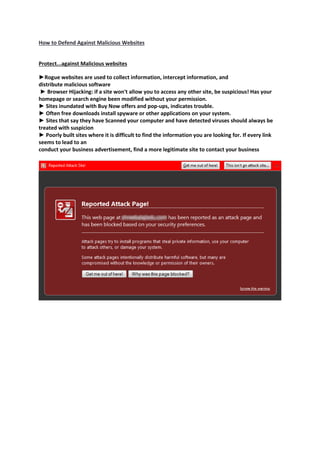
Protect...against Malicious websites
►Rogue websites are used to collect information, intercept information, and
distribute malicious software
► Browser Hijacking: if a site won't allow you to access any other site, be suspicious! Has your
homepage or search engine been modified without your permission.
► Sites inundated with Buy Now offers and pop-ups, indicates trouble.
► Often free downloads install spyware or other applications on your system.
► Sites that say they have Scanned your computer and have detected viruses should always be
treated with suspicion
► Poorly built sites where it is difficult to find the information you are looking for. If every link
seems to lead to an
conduct your business advertisement, find a more legitimate site to contact your business
What do we do?
► Avoid suspicious sites
► Don't download files from peer to peer sites
► Use secure protocols (HTTPS)
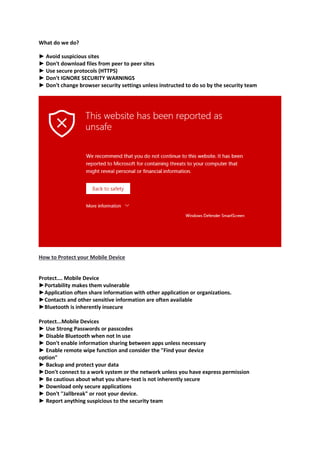
► Don't IGNORE SECURITY WARNINGS
► Don't change browser security settings unless instructed to do so by the security team
How to Protect your Mobile Device
Protect…. Mobile Device
►Portability makes them vulnerable
►Application often share information with other application or organizations.
►Contacts and other sensitive information are often available
►Bluetooth is inherently insecure
Protect...Mobile Devices
► Use Strong Passwords or passcodes
► Disable Bluetooth when not In use
► Don't enable information sharing between apps unless necessary
► Enable remote wipe function and consider the "Find your device
option"
► Backup and protect your data
►Don't connect to a work system or the network unless you have express permission
► Be cautious about what you share-text is not inherently secure
► Download only secure applications
► Don't ''Jallbreak" or root your device.
► Report anything suspicious to the security team
Good Information Security Practices
Other best Practices
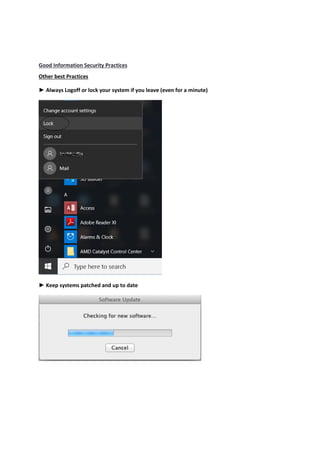
► Always Logoff or lock your system if you leave (even for a minute)
► Keep systems patched and up to date
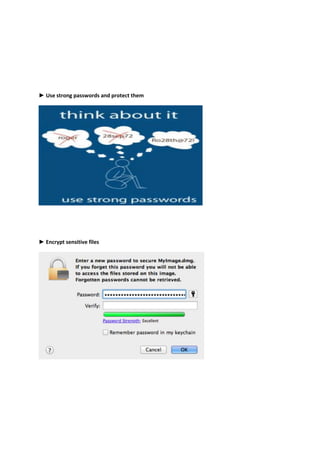
► Use strong passwords and protect them
► Encrypt sensitive files
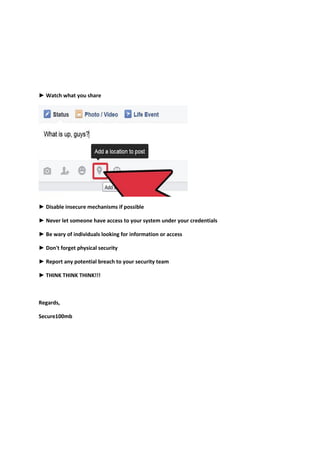
► Watch what you share
► Disable insecure mechanisms if possible
► Never let someone have access to your system under your credentials
► Be wary of individuals looking for information or access
► Don't forget physical security
► Report any potential breach to your security team
► THINK THINK THINK!!!
Regards,
Secure100mb

Introduction to information security

  • 1.
    Introduction to InformationSecurity 1. Introduction to Cyber Security 2. Security of a Facility 3. Importance of Network Security 4. Protecting Yourself and Your Information 5. Social Engineering – The Greatest Threat 6. Email – Fool Me Once… 7. How to Defend Against Malicious Websites 8. How to Protect your Mobile Device 9. Good Information Security Practices Introduction to Cyber Security Introduction 1. What is Cyber Security? All the processes and practices we implement to protect networks, computers, applications and data from attacks on the C-I-A triad (Confidentiality, Integrity and Availability) 2. Why Do We Care? Estimates upwards of 250 BILLION dollars of loss associated with Cyber Crime (McAfee estimates almost one trillion. 3. Every year, the Director of National Intelligence publishes an unclassified 11World wide Threat Assessment." The year 201S report was published listing "Cyber ' is the first (and greatest} threat listed. Know Your Enemy 1. Who commits cyber crim 2. ► Organized Crime Traditional mafia is outsourcing cybercrime to Freelance 3. Criminals-Billions of dollars at stake 4. ► Terrorists ISIS attacks on military sites Pose threats to national security secrets, but also the existing 5. infrastructure 6. ► Foreign Nations Stuxnet, Sony attacks 7. ► Insiders Estimated 1.2 Billion in losses 8. ► Hacktivists Anonymous 9. ► Common Thieves Why did you rob the bank? that’s where the money is
  • 2.
    Protecting your C-1-A,also known as "Covering Your Assets!" ► Confidentiality: Prevent unauthorized disclosure of information ► Integrity: Prevent unauthorized modification of information or files ► Availability: Ensuring timely access to resources Security of a Facility Protect... the Facility ► The safety of our employees is PRIORITY NUMBER ONE! ►Often a successful attack originates with the attacker on the premise ► Attackers can use a physical attack to lower a company's Défense (Sounding the fire alarm, causing the building to be evacuated). ► Regulations/Laws apply even in the event of an emergency. Sensitive Data must continue to be protected ► Physical access can lead to theft, or allow us to launch a network or other attack Importance of Network Security Protect ...the Network ► Network Attacks are the most common technical threat to a network ► Can range from eavesdropping on data transfer to Denial of Service ► Can cause compliance and regulatory issues ► Can lead to compromise of customer data resulting in loss of revenue and law suits ► Our systems can be used to attack others What can we do? ► Use secure protocols when transmitting data {HTTPS instead of HTTP} ► Protect physical access to your system ► Don't connect systems to the network without the knowledge of the security team ► Don't bring media to work from home without prior approval ► Scan all files before download ► Download from trusted sites ► Encrypt mail and other sensitive files
  • 3.
    Protecting Yourself andYour Information Protect...Identities ► We live in world of information sharing. ► What is Pl!? Personally, Identifiable Information. ► Over 17 million people were victims of identity theft in 2014. this number on the rise. ► Any information that can lead to locating and contacting an individual and identifying that individual uniquely ► Full Name, Mothers maiden Name ► Social Security Number ► Address, Phone Number ► Vehicle Registration Number ► Biometrics ► Other uniquely identifying characteristics LEGEND SOCIAL SECURITY NUMBER PARENT CONTACT INFORMATION CITIZEN (email address, physical address, Telephone and mobile numbers) GOVERNMENT -ISSUED IDENTIFICATION EMPLOYEE (driver’s license, password birth certificate, Library card) BIRTH DATE, BIRTH PLACE CONSUMER ONLINE INFORMATION INVESTOR (facebook, social media passwords, PIN; s) GEOLOCATION PATIENT (smartphones, GPS, camera) VERIFICATION DATA INTERNET USER (mothers maiden name, pet’s and kid’s Names, high school, password’s) MEDICAL RECORDS INFORMATION HOBBYIST (prescriptions, medical records, exams, images) ACCOUNT NUMBER VOLUNTEER (bank, insurance, investments, credit cards)
  • 4.
    What can Wedo? ► Secure your social security number (SSN). Don't carry your social security card in your wallet or write your number on your checks. ► Don't respond to unsolicited requests for personal by phone, mail, or online. ► Watch out for shoulder surfers specifically with coded-access to buildings when using ATMs ► Review your receipts. Promptly compare receipts with account statements. Watch for unauthorized transactions. ► Shred receipts, credit offers, account statements, and expired cards. to prevent dumpster divers from getting your personal information. ► Store personal information in a safe place at home and at work. ► Install firewalls and virus-detection software on your home computer. What Can We Do?
  • 5.
    Social Engineering –The Greatest Threat Protect Against…Social Engineering Protect Against...Social Engineering ► Social Engineering may present the greatest threat to confidentiality today ► Phishing ► Pretexting ► Baiting ► Quid Pro Quo ► Tailgating
  • 6.
    What Can weDo? ► Require multifactor authentication ► Trust no one! ► Follow company policy ► Don't succumb to pressure ► Install anti-malware ► Don't leave valuable information on your desk ► When in doubt, call your security team Email – Fool Me Once… Protect...Against Phony Emails ►Often email attachments are means of distributing malicious code ► Many viruses will "read “an-infected user's email list and replicate itself to those users. Just because an email indicates it originates with a trusted source doesn’t mean that is true ►Often by clicking these links, your system becomes infected and you too, will be propagating 'those links. ►Links may redirect to sites that seem legitimate but are used for phishing
  • 7.
    What to do? ►DO NOT CLICK ON LINKS IN MESSAGES ► Verify with known parties ► Check the email address-does it really match the text of the email? Use known links and contacts outside those provided in the email ► Do not download files from unsolicited sources ► Watch for poor grammar, misspellings, urgent messages, pleas for money, etc
  • 8.
    How to DefendAgainst Malicious Websites Protect...against Malicious websites ►Rogue websites are used to collect information, intercept information, and distribute malicious software ► Browser Hijacking: if a site won't allow you to access any other site, be suspicious! Has your homepage or search engine been modified without your permission. ► Sites inundated with Buy Now offers and pop-ups, indicates trouble. ► Often free downloads install spyware or other applications on your system. ► Sites that say they have Scanned your computer and have detected viruses should always be treated with suspicion ► Poorly built sites where it is difficult to find the information you are looking for. If every link seems to lead to an conduct your business advertisement, find a more legitimate site to contact your business
  • 10.
    What do wedo? ► Avoid suspicious sites ► Don't download files from peer to peer sites ► Use secure protocols (HTTPS) ► Don't IGNORE SECURITY WARNINGS ► Don't change browser security settings unless instructed to do so by the security team How to Protect your Mobile Device Protect…. Mobile Device ►Portability makes them vulnerable ►Application often share information with other application or organizations. ►Contacts and other sensitive information are often available ►Bluetooth is inherently insecure Protect...Mobile Devices ► Use Strong Passwords or passcodes ► Disable Bluetooth when not In use ► Don't enable information sharing between apps unless necessary ► Enable remote wipe function and consider the "Find your device option" ► Backup and protect your data ►Don't connect to a work system or the network unless you have express permission ► Be cautious about what you share-text is not inherently secure ► Download only secure applications ► Don't ''Jallbreak" or root your device. ► Report anything suspicious to the security team
  • 11.
    Good Information SecurityPractices Other best Practices ► Always Logoff or lock your system if you leave (even for a minute) ► Keep systems patched and up to date
  • 12.
    ► Use strongpasswords and protect them ► Encrypt sensitive files
  • 13.
    ► Watch whatyou share ► Disable insecure mechanisms if possible ► Never let someone have access to your system under your credentials ► Be wary of individuals looking for information or access ► Don't forget physical security ► Report any potential breach to your security team ► THINK THINK THINK!!! Regards, Secure100mb