Online Security and Safety Conor O'Neill, LouderVoice.com Using internet since 1990 Managed projects for McAfee Today about simple straightforward tips Lots of bad people out there Pretty easy to stop them Ask me at any point to clarify
Viruses From CDs, USB thumbdrives (and floppies) From dodgy internet sites By email Good judgement mixed with anti-virus software No successful attacks in over six years
Attacks Automated attacks on your PC via the internet Try to take advantage of security holes in Windows Try to take advantage of machines that have no protection installed Millions of compromised PCs then used to attack other PCs
Malware From dodgy internet sites Hijack your browser Grab password information Install software on your machine Some annoying, some dangerous, all undesirable
Phishing Usually via email Con you into clicking onto dodgy sites Pretend to be banking sites, eBay etc Grab your login or financial details to rip you off Always look at the address in the browser Internet Explorer 7 and Firefox have anti-phishing features Never click on an address like http://167.456.76.23
Nigerian 419 You've won the Euro Lotto! I am a lawyer for the estate of the former president of the Congo...... Just give us your bank details and a processing fee and we'll give you millions If it sounds to good to be true, run away! No free lunches on the internet
Tools Anti-Virus – AVG Free Anti-malware – Spybot S&D Anti-attack – Zone Alarm, Windows Firewall Anti-Spam – Gmail, Yahoo, Hotmail  All in One - McAfee, Symantec, Microsoft OneCare Keep your machine up to date with Windows Update Do not let your anti-virus expire!
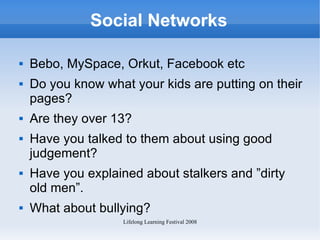
Social Networks Bebo, MySpace, Orkut, Facebook etc Do you know what your kids are putting on their pages? Are they over 13? Have you talked to them about using good judgement? Have you explained about stalkers and ”dirty old men”.  What about bullying?
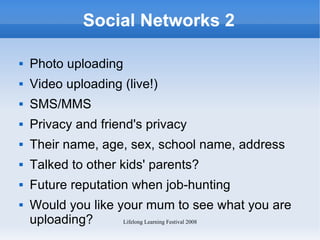
Social Networks 2 Photo uploading Video uploading (live!) SMS/MMS Privacy and friend's privacy Their name, age, sex, school name, address Talked to other kids' parents? Future reputation when job-hunting Would you like your mum to see what you are uploading?
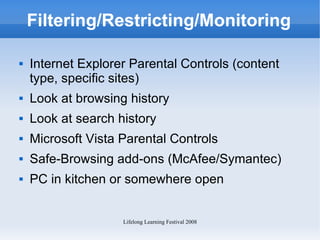
Filtering/Restricting/Monitoring Internet Explorer Parental Controls (content type, specific sites) Look at browsing history Look at search history Microsoft Vista Parental Controls Safe-Browsing add-ons (McAfee/Symantec) PC in kitchen or somewhere open
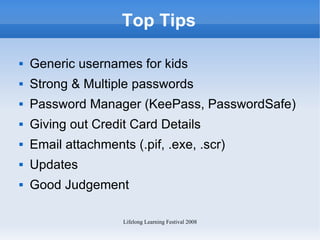
Top Tips Generic usernames for kids Strong & Multiple passwords Password Manager (KeePass, PasswordSafe) Giving out Credit Card Details Email attachments (.pif, .exe, .scr) Updates Good Judgement
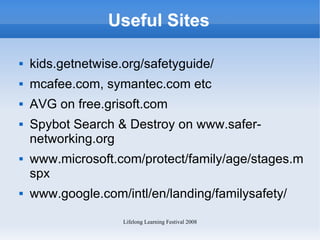
Useful Sites kids.getnetwise.org/safetyguide/ mcafee.com, symantec.com etc AVG on free.grisoft.com Spybot Search & Destroy on www.safer-networking.org www.microsoft.com/protect/family/age/stages.mspx www.google.com/intl/en/landing/familysafety/
Q&A Questions? This presentation available on www.slideshare.net/conor

Online Security and Safety

  • 1.
    Online Security andSafety Conor O'Neill, LouderVoice.com Using internet since 1990 Managed projects for McAfee Today about simple straightforward tips Lots of bad people out there Pretty easy to stop them Ask me at any point to clarify
  • 2.
    Viruses From CDs,USB thumbdrives (and floppies) From dodgy internet sites By email Good judgement mixed with anti-virus software No successful attacks in over six years
  • 3.
    Attacks Automated attackson your PC via the internet Try to take advantage of security holes in Windows Try to take advantage of machines that have no protection installed Millions of compromised PCs then used to attack other PCs
  • 4.
    Malware From dodgyinternet sites Hijack your browser Grab password information Install software on your machine Some annoying, some dangerous, all undesirable
  • 5.
    Phishing Usually viaemail Con you into clicking onto dodgy sites Pretend to be banking sites, eBay etc Grab your login or financial details to rip you off Always look at the address in the browser Internet Explorer 7 and Firefox have anti-phishing features Never click on an address like http://167.456.76.23
  • 6.
    Nigerian 419 You'vewon the Euro Lotto! I am a lawyer for the estate of the former president of the Congo...... Just give us your bank details and a processing fee and we'll give you millions If it sounds to good to be true, run away! No free lunches on the internet
  • 7.
    Tools Anti-Virus –AVG Free Anti-malware – Spybot S&D Anti-attack – Zone Alarm, Windows Firewall Anti-Spam – Gmail, Yahoo, Hotmail All in One - McAfee, Symantec, Microsoft OneCare Keep your machine up to date with Windows Update Do not let your anti-virus expire!
  • 8.
    Social Networks Bebo,MySpace, Orkut, Facebook etc Do you know what your kids are putting on their pages? Are they over 13? Have you talked to them about using good judgement? Have you explained about stalkers and ”dirty old men”. What about bullying?
  • 9.
    Social Networks 2Photo uploading Video uploading (live!) SMS/MMS Privacy and friend's privacy Their name, age, sex, school name, address Talked to other kids' parents? Future reputation when job-hunting Would you like your mum to see what you are uploading?
  • 10.
    Filtering/Restricting/Monitoring Internet ExplorerParental Controls (content type, specific sites) Look at browsing history Look at search history Microsoft Vista Parental Controls Safe-Browsing add-ons (McAfee/Symantec) PC in kitchen or somewhere open
  • 11.
    Top Tips Genericusernames for kids Strong & Multiple passwords Password Manager (KeePass, PasswordSafe) Giving out Credit Card Details Email attachments (.pif, .exe, .scr) Updates Good Judgement
  • 12.
    Useful Sites kids.getnetwise.org/safetyguide/mcafee.com, symantec.com etc AVG on free.grisoft.com Spybot Search & Destroy on www.safer-networking.org www.microsoft.com/protect/family/age/stages.mspx www.google.com/intl/en/landing/familysafety/
  • 13.
    Q&A Questions? Thispresentation available on www.slideshare.net/conor