© 2015 SkimaTalk, Inc.
SkimaTalk Official Course
Business English for Intermediate Learners
Lesson 6 : Videoconferencing
2
  Today’s Topics
1.  Troubleshooting
2.  Sharing Information
3
  Exercise 1: Dialogue Practice
Dialogue: Troubleshooting a Videoconference
A Hi, Ted? I can’t see you on my monitor…
B
Oh, OK. I’ll turn on my webcam. [pause] How is the video
quality?
A It’s pretty good. Can you hear me clearly?
B Actually, you are dropping out a bit.
A OK, I’ll check my Wi-Fi connection. [pause] How about now?
B I can hear you much better now. Thanks.
Read the dialogue with your teacher. Student: A / Teacher: B
4
Change the words in [brackets]
and read each sentence.
Practice
1 How is the [audio quality]?
2 Can you [see me clearly]?
3 I’ll check [the video settings].
Pronounce the phrases.
Useful Phrases
1 How is the ~ ?
2 Can you ~ ?
3 I’ll check ~
  Exercise 2: Phrase Practice
5
  Exercise 3: Discussion
Ask and answer questions about today’s topic.
•  What are the pros and cons of videoconferencing?
•  What are some of the technical problems that can occur
during a videoconference?
6
  Today’s Topics
1.  Troubleshooting
2.  Sharing Information
7
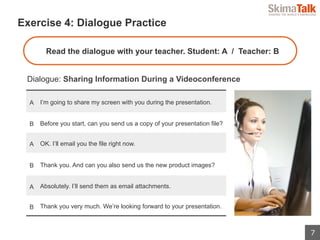
  Exercise 4: Dialogue Practice
Dialogue: Sharing Information During a Videoconference
Read the dialogue with your teacher. Student: A / Teacher: B
A I’m going to share my screen with you during the presentation.
B Before you start, can you send us a copy of your presentation file?
A OK. I’ll email you the file right now.
B Thank you. And can you also send us the new product images?
A Absolutely. I’ll send them as email attachments.
B Thank you very much. We’re looking forward to your presentation.
8
Change the words in [brackets]
and read each sentence.
Practice
1
I’m going to share [a document with
you].
2
I’ll email you [a link to our product
page].
3
I’ll send [the contract] as an email
attachment.
Pronounce the phrases.
Useful Phrases
1 I’m going to share ~
2 I’ll email you ~
3 I’ll send ~ as an email attachment.
  Exercise 5: Phrase Practice
9
  Exercise 6: Discussion
Ask and answer questions about today’s topic.
•  What are some different ways to share information over the
internet?
•  Which communication method do you prefer: email, telephone,
or videoconference? Why?
10
End of Lesson
We Hope You Enjoyed It!

Intermediate Business English Lesson 06

  • 1.
    © 2015 SkimaTalk,Inc. SkimaTalk Official Course Business English for Intermediate Learners Lesson 6 : Videoconferencing
  • 2.
  • 3.
    3   Exercise 1: DialoguePractice Dialogue: Troubleshooting a Videoconference A Hi, Ted? I can’t see you on my monitor… B Oh, OK. I’ll turn on my webcam. [pause] How is the video quality? A It’s pretty good. Can you hear me clearly? B Actually, you are dropping out a bit. A OK, I’ll check my Wi-Fi connection. [pause] How about now? B I can hear you much better now. Thanks. Read the dialogue with your teacher. Student: A / Teacher: B
  • 4.
    4 Change the wordsin [brackets] and read each sentence. Practice 1 How is the [audio quality]? 2 Can you [see me clearly]? 3 I’ll check [the video settings]. Pronounce the phrases. Useful Phrases 1 How is the ~ ? 2 Can you ~ ? 3 I’ll check ~   Exercise 2: Phrase Practice
  • 5.
    5   Exercise 3: Discussion Askand answer questions about today’s topic. •  What are the pros and cons of videoconferencing? •  What are some of the technical problems that can occur during a videoconference?
  • 6.
  • 7.
    7   Exercise 4: DialoguePractice Dialogue: Sharing Information During a Videoconference Read the dialogue with your teacher. Student: A / Teacher: B A I’m going to share my screen with you during the presentation. B Before you start, can you send us a copy of your presentation file? A OK. I’ll email you the file right now. B Thank you. And can you also send us the new product images? A Absolutely. I’ll send them as email attachments. B Thank you very much. We’re looking forward to your presentation.
  • 8.
    8 Change the wordsin [brackets] and read each sentence. Practice 1 I’m going to share [a document with you]. 2 I’ll email you [a link to our product page]. 3 I’ll send [the contract] as an email attachment. Pronounce the phrases. Useful Phrases 1 I’m going to share ~ 2 I’ll email you ~ 3 I’ll send ~ as an email attachment.   Exercise 5: Phrase Practice
  • 9.
    9   Exercise 6: Discussion Askand answer questions about today’s topic. •  What are some different ways to share information over the internet? •  Which communication method do you prefer: email, telephone, or videoconference? Why?
  • 10.
    10 End of Lesson WeHope You Enjoyed It!