OBJECTIVE : Students will determine system properties, input and output devices that are part of the hardware components of a computer system by reading their textbook & classroom discussion/lecture.
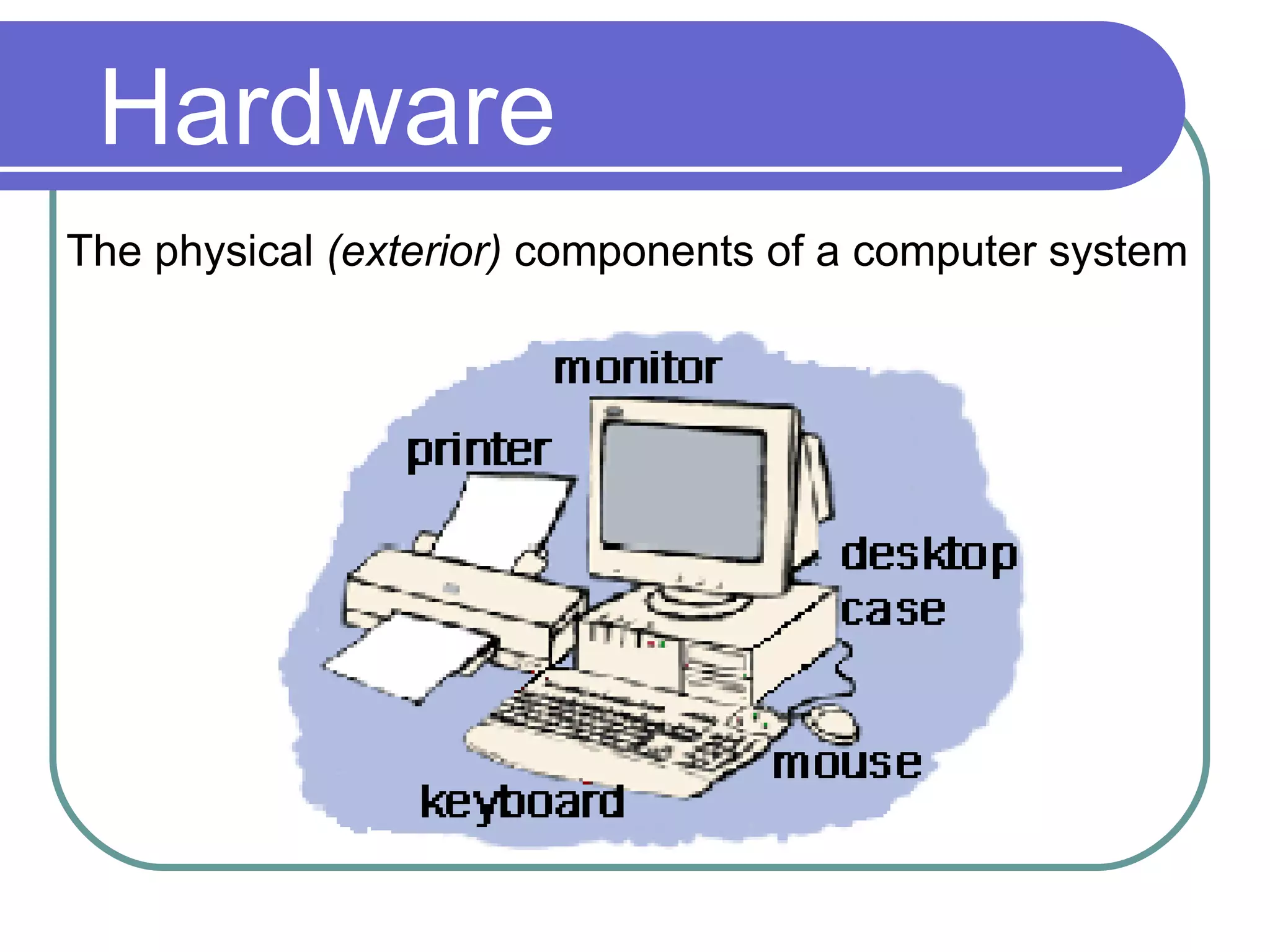
Hardware The physical  (exterior)  components of a computer system
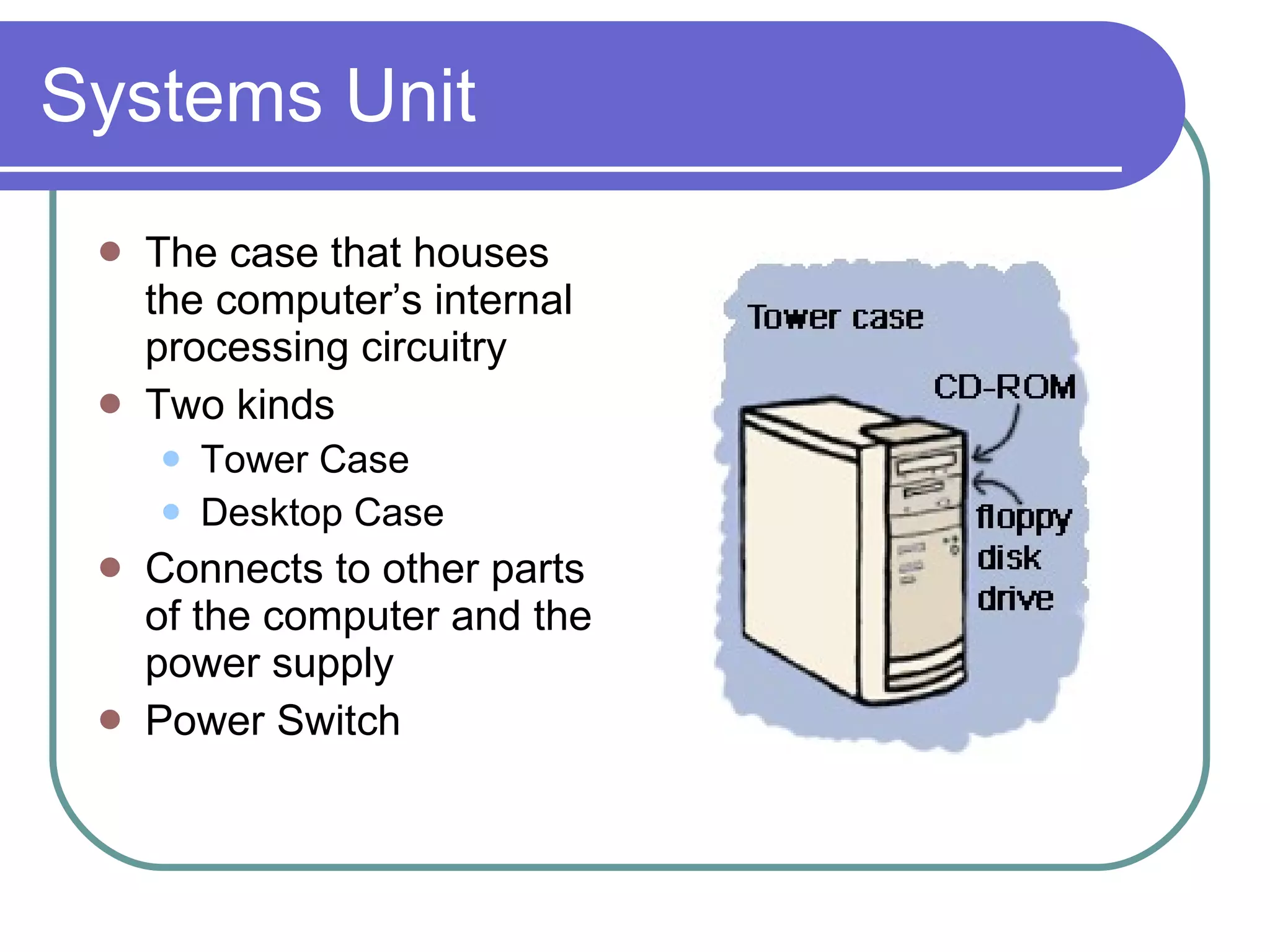
Systems Unit The case that houses the computer’s internal processing circuitry Two kinds Tower Case Desktop Case Connects to other parts of the computer and the power supply Power Switch
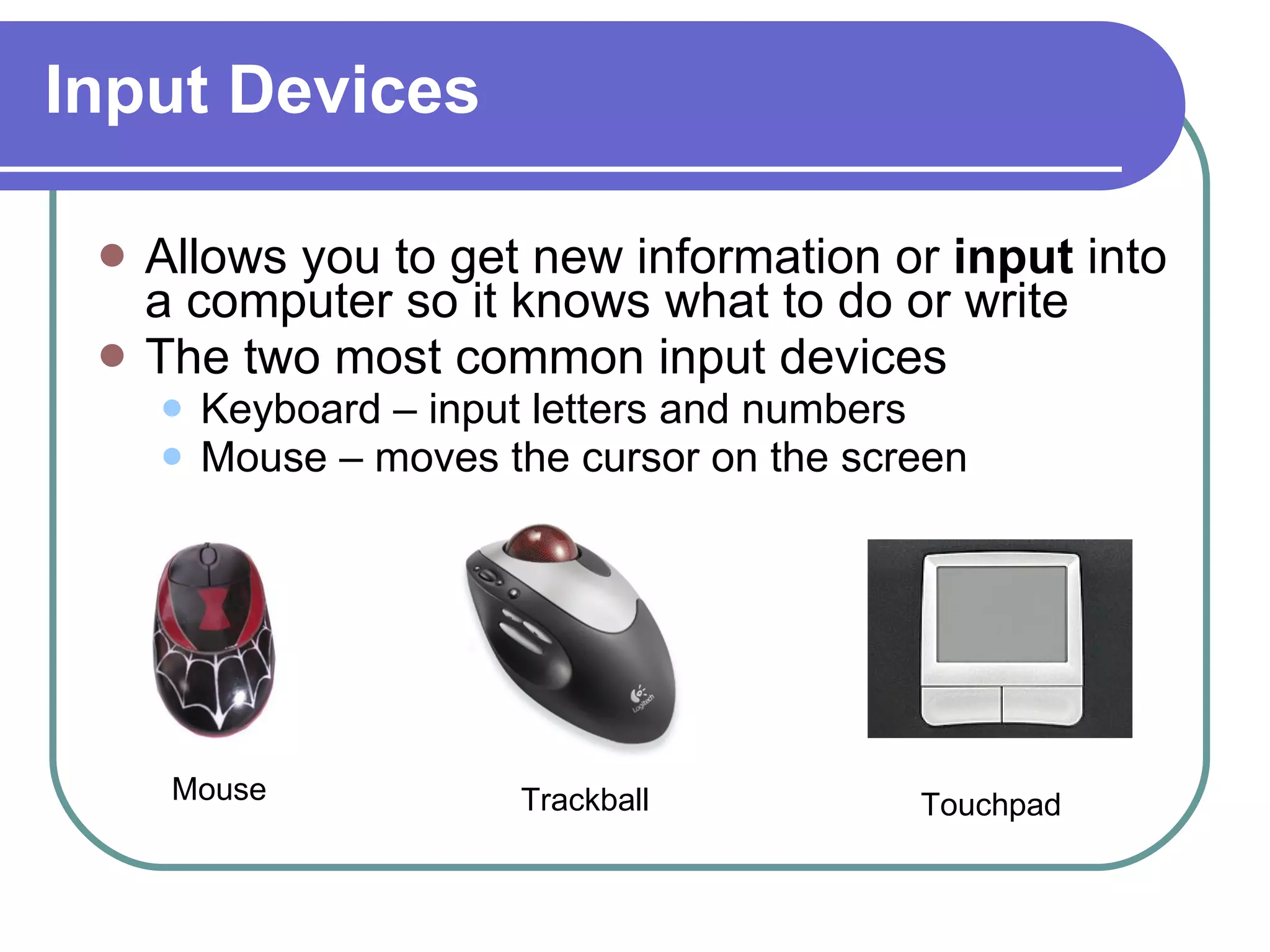
Input Devices Allows you to get new information or  input  into a computer so it knows what to do or write The two most common input devices Keyboard – input letters and numbers Mouse – moves the cursor on the screen Trackball Touchpad Mouse
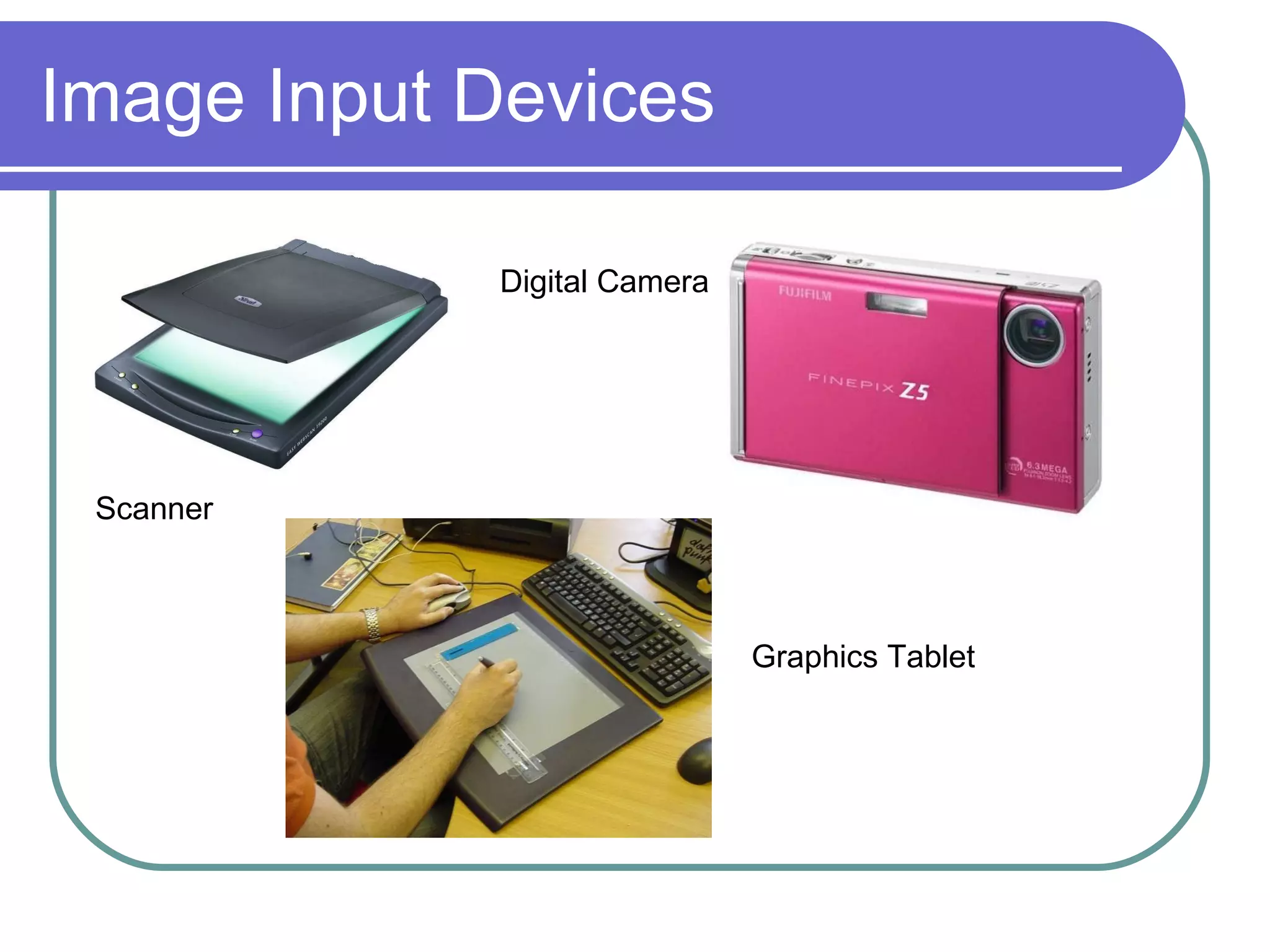
Image Input Devices Scanner Digital Camera Graphics Tablet
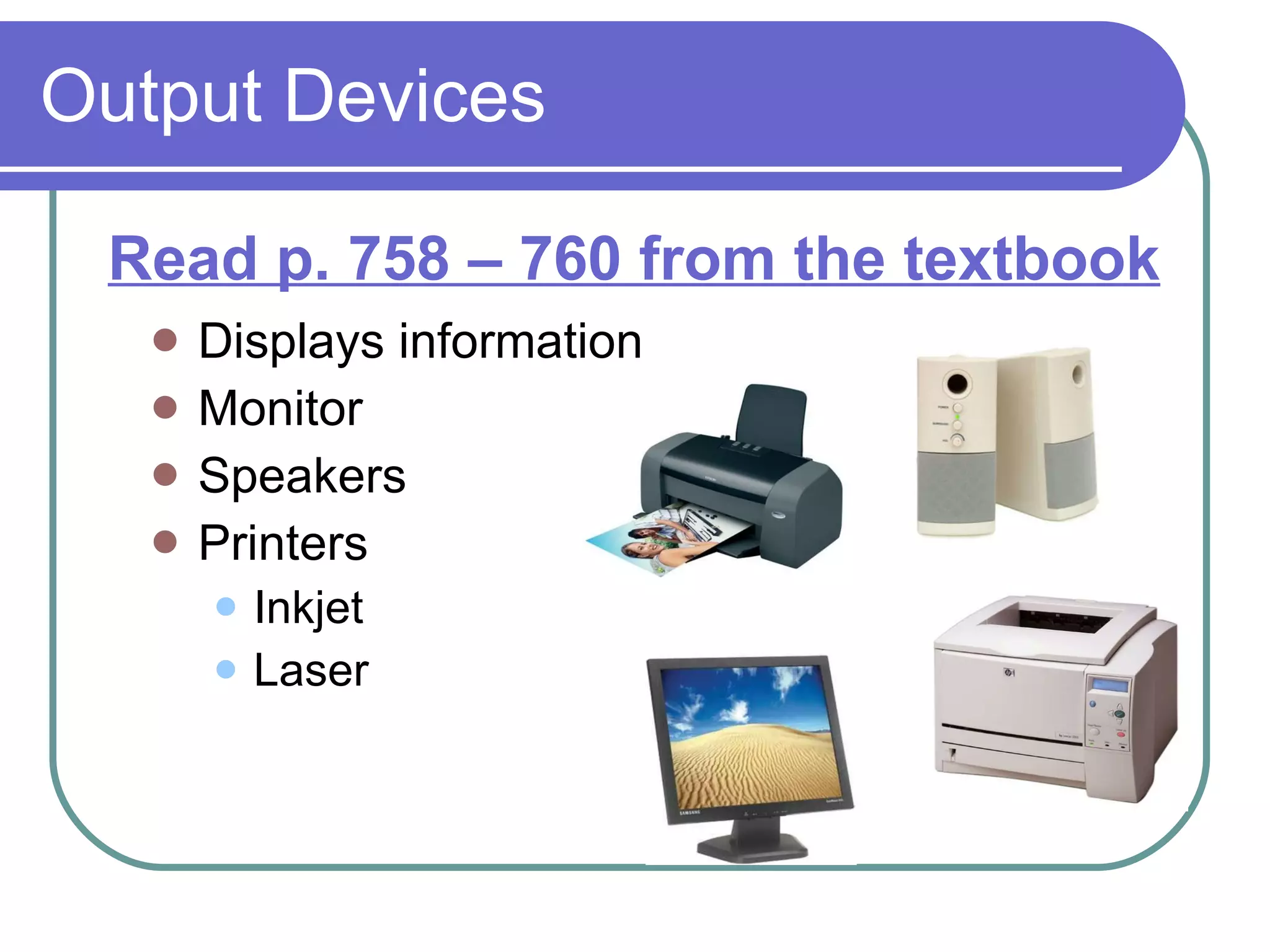
Output Devices Displays information Monitor Speakers Printers Inkjet Laser Read p. 758 – 760 from the textbook
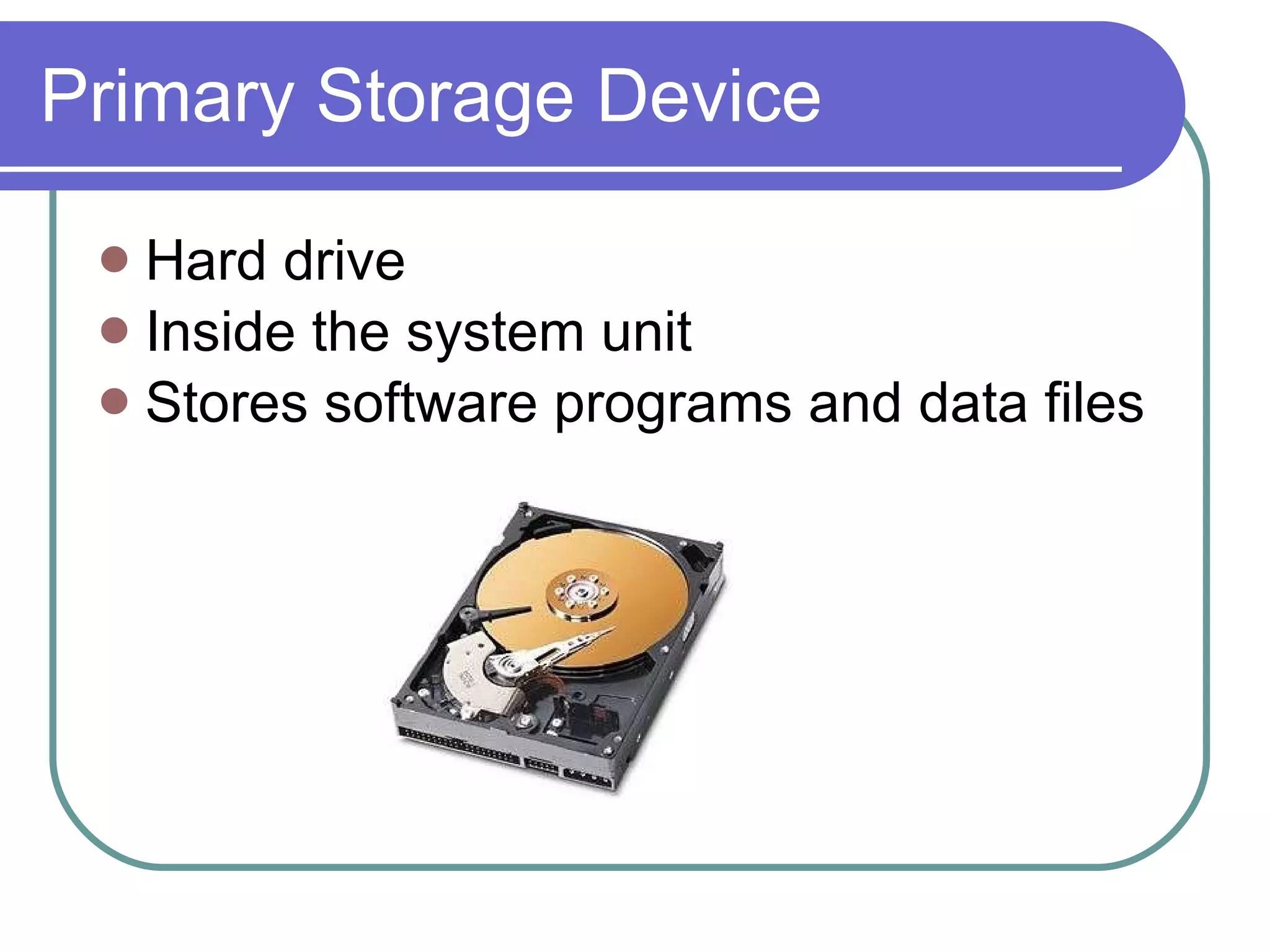
Primary Storage Device Hard drive  Inside the system unit  Stores software programs and data files
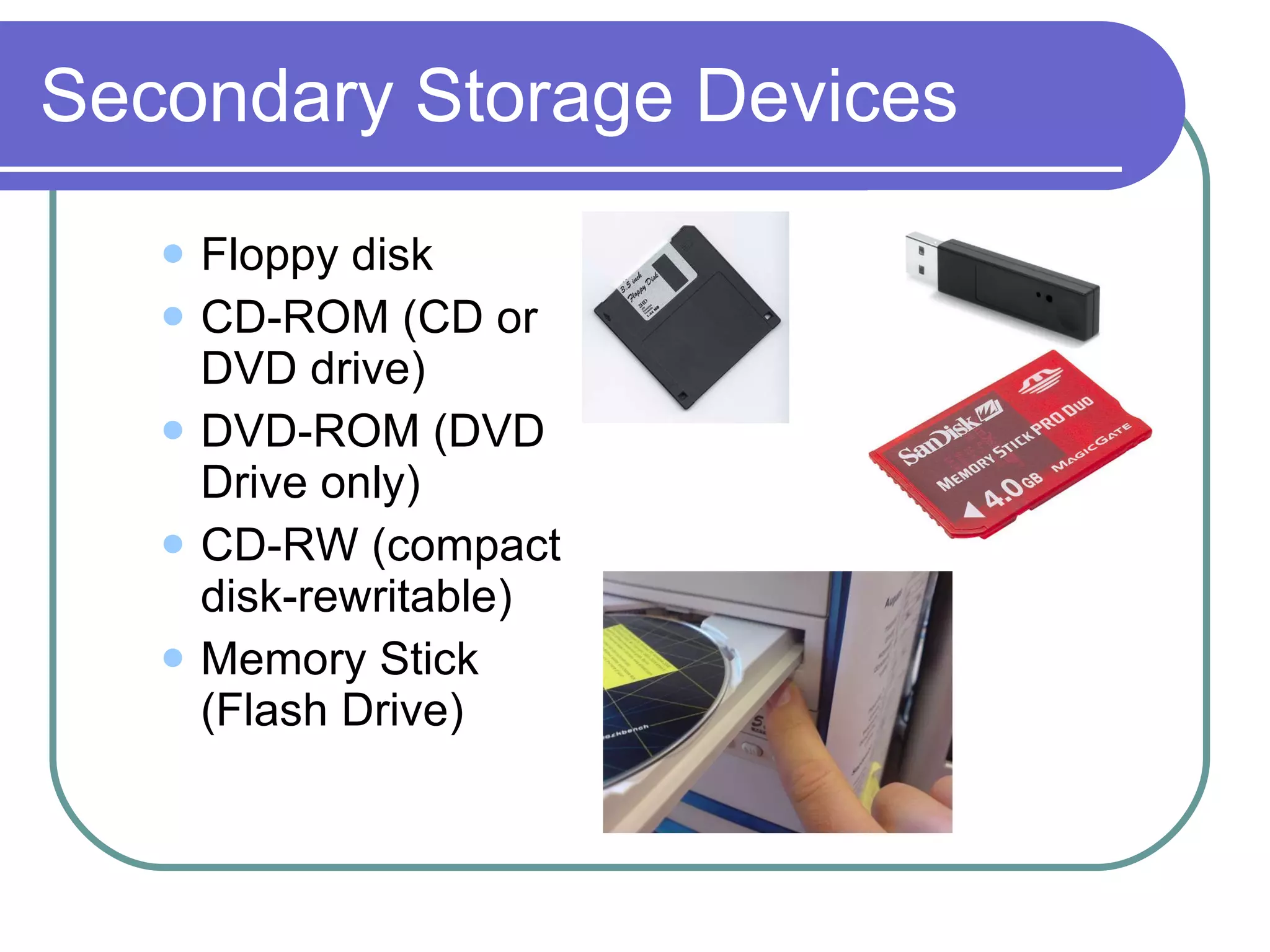
Secondary Storage Devices Floppy disk CD-ROM (CD or DVD drive) DVD-ROM (DVD Drive only) CD-RW (compact disk-rewritable) Memory Stick (Flash Drive)
Assignment Go to our Quia class website.  - Complete “Input/Output Devices”  quia assignment.
Reflection What input devices did you see attached to our classroom computers?  What kind of a system do you have on your desk? What is the most common input device? What is the most common output device? Where is the hard drive located?

Input Output Devices

  • 1.
    OBJECTIVE : Studentswill determine system properties, input and output devices that are part of the hardware components of a computer system by reading their textbook & classroom discussion/lecture.
  • 2.
    Hardware The physical (exterior) components of a computer system
  • 3.
    Systems Unit Thecase that houses the computer’s internal processing circuitry Two kinds Tower Case Desktop Case Connects to other parts of the computer and the power supply Power Switch
  • 4.
    Input Devices Allowsyou to get new information or input into a computer so it knows what to do or write The two most common input devices Keyboard – input letters and numbers Mouse – moves the cursor on the screen Trackball Touchpad Mouse
  • 5.
    Image Input DevicesScanner Digital Camera Graphics Tablet
  • 6.
    Output Devices Displaysinformation Monitor Speakers Printers Inkjet Laser Read p. 758 – 760 from the textbook
  • 7.
    Primary Storage DeviceHard drive Inside the system unit Stores software programs and data files
  • 8.
    Secondary Storage DevicesFloppy disk CD-ROM (CD or DVD drive) DVD-ROM (DVD Drive only) CD-RW (compact disk-rewritable) Memory Stick (Flash Drive)
  • 9.
    Assignment Go toour Quia class website. - Complete “Input/Output Devices” quia assignment.
  • 10.
    Reflection What inputdevices did you see attached to our classroom computers? What kind of a system do you have on your desk? What is the most common input device? What is the most common output device? Where is the hard drive located?