PARTS OF A
COMPUTER
HARDWARE
The physical, touchable, electronic and
mechanical parts of a computer are called the
hardware which is composed of different
devices attached to the computer.
SOFTWARE
is any set of instructions that tells
the hardware what to do and how to
do it.
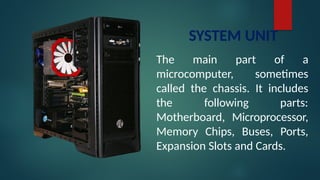
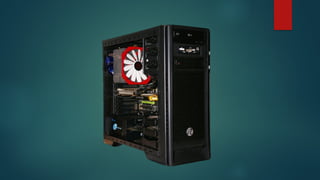
SYSTEM UNIT
The main part of a
microcomputer, sometimes
called the chassis. It includes
the following parts:
Motherboard, Microprocessor,
Memory Chips, Buses, Ports,
Expansion Slots and Cards.
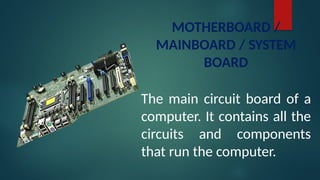
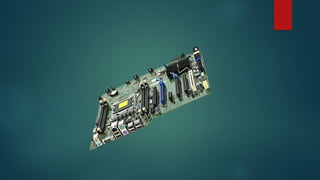
MOTHERBOARD /
MAINBOARD / SYSTEM
BOARD
The main circuit board of a
computer. It contains all the
circuits and components
that run the computer.
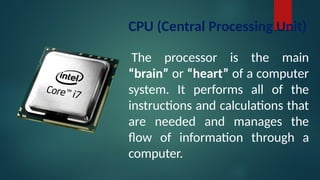
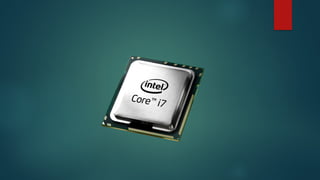
CPU (Central Processing Unit)
The processor is the main
“brain” or “heart” of a computer
system. It performs all of the
instructions and calculations that
are needed and manages the
flow of information through a
computer.
PRIMARY STORAGE
(INTERNAL STORAGE, MAIN MEMORY OR MEMORY)
Is the computer's working storage space that holds data,
instructions for processing and processed data
(information) waiting to be sent to secondary storage.
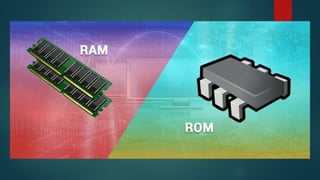
Physically, primary storage is a collection of RAM chips.
TWO (2) TYPES OF MEMORY
a. ROM – (Read Only Memory) ROM is non-
volatile, meaning it holds data even when the
power is ON or OFF.
b. RAM – (Random Access Memory) RAM is
volatile, meaning it holds data only when the
power is on.
When the power is off, RAM's contents are lost.
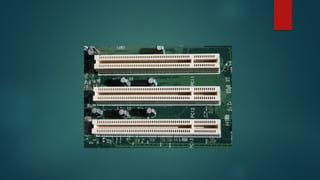
EXPANSION BUS
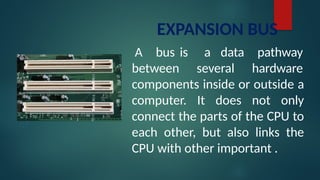
A bus is
between
a data
several
pathway
hardware
components inside or outside a
computer. It does not only
connect the parts of the CPU to
each other, but also links the
CPU with other important .
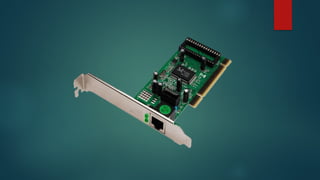
ADAPTERS
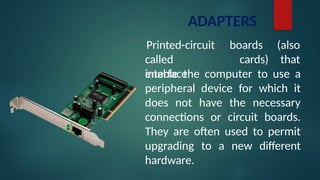
Printed-circuit
called
interface
boards
cards)
(also
that
enable the computer to use a
peripheral device for which it
does not have the necessary
connections or circuit boards.
They are often used to permit
upgrading to a new different
hardware.
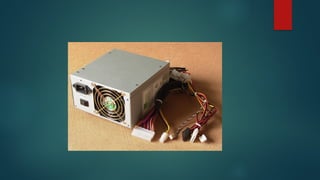
POWER SUPPLY UNIT (PSU)
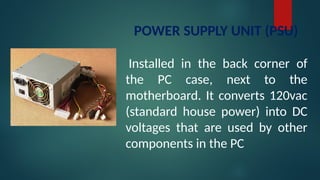
Installed in the back corner of
the PC case, next to the
motherboard. It converts 120vac
(standard house power) into DC
voltages that are used by other
components in the PC
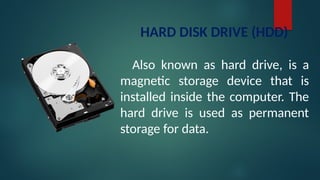
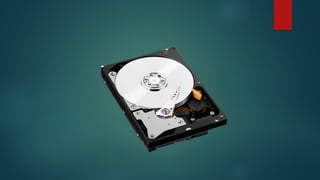
HARD DISK DRIVE (HDD)
Also known as hard drive, is a
magnetic storage device that is
installed inside the computer. The
hard drive is used as permanent
storage for data.
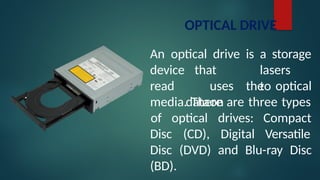
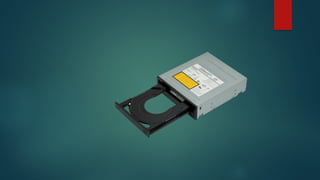
OPTICAL DRIVE
An optical drive is a storage
lasers
to
device
read
that
uses
dataon
the optical
media. There are three types
Disc (CD),
of optical drives:
Digital
Compact
Versatile
Disc (DVD) and Blu-ray Disc
(BD).
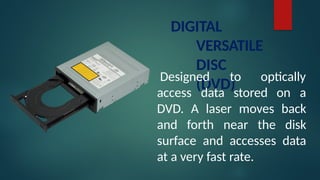
DIGITAL
VERSATILE
DISC
(DVD)
Designed to optically
access data stored on a
DVD. A laser moves back
and forth near the disk
surface and accesses data
at a very fast rate.
INPUT AND OUTPUT DEVICE
INPUT DEVICES
INPUT DEVICE is composed of a device
that accepts data and instructions from
the user or from another computer
system.
TWO (2) TYPES OF INPUT DEVICES
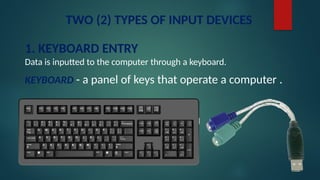
1. KEYBOARD ENTRY
Data is inputted to the computer through a keyboard.
KEYBOARD - a panel of keys that operate a computer .
2. DIRECT ENTRY
A form of input that does not require data to be keyed by
someone sitting at a keyboard. Direct-entry devices create
machine-readable data on paper, or magnetic media, or
feed it directly into the computer’s CPU.
THREE CATEGORIES OF DIRECT ENTRY DEVICES
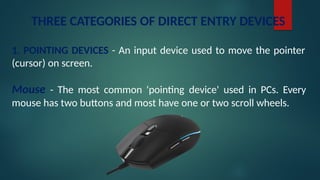
1. POINTING DEVICES - An input device used to move the pointer
(cursor) on screen.
Mouse - The most common 'pointing device' used in PCs. Every
mouse has two buttons and most have one or two scroll wheels.
THREE CATEGORIES OF DIRECT ENTRY DEVICES
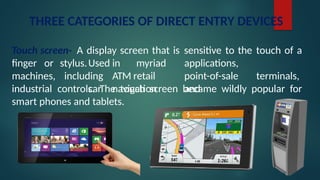
Touch screen- A display screen that is sensitive to the touch of a
finger or
machines,
stylus.Used in myriad applications,
including ATM retail point-of-sale terminals,
car navigation and
industrial controls. The touch screen became wildly popular for
smart phones and tablets.
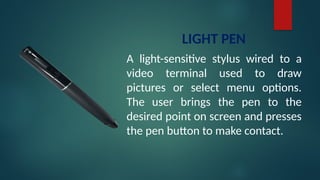
LIGHT PEN
A light-sensitive stylus wired to a
video terminal used to draw
pictures or select menu options.
The user brings the pen to the
desired point on screen and presses
the pen button to make contact.
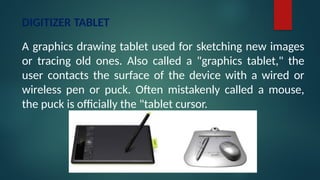
DIGITIZER TABLET
A graphics drawing tablet used for sketching new images
or tracing old ones. Also called a "graphics tablet," the
user contacts the surface of the device with a wired or
wireless pen or puck. Often mistakenly called a mouse,
the puck is officially the "tablet cursor.
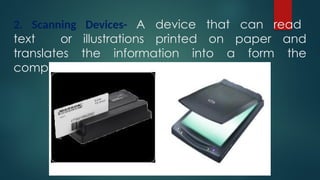
2. Scanning Devices- A device that can read
text or illustrations printed on paper and
translates the information into a form the
computer can use.
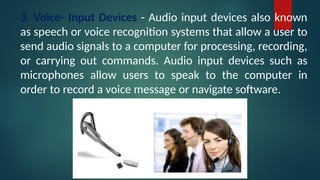
3. Voice- Input Devices - Audio input devices also known
as speech or voice recognition systems that allow a user to
send audio signals to a computer for processing, recording,
or carrying out commands. Audio input devices such as
microphones allow users to speak to the computer in
order to record a voice message or navigate software.
OUTPUT
DEVICES
OUTPUT DEVICE is any piece of computer
hardware that displays results after the computer
has processed the input data that has been
entered.
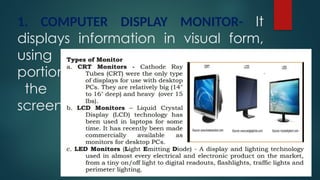
1. COMPUTER DISPLAY MONITOR- It
displays information in visual form,
using text and graphics. The
portion of the monitor that displays
the information is called the
screen or video display terminal.
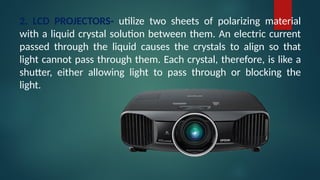
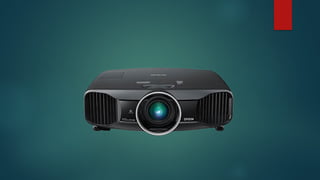
2. LCD PROJECTORS- utilize two sheets of polarizing material
with a liquid crystal solution between them. An electric current
passed through the liquid causes the crystals to align so that
light cannot pass through them. Each crystal, therefore, is like a
shutter, either allowing light to pass through or blocking the
light.
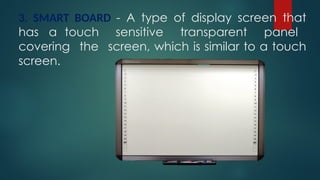
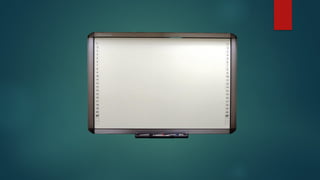
3. SMART BOARD - A type of display screen that
has a touch sensitive transparent panel
covering the screen, which is similar to a touch
screen.
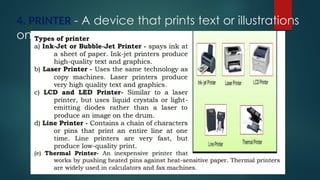
4. PRINTER - A device that prints text or illustrations
on paper
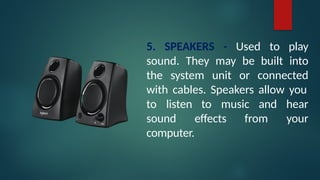
5. SPEAKERS - Used to play
sound. They may be built into
the system unit or connected
with cables. Speakers allow you
to music
to listen
sound effects from
and hear
your
computer.
What’s More!!
Direction. Enumerate the following questions.
1. What are the two types of input devices?
2. What are the 3 categories of direct entry devices?
Give 3 examples.
3. Give 5 examples of output devices.
What I Have Learned
Direction: Complete the paragraph below by supplying the
missing term in the blank.
Computer hardware is considered as the most important parts of the computer
system because without it the application software and the operating system
will
. It is very important that you know how to handle the hardware and know the
function of each part so that you can do simple troubleshooting if one
of the parts failed to function.
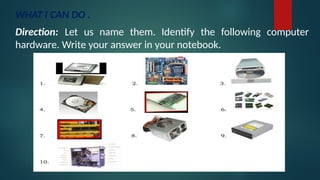
WHAT I CAN DO .
Direction: Let us name them. Identify the following computer
hardware. Write your answer in your notebook.
Computer Hardware Servicing-Computer Hardware.pptx

Computer Hardware Servicing-Computer Hardware.pptx

  • 1.
  • 2.
    HARDWARE The physical, touchable,electronic and mechanical parts of a computer are called the hardware which is composed of different devices attached to the computer.
  • 3.
    SOFTWARE is any setof instructions that tells the hardware what to do and how to do it.
  • 4.
    SYSTEM UNIT The mainpart of a microcomputer, sometimes called the chassis. It includes the following parts: Motherboard, Microprocessor, Memory Chips, Buses, Ports, Expansion Slots and Cards.
  • 5.
    MOTHERBOARD / MAINBOARD /SYSTEM BOARD The main circuit board of a computer. It contains all the circuits and components that run the computer.
  • 6.
    CPU (Central ProcessingUnit) The processor is the main “brain” or “heart” of a computer system. It performs all of the instructions and calculations that are needed and manages the flow of information through a computer.
  • 7.
    PRIMARY STORAGE (INTERNAL STORAGE,MAIN MEMORY OR MEMORY) Is the computer's working storage space that holds data, instructions for processing and processed data (information) waiting to be sent to secondary storage. Physically, primary storage is a collection of RAM chips.
  • 8.
    TWO (2) TYPESOF MEMORY a. ROM – (Read Only Memory) ROM is non- volatile, meaning it holds data even when the power is ON or OFF. b. RAM – (Random Access Memory) RAM is volatile, meaning it holds data only when the power is on. When the power is off, RAM's contents are lost.
  • 10.
    EXPANSION BUS A busis between a data several pathway hardware components inside or outside a computer. It does not only connect the parts of the CPU to each other, but also links the CPU with other important .
  • 11.
    ADAPTERS Printed-circuit called interface boards cards) (also that enable the computerto use a peripheral device for which it does not have the necessary connections or circuit boards. They are often used to permit upgrading to a new different hardware.
  • 12.
    POWER SUPPLY UNIT(PSU) Installed in the back corner of the PC case, next to the motherboard. It converts 120vac (standard house power) into DC voltages that are used by other components in the PC
  • 13.
    HARD DISK DRIVE(HDD) Also known as hard drive, is a magnetic storage device that is installed inside the computer. The hard drive is used as permanent storage for data.
  • 14.
    OPTICAL DRIVE An opticaldrive is a storage lasers to device read that uses dataon the optical media. There are three types Disc (CD), of optical drives: Digital Compact Versatile Disc (DVD) and Blu-ray Disc (BD).
  • 15.
    DIGITAL VERSATILE DISC (DVD) Designed to optically accessdata stored on a DVD. A laser moves back and forth near the disk surface and accesses data at a very fast rate.
  • 16.
  • 17.
    INPUT DEVICES INPUT DEVICEis composed of a device that accepts data and instructions from the user or from another computer system.
  • 18.
    TWO (2) TYPESOF INPUT DEVICES 1. KEYBOARD ENTRY Data is inputted to the computer through a keyboard. KEYBOARD - a panel of keys that operate a computer .
  • 19.
    2. DIRECT ENTRY Aform of input that does not require data to be keyed by someone sitting at a keyboard. Direct-entry devices create machine-readable data on paper, or magnetic media, or feed it directly into the computer’s CPU.
  • 20.
    THREE CATEGORIES OFDIRECT ENTRY DEVICES 1. POINTING DEVICES - An input device used to move the pointer (cursor) on screen. Mouse - The most common 'pointing device' used in PCs. Every mouse has two buttons and most have one or two scroll wheels.
  • 21.
    THREE CATEGORIES OFDIRECT ENTRY DEVICES Touch screen- A display screen that is sensitive to the touch of a finger or machines, stylus.Used in myriad applications, including ATM retail point-of-sale terminals, car navigation and industrial controls. The touch screen became wildly popular for smart phones and tablets.
  • 22.
    LIGHT PEN A light-sensitivestylus wired to a video terminal used to draw pictures or select menu options. The user brings the pen to the desired point on screen and presses the pen button to make contact.
  • 23.
    DIGITIZER TABLET A graphicsdrawing tablet used for sketching new images or tracing old ones. Also called a "graphics tablet," the user contacts the surface of the device with a wired or wireless pen or puck. Often mistakenly called a mouse, the puck is officially the "tablet cursor.
  • 24.
    2. Scanning Devices-A device that can read text or illustrations printed on paper and translates the information into a form the computer can use.
  • 25.
    3. Voice- InputDevices - Audio input devices also known as speech or voice recognition systems that allow a user to send audio signals to a computer for processing, recording, or carrying out commands. Audio input devices such as microphones allow users to speak to the computer in order to record a voice message or navigate software.
  • 26.
    OUTPUT DEVICES OUTPUT DEVICE isany piece of computer hardware that displays results after the computer has processed the input data that has been entered.
  • 27.
    1. COMPUTER DISPLAYMONITOR- It displays information in visual form, using text and graphics. The portion of the monitor that displays the information is called the screen or video display terminal.
  • 28.
    2. LCD PROJECTORS-utilize two sheets of polarizing material with a liquid crystal solution between them. An electric current passed through the liquid causes the crystals to align so that light cannot pass through them. Each crystal, therefore, is like a shutter, either allowing light to pass through or blocking the light.
  • 29.
    3. SMART BOARD- A type of display screen that has a touch sensitive transparent panel covering the screen, which is similar to a touch screen.
  • 30.
    4. PRINTER -A device that prints text or illustrations on paper
  • 31.
    5. SPEAKERS -Used to play sound. They may be built into the system unit or connected with cables. Speakers allow you to music to listen sound effects from and hear your computer.
  • 32.
    What’s More!! Direction. Enumeratethe following questions. 1. What are the two types of input devices? 2. What are the 3 categories of direct entry devices? Give 3 examples. 3. Give 5 examples of output devices.
  • 33.
    What I HaveLearned Direction: Complete the paragraph below by supplying the missing term in the blank. Computer hardware is considered as the most important parts of the computer system because without it the application software and the operating system will . It is very important that you know how to handle the hardware and know the function of each part so that you can do simple troubleshooting if one of the parts failed to function.
  • 34.
    WHAT I CANDO . Direction: Let us name them. Identify the following computer hardware. Write your answer in your notebook.

Editor's Notes

  • #1 There are two important terms relating to computers are hardware and software.
  • #3 Examples of software include web browsers, games, and word processors.