Computer Hardware
By:
Rameshwari Thakur
Roll.No: 273
BED- 205 ICT
Computer Hardware
Computer Hardware is the physical
components of the computer
Refers to the tangible (things you can
touch) components of a computer
system.
Hardware components are further
divided into three groups.
1. Input Device
An input device lets you communicate with a computer.You can use input
devices to enter information and issue commands.
2. Output Device
An output device displays information on a screen, creates printed
copies or generates sound.
3. System Unit
The system unit is the part of the computer which is responsible for
accepting and processing the data brought in by the input devices
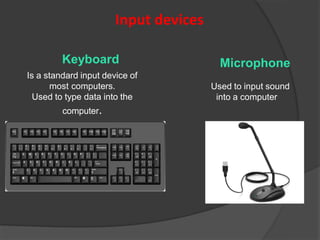
Keyboard
Is a standard input device of
most computers.
Used to type data into the
computer.
Input devices
Microphone
Used to input sound
into a computer
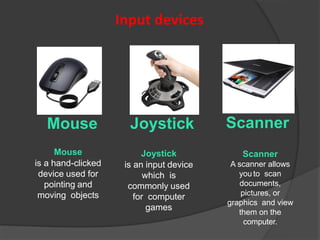
Mouse
Mouse
is a hand-clicked
device used for
pointing and
moving objects
Joystick
Joystick
is an input device
which is
commonly used
for computer
games
Scanner
Scanner
A scanner allows
youto scan
documents,
pictures, or
graphics and view
them on the
computer.
Input devices
Printers : an output device that produces text and graphics on
paper
Inkjet
Printer
Laser
Printer
Impact
Printer
Output Devices
Monitor : The monitor is used to provide soft copy output.
SpeakerMultimedia Projector
Output Devices
Motherboard
The motherboard is the
main circuit board of a
microcomputer.
It is also known as the
mainboard or system board
Hard-Disk Drive
HDD is a storage device that
store billons of characters of
data on a nonremovable disk
System Unit
System Unit
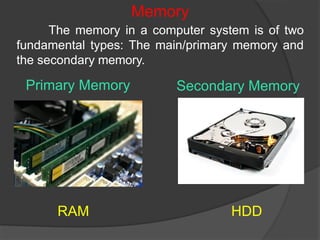
The memory in a computer system is of two
fundamental types: The main/primary memory and
the secondary memory.
Memory
Primary Memory Secondary Memory
RAM HDD
Ict hardware

Ict hardware

  • 1.
  • 2.
    Computer Hardware Computer Hardwareis the physical components of the computer Refers to the tangible (things you can touch) components of a computer system.
  • 3.
    Hardware components arefurther divided into three groups. 1. Input Device An input device lets you communicate with a computer.You can use input devices to enter information and issue commands. 2. Output Device An output device displays information on a screen, creates printed copies or generates sound. 3. System Unit The system unit is the part of the computer which is responsible for accepting and processing the data brought in by the input devices
  • 4.
    Keyboard Is a standardinput device of most computers. Used to type data into the computer. Input devices Microphone Used to input sound into a computer
  • 5.
    Mouse Mouse is a hand-clicked deviceused for pointing and moving objects Joystick Joystick is an input device which is commonly used for computer games Scanner Scanner A scanner allows youto scan documents, pictures, or graphics and view them on the computer. Input devices
  • 6.
    Printers : anoutput device that produces text and graphics on paper Inkjet Printer Laser Printer Impact Printer Output Devices Monitor : The monitor is used to provide soft copy output.
  • 7.
  • 8.
    Motherboard The motherboard isthe main circuit board of a microcomputer. It is also known as the mainboard or system board Hard-Disk Drive HDD is a storage device that store billons of characters of data on a nonremovable disk System Unit
  • 9.
  • 10.
    The memory ina computer system is of two fundamental types: The main/primary memory and the secondary memory. Memory Primary Memory Secondary Memory RAM HDD