Computer Hardware
mputer Hardware
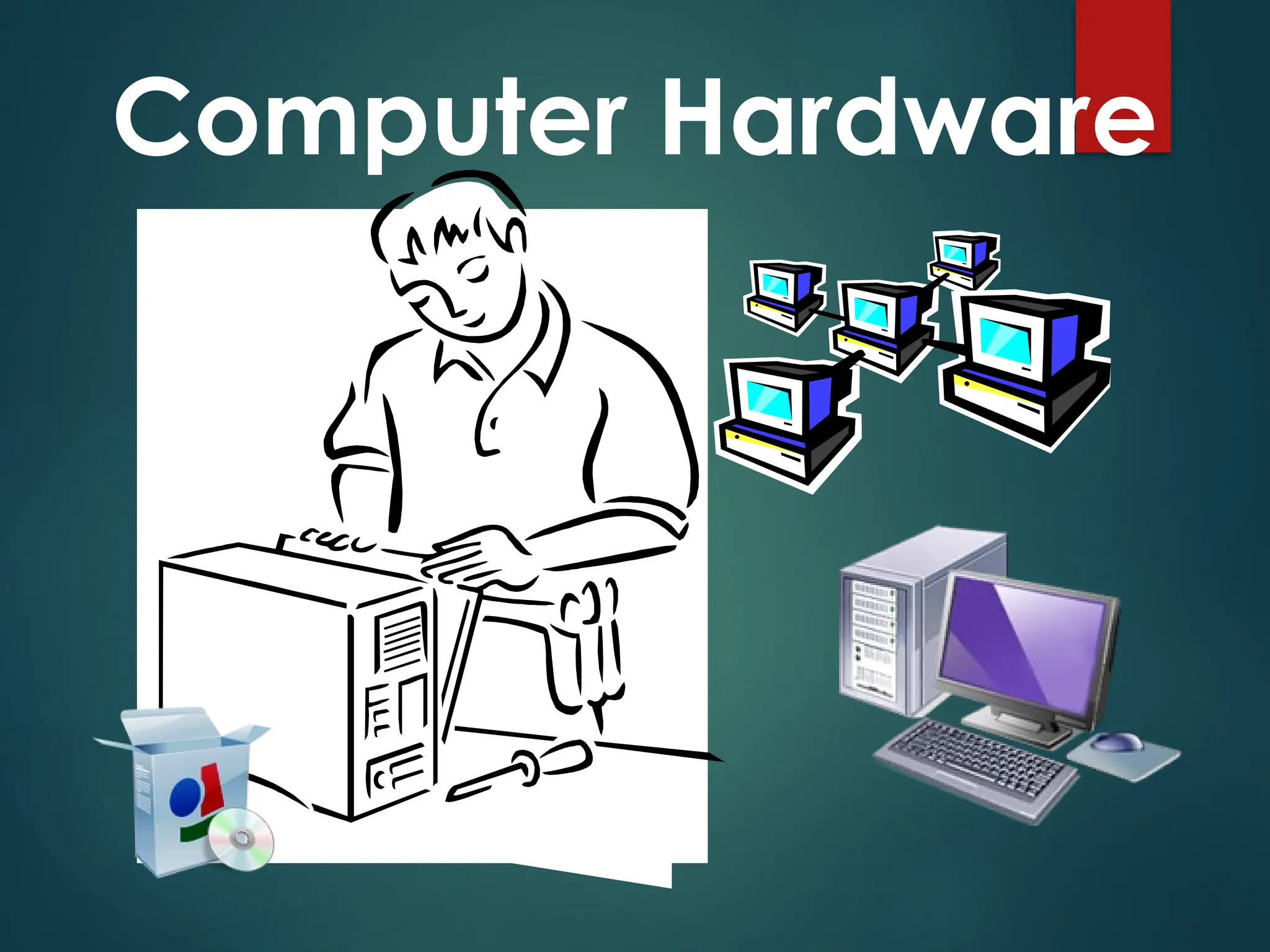
is the physical components
of the computer, Refers to
the tangible (things you
can touch) components of
a computer system.
Hardware components are further
divided into three groups.
1. Input Devices
2. Output Devices
3. System Unit
An input device lets you communicate with a computer.
You can use input devices to enter information and issue
commands.
An output device displays information on a screen, creates
printed copies or generates sound.
The system unit is the part of the computer which is
responsible for accepting and processing the data brought
in by the input devices
INPUT DEVICE
OUTPUT DEVICE
SYSTEM UNIT
INPUT
DEVICES
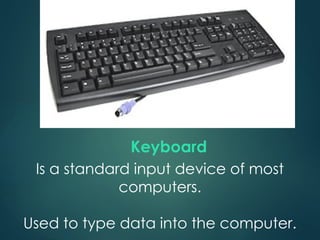
Is a standard input device of most
computers.
Used to type data into the computer.
Keyboard
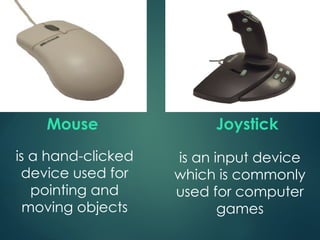
Mouse
is a hand-clicked
device used for
pointing and
moving objects
Joystick
is an input device
which is commonly
used for computer
games
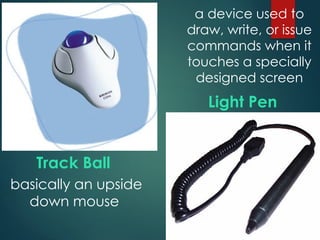
Track Ball
Light Pen
basically an upside
down mouse
a device used to
draw, write, or issue
commands when it
touches a specially
designed screen
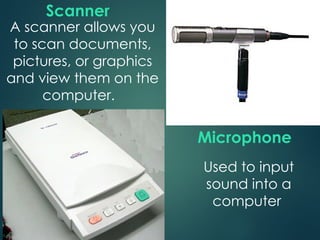
A scanner allows you
to scan documents,
pictures, or graphics
and view them on the
computer.
Scanner
Microphone
Used to input
sound into a
computer
OUTPUT
DEVICES
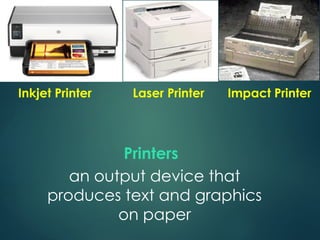
Printers
an output device that
produces text and graphics
on paper
Inkjet Printer Laser Printer Impact Printer
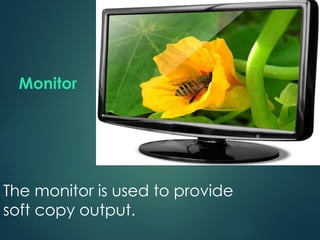
Monitor
The monitor is used to provide
soft copy output.
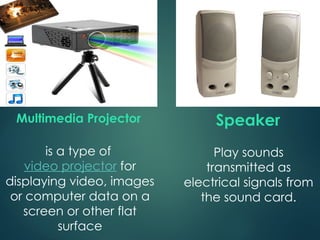
Play sounds
transmitted as
electrical signals from
the sound card.
Speaker
is a type of
video projector for
displaying video, images
or computer data on a
screen or other flat
surface
Multimedia Projector
SYSTEM
UNIT
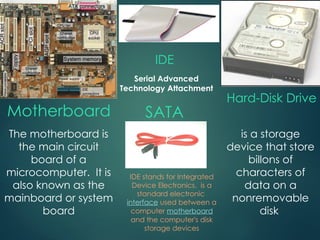
Motherboard
Hard-Disk Drive
IDE
The motherboard is
the main circuit
board of a
microcomputer. It is
also known as the
mainboard or system
board
is a storage
device that store
billons of
characters of
data on a
nonremovable
disk
IDE stands for Integrated
Device Electronics. is a
standard electronic
interface used between a
computer motherboard
and the computer's disk
storage devices
SATA
Serial Advanced
Technology Attachment
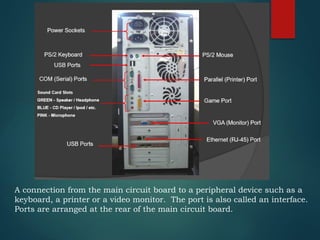
A connection from the main circuit board to a peripheral device such as a
keyboard, a printer or a video monitor. The port is also called an interface.
Ports are arranged at the rear of the main circuit board.
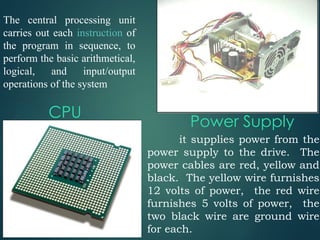
CPU
The central processing unit
carries out each instruction of
the program in sequence, to
perform the basic arithmetical,
logical, and input/output
operations of the system
it supplies power from the
power supply to the drive. The
power cables are red, yellow and
black. The yellow wire furnishes
12 volts of power, the red wire
furnishes 5 volts of power, the
two black wire are ground wire
for each.
Power Supply
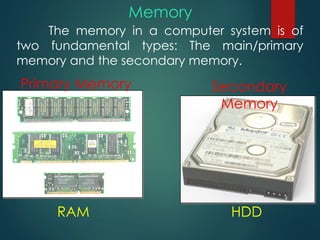
The memory in a computer system is of
two fundamental types: The main/primary
memory and the secondary memory.
Memory
Primary Memory Secondary
Memory
RAM HDD
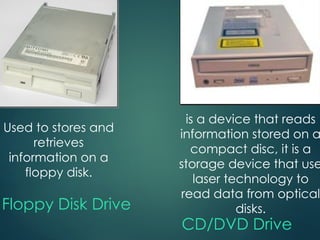
Floppy Disk Drive
Used to stores and
retrieves
information on a
floppy disk.
CD/DVD Drive
is a device that reads
information stored on a
compact disc, it is a
storage device that use
laser technology to
read data from optical
disks.
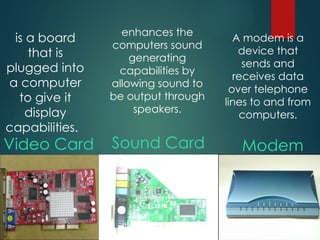
Sound Card Modem
Video Card
is a board
that is
plugged into
a computer
to give it
display
capabilities.
enhances the
computers sound
generating
capabilities by
allowing sound to
be output through
speakers.
A modem is a
device that
sends and
receives data
over telephone
lines to and from
computers.
Thank You.

computer hardware system and its components.

  • 1.
  • 2.
    mputer Hardware is thephysical components of the computer, Refers to the tangible (things you can touch) components of a computer system.
  • 3.
    Hardware components arefurther divided into three groups. 1. Input Devices 2. Output Devices 3. System Unit
  • 4.
    An input devicelets you communicate with a computer. You can use input devices to enter information and issue commands. An output device displays information on a screen, creates printed copies or generates sound. The system unit is the part of the computer which is responsible for accepting and processing the data brought in by the input devices INPUT DEVICE OUTPUT DEVICE SYSTEM UNIT
  • 5.
  • 6.
    Is a standardinput device of most computers. Used to type data into the computer. Keyboard
  • 7.
    Mouse is a hand-clicked deviceused for pointing and moving objects Joystick is an input device which is commonly used for computer games
  • 8.
    Track Ball Light Pen basicallyan upside down mouse a device used to draw, write, or issue commands when it touches a specially designed screen
  • 9.
    A scanner allowsyou to scan documents, pictures, or graphics and view them on the computer. Scanner Microphone Used to input sound into a computer
  • 10.
  • 11.
    Printers an output devicethat produces text and graphics on paper Inkjet Printer Laser Printer Impact Printer
  • 12.
    Monitor The monitor isused to provide soft copy output.
  • 13.
    Play sounds transmitted as electricalsignals from the sound card. Speaker is a type of video projector for displaying video, images or computer data on a screen or other flat surface Multimedia Projector
  • 14.
  • 15.
    Motherboard Hard-Disk Drive IDE The motherboardis the main circuit board of a microcomputer. It is also known as the mainboard or system board is a storage device that store billons of characters of data on a nonremovable disk IDE stands for Integrated Device Electronics. is a standard electronic interface used between a computer motherboard and the computer's disk storage devices SATA Serial Advanced Technology Attachment
  • 16.
    A connection fromthe main circuit board to a peripheral device such as a keyboard, a printer or a video monitor. The port is also called an interface. Ports are arranged at the rear of the main circuit board.
  • 17.
    CPU The central processingunit carries out each instruction of the program in sequence, to perform the basic arithmetical, logical, and input/output operations of the system it supplies power from the power supply to the drive. The power cables are red, yellow and black. The yellow wire furnishes 12 volts of power, the red wire furnishes 5 volts of power, the two black wire are ground wire for each. Power Supply
  • 18.
    The memory ina computer system is of two fundamental types: The main/primary memory and the secondary memory. Memory Primary Memory Secondary Memory RAM HDD
  • 19.
    Floppy Disk Drive Usedto stores and retrieves information on a floppy disk. CD/DVD Drive is a device that reads information stored on a compact disc, it is a storage device that use laser technology to read data from optical disks.
  • 20.
    Sound Card Modem VideoCard is a board that is plugged into a computer to give it display capabilities. enhances the computers sound generating capabilities by allowing sound to be output through speakers. A modem is a device that sends and receives data over telephone lines to and from computers.
  • 21.