Hypertext By Tauseef Ur Rahman
C ONTENTS Definition. History. Non-Linearity Links, Browsing & Searching.  Indexing. URLs. HTML Link Sources. HTML Link Destination. Hypertext Vs Hypermedia.
Hypertext Text augmented with links Link: pointer to another piece of text in same or different document Navigational metaphor User follows a link from its source to its destination, usually by clicking on source with the mouse Use browser to view and navigate hypertext
History Memex – V Bush, 1945 Concept of linked documents;  Xanadu – Ted Nelson, late 1960s/early 1970s Intended as global system Hypercard – Bill Atkinson, 1985 World Wide Web – 1992
Non-linearity Hypertext not usually read linearly (from start to finish) Links encourage branching off History and back button permit backtracking Not an innovation, but the immediacy of following links by clicking creates a different experience from traditional non-linearity
Links Simple unidirectional links Connect single point on one page with a point on another page (e.g. WWW) Extended links Regional links (ends may be regions within a page) Bidirectional links (may be followed in both directions) Multilinks (may have more than two ends)
Browsing & Searching Browsing – retrieve information by association Follow links, backtrack Maintain history, bookmarks Searching – retrieve information by content Construct indexes of URLs Search by keyword/description of page
Web Indexes Manual (Yahoo!, Open Directory Project,…) Classify sites on basis of human evaluation of their content Navigate hierarchy, or search entries by keyword Automatic (Google, AltaVista,…) Spider/robot 'crawls' Web, collecting URLs and keywords extracted from pages Highly efficient search engine processes queries
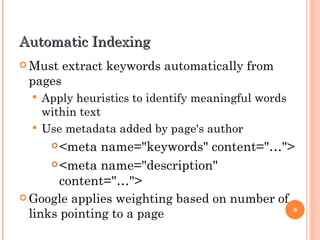
Automatic Indexing Must extract keywords automatically from pages Apply heuristics to identify meaningful words within text Use metadata added by page's author <meta name=&quot;keywords&quot; content=&quot;…&quot;> <meta name=&quot;description&quot; content=&quot;…&quot;> Google applies weighting based on number of links pointing to a page
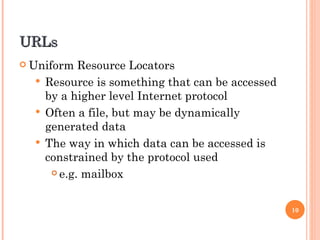
URLs Uniform Resource Locators Resource is something that can be accessed by a higher level Internet protocol Often a file, but may be dynamically generated data The way in which data can be accessed is constrained by the protocol used e.g. mailbox
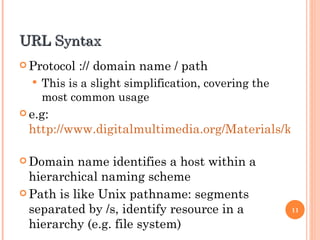
URL Syntax Protocol :// domain name / path This is a slight simplification, covering the most common usage e.g:  http://www.digitalmultimedia.org/Materials/keypoints.html   Domain name identifies a host within a hierarchical naming scheme Path is like Unix pathname: segments separated by /s, identify resource in a hierarchy (e.g. file system)
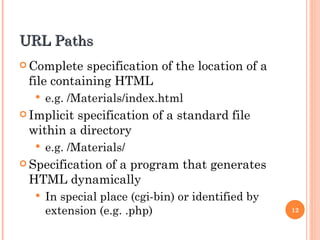
URL Paths Complete specification of the location of a file containing HTML e.g. /Materials/index.html Implicit specification of a standard file within a directory e.g. /Materials/ Specification of a program that generates HTML dynamically In special place (cgi-bin) or identified by extension (e.g. .php)
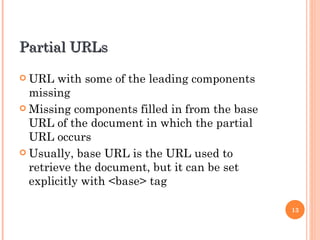
Partial URLs URL with some of the leading components missing Missing components filled in from the base URL of the document in which the partial URL occurs Usually, base URL is the URL used to retrieve the document, but it can be set explicitly with <base> tag
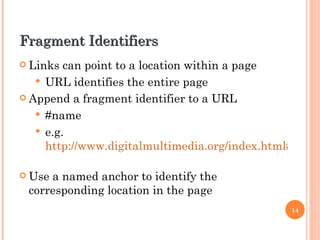
Fragment Identifiers Links can point to a location within a page URL identifies the entire page Append a fragment identifier to a URL #name e.g.  http://www.digitalmultimedia.org/index.html#top   Use a named anchor to identify the corresponding location in the page
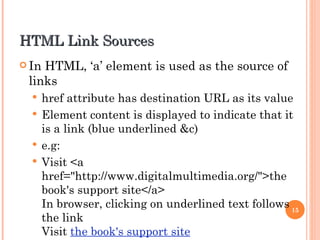
HTML Link Sources In HTML, ‘a’ element is used as the source of links href attribute has destination URL as its value Element content is displayed to indicate that it is a link (blue underlined &c) e.g: Visit <a href=&quot;http://www.digitalmultimedia.org/&quot;>the book's support site</a> In browser, clicking on underlined text follows the link Visit  the book's support site
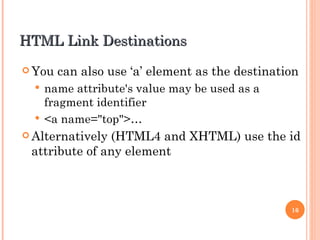
HTML Link Destinations You can also use ‘a’ element as the destination name attribute's value may be used as a fragment identifier <a name=&quot;top&quot;>… Alternatively (HTML4 and XHTML) use the id attribute of any element
Formatting Links Use CSS pseudo-classes link: formatting for links visited: formatting for visited links hover: formatting when cursor is over a link (rollover) active: formatting when a link is clicked on Use in CSS stylesheets with selectors a:link etc
HTML & Hypermedia href of an ‘a’ element might not point to an HTML file Server response will include MIME type when resource is retrieved (deduced from extension) Browser will either Deal with data itself Call on a helper application to display the retrieved resource externally Use a plug-in to display it in browser window
Hypermedia Markup If non-textual data is rendered within the browser, can integrate images, video, etc within Web page img element is established way of embedding bitmapped images (GIF, JPEG, PNG) object element can be used for any type of embedded data embed element not standard, but widely supported for embedding video, audio and applets
Links and Images An image may appear in the content of an ‘a’ element, to serve as a clickable link e.g. thumbnail image linked to bigger version An image map can contain several hot spots, each linked to a URL usemap attribute of img designates map element, which contains area elements specifying shape and position of hot spots and their associated URLs
Thank You For Listening

Hypertext presentation

  • 1.
  • 2.
    C ONTENTS Definition.History. Non-Linearity Links, Browsing & Searching. Indexing. URLs. HTML Link Sources. HTML Link Destination. Hypertext Vs Hypermedia.
  • 3.
    Hypertext Text augmentedwith links Link: pointer to another piece of text in same or different document Navigational metaphor User follows a link from its source to its destination, usually by clicking on source with the mouse Use browser to view and navigate hypertext
  • 4.
    History Memex –V Bush, 1945 Concept of linked documents; Xanadu – Ted Nelson, late 1960s/early 1970s Intended as global system Hypercard – Bill Atkinson, 1985 World Wide Web – 1992
  • 5.
    Non-linearity Hypertext notusually read linearly (from start to finish) Links encourage branching off History and back button permit backtracking Not an innovation, but the immediacy of following links by clicking creates a different experience from traditional non-linearity
  • 6.
    Links Simple unidirectionallinks Connect single point on one page with a point on another page (e.g. WWW) Extended links Regional links (ends may be regions within a page) Bidirectional links (may be followed in both directions) Multilinks (may have more than two ends)
  • 7.
    Browsing & SearchingBrowsing – retrieve information by association Follow links, backtrack Maintain history, bookmarks Searching – retrieve information by content Construct indexes of URLs Search by keyword/description of page
  • 8.
    Web Indexes Manual(Yahoo!, Open Directory Project,…) Classify sites on basis of human evaluation of their content Navigate hierarchy, or search entries by keyword Automatic (Google, AltaVista,…) Spider/robot 'crawls' Web, collecting URLs and keywords extracted from pages Highly efficient search engine processes queries
  • 9.
    Automatic Indexing Mustextract keywords automatically from pages Apply heuristics to identify meaningful words within text Use metadata added by page's author <meta name=&quot;keywords&quot; content=&quot;…&quot;> <meta name=&quot;description&quot; content=&quot;…&quot;> Google applies weighting based on number of links pointing to a page
  • 10.
    URLs Uniform ResourceLocators Resource is something that can be accessed by a higher level Internet protocol Often a file, but may be dynamically generated data The way in which data can be accessed is constrained by the protocol used e.g. mailbox
  • 11.
    URL Syntax Protocol:// domain name / path This is a slight simplification, covering the most common usage e.g: http://www.digitalmultimedia.org/Materials/keypoints.html Domain name identifies a host within a hierarchical naming scheme Path is like Unix pathname: segments separated by /s, identify resource in a hierarchy (e.g. file system)
  • 12.
    URL Paths Completespecification of the location of a file containing HTML e.g. /Materials/index.html Implicit specification of a standard file within a directory e.g. /Materials/ Specification of a program that generates HTML dynamically In special place (cgi-bin) or identified by extension (e.g. .php)
  • 13.
    Partial URLs URLwith some of the leading components missing Missing components filled in from the base URL of the document in which the partial URL occurs Usually, base URL is the URL used to retrieve the document, but it can be set explicitly with <base> tag
  • 14.
    Fragment Identifiers Linkscan point to a location within a page URL identifies the entire page Append a fragment identifier to a URL #name e.g. http://www.digitalmultimedia.org/index.html#top Use a named anchor to identify the corresponding location in the page
  • 15.
    HTML Link SourcesIn HTML, ‘a’ element is used as the source of links href attribute has destination URL as its value Element content is displayed to indicate that it is a link (blue underlined &c) e.g: Visit <a href=&quot;http://www.digitalmultimedia.org/&quot;>the book's support site</a> In browser, clicking on underlined text follows the link Visit the book's support site
  • 16.
    HTML Link DestinationsYou can also use ‘a’ element as the destination name attribute's value may be used as a fragment identifier <a name=&quot;top&quot;>… Alternatively (HTML4 and XHTML) use the id attribute of any element
  • 17.
    Formatting Links UseCSS pseudo-classes link: formatting for links visited: formatting for visited links hover: formatting when cursor is over a link (rollover) active: formatting when a link is clicked on Use in CSS stylesheets with selectors a:link etc
  • 18.
    HTML & Hypermediahref of an ‘a’ element might not point to an HTML file Server response will include MIME type when resource is retrieved (deduced from extension) Browser will either Deal with data itself Call on a helper application to display the retrieved resource externally Use a plug-in to display it in browser window
  • 19.
    Hypermedia Markup Ifnon-textual data is rendered within the browser, can integrate images, video, etc within Web page img element is established way of embedding bitmapped images (GIF, JPEG, PNG) object element can be used for any type of embedded data embed element not standard, but widely supported for embedding video, audio and applets
  • 20.
    Links and ImagesAn image may appear in the content of an ‘a’ element, to serve as a clickable link e.g. thumbnail image linked to bigger version An image map can contain several hot spots, each linked to a URL usemap attribute of img designates map element, which contains area elements specifying shape and position of hot spots and their associated URLs
  • 21.
    Thank You ForListening