Downloaded 480 times
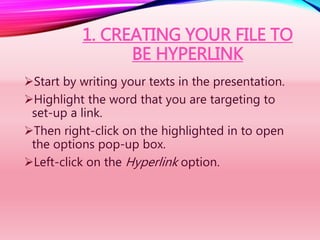
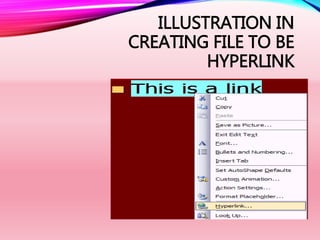
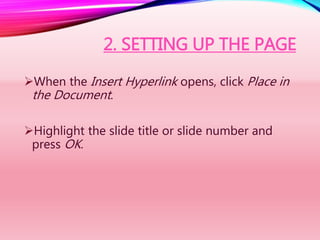
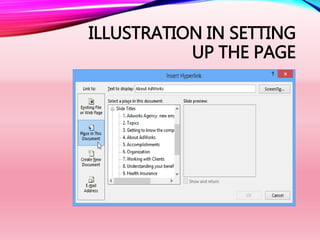

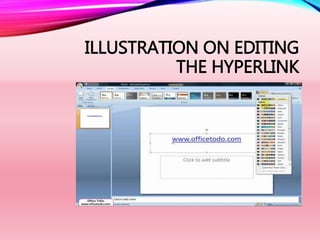


This document provides instructions for hyperlinking a PowerPoint presentation. It explains how to create hyperlinks by highlighting text, right clicking to select "Hyperlink", and linking to other slides. The document also describes how to set up hyperlinks that link to specific pages by highlighting the slide title or number. Additionally, it notes that existing hyperlinks can be edited by right clicking the link and selecting "Edit Hyperlink" to modify the destination.


![[EMPOWERMENT TECHNOLOGIES]-ADVANCED PRESENTATION SKILLS](https://cdn.slidesharecdn.com/ss_thumbnails/et-advancedpresentationskills-211128024220-thumbnail.jpg?width=640&height=640&fit=bounds)


![[EMPOWERMENT TECHNOLOGIES] - ADVANCED WORD PROCESSING SKILLS](https://cdn.slidesharecdn.com/ss_thumbnails/lesson3-advancedwordprocessingskills2-211128024207-thumbnail.jpg?width=640&height=640&fit=bounds)


![[EMPOWERMENT TECHNOLOGIES]-MULTIMEDIA AND ICT](https://cdn.slidesharecdn.com/ss_thumbnails/et-multimediaandict-211128024341-thumbnail.jpg?width=640&height=640&fit=bounds)


