Hypertext
1         By Tauseef Ur Rahman
CONTENTS
 Definition.

 History.

 Non-Linearity

 Links,Browsing & Searching.
 Indexing.

 URLs.

 HTML Link Sources.

 HTML Link Destination.

 Hypertext Vs Hypermedia.

                                2
Hypertext
   Text augmented with links
     Link: pointer to another piece of text in same
      or different document
     Navigational metaphor
     User follows a link from its source to its
      destination, usually by clicking on source
      with the mouse
     Use browser to view and navigate hypertext


                                                       3
History
 Memex    – V Bush, 1945
     Concept of linked documents;
 Xanadu    – Ted Nelson, late 1960s/early
 1970s
     Intended as global system
 Hypercard– Bill Atkinson, 1985
 World Wide Web – 1992


                                             4
Non-linearity
 Hypertext   not usually read linearly (from
  start to finish)
 Links encourage branching off

 History and back button permit backtracking

 Not an innovation, but the immediacy of
  following links by clicking creates a different
  experience from traditional non-linearity

                                                5
Links
 Simple   unidirectional links
     Connect single point on one page with a
      point on another page (e.g. WWW)
 Extended   links
   Regional links (ends may be regions
    within a page)
   Bidirectional links (may be followed in
    both directions)
   Multilinks (may have more than two ends)
                                                6
Browsing & Searching

 Browsing – retrieve information by
 association
   Follow links, backtrack
   Maintain history, bookmarks
 Searching   – retrieve information by
 content
   Construct indexes of URLs
   Search by keyword/description of page

                                            7
Web Indexes
 Manual   (Yahoo!, Open Directory Project,
 …)
   Classify sites on basis of human
    evaluation of their content
   Navigate hierarchy, or search entries by
    keyword
 Automatic   (Google, AltaVista,…)
   Spider/robot 'crawls' Web, collecting URLs
    and keywords extracted from pages
   Highly efficient search engine processes     8

    queries
Automatic Indexing
 Must    extract keywords automatically from
 pages
   Apply heuristics to identify meaningful words
    within text
   Use metadata added by page's author
       <meta name="keywords" content="…">
       <meta name="description"

        content="…">
 Google applies weighting based on number of
  links pointing to a page                    9
URLs
 Uniform  Resource Locators
   Resource is something that can be accessed
    by a higher level Internet protocol
   Often a file, but may be dynamically
    generated data
   The way in which data can be accessed is
    constrained by the protocol used
      e.g. mailbox


                                                 10
URL Syntax
 Protocol   :// domain name / path
     This is a slight simplification, covering the
      most common usage
 e.g:
 http://www.digitalmultimedia.org/Materials/keypoi

 Domain   name identifies a host within a
  hierarchical naming scheme
 Path is like Unix pathname: segments
  separated by /s, identify resource in a             11

  hierarchy (e.g. file system)
URL Paths
 Complete  specification of the location of a
 file containing HTML
     e.g. /Materials/index.html
 Implicit
         specification of a standard file
 within a directory
     e.g. /Materials/
 Specification
           of a program that generates
 HTML dynamically
     In special place (cgi-bin) or identified by
      extension (e.g. .php)                         12
Partial URLs

 URL   with some of the leading components
  missing
 Missing components filled in from the base
  URL of the document in which the partial
  URL occurs
 Usually, base URL is the URL used to
  retrieve the document, but it can be set
  explicitly with <base> tag

                                               13
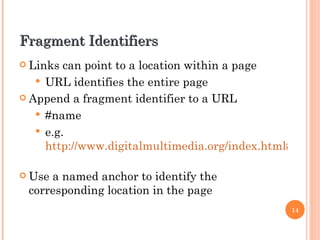
Fragment Identifiers
 Links  can point to a location within a page
    URL identifies the entire page
 Append a fragment identifier to a URL

    #name
    e.g.
     http://www.digitalmultimedia.org/index.html#top

 Usea named anchor to identify the
 corresponding location in the page
                                                14
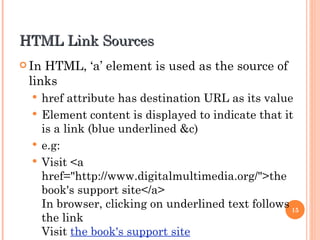
HTML Link Sources
 InHTML, ‘a’ element is used as the source of
 links
   href attribute has destination URL as its value
   Element content is displayed to indicate that it
    is a link (blue underlined &c)
   e.g:
   Visit <a
    href="http://www.digitalmultimedia.org/">the
    book's support site</a>
    In browser, clicking on underlined text follows 15
    the link
    Visit the book's support site
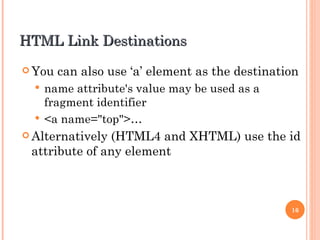
HTML Link Destinations
 You   can also use ‘a’ element as the destination
   name attribute's value may be used as a
    fragment identifier
   <a name="top">…
 Alternatively(HTML4 and XHTML) use the id
 attribute of any element


                                                 16
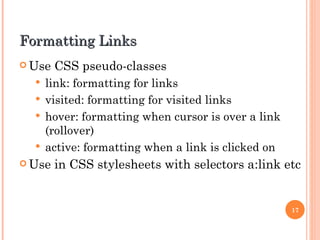
Formatting Links
 Use   CSS pseudo-classes
   link: formatting for links
   visited: formatting for visited links
   hover: formatting when cursor is over a link
    (rollover)
   active: formatting when a link is clicked on
 Use   in CSS stylesheets with selectors a:link etc


                                                   17
HTML & Hypermedia
 hrefof an ‘a’ element might not point to an
  HTML file
 Server response will include MIME type when
  resource is retrieved (deduced from extension)
 Browser will either
   Deal with data itself
   Call on a helper application to display the
    retrieved resource externally
   Use a plug-in to display it in browser window
                                                    18
Hypermedia Markup
 Ifnon-textual data is rendered within the
  browser, can integrate images, video, etc within
  Web page
 img element is established way of embedding
  bitmapped images (GIF, JPEG, PNG)
 object element can be used for any type of
  embedded data
 embed element not standard, but widely
  supported for embedding video, audio and
  applets                                       19
Links and Images
 Animage may appear in the content of an ‘a’
 element, to serve as a clickable link
     e.g. thumbnail image linked to bigger version
 An image map can contain several hot spots,
  each linked to a URL
 usemap attribute of img designates map
  element, which contains area elements
  specifying shape and position of hot spots and
  their associated URLs
                                                      20
Thank You For Listening


                          21

Hypertext presentation

  • 1.
    Hypertext 1 By Tauseef Ur Rahman
  • 2.
    CONTENTS  Definition.  History. Non-Linearity  Links,Browsing & Searching.  Indexing.  URLs.  HTML Link Sources.  HTML Link Destination.  Hypertext Vs Hypermedia. 2
  • 3.
    Hypertext  Text augmented with links  Link: pointer to another piece of text in same or different document  Navigational metaphor  User follows a link from its source to its destination, usually by clicking on source with the mouse  Use browser to view and navigate hypertext 3
  • 4.
    History  Memex – V Bush, 1945  Concept of linked documents;  Xanadu – Ted Nelson, late 1960s/early 1970s  Intended as global system  Hypercard– Bill Atkinson, 1985  World Wide Web – 1992 4
  • 5.
    Non-linearity  Hypertext not usually read linearly (from start to finish)  Links encourage branching off  History and back button permit backtracking  Not an innovation, but the immediacy of following links by clicking creates a different experience from traditional non-linearity 5
  • 6.
    Links  Simple unidirectional links  Connect single point on one page with a point on another page (e.g. WWW)  Extended links  Regional links (ends may be regions within a page)  Bidirectional links (may be followed in both directions)  Multilinks (may have more than two ends) 6
  • 7.
    Browsing & Searching Browsing – retrieve information by association  Follow links, backtrack  Maintain history, bookmarks  Searching – retrieve information by content  Construct indexes of URLs  Search by keyword/description of page 7
  • 8.
    Web Indexes  Manual (Yahoo!, Open Directory Project, …)  Classify sites on basis of human evaluation of their content  Navigate hierarchy, or search entries by keyword  Automatic (Google, AltaVista,…)  Spider/robot 'crawls' Web, collecting URLs and keywords extracted from pages  Highly efficient search engine processes 8 queries
  • 9.
    Automatic Indexing  Must extract keywords automatically from pages  Apply heuristics to identify meaningful words within text  Use metadata added by page's author  <meta name="keywords" content="…">  <meta name="description" content="…">  Google applies weighting based on number of links pointing to a page 9
  • 10.
    URLs  Uniform Resource Locators  Resource is something that can be accessed by a higher level Internet protocol  Often a file, but may be dynamically generated data  The way in which data can be accessed is constrained by the protocol used  e.g. mailbox 10
  • 11.
    URL Syntax  Protocol :// domain name / path  This is a slight simplification, covering the most common usage  e.g: http://www.digitalmultimedia.org/Materials/keypoi  Domain name identifies a host within a hierarchical naming scheme  Path is like Unix pathname: segments separated by /s, identify resource in a 11 hierarchy (e.g. file system)
  • 12.
    URL Paths  Complete specification of the location of a file containing HTML  e.g. /Materials/index.html  Implicit specification of a standard file within a directory  e.g. /Materials/  Specification of a program that generates HTML dynamically  In special place (cgi-bin) or identified by extension (e.g. .php) 12
  • 13.
    Partial URLs  URL with some of the leading components missing  Missing components filled in from the base URL of the document in which the partial URL occurs  Usually, base URL is the URL used to retrieve the document, but it can be set explicitly with <base> tag 13
  • 14.
    Fragment Identifiers  Links can point to a location within a page  URL identifies the entire page  Append a fragment identifier to a URL  #name  e.g. http://www.digitalmultimedia.org/index.html#top  Usea named anchor to identify the corresponding location in the page 14
  • 15.
    HTML Link Sources InHTML, ‘a’ element is used as the source of links  href attribute has destination URL as its value  Element content is displayed to indicate that it is a link (blue underlined &c)  e.g:  Visit <a href="http://www.digitalmultimedia.org/">the book's support site</a> In browser, clicking on underlined text follows 15 the link Visit the book's support site
  • 16.
    HTML Link Destinations You can also use ‘a’ element as the destination  name attribute's value may be used as a fragment identifier  <a name="top">…  Alternatively(HTML4 and XHTML) use the id attribute of any element 16
  • 17.
    Formatting Links  Use CSS pseudo-classes  link: formatting for links  visited: formatting for visited links  hover: formatting when cursor is over a link (rollover)  active: formatting when a link is clicked on  Use in CSS stylesheets with selectors a:link etc 17
  • 18.
    HTML & Hypermedia hrefof an ‘a’ element might not point to an HTML file  Server response will include MIME type when resource is retrieved (deduced from extension)  Browser will either  Deal with data itself  Call on a helper application to display the retrieved resource externally  Use a plug-in to display it in browser window 18
  • 19.
    Hypermedia Markup  Ifnon-textualdata is rendered within the browser, can integrate images, video, etc within Web page  img element is established way of embedding bitmapped images (GIF, JPEG, PNG)  object element can be used for any type of embedded data  embed element not standard, but widely supported for embedding video, audio and applets 19
  • 20.
    Links and Images Animage may appear in the content of an ‘a’ element, to serve as a clickable link  e.g. thumbnail image linked to bigger version  An image map can contain several hot spots, each linked to a URL  usemap attribute of img designates map element, which contains area elements specifying shape and position of hot spots and their associated URLs 20
  • 21.
    Thank You ForListening 21