The Weird & Magical Powers 
of Google+ 
Rand Fishkin, Wizard of Moz | @randfish | rand@moz.com
This Presentation Is Online Here: 
bit.ly/gplusmagic
Why Google+? 
Facebook, Twitter, Pinterest, 
LinkedIn, and Instagram are all 
opportunities, too. What makes 
G+ special?
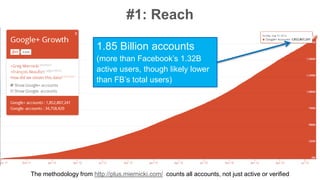
#1: Reach 
1.85 Billion accounts 
(more than Facebook’s 1.32B 
active users, though likely lower 
than FB’s total users) 
The methodology from http://plus.miernicki.com/ counts all accounts, not just active or verified
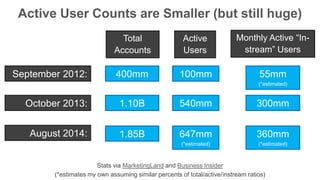
Active User Counts are Smaller (but still huge) 
Total 
Accounts 
Active 
Users 
Stats via MarketingLand and Business Insider 
September 2012: 
October 2013: 
August 2014: 
Monthly Active “In-stream” 
(*estimates my own assuming similar percents of total/active/instream ratios) 
Users 
100mm 
540mm 
647mm 
(*estimated) 
400mm 
1.10B 
1.85B 
55mm 
(*estimated) 
300mm 
360mm 
(*estimated)
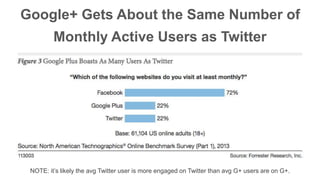
Google+ Gets About the Same Number of 
Monthly Active Users as Twitter 
NOTE: it’s likely the avg Twitter user is more engaged on Twitter than avg G+ users are on G+.
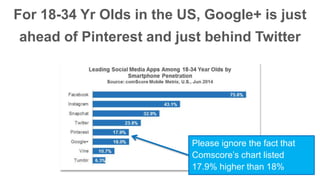
For 18-34 Yr Olds in the US, Google+ is just 
ahead of Pinterest and just behind Twitter 
Please ignore the fact that 
Comscore’s chart listed 
17.9% higher than 18%
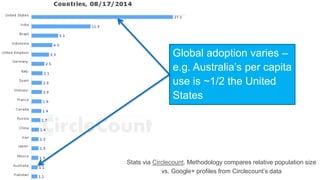
Global adoption varies – 
e.g. Australia’s per capita 
use is ~1/2 the United 
States 
Stats via Circlecount. Methodology compares relative population size 
vs. Google+ profiles from Circlecount’s data
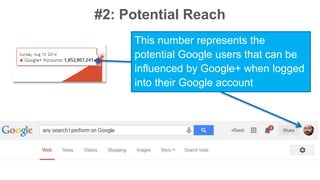
#2: Potential Reach 
This number represents the 
potential Google users that can be 
influenced by Google+ when logged 
into their Google account
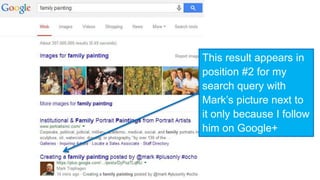
This result appears in 
position #2 for my 
search query with 
Mark’s picture next to 
it only because I follow 
him on Google+
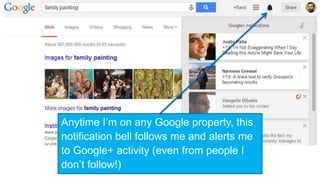
Anytime I’m on any Google property, this 
notification bell follows me and alerts me 
to Google+ activity (even from people I 
don’t follow!)
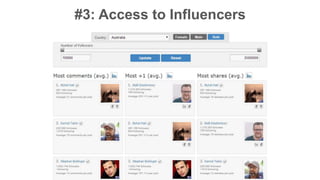
#3: Access to Influencers
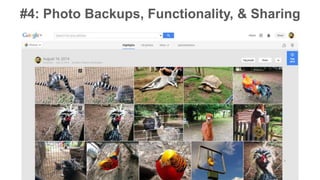
#4: Photo Backups, Functionality, & Sharing
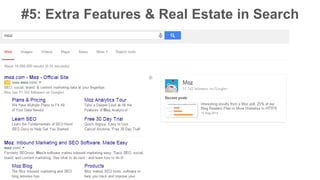
#5: Extra Features & Real Estate in Search
Circles 
Google+ enables a unique kind 
of follower/following 
relationship
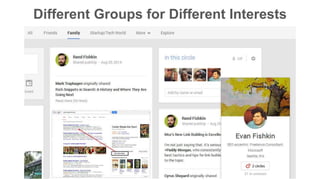
Different Groups for Different Interests
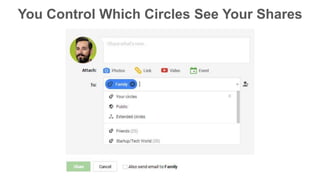
You Control Which Circles See Your Shares
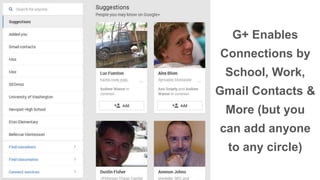
G+ Enables 
Connections by 
School, Work, 
Gmail Contacts & 
More (but you 
can add anyone 
to any circle)
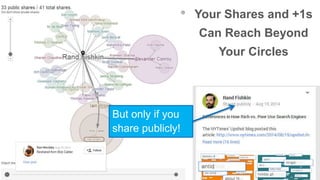
Your Shares and +1s 
Can Reach Beyond 
Your Circles 
But only if you 
share publicly!
G+ in Search 
How Google+ influences what 
searchers see and where they 
see it
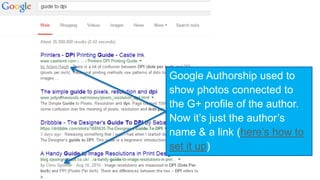
Google Authorship used to 
show photos connected to 
the G+ profile of the author. 
Now it’s just the author’s 
name & a link (here’s how to 
set it up)
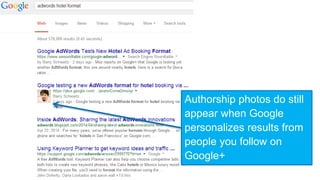
Authorship photos do still 
appear when Google 
personalizes results from 
people you follow on 
Google+
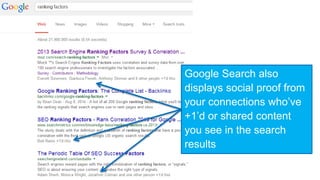
Google Search also 
displays social proof from 
your connections who’ve 
+1’d or shared content 
you see in the search 
results
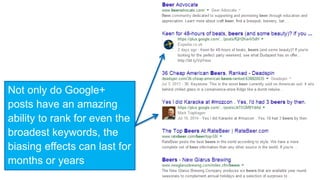
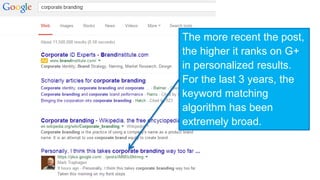
Not only do Google+ 
posts have an amazing 
ability to rank for even the 
broadest keywords, the 
biasing effects can last for 
months or years
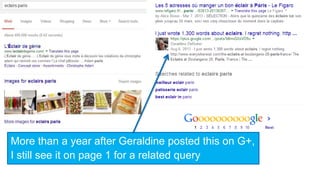
More than a year after Geraldine posted this on G+, 
I still see it on page 1 for a related query
The more recent the post, 
the higher it ranks on G+ 
in personalized results. 
For the last 3 years, the 
keyword matching 
algorithm has been 
extremely broad.
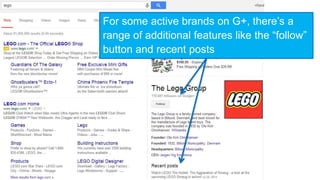
For some active brands on G+, there’s a 
range of additional features like the “follow” 
button and recent posts
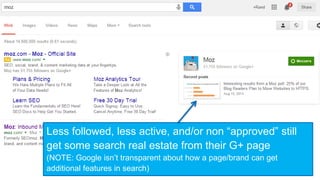
Less followed, less active, and/or non “approved” still 
get some search real estate from their G+ page 
(NOTE: Google isn’t transparent about how a page/brand can get 
additional features in search)
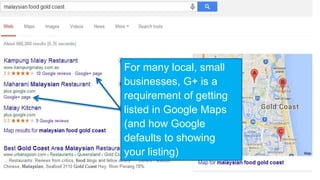
For many local, small 
businesses, G+ is a 
requirement of getting 
listed in Google Maps 
(and how Google 
defaults to showing 
your listing)
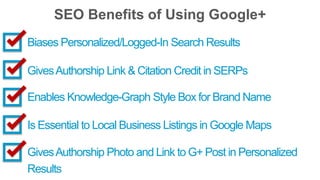
SEO Benefits of Using Google+ 
Biases Personalized/Logged-In Search Results 
Gives Authorship Link & Citation Credit in SERPs 
Enables Knowledge-Graph Style Box for Brand Name 
Is Essential to Local Business Listings in Google Maps 
Gives Authorship Photo and Link to G+ Post in Personalized 
Results
Visuals 
Leveraging G+’s Unique Photo 
and Video Features to 
Maximum Effect
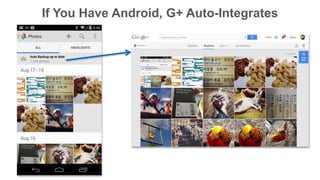
If You Have Android, G+ Auto-Integrates
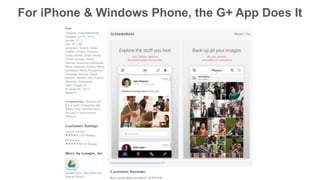
For iPhone & Windows Phone, the G+ App Does It
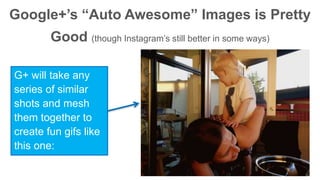
Google+’s “Auto Awesome” Images is Pretty 
Good (though Instagram’s still better in some ways) 
G+ will take any 
series of similar 
shots and mesh 
them together to 
create fun gifs like 
this one:
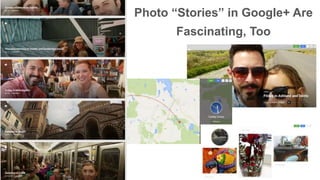
Photo “Stories” in Google+ Are 
Fascinating, Too
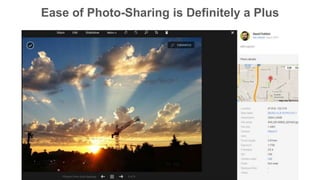
Ease of Photo-Sharing is Definitely a Plus
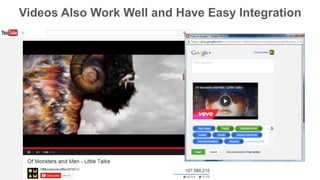
Videos Also Work Well and Have Easy Integration
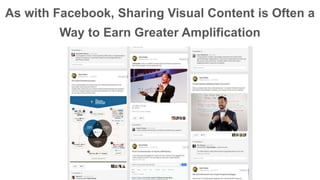
As with Facebook, Sharing Visual Content is Often a 
Way to Earn Greater Amplification
Hangouts 
Skype made it possible. 
Google+ made it better and 
more shareable.
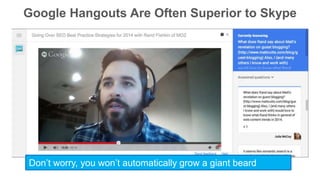
Google Hangouts Are Often Superior to Skype 
Don’t worry, you won’t automatically grow a giant beard
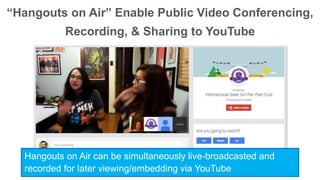
“Hangouts on Air” Enable Public Video Conferencing, 
Recording, & Sharing to YouTube 
Hangouts on Air can be simultaneously live-broadcasted and 
recorded for later viewing/embedding via YouTube
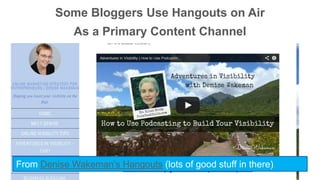
Some Bloggers Use Hangouts on Air 
As a Primary Content Channel 
From Denise Wakeman’s Hangouts (lots of good stuff in there)
Amplification 
12 tips to earn greater reach 
and attention to your Google+ 
posts
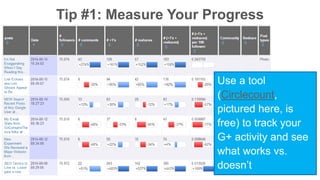
Tip #1: Measure Your Progress 
Use a tool 
(Circlecount, 
pictured here, is 
free) to track your 
G+ activity and see 
what works vs. 
doesn’t
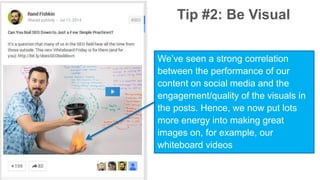
Tip #2: Be Visual 
We’ve seen a strong correlation 
between the performance of our 
content on social media and the 
engagement/quality of the visuals in 
the posts. Hence, we now put lots 
more energy into making great 
images on, for example, our 
whiteboard videos
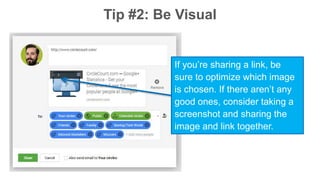
Tip #2: Be Visual 
If you’re sharing a link, be 
sure to optimize which image 
is chosen. If there aren’t any 
good ones, consider taking a 
screenshot and sharing the 
image and link together.
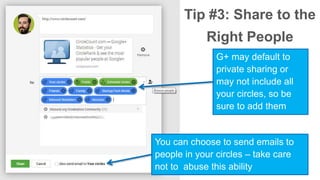
Tip #3: Share to the 
Right People 
G+ may default to 
private sharing or 
may not include all 
your circles, so be 
sure to add them 
You can choose to send emails to 
people in your circles – take care 
not to abuse this ability
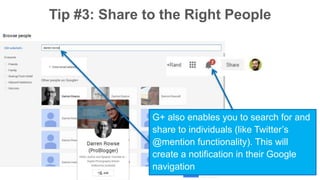
Tip #3: Share to the Right People 
G+ also enables you to search for and 
share to individuals (like Twitter’s 
@mention functionality). This will 
create a notification in their Google 
navigation
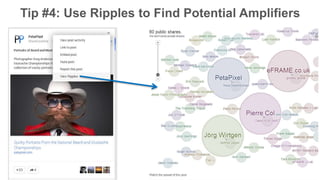
Tip #4: Use Ripples to Find Potential Amplifiers
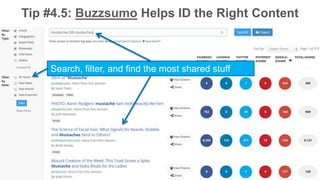
Tip #4.5: Buzzsumo Helps ID the Right Content 
Search, filter, and find the most shared stuff
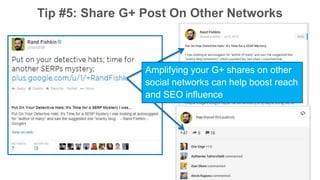
Tip #5: Share G+ Post On Other Networks 
Amplifying your G+ shares on other 
social networks can help boost reach 
and SEO influence
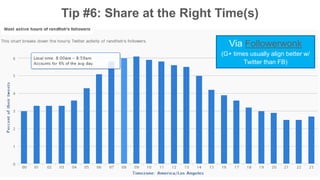
Tip #6: Share at the Right Time(s) 
Via Followerwonk 
(G+ times usually align better w/ 
Twitter than FB)
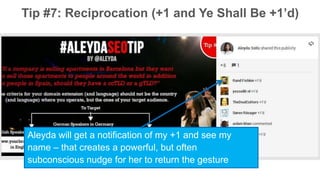
Tip #7: Reciprocation (+1 and Ye Shall Be +1’d) 
Aleyda will get a notification of my +1 and see my 
name – that creates a powerful, but often 
subconscious nudge for her to return the gesture
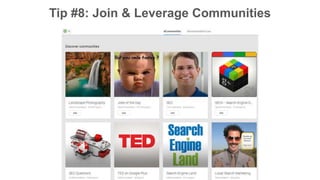
Tip #8: Join & Leverage Communities
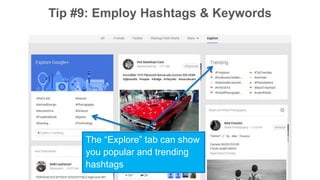
Tip #9: Employ Hashtags & Keywords 
The “Explore” tab can show 
you popular and trending 
hashtags
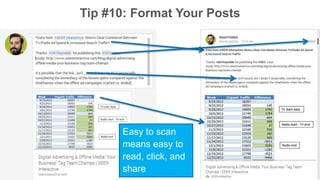
Tip #10: Format Your Posts 
Easy to scan 
means easy to 
read, click, and 
share
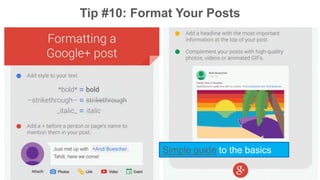
Tip #10: Format Your Posts 
Simple guide to the basics
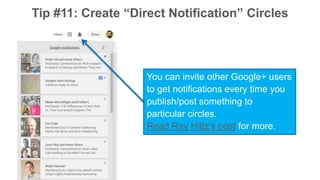
Tip #11: Create “Direct Notification” Circles 
You can invite other Google+ users 
to get notifications every time you 
publish/post something to 
particular circles. 
Read Ray Hiltz’s post for more.
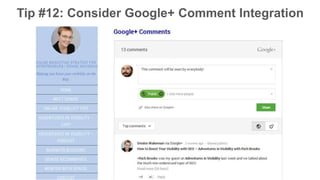
Tip #12: Consider Google+ Comment Integration
Networking 
How to reach people in ways 
that build lasting relationships 
on G+
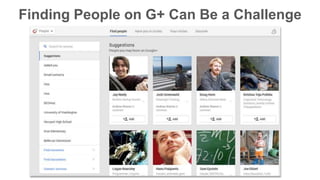
Finding People on G+ Can Be a Challenge
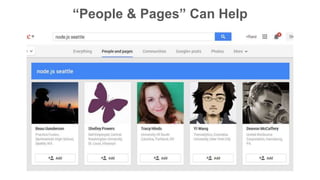
“People & Pages” Can Help
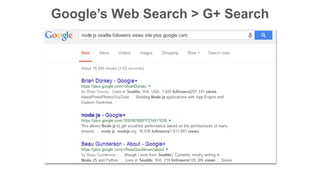
Google’s Web Search > G+ Search
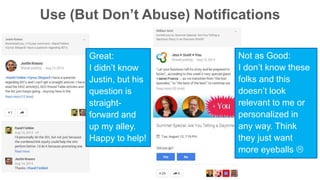
Use (But Don’t Abuse) Notifications 
Not as Good: 
I don’t know these 
folks and this 
doesn’t look 
relevant to me or 
personalized in 
any way. Think 
they just want 
more eyeballs  
Great: 
I didn’t know 
Justin, but his 
question is 
straight-forward 
and 
up my alley. 
Happy to help!
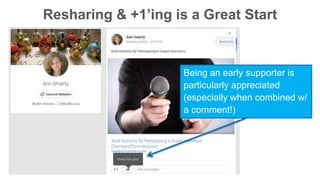
Resharing & +1’ing is a Great Start 
Being an early supporter is 
particularly appreciated 
(especially when combined w/ 
a comment!)
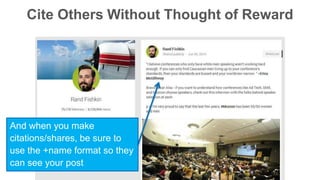
Cite Others Without Thought of Reward 
And when you make 
citations/shares, be sure to 
use the +name format so they 
can see your post
Mostly, Apply Bill & Ted’s Righteous Advice
Page or Profile 
Google+ enables pages (for 
brands/websites) and profiles 
(for people). 
Which is right for you?
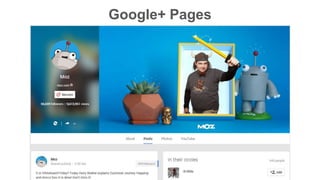
Google+ Pages
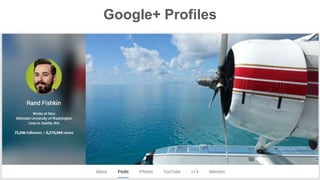
Google+ Profiles
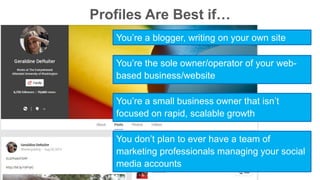
Profiles Are Best if… 
You’re a blogger, writing on your own site 
You’re the sole owner/operator of your web-based 
business/website 
You’re a small business owner that isn’t 
focused on rapid, scalable growth 
You don’t plan to ever have a team of 
marketing professionals managing your social 
media accounts
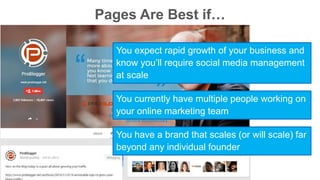
Pages Are Best if… 
You expect rapid growth of your business and 
know you’ll require social media management 
at scale 
You currently have multiple people working on 
your online marketing team 
You have a brand that scales (or will scale) far 
beyond any individual founder
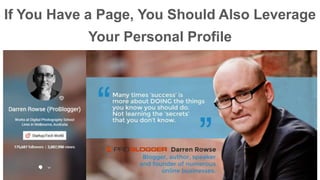
If You Have a Page, You Should Also Leverage 
Your Personal Profile
The Competition 
Is Google+ worth investing 
time in over networks like 
Twitter, Facebook, and others?
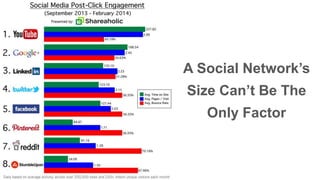
A Social Network’s 
Size Can’t Be The 
Only Factor
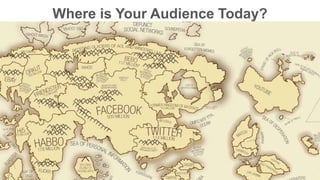
Where is Your Audience Today?
Where is Your Potential, Future Audience?
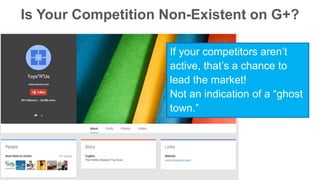
Is Your Competition Non-Existent on G+? 
If your competitors aren’t 
active, that’s a chance to 
lead the market! 
Not an indication of a “ghost 
town.”
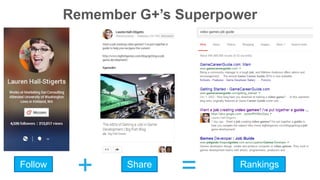
Remember G+’s Superpower 
Follow + Share = Rankings
Google+ 
may not be right for everyone, 
but it’s almost certainly worth 
some effort for those who create 
& share content online.
bit.ly/gplusmagic 
Rand Fishkin, Wizard of Moz | @randfish | rand@moz.com