Facebook Statistics
• Facebook is the most popular Social Networking
website in the World
• As of September 2012 Facebook has over 1 billion
monthly active users
• Facebook accounts for 1 out of every 5 page views
on the internet worldwide.
• Over 50% of the United States population is on
Facebook
• In 2012 more than 80% of businesses are on
Facebook
• Facebook is the leading source of referred social
media traffic to websites, at 26%. Twitter is second
at 3.6%.
More Statistics
• 65% of Facebook users are over the age of 35
• The fastest growing age group on Facebook is between the ages of 45 and 54
• Since Facebook switched over to the new Timeline layout,(earlier this year)
businesses have show a 46% increase in brand user participation
• Social media customer engagement is expected to rise 57% within the next
five years
• 78% off all Facebook users have shown their support for a business,
organization or group.
• Facebook racks up 2.7 billion likes a day
• Increase your company’s exposure
• Connect and engage with current and potential customers
• Get found by people who are searching for your products or
services
• Promote your company’s seminars, events, blogs, articles or other
resources
• Generate leads for your business
Why is it important to have a Company
Facebook Page?
• How do I make a Company Facebook Page?
• What is a Facebook Application?
• What do I post?
• How often am I supposed to post?
• How do I increase my fan interaction?
• How do I get more likes?
• How do I analyze my efforts?
Common Questions
• People have Profiles, company’s have Page’s
• People gain friends, company’s gain “Like’s”
• Business Pages can interact on other Business Pages
but not on Personal Profiles
Facebook Basics
• In Facebook, like in any other marketing channel you need
to promote content based on your target market
• Research your target audience
o What do they find interesting?
o What do they find informative?
Determine Your Target Audience
• What is your primary purpose of your Facebook page?
o Raising Brand awareness?
o Building Brand loyalty?
o Enhancing customer service?
o Building your email list?
o Driving traffic back to your blog or website?
Develop a Marketing Strategy
• You must have a personal Facebook Profile in order to create a
Company Page
• Remember: You will not have a separate login for your
Company Page
https://www.facebook.com/pages/create.php
How to Create a Company Page
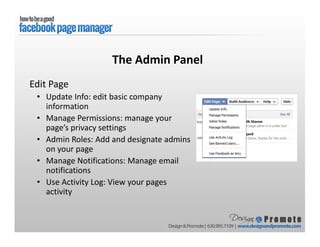
Edit Page
• Update Info: edit basic company
information
• Manage Permissions: manage your
page’s privacy settings
• Admin Roles: Add and designate admins
on your page
• Manage Notifications: Manage email
notifications
• Use Activity Log: View your pages
activity
The Admin Panel
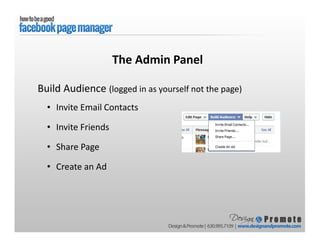
Build Audience (logged in as yourself not the page)
• Invite Email Contacts
• Invite Friends
• Share Page
• Create an Ad
The Admin Panel
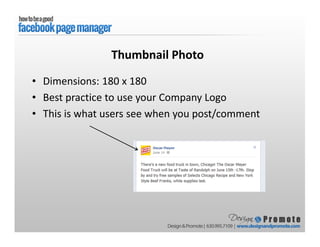
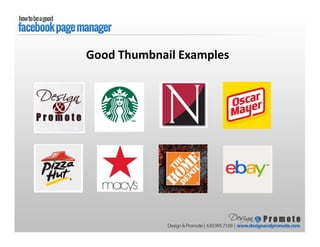
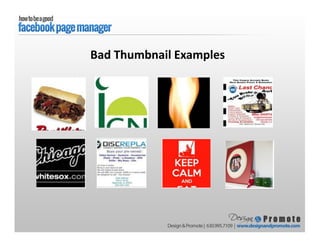
Thumbnail Photo
• Dimensions: 180 x 180
• Best practice to use your Company Logo
• This is what users see when you post/comment
Good Thumbnail Examples
Bad Thumbnail Examples
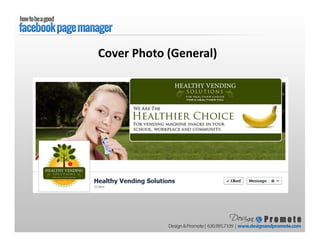
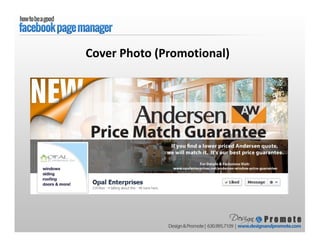
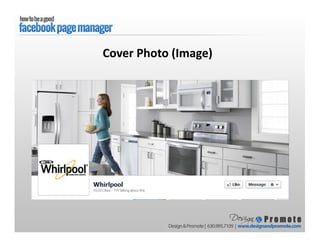
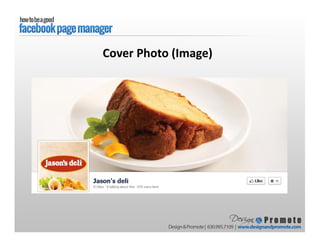
• Dimensions: 851 x 315
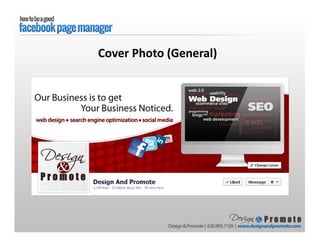
• General: Describe your company
• Promotional: Promote a special or a new product
• Image: Use an image that represents your company
Cover Photo
Cover Photo (General)
Cover Photo (Promotional)
Cover Photo (Image)
Cover Photo (Image)
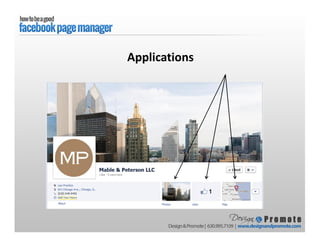
Applications
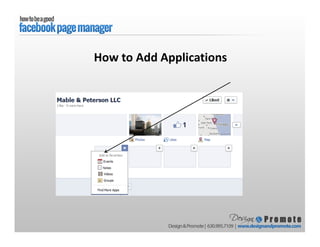
How to Add Applications
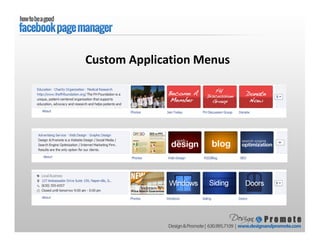
Custom Application Menus
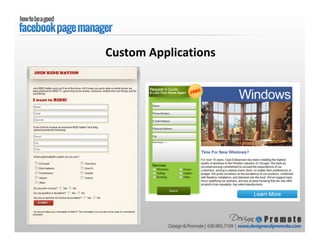
Custom Applications
• Post interesting and informative content
o From your company
o From your industry
• Be friendly and show your companies personality
o Make your brand seem relatable
o Appropriate yet funny and visually appealing posts to keep a
healthy balance on your Facebook page and keep engagement high
Posting Content to Your Page
• Posts that are 80 characters or less in length have 27% higher
engagement rates
• Posts which end with a simple question receive 15% higher engagement
• “Soft sell” words are more effective than hard sell words
• 52% of consumers say they have stopped following a brand on Facebook
because the information it posted had become “too repetitive and
boring.”
Key Statistics
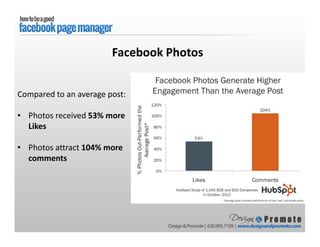
Compared to an average post:
• Photos received 53% more
Likes
• Photos attract 104% more
comments
Facebook Photos
• Share company blog posts and events
• Industry news
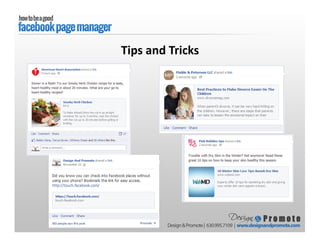
• Helpful tips or tricks for the consumer
Status Updates
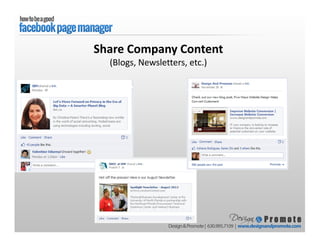
Share Company Content
(Blogs, Newsletters, etc.)
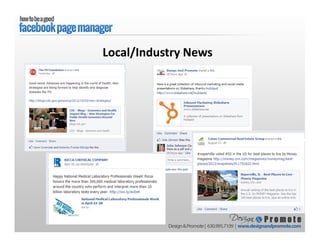
Local/Industry News
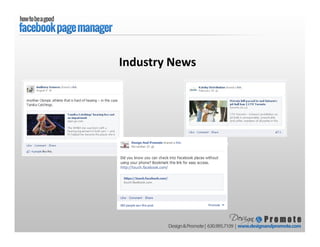
Industry News
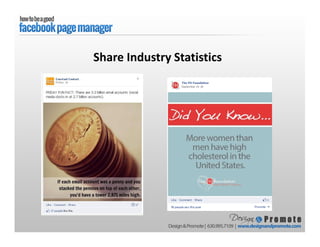
Share Industry Statistics
Tips and Tricks
Photo Updates
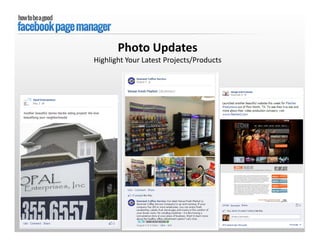
Highlight Your Latest Projects/Products
Photo Updates
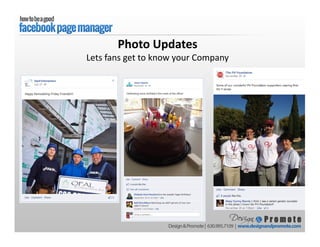
Lets fans get to know your Company
Photo Updates:
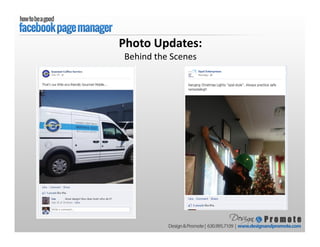
Behind the Scenes
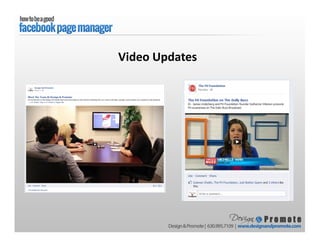
Video Updates
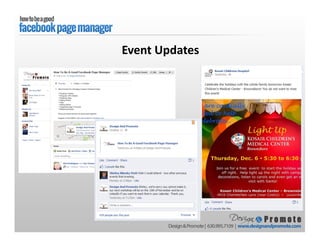
Event Updates
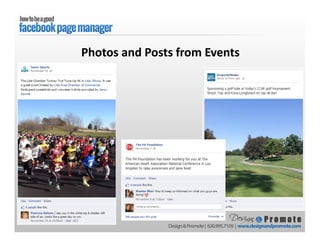
Photos and Posts from Events
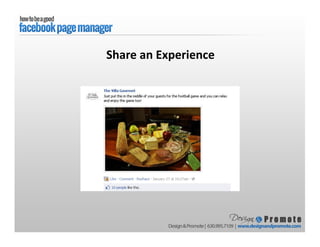
Share an Experience
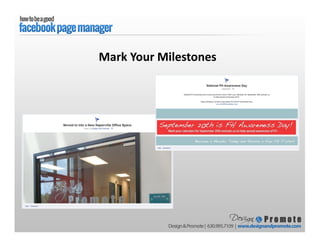
Mark Your Milestones
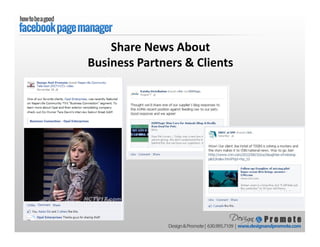
Share News About
Business Partners & Clients
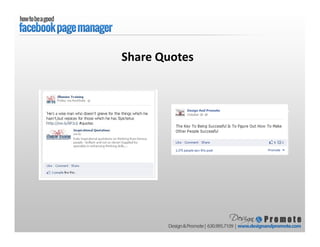
Share Quotes
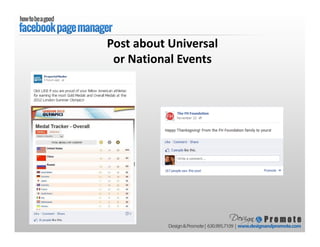
Post about Universal
or National Events
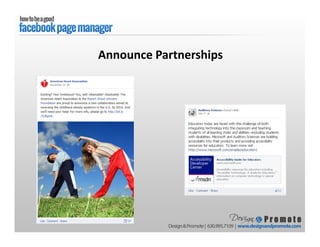
Announce Partnerships
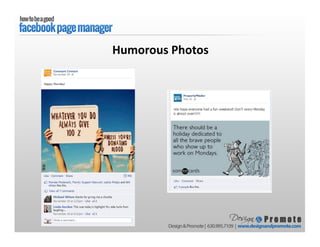
Humorous Photos
• Run contests, polls and engage your fans in the conversation. They feel
connected to your brand, the more likely they are to further research your
product/service and make a purchase. More engagement turns into lead
generation.
• When someone posts on your page with a question or comment engage
with them
• Tip: Within a comment stream type “@” and a commenter’s name. It will
allow you to tag specific fans in your response. It also notifies the
commenter that you have tagged them in a response
Engage with Users
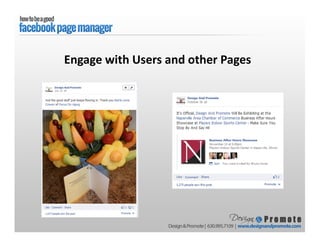
Engage with Users and other Pages
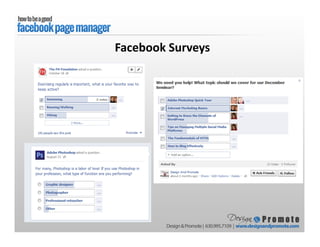
Facebook Surveys
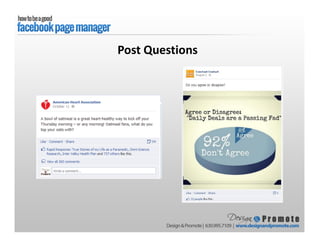
Post Questions
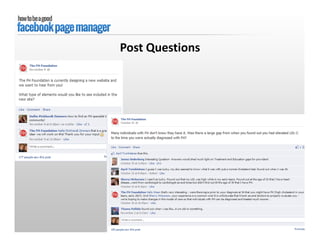
Post Questions
• Post Often: Pages that post 2-3 times daily have more fans and
interactions than pages that post weekly (keeps the content fresh!)
• Don’t Over-Post: time you updates to be at least 3 hours apart so
you don’t overwhelm your fans
• Pages that post outside of business hours have 20% higher
engagement (Sundays have the most engagement!)
• Be Timely: Updates that refer to holidays and current events are
more likely to gain interactions
How Often & When To Post
Help people identify the most important content on your page
• Pin: Make your most important post stay at the top of your
page for 7 days
• Star: Highlight important stories by making them larger and
more visible
• Hide: Hide posts that may no longer be relevant or just aren't
as engaging
How to Organize Your Posts
Manage your time by preparing posts in advance and scheduling
when they’ll show on your page
From you page’s sharing tool:
• Click the clock icon in the lower-left of the sharing tool
• Choose the future year, month, day, hour and minute when
you want your post to appear.
• Click Schedule
How to Schedule a Post
• Promote Online
• Promote Offline
• Promote within Facebook
How to Build Your Audience (Fanbase)
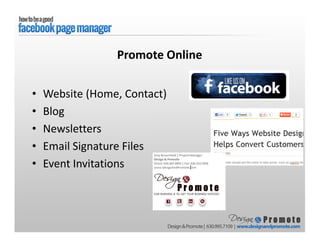
• Website (Home, Contact)
• Blog
• Newsletters
• Email Signature Files
• Event Invitations
Promote Online
• Integrate social media into all of your marketing
efforts
o On-Location Promotions (“Like us and receive 10% off!”)
o Signage at Events and Locations
o Social links on Business Cards
o Social links on Marketing Collateral
Promote Offline
• Like similar pages
• Comment on other pages
• Tag other pages in status updates
• Join groups related to your industry
Promote Within Facebook
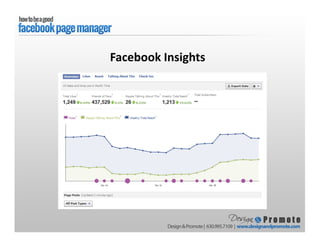
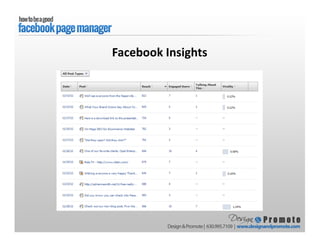
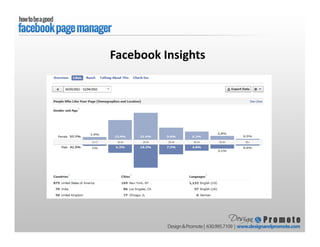
• Facebook Insights
o Once 30 people like your page you can view this
o Use these results to your advantage
• Web Tracking Software (i.e. Google Analytics)
o Install on your website
o You can see who is coming to your site directly from social
media outlets
How to Measure Your Results
Facebook Insights
Facebook Insights
Facebook Insights
Overview
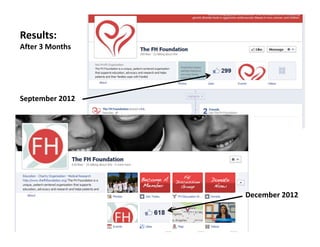
December 2012
September 2012
Results:
After 3 Months
• Develop your Social Media Marketing Strategy
• Create Company Page & Photos
• Create fresh content that speaks to your target market
• Update as frequently as possible
• Promote Facebook Online, Offline and through Facebook
• Research Facebook Ad’s to see if it’s right for your
company
Overview
• Create your Company’s Facebook cover photo
• Create Custom Facebook Applications
• Add Icons to your Email Sig Files, Website etc.
• Add a Blog to your current website
• Social Media Training
• Social Media Consultation- Developing a plan
• Social Media Maintenance- Creating content (with the help of
client)
How Design & Promote can Help!

How To Be A Good Facebook Page Manager

  • 2.
    Facebook Statistics • Facebookis the most popular Social Networking website in the World • As of September 2012 Facebook has over 1 billion monthly active users • Facebook accounts for 1 out of every 5 page views on the internet worldwide. • Over 50% of the United States population is on Facebook • In 2012 more than 80% of businesses are on Facebook • Facebook is the leading source of referred social media traffic to websites, at 26%. Twitter is second at 3.6%.
  • 3.
    More Statistics • 65%of Facebook users are over the age of 35 • The fastest growing age group on Facebook is between the ages of 45 and 54 • Since Facebook switched over to the new Timeline layout,(earlier this year) businesses have show a 46% increase in brand user participation • Social media customer engagement is expected to rise 57% within the next five years • 78% off all Facebook users have shown their support for a business, organization or group. • Facebook racks up 2.7 billion likes a day
  • 4.
    • Increase yourcompany’s exposure • Connect and engage with current and potential customers • Get found by people who are searching for your products or services • Promote your company’s seminars, events, blogs, articles or other resources • Generate leads for your business Why is it important to have a Company Facebook Page?
  • 5.
    • How doI make a Company Facebook Page? • What is a Facebook Application? • What do I post? • How often am I supposed to post? • How do I increase my fan interaction? • How do I get more likes? • How do I analyze my efforts? Common Questions
  • 6.
    • People haveProfiles, company’s have Page’s • People gain friends, company’s gain “Like’s” • Business Pages can interact on other Business Pages but not on Personal Profiles Facebook Basics
  • 7.
    • In Facebook,like in any other marketing channel you need to promote content based on your target market • Research your target audience o What do they find interesting? o What do they find informative? Determine Your Target Audience
  • 8.
    • What isyour primary purpose of your Facebook page? o Raising Brand awareness? o Building Brand loyalty? o Enhancing customer service? o Building your email list? o Driving traffic back to your blog or website? Develop a Marketing Strategy
  • 9.
    • You musthave a personal Facebook Profile in order to create a Company Page • Remember: You will not have a separate login for your Company Page https://www.facebook.com/pages/create.php How to Create a Company Page
  • 10.
    Edit Page • UpdateInfo: edit basic company information • Manage Permissions: manage your page’s privacy settings • Admin Roles: Add and designate admins on your page • Manage Notifications: Manage email notifications • Use Activity Log: View your pages activity The Admin Panel
  • 11.
    Build Audience (loggedin as yourself not the page) • Invite Email Contacts • Invite Friends • Share Page • Create an Ad The Admin Panel
  • 12.
    Thumbnail Photo • Dimensions:180 x 180 • Best practice to use your Company Logo • This is what users see when you post/comment
  • 13.
  • 14.
  • 15.
    • Dimensions: 851x 315 • General: Describe your company • Promotional: Promote a special or a new product • Image: Use an image that represents your company Cover Photo
  • 16.
  • 17.
  • 18.
  • 19.
  • 20.
  • 21.
  • 22.
  • 23.
    How to AddApplications
  • 24.
  • 25.
  • 26.
    • Post interestingand informative content o From your company o From your industry • Be friendly and show your companies personality o Make your brand seem relatable o Appropriate yet funny and visually appealing posts to keep a healthy balance on your Facebook page and keep engagement high Posting Content to Your Page
  • 27.
    • Posts thatare 80 characters or less in length have 27% higher engagement rates • Posts which end with a simple question receive 15% higher engagement • “Soft sell” words are more effective than hard sell words • 52% of consumers say they have stopped following a brand on Facebook because the information it posted had become “too repetitive and boring.” Key Statistics
  • 28.
    Compared to anaverage post: • Photos received 53% more Likes • Photos attract 104% more comments Facebook Photos
  • 29.
    • Share companyblog posts and events • Industry news • Helpful tips or tricks for the consumer Status Updates
  • 30.
  • 31.
  • 32.
  • 33.
  • 34.
  • 35.
    Photo Updates Highlight YourLatest Projects/Products
  • 36.
    Photo Updates Lets fansget to know your Company
  • 37.
  • 38.
  • 39.
  • 40.
    Photos and Postsfrom Events
  • 41.
  • 42.
  • 43.
    Share News About BusinessPartners & Clients
  • 44.
  • 45.
    Post about Universal orNational Events
  • 46.
  • 47.
  • 48.
    • Run contests,polls and engage your fans in the conversation. They feel connected to your brand, the more likely they are to further research your product/service and make a purchase. More engagement turns into lead generation. • When someone posts on your page with a question or comment engage with them • Tip: Within a comment stream type “@” and a commenter’s name. It will allow you to tag specific fans in your response. It also notifies the commenter that you have tagged them in a response Engage with Users
  • 49.
    Engage with Usersand other Pages
  • 50.
  • 51.
  • 52.
  • 53.
    • Post Often:Pages that post 2-3 times daily have more fans and interactions than pages that post weekly (keeps the content fresh!) • Don’t Over-Post: time you updates to be at least 3 hours apart so you don’t overwhelm your fans • Pages that post outside of business hours have 20% higher engagement (Sundays have the most engagement!) • Be Timely: Updates that refer to holidays and current events are more likely to gain interactions How Often & When To Post
  • 54.
    Help people identifythe most important content on your page • Pin: Make your most important post stay at the top of your page for 7 days • Star: Highlight important stories by making them larger and more visible • Hide: Hide posts that may no longer be relevant or just aren't as engaging How to Organize Your Posts
  • 55.
    Manage your timeby preparing posts in advance and scheduling when they’ll show on your page From you page’s sharing tool: • Click the clock icon in the lower-left of the sharing tool • Choose the future year, month, day, hour and minute when you want your post to appear. • Click Schedule How to Schedule a Post
  • 56.
    • Promote Online •Promote Offline • Promote within Facebook How to Build Your Audience (Fanbase)
  • 57.
    • Website (Home,Contact) • Blog • Newsletters • Email Signature Files • Event Invitations Promote Online
  • 58.
    • Integrate socialmedia into all of your marketing efforts o On-Location Promotions (“Like us and receive 10% off!”) o Signage at Events and Locations o Social links on Business Cards o Social links on Marketing Collateral Promote Offline
  • 59.
    • Like similarpages • Comment on other pages • Tag other pages in status updates • Join groups related to your industry Promote Within Facebook
  • 60.
    • Facebook Insights oOnce 30 people like your page you can view this o Use these results to your advantage • Web Tracking Software (i.e. Google Analytics) o Install on your website o You can see who is coming to your site directly from social media outlets How to Measure Your Results
  • 61.
  • 62.
  • 63.
  • 64.
  • 65.
    • Develop yourSocial Media Marketing Strategy • Create Company Page & Photos • Create fresh content that speaks to your target market • Update as frequently as possible • Promote Facebook Online, Offline and through Facebook • Research Facebook Ad’s to see if it’s right for your company Overview
  • 66.
    • Create yourCompany’s Facebook cover photo • Create Custom Facebook Applications • Add Icons to your Email Sig Files, Website etc. • Add a Blog to your current website • Social Media Training • Social Media Consultation- Developing a plan • Social Media Maintenance- Creating content (with the help of client) How Design & Promote can Help!