INTC 3610
 Fall 2012


         Ipod
         Touch
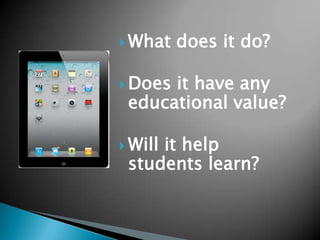
 What   does it do?

 Doesit have any
 educational value?

 Will
     it help
 students learn?
Thousands of
      Apps.
Endless Potential.
Built in APPS
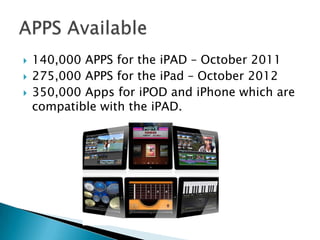
   140,000 APPS for the iPAD – October 2011
   275,000 APPS for the iPad – October 2012
   350,000 Apps for iPOD and iPhone which are
    compatible with the iPAD.
 Chicago  Public Schools
 Long Island Schools
   San Diego Public schools purchased 25,000
    iPad2 in 2012
   McAllen School district, Texas also
    purchased 25,000 iPads for 3.5 million
    financed by Apple
   September 2012-Burlington HS in
    Burlington, MA. Every student (1,000) were
    issued an iPad.
   Lexington, South Carolina -16,000 ipads at
    a cost of $379 each with a total of $6.25
    millions
   Technical
    ◦ Minimal time wasted booting up
    ◦ Fast access to apps & the Internet
   Mobile
    ◦ Learning anywhere, anytime
   Learners
    ◦ Appeals to a variety of learning styles
   Audience
    ◦ Work can be easily shared to global audience
    ◦ Incentive to produce higher quality work
 For Visual Thinking
 For Information Gathering
 Creativity
 Guided Practice
 Content Repository
 Productivity
 Combinations
 Textbooks
 ebooks
 Accessing media content via You Tube
  and Vimeo
 Creating multimedia content
 Publishing Media to the cloud
 Hands on and tactile
 Small form factor
 Intuitive
Apps that provide visual information in the
 form of videos, pictures and/or diagrams


 Comic Life
 Show Me
 Popplet
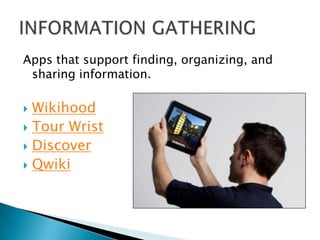
Apps that support finding, organizing, and
 sharing information.

 Wikihood
 Tour Wrist
 Discover
 Qwiki
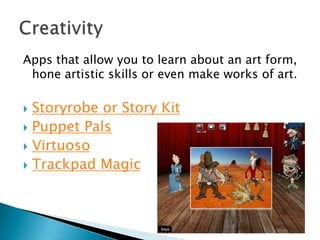
Apps that allow you to learn about an art form,
 hone artistic skills or even make works of art.

 Storyrobe or Story Kit
 Puppet Pals
 Virtuoso
 Trackpad Magic
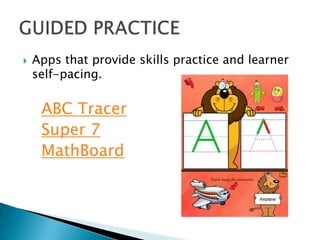
   Apps that provide skills practice and learner
    self-pacing.

     ABC Tracer
     Super 7
     MathBoard
Apps that provide content – specific knowledge
 with easy access.

   NASA
   Our Choice
   World Atlas by National Geographic
   Leafsnap
   Science 360
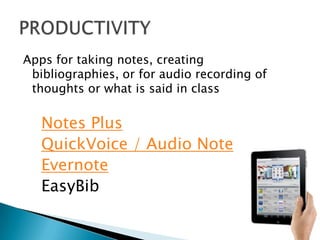
Apps for taking notes, creating
 bibliographies, or for audio recording of
 thoughts or what is said in class

   Notes Plus
   QuickVoice / Audio Note
   Evernote
   EasyBib
Apps that provide powerful combinations of
 affordances, as well as take advantage of the
 iPad’s native features.


   Elements
   eClicker
   Star Walk
   Incredible amount of podcasts and
    applications.
   Many are FREE
   A variety of content for ALL levels
   Check it out
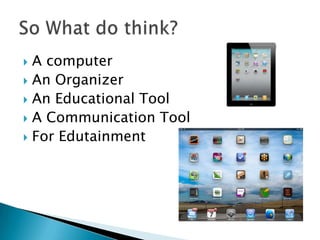
 A computer
 An Organizer
 An Educational Tool
 A Communication Tool
 For Edutainment
 Contentsame,
        size smaller


$249
   Tony Vincent – Problem based learning with
    handhelds.
   7.0 / 8 gb / Wifi / $199
   16 GB $349
   Powered by Android market – Over 100,000
    available.
   10.01 Galaxy note from $349-$549
   Apps available in Google Play
   Focus gaming, entertainment, web browsing
   Google Nexus 10– can use most apps from
    Google play $399 16 gb WiFi
   Books, Movies, Magazines, Internet
   Focus gaming, entertainment, web browsing
You will be working in groups to produce a GOOGLE
  PRESENTATION on the iPad in the Classroom.

1. Research your APP.

2. Give a brief description.

3. Visuals are helpful. Find a short video on how it works.
  Tip**Use key words: the name of the app and iPad.

4. Find a example of how it is being used in the classroom.
   Teachers are posting lots of usage in their blogs. Dig deep to
   find examples. Give grade level and content area.

5. Present to the class

Handhelds in the classroom

  • 1.
    INTC 3610  Fall2012 Ipod Touch
  • 3.
     What does it do?  Doesit have any educational value?  Will it help students learn?
  • 4.
    Thousands of Apps. Endless Potential.
  • 5.
  • 6.
    140,000 APPS for the iPAD – October 2011  275,000 APPS for the iPad – October 2012  350,000 Apps for iPOD and iPhone which are compatible with the iPAD.
  • 7.
     Chicago Public Schools  Long Island Schools
  • 8.
    San Diego Public schools purchased 25,000 iPad2 in 2012  McAllen School district, Texas also purchased 25,000 iPads for 3.5 million financed by Apple  September 2012-Burlington HS in Burlington, MA. Every student (1,000) were issued an iPad.  Lexington, South Carolina -16,000 ipads at a cost of $379 each with a total of $6.25 millions
  • 9.
    Technical ◦ Minimal time wasted booting up ◦ Fast access to apps & the Internet  Mobile ◦ Learning anywhere, anytime  Learners ◦ Appeals to a variety of learning styles  Audience ◦ Work can be easily shared to global audience ◦ Incentive to produce higher quality work
  • 10.
     For VisualThinking  For Information Gathering  Creativity  Guided Practice  Content Repository  Productivity  Combinations
  • 11.
     Textbooks  ebooks Accessing media content via You Tube and Vimeo  Creating multimedia content  Publishing Media to the cloud  Hands on and tactile  Small form factor  Intuitive
  • 12.
    Apps that providevisual information in the form of videos, pictures and/or diagrams  Comic Life  Show Me  Popplet
  • 13.
    Apps that supportfinding, organizing, and sharing information.  Wikihood  Tour Wrist  Discover  Qwiki
  • 14.
    Apps that allowyou to learn about an art form, hone artistic skills or even make works of art.  Storyrobe or Story Kit  Puppet Pals  Virtuoso  Trackpad Magic
  • 15.
    Apps that provide skills practice and learner self-pacing. ABC Tracer Super 7 MathBoard
  • 16.
    Apps that providecontent – specific knowledge with easy access.  NASA  Our Choice  World Atlas by National Geographic  Leafsnap  Science 360
  • 17.
    Apps for takingnotes, creating bibliographies, or for audio recording of thoughts or what is said in class Notes Plus QuickVoice / Audio Note Evernote EasyBib
  • 18.
    Apps that providepowerful combinations of affordances, as well as take advantage of the iPad’s native features. Elements eClicker Star Walk
  • 19.
    Incredible amount of podcasts and applications.  Many are FREE  A variety of content for ALL levels  Check it out
  • 20.
     A computer An Organizer  An Educational Tool  A Communication Tool  For Edutainment
  • 21.
     Contentsame, size smaller $249
  • 22.
    Tony Vincent – Problem based learning with handhelds.
  • 23.
    7.0 / 8 gb / Wifi / $199  16 GB $349  Powered by Android market – Over 100,000 available.  10.01 Galaxy note from $349-$549  Apps available in Google Play  Focus gaming, entertainment, web browsing
  • 24.
    Google Nexus 10– can use most apps from Google play $399 16 gb WiFi  Books, Movies, Magazines, Internet  Focus gaming, entertainment, web browsing
  • 25.
    You will beworking in groups to produce a GOOGLE PRESENTATION on the iPad in the Classroom. 1. Research your APP. 2. Give a brief description. 3. Visuals are helpful. Find a short video on how it works. Tip**Use key words: the name of the app and iPad. 4. Find a example of how it is being used in the classroom. Teachers are posting lots of usage in their blogs. Dig deep to find examples. Give grade level and content area. 5. Present to the class