iPads for Collective Knowledge
Construction in Science
Why go mobile?
•
•
•
•
•
•

Engagement
Connection with environment
Students have the tools
Great outdoor learning opportunities
Extend camps and excursions
Science is fun!
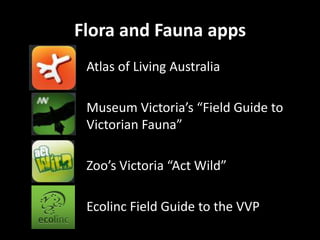
Flora and Fauna apps
Atlas of Living Australia
Museum Victoria’s “Field Guide to
Victorian Fauna”
Zoo’s Victoria “Act Wild”
Ecolinc Field Guide to the VVP
Voice recorder
• For reluctant writers
• Students who have difficulty with literacy
• Record predictions, observations and
explanations
• Not necessarily assessing literacy but
understanding of science concepts
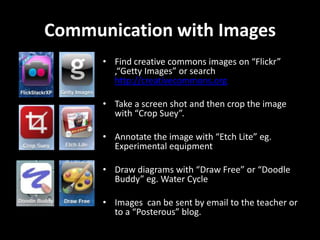
Communication with Images
• Find creative commons images on “Flickr”
,“Getty Images” or search
http://creativecommons.org
• Take a screen shot and then crop the image
with “Crop Suey”.

• Annotate the image with “Etch Lite” eg.
Experimental equipment
• Draw diagrams with “Draw Free” or “Doodle
Buddy” eg. Water Cycle
• Images can be sent by email to the teacher or
to a “Posterous” blog.
Evaluate Understanding
• Students can create their own images
and videos using pictures stored in the
device or Creative Commons images
clipped from the internet.

• They can annotate photographs or
other images from the Photo Album.
• Draw your own Water Cycle or diagram
of experimental equipment and save it,
email it or post it to a “Posterous” class
blog.
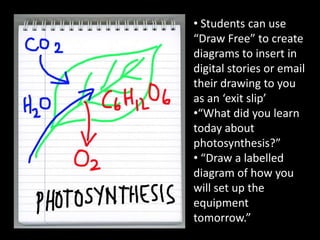
• Students can use
“Draw Free” to create
diagrams to insert in
digital stories or email
their drawing to you
as an ‘exit slip’
•“What did you learn
today about
photosynthesis?”
• “Draw a labelled
diagram of how you
will set up the
equipment
tomorrow.”
Communication
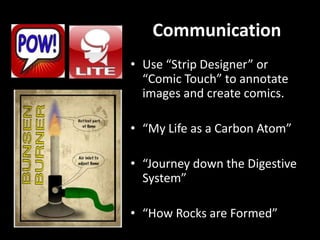
• Use “Strip Designer” or
“Comic Touch” to annotate
images and create comics.
• “My Life as a Carbon Atom”
• “Journey down the Digestive
System”
• “How Rocks are Formed”
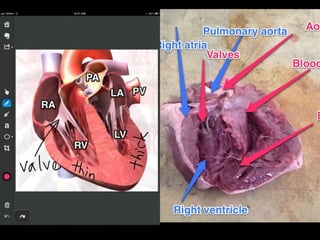
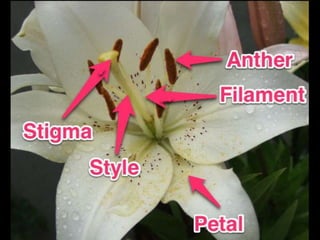
Skitch for annotating images
• Use an image from the
camera roll or creative
commons image from
the internet
• Annotate to label parts
or explain processes
Explain Everything and Show Me
• Create short, sharp
screencasts to
explain a concept
using images,
annotations, text and
audio
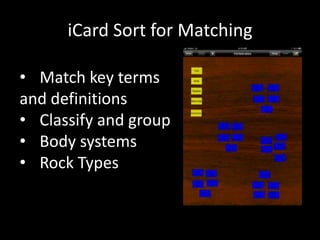
iCard Sort for Matching
• Match key terms
and definitions
• Classify and group
• Body systems
• Rock Types
Thinglink – a digital bucket
• Create a dynamic,
interactive image with
links to various videos,
web pages and other
digital content.
• Use as a way of checking
student references for
projects.
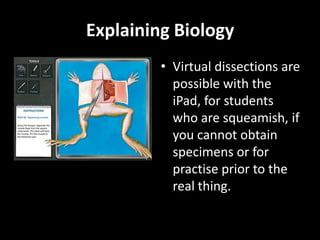
Explaining Biology
• Virtual dissections are
possible with the
iPad, for students
who are squeamish, if
you cannot obtain
specimens or for
practise prior to the
real thing.
Explaining Cells
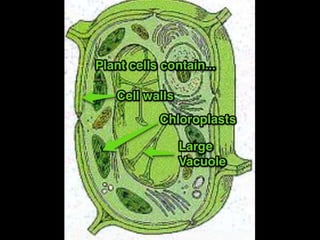
• iCell has annotated diagrams of plant,
animal and bacterial cells (iPod only)
• 3D CellStain allows users to selectively
stain different organelles.
• Vcell has animations about
photosynthesis and the electron
transport chain.
Exploring with QR codes
• Use a mobile phone or iPad with a camera to scan a
“quick response” code, which is similar to a bar
code.
• It allows almost instant print to mobile to web
messaging, with the code directing the user to a
website.
• Information, such as names, addresses, phone
numbers and URL’s, are stored in the code, which
can hold up to 7,000 digits.
• There are web and mobile apps which generate QR
codes, so students can create their own codes.
QR codes
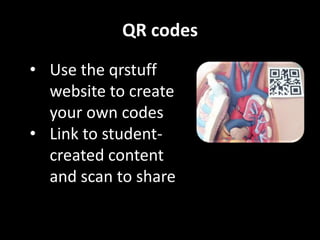
• Use the qrstuff
website to create
your own codes
• Link to studentcreated content
and scan to share
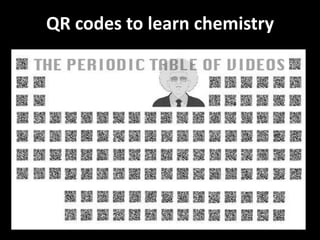
QR codes to learn chemistry
Evaluate Understanding
• Students can create their own digital stories
using text, images and audio.
• “Reel Director” is a movie making app using
your own videos or images from the Photo
Album and allows you to add your own audio,
including music from iTunes.
• “Show Me” allows you to create ‘Khan-style’
video clips using drawing and audio recording.
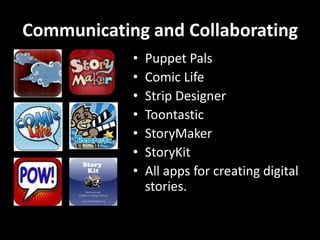
Communicating and Collaborating
•
•
•
•
•
•
•

Puppet Pals
Comic Life
Strip Designer
Toontastic
StoryMaker
StoryKit
All apps for creating digital
stories.
Learning Collectively - PBL
•
•
•
•
•
•

Sonic Pics
Evernote
iMovie
Show Me
Popplet
FlipIt
Citizen Science
• Project Noah
• Collect badges for different
challenges
• Images are shared to build a
data base of flora and fauna

iPads for Collective Knowledge Construction in Science

  • 1.
    iPads for CollectiveKnowledge Construction in Science
  • 2.
    Why go mobile? • • • • • • Engagement Connectionwith environment Students have the tools Great outdoor learning opportunities Extend camps and excursions Science is fun!
  • 3.
    Flora and Faunaapps Atlas of Living Australia Museum Victoria’s “Field Guide to Victorian Fauna” Zoo’s Victoria “Act Wild” Ecolinc Field Guide to the VVP
  • 4.
    Voice recorder • Forreluctant writers • Students who have difficulty with literacy • Record predictions, observations and explanations • Not necessarily assessing literacy but understanding of science concepts
  • 5.
    Communication with Images •Find creative commons images on “Flickr” ,“Getty Images” or search http://creativecommons.org • Take a screen shot and then crop the image with “Crop Suey”. • Annotate the image with “Etch Lite” eg. Experimental equipment • Draw diagrams with “Draw Free” or “Doodle Buddy” eg. Water Cycle • Images can be sent by email to the teacher or to a “Posterous” blog.
  • 6.
    Evaluate Understanding • Studentscan create their own images and videos using pictures stored in the device or Creative Commons images clipped from the internet. • They can annotate photographs or other images from the Photo Album. • Draw your own Water Cycle or diagram of experimental equipment and save it, email it or post it to a “Posterous” class blog.
  • 7.
    • Students canuse “Draw Free” to create diagrams to insert in digital stories or email their drawing to you as an ‘exit slip’ •“What did you learn today about photosynthesis?” • “Draw a labelled diagram of how you will set up the equipment tomorrow.”
  • 8.
    Communication • Use “StripDesigner” or “Comic Touch” to annotate images and create comics. • “My Life as a Carbon Atom” • “Journey down the Digestive System” • “How Rocks are Formed”
  • 9.
    Skitch for annotatingimages • Use an image from the camera roll or creative commons image from the internet • Annotate to label parts or explain processes
  • 15.
    Explain Everything andShow Me • Create short, sharp screencasts to explain a concept using images, annotations, text and audio
  • 16.
    iCard Sort forMatching • Match key terms and definitions • Classify and group • Body systems • Rock Types
  • 17.
    Thinglink – adigital bucket • Create a dynamic, interactive image with links to various videos, web pages and other digital content. • Use as a way of checking student references for projects.
  • 18.
    Explaining Biology • Virtualdissections are possible with the iPad, for students who are squeamish, if you cannot obtain specimens or for practise prior to the real thing.
  • 19.
    Explaining Cells • iCellhas annotated diagrams of plant, animal and bacterial cells (iPod only) • 3D CellStain allows users to selectively stain different organelles. • Vcell has animations about photosynthesis and the electron transport chain.
  • 20.
    Exploring with QRcodes • Use a mobile phone or iPad with a camera to scan a “quick response” code, which is similar to a bar code. • It allows almost instant print to mobile to web messaging, with the code directing the user to a website. • Information, such as names, addresses, phone numbers and URL’s, are stored in the code, which can hold up to 7,000 digits. • There are web and mobile apps which generate QR codes, so students can create their own codes.
  • 21.
    QR codes • Usethe qrstuff website to create your own codes • Link to studentcreated content and scan to share
  • 22.
    QR codes tolearn chemistry
  • 23.
    Evaluate Understanding • Studentscan create their own digital stories using text, images and audio. • “Reel Director” is a movie making app using your own videos or images from the Photo Album and allows you to add your own audio, including music from iTunes. • “Show Me” allows you to create ‘Khan-style’ video clips using drawing and audio recording.
  • 24.
    Communicating and Collaborating • • • • • • • PuppetPals Comic Life Strip Designer Toontastic StoryMaker StoryKit All apps for creating digital stories.
  • 25.
    Learning Collectively -PBL • • • • • • Sonic Pics Evernote iMovie Show Me Popplet FlipIt
  • 26.
    Citizen Science • ProjectNoah • Collect badges for different challenges • Images are shared to build a data base of flora and fauna