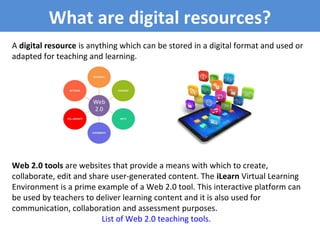
Web 2.0 tools are websites that provide a means with which to create,
collaborate, edit and share user-generated content. The iLearn Virtual Learning
Environment is a prime example of a Web 2.0 tool. This interactive platform can
be used by teachers to deliver learning content and it is also used for
communication, collaboration and assessment purposes.
List of Web 2.0 teaching tools.
A digital resource is anything which can be stored in a digital format and used or
adapted for teaching and learning.
What are digital resources?
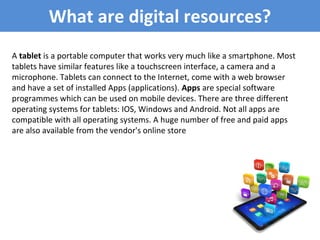
A tablet is a portable computer that works very much like a smartphone. Most
tablets have similar features like a touchscreen interface, a camera and a
microphone. Tablets can connect to the Internet, come with a web browser
and have a set of installed Apps (applications). Apps are special software
programmes which can be used on mobile devices. There are three different
operating systems for tablets: IOS, Windows and Android. Not all apps are
compatible with all operating systems. A huge number of free and paid apps
are also available from the vendor's online store
Apps to use with tablet’s camera
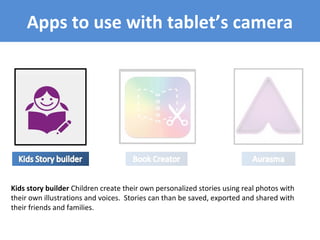
Kids story builder Children create their own personalized stories using real photos with
their own illustrations and voices. Stories can than be saved, exported and shared with
their friends and families.
Apps to use with tablet’s camera
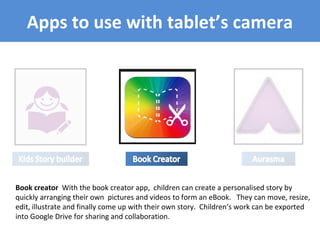
Book creator With the book creator app, children can create a personalised story by
quickly arranging their own pictures and videos to form an eBook. They can move, resize,
edit, illustrate and finally come up with their own story. Children’s work can be exported
into Google Drive for sharing and collaboration.
Apps to use with tablet’s camera
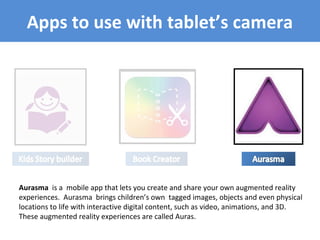
Aurasma is a mobile app that lets you create and share your own augmented reality
experiences. Aurasma brings children’s own tagged images, objects and even physical
locations to life with interactive digital content, such as video, animations, and 3D.
These augmented reality experiences are called Auras.
Teachers will not be replaced by technology, but teachers who don’t use
technology will be replaced by those who do.
Sherryl Nussbaum-Beach
Click on the image to view the video
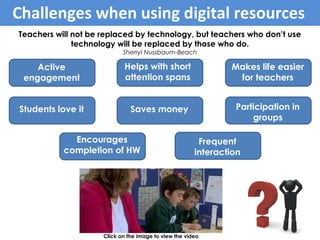
Benefits of tablets within learning
Students love it
Students love it
Active
engagement
Participation in
groups
Frequent
interaction
Makes life easier
for teachers
Helps with short
attention spans
Encourages
completion of HW
Saves money
Challenges when using digital resources
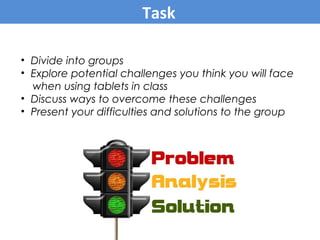
• Divide into groups
• Explore potential challenges you think you will face
when using tablets in class
• Discuss ways to overcome these challenges
• Present your difficulties and solutions to the group
Task

What are digital resources

  • 1.
    Web 2.0 toolsare websites that provide a means with which to create, collaborate, edit and share user-generated content. The iLearn Virtual Learning Environment is a prime example of a Web 2.0 tool. This interactive platform can be used by teachers to deliver learning content and it is also used for communication, collaboration and assessment purposes. List of Web 2.0 teaching tools. A digital resource is anything which can be stored in a digital format and used or adapted for teaching and learning. What are digital resources?
  • 2.
    What are digitalresources? A tablet is a portable computer that works very much like a smartphone. Most tablets have similar features like a touchscreen interface, a camera and a microphone. Tablets can connect to the Internet, come with a web browser and have a set of installed Apps (applications). Apps are special software programmes which can be used on mobile devices. There are three different operating systems for tablets: IOS, Windows and Android. Not all apps are compatible with all operating systems. A huge number of free and paid apps are also available from the vendor's online store
  • 3.
    Apps to usewith tablet’s camera Kids story builder Children create their own personalized stories using real photos with their own illustrations and voices. Stories can than be saved, exported and shared with their friends and families.
  • 4.
    Apps to usewith tablet’s camera Book creator With the book creator app, children can create a personalised story by quickly arranging their own pictures and videos to form an eBook. They can move, resize, edit, illustrate and finally come up with their own story. Children’s work can be exported into Google Drive for sharing and collaboration.
  • 5.
    Apps to usewith tablet’s camera Aurasma is a mobile app that lets you create and share your own augmented reality experiences. Aurasma brings children’s own tagged images, objects and even physical locations to life with interactive digital content, such as video, animations, and 3D. These augmented reality experiences are called Auras.
  • 6.
    Teachers will notbe replaced by technology, but teachers who don’t use technology will be replaced by those who do. Sherryl Nussbaum-Beach Click on the image to view the video Benefits of tablets within learning Students love it Students love it Active engagement Participation in groups Frequent interaction Makes life easier for teachers Helps with short attention spans Encourages completion of HW Saves money Challenges when using digital resources
  • 7.
    • Divide intogroups • Explore potential challenges you think you will face when using tablets in class • Discuss ways to overcome these challenges • Present your difficulties and solutions to the group Task

Editor's Notes

  • #2 Click image to view information. Click image again to remove information. Originally, the Internet was a place to find information. As the Internet evolved, websites developed that allowed people not only to read but also to write content, create and share this information.
  • #3 Click image to view information. Click image again to remove information. Originally, the Internet was a place to find information. As the Internet evolved, websites developed that allowed people not only to read but also to write content, create and share this information.
  • #4 Kids story builder Children create their own personalized stories using real photos with their own illustrations and voices. Stories can than be saved, exported and shared with their friends and families. Book creator With the book creator app, children can create a personalised story by quickly arranging their own pictures to form an eBook. They can move, resize, edit, illustrate and finally come up with their own story. Children’s work can be exported into Google Drive for sharing and collaboration. Aurasma is a mobile app that lets you create and share your own augmented reality experiences. Aurasma brings children’s own tagged images, objects and even physical locations to life with interactive digital content, such as video, animations, and 3D. These augmented reality experiences are called Auras.
  • #5 Kids story builder Children create their own personalized stories using real photos with their own illustrations and voices. Stories can than be saved, exported and shared with their friends and families. Book creator With the book creator app, children can create a personalised story by quickly arranging their own pictures to form an eBook. They can move, resize, edit, illustrate and finally come up with their own story. Children’s work can be exported into Google Drive for sharing and collaboration. Aurasma is a mobile app that lets you create and share your own augmented reality experiences. Aurasma brings children’s own tagged images, objects and even physical locations to life with interactive digital content, such as video, animations, and 3D. These augmented reality experiences are called Auras.
  • #6 Kids story builder Children create their own personalized stories using real photos with their own illustrations and voices. Stories can than be saved, exported and shared with their friends and families. Book creator With the book creator app, children can create a personalised story by quickly arranging their own pictures to form an eBook. They can move, resize, edit, illustrate and finally come up with their own story. Children’s work can be exported into Google Drive for sharing and collaboration. Aurasma is a mobile app that lets you create and share your own augmented reality experiences. Aurasma brings children’s own tagged images, objects and even physical locations to life with interactive digital content, such as video, animations, and 3D. These augmented reality experiences are called Auras.