GRAPHIC ORGANIZERS
MICHAEL MATTHEW, M.ED., ED.D (ABD)
BEC-21
Student Centered Concepts
HOW CAN GRAPHIC ORGANIZERS
MAKE MY STUDENTS THINK?
Essential Question
Key concept
Teachers who consistently use scaffolding
strategies (such as learning centers, graphic
organizers, and cooperative learning models) to
help students organize their thoughts in English
create learning opportunities for gains in
knowledge of both academic English and
curriculum content (van Lier, 1996).
Learning Centers
WHAT IS MY UNDERSTANDING OF
A GRAPHIC ORGANIZER?
Open Discussion
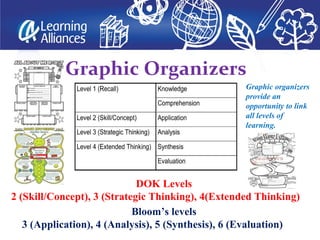
Graphic Organizers
Bloom’s levels
3 (Application), 4 (Analysis), 5 (Synthesis), 6 (Evaluation)
DOK Levels
2 (Skill/Concept), 3 (Strategic Thinking), 4(Extended Thinking)
Graphic organizers
provide an
opportunity to link
all levels of
learning.
Can graphic
organizers be a
better way to
facilitate critical
thinking?
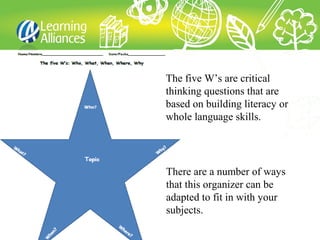
The five W’s are critical
thinking questions that are
based on building literacy or
whole language skills.
There are a number of ways
that this organizer can be
adapted to fit in with your
subjects.
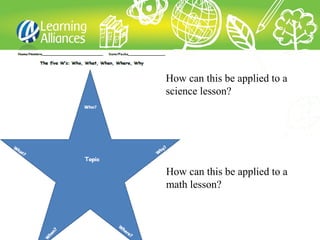
How can this be applied to a
science lesson?
How can this be applied to a
math lesson?
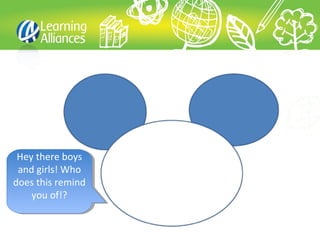
Hey there boys
and girls! Who
does this remind
you of!?
Hey there boys
and girls! Who
does this remind
you of!?
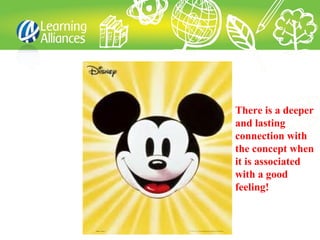
There is a deeper
and lasting
connection with
the concept when
it is associated
with a good
feeling!
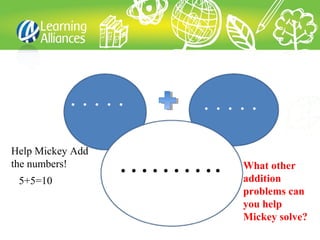
……….5+5=10
Help Mickey Add
the numbers! What other
addition
problems can
you help
Mickey solve?
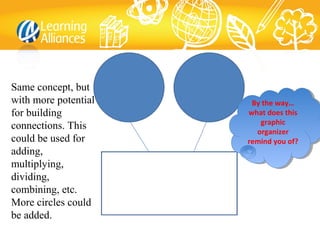
Same concept, but
with more potential
for building
connections. This
could be used for
adding,
multiplying,
dividing,
combining, etc.
More circles could
be added.
By the way…
what does this
graphic
organizer
remind you of?
By the way…
what does this
graphic
organizer
remind you of?
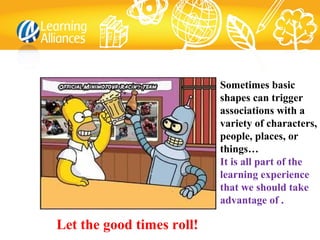
Sometimes basic
shapes can trigger
associations with a
variety of characters,
people, places, or
things…
It is all part of the
learning experience
that we should take
advantage of .
Let the good times roll!
How can we use graphic organizers
as a kinesthetic activity?
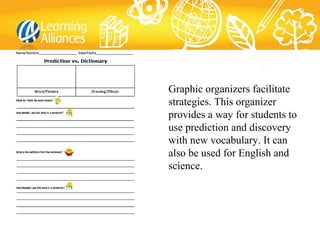
Graphic organizers facilitate
strategies. This organizer
provides a way for students to
use prediction and discovery
with new vocabulary. It can
also be used for English and
science.
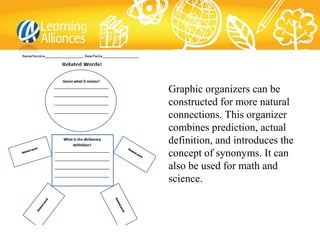
Graphic organizers can be
constructed for more natural
connections. This organizer
combines prediction, actual
definition, and introduces the
concept of synonyms. It can
also be used for math and
science.
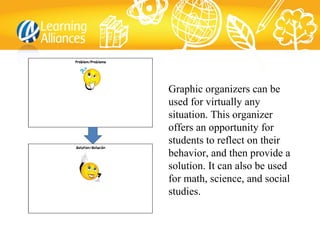
Graphic organizers can be
used for virtually any
situation. This organizer
offers an opportunity for
students to reflect on their
behavior, and then provide a
solution. It can also be used
for math, science, and social
studies.
Suggestions for Creating/Using Graphic Organizers
• Keep it simple
• Use a graphic organizer with as many lessons as
appropriately possible: these include charts, webs,
diagrams, KWL, and other strategies not covered in
this presentation
• Graphic organizers can be used individually, whole
group, small group, or with pairs
• Graphic organizers can be used for classwork,
homework, learning centers, or placed in subject
related journals
Suggestions for Creating/Using Graphic Organizers
• Try to “imagine” from your students’ perspective
the connection with the shapes to something
familiar. Common shapes such as stars, flower
petals, the heart, human form, etc. offer natural
connections
• Think “outside of the box” – how can you involve
your students?
• If your curriculum resources did not come with a
graphic organizer, then borrow one from the
internet or create one that is meaningful and
relevant
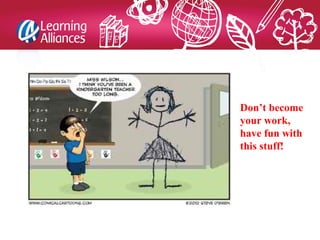
Don’t become
your work,
have fun with
this stuff!
Helpful Links
http://internet4classrooms.com/technology_tutorials/math_s
cience_graphic_organizer_files_excel_topics_technology_tu
torials.htm
http://www.teach-nology.com/worksheets/graphic/
http://www.teach-nology.com/worksheets/graphic/vocab/
http://www.teach-nology.com/web_tools/graphic_org/
http://www.teachervision.fen.com/graphic-
organizers/printable/6293.html
• 3 things that I learned from this presentation
• 2 things that surprised me
• 1 thing that I recommend to either change
this presentation or to suggest a topic for
another presentation
Reflection
Graphic organizers group coaching

Graphic organizers group coaching

  • 2.
    GRAPHIC ORGANIZERS MICHAEL MATTHEW,M.ED., ED.D (ABD) BEC-21 Student Centered Concepts
  • 3.
    HOW CAN GRAPHICORGANIZERS MAKE MY STUDENTS THINK? Essential Question
  • 4.
    Key concept Teachers whoconsistently use scaffolding strategies (such as learning centers, graphic organizers, and cooperative learning models) to help students organize their thoughts in English create learning opportunities for gains in knowledge of both academic English and curriculum content (van Lier, 1996). Learning Centers
  • 5.
    WHAT IS MYUNDERSTANDING OF A GRAPHIC ORGANIZER? Open Discussion
  • 6.
    Graphic Organizers Bloom’s levels 3(Application), 4 (Analysis), 5 (Synthesis), 6 (Evaluation) DOK Levels 2 (Skill/Concept), 3 (Strategic Thinking), 4(Extended Thinking) Graphic organizers provide an opportunity to link all levels of learning.
  • 7.
    Can graphic organizers bea better way to facilitate critical thinking?
  • 9.
    The five W’sare critical thinking questions that are based on building literacy or whole language skills. There are a number of ways that this organizer can be adapted to fit in with your subjects.
  • 10.
    How can thisbe applied to a science lesson? How can this be applied to a math lesson?
  • 11.
    Hey there boys andgirls! Who does this remind you of!? Hey there boys and girls! Who does this remind you of!?
  • 12.
    There is adeeper and lasting connection with the concept when it is associated with a good feeling!
  • 13.
    ……….5+5=10 Help Mickey Add thenumbers! What other addition problems can you help Mickey solve?
  • 14.
    Same concept, but withmore potential for building connections. This could be used for adding, multiplying, dividing, combining, etc. More circles could be added. By the way… what does this graphic organizer remind you of? By the way… what does this graphic organizer remind you of?
  • 15.
    Sometimes basic shapes cantrigger associations with a variety of characters, people, places, or things… It is all part of the learning experience that we should take advantage of . Let the good times roll!
  • 17.
    How can weuse graphic organizers as a kinesthetic activity?
  • 18.
    Graphic organizers facilitate strategies.This organizer provides a way for students to use prediction and discovery with new vocabulary. It can also be used for English and science.
  • 19.
    Graphic organizers canbe constructed for more natural connections. This organizer combines prediction, actual definition, and introduces the concept of synonyms. It can also be used for math and science.
  • 20.
    Graphic organizers canbe used for virtually any situation. This organizer offers an opportunity for students to reflect on their behavior, and then provide a solution. It can also be used for math, science, and social studies.
  • 21.
    Suggestions for Creating/UsingGraphic Organizers • Keep it simple • Use a graphic organizer with as many lessons as appropriately possible: these include charts, webs, diagrams, KWL, and other strategies not covered in this presentation • Graphic organizers can be used individually, whole group, small group, or with pairs • Graphic organizers can be used for classwork, homework, learning centers, or placed in subject related journals
  • 22.
    Suggestions for Creating/UsingGraphic Organizers • Try to “imagine” from your students’ perspective the connection with the shapes to something familiar. Common shapes such as stars, flower petals, the heart, human form, etc. offer natural connections • Think “outside of the box” – how can you involve your students? • If your curriculum resources did not come with a graphic organizer, then borrow one from the internet or create one that is meaningful and relevant
  • 23.
    Don’t become your work, havefun with this stuff!
  • 24.
  • 25.
    • 3 thingsthat I learned from this presentation • 2 things that surprised me • 1 thing that I recommend to either change this presentation or to suggest a topic for another presentation Reflection

Editor's Notes

  • #9 Press F5 or use the tool bar to enter presentation mode in order to see the poll. http://www.polleverywhere.com/multiple_choice_polls/NTY4NTUxNTM2 If you like, you can use this slide as a template for your own voting slides. You might use a slide like this if you feel your audience would benefit from the picture showing a text message on a phone. In an emergency during your presentation, if the poll isn't showing, navigate to this link in your web browser: