





















GOOGLE ANALYTICS SETUP
AND USE
@BenmfHolland https://www.zionandzion.com/google-analytics-best-practice/
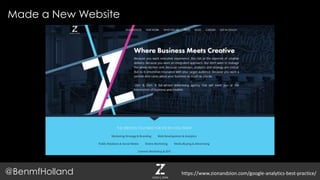
Made a New Website
@BenmfHolland https://www.zionandzion.com/google-analytics-best-practice/
Felt like this
@BenmfHolland https://www.zionandzion.com/google-analytics-best-practice/
Are there users?
@BenmfHolland https://www.zionandzion.com/google-analytics-best-practice/
The Answer!
@BenmfHolland https://www.zionandzion.com/google-analytics-best-practice/
What is Google Analytics?
 Google Analytics is a freemium web analytics service
offered by Google that tracks and reports website traffic.
Google launched the service in November 2005 after
acquiring Urchin. Google Analytics is now the most widely
used web analytics service on the Internet.
Source: https://en.wikipedia.org/wiki/Google_Analytics
Boring Slide
@BenmfHolland https://www.zionandzion.com/google-analytics-best-practice/
You know how many people come to your site and what they do
on it.
In English Please?
@BenmfHolland https://www.zionandzion.com/google-analytics-best-practice/
It makes Web Nerds go
@BenmfHolland https://www.zionandzion.com/google-analytics-best-practice/
How do I do it?
@BenmfHolland https://www.zionandzion.com/google-analytics-best-practice/
That’s Why I’m here
@BenmfHolland https://www.zionandzion.com/google-analytics-best-practice/
1. Analytics Background
2. Analytics setup
1. Intro to Google Tag Manager
2. Setting up accounts
3. Linking other Google
properties
4. Creating Views
5. Creating Filters
3. Analytics Customization
1. Events
2. Goals
3. Custom Dimensions & Metrics
4. Channel & Content Groupings
5. Advanced Segments
4. Analytics Tracking
1. Annotations
2. Email Alerts
Presentation Overview
@BenmfHolland https://www.zionandzion.com/google-analytics-best-practice/
ANALYTICS BACKGROUND
@BenmfHolland https://www.zionandzion.com/google-analytics-best-practice/
Home Section
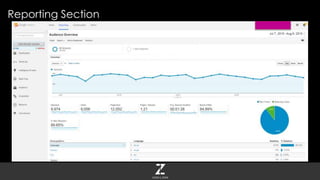
Reporting Section
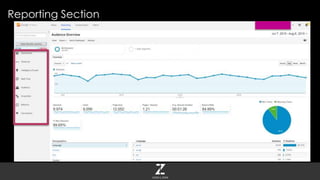
Reporting Section
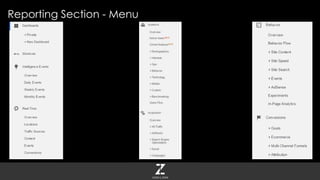
Reporting Section - Menu
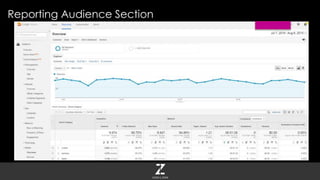
Reporting Audience Section
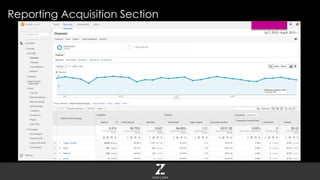
Reporting Acquisition Section
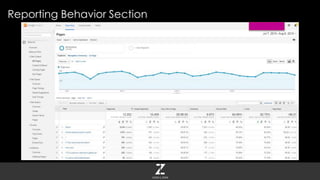
Reporting Behavior Section
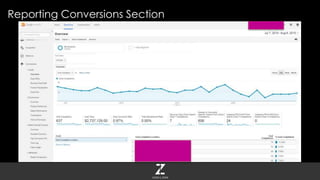
Reporting Conversions Section
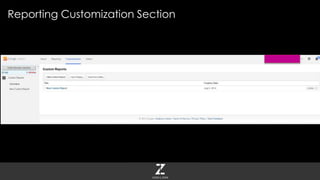
Reporting Customization Section
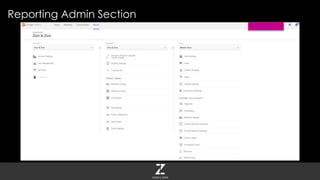
Reporting Admin Section
ANALYTICS SETUP
@BenmfHolland https://www.zionandzion.com/google-analytics-best-practice/
Google Tag Manager
http://www.google.com/tagmanager/
@BenmfHolland https://www.zionandzion.com/google-analytics-best-practice/
Place a container in the website’s code once, place tags on site
forever
 Create Analytics events
 Add JavaScript
 Add tags for other platforms like AdWords
Why Use Google Tag Manager
@BenmfHolland https://www.zionandzion.com/google-analytics-best-practice/
Why is this great?
@BenmfHolland https://www.zionandzion.com/google-analytics-best-practice/
GTM Info
@BenmfHolland https://www.zionandzion.com/google-analytics-best-practice/
GTM Info
@BenmfHolland
Training Course
https://analyticsacademy.withgoogle.com/course05/preview
Website
http://www.google.com/tagmanager/
https://www.zionandzion.com/google-analytics-best-practice/
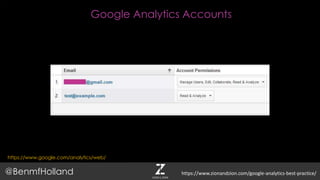
Google Analytics Accounts
https://www.google.com/analytics/web/
@BenmfHolland https://www.zionandzion.com/google-analytics-best-practice/
Google Analytics Accounts
@BenmfHolland
Multiple accounts are needed so one can control and manage
everything and the other can view but not edit/break
everything.
https://www.zionandzion.com/google-analytics-best-practice/
Google Analytics Accounts
@BenmfHolland https://www.zionandzion.com/google-analytics-best-practice/
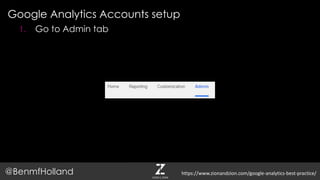
Google Analytics Accounts setup
@BenmfHolland
1. Go to Admin tab
https://www.zionandzion.com/google-analytics-best-practice/
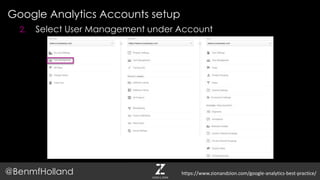
Google Analytics Accounts setup
@BenmfHolland
2. Select User Management under Account
https://www.zionandzion.com/google-analytics-best-practice/
Google Analytics Accounts setup
@BenmfHolland
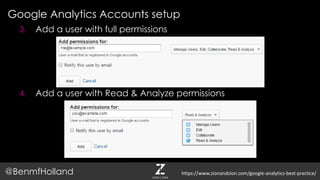
3. Add a user with full permissions
4. Add a user with Read & Analyze permissions
https://www.zionandzion.com/google-analytics-best-practice/
Enabling Demographic Information
@BenmfHolland https://www.zionandzion.com/google-analytics-best-practice/
Enabling Demographic Information
@BenmfHolland
Super useful information about who is visiting your site and what
they are into.
https://www.zionandzion.com/google-analytics-best-practice/
Enabling Demographic Information
@BenmfHolland https://www.zionandzion.com/google-analytics-best-practice/
Enabling Demographic Information
@BenmfHolland
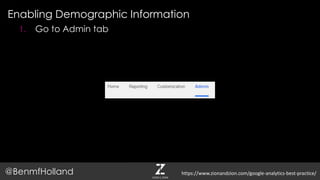
1. Go to Admin tab
https://www.zionandzion.com/google-analytics-best-practice/
Enabling Demographic Information
@BenmfHolland
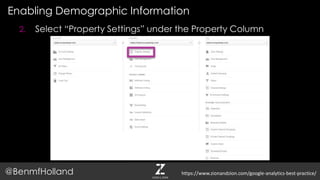
2. Select “Property Settings” under the Property Column
https://www.zionandzion.com/google-analytics-best-practice/
Enabling Demographic Information
@BenmfHolland
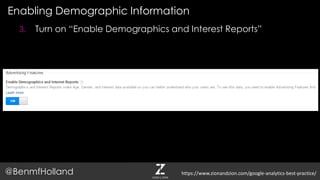
3. Turn on “Enable Demographics and Interest Reports”
https://www.zionandzion.com/google-analytics-best-practice/
Enabling Demographic Information
@BenmfHolland
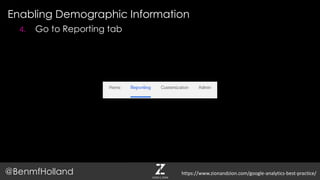
4. Go to Reporting tab
https://www.zionandzion.com/google-analytics-best-practice/
Enabling Demographic Information
@BenmfHolland
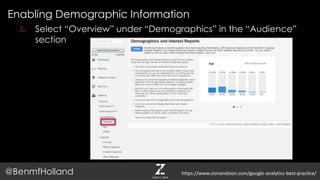
5. Select “Overview” under “Demographics” in the “Audience”
section
https://www.zionandzion.com/google-analytics-best-practice/
Enabling Demographic Information
@BenmfHolland
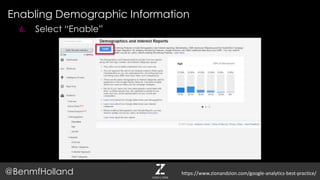
6. Select “Enable”
https://www.zionandzion.com/google-analytics-best-practice/
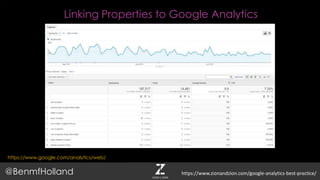
Linking Properties to Google Analytics
https://www.google.com/analytics/web/
@BenmfHolland https://www.zionandzion.com/google-analytics-best-practice/
By linking Google Search Console (Formally Webmaster Tools)
and Google AdWords to Google Analytics you can have all of
your data in one spot.
Why Link Properties
@BenmfHolland https://www.zionandzion.com/google-analytics-best-practice/
Why Link Properties
@BenmfHolland https://www.zionandzion.com/google-analytics-best-practice/
Link Google Search Console To Google Analytics
@BenmfHolland
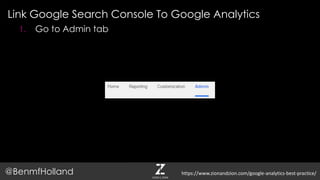
1. Go to Admin tab
https://www.zionandzion.com/google-analytics-best-practice/
Link Google Search Console To Google Analytics
@BenmfHolland
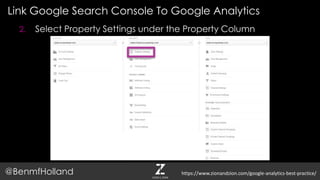
2. Select Property Settings under the Property Column
https://www.zionandzion.com/google-analytics-best-practice/
Link Google Search Console To Google Analytics
@BenmfHolland
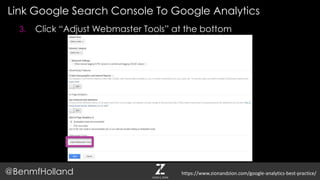
3. Click “Adjust Webmaster Tools” at the bottom
https://www.zionandzion.com/google-analytics-best-practice/
Link Google Search Console To Google Analytics
@BenmfHolland
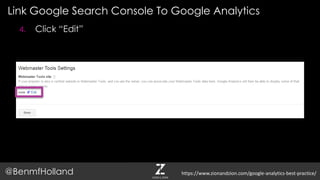
4. Click “Edit”
https://www.zionandzion.com/google-analytics-best-practice/
Link Google Search Console To Google Analytics
@BenmfHolland
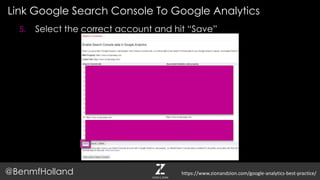
5. Select the correct account and hit “Save”
https://www.zionandzion.com/google-analytics-best-practice/
Link Google AdWords To Google Analytics
@BenmfHolland
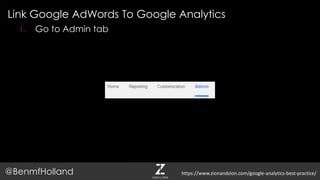
1. Go to Admin tab
https://www.zionandzion.com/google-analytics-best-practice/
Link Google Search Console To Google Analytics
@BenmfHolland
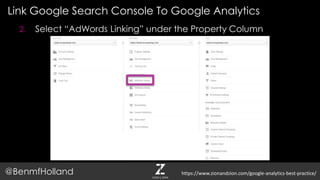
2. Select “AdWords Linking” under the Property Column
https://www.zionandzion.com/google-analytics-best-practice/
Link Google Search Console To Google Analytics
@BenmfHolland
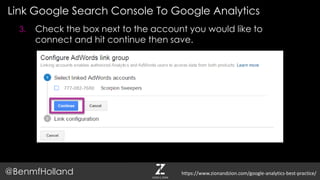
3. Check the box next to the account you would like to
connect and hit continue then save.
https://www.zionandzion.com/google-analytics-best-practice/
Creating Views
@BenmfHolland https://www.zionandzion.com/google-analytics-best-practice/
Views are needed so your data can be Filtered/Cleaned for the
purpose you need.
Creating Views
@BenmfHolland https://www.zionandzion.com/google-analytics-best-practice/
Creating Views
@BenmfHolland https://www.zionandzion.com/google-analytics-best-practice/
Four must have Google Analytics Views:
 Master
 Testing
 Sandbox
 Unfiltered
Creating Views
@BenmfHolland https://www.zionandzion.com/google-analytics-best-practice/
Creating Views
@BenmfHolland
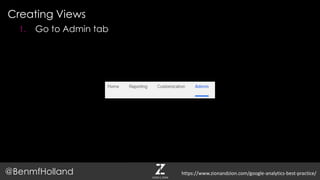
1. Go to Admin tab
https://www.zionandzion.com/google-analytics-best-practice/
Creating Views
@BenmfHolland
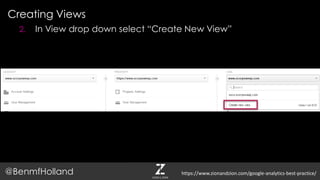
2. In View drop down select “Create New View”
https://www.zionandzion.com/google-analytics-best-practice/
Creating Views
@BenmfHolland
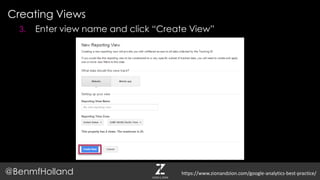
3. Enter view name and click “Create View”
https://www.zionandzion.com/google-analytics-best-practice/
Creating Filters
@BenmfHolland https://www.zionandzion.com/google-analytics-best-practice/
Ensures all the data in Analytics is accurate and formatted
uniformly.
Creating Filters
@BenmfHolland https://www.zionandzion.com/google-analytics-best-practice/
Most Important Filters
 Lowercase hostname
 Lowercase page path
 Lowercase campaign source
 Lowercase campaign medium
 Remove trailing index
 Prepend hostname
 Exclude company IP
 White list host domain
Creating Filters
@BenmfHolland https://www.zionandzion.com/google-analytics-best-practice/
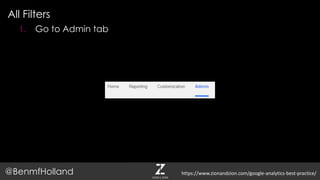
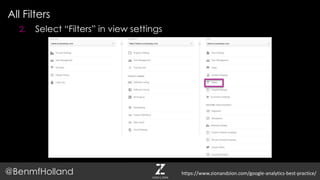
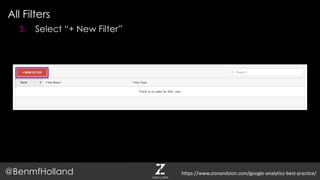
All Filters
@BenmfHolland
1. Go to Admin tab
https://www.zionandzion.com/google-analytics-best-practice/
All Filters
@BenmfHolland
2. Select “Filters” in view settings
https://www.zionandzion.com/google-analytics-best-practice/
All Filters
@BenmfHolland
3. Select “+ New Filter”
https://www.zionandzion.com/google-analytics-best-practice/
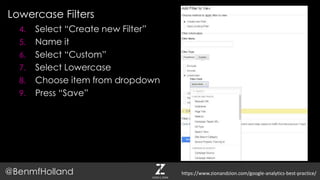
Lowercase Filters
@BenmfHolland
4. Select “Create new Filter”
5. Name it
6. Select “Custom”
7. Select Lowercase
8. Choose item from dropdown
9. Press “Save”
https://www.zionandzion.com/google-analytics-best-practice/
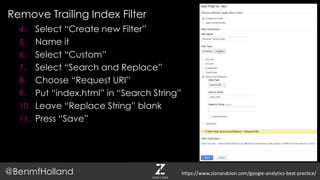
Remove Trailing Index Filter
@BenmfHolland
4. Select “Create new Filter”
5. Name it
6. Select “Custom”
7. Select “Search and Replace”
8. Choose “Request URI”
9. Put “index.html” in “Search String”
10. Leave “Replace String” blank
11. Press “Save”
https://www.zionandzion.com/google-analytics-best-practice/
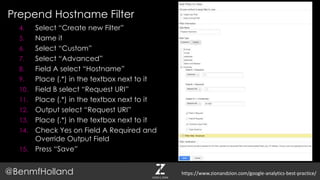
Prepend Hostname Filter
@BenmfHolland
4. Select “Create new Filter”
5. Name it
6. Select “Custom”
7. Select “Advanced”
8. Field A select “Hostname”
9. Place (.*) in the textbox next to it
10. Field B select “Request URI”
11. Place (.*) in the textbox next to it
12. Output select “Request URI”
13. Place (.*) in the textbox next to it
14. Check Yes on Field A Required and
Override Output Field
15. Press “Save”
https://www.zionandzion.com/google-analytics-best-practice/
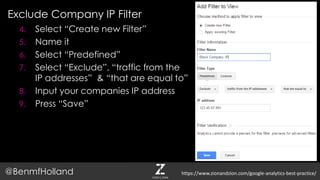
Exclude Company IP Filter
@BenmfHolland
4. Select “Create new Filter”
5. Name it
6. Select “Predefined”
7. Select “Exclude”, “traffic from the
IP addresses” & “that are equal to”
8. Input your companies IP address
9. Press “Save”
https://www.zionandzion.com/google-analytics-best-practice/
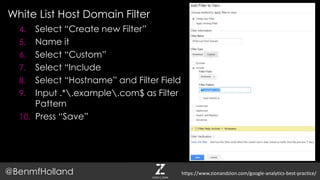
White List Host Domain Filter
@BenmfHolland
4. Select “Create new Filter”
5. Name it
6. Select “Custom”
7. Select “Include
8. Select “Hostname” and Filter Field
9. Input .*.example.com$ as Filter
Pattern
10. Press “Save”
https://www.zionandzion.com/google-analytics-best-practice/
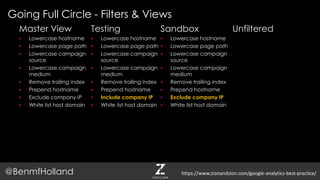
Going Full Circle - Filters & Views
@BenmfHolland
Master View
 Lowercase hostname
 Lowercase page path
 Lowercase campaign
source
 Lowercase campaign
medium
 Remove trailing index
 Prepend hostname
 Exclude company IP
 White list host domain
https://www.zionandzion.com/google-analytics-best-practice/
Testing
 Lowercase hostname
 Lowercase page path
 Lowercase campaign
source
 Lowercase campaign
medium
 Remove trailing index
 Prepend hostname
 Include company IP
 White list host domain
Sandbox
 Lowercase hostname
 Lowercase page path
 Lowercase campaign
source
 Lowercase campaign
medium
 Remove trailing index
 Prepend hostname
 Exclude company IP
 White list host domain
Unfiltered
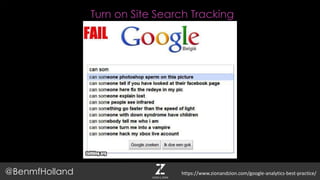
Turn on Site Search Tracking
@BenmfHolland https://www.zionandzion.com/google-analytics-best-practice/
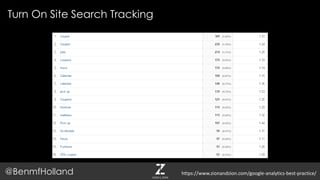
You will be able to see what people are searching for on your
site.
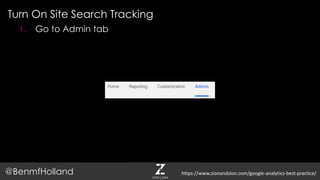
Turn On Site Search Tracking
@BenmfHolland https://www.zionandzion.com/google-analytics-best-practice/
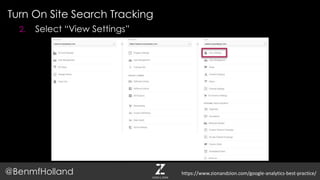
Turn On Site Search Tracking
@BenmfHolland https://www.zionandzion.com/google-analytics-best-practice/
Turn On Site Search Tracking
@BenmfHolland
1. Go to Admin tab
https://www.zionandzion.com/google-analytics-best-practice/
Turn On Site Search Tracking
@BenmfHolland
2. Select “View Settings”
https://www.zionandzion.com/google-analytics-best-practice/
Turn On Site Search Tracking
@BenmfHolland
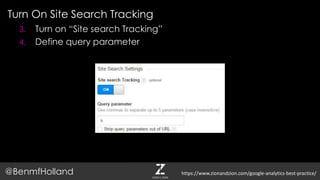
3. Turn on “Site search Tracking”
4. Define query parameter
https://www.zionandzion.com/google-analytics-best-practice/
Analytics setup
@BenmfHolland
DONE!
https://www.zionandzion.com/google-analytics-best-practice/
CUSTOMIZING ANALYTICS
@BenmfHolland https://www.zionandzion.com/google-analytics-best-practice/
Setting Up Events
@BenmfHolland https://www.zionandzion.com/google-analytics-best-practice/
Setting Up Events
@BenmfHolland
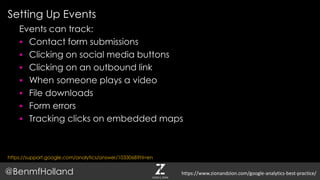
Events can track:
 Contact form submissions
 Clicking on social media buttons
 Clicking on an outbound link
 When someone plays a video
 File downloads
 Form errors
 Tracking clicks on embedded maps
https://www.zionandzion.com/google-analytics-best-practice/
https://support.google.com/analytics/answer/1033068?hl=en
Setting Up Events
@BenmfHolland
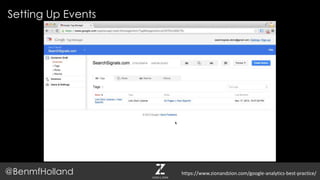
Use Google Tag Manager
https://support.google.com/analytics/answer/6164470?hl=en
https://www.zionandzion.com/google-analytics-best-practice/
Setting Up Events
@BenmfHolland https://www.zionandzion.com/google-analytics-best-practice/
Setting Up Goals
@BenmfHolland https://www.zionandzion.com/google-analytics-best-practice/
Setting Up Goals
@BenmfHolland
Goals help monetize a websites by allowing you to define a
value of an action
https://www.zionandzion.com/google-analytics-best-practice/
Setting Up Goals
@BenmfHolland
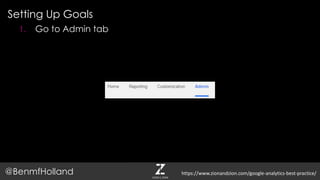
1. Go to Admin tab
https://www.zionandzion.com/google-analytics-best-practice/
Setting Up Goals
@BenmfHolland
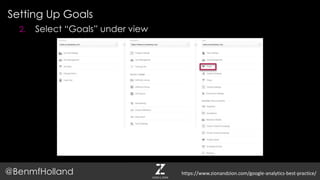
2. Select “Goals” under view
https://www.zionandzion.com/google-analytics-best-practice/
Setting Up Goals
@BenmfHolland
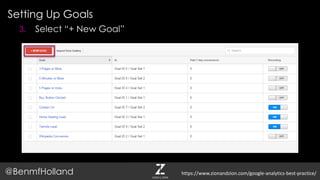
3. Select “+ New Goal”
https://www.zionandzion.com/google-analytics-best-practice/
Setting Up Goals
@BenmfHolland
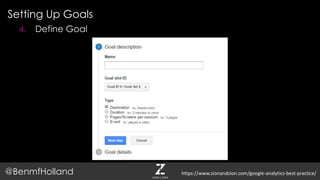
4. Define Goal
https://www.zionandzion.com/google-analytics-best-practice/
Creating Custom Dimensions & Metrics
@BenmfHolland https://www.zionandzion.com/google-analytics-best-practice/
Creating Custom Dimensions & Metrics
@BenmfHolland
Bring in other data to Analytics from other sources.
 Use the Facebook API to define user demographics
 Use the Weather API to bring in weather data to see if it affects
traffic
https://www.zionandzion.com/google-analytics-best-practice/
Creating Custom Dimensions & Metrics
@BenmfHolland https://www.zionandzion.com/google-analytics-best-practice/
Creating Custom Dimensions & Metrics
@BenmfHolland
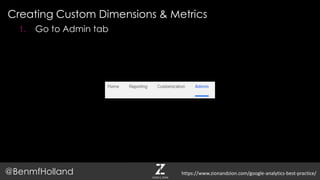
1. Go to Admin tab
https://www.zionandzion.com/google-analytics-best-practice/
Creating Custom Dimensions & Metrics
@BenmfHolland
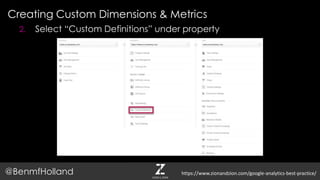
2. Select “Custom Definitions” under property
https://www.zionandzion.com/google-analytics-best-practice/
Creating Custom Dimensions & Metrics
@BenmfHolland
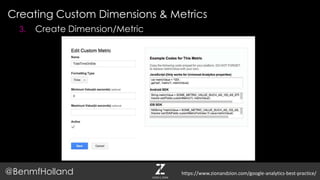
3. Create Dimension/Metric
https://www.zionandzion.com/google-analytics-best-practice/
Custom Channel Groupings
@BenmfHolland https://www.zionandzion.com/google-analytics-best-practice/
Custom Channel Groupings
@BenmfHolland
Allow you to create more traffic channels to better interpret data
 Site you advertise on
 Microsites you have created
 Sites you have gotten links from
 News sites
https://www.zionandzion.com/google-analytics-best-practice/
Creating Custom Channel Groupings
@BenmfHolland
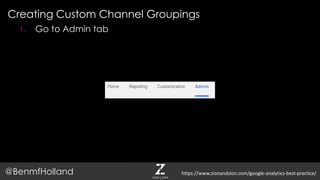
1. Go to Admin tab
https://www.zionandzion.com/google-analytics-best-practice/
Creating Custom Channel Groupings
@BenmfHolland
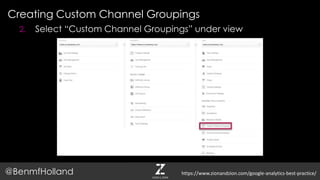
2. Select “Custom Channel Groupings” under view
https://www.zionandzion.com/google-analytics-best-practice/
Creating Custom Channel Groupings
@BenmfHolland
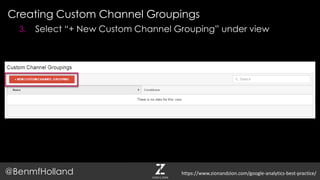
3. Select “+ New Custom Channel Grouping” under view
https://www.zionandzion.com/google-analytics-best-practice/
Creating Custom Channel Groupings
@BenmfHolland
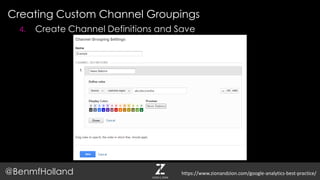
4. Create Channel Definitions and Save
https://www.zionandzion.com/google-analytics-best-practice/
Content Groupings
@BenmfHolland https://www.zionandzion.com/google-analytics-best-practice/
Content Groupings
@BenmfHolland
Allow you to segment out the content on your site
 Blog
 Landing pages
 Recipes
https://www.zionandzion.com/google-analytics-best-practice/
Creating Content Groupings
@BenmfHolland
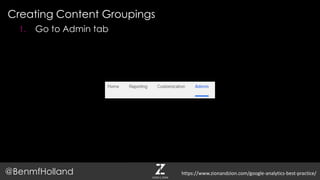
1. Go to Admin tab
https://www.zionandzion.com/google-analytics-best-practice/
Creating Content Groupings
@BenmfHolland
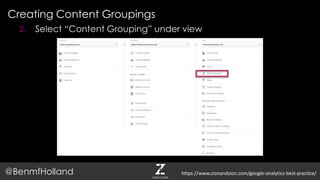
2. Select “Content Grouping” under view
https://www.zionandzion.com/google-analytics-best-practice/
Creating Content Groupings
@BenmfHolland
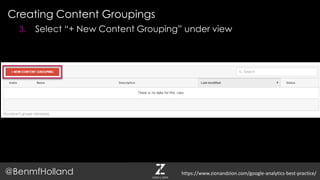
3. Select “+ New Content Grouping” under view
https://www.zionandzion.com/google-analytics-best-practice/
Creating Content Groupings
@BenmfHolland
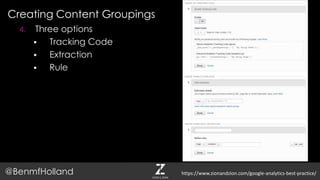
4. Three options
 Tracking Code
 Extraction
 Rule
https://www.zionandzion.com/google-analytics-best-practice/
Creating Advance Segments
@BenmfHolland https://www.zionandzion.com/google-analytics-best-practice/
Creating Advanced Segments
@BenmfHolland
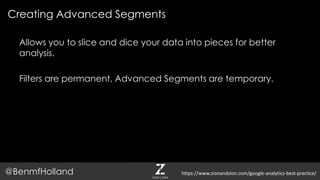
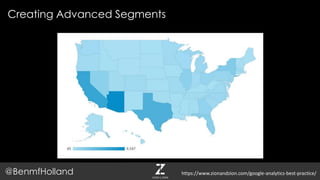
Allows you to slice and dice your data into pieces for better
analysis.
Filters are permanent, Advanced Segments are temporary.
https://www.zionandzion.com/google-analytics-best-practice/
Creating Advanced Segments
@BenmfHolland https://www.zionandzion.com/google-analytics-best-practice/
Creating Advanced Segments
@BenmfHolland
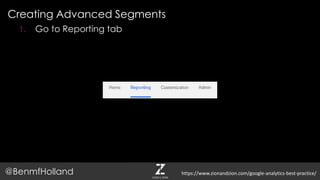
1. Go to Reporting tab
https://www.zionandzion.com/google-analytics-best-practice/
Creating Advanced Segments
@BenmfHolland https://www.zionandzion.com/google-analytics-best-practice/
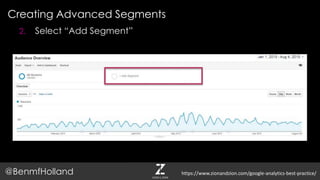
2. Select “Add Segment”
Creating Advanced Segments
@BenmfHolland https://www.zionandzion.com/google-analytics-best-practice/
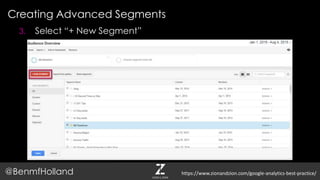
3. Select “+ New Segment”
Creating Advanced Segments
@BenmfHolland https://www.zionandzion.com/google-analytics-best-practice/
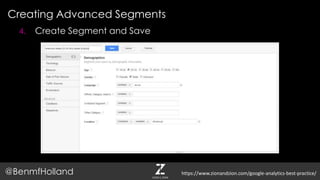
4. Create Segment and Save
Analytics Customization
@BenmfHolland
DONE!
https://www.zionandzion.com/google-analytics-best-practice/
KEEPING TRACK
@BenmfHolland https://www.zionandzion.com/google-analytics-best-practice/
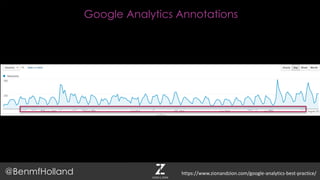
Google Analytics Annotations
@BenmfHolland https://www.zionandzion.com/google-analytics-best-practice/
Google Analytics Annotations
@BenmfHolland
Provide insights that are not in the data.
 Media hits
 Guest blogging
 Speaking at the AMA
 Website redesign
Note anything that may affect traffic
https://www.zionandzion.com/google-analytics-best-practice/
Google Analytics Annotations
@BenmfHolland https://www.zionandzion.com/google-analytics-best-practice/
Google Analytics Annotations
@BenmfHolland
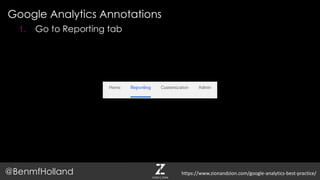
1. Go to Reporting tab
https://www.zionandzion.com/google-analytics-best-practice/
Google Analytics Annotations
@BenmfHolland
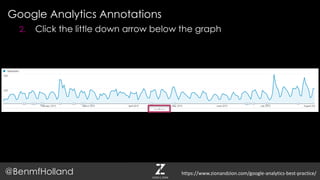
2. Click the little down arrow below the graph
https://www.zionandzion.com/google-analytics-best-practice/
Google Analytics Annotations
@BenmfHolland
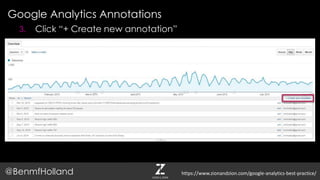
3. Click “+ Create new annotation”
https://www.zionandzion.com/google-analytics-best-practice/
Google Analytics Annotations
@BenmfHolland
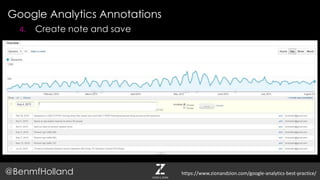
4. Create note and save
https://www.zionandzion.com/google-analytics-best-practice/
Custom Alerts
@BenmfHolland https://www.zionandzion.com/google-analytics-best-practice/
Google Analytics Custom Alerts
@BenmfHolland
Send you an email when something predefined occurs
 Analytics has flat lined
 Organic search declines 50% in a week
 Page speed increase 50% in a day
 Traffic spike
 Social media increase 50% in a day
https://www.zionandzion.com/google-analytics-best-practice/
Google Analytics Custom Alerts
@BenmfHolland https://www.zionandzion.com/google-analytics-best-practice/
Google Analytics Custom Alerts
@BenmfHolland
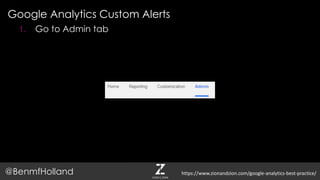
1. Go to Admin tab
https://www.zionandzion.com/google-analytics-best-practice/
Google Analytics Custom Alerts
@BenmfHolland
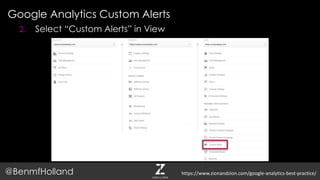
2. Select “Custom Alerts” in View
https://www.zionandzion.com/google-analytics-best-practice/
Google Analytics Custom Alerts
@BenmfHolland
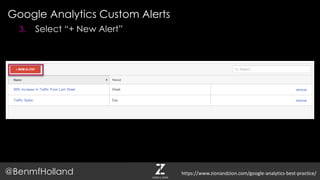
3. Select “+ New Alert”
https://www.zionandzion.com/google-analytics-best-practice/
Google Analytics Custom Alerts
@BenmfHolland
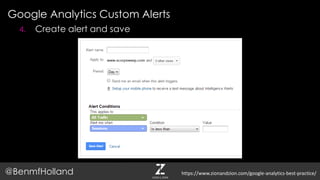
4. Create alert and save
https://www.zionandzion.com/google-analytics-best-practice/
All Done!
@BenmfHolland https://www.zionandzion.com/google-analytics-best-practice/

Google Analytics Implementation for Agencies and Companies